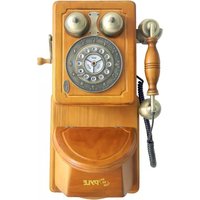
PRT45 - Telephone Pyle - Free user manual and instructions
Find the device manual for free PRT45 Pyle in PDF.


| Brand | Pyle |
| Model | PRT45 |
| Product Type | Vintage desk telephone |
| Color | Yellow |
| Dialing Type | Push-button dial with Tone/Pulse switch |
| Ringer Volume Control | High/Low switch |
| Redial Function | Last number redial |
| Flash Function | For call waiting or new call |
| Pause Function | Inserts 4-second pause for PBX or long distance |
| Components Included | Telephone body, handset, handset coil cord, line cord, owner's manual |
| Installation | Connect handset cord, line cord to wall socket |
| Power Source | Telephone line powered |
| Care Instructions | Clean with soft dry cloth; avoid chemicals; keep away from moisture and dust |
| Safety Precautions | Do not use during electrical storms; disconnect during storms |
| Troubleshooting | Check line cord connections; test different wall socket |
| Service | Contact point of purchase |
Frequently Asked Questions - PRT45 Pyle
User questions about PRT45 Pyle
0 question about this device. Answer the ones you know or ask your own.
Ask a new question about this device
Download the instructions for your Telephone in PDF format for free! Find your manual PRT45 - Pyle and take your electronic device back in hand. On this page are published all the documents necessary for the use of your device. PRT45 by Pyle.
USER MANUAL PRT45 Pyle
Visit Us@Pyleaudio.com
Owners Manual
PRT45

natural_image
Yellow vintage yellow telephone with dual dials and a dial, no visible text or symbolsInstallation
- Connect the telephone handset cord to the handset jack
- Connect the telephone line cord to the line cord jack
- Connect the other telephone line cord to the telephone wall socket
- Adjust the desired level (L/H) of the ringer signal with the switch on the back of telephone body. (See pictures below)


How To Use
1. TONE/PLUSE SWITCH
On the bottom of telepone base is the P/T switchable dialer. If you have touch tone service then slide the switch to the T(Tone)position; if you have rotary dial service then slide the switch to the P(Pulse) position.
2.MAKING AND ANSWERING CALLS
To get a dial tone or answer an incoming call, lift the handset; To hang up, either replace the handset or simply press the HANDSET CRADLE.
3.RINGER SWITCH
You can choose the loudness of the ringing of the phone by the ringer switch located on the bottom of telephone base to either HIGH or LOW
4.LAST NUMBER REDIAL(R)
The feature may be used to speed dial the last number dialed. Simply pick up the handset listen for dial tone and then momentarily press the REDIAL button, the last number dialed will dial out automatically.
5.FALSH FUNCTION
If you get a busy tone after entering the number, press the FLASH butoon first, after hearing the dial tone, institute a dial tone for another call.
Press the FLASH button to terminate a call, and institute a dial tone for another call to getting another call from call waiting.
6.PAUSE FUNCTION
In some cases, such as PABX or Long distance service, a pause should be inserted in dialing sequence. The PAUSE button can be insert about 4 seconds interval with no dial output.
Parts Included
Your new telephone includes the following items
1- Telephone Body
1- Telephone handset
1- Handset coil cord
1- Line cord
1- Owners manual
Care and Maintenance
Use soft and dry cloth to clean the telephone, use polish for wood for polishing the wooden parts
- Protect the telephone from the high temperature
- Keep the telephone free from the dust and moisture; if it gets wet please wipe it dry immediately.
- Don't use any kind of chemical or any abrasive powder to clean the cabinet
- Don't use the telephone during the electrical storm; A lightning strike can cause serious damage
- As extra protection to disconnect the telephone during electrical storms
Trouble shooting
No dial tone
*the telephone line cord is not properly to connected the telephone jack or the telephone
*test the telephone in the different telephone wall socket if it works the first wall socket may be damaged
Service
If your telephone needs service, please contact the shop you bought the telephone.


Brand : Pyle
Model : PRT45
Category : Telephone