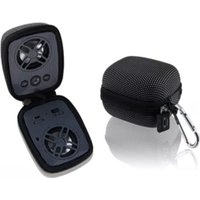
ISB84 - Docking Station iLive - Free user manual and instructions
Find the device manual for free ISB84 iLive in PDF.


| Product Type | Docking Station |
| Brand | iLive |
| Model | ISB84 |
| Dimensions (W x D x H) | 12.5 x 7.0 x 5.5 inches |
| Weight | 2.4 lbs |
| Power Input | AC 100-240V, 50/60Hz |
| Compatible Devices | iPod, iPhone, iPad (30-pin connector) |
| Speaker Configuration | Built-in stereo speakers |
| Audio Output | 3.5mm auxiliary jack |
| Charging Capability | Charges connected Apple devices |
| Alarm Clock Function | Yes |
| Remote Control | Included |
| Display | LED digital display for clock |
| Material | Plastic with wood sides |
| Color | Dark wood finish |
| Maintenance & Cleaning | Wipe with dry cloth; avoid liquids |
| Safety Precautions | Keep away from moisture; unplug during storms |
| Spare Parts & Repairability | Contact iLive support for service |
| General Information | Designed for bedside table use; dual alarm |
Frequently Asked Questions - ISB84 iLive
User questions about ISB84 iLive
0 question about this device. Answer the ones you know or ask your own.
Ask a new question about this device
Download the instructions for your Docking Station in PDF format for free! Find your manual ISB84 - iLive and take your electronic device back in hand. On this page are published all the documents necessary for the use of your device. ISB84 by iLive.
USER MANUAL ISB84 iLive
PAIRING A BLUETOOTH DEVICE
- Turn on the unit using the Power switch. Press & hold the Pair button, the Pairing Indicator will flash blue quickly, and the unit will enter pairing mode.
- When pairing, remain within 3 feet of the unit.
- Using the native controls on your Bluetooth device, scan for and select ISB84B in your Bluetooth settings to pair.
- If your device requests a password, the default password is 0 0 0 0. Refer to the user's manual for your specific device for instructions on pairing and connecting Bluetooth devices.
- When successfully paired and connected, the Pairing Indicator will display a solid blue light and a beep will sound from the unit.
- If problems arise with pairing, press the Pair button to begin pairing again.
- Use the native controls on the connected Bluetooth device to select a track.
- To play, pause or skip the selected track:
Use the native controls on the connected Bluetooth device, or use the Play/Pause/ Skip controls on the speaker.
- Audio played through the connected Bluetooth device will now be heard through the speakers.
USING THE SPEAKERPHONE
- When a call is received, a ringtone will sound through the speakers.
- Press the Play/Pause/Speakerphone button to accept the call, or accept the call with the native controls on the connected device.
- The incoming call received through the device will now be heard through the speakers.
- To end the call, press the Play/Pause/Speakerphone button or end the call using the native controls on the connected device.
INTERNATIONAL SUPPORT
To download this User's Guide in English, Spanish, or French, or to get answers to frequently asked questions, visit the support section at:
www.iLiveElectronics.com
For Warranty Information and the most up-to-date version of this User's Guide, go to: www.iLiveElectronics.com

natural_image
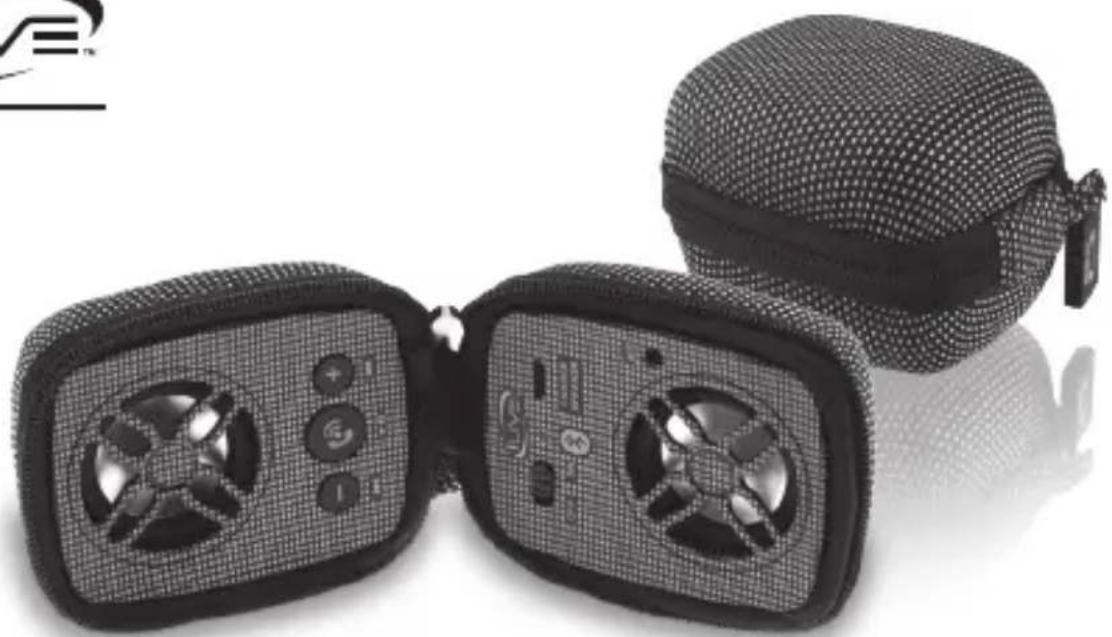
Close-up of a black mesh-themed wearable device with two open lenses showing smart glasses and control buttons (no text or symbols visible)Bluetooth Wireless Portable Speaker
User's Guide for Model No. ISB84B v996-01
WARNINGS AND PRECAUTIONS
- WARNING: To prevent fire or shock hazards, do not expose this unit to rain or moisture.
- WARNING: Do not place this unit directly onto furniture surfaces with any type of soft, porous, or sensitive finish. As with any rubber compound made with oils, the feet could cause marks or staining where the feet reside. We recommend using a protective barrier such as a cloth or a piece of glass between the unit and the surface to reduce the risk of damage and/or staining.
- WARNING : Where the mains plug or appliance coupler is used as the disconnect device, such disconnect device shall remain readily operable.
Note : This device uses an internal rechargeable lithium-ion battery that should last the lifetime of the device. If you suspect your battery may be dead after several attempts to charge, please contact 1-888-999-4215 for support.
Never disassemble the unit or attempt to remove the battery as that could cause leakage of an electrolytic substance.
FCC WARNINGS
- Warning: Changes or modifications to this unit not expressly approved by the party responsible for compliance could void the user's authority to operate the equipment.
NOTE: This equipment has been tested and found to comply with the limits for a Class B digital device, pursuant to Part 15 of the FCC Rules. These limits are designed to provide reasonable protection against harmful interference in a residential installation. This equipment generates, uses, and can radiate radio frequency energy and, if not installed and used in accordance with the instructions, may cause harmful interference to radio communications. However, there is no guarantee that interference will not occur in a particular installation. If this equipment does cause harmful interference to radio or television reception, which can be determined by turning the equipment off and on, the user is encouraged to try to correct the interference by one or more of the following measures:
• Reorient or relocate the receiving antenna.
- Increase the separation between the equipment and receiver.
- Connect the equipment into an outlet on a circuit different from that to which the receiver is connected.
- Consult the dealer or an experienced radio/TV technician for help.
FEATURES
• Wireless range: 33 feet
• Supports automatic device pairing
• Built-in speakers
• LED pairing indicator
- Pairing button
• DC battery power: built-in
rechargeable lithium ion battery
• Micro-USB port for battery recharge
• Micro USB to USB charging cable
• Battery life: approx. 3 hours
CONTROLS
Power Switch
LED Indicator
Speaker

DC Charging Port
Use a USB cable (included) to charge device by connecting to a computer or a USB wall charger.
Note: Computer must not be in sleep mode.
Microphone
CONTROLS
Speaker

Pair/Call/
Play Track
Volume +/-
Press and hold


Fwd/Rev Track
Press quickly
INDICATORS
| STATUS INDICATOR | |
| Power On Red Solid Light | |
| Charging Device Red Solid Light | |
| Full Charge No Lights | |
| Pairing Device Blue Flashing Light | |
| Device Paired Blue Solid Light | |
| Low Battery Red Flashing Light |
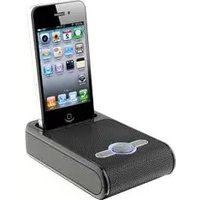
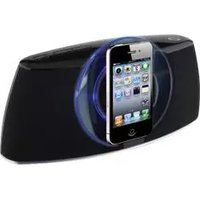

Brand : iLive
Model : ISB84
Category : Docking Station