
DNA-6000 - Tripod Glide Gear - Free user manual and instructions
Find the device manual for free DNA-6000 Glide Gear in PDF.


| Product Type | Tripod |
| Brand | Glide Gear |
| Model | DNA-6000 |
| Maximum Height | 60 inches (152 cm) |
| Minimum Height | 20 inches (51 cm) |
| Weight | 5 lbs (2.3 kg) |
| Load Capacity | 10 lbs (4.5 kg) |
| Material | Aluminum alloy |
| Head Type | 3-way pan and tilt head |
| Quick Release Plate | Yes, standard Arca-Swiss compatible |
| Bubble Level | Yes, built-in |
| Leg Locks | Flip-lock levers |
| Center Column | Geared, reversible |
| Feet | Rubber, retractable spikes |
| Spare Parts | Replaceable rubber feet and quick release plates available |
| Repairability | Modular design; most parts can be replaced individually |
| Maintenance | Clean with a dry, soft cloth; avoid harsh chemicals |
| Safety | Do not exceed load capacity; secure all locks before use; avoid extreme weather |
Frequently Asked Questions - DNA-6000 Glide Gear
User questions about DNA-6000 Glide Gear
0 question about this device. Answer the ones you know or ask your own.
Ask a new question about this device
Download the instructions for your Tripod in PDF format for free! Find your manual DNA-6000 - Glide Gear and take your electronic device back in hand. On this page are published all the documents necessary for the use of your device. DNA-6000 by Glide Gear.
USER MANUAL DNA-6000 Glide Gear
Glide Gear DNA-6000 Series
Vest & Arm Stabilization System
Designed for Glide Gear Handheld Camera Stabilizers

MODEL DNA-6000 Series (6000, 6001, 6002)
Setup and Operation Manual
Table of Contents
Overview 3
Highlights 4
Brief Tour of Glide Gear DNA-6000 Vest & Arm Assembly 5
Expanded View of Parts & Assembly 7
Vest 7
Control Arm 9
Attaching the control arm 10
Attaching the camera stabilizer 11
Adjusting the arm 13
Hand positioning 16
Tips 18
Overview
Congratulations! You are now the lucky owner of the Glide Gear DNA-6000 series Vest & Arm Stabilization System, the most well balanced, versatile, lightweight, and affordable Vest/Arm stabilization system on the market. The engineers at Glide Gear have done it again, the DNA stabilization system will allow unparalleled dynamic shots while your arms never fatigue.
Note: This DNA-6000 series manual applies to the DNA-6000 stand alone system, DNA-6001 Vest and Arm Stabilization Kit with DNA 5050, and the DNA-6002 Vest & Arm Stabilization Kit modified for 7-12 lbs Rigs. Except where indicated, the specifications for all three systems are identical.
You will be able to take hours of silky smooth video while walking, running, climbing stairs, roller skating, etc... The DNA vest/arm system is also ambidextrous allowing you to mount the arm on either side of the vest so you can use left or right handed guidance.
The problem with other Vest and Arm stabilization systems on the market today is that they are typically difficult and uncomfortable to use, heavy, expensive, and just not robust enough for practical long term high level functional use. The DNA 6000 is precision CNC machined from 6061 anodized aluminum with black powder coating and stainless hardware, so it is designed to last for a lifetime without corrosion or damage.
The vest itself has padded high quality strapping features double stitching with easy two clip harness system for fast donning and doffing. The DNA is a one-size-fits-all unit with fully adjustable straps and the breastplate is adjustable in length. All you have to do is slide the handle of your Glide Gear DNA series stabilizer into the arm and you are ready to start flying....
The DNA-6000 Vest & Arm Stabilizing System is a standalone kit (no camera stabilizer included) with carry case. The DNA-6001 and DNA-6002 come with the DNA-5050 camera stabilizer (manual included).
Note: The DNA 6002 includes extra counter weights included in the DNA 5050 stabilizer to accommodate up to a 12 lb rig. We also have equipped the Vest & Arm system with stiffer springs to accommodate rigs with a total weight between 7 and 12 lb.
Highlights
• Elegant and balanced design
- Constructed with aircraft grade CNC machined 6061 aluminum anodized in a scratch-resistant black paint
• Ambidextrous mounting option
- Rated to carry rigs up to 10 lb (DNA 6002 is rated for rigs with a minimum of 7 lb and maximum of 12 lb)
- Adjustable chest plate
- Adjustable straps with easy clip on harness
• Dual swing arm with adjustable tension knobs
• Fits all of Glide Gear DNA series stabilizers
- Stainless hardware
• Deluxe padded carry case
• 10-year warranty
Remember: The DNA-6000 Vest & Arm Stabilization System is rated for camera rigs up 10 lb while the DNA-6001 is rated for cameras up to 7 lb. The DNA 6002 is not compatible with camera rigs less than 7 lb and more than 12 lb.
Brief Tour of Glide Gear DNA-6000 Vest & Arm Assembly
To start with, let's identify the Glide Gear DNA-6000 functional components. You can unpack the unit as you read this comprehensive guide. Get familiar with the parts so that you will have an easier time following the setup instructions.
The DNA-6000 is actually quite simple to use because all the main parts are already assembled. It all boils down to adjusting straps and tightening bolts until you feel comfortable wearing the system. The real pain in the behind is assembling, balancing and attaching the camera stabilizer that you will use with the DNA 6000 but that's a whole other story. Each of the excellent Glide Gear handheld camera stabilizers you have comes with a comprehensive manual. Make sure that you are thoroughly familiar with the stabilizer before you start using it with the DNA 6000. It will make your life so much simpler and rewarding.
The DNA 6000 is primarily a support system to help you avoid the common issues plaguing amateur video makers: jittery, jerky, fuzzy shots. With a camera stabilizer, your video camera will acquire the stabilization your brain has when you walk through or scan a scene. But because even the lightest handheld camera stabilizers are somewhat heavy, it doesn't take long before fatigue sets in and your arms and hands begin to ache. That's where the DNA 6000 comes in. It helps distribute the weight of the stabilizer and the attached video camera throughout your body, leaving your hands practically free. Of course you still keep your hands lightly on the stabilizer to control it.
The Glide Gear DNA-6000 is not only an incredibly efficient way to solve this dilemma, it also provides an ergonomic way to hold your camera to take those spectacular shots and produce smooth, fluid motion that can rival those taken with a camera mounted on a crane. The Glide Gear DNA-6000 alters the way your camera is supported, and when the camera stabilizer is balanced correctly, it will float it in the air while giving you enhanced ability to frame and aim your shots.
The Glide Gear DNA-6000 is your best friend, an affordable solution to professional quality camera work ideal for weddings, conventions, and other events either indoor or outdoor. With this imminently portable and lightweight but eminently sturdy Glide Gear DNA-6000, you can finally kiss jittery shots and shoddy, shaky framing goodbye. Now, you can indulge your inner cinematographer without having to spend a fortune on professional-grade equipment. All you need is your existing camera, Glide Gear camera stabilizer and the Glide Gear DNA-6000.

Expanded View of Parts & Assembly
VEST
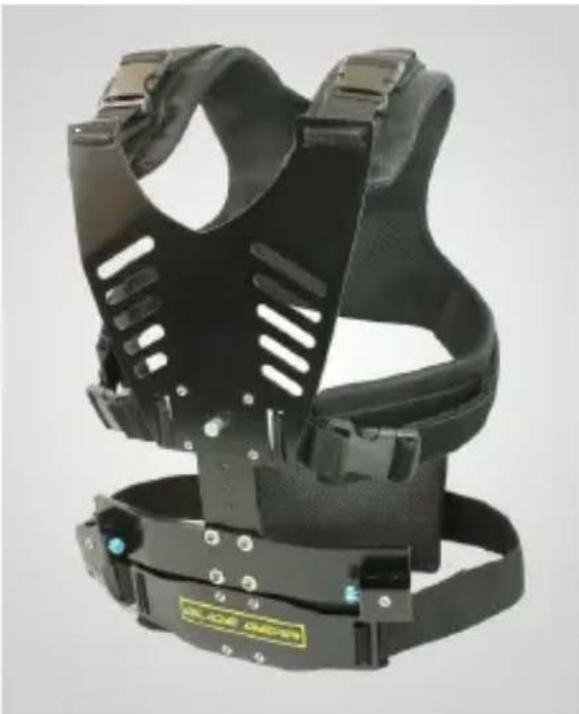
The main function of the vest is to take the weight of the camera stabilizer and camera off your arm and hand and on to your torso. It is constructed so that the weight is evenly distributed provided the vest is fitted snugly on the operator's body. The DNA-6000 vest has clamps on the sides and the padded shoulders straps which when locked will let you easily adjust the Velcro straps. There is also a release knob on the metal chest plate that lets you adjust the height of the plate so that the lower strap rests comfortably over your hip bones. Simply pull on the knob and slide the adjustment plate up and down.


Make sure the foam padding at the back is placed against your lower back for best support:

Once you have found the right fit for your vest, you won't have to readjust again. Simply undo the clamps when you're done for the day and put it back on the next time you use it. The vest should fit just as well.
CONTROL ARM
The control arm is where you will actually attach your camera stabilizer.
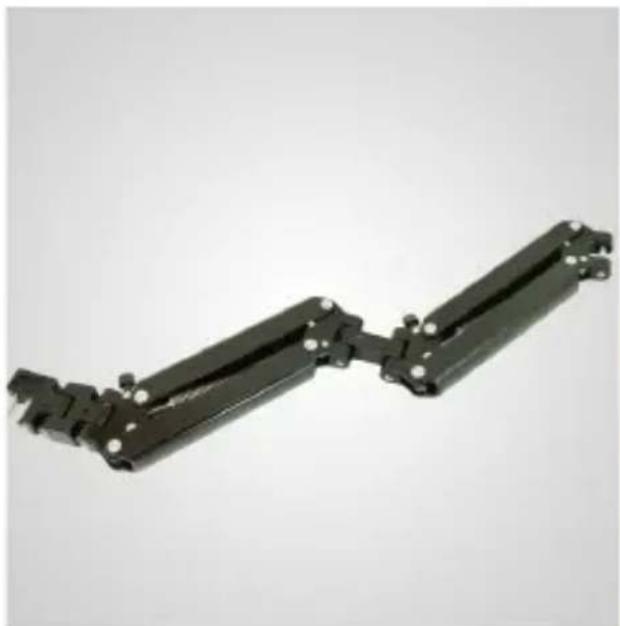
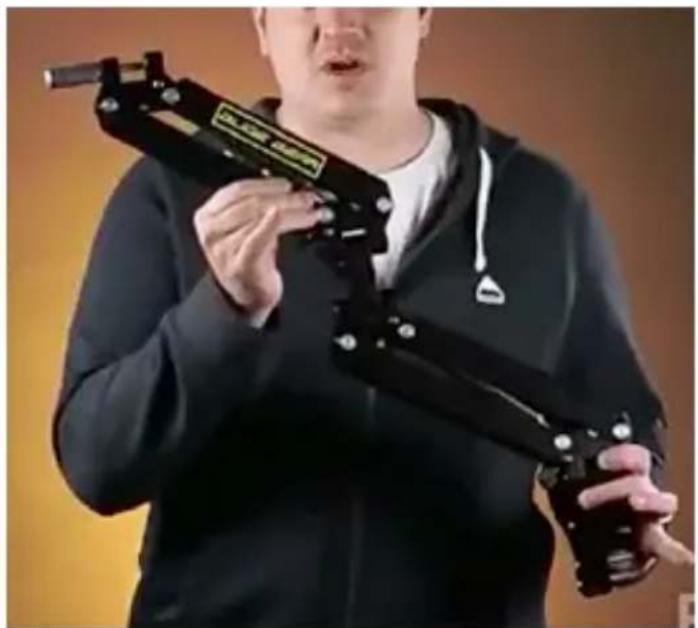
Before doing that, you need to attach the arm to the vest (hence vest & arm system) which you can easily do by sliding the two-pronged end of the arm to one of the arm seats located on each side of the lower part of the vest.

You only need one but the DNA-6000 lets you choose between a left or right side attachment, depending on your handedness. This ambidextrous feature is just one of the things Glide Gear likes to do to make your life easier.
Attaching the control arm
The assembly, as we promised, is very simple.

Slide the prongs into the arm seat.

Tighten the safety screw to fix the control arm in the arm seat on your preferred side to keep the control arm from slipping out during operation.
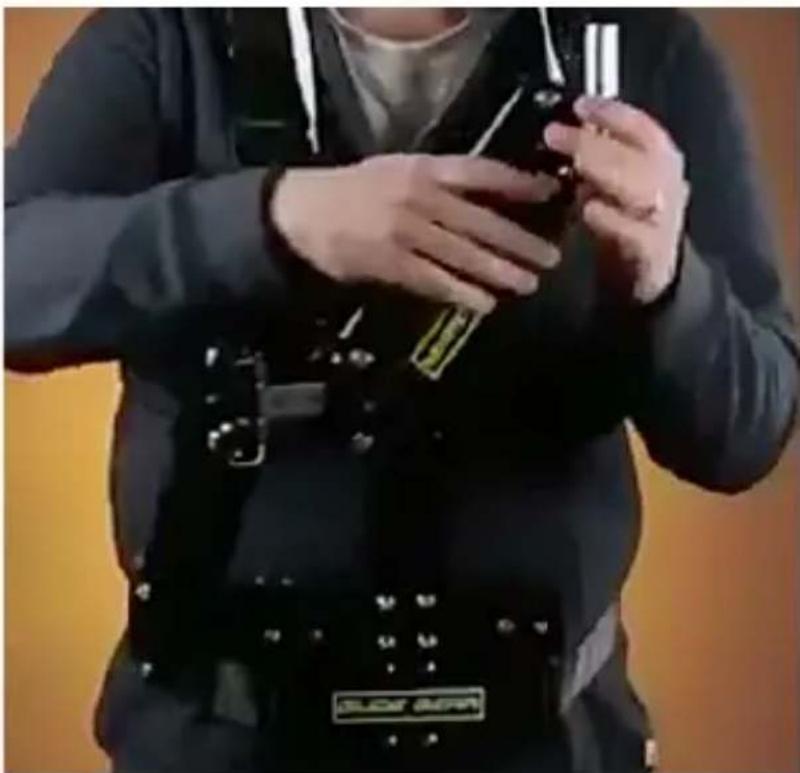
Voila!
Attaching the camera stabilizer
The camera stabilizer attaches to the control arm via the shaft, shown below:

All Glide Gear handheld camera stabilizers are equipped with a hollow foam-covered handle that sits neatly on the shaft of the DNA-6000 control arm.


Like so.
Adjusting the arm
Once the stabilizer is attached, the next step is to adjust the arm. You need to set the float point of the arm, which is basically the point at which the tension of the arm allows you to control it with the slightest force. You will find one adjustment knob on the "elbow" of the control arm and another one near the prongs that connect the arm to the vest.

Turning the knobs clockwise will increase the tension and turning them counterclockwise will decrease the tension. This lowers or raises the arm, and you need to experiment with a combination of rear and front tensions so that the camera base rests slightly below your collarbone. Test the arm for sponginess which means you will need more force to control movement. You don't want that. As the term implies, the arm should "float" but not bounce. The control arm is supposed to absorb most of the shock you generate while walking, so test it thoroughly by taking a video and make minute adjustments until you're satisfied with the results.
Of course, we are presuming that you have properly balanced your camera stabilizer before attaching it to the DNA 6000. If you haven't yet done this, you've just wasted your time.

DNA-6000 with the Glide Gear DNA 5050 Professional Camera Stabilizer (not included in the DNA-6000 standalone kit but included in the DNA-6001 and DNA-6002)
Last but not least, the whole system fits into a neat carry bag included in the kit.

Hand Positioning
As we mentioned earlier, you will not be holding the arm at all when operating your video camera. Instead, you will be holding the stabilizer in order to control it.

It is recommended when operating with the DNA-6000 that you keep the arm fairly close to the body and your torso straight. Avoid moving from side to side to prevent the arm from swinging. It may feel a little stiff and awkward at first but with enough practice it will become second nature to you.

Foot movement should also be practiced. While the DNA-6000 helps keep the camera steady, excessive jerky movements will still show in the footage. Practice moving deliberately and rhythmically, keeping to the balls of your feet, for at least a few hours before attempting to shoot footage you actually plan to use. You may find that sideway stepping gives better results.
Taking test footage will show you the progression of your skill in operating the DNA-6000. Start shooting real footage when you're satisfied with the results.
Tips
- Get to know your equipment thoroughly. If you are serious about improving your videography skills, you need to become technically proficient in the uses and capabilities of your tools. The video camera, no matter how advanced, is only as good as its support system, so take the time to practice using it as much as you can.
- Start with simple moves. It can be tempting to get ambitious when you have a new toy, and there's no harm in going crazy with it. But if you want to seriously understand what you can do, you have to start with the basics. This will give you a chance to develop muscle memory you will be able to use when you try more complex moves.
- Avoid jerking the DNA-6000 in any direction. This may be next to impossible when moving while shooting but it pays to make the effort. The final product will benefit by keeping jerky movements to a minimum.
- Avoid moving the camera too fast. Even if the movement is smooth and fluid, zipping from one scene to another can still make you dizzy. In some instances this can work but not when it happens in succession and inappropriately. For example, if you want to create the impression of speed, you can use this technique but not all the time. Use it sparingly.
- Check your footage constantly. When you are first starting out with the DNA-6000, you are pretty much guessing about the effect you are creating. You don't really know what the footage looks like until you sit down and watch it. Practice with different techniques and check it constantly. Eventually, you will be able to intuit what technique will produce the results you want.
- If you have a segment planned, it would be best to do a run-through before you do the actual footage if it is possible. You will be able to figure out where you will problems and what angles or techniques would work very well with what you are trying to do with the video segment.
And remember: practice, practice, and practice some more!

There you have it, the Glide Gear DNA-6000 Vest & Arm Stabilizing System in all its glory. While the DNA-6000 is designed to work with all Glide Gear camera stabilizers, it can now also be used in tandem with the most innovative and versatile portable jib in the market, the Glide Gear PRO Action Jib System which already comes with Glide Gear DNA 1000 Small Camera Stabilizer!
For more information, visit the Glide Gear site at www.glidegear.net.
Manufactured by Koncept Innovators Inc.
Glidegear Products • 1619 Executive Ave, Myrtle Beach, SC 29577, USA
Telephone: 843.945.4031 • Fax: 843.945.4030
www.glidegear.net
U.S. and Foreign patents applied for and pending


Brand : Glide Gear
Model : DNA-6000
Category : Tripod