
DCTFP92 - Household Fan DIMPLEX - Free user manual and instructions
Find the device manual for free DCTFP92 DIMPLEX in PDF.


| Product Type | Domestic Tower Fan |
| Brand | Dimplex |
| Model | DCTFP92 |
| Dimensions (H x W x D) | 80 cm x 30 cm x 30 cm |
| Weight | 4.5 kg |
| Power Consumption | 50 W |
| Voltage | 220-240 V ~ 50/60 Hz |
| Number of Speed Settings | 3 (Low, Medium, High) |
| Oscillation | Yes, 90° wide-angle oscillation |
| Timer | Up to 8 hours |
| Remote Control | Yes, includes battery (CR2025) |
| Control Panel | Touch button on base |
| Airflow Delivery | Turbo mode for powerful airflow |
| Safety Features | Tip-over auto shut-off, overheat protection |
| Filter Type | Removable and washable pre-filter |
| Cleaning | Wipe with soft damp cloth; do not immerse in water |
| Spare Parts Available | Yes, from Dimplex authorized service centers |
| Warranty | 2 years |
| Package Contents | Fan unit, remote control, user manual |
Frequently Asked Questions - DCTFP92 DIMPLEX
User questions about DCTFP92 DIMPLEX
0 question about this device. Answer the ones you know or ask your own.
Ask a new question about this device
Download the instructions for your Household Fan in PDF format for free! Find your manual DCTFP92 - DIMPLEX and take your electronic device back in hand. On this page are published all the documents necessary for the use of your device. DCTFP92 by DIMPLEX.
USER MANUAL DCTFP92 DIMPLEX
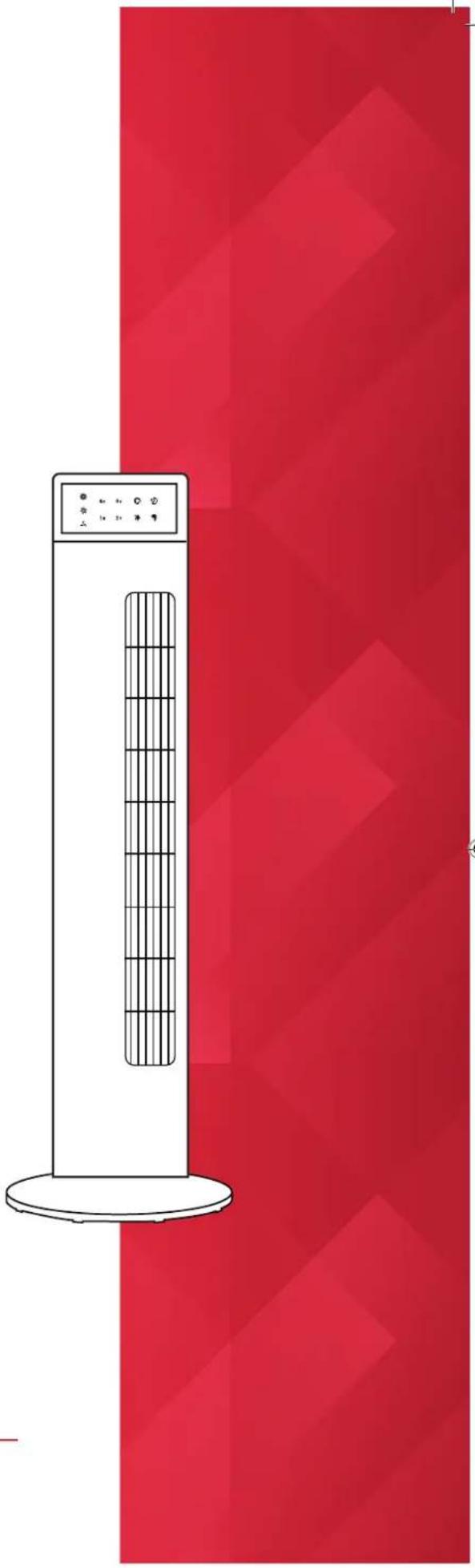
Air Purifying Tower Fan
Model: DCTFP92
For domestic household use only.
natural_image
Illustration of a white vertical electric heater with a grid-patterned side panel, set against a red geometric background (no text or symbols)
IMPORTANT
THESE INSTRUCTIONS SHOULD BE READ CAREFULLY AND
RETAINED FOR FUTURE REFERENCE.
Note also the information presented on the appliance
CAUTION: FAILURE TO FOLLOW THESE INSTRUCTIONS MAY CAUSE INJURY AND/OR DAMAGE AND MAY INVALIDATE YOUR WARRANTY
Please read the operating instructions carefully before using your fan for the first time and keep them in a safe place.
WARNING - This appliance must not be used in a bathroom.
WARNING - Do not use this appliance in the immediate surroundings of a bath, a shower or a swimming pool.
- If the mains lead is damaged it must only be replaced by the manufacturers service agent or a similarly qualified person in order to avoid a hazard.
- This appliance is not intended for use by persons (including children) with reduced physical, sensory or mental capabilities, or lack of experience and knowledge, unless they have been given supervision or instruction concerning use of the appliance by a person responsible for their safety.
• Children should be supervised to ensure they do not play with the appliance. - Prior to cleaning or other maintenance, the appliance must be disconnected from the supply mains.
- Never immerse the appliance in water or other liquids.
- Do not place on soft, unstable or non-horizontal/angled surfaces.
- Never operate the appliance if a cable or connector has been damaged, after appliance malfunction or if the appliance was dropped or is otherwise damaged.
- Please ask a professional service agent to repair the product. Improper repair may cause danger to users.
- Disconnect the appliance from mains power whenever it is not in use, before relocating it, and before cleaning.
- Operate the appliance only at the voltage specified on the rating label.
- Only connect the unit to a properly installed and easily accessible socket so that you can quickly disconnect the plug if necessary.
- Do not connect this product to the mains using an extension lead.
- This fan is only intended for INDOOR RESIDENTIAL applications. This fan should not be used for commercial or industrial or leisure applications or in small enclosed spaces.
- Never use the mains lead as a carrying strap or pulling lead.
- To avoid a fire or electrocution hazard, NEVER put the cord near heat registers, radiator, stoves or heaters.
• DO NOT cover cord with carpeting, throw rugs, runners, or similar coverings.
- DO NOT route cord under furniture or appliances. Take care to position the cord away from traffic areas and where it will not be a tripping hazard.
- DO NOT use the unit near windows or where water collects. Rain and water collection may lead to a risk of fire or electric shock.
• DO NOT COVER.
- Only operate this appliance with a minimum of 50cm clearance all around i.e. away from walls, furniture and overhanging objects such as curtains or a shelf.
- WARNING: To avoid danger of suffocation please remove all packaging materials particularly plastic and EPS and keep these away from vulnerable people, children and babies.
- NEVER drop or insert any object or fingers into any openings.
- Do not use the appliance in locations where paint, petrol or other flammable liquids are used or stored.
- Do not use bug sprays or other flammable cleansers/vapour sprays on or around the unit.
• Always switch off the unit and take the plug out of the socket
• If you are not using the unit
- Before you clean or carry out maintenance on the unit
- If a fault occurs
• In the event of an electrical storm.
- Avoid electromagnetic interference. Keep the unit at least 1 metre away from
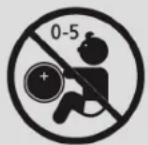
WARNING - KEEP BATTERIES OUT OF REACH OF CHILDREN
- Swallowing may lead to serious injury in as little as 2 hours or death, due to chemical burns and potential perforation of the oesophagus.
- If you suspect your child has swallowed or inserted a button battery immediately call the 24-hour Poisons Information Centre on 13 11 26 (in Australia) or 0800 764 766 (in New Zealand) for fast, expert advice.
- Examine devices and make sure the battery compartment is correctly secured, e.g. that the screw or other mechanical fastener is tightened. Do not use if the compartment is not secure.
- Dispose of used button batteries immediately and safely. Flat batteries can still be dangerous.
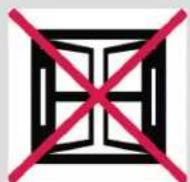
Exposed to the weather outdoors
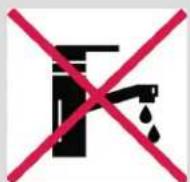
Near water
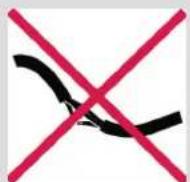
If the power cable wires are frayed or cut
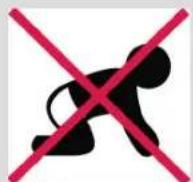
Where small children may be left unattended
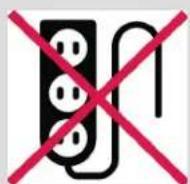
If an extension
lead may become
overloaded

Where the power
cable may be
damaged

On a slope or
uneven surface
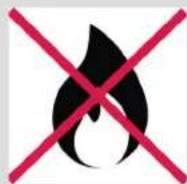
Where there is risk of fire or close to a naked flame
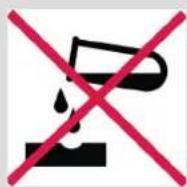
Where it may be
damaged by
chemicals

Where there is a risk of interference by foreign objects

This product is not made for DIY repair
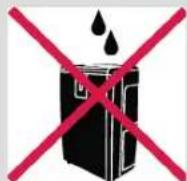
If there is a risk of water falling on the unit
Specification
| Model no. DCTFP92 | |
| Rated voltage 220-240V | |
| Rated frequency 50Hz | |
| Rated power 65W | |
| Weight (gross) 4.6kg | |
| Gross weight of the color box 4.6kg | |
| Noise level ≤55dB | |
| Product size (w x d x h) 290.2 × 290.2 × 921.5mm | |
| Suitable environment | 0 ~ +40°C, relative humidity < 90% |
- For greater precision, please always refer to the rating label placed on the product.
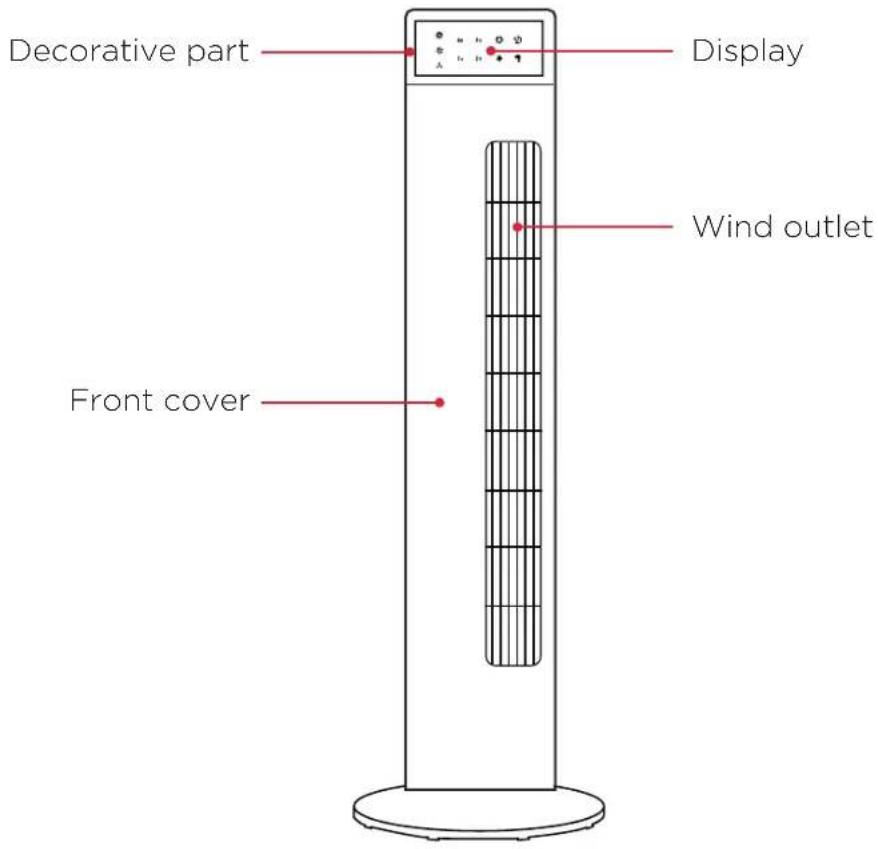
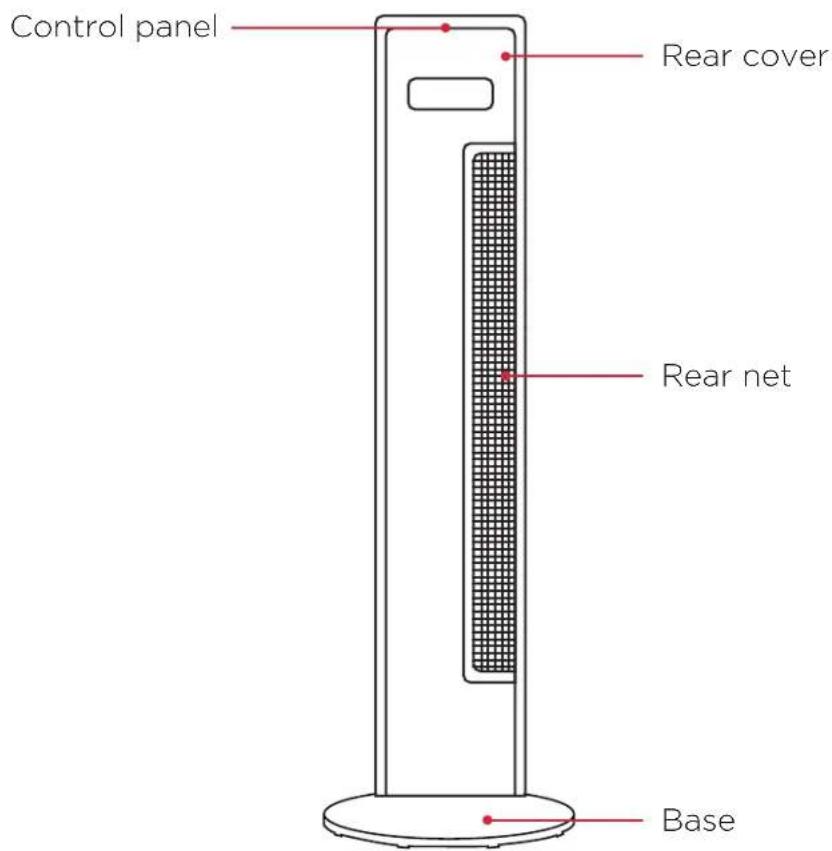
Parts
Fan Operation
A. Battery Installation
One button CR2032 3V battery has been included. Please insert the battery into the remote control, aligned to the direction of the polarity.
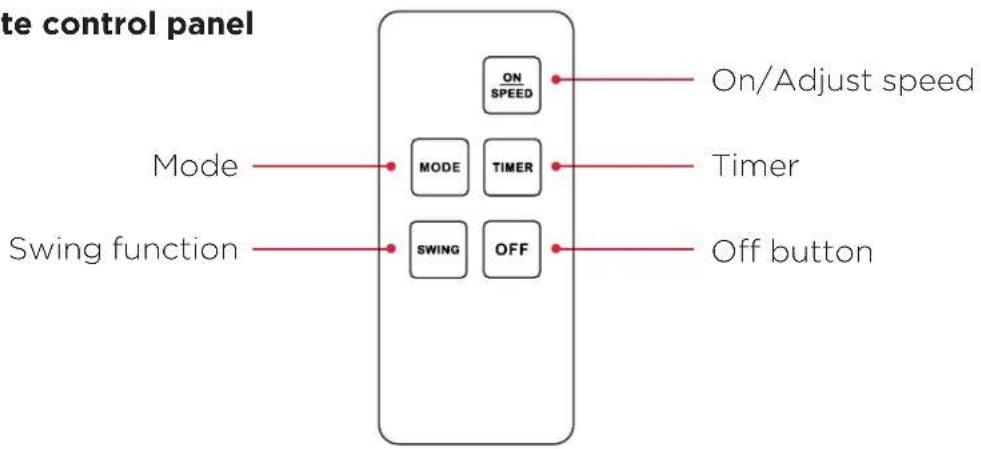
B. Remote control panel
flowchart
graph TD
    A["Mode"] --> B["MODE"]
    A --> C["TIMER"]
    D["Swing function"] --> E["SWING"]
    D --> F["OFF"]
    B --> G["ON SPEED"]
    C --> H["ON/Adjust speed"]
    E --> I["Off button"]
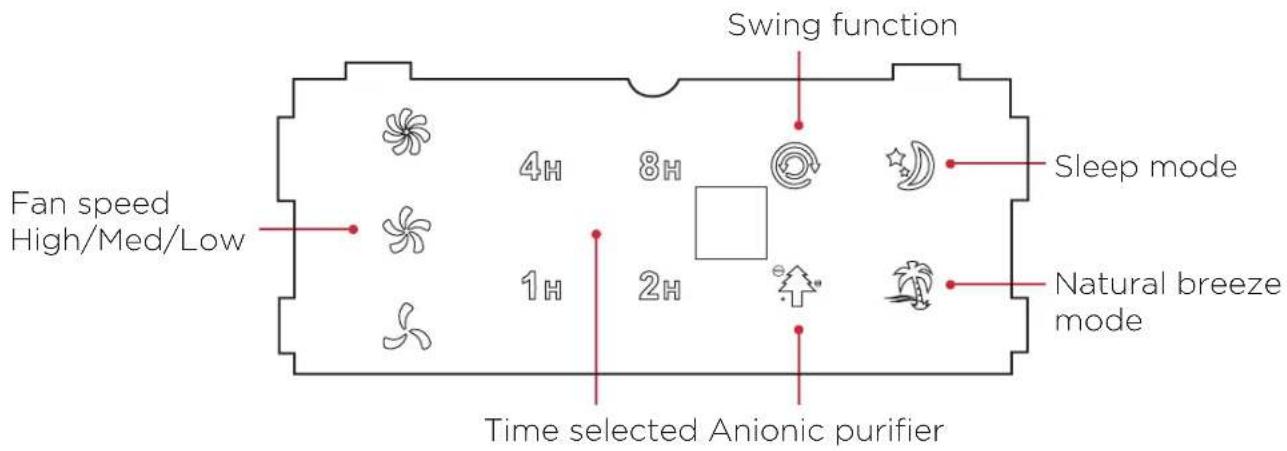
C. Control display panel
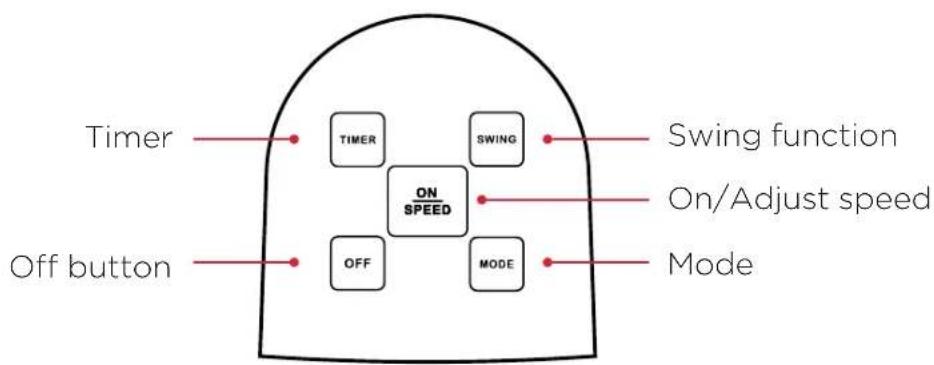
D. Button control panel
flowchart
graph TD
    Timer["Timer"] --> ON_SPEED_ON_SPEED["ON SPEED"]
    Off_button["Off button"] --> ON_SPEED_ON_SPEED
    ON_SPEED --> SWING["SWING"]
    ON_SPEED --> MODE["MODE"]
    ON_SPEED --> OFF["OFF"]
    ON_SPEED --> Swing_function["Swing function"]
    On_SPEED --> On/Adjust_speed["On/Adjust speed"]
    Off_button --> Mode["Mode"]
Operation
ATTENTION:
PLEASE READ THIS MANUAL CAREFULLY BEFORE CONNECTING DEVICE TO THE POWER SUPPLY. CHECK THE VOLTAGE MATCHES THE UNIT RATING BEFORE OPERATING.
(RATED ELECTRIC POWER: 220-240V; 50 Hz).
Please note if the device beeps twice and the display remains off – the device is in standby mode.
ON/SPEED
To operate the device, select ON/SPEED to turn on from standby. Then you may select other functions such as speed. To increase speed of the fan, press ON/SPEED until desired speed is achieved. Three speeds are available for selection; low, medium and high.
TIMER
To set the timer, press the TIMER button once to bring up the setting. Press TIMER again until desired length is selected. Four settings are available; 1hr, 2hrs, 4hrs and 8hrs. The final time selected will be shown on the illuminated LED panel. If the remaining time is zero, the unit will be in standby mode.
MODE
To change mode of the device, press MODE once to bring up the setting. There are three modes available for selection; Normal, Natural Breeze and Sleep. To change the mode, press MODE until desired is found.
NORMAL: the device will run as designed & at constant speed.
NATURAL BREEZE: The speed will vary to create a breeze effect; high-mid-low, and repeat automatically.
SLEEP: Press the Mode button until the LED corresponding to the Sleep mode glows.
Under this mode, the fan speed switches ON and OFF at set speeds to reduce energy consumption during the night.
A. If to start the fan speed is set to High the fan will operate for 0.5hr on high and then switch to medium and operate for 0.5hr, then switch to low setting and operate for 0.5hr. The cycle will continue until the preset time is reached or the unit is turned off.
B. If the fan speed is set to Medium the unit will operate for 0.5hr in Medium and then switch to Low setting until the preset time is reached or the unit is turned off.
C. If the fan is set to Low speed setting the fan will continue to operate in Low setting until the preset time is reached or the unit is turned off.
Operation
SWING
Press the Swing button once: the fan will swing horizontally with the relative control light on. Press again to stop swing function.
OFF
Press "Off" to turn the device off and the fan will stop working.
Cleaning
Over time, dust can accumulate on the rear net which can affect the fan's performance. It is recommended to clean the fan at least once a month.
1 Turn the unit off and disconnect the appliance from the power supply.
2 Remove any dust build up with a soft brush, and gently clean the rear net with a vacuum cleaner.
3 Wipe the surface of the unit with a soft damp cloth. You may use a mild detergent for any stubborn marks.
IMPORTANT
The control panel and other parts must not come into contact with water or any other liquids.
Maintenance
If the unit fails to operate efficiently, is broken or other problems arise, unplug and do not operate. Ask for advice by calling your local after sales service agent or the Customer Care Centre on 1300 556 816 (AU)/ 0800 666 2824 (NZ).
Warranty
Please refer to the warranty card in the box for warranty information. For any troubleshooting advice, please contact the relative Customer Care Centre below.
Glen Dimplex Australia Pty Ltd
1340 Ferntree Gully Road,
Scoresby 3179, Victoria
Australia
Ph: 1300 556 816
Glen Dimplex New Zealand Ltd
38 Harris Road, East Tamaki,
Auckland 2013
New Zealand
Ph: 0800 666 2824
natural_image
Symbol of a trash bin crossed with no text or labels, accompanied by a black rectangular block below (no text or symbols present)Recycling: Do not dispose of electrical appliances as unsorted municipal waste. Use separate collection facilities. Contact your local government for information regarding the collection systems available. If electrical appliances are disposed of in landfills or dumps, hazardous substances can leak into the ground water, polluting the food chain and damaging health and well-being.
DCimplex®
Customer Care: 0800 666 2824
customer.care@glendimplex.co.nz
www.dimplex.co.nz
Supplied by Glen Dimplex New Zealand Ltd
38 Harris Road, East Tamaki, Auckland 2013
© Glen Dimplex New Zealand Ltd. All rights reserved. Material contained in this publication may not be reproduced in whole or in part, without prior permission in writing of Glen Dimplex New Zealand Ltd.
- Air Purifying Tower Fan
- IMPORTANT
- CAUTION: FAILURE TO FOLLOW THESE INSTRUCTIONS MAY CAUSE INJURY AND/OR DAMAGE AND MAY INVALIDATE YOUR WARRANTY
- WARNING - KEEP BATTERIES OUT OF REACH OF CHILDREN
- Specification
- Parts
- Fan Operation
- Battery Installation
- Operation
- ATTENTION:
- ON/SPEED
- TIMER
- MODE
- SWING
- OFF
- Cleaning
- Maintenance
- Warranty
- Glen Dimplex Australia Pty Ltd
- Glen Dimplex New Zealand Ltd
Brand : DIMPLEX
Model : DCTFP92
Category : Household Fan