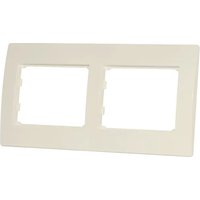
SE-200 - Electrical switch Sven - Free user manual and instructions
Find the device manual for free SE-200 Sven in PDF.


| Product Type | Wireless Speaker |
| Brand | Sven |
| Model | SE-200 |
| Dimensions (W x H x D) | 200 x 100 x 60 mm |
| Weight | 500 g |
| Power Source | USB charging, built-in Li-ion battery (2000 mAh) |
| Battery Life | Up to 10 hours |
| Bluetooth Version | 5.0 |
| Bluetooth Range | 10 m |
| Supported Audio Formats | MP3, WMA, WAV |
| Input Options | Bluetooth, AUX 3.5 mm, MicroSD card slot, USB flash drive |
| FM Radio | Yes, with built-in antenna |
| Controls | Buttons for power, volume, track, mode, play/pause |
| Speaker Driver | 52 mm |
| Output Power | 5 W RMS |
| Frequency Response | 80 Hz - 18 kHz |
| Signal-to-Noise Ratio | ≥ 80 dB |
| Material | Plastic with fabric grille |
| Water Resistance | No |
| Maintenance | Clean with a soft dry cloth; avoid liquids |
| Safety Precautions | Do not expose to high temperatures, moisture, or magnetic fields |
| Included Accessories | Micro USB cable, AUX cable, user manual |
| Spare Parts Availability | Contact Sven support for replacement cables |
| Repairability | No user-serviceable parts; seek professional repair |
| General Information | Designed for portable music playback with multiple input sources |
Frequently Asked Questions - SE-200 Sven
User questions about SE-200 Sven
0 question about this device. Answer the ones you know or ask your own.
Ask a new question about this device
Download the instructions for your Electrical switch in PDF format for free! Find your manual SE-200 - Sven and take your electronic device back in hand. On this page are published all the documents necessary for the use of your device. SE-200 by Sven.
USER MANUAL SE-200 Sven
This Manual and information contained in it are copyrighted. All rights reserved.
TRADEMARKS
All trademarks are the property of their legal holders.
NOTICE OF RESPONSIBILITY RESTRICTION
Despite the exerted efforts to make this Manual more exact, some discrepancies may occur. The information of this Manual is given on “as is” terms. The author and the publisher do not bear any liability to a person or an organization for loss or damages, which have arisen from the information contained in the given Manual.
PURPOSE
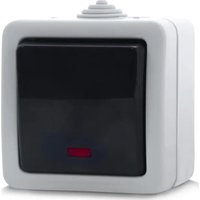
SE-200 two-gang frame is designed for electrical circuits switching.
FEATURES
- Four-gang frame
• Non-flammable PC plastic case - Undyed plastic color
- Items should be installed and connected by qualified specialists only.
- Avoid ingress of foreign objects inside the item case.
TECHNICAL SPECIFICATIONS
| Dimensions, mm | 156 × 81 |
| Color | white, ivary |
Notes:
- Technical specifications given in this table are supplemental information and cannot give occasion to claims.
- Technical specifications are subject to change without notice due to the improvement of SVEN production.
natural_image
Two rectangular white panels inside a light beige frame, no text or symbols visibleМодель: SE-200
Manufacturer: SVEN PTE. LTD, 176 Joo Chiat Road,
Nº 02-02, Singapore, 427447. Produced under the
control of Oy Sven Scandinavia Ltd. 15, Kotolahdentie,
Kotka, Finland, 48310. Made in China.
® Registered Trademark of Oy SVEN
Scandinavia Ltd. Finland.


Brand : Sven
Model : SE-200
Category : Electrical switch