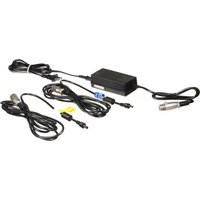
AW-PS551PJ - Camera PANASONIC - Free user manual and instructions
Find the device manual for free AW-PS551PJ PANASONIC in PDF.


| Product Type | Professional PTZ Camera |
| Brand | Panasonic |
| Model | AW-PS551PJ |
| Dimensions (W x H x D) | 200 mm x 250 mm x 200 mm |
| Weight | Approx. 2.5 kg |
| Power Supply | DC 12V (AC adapter included) |
| Power Consumption | 25 W |
| Image Sensor | 1/3-type Progressive MOS |
| Resolution | 1920 x 1080 (Full HD) |
| Optical Zoom | 20x |
| Pan Range | ±170° |
| Tilt Range | -30° to +90° |
| Video Output | HDMI, SDI, USB |
| Control Interface | RS-232C, RS-422, IP |
| Main Functions | Pan/Tilt/Zoom, Auto Tracking, Preset Positions |
| Care and Cleaning | Wipe with a soft dry cloth. Do not use solvents. |
| Safety Precautions | Use only specified power supply. Avoid liquid contact. |
| Spare Parts | Contact Panasonic support for replacement parts. |
| Repairability | Service by authorized technician recommended. |
| General Information | Ideal for broadcast and professional video production. |
Frequently Asked Questions - AW-PS551PJ PANASONIC
User questions about AW-PS551PJ PANASONIC
0 question about this device. Answer the ones you know or ask your own.
Ask a new question about this device
Download the instructions for your Camera in PDF format for free! Find your manual AW-PS551PJ - PANASONIC and take your electronic device back in hand. On this page are published all the documents necessary for the use of your device. AW-PS551PJ by PANASONIC.
USER MANUAL AW-PS551PJ PANASONIC
Operating Instructions
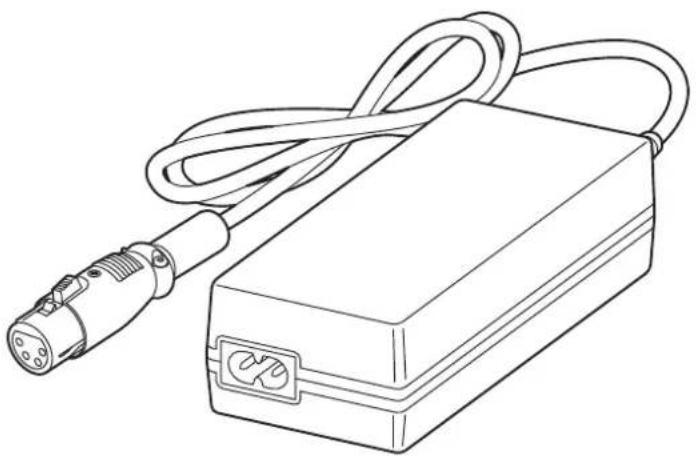
AC Adaptor
Model No. AW-PS551PJ
natural_image
Line drawing of a handheld electronic device with a cable and connector (no text or symbols)Before operating this product, please read the instructions carefully and save this manual for future use. Please carefully read the "Read this first!" (P.2 to 3) of this Manual before use.
FJ1215KTO-PS
Printed in Japan
ENGLISH
VQT5M53
Read this first!
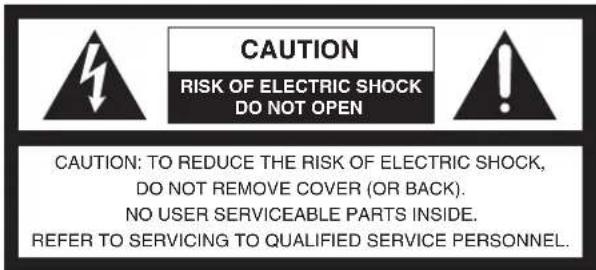

The lightning flash with arrowhead symbol, within an equilateral triangle, is intended to alert the user to the presence of uninsulated “dangerous voltage” within the product’s enclosure that may be of sufficient magnitude to constitute a risk of electric shock to persons.

The exclamation point within an equilateral triangle is intended to alert the user to the presence of important operating and maintenance (service) instructions in the literature accompanying the appliance.
WARNING:
• To reduce the risk of fire or electric shock, do not expose this equipment to rain or moisture.
- To reduce the risk of fire or electric shock, keep this equipment away from all liquids. Use and store only in locations which are not exposed to the risk of dripping or splashing liquids, and do not place any liquid containers on top of the equipment.
CAUTION:
To reduce the risk of fire or electric shock and annoying interference, use the recommended accessories only.

indicates safety information.
Read this first!
FCC NOTICE (USA)
This device complies with part 15 of the FCC Rules. Operation is subject to the following two conditions:
(1) This device may not cause harmful interference, and (2) this device must accept any interference received, including interference that may cause undesired operation.
CAUTION:
This equipment has been tested and found to comply with the limits for a class A digital device, pursuant to Part 15 of the FCC Rules. These limits are designed to provide reasonable protection against harmful interference when the equipment is operated in a commercial environment. This equipment generates, uses, and can radiate radio frequency energy and, if not installed and used in accordance with the instruction manual, may cause harmful interference to radio communications.
Operation of this equipment in a residential area is likely to cause harmful interference in which case the user will be required to correct the interference at his own expense.
Warning:
To assure continued FCC emission limit compliance, the user must use only shielded interface cables when connecting to external units. Also, any unauthorized changes or modifications to this equipment could void the user's authority to operate it.
For U.S.A
For CANADA
Warning:
Do not install this product near any object that burns easily. In case of using a halogen lamp, installation of it near such an object could cause a fire due to the heat generated by the lamp.
CAN ICES-3 (A)/NMB-3(A)

indicates safety information.
Contents
Accessories ....4
Overview ....5
Precautions ....6
Parts and their functions ....7
Connections 7
Troubleshooting ....10
Appearance ....11
Specifications ....Back cover
Accessories
Power cable 1
DC cable with ø5.5 plug (approx. 3 meters [9.9 ft.])
[Model No. VEEB0115A]
- ... 1
- This AC adaptor cannot be connected in series or in parallel.
- Handle the AC adaptor with care.
Dropping the AC adaptor or subjecting it to a strong shock can cause a failure or an accident. - Operating temperature range 0°C (32°F) to 40°C (104°F)
Avoid using it in a cold place below 0^ C ( 32^ F) or a hot place above 40^ C ( 104^ F) because low or high temperature will adversely affect the parts inside. - Do not use the AC adaptor outdoors since doing so may cause trouble.
- Do not use benzine, paint thinner, or other volatile liquids.
- When using a chemical duster, carefully read the caution notes on its use.
- Switch off all the devices before making any connection.
- Connect the DC 12 V output connector of this adaptor to the DC 12 V input connector on the convertible camera with the supplied DC cable with 6.5 plug.
- Please use the DC cable that fits the DC 12 V input connector of the equipment when connecting it with other equipment.
DC cable with ø6.5 plug (approx. 3 meters [9.9 ft.])
[Model No. VEEB0116A]
- ... 1
Overview
This AC adaptor is designed to be used with convertible cameras and their peripherals, with multi-purpose cameras and their peripherals, and with live switchers.
How to identify the cables
- DC cable with 5.5 plug

- DC cable with ø6.5 plug

Precautions
Be sure to confirm the polarity display of the apparatus to connect.
Use the DC cable that meets the DC input polarity display of the apparatus to connect.
- Maintenance
Pull out the power cable plug, and wipe the AC adaptor clean with a dry cloth.
If it is extremely dirty, dip a cloth into a diluted solution of kitchen detergent (neutral), squeeze it hard, and wipe the product surfaces carefully.
Notes
- When this unit is to be discarded at the end of its service life, please consult with your dealer.
Parts and their functions
① Power connector
Connect the power cable supplied with the unit.
② DC 12 V output connector [12V—OUT] (4-pin round connector)
Connect one end of the supplied DC cable to this connector and the other end to the DC 12 V input connector [DC 12 V IN] on the convertible camera and its peripherals, on the multi-purpose camera and its peripherals or on the live switcher.

| Pin No. Signal name | |
| 1 GND | |
| 2 | NC |
| 3 | NC |
| 4 DC 12 V | |

natural_image
Line drawing of an electronic device with a cable and plug, labeled with numbers ① and ② (no text or symbols on the diagram itself)Connections
The DC cable with the 5.5 mm diameter plug [Model No. VEEB0115A] and the DC cable with the 6.5 mm diameter plug [Model No. VEEB0116A] have different “+” and “−” polarities, so check the markings on the product to which the cable is to be connected and on the cable itself.
Connections

flowchart
graph TD
    A["AC adaptor AW-PS551PJ"] -->|Power cable| B["Device with Model No. VEEB0116A"]
    A -->|DC cable with Ø6.5_plug["Model No. VEEB0116A"]| C["Device with Model No. VEEB0115A"]
    A -->|DC cable with Ø5.5_plug["Model No. VEEB0115A"]| D["Device with Model No. VEEB0115A"]
    B --> E["Compatible equipment: Convertible cameras, AK-HC1500, AW-SW350, etc."]
    C --> F["Compatible equipment: AW-RP555, AW-RC400, AW-IF400, AW-DU600, etc."]
    D --> G["Compatible equipment: AW-RP655, AW-RP400, AK-HRP150, etc."]
Connections

Depending on the time of manufacture, a DC cable may not have been supplied with the AW-PH360. For details, consult your dealer.
Troubleshooting
| Symptom Cause and remedial action | |
| The DC 12 V voltage is not output properly. | If a unit whose output exceeds the rating has been connected or the connected unit is short-circuited, the DC 12 V voltage will not be output properly owing to the activation of the overcurrent protection circuit. Consult with your dealer. |
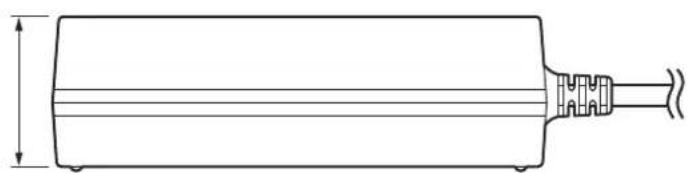
Appearance
Unit : mm (inch)

natural_image
Simple line drawing of a traffic light with two circular lights (no text or symbols)
natural_image
Technical line drawing of a cylindrical mechanical component with a flanged end and a dimension line (no text or symbols)Specifications
Power source
100 V - 240 V AC ( ), 50/60 Hz, 1.2 A
Power output
12 V DC (==), 3.0 A

indicates safety information.
Operating temperature ranges: 0°C to 40°C (32°F to 104°F)
Allowable humidity ranges: 20% to 90% (no condensation)
Dimensions (W x H x D):
57 mm × 37 mm × 115 mm (2-1/4 inches × 1-7/16 inches × 4-1/2 inches) [excluding protrusions]
Mass: Approx. 260 g (0.57 lb)
Finish: Black, molded resin
The provided power cable is for 125 V AC or less. Use it within AC 100 V to 120 V.
Mass and dimensions shown are approximate. Specifications are subject to change without notice.
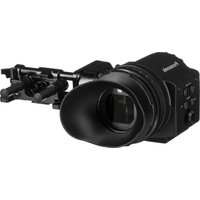

Brand : PANASONIC
Model : AW-PS551PJ
Category : Camera