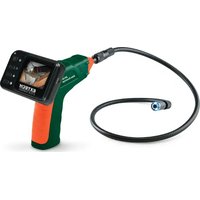
BR80 - Video camera Extech - Free user manual and instructions
Find the device manual for free BR80 Extech in PDF.


Pick your language and provide your email: we'll send you a specifically translated version.
| Product Type | Video Camera |
| Brand | Extech |
| Model | BR80 |
| Dimensions | Approx. 10 x 6 x 4 cm |
| Weight | Approx. 150 g |
| Power Source | Rechargeable lithium-ion battery via USB |
| Battery Life | Up to 2 hours of continuous recording |
| Resolution | HD 720p |
| Storage | MicroSD card up to 32 GB (not included) |
| Video Format | AVI |
| Photo Resolution | 5 MP |
| Lens | Fixed focus, wide angle |
| Main Functions | Video recording, photo capture, playback, loop recording, motion detection |
| Connectivity | USB 2.0, HDMI output |
| Display | 2.0 inch LCD screen |
| Water Resistance | Not waterproof; avoid exposure to moisture |
| Maintenance | Clean lens with soft cloth; store in dry place |
| Safety Precautions | Keep away from children; do not disassemble; avoid extreme temperatures |
| Spare Parts / Repairability | Battery and USB cable available; non-user serviceable internally |
| General Information | Includes camera, USB cable, user manual; optional accessories: mount, case |
Frequently Asked Questions - BR80 Extech
How do I turn on the Extech BR80 video camera?
Press and hold the power button located on the top of the camera for about 2 seconds. The LCD screen will light up indicating the camera is on.
What type of memory card does the BR80 use?
It uses a MicroSD card (not included) with a capacity up to 32 GB. Format the card to FAT32 before first use.
How do I charge the battery?
Connect the included USB cable to the camera and a USB power source (e.g., computer or charger). The LED indicator will show red while charging and turn off when fully charged.
Can I take photos with this camera?
Yes, press the shutter button (often the OK button) while in photo mode to capture still images at 5 MP resolution.
How do I transfer files to my computer?
Connect the camera to your computer via USB. It will appear as a removable drive. Copy the video or photo files directly.
What is the recording time for a 32 GB card?
At HD 720p, a 32 GB card can store approximately 4 hours of video depending on the content.
How do I set the date and time?
Go to the setup menu by pressing the menu button, navigate to 'Date/Time' using the arrow keys, and adjust using the OK button.
Is the BR80 waterproof?
No, it is not waterproof. Avoid using it in rain or near water. Keep it dry to prevent damage.
How do I reset the camera to factory settings?
In the setup menu, select 'Reset' and confirm. This will erase all settings but not the memory card.
What should I do if the camera freezes?
Remove and reinsert the battery (or use the reset button if available) to restart the camera. Ensure the memory card is not full or corrupted.
User questions about BR80 Extech
0 question about this device. Answer the ones you know or ask your own.
Ask a new question about this device
No questions yet. Be the first to ask one.
Download the instructions for your Video camera in PDF format for free! Find your manual BR80 - Extech and take your electronic device back in hand. On this page are published all the documents necessary for the use of your device. BR80 by Extech.