
COMPAQ PROLIANT 8000 SERVER - Server HP - Free user manual and instructions
Find the device manual for free COMPAQ PROLIANT 8000 SERVER HP in PDF.


| Product type | Tower/rack server (4U) |
| Brand | HP (Compaq) |
| Model | ProLiant 8000 |
| Processors | Dual Intel Xeon (socket 604) |
| RAM | Up to 16 GB ECC SDRAM |
| Storage | Up to 6 hot-plug SCSI bays |
| Networking | Dual integrated Gigabit Ethernet |
| Power supply | Dual redundant hot-plug power supply (650W) |
| Dimensions (H x W x D) | 17.8 x 48.3 x 67.3 cm (7 x 19 x 26.5 in) |
| Weight | Approximately 25 kg (55 lb) without options |
| Cooling | Redundant hot-plug fans |
| Expansion slots | 6 PCI-X (including 2 hot-plug) |
| Storage controller | Integrated Smart Array RAID controller |
| Remote management | Optional iLO (Integrated Lights-Out) |
| Supported operating system | Windows Server, Linux, Novell NetWare |
| Security | Chassis lock, BIOS password, TPM module |
| Maintenance | Tool-less removable cover, hot-plug components |
| Certifications | CE, FCC, UL, cUL |
Frequently Asked Questions - COMPAQ PROLIANT 8000 SERVER HP
User questions about COMPAQ PROLIANT 8000 SERVER HP
0 question about this device. Answer the ones you know or ask your own.
Ask a new question about this device
Download the instructions for your Server in PDF format for free! Find your manual COMPAQ PROLIANT 8000 SERVER - HP and take your electronic device back in hand. On this page are published all the documents necessary for the use of your device. COMPAQ PROLIANT 8000 SERVER by HP.
USER MANUAL COMPAQ PROLIANT 8000 SERVER HP
Important Safety Information
For Server, Storage, Power, Networking, and Rack Products Read Before Installing Product
Important Safety Information, Read Before Installing Product (English) 1-1 (2) (204) Informações importantes sobre segurança. Leia antes de instalar o produto (Português) 3-1 Važne sigurnosne informacije. Pročitajte prije instalacije proizvoda (Hrvatski) 4-1 Důležité bezpečnostní informace, čtěte před instalací produktu (Čeština) 5-1 Vigtige oplysninger om sikkerhed. Læs dette, inden du installerer produktet (Dansk) 6-1 Belangrijke veiligheidsinformatie, lees dit voordat u het product installeert (Nederlands) 7-1 Tärkeitä turvallisuutta koskevia tietoja, lue ennen tuotteen asentamista (Suomi) 8-1 Tähtis ohutusteave. Lugege enne toote paigaldamist (Eesti) 9-1 Consignes strictes de sécurité, à lire avant toute manipulation et installation du produit (Français) 10-1 Wichtige Sicherheitshinweise, bitte vor der Installation des Produkts sorgfältig lesen (Deutsch) 11-1 Σημαντικές πληροφορίες ασφαλείας. Διαβάστε πριν την εγκατάσταση του προϊόντος (Ελληνικά) 12-1 中文安全信息,安装产品前请阅读 (简体中文) 14-1 Fontos tudnivalók a biztonsággal kapcsolatban. Olvassa el a termék üzembe helyezése előtt (Magyar) 15-1 Importanti informazioni sulla sicurezza, da leggersi prima di installare il prodotto (Italiano) 16-1 安全上の重要な情報、製品をインストールする前にお読みください (日本語) 17-1 Información de Seguridad Importante. Léase antes de Instalar el Producto (Español de Latinoamérica) 18-1 Svarīga informācija par drošību. Izlasiet pirms ierīces uzstādīšanas (Latviešu valoda) 19-1 Svarbi saugos informacija. Perskaitykite prieš montuodami įrangą (Lietuvių kalba) 20-1 Viktig sikkerhetsinformasjon, les dette før produktet installeres (Norsk) 21-1 Ważne informacje dotyczące bezpieczeństwa, przeczytaj przed rozpoczęciem instalowania produktu (Polski) 22-1 Informações de Segurança Importantes, Leia Antes de Instalar o Produto (Português) 23-1 Важные инструкции по безопасности, ознакомьтесь перед установкой изделия (Русский) 24-1 安全性重要信息,安装产品前先行阅读(简体中文) 25-1 Dôležité bezpečnostné informácie, čítajte pred inštaláciou výrobku (Slovenčina) 26-1 Pomembne varnostne informacije, preberite pred namestitvijo izdelka (Slovenščina) 27-1 Información de Seguridad Importante. Léase antes de Instalar el Producto (Español) 28-1 Viktiga säkerhetsföreskrifter, läs föreskrifterna innan du installerar produkten (Svenska) 29-1 重要的安全性資訊,在安裝產品前請先閱讀(繁體中文) 30-1 Önemli Güvenlik Bilgileri, Ürünü Kurmadan Önce Okuyun (Türkçe) 31-1 Основні правила техніки безпеки. Уважно ознайомтеся з наведеними нижче правилами перед тим, як приступити до установки виробу (Українська) 32-1
Important Safety Information
For Server, Storage, Power, Networking, and Rack Products Read Before Installing Product
Retain and follow all product safety and operating instructions. Always refer to the documentation supplied with your equipment (printed or electronic documentation). In the event of a conflict between this guide and the equipment documentation, the equipment documentation takes precedence. Observe all warnings on the product and in the operating instructions.
To reduce the risk of bodily injury, electric shock, fire, and damage to the equipment, observe all precautions included in this guide.
Symbols on Equipment
The following symbols may be placed on equipment to indicate the presence of potentially hazardous conditions:

This symbol in conjunction with any of the following symbols indicates the presence of a potential hazard. The potential for injury exists if warnings are not observed. Consult your documentation for specific details.

This symbol indicates the presence of hazardous energy circuits or electric shock hazards. Refer all servicing to qualified personnel.
WARNING: To reduce the risk of injury from electric shock hazards, do not open this enclosure. Refer all maintenance, upgrades, and servicing to qualified personnel.

This symbol indicates the presence of electric shock hazards. The area contains no user or field serviceable parts. Do not open for any reason.
WARNING: To reduce risk of injury from electric shock hazards, do not open this enclosure.

This symbol on an RJ-45 receptacle indicates a Network Interface Connection.
WARNING: To reduce risk of electric shock, fire, or damage to the equipment, do not plug telephone or telecommunications connectors into this receptacle.

This symbol indicates the presence of a hot surface or hot component. If this surface is contacted, the potential for injury exists.
WARNING: To reduce the risk of injury from a hot component, allow the surface to cool before touching.
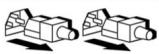
| These symbols on power supplies or systems indicate the equipment is supplied by multiple sources of power. WARNING: To reduce the risk of injury from electric shock, remove all power cords to completely disconnect power from the system | |
| Weight in kg. Weight in lb. | This symbol indicates that the component exceeds the recommended weight for one individual to handle safely. WARNING: To reduce the risk of personal injury or damage to the equipment, observe local occupational health and safety requirements and guidelines for manual material handling. |
General Precautions
- If the product sustains damage requiring service, disconnect the product from the AC electrical outlet and refer servicing to an HP authorized service provider. Examples of damage requiring service include:
The power cord, extension cord or plug has been damaged. Liquid has been spilled on the product or an object has fallen into the product. The product has been exposed to rain or water. The product has been dropped or damaged. The product does not operate normally when you follow the operating instructions.
To reduce the risk of personal injury or damage to the equipment:
Place the product away from radiators, heat registers, stoves, amplifiers, or other products that produce heat. Never use the product in a wet location. Avoid inserting foreign objects through openings in the product. Move products with casters carefully. Avoid quick stops and uneven surfaces. Use the product only with the HP equipment identified as suitable. Turn down the volume before using headphones or other audio devices.
Precautions for Maintaining and Servicing Enterprise Products
To reduce the risk of electric shock or damage to the equipment when installing, maintaining, or servicing Enterprise products, observe the following precautions:
- Some Enterprise products contain power supplies that are capable of producing hazardous energy levels. Refer to the documentation included with your product to determine whether it contains these power supplies. The installation of internal options and routine maintenance and service of this product should be performed by individuals who are knowledgeable about the procedures, precautions, and hazards associated with equipment containing hazardous energy levels.
- Allow the product to cool before removing covers and touching internal components.
- Do not use conductive tools that could bridge live parts.
- Remove all watches, rings, or loose jewelry when working in hot-plug areas of an energized server and storage products.
- Do not attempt to defeat safety interlocks (where provided).
- The PCI Hot Plug access doors provide access to hazardous energy circuits.
The doors should remain locked during normal operation -or-
The server should be installed in a controlled access location where only qualified personnel have access to the server.
- Power down the equipment and disconnect all AC power cords before removing any access covers for non-hot plug areas.
- Do not replace non-hot plug components while power is applied to the product. First, shut down the product and disconnect all AC power cords.
- Do not exceed the level of repair specified in the procedures in the product documentation. All troubleshooting and repair procedures are detailed to allow only subassembly or module-level repair. Because of the complexity of the individual boards and subassemblies, do not attempt to make repairs at the component level or to make modifications to any printed wiring board. Improper repairs can create a safety hazard.
- For floor-standing products, install and extend bottom stabilizers before installing options and boards.
- Verify that the AC power supply branch circuit that provides power to the rack is not overloaded. This will reduce the risk of personal injury, fire, or damage to the equipment. The total rack load should not exceed 80 percent of the branch circuit rating. Consult the electrical authority having jurisdiction over your facility wiring and installation requirements.
Precautions for Power Products
Power Cords
To reduce the risk of electric shock or damage to the equipment:
Use an approved power cord. If you have not been provided with a power cord for your computer or for any AC-powered option intended for your product, purchase a power cord that is approved for use in your country. - You must use a power cord rated for your product and for the voltage and current marked on the electrical ratings label of the product. The voltage and current rating of the cord must be greater than the voltage and current rating marked on the product. If you have questions about the type of power cord to use, contact your HP authorized service provider. - Do not place objects on AC power cords or cables. Arrange them so that no one may accidentally step on or trip over them. - Do not pull on a cord or cable. When unplugging from the electrical outlet, grasp the cord by the plug. - Make sure that the total ampere rating of all products plugged into an extension cord or power strip does not exceed 80 percent of the ampere ratings limit for the extension cord or power strip. - Do not disable the power cord grounding plug. The grounding plug is an important safety feature. - Plug the power cord into a grounded (earthed) electrical outlet that is easily accessible at all times.
Power Supplies
- Hot-plug power supplies are not designed to be removed or installed with AC power connected to the power supply. To reduce the risk of electric shock or damage to the equipment when handling hot-plug power supplies:
- Install the power supply before connecting the power cord to the power supply.
- Unplug the power cord before removing the power supply from the product. If the system has multiple sources of power, you must unplug all AC power cords from the power supplies to completely disconnect power from the system.
- Verify that the external power source connected to your product matches the type of power source indicated on the electrical ratings label. If you are not sure of the type of power source required, consult your HP authorized service provider or local power company.
Uninterruptible Power Supply (UPS) Products
- To reduce the risk of electric shock and/or equipment damage when installing or servicing UPS products:
The installation of options and routine maintenance and service of UPS products must be performed by trained service technicians who are knowledgeable about the procedures, precautions, and hazards associated with AC power products. - Hardwired UPS products require a direct connection to a dedicated AC branch circuit (AC mains). Connection should only be performed by a licensed electrician in accordance with National Electrical Code (NFPA70) Article 310 in North America or the equivalent local and national wiring regulations.
Use a Lockout/Tagout procedure to isolate hardwired UPS products from AC power before servicing the product or replacing a non-hot plug component. - Do not operate a UPS that is disconnected from AC Power. Use the TEST/ALARM RESET button to test the batteries. Disconnect all protected loads before disconnecting the UPS from AC Power. Pluggable UPS products must be disconnected and unplugged from AC power before servicing the product or replacing a non-hot plug component. - Do not overload the output of the UPS. The total connected load should not exceed 80 percent of the rated output. - Do not exceed the leakage current limit for the type of UPS in your system. See the "Earth Leakage Current" section later in this document for limits. For rack installations, do not exceed the maximum number of UPS products in any single equipment rack. For rack installations, install the UPS only at the bottom of a rack.
To reduce the risk of personal injury or damage to equipment when installing a Remote Emergency Power Off (REPO) port:
The REPO port must be wired by a licensed electrician. Verify that the main AC power disconnect device for the UPS is locked and/or tagged in the OFF position before wiring the REPO port. In North America, the REPO circuit must comply with the NEC (NFPA 70, Article 725) for a Class 2 circuit. In other geographical regions or countries, the REPO port wiring must comply with the national and local standards in the area in which the product is installed.
To reduce the risk of personal injury from electric shock or damage to equipment when installing or servicing batteries:
Make sure that only trained service personnel handle or connect the batteries. Remove watches, rings, or other metal objects prior to working with the equipment. Use tools with insulated handles. On products with remote external batteries, do not attempt to replace batteries unless all battery circuit breakers are in the OFF (down) position. These are hazardous voltage batteries.
This product may contain sealed lead-acid batteries. To reduce the risk of fire or chemical burns:
- Do not attempt to recharge batteries after they have been removed from the equipment. Do not disassemble, crush, or puncture the batteries. Do not short the external contacts of the batteries. Do not immerse the batteries in water.
- Do not expose the batteries to temperatures higher than 60°C or dispose of in fire. Use only the HP spare battery designated for this equipment.
Power Distribution Units (PDUs)
To reduce the risk of electric shock and/or equipment damage when installing or servicing PDUs:
- The installation and routine maintenance and service of PDUs must be performed by individuals who are knowledgeable about the procedures, precautions, and hazards associated with AC power products (trained service technicians).
- Hardwired PDUs require a direct connection to a dedicated AC branch circuit (AC mains). Connection should only be performed by a licensed electrician in accordance with National Electrical Code (NFPA70 Article 310) in North America, or in other regions or countries, in accordance with the equivalent local and national wiring regulations.
- Use a Lockout/Tagout procedure to isolate hardwired PDUs from AC power before servicing or replacing the product.
- Pluggable PDUs must be disconnected from the product and unplugged from the AC electrical outlet before servicing or replacing the product.
- Do not overload the output of the PDU. The total connected load should not exceed rated input power.
- Do not exceed the leakage current limit for the type of PDU in your system. See the "Earth Leakage Current" section later in this document for limit.
Earth Leakage Current
To reduce the risk of electric shock due to high leakage currents, a reliable grounded (earthed) connection is essential before connecting power distribution products to AC power. Observe the following limits when connecting the product to AC power distribution devices:
- For UPS products and PDUs that have attached AC power cords or are directly wired to the building power, the total combined leakage current should not exceed 5 percent of the rated input current for the device. For UPS products and PDUs that have detachable AC power cords, the total combined leakage current should not exceed 3.5 mA.
Voltage Selection
- On products that have voltage select switches, make sure that the switch is set for the type of voltage you use (115 VAC or 230 VAC).
- Do not attempt to power the product with voltage converter kits sold for appliances.
Batteries
Some HP products may contain internal lithium manganese dioxide batteries or vanadium pentoxide batteries. There is risk of fire and burns if the battery pack is not handled properly. To reduce the risk of personal injury:
- Do not attempt to recharge the battery.
- Do not expose the battery to temperatures higher than 60°C (140°F).
- Do not disassemble, crush, puncture, short external contacts, or dispose of the battery in fire or water.
- Replace the battery only with the HP spare battery designated for this product.

Do not dispose of batteries with the general household waste. To forward them to recycling or proper disposal, use the public collection system or return them to HP, your authorized HP Partners, or their agents.
Precautions for Products Installed in Racks
Stability
To reduce the risk of personal injury or damage to the equipment, be sure that:
The leveling jacks are extended to the floor. The full weight of the rack rests on the leveling jacks. - The stabilizing feet are attached to the rack if it is a single-rack installation. - The racks are coupled together in multiple-rack installations. - Only one component is extended at a time. A rack may become unstable if more than one component is extended for any reason. - You are careful when pressing the component rail release latches and sliding the component into the rack. The slide rails could pinch your fingertips. - You load the rack from the bottom up and load the heaviest item into the rack first. - You do not attempt to move equipment racks without adequate assistance, due to their height and weight. - You do not attempt to move an equipment rack on an incline that is greater than 10 degrees from horizontal. - You do not attempt to move a fully loaded equipment rack. Remove equipment from the rack before moving the rack.
Manual Material Handling
To reduce the risk of personal injury or damage to the equipment:
- Observe local occupational health and safety requirements and guidelines for manual materials handling.
- Obtain adequate assistance to lift and stabilize the product during installation or removal.
- Remove all pluggable power supplies and modules to reduce the weight of the product.
- Make sure that the product is properly mated with the rails. Products that are improperly mated with the rails may be unstable.
Precautions for Modems, Telecommunications, or Local Area Network Options
To reduce the risk of exposure to shock hazard from telephone ringing voltages:
- Do not connect or use a modem or telephone (other than a cordless type) during a lightning storm.
- Do not use a telephone line to report a gas leak while you are in the vicinity of the leak.
- Do not connect or use a modem or telephone cable in a wet location.
- Disconnect the modem cable before opening a product enclosure, touching or installing internal components, or touching an uninsulated modem cable or jack.
- Do not plug telecommunications or telephone connectors into the Network Interface Card (NIC) receptacles.
Precautions for Products with Laser Devices
To reduce the risk of exposure to hazardous radiation:
- Do not try to open the laser device enclosure. There are no user-serviceable components inside.
- Do not operate controls, make adjustments, or perform procedures to the laser device other than those specified herein.
- Allow only HP authorized service technicians to repair the laser device.
a a
jiaLl (NFPA 70)
a
j
JwJgJgJgJgJgJgJgJgJgJgJgJgJgJgJgJgJgJgJgJgJgJgJgJgJgJgJgJgJgJgJgJgJgJgJgJgJgJgJgJgJg
y
Jaa Jaa aai Jaa Jaa Jaa Jaa Jaa Jaa Jaa Jaa
aee
j 1
.
j 2 j j j j j j j j j j j j j j j j j j j j j j j j j j j j j j j j j j j j j j j j j j j
Jz
aegg jag. 10000000000000000000000000000000000000000000
a
y j 1j
1y
Jalal Jaiyai yai jaii 1000
j 1
:
a aaaee
Jaa aaiiiaaiee eae aee aeae ee aee
a 1
(NFPA 70) NEC
a jz jz jz jz jz jz jz jz jz jz jz jz jz jz jz jz jz jz jz jz jz jz jz jz
A
i
Joo
a a a a a a a a a a a a a a
..
aaii aaiiaai iaaaiiaaiiaai
y j 2.
a 1
3g21g21g21g21g21g21g21g21g21g21g21
mountain
HHP
aeg aag aagaaagaaagaaagaaagaaagaaagaaagaaagaaagaaagaaagaaagaaagaaagaaagaaagaaagaaagaaagaaagaaagaaagaaagaaagaaagaaagaaagaaagaaagaaagaaagaaagaaagaaagaaagaaagaaagaaagaaagaaagaaagaa
:21 1111111111111111111111

Smid attended the meeting, and the members of the group were asked to make a statement.
UPS (Uninterruptible Power Supply) products
PDUs (Power Distribution Units)
Power supply products
Power supply cables
Uninterruptible power supply (UPS) products
To reduce the risk of electric shock and/or fire in the enclosure and the installation or maintenance of UPS products:
The installation of the equipment and the programmed maintenance and service of the UPS products must be performed by experienced technical maintenance personnel who are familiar with the products and the associated risks regarding AC power supply products. The UPS products must be connected to a properly grounded outlet on a dedicated AC branch circuit (AC main power network). The connection must be made only by a qualified electrician in accordance with the requirements of the National Electrical Code (NFPA70) Article 310 in North America or the corresponding local and national regulations. Use the locking/tagging procedure to disconnect the UPS products from the AC power supply before performing maintenance on the product or the installation of an energy storage system. Do not operate a UPS that has been disconnected from the AC power supply. Use the TEST/ALARM RESET button to check the batteries. Disconnect all protected loads before disconnecting the UPS from the AC power supply. The installed UPS products must be disconnected from the product and from the AC power supply before maintenance of the product or the installation of an energy storage system. Do not overload the input of the UPS. The total connected load must not exceed 80 percent of the rated input capacity. Do not exceed the current rating of the branch circuit for the UPS. The system will. If the limit is exceeded, see the "Current Rating" unit below for products installed in North America, do not exceed the current rating of the UPS or the branch circuit. For products installed in North America, install the UPS only in the enclosure of the devices.
The first emergency need (REPO) is defined as the immediate response to the failure of the service according to the schedule of our operation.
■ daqh 1
ninn nnn nn, lnonx nnnn nn
nnn nbn npn, nsh pnn, nn, shyn bn, nyn ny nny npn by
Tyn by yin no
y 100
no 7n no n no n no n no

nnn


(in no 90) UPS
UPS
TEST/ALARM RESET
UPS
80 by nynn nn nnnn nn nnnn. UPS-n nn nn nn nn nn
Nnn
n nnnnnpuPS u npnnpnnpnnp
n nn nnnn nnnn nnnn nnnn nnnn nnnn nnnn
Pnnpnnn n PPS n nn nnnn nn nnnn nn nnnn nn
TNN
. pnnnnpn n UPS-n nn npn , npn
REPO nyn npnn nn npn npnn npnn npnn npnn npnn np
: (n nn n nn nn nn nn nn)
. 10000000000000000000000000000000000000000000000000
,OFFUPS-nnnpnnn nnnn
.REPO-nnnnnnn
.2 75y (725 y, NFPA 70) NEC y REPO- n
00000000000000000000000000000000000000
.0
n npnn nyn nn n, nnnn nn nn nn nn nn
Familiarize yourself with the product before installation.
Keep and follow all instructions related to safety rules and operation of the product. In all cases, find the necessary instructions in the documentation supplied with the equipment (in printed or electronic form).
In case of contradiction between this document and the documentation supplied with the equipment, follow the documentation supplied with the equipment. Take into account all warnings indicated on the equipment itself and in the instructions for its operation.
To prevent bodily injury, electric shock, fire, or damage to the equipment, always follow the safety rules specified in this document.
Equipment markings
The following markings of safe operating conditions must be present on the equipment housing:
| Takön CUMBOI B COUETAHN C LIO6bIM I3 CNEduyUOxH CUMBOJOB yka3bIbae THa npCuyTCBVE NOTENZaJIbHOJ ONAChOCTN. HecobJIoDeHne ppeDynpExdHn Hecet NOTENZaJIbHyO onachOCTb. Cm. NOdpOboHcSTn B DOKUMeHTaUH. | |
| Takön CUMBOI O3NaCyAET HAnuHne ZceNe ToKa BlyCOKoRr HanpJXeHn IIN OnaCHocTb 3JeKTPoWoka. LIO6bIe pa60tBu No O6cNoJXuBaHnIO DOJXHb I BvIOnJIHrTcBc KBAInΦuCiPobAHbIM nepcoHaJOM. BHMaHHe! Bo n36exHne TeneCHOrO NobPexdHn OTe 3JeKTPoWoka HEnb3r OTPbIbATb DaHnBt OTEc. LIO6bIe pa60tBu no O6cNoJXuBaHnIO, peMOHTy I 3aMeHe DoJXHb I BvIOnJIHrTcBc KBaInΦuCiPobAHbIM NepcoHaJOM. | |
| 3TOT CUMBOI O3NaCyAET OAnaCHocTb 3JeKTPoWoka. DaHnBt OTcE K ObopydOBAHnE He npEdn3NaUeH DnI DoCTyna K HEmy onepatopa. He OTPbIbAte Hn Prn KaKnx O6ctOaTeNbCTbax BHMaHHe! Bo n36exHne TeneCHOrO NobPexdHn OTe 3JeKTPoWoka HEnb3r OTPbIbATb DaHnBt OTcE.K. | |
| Takön CUMBOI Ha pa3bEme RJ-45 O3NaCyAET CoeDInHne ceTeBoro INTEpcFeyCa. BHMaHHe! Bo n36exHne 3JeKTPoWoka, BO3ropanHn IIN NoBpeJxdeHn ObopydOBAHnE He NOdklUoyaIte K ΚToMу pa3bEMy TeteΦoHhble Ka6eNi. | |
| Takön CUMBOJOM NOMEaHOTcR NOBepxHocTn IIN y3bIb OBopydOBAHnR, KOtOpbIe MOryt 6bITb packaJIeHHbIMN. Prn KacAHn 3tIX NObepxHocTe MOnKHO ob6xeYbcS. BHMaHHe! YTO6bI CHN3uTb PnCK Prn KOtTAke Tc packaJIeHHbIMN y3JaMn, DaIte IM ChaJana OCTbITb. | |
| Помechемы таим 3нakом бл_OKи петань ял сисемы пасочины на разничные有很大очни. Вимане! Визбжане злескоа отоедине вce шуры петань OT злескоети, утоы поюctью обectочь сисему | |
| Weight in kg. Weight in lb. | Помechеме таим 3нakом ядени ял komноент оборUDованя АВлияETССПШКOM ТЯжелIM Дд ярehocа ODнIM человекOM Вимане! Визбжане тeльсных повождени ял пobраз徵иombodаня сблюдаiteHopмы Здравохсаня по лесену Тяжень. |
Safety precautions
If the device is damaged and requires repair, disconnect it from the power supply and contact qualified service personnel. Examples of situations requiring service:
Damage to the power cord, extension cord, or power outlet. Liquid spilled on the device, or any object fell inside it. The device has been exposed to rain or moisture. The device was dropped or broken. The device does not operate properly when following all operating instructions.
To reduce the risk of personal injury or equipment damage:
Do not place the device near radiators, heaters, stoves, amplifiers, or any other heat-emitting devices. Do not use the device in damp rooms. Do not insert any objects into the openings or slots on the device housing. Carefully handle the device with casters. Avoid obstacles and uneven surfaces. Use the device only with other HP devices suitable for combined operation. Before using headphones or other audio devices, reduce the volume.
Safety precautions for servicing and repairing corporate-class devices
To reduce the risk of electric shock or equipment damage during installation and servicing of corporate devices, follow these rules:
Some corporate devices contain power supply units with dangerous voltage. To determine whether the device has such high voltage, refer to the documentation provided with it. Installation of internal components and servicing of the device should be performed by specialists familiar with the rules for handling equipment that may be under life-threatening voltage. Allow the device to cool before opening its housing and touching internal parts. Do not use conductive tools that could cause a short circuit. Remove personal jewelry, rings, and other similar items when replacing internal blocks of operating servers or storage devices. Do not attempt to bypass protective interlocks (if any).
Behind the covers of PCI device slots, which are replaceable in hot mode, there are zones of dangerous voltage.
Access must be restricted during normal operation of the equipment - or - The server should be located in a room with restricted access, where only qualified specialists are allowed.
Disconnect the equipment from the power supply before disconnecting the power cords from the open sockets, which are not intended for devices in other modes. Do not replace devices that are not intended for the replacement mode when the power is on. First, disconnect the device from the power supply and disconnect all power cords. Do not exceed the repair level specified in the product maintenance documentation. All instructions for troubleshooting and repair are detailed enough to allow repairs only at the assembly/module level. Due to the complexity of the design and individual boards and assemblies, do not attempt to repair or modify individual boards and assemblies on the power supply boards. Unqualified repair may lead to equipment damage. Before installing the device in floor-standing products, secure the stabilizing legs. Make sure that the length of the power cord supplying the device is not strained. This reduces the risk of personal injury, fire, or equipment damage. The load on the outlet should not exceed 80 percent of the rated load of the power cord; consult with the responsible electricians regarding the maximum permissible load.
Safety precautions for electrical equipment
Power cords
To avoid electric shock or equipment damage: Use certified power cords. If you are not using the power cord supplied with the computer or with the additional device, purchase a power cord suitable for use in your country. The power cord must comply with the electrical parameters indicated on the product label. The rated voltage and current values of the cord must exceed the corresponding values on the product label. If you are unsure which power cord to use, consult with authorized service personnel. Do not place any objects on the power cords. Position them so that no one can accidentally step on or trip over them. Do not pull on the cord or cable. When disconnecting from the outlet, grasp the power cord by the plug. The total amperage of all devices connected to an extension cord must not exceed 80 percent of the maximum permissible amperage of the extension cord. Do not remove the grounding clamp from the power cord. Grounding is very important for safety. Insert the plug of the power cord into a grounded electrical outlet that is always easily accessible.
Power supply units.
Power supply units intended for use in other modes must not be removed or installed while power is applied. To reduce the risk of electric shock or equipment damage, follow these rules for handling power supply units when replacing them in other modes:
Install the power supply unit before connecting the power cord to it. Disconnect the power cord before removing the power supply unit from the device. If the system has multiple power sources, it is necessary to disconnect all power cords to completely de-energize the device.
Make sure that the external power source to which the device is connected matches the electrical parameters indicated on the device nameplate. If you are unsure which type of power supply is required, consult with specialists or with local electricians.
Uninterruptible power supply (UPS) sources
To reduce the risk of electric shock and damage to equipment when working with UPS units, follow these rules:
Installation and servicing of UPS devices must be performed by qualified personnel familiar with the rules for handling electrical equipment. For hardwired UPS units, a direct connection to a dedicated electrical branch circuit is required. The connection must be made by a qualified electrician in accordance with the National Electrical Code (NFPA 70) Article 310 in the USA and Canada, or with applicable local codes in other countries. Before servicing the device, note that it is not intended for use in hazardous locations; it is necessary to disconnect the hardwired UPS module from the electrical supply. Do not work with a UPS module that is disconnected from the AC power source. Use the TEST/ALARM RESET button for battery testing. Disconnect all devices connected to the UPS before turning off the UPS from the electrical supply. Connected UPS units must be disconnected from the electrical supply before servicing or replacing any component not intended for replacement by the user. Do not overload the UPS on the output. The total load of connected devices must not exceed 80 percent of the rated load. Do not exceed the maximum leakage current permissible for the type of UPS used. See the standards below in the "Leakage Current" section. For stationary configurations, do not exceed the maximum allowable number of UPS units in one rack. In a rack, UPS units should be installed only in the lower section.
To reduce the risk of personal injury or equipment damage when installing a remote emergency power off (REPO) port:
The REPO connection must be made by a qualified electrician. Before connecting the REPO port, ensure that the device is disconnected from the mains in the UPS unit and that the unit is locked in the OFF position. In the USA and Canada, the REPO circuit must comply with NEC (NFPA 70, Article 725) for Class 2 electrical circuits. In other countries, the REPO port must comply with local electrical codes.
To reduce the risk of personal injury or equipment damage when installing or servicing batteries:
Only qualified personnel should work with batteries. Before working, remove watches, rings, and other metallic items. It is necessary to use tools with insulated handles. In devices with external batteries, battery replacement should be performed only when the battery disconnect switch is in the OFF position. These batteries have a high voltage.
This device may contain lead-acid batteries. To reduce the risk of fire or chemical hazard:
Do not attempt to charge batteries removed from the equipment. Do not attempt to disassemble, puncture, or crush batteries. Do not short-circuit the external contacts of batteries. Do not dispose of batteries in fire. Do not store batteries at temperatures above 60°C or throw them into fire. Use only batteries intended for this equipment.
Power Distribution Units (PDUs)
To reduce the risk of electric shock and damage to equipment when working with PDUs, follow these rules:
Installation, servicing, and maintenance of PDU units must be performed by qualified personnel familiar with electrical safety practices. For hardwired PDU units, a direct connection to the electrical supply is required. Connection must be made by a qualified electrician in accordance with the National Electrical Code (NFPA 70) Article 310 in the USA and Canada, or with applicable local codes in other countries. Before servicing or replacing a unit, the hardwired PDU module must be isolated from the electrical supply. Connected PDU units must be disconnected from the unit before servicing or replacement. Do not overload the UPS output. The total load of connected devices must not exceed the rated input power. Do not exceed the allowable leakage current for the UPS type used. See the limits below in the "Leakage Current" section.
Leakage Current
To reduce the risk of electric shock from high leakage current, ensure reliable grounding before connecting distribution systems to an AC power source. The following limitations must be considered when connecting units to AC distribution systems:
For UPS and PDU units with built-in input power cords connected to the electrical supply, the total leakage current must not exceed 5 percent of the rated current of the unit. For UPS and PDU units with detachable power cords, the total leakage current must not exceed 3.5 mA.
Voltage Selection
In units with a voltage selector switch, set the switch according to the voltage of the electrical supply used (115 VAC or 230 VAC). Do not connect the unit through household voltage converters.
Batteries
Some units may contain internal lithium-manganese or lithium-ion batteries. Improper handling of batteries can lead to fire. To reduce the risk of personal injury:
Do not charge the battery. Do not allow it to heat to temperatures above 60°C. Do not disassemble, crush, puncture, short-circuit external contacts, or throw into fire or water. Replace only with the spare battery provided for this unit.

Do not dispose of batteries with ordinary household waste. For proper disposal of batteries, they should be taken to a designated collection point for recycling, or returned to the manufacturer or its authorized partners.
Stability
To reduce the risk of personal injury or equipment damage:
The adjustable feet or stands must be firmly pressed against the floor. The stand must rest on its feet with its full weight. In the case of a single stand, stabilizing feet must be attached to it. In a multi-tier configuration, adjacent stands must be fastened together.
Do not pull out more than one component from the stand at a time. If you pull out several components at once, the stand may lose stability. When pushing a component back into the stand, carefully press the latches of the guide rails. The guide rails can pinch fingers. Filling the stand should start from the bottom up, and the heaviest components should be installed first. Loaded stands must not be moved, as they can be bulky and heavy. Do not tilt the stand more than 10 degrees from horizontal. Do not move a fully loaded stand. You should remove the component from the stand before moving it.
Handling materials
To reduce the risk of personal injury or equipment damage:
Follow the established safety rules when handling materials. Do not lift or move the device alone during installation or relocation. Remove all optional drives and other modules to reduce the weight of the device. It is necessary to align the device with the stand guides. Devices that are not aligned with the rails may stand unstable.
Rules for handling modems, telecommunications devices, and local area network modules
To reduce the risk of electric shock from the telephone cable:
Do not connect or use a modem or telephone (except cordless) during a thunderstorm. Do not use the telephone near a gas leak. Do not connect or use the modem or telephone in a wet room. Disconnect the telephone cable before opening the device casing or accessing its internal parts, or before touching an uninsulated modem cable or jack. Do not connect telephone cables to local area network ports.
Rules for handling laser devices
To avoid harmful radiation exposure to health:
Do not attempt to open the laser device housing. There are no user-serviceable parts inside. Do not attempt to perform adjustments, alignments, or other procedures other than those described in this section. Repair of the laser device should be performed only by authorized service technicians.
Safety Important Information
Connect the device to the server, when saving settings, connecting to the network, organizing a network of device stations.
Please carefully read the instructions below before using the device for testing.
Carefully study the safety and operating documentation supplied with the device (either in printed or electronic form), and strictly follow all instructions. In case of discrepancies between the text of this manual and the documentation for the device, the documentation for the device takes precedence. Pay special attention to all warning labels on the device itself and in the operating documentation.
Strictly follow the instructions in this manual to avoid injuries, electric shock, or device failure.
Symbols and markings on the device
The symbols and markings below may be placed on the device in places that are potentially dangerous:
| Ley cimboj y cnoluyehni 3 6ydb-ram 3 habe de hnhx nghye cimboiB Bka3yE ha haeBHicb ToteHciHoI Hebe3nekn. Topyuhenr Bmorg be3nekn moxe npin3bcevn do tpabmi. BiIbss detaIbha inΦopMaizg HabeDeHa y BiDnOBiDnHiy texhuihi dokumentauii. |
| Ley cimboj Bka3yE ha haeBHicb eNeKTPnuHnx IaHc0riB i nd hanpyeHHam afo ha haeBHicb dKepeLa Hebe3neHoro hanpyeHHa. ObcnyroBuBatn i peMOHTyBatn taki By3ni Mycarb npopecini φaxibci 3ACTEPEXEHN. Κθ6 3anobirtn ypaJeeHNIO eNeKTPnuHnm ctprymom - 3aboponeHno 3Himatn 3axncn Koxyxn. ObcnyroBuHann, peMOHT i moduPikaio Tackx By3niB nobHHi po6bntn npopecini φaxibci |
| Ley cimboj Bka3yE ha haeBHicb Hebe3neHoro HappyeHHa. HeobxdHni pEmoHT MOxHa po6bntn TiIbKn y cneuaIbHi maJCTepH. 3aboponeHno 3Himatn 3axncn KpNiKhY. 3ACTEPEXEHN. Κθ6 3anobirtn ypaJeeHNIO eNeKTPnuHnm ctprymom 3aboponeHno 3Himatn 3axncn OKOxyxa. |
| Ley cimboj Ha po3natti RJ-45 o3Nauee πidKnUoyenH no do komn'otepHOi MEPexi. 3ACTEPEXEHN. Κθ6 3anobirtn ypaJeeHNIO eNeKTPnuHnm ctprymom, BinhKHeHHIO noxexi abo BHXOdu oblaDaHnHn 3i ctrhoO, 3aboponeHno πidKnUoyatn do cboR oP3nTTA shypn TeleφoHnO Ro CH TeLEKOMHyikaizHOrO obnaDnHn. |
| Ley cimboj Bka3yE ha haeBHicb πidirpiToI do BnCOkoi tempepatyn DiIyHKn NobepxHni oblaDaHnHn. 3ITKHeHHa 3 TAKOo nobepxHeO MoXe 3anodjTn TpaBMy. 3ACTEPEXEHN. Ipeed TIm,Як доTopKHytncbdo TakoI nobepxHni, TpeBa datn iI oxOLOhytN. |
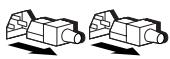
This symbol indicates that the device is powered by multiple power sources.
WARNING. To avoid electric shock, completely disconnect the system, unplug from AC outlets, and disconnect all cables.

Weight / Lifting weight
This symbol indicates that the weight of the corresponding device node does not allow it to be lifted by only one person.
WARNING. To avoid injuries or damage to the device, it is necessary to follow the safety rules when performing manual rigging work.
General safety rules
■ If the device is out of order and requires repair, disconnect the device from the mains outlet and contact a specialist of the "HP" company. In case of damage, it must be repaired by a specialist. Contact:
Damage to the power cord, extension cord, or power plug. Damage to the device or its enclosure. □Damage to the device. Mechanical damage to the device. Unauthorized interference with the normal operation of the device under the conditions specified in the instructions for use.
To avoid injuries or device failure:
It can be used to heat radiators, heating registers, pipes, and other heating equipment for heat emission. It is strictly forbidden to use the device in wet and damp rooms. Do not insert foreign objects into the openings inside the device. Store the device on stands safely. Do not make sharp turns and do not leave the device on flammable surfaces. Use the device only in combination with the compatible equipment "HP" brand. If it is necessary to use a full telephone or other equipment, the voltage must be changed.
Safety regulations during maintenance and operation of the device
To prevent electric shock or equipment failure during installation and operation of the device, follow the following safety requirements:
■ The device has a power source with unsafe voltage. Familiarize yourself with the documentation included in the delivery to know what specific type of power source it has. Installation, maintenance, and operation of the device may only be performed by persons who have studied the relevant safety regulations. ■ Before removing the cover and working with internal components, allow the device to cool down. It is forbidden to use electric tools that may short-circuit parts under voltage. ■ Before starting work with the device "Garant" or similar equipment that allows working without disconnecting from the server or other equipment, you must put on protective gloves and safety glasses.
Do not attempt to remove the blocking protections where they are. Before replacing the device "Garant" or similar, the electrical circuits are under unsafe voltage.
The device must be installed in a room with limited access, and only qualified personnel should work with it.
Before performing any work on the mains cable, which is connected to the device with the power supply disconnected, it is necessary to unplug the plug and disconnect the power cable from the mains socket. It is forbidden to work on the cable while the device is connected to the mains. The plug must be unplugged and the power cable disconnected from the mains socket. ■During repair work, do not touch the terminals that are installed for specific repairs of the equipment under voltage. All work on the equipment must be performed with the voltage disconnected. In addition, the equipment has a complex electrical circuit, so it is forbidden to repair individual elements or make modifications to the equipment. Incorrectly performed repairs can cause danger to the health of personnel. ■Before starting the installation of the equipment, which is intended to be installed on the floor, it is necessary to install the mounting brackets. ■Make sure there is no voltage in the mains cable of the device. This will eliminate the risk of electric shock, which may occur when the equipment is connected to the mains. The total voltage on the equipment must not exceed 80% of the rated voltage of the mains cable. Before starting the installation of the equipment, consult with the representatives of the local energy supply service.
SAFETY MEASURES DURING WORK WITH LIVE ELEMENTS
POWER CABLE
To avoid electric shock or equipment failure:
Use only the power cable supplied. If the power cable of the computer is missing, contact the manufacturer of the equipment or the mains supply. Use a power cable that is rated for the current and voltage specified on the equipment. The rated current and voltage of the power cable must be greater than the rated values indicated on the equipment itself. In case of any doubts about the cable, contact the official representative of the local service company "HP". - Do not place the power cable under any objects. Place the cable in such a way that service personnel do not step on it and do not trip over it. Do not pull the cable when it is necessary to unplug the plug from the socket, always hold the plug with your hand. The total value of the rated current of the plug or socket when connecting several devices must not exceed 80% of the rated current of the plug or socket. Monitor the condition of the grounding contact of the power cable. A properly functioning grounding contact is an important element of ensuring safety during operation. Connect the power cable only to a grounded socket located in an easily accessible place.
Power Source
Disconnect the so-called "arc" power source from the installation and remove it when they are disconnected from the source of alternating current. To avoid the risk of electric shock or injury during work with arc power sources:
Install the arc power source only with the power switch in the off position. Before connecting the power source to the outlet, you must turn off the power switch. If the system has multiple power sources, you must turn off all switches to disconnect them from the power supply.
Make sure that the power source you are connecting to the outlet matches the type indicated on the nameplate of electrical characteristics, which is installed on the device itself. In case of any doubts about the type of power source, contact the local official service center of the company "HP" or the representative of the local energy company.
ARC POWER SOURCE (APS)
To avoid electric shock or injury during installation of the electrical equipment APS:
Only trained technical specialists who have thoroughly studied the operating procedures for electrical equipment and the relevant safety rules are allowed to perform installation, maintenance, and operation. The switch must be connected to the alternating current mains. The switch must be performed by a qualified electrician in compliance with the requirements of Article 310 of the National Electrical Code (NFPA 70) of the United States or equivalent national standards that regulate the switch. Before performing technical maintenance on the device or replacing its components, which requires disconnecting the power, you must remove the appropriate labels and install locks to prevent accidental switching on of the device to the alternating current mains. It is forbidden to work with the device connected to the alternating current mains. To check the charge, use the TEST/ALARM RESET button (test/alarm reset). Before connecting the APS to the alternating current mains, you must first disconnect all loads from it. The APS must be disconnected from the alternating current mains before performing maintenance on the device or replacing components that require its disconnection. Do not overload the outputs. The total load current must not exceed 80% of the nominal value. Ensure that the output currents do not exceed the maximum levels specified for this type of device system. The limits of output current levels are given in the section "Output currents to ground" of this manual. When placing equipment on a rack, ensure that the total number of devices does not exceed the established maximum limit. When placing equipment on a rack, the APS must be installed only in the lower part of the rack itself.
To avoid the risk of injury or damage to equipment, when installing the "Emergency Power Disconnect" (EPD), the following requirements must be met:
The ADBX port must only be serviced by qualified personnel. Before servicing the ADBX port, it is recommended that the device be disconnected from the mains and placed in a safe state, and the relevant tables be consulted. In North American countries, the ADBX port must comply with the requirements of national electrical codes and standards (NFPA 70, Article 725) for Class 2 circuits. In other geographic regions and countries, the ADBX connection scheme must comply with the requirements of national standards or local codes applicable at the installation site.
To prevent electric shock or equipment damage during installation or maintenance of the equipment:
Ensure that the battery charger is only operated by specially trained personnel. Before working with the equipment, remove watches, rings, and other metal objects. Use tools with insulated handles. Replacement of the battery must only be performed after disconnecting all power and setting the switch to OFF. The voltage at the battery terminals is dangerous to life.
The product may contain sealed lead-acid batteries. To prevent fire or acid burns, observe the following safety measures:
It is forbidden to recharge the batteries removed from the product. It is forbidden to disassemble, deform, or puncture the batteries. It is forbidden to short-circuit the external terminals of the battery. It is forbidden to immerse the battery in water. It is forbidden to heat the battery above 60 degrees Celsius or dispose of it by incineration. Use only batteries from the company "HP" that are specifically designed for this equipment.
Peripheral devices
To prevent electric shock or equipment damage during installation and operation of peripheral devices, observe the following safety measures:
Only qualified personnel should be allowed to connect and operate portable devices. They must be familiar with the operating procedures for electrical equipment and comply with electrical safety rules (trained technical personnel). Portable devices should be connected directly to the AC power source. Connection should be performed by a qualified electrician in accordance with the requirements of Article 310 of the National Electrical Code (NFPA 70) of the United States or equivalent national standards regulating connection procedures. Before servicing or replacing the product, it is necessary to identify the type and rating and install lockouts to prevent unauthorized connection of the portable device to the AC power source. Portable devices must be disconnected from the power source and unplugged from the AC mains before servicing or replacing the product. Do not overload portable devices at the output. Always ensure that the connection does not exceed the maximum rated output power. Ensure that the input current does not exceed the maximum rated input current of the portable device. The input current limits are given in the section "Input Current".
Input Current to Ground
To prevent the risk of electric shock due to input current exceeding the permissible maximum, it is necessary to install a proper grounding system before connecting portable devices to the AC power source. When connecting the product to portable AC power devices, observe the following limit values:
For portable devices that have a permanently attached power cord with AC plug or are directly connected to the building mains, the total input current must not exceed 5% of the nominal input current of the device. For portable devices that have a detachable power cord with AC plug, the total input current must not exceed 3.5 mA.
Selection of Supply Voltage
When selecting the supply voltage, make sure that the selected voltage matches the rated voltage of the device (115 V AC or 230 V AC). It is forbidden to operate the product using household voltage converters.
Batteries
Some products of the "HP" company may have built-in lithium-manganese or lithium-vanadium batteries. Improper use of batteries may lead to fire or burns. To prevent the risk of injury, follow these instructions:
It is forbidden to disassemble batteries. It is forbidden to heat batteries above 60 degrees Celsius (140 degrees Fahrenheit). It is forbidden to disassemble batteries, puncture them, short-circuit the external terminals, or dispose of them through incineration or immersion in water. In case of replacement, only use spare batteries from the "HP" company, specifically designed for this product.

Rechargeable batteries must be returned to the collection points. To replace or dispose of the batteries, they must be handed over to the state reception points and returned to HP, official HP partners, or their agents.
Safety instructions for working with equipment installed in a rack
Stability
To prevent injury or damage to equipment, it is recommended that:
The horizontal supports are fully extended and rest on the floor. The rack rests entirely on the horizontal supports. Stabilize the rack by securing it to the floor (if all equipment is in one rack). Connect racks together with a connector (if equipment is in multiple racks). Only one unit can be extended at a time. If for any reason two or more units are extended, the rack may lose stability. When extending the units, push them in carefully. Careless handling may cause injury when the units are extended, as they can pinch fingers. When installing equipment in the rack, start from the bottom, and place the heaviest units in the first row. Move the rack with the help of a sufficient number of people, taking into account the weight and height of the rack. Do not move the rack on surfaces that have an incline of more than 10 degrees from horizontal. - Do not move the rack together with the equipment. Before moving, remove the equipment from the rack.
Manual handling tasks
To prevent injury or damage to equipment:
Follow internal safety and labor protection rules for manual handling tasks. All work with lifting and moving equipment during installation must be done with the help of a sufficient number of people. To change the weight of the equipment, remove all removable power supplies and modules from it. It is recommended that the equipment be firmly secured in the rack. Otherwise, if the equipment is not firmly installed in the rack, it may lose stability.
Safety instructions for working with modems, telecommunications equipment, and local network equipment
To prevent injury from electric shock, take the following precautions:
Do not plug in or use a modem or telephone (unless it is of the cordless type) during a thunderstorm. Do not use the telephone to report a gas leak in the immediate vicinity of the leak. Do not plug in modem or telephone cables in a wet environment. Before connecting the power cord to the equipment, check that the power cord is not damaged. If the modem cable is damaged, disconnect it. Do not insert connectors of telecommunications or telephone cables into the connectors of interface cards (NICs).
Safety instructions for working with laser devices
To prevent harmful exposure to laser radiation:
The laser device housing is protected. The device does not contain parts that require user maintenance. Operation and adjustment of the laser device must be performed in strict accordance with the instructions in this manual. Repair of the laser device must be carried out only by authorized specialists of the "HP" company.
Hewlett-Packard Company shall not be liable for technical or editorial errors or omissions contained herein. The information in this document is provided "as is" without warranty of any kind and is subject to change without notice. The warranties for HP products are set forth in the express limited warranty statements accompanying such products. Nothing herein should be construed as constituting an additional warranty.
Fifth Edition (July 2002)
Part Number 296382-025

- IMPORTANT SAFETY INFORMATION
- FOR SERVER, STORAGE, POWER, NETWORKING, AND RACK PRODUCTS READ BEFORE INSTALLING PRODUCT
- SYMBOLS ON EQUIPMENT
- GENERAL PRECAUTIONS
- PRECAUTIONS FOR MAINTAINING AND SERVICING ENTERPRISE PRODUCTS
- PRECAUTIONS FOR POWER PRODUCTS
- POWER CORDS
- POWER SUPPLIES
- UNINTERRUPTIBLE POWER SUPPLY (UPS) PRODUCTS
- POWER DISTRIBUTION UNITS (PDUS)
- EARTH LEAKAGE CURRENT
- VOLTAGE SELECTION
- BATTERIES
- PRECAUTIONS FOR PRODUCTS INSTALLED IN RACKS
- STABILITY
- MANUAL MATERIAL HANDLING
- PRECAUTIONS FOR MODEMS, TELECOMMUNICATIONS, OR LOCAL AREA NETWORK OPTIONS
- PRECAUTIONS FOR PRODUCTS WITH LASER DEVICES
- I
- UPS (UNINTERRUPTIBLE POWER SUPPLY) PRODUCTS
- PDUS (POWER DISTRIBUTION UNITS)
- POWER SUPPLY PRODUCTS
- POWER SUPPLY CABLES
- NINN NNN NN, LNONX NNNN NN
- NNN
- (IN NO 90) UPS
- FAMILIARIZE YOURSELF WITH THE PRODUCT BEFORE INSTALLATION
- EQUIPMENT MARKINGS
- SAFETY PRECAUTIONS
- SAFETY PRECAUTIONS FOR SERVICING AND REPAIRING CORPORATE-CLASS DEVICES
- SAFETY PRECAUTIONS FOR ELECTRICAL EQUIPMENT
- POWER SUPPLY UNITS
- UNINTERRUPTIBLE POWER SUPPLY (UPS) SOURCES
- LEAKAGE CURRENT
- HANDLING MATERIALS
- RULES FOR HANDLING MODEMS, TELECOMMUNICATIONS DEVICES, AND LOCAL AREA NETWORK MODULES
- RULES FOR HANDLING LASER DEVICES
- SAFETY IMPORTANT INFORMATION
- PLEASE CAREFULLY READ THE INSTRUCTIONS BELOW BEFORE USING THE DEVICE FOR TESTING
- SYMBOLS AND MARKINGS ON THE DEVICE
- GENERAL SAFETY RULES
- SAFETY REGULATIONS DURING MAINTENANCE AND OPERATION OF THE DEVICE
- SAFETY MEASURES DURING WORK WITH LIVE ELEMENTS
- POWER CABLE
- POWER SOURCE
- ARC POWER SOURCE (APS)
- PERIPHERAL DEVICES
- INPUT CURRENT TO GROUND
- SELECTION OF SUPPLY VOLTAGE
- SAFETY INSTRUCTIONS FOR WORKING WITH EQUIPMENT INSTALLED IN A RACK
- MANUAL HANDLING TASKS
- SAFETY INSTRUCTIONS FOR WORKING WITH MODEMS, TELECOMMUNICATIONS EQUIPMENT, AND LOCAL NETWORK EQUIPMENT
- SAFETY INSTRUCTIONS FOR WORKING WITH LASER DEVICES
Brand : HP
Model : COMPAQ PROLIANT 8000 SERVER
Category : Server