RZR-STAGE3 - Subwoofer Rockford Fosgate - Free user manual and instructions
Find the device manual for free RZR-STAGE3 Rockford Fosgate in PDF.


| Product Type | Powered Subwoofer |
| Brand | Rockford Fosgate |
| Model | RZR-STAGE3 |
| Subwoofer Size | 12 inches |
| Amplifier Power (RMS) | 300 Watts |
| Amplifier Power (Peak) | 600 Watts |
| Impedance | 2 Ohm |
| Frequency Response | 30 Hz - 250 Hz |
| Sensitivity | 86 dB |
| Enclosure Type | Sealed |
| Dimensions (Width x Height x Depth) | 13.5 x 12 x 14 inches |
| Weight | 25 lbs |
| Input Sensitivity | 200 mV - 4 V |
| Low Pass Filter | 50 Hz - 250 Hz |
| Phase Control | 0° / 180° |
| Remote Subwoofer Level Control | Included |
| Protection Circuitry | Thermal, Overload, Short Circuit |
| Power Supply Voltage | 12 V DC |
| Fuse Rating | 30 A |
| Mounting Depth | 6.5 inches |
| Compatible with Factory Systems | Yes (with line output converter) |
| Maintenance | Clean with dry cloth, avoid moisture |
| Safety | Professional installation recommended, disconnect battery before wiring |
| Spare Parts Availability | Contact Rockford Fosgate customer service |
Frequently Asked Questions - RZR-STAGE3 Rockford Fosgate
User questions about RZR-STAGE3 Rockford Fosgate
0 question about this device. Answer the ones you know or ask your own.
Ask a new question about this device
Download the instructions for your Subwoofer in PDF format for free! Find your manual RZR-STAGE3 - Rockford Fosgate and take your electronic device back in hand. On this page are published all the documents necessary for the use of your device. RZR-STAGE3 by Rockford Fosgate.
USER MANUAL RZR-STAGE3 Rockford Fosgate
Installation & Operation


Serial Number: Date of Purchase:

text_image
Serial Number: Date of Purchase:REFZ-FWE
SUBWOOFER ENLOSURE RZRF FRONT
Installation assistance available at:
REFTECH
www.rockfordosgate.com/retech
Dear Customer,
Congratulations on your purchase of the world's finest brand of audio products. At Rockford Fosgate we are fanatics about musical reproduction at its best, and we are pleased you chose our product. Through years of engineering expertise, hand craftsmanship and critical testing procedures, we have created a wide range of products that reproduce music with all the clarity and richness you deserve.
For maximum performance we recommend you have your new Rockford Fosgate product installed by an Authorized Rockford Fosgate Dealer, as we provide specialized training through Rockford Technical Training Institute (RTTI). Please read your warranty and retain your receipt and original carton for possible future use.
Great product and competent installations are only a piece of the puzzle when it comes to your system. Make sure that your installer is using 100% authentic installation accessories from Rockford Fosgate in your installation. Rockford Fosgate has everything from RCA cables and speaker wire to power wire and battery connectors. Insist on it! After all, your new system deserves nothing but the best.
To add the finishing touch to your new Rockford Fosgate image order your Rockford accessories, which include everything from T-shirts to hats.
Visit our web site for the latest information on all Rockford products;
www.rockfordfosgate.com
or, in the U.S. call 1-800-669-9899 or FAX 1-800-398-3985. For all other countries, call +001-480-967-3565 or FAX +001-480-966-3983.
Table of Content
2 Introduction
3 Enclosure Assembly
4-10 Installation
11 Blank
12 Warranty
If, after reading your manual, you still have questions regarding this product, we recommend that you see your Rockford Fosgate dealer. If you need further assistance, you can call us direct at 1-800-669-9899. Be sure to have your serial number, model number and date of purchase available when you call.
PRACTICE SAFE SOUND
Continuous exposure to sound pressure levels over 100dB may cause permanent hearing loss. High powered auto sound systems may produce sound pressure levels well over 130dB. Use common sense and practice safe sound.
Safety
This symbol with "WARNING" is intended to alert the user to the presence of important instructions. Failure to heed the instructions will result in severe injury or death.

WARNING
This symbol with "CAUTION" is intended to alert the user to the presence of important instructions. Failure to heed the instructions can result in injury or unit damage.

CAUTION
- To prevent injury and damage to the unit, please read and follow the instructions in this manual. We want you to enjoy this system, not get a headache.
- If you feel unsure about installing this system yourself, have it installed by a qualified Rockford Fosgate technician.
- Before installation, disconnect the battery negative (-) terminal to prevent damage to the unit, fire and/or possible injury.
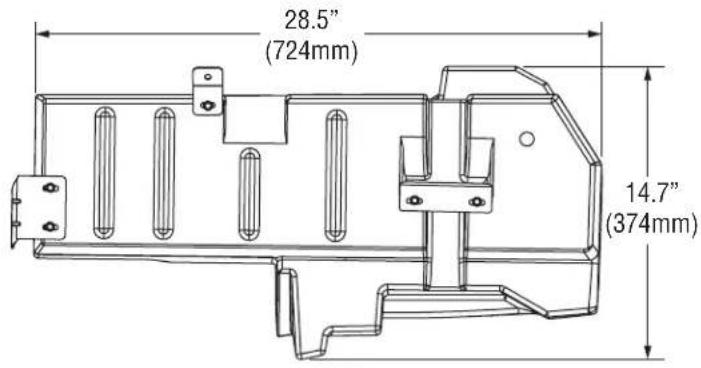
text_image
28.5" (724mm) 14.7" (374mm)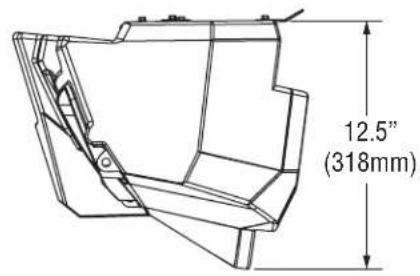
text_image
12.5" (318mm)PASSENGER SIDE (RIGHT)TOP VIEW
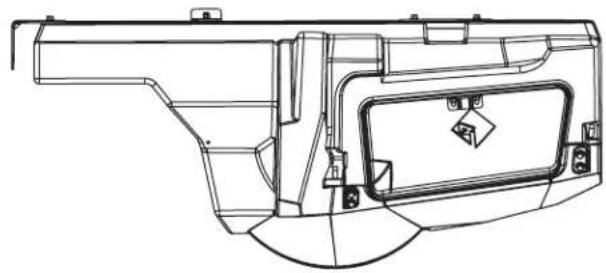
natural_image
Technical line drawing of a mechanical component with no visible text or symbolsFRONT VIEW
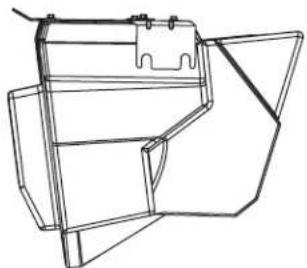
natural_image
Line drawing of a mechanical component or bracket assembly (no text or symbols)DRIVER SIDE (LEFT)
text_image
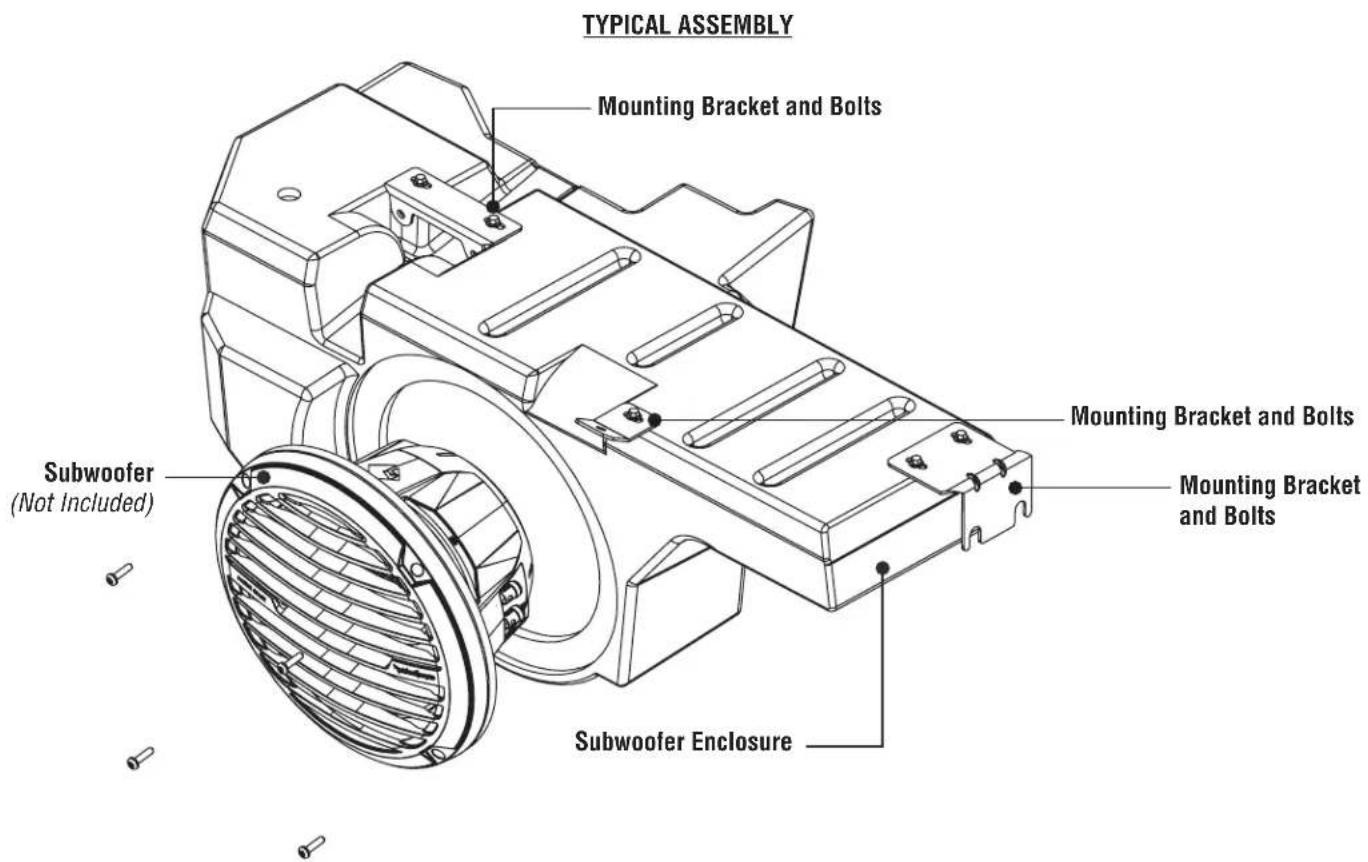
TYPICAL ASSEMBLY Mounting Bracket and Bolts Mounting Bracket and Bolts Mounting Bracket and Bolts Subwoofer (Not Included) Subwoofer EnclosureFig. 1
Contents
• (1) Front Subwoofer Enclosure
• (3) Enclosure Mounting Brackets
• (1) Subwoofer Spacer Ring
• (1) Mounting Screw Pack
• (1) Latch Mount & Screws
• (1) 12 AWG Subwoofer Wire
• (1) 12 AWG Jumper Wire
- Installation Guide
Installation Tools
The following is a list of suggested tools needed for installation:
- Ratchet
- Torx - T40
- 15mm Socket/Wrench
- 13mm Sock/Wrench
Installation Considerations
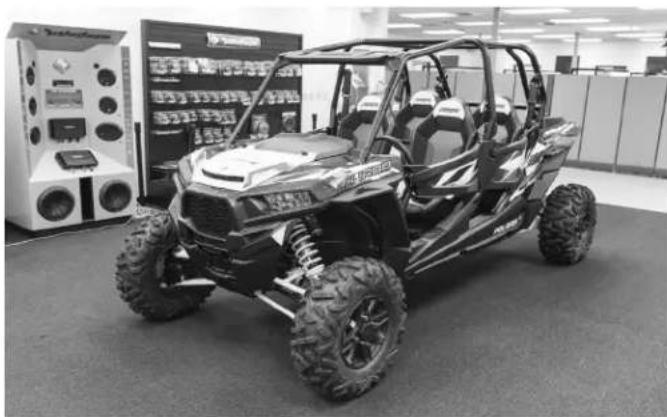
This section focuses on some considerations for installing your Polaris® RZR® Front Subwoofer Enclosure. This manual will illustrate the installation process with a 2016 Polaris RZR XP4 Turbo.
If you feel unsure about installing this system yourself, have it installed by a qualified technician.

CAUTION
Before installation, disconnect the battery negative (-) terminal to prevent damage to the unit, fire and/or possible injury.

CAUTION
Before beginning any installation, follow these simple rules:
- Be sure to carefully read and understand the instructions before attempting to install this motorcycle audio kit.
- Consult your UTV's service manual for model specific information. Models may differ from year to year depending on factory options and aftermarket accessories added.
- This front subwoofer enclosure is specifically designed to work with Rockford Fosgate's Element Ready 10" subwoofers.
- With the addition of an amplifier or source unit, be sure that your current charging system is in proper working order.
- Visit rockfordfosgate.com for more comprehensive installation videos and product information.
Applicable Models:
2014 and up RZR® XP/XP4 1000
2016 and up RZR® XP/XP4 Turbo
2015 and up RZR® S/ XC / 4 900
natural_image
Exterior view of a black-and-white photo of an outdoor utility vehicle with large tires and exposed suspension, displayed indoors with no visible text or symbols.The front subwoofer enclosure is designed to work with Rockford Fosgate's Element Ready 10" subwoofers, RFRZ-PMXWH1 and RFRZ-K4D wire kits.
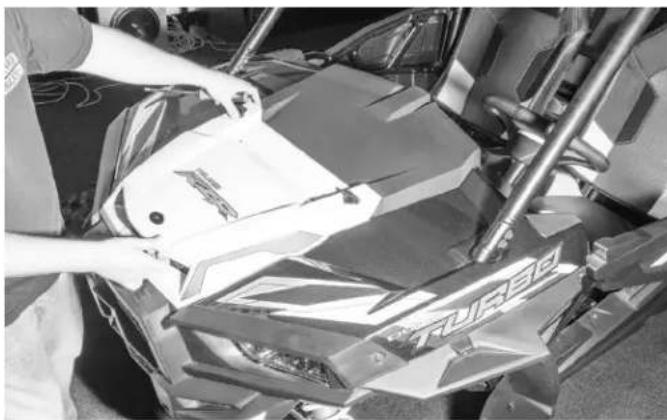
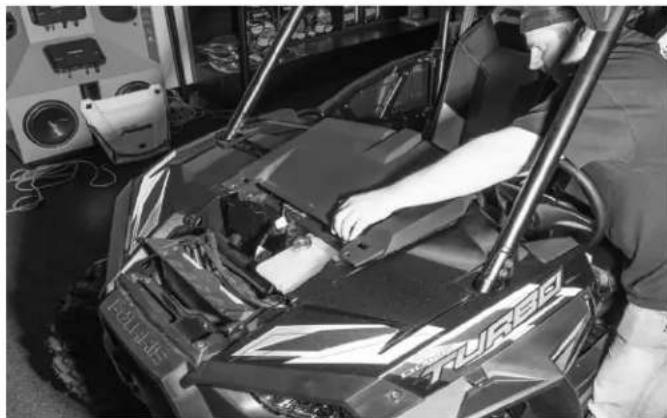
Step 1 - Remove Hood
Twist the two hood latches and slide toward the front of the vehicle to release the hood.
natural_image
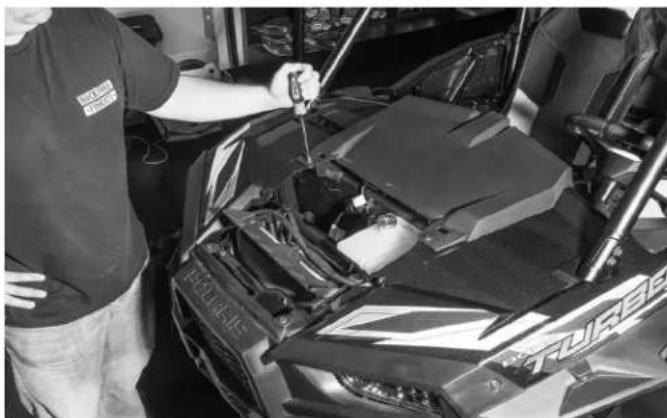
Person cleaning a motorcycle body with visible branding and mechanical components (no readable text or symbols)Step 2 - Remove Top Dash Panel
Using your Torx screwdriver, unbolt the two factory bolts.
natural_image
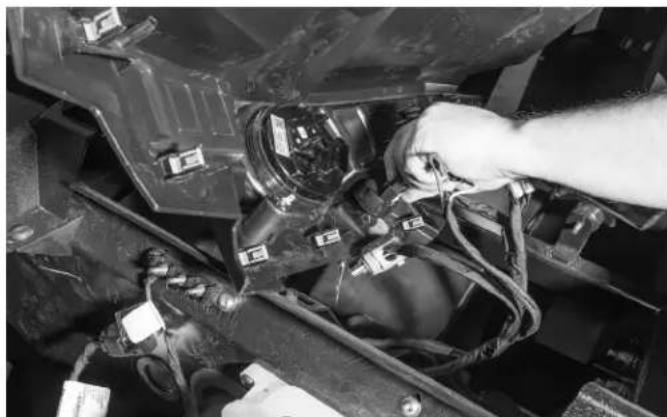
Person inspecting a Ford F-150 car engine compartment in a workshop (no visible text or symbols)Using your hands, pull the top dash piece toward the interior of the vehicle to release it from the dash.
natural_image
Person working on a turbo game engine in a workshop (no visible text or symbols)Disconnect all of the wires connectors and set aside.
natural_image
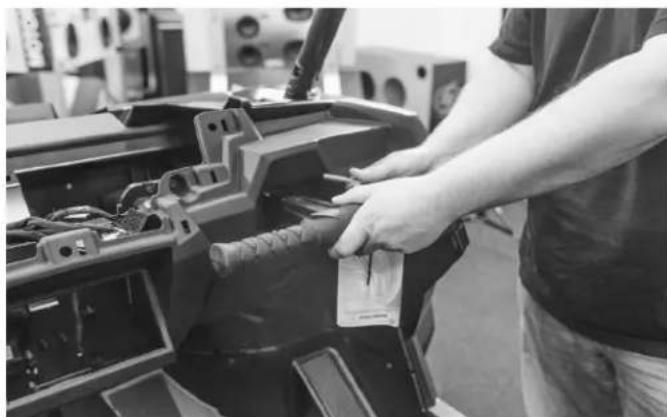
Close-up of hands installing or adjusting a vehicle engine compartment with visible wiring and components (no text or symbols)Step 3 - Remove Passenger Grab Bar
To remove the grab bar, you will need remove the retaining pin and pull the grab bar out of it's mount.
natural_image
Person adjusting a mechanical component in a workshop (no visible text or symbols)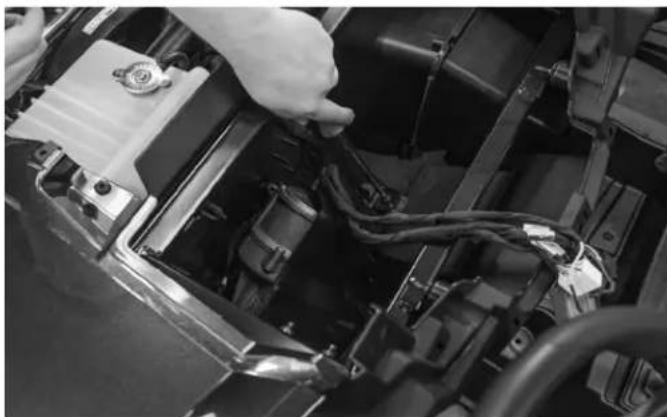
natural_image
Close-up of a car engine bay with visible wiring and components (no text or symbols)Step 4 - Remove Center Pocket
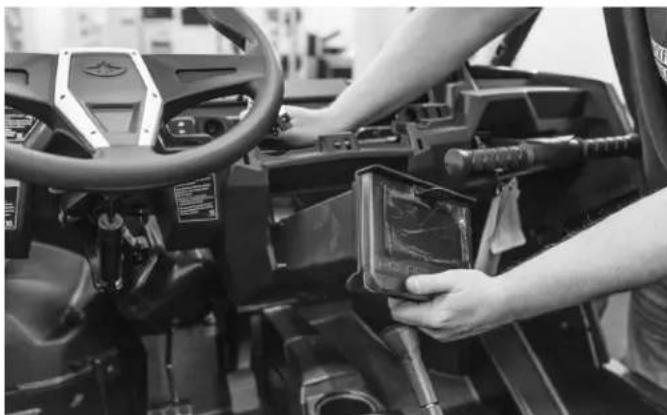
Using a Torx screwdriver, remove the bolt that attaches the brace to the rear of the pocket.
natural_image
Interior view of a vehicle steering wheel with a person operating the dashboard (no visible text or symbols)After the brace is disconnected from the center pocket, pull the pocket out of the dash.
Step 5 - Remove Dash
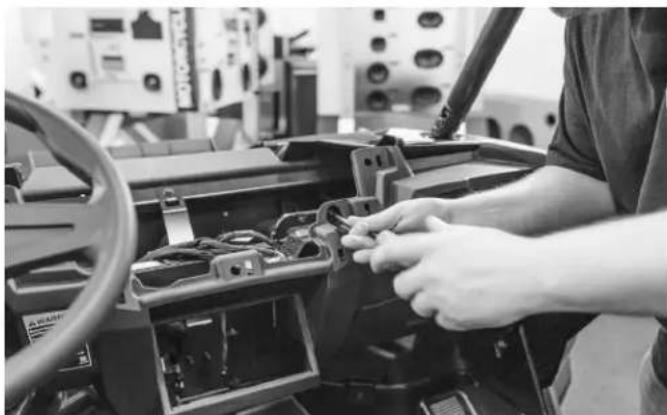
Using your Torx screwdriver, remove the two bolts holding the dash onto the chassis. There are two and they are located above the center pocket.
natural_image
Person working on a vehicle's dashboard with visible wiring and control panels (no text or symbols)Installation
natural_image
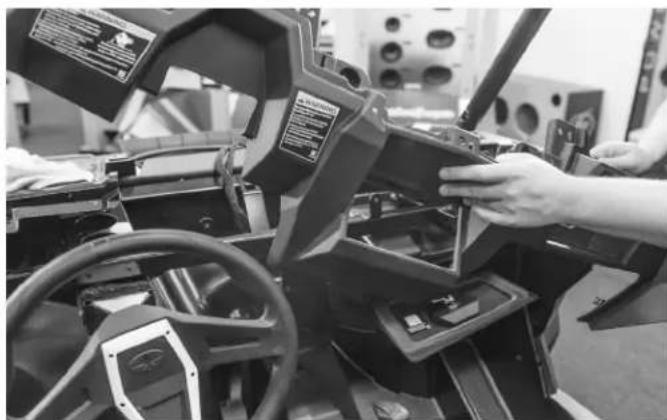
Person operating a vehicle simulator with visible steering wheel and control panel (no text or symbols)Once the bolts are removed you will need to pull the dash off of the chassis.
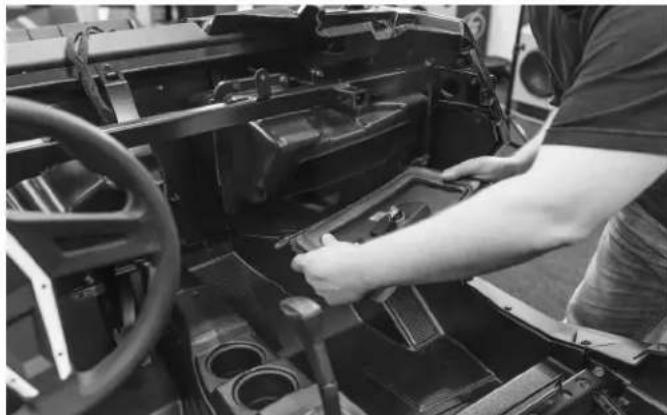
NOTE: When pulling the dash off you will notice that it still feels attached. It has several retaining clips on each side that are holding it in place. Just continue pulling toward the interior of the vehicle to release the dash from the chassis.
natural_image
Person assembling a vehicle chassis frame with visible wheel and dashboard (no text or symbols)Step 6 - Remove Glove Box
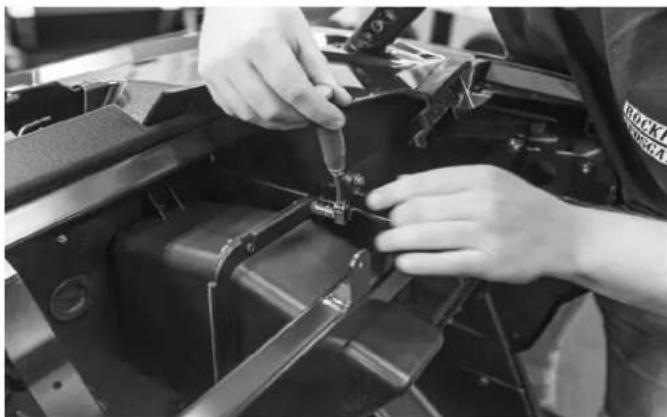
To get the glove box removed, you will first need to remove the glove box door. Open the door and then push it to the passenger side of the vehicle. At the same time pull the driver's side of the door out to release the retaining stud.
NOTE: Bending the door slightly may be required to get the door removed.
natural_image
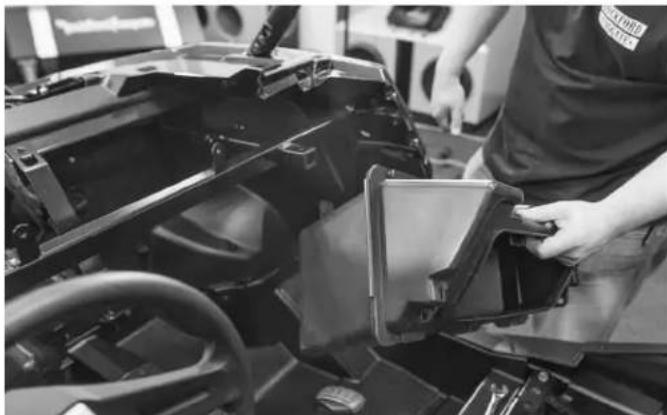
Close-up of hands assembling or adjusting a mechanical component (no visible text or symbols)Once the glove box door is removed, remove the bolts holding the glove box in place. There are two above the chassis dash bar.
natural_image
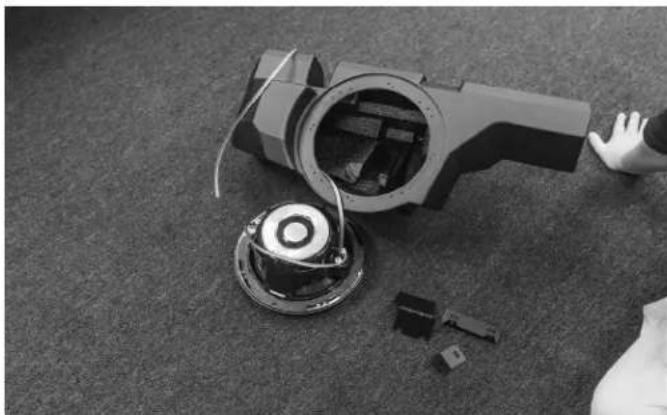
Person assembling a car chassis with visible frame and dashboard components (no text or symbols)Remove the glove box from the vehicle once bolts are removed.
natural_image
Black-and-white photo of a robotic device with a hand interacting with it, surrounded by scattered components on a textured floor (no text or symbols visible)Step 7 - Load Subwoofer Into Enclosure
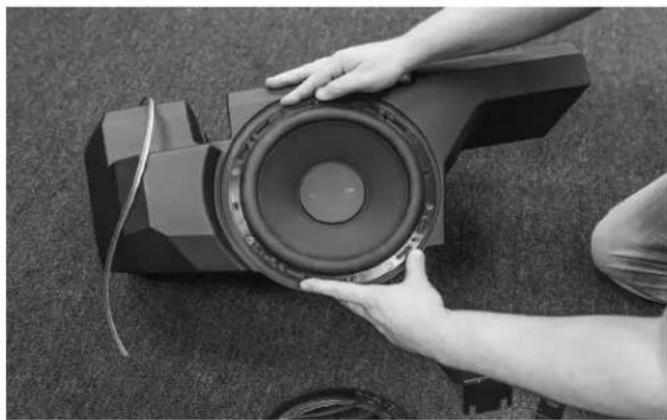
Before mounting the subwoofer enclosure, you will need to load the subwoofer into the enclosure. The kit contains two wires for the subwoofer. A main wire that goes to an amplifier and the other is a jumper for dual voice coil subwoofers.

WARNING
Reference your subwoofer's manual for proper wiring. Failure to wire the subwoofer correctly can cause damage to the amplifier and/or subwoofer.
natural_image
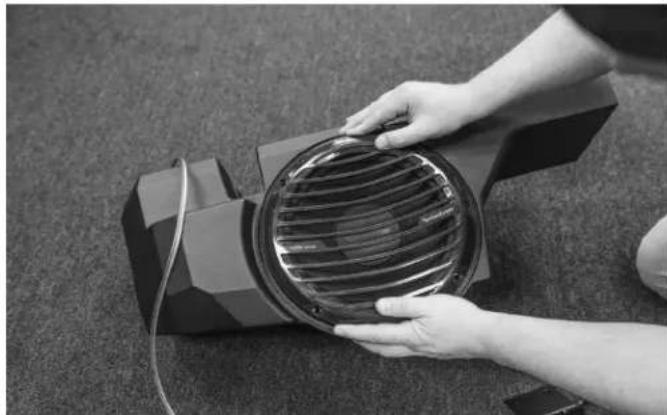
Person holding a speaker with visible sound waves, placed on carpet (no text or symbols)Place the subwoofer into the enclosure and line up the predrilled holes in the enclosure with the subwoofer's mounting holes.
NOTE: If you subwoofer mounting holes do not line up, predrilling holes is suggested before screwing subwoofer to enclosure.
NOTE: When installing your subwoofer be sure to check for interference with the subwoofer and the inside of the enclosure. A spacer ring is included in the kit if you have a subwoofer that is touching the enclosure.
natural_image
Person holding a circular fan device on a textured surface (no visible text or symbols)Install the subwoofer grille that was provided with your woofer.
natural_image
Close-up of an automotive engine compartment with visible structural components and wiring (no text or symbols)Step 8 - Install Steering Column Bracket
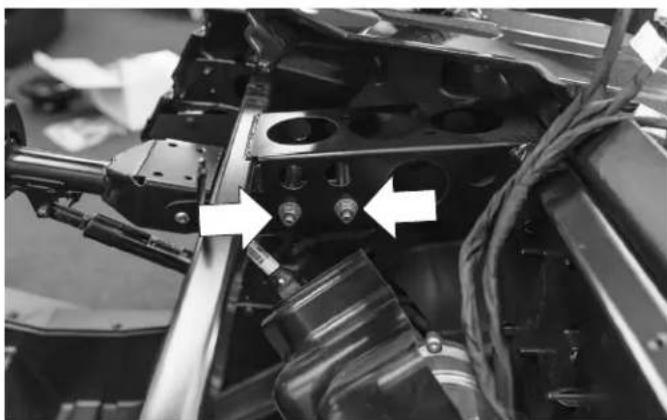
You will need to loosen the two nuts that are located above the steering column. One of the subwoofer enclosure brackets will be mounted in this location. It is not necessary to completely remove the nuts.
natural_image
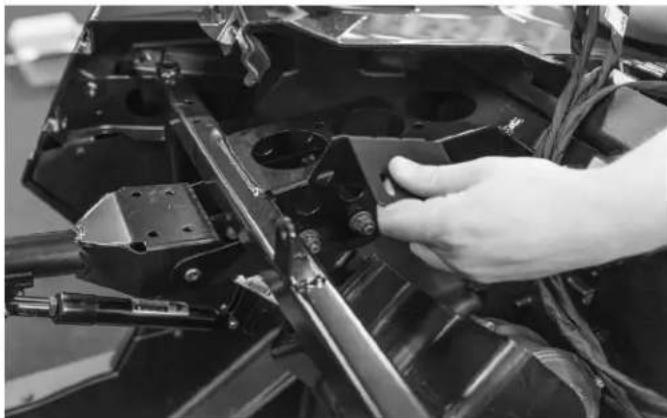
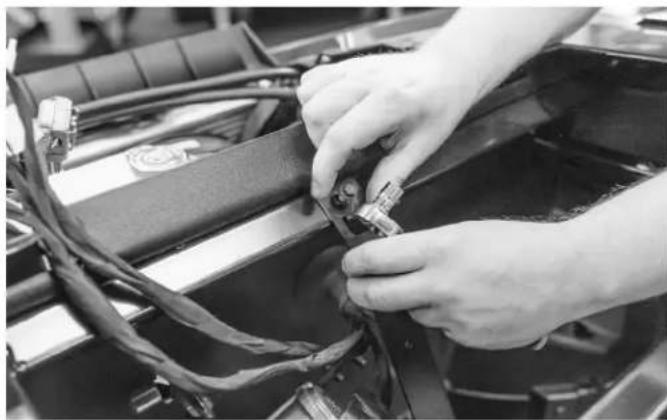
Close-up of a hand adjusting a mechanical component with visible brackets and wiring (no text or symbols)Slide the bracket between the nuts and the column support. Do not tighten yet.
NOTE: All of the brackets being installed should only be hand tightened. Leaving all of the fasteners loose will make installation process easier.
natural_image
Close-up of hands installing or adjusting a component on a vehicle chassis (no visible text or symbols)Step 9 - Replace Center Pocket Bracket
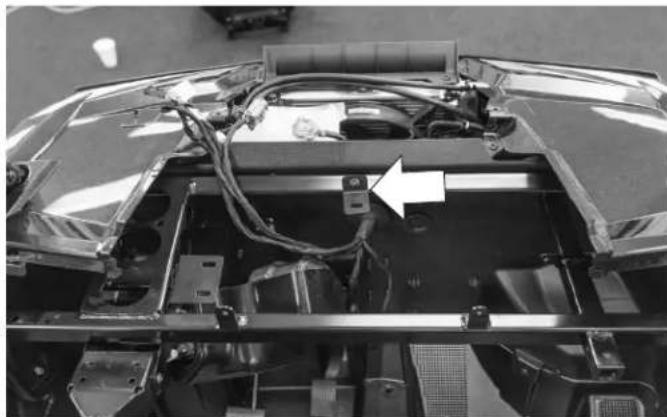
The center pocket bracket will need to be removed and replaced with a new bracket that comes with the kit.
natural_image
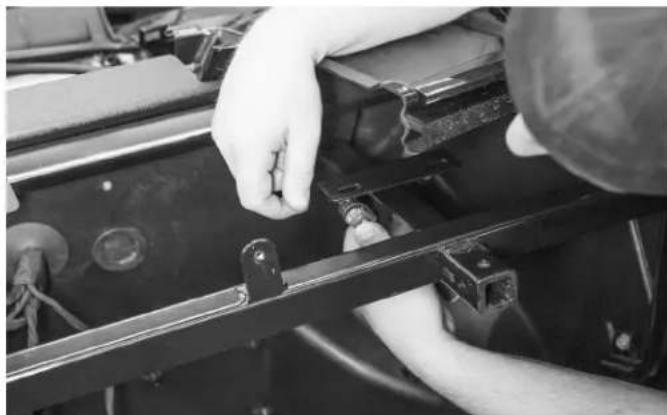
Interior view of a car chassis frame with visible wiring and components (no text or symbols)Attach the new bracket with the existing bolt that previously held the center pocket bracket.
natural_image
Close-up of hands installing or adjusting a black metal bracket component (no visible text or symbols)Step 10 - Install Grab Bar Enclosure Bracket
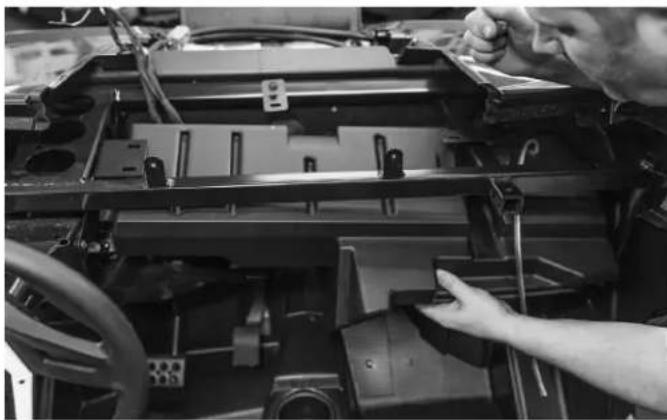
This next step requires another bracket to be mounted to the two holes where the factory glove box was mounted.
natural_image
Close-up of a person installing or adjusting a mechanical component on a vehicle chassis (no visible text or symbols)Step 11 - Install the Loaded Subwoofer Enclosure
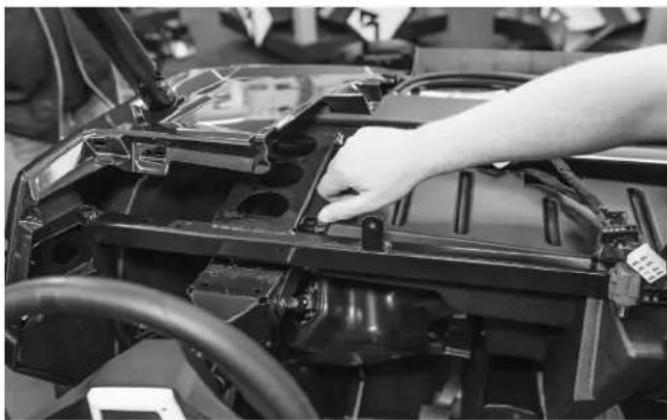
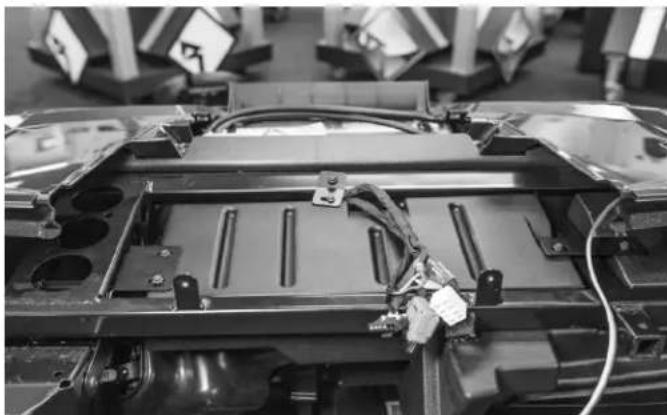
Once all of the brackets are installed, the subwoofer enclosure can now be installed. The enclosure goes into the vehicle with the subwoofer facing the fire wall and the flat side of the enclosure is on top. The box needs to inserted up towards the driver's side of the vehicle first.
natural_image
Close-up of a hand installing or adjusting a car chassis frame with visible structural components (no text or symbols)Line up the brackets with the mounting holes and insert supplied hardware into the enclosure's mounting holes. Keep everything hand tight until you get all of the hardware in place.
natural_image
Interior view of a vehicle battery pack assembly with visible wiring and components (no text or symbols)NOTE: The vehicles wire harnesses that were removed from the dash top will go between the enclosure and the fire wall. There a groove on the enclosure where the wires are to be routed.
NOTE: Due to the weight of the enclosure and subwoofer, an additional person to help is recommended.
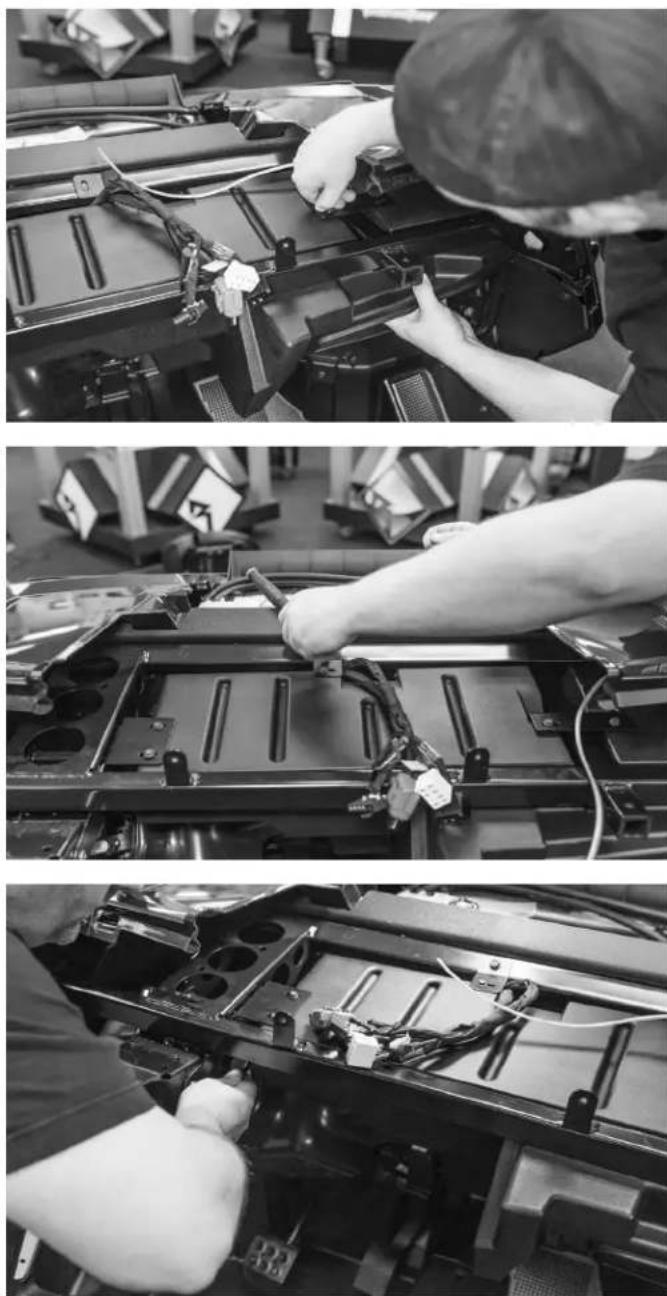
Once all of the hardware is in place, tighten all of the brackets down to the enclosure first, then to the chassis.
natural_image
Person operating a mechanical device with a hand adjusting the component (no visible text or symbols)Step 12 - Install Glove Box Door
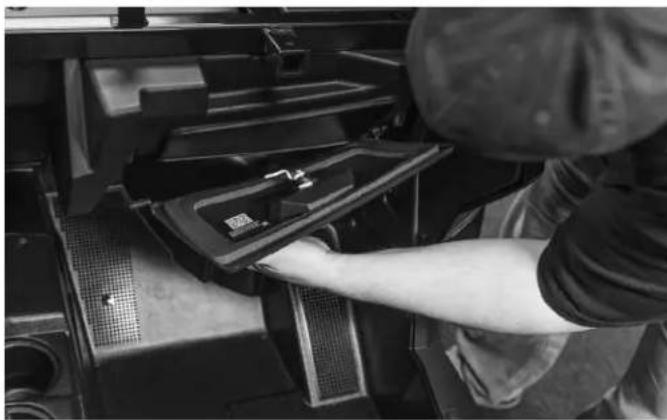
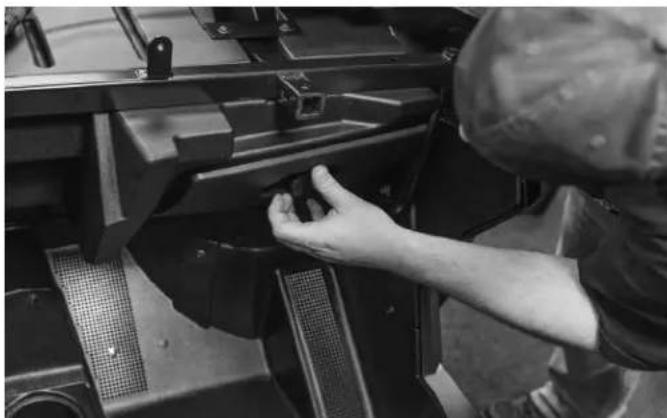
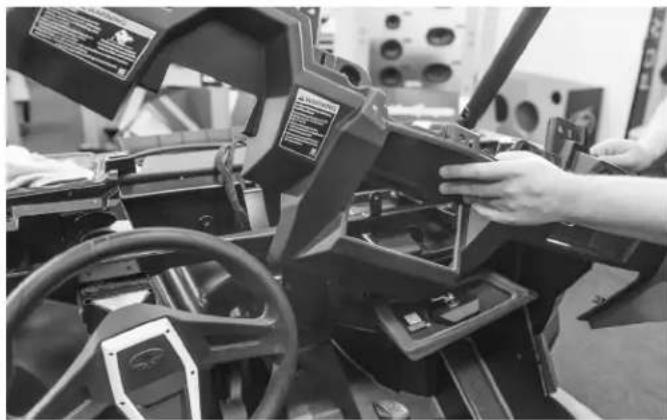
After all of the brackets are tight and secure, the glove box door will need to be installed onto the enclosure. Insert the door stud towards the passenger side retainer first, then insert the stud on the passenger side.
natural_image
Person adjusting a mechanical component with a hand operating the lever (no visible text or symbols)NOTE: The glove box latch mount that is pre installed on the enclosure is designed to work with 2015 and newer model latching systems. If you have a 2014 model, you will need to install the latch adapter onto the pre installed latch mount using the two supplied screws.
natural_image
Person operating a vehicle simulator with visible steering wheel and dashboard (no text or symbols)Step 13 - Install Dash
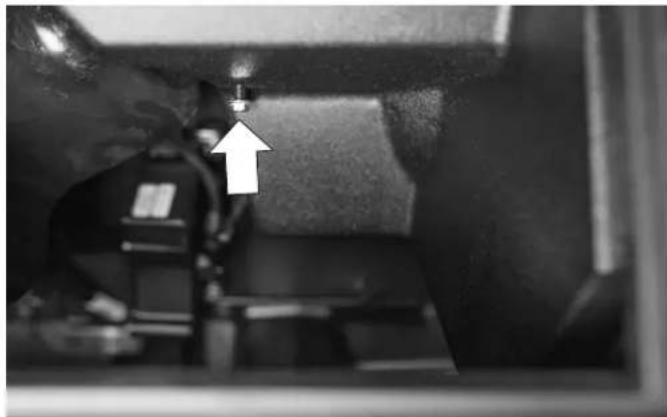
Now you can install the dash back into place.
natural_image
Close-up of a mechanical component with a white arrow pointing to a small component (no visible text or symbols)Step 14 - Install Center Pocket
After you have the dash installed, the center pocket can go back in the vehicle. Be sure to slide the pocket support onto the new stud from the enclosure.
NOTE: This threaded stud replaces the factory installed center pocket bracket.
Step 15 - Install Top Dash, Hood and Grab Bar
You can reinstall the top dash panel, hood and grab bars after connecting your subwoofer to an amplifier. Using Rockford Fosgate's RFRZ-4KD dual amplifier installation kit is recommended but not necessary.
Rockford Corporation offers a limited warranty on Rockford Fosgate products on the following terms:
Length of Warranty
POWER Amplifiers – 2 Years
BMW® Direct Fit Speakers – 2 Years
All other products - 1 Year
Any Factory Refurbished Product - 90 days (receipt required)
What is Covered
This warranty applies only to Rockford Fosgate products sold to consumers by Authorized Rockford Fosgate Dealers in the United States of America or its possessions. Product purchased by consumers from an Authorized Rockford Fosgate Dealer in another country are covered only by that country's Distributor and not by Rockford Corporation.
Who is Covered
This warranty covers only the original purchaser of Rockford product purchased from an Authorized Rockford Fosgate Dealer in the United States. In order to receive service, the purchaser must provide Rockford with a copy of the receipt stating the customer name, dealer name, product purchased and date of purchase.
Products found to be defective during the warranty period will be repaired or replaced (with a product deemed to be equivalent) at Rockford's discretion.
What is Not Covered
- Damage caused by accident, abuse, improper operations, water, theft, shipping.
- Any cost or expense related to the removal or reinstallation of product.
- Service performed by anyone other than Rockford or an Authorized Rockford Fosgate Service Center.
- Any product which has had the serial number defaced, altered, or removed.
- Subsequent damage to other components.
- Any product purchased outside the U.S.
- Any product not purchased from an Authorized Rockford Fosgate Dealer.
Limit on Implied Warranties
Any implied warranties including warranties of fitness for use and merchantability are limited in duration to the period of the express warranty set forth above. Some states do not allow limitations on the length of an implied warranty, so this limitation may not apply. No person is authorized to assume for Rockford Fosgate any other liability in connection with the sale of the product.
How to Obtain Service
Contact the Authorized Rockford Fosgate Dealer you purchased this product from. If you need further assistance, call 1-800-669-9899 for Rockford Customer Service. You must obtain an RA# (Return Authorization number) to return any product to Rockford Fosgate. You are responsible for shipment of product to Rockford.
EU Warranty
This product meets the current EU warranty requirements, see your Authorized dealer for details.