GD-PB2148CO-15 - Power bank Goodis - Free user manual and instructions
Find the device manual for free GD-PB2148CO-15 Goodis in PDF.


| Product Type | Power Bank |
| Model | GD-PB2148CO-15 |
| Brand | Goodis |
| Battery Capacity | 21400 mAh |
| Battery Type | Lithium-ion |
| Input Port | USB-C (5V/3A, 9V/2A, 12V/1.5A) |
| Output Ports | 2x USB-A (5V/3A total), 1x USB-C (PD 18W) |
| Total Output | 18W max |
| Fast Charging | Supports PD 3.0, QC 3.0 |
| LED Indicator | 4-level battery indicator |
| Dimensions | 150 x 70 x 20 mm |
| Weight | 350 g |
| Material | ABS + PC fire-resistant shell |
| Safety Features | Overcharge, overdischarge, short circuit, overcurrent, and temperature protection |
| Pass-Through Charging | Supported |
| Compatibility | Smartphones, tablets, cameras, and other USB devices |
| Operating Temperature | 0°C to 45°C |
| Charging Time | Approx. 6-8 hours with 18W charger |
| Accessories | USB-C charging cable, user manual |
Frequently Asked Questions - GD-PB2148CO-15 Goodis
User questions about GD-PB2148CO-15 Goodis
0 question about this device. Answer the ones you know or ask your own.
Ask a new question about this device
Download the instructions for your Power bank in PDF format for free! Find your manual GD-PB2148CO-15 - Goodis and take your electronic device back in hand. On this page are published all the documents necessary for the use of your device. GD-PB2148CO-15 by Goodis.
USER MANUAL GD-PB2148CO-15 Goodis
EN Instruction manual
for uncomplicated life

natural_image
Blank gray rectangle with no text, symbols, or markingsEN
Instruction manual
Power bank 4000 mAh
Model: GD-PB2148CO-15
GD-PB2148DG-15
GD-PB2148GR-15

GOODIS®
for uncomplicated life


natural_image
Color palette bar with grayscale shades and a central crosshair symbol (no text or labels)POWER BANK 4000 MAH
MODEL: GD-PB2148CO-15; GD-PB2148DG-15; GD-PB2148GR-15
Z
Dear client,
Thank you for purchasing this product.
The quality of this appliance has been certified by several laboratory tests. This instruction manual is provided to simplify the use of the appliance. The instructions guarantee quick and safe use.
Please read the instructions and safety measures described in this manual carefully.
We wish our clients great satisfaction in using their new appliance.


4

EN INSTRUCTION MANUAL
Index
- Safety Instructions 6-7
1.1. Power Supply 8
1.2. Power Cord and Other Cables 8
1.3. Humidity and Water 8
1.4. Cleaning 8
1.5. General Precautions 8–9 - Use and Operation 9
2.1. Operations Instructions 9 - 10
2.2. Troubleshooting 11 - Technical Specifications 12
- Customer Service 12 -13
- Protection of the Environment 13

natural_image
Color palette bar with grayscale shades and a central crosshair symbol (no text or labels)POWER BANK 4000 MAH
MODEL: GD-PB2148CO-15; GD-PB2148DG-15; GD-PB2148GR-15
1. SAFETY INSTRUCTIONS
| WARNING | |||
| RISK OF ELECTRIC SHOCK | DO NOT OPEN | |||
| Warning: to avoid the risk of electric shock, do not remove the coverThe interior does not contain any parts that can be repaired by theuser. Ask for assistance by qualified personnel. | |||
IMPORTANT WARNINGS
Before using your appliance read this instruction manual carefully and keep it in a safe place as you may need to consult it in the future.
Before powering on your appliance, and to ensure correct use, do not use it if:
- It has fallen on the ground;
- You notice any evidence of damage;
- Any anomaly occurs during its operation.
To avoid hazards and deterioration of your appliance through incorrect use it is advisable to read the instructions carefully and attentively.
Your appliance must not be used for other purposes than those described in the instruction manual. Safety is only guaranteed for household use and not for commercial use. Incorrect use is not covered and automatically voids the warranty.
ASSISTANCE
If there is a malfunction take your appliance to a qualified technician for assistance.
This appliance can be used by children from the age of 8 years old and by persons with reduced physical, sensory or mental capabilities or lack of experience and knowledge if they have been given instruction in using the appliance safely and if they understand the hazards involved. Children must not play with the appliance. Cleaning and maintenance must not be carried out by children without supervision.
These instructions are also available on www.suporteworten.pt
POWER BANK 4000 MAH
MODEL: GD-PB2148CO-15; GD-PB2148DG-15; GD-PB2148GR-15
1.1. POWER SUPPLY
Make sure the mains voltage is compatible with the appliance voltage. If this is not the case consult the vendor or Customer Support Service.
1.2. POWER CORD AND OTHER CABLES
Do not roll up or pull the cord to disconnect the appliance, and do not use it to twine the appliance. Keep the cord away from warm surfaces.
Never use the appliance if it has a damaged cable or socket, or if it is not working properly.
If the power cord is damaged, do not use your appliance. Take it to technical assistance for replacement.
1.3. HUMIDITY AND WATER
Do not use your appliance in humid places. Do not allow the appliance to become wet under any circumstances as this may be dangerous. TO AVOID FIRE HAZARD OR ELECTRIC SHOCK DO NOT EXPOSE YOUR APPLIANCE TO HUMIDITY OR WATER. Do not place your appliance under water (for example to wash it).
1.4. CLEANING
Before cleaning, be sure to switch off the appliance.
1.5. GENERAL PRECAUTIONS
- Please follow the instructions in the user manual which help to properly install and operate this product and enjoy its advanced features. Please keep the instructions for future reference.
- Read all instructions before using the product.
- Maintenance and service operations are only to be carried out by authorized dealers.
- Any damage caused by manual modifications to the product is not covered by the warranty.
-
If this product is used for other purposes than originally designed, or if it is not correctly connected, the product may suffer damage and the warranty will be voided.
-
Avoid direct sunlight; keep the power bank away from heat sources and flames.
- Keep the power bank in a dry environment; keep it away from corrosive substances. If the power bank is stored for long periods it should be charged once every month.
- Avoid subjecting the power bank to impacts to prevent damage to its sophisticated circuit board.
- When children are using the power bank they should be instructed by adults in its proper use.
2. USE AND OPERATION
2.1. OPERATIONS INSTRUCTIONS
1) Please use an original mobile charger or a 5V quality charger to charge the power bank. Please do not use a non-compliant charger.
2) There are many different models of our power banks used in different ways. There are three ways to turn on the LED light:
- Press the button once.
- Press the button twice.
- Press the button for more than 5 seconds.
Please ask staff to show you which method to use to turn on the LED light when you purchase the product.
Turn the LED off in the same way as it was turned on.
3) There are two ways of using our power banks to charge mobiles:
- Connect the power bank to the mobile phone. It will start charging automatically.
- Press the button once after connecting to start charging.
4) Remaining charge display:
- Press the button once
- When the indicators stop flashing, turn on the power indicators.
POWER BANK 4000 MAH
MODEL: GD-PB2148CO-15; GD-PB2148DG-15; GD-PB2148GR-15
Four indicators on mean that there is 75%-100% remaining charge; three indicators mean 50%-75% remaining charge; two indicators mean 25%-50% remaining charge; one indicator means 0-25% remaining charge.
If the power bank will not charge phones it means that it is out of power and needs to be charged.
- Power indicator for certain models: Press the button to turn on. The LED indicator will flash. One flash means it has 0–25% remaining charge; two means it has 25%–50% remaining charge; three means it has 50%–70% remaining charge; four means it has 75%–100% remaining charge.
5) Charging the power bank
- The indicators on certain models are red. These indicators turn blue when charging is complete.
- The indicators on certain models continue flashing or stay on during charging and stop flashing or turn off when charging is complete.
6) Please do not use the power bank in overheated or over-cooled environments.
7) Some models have two USB interfaces (1A and 2A). The 1A interface is for mobile phones and the 2A interface is for tablet PCs. Please do not use the 2A interface to charge mobile phones to prevent the battery overheating due to the current.
8) Our power bank is compatible with 95% of phones and digital products. There are, however, a few digital products with which it cannot be used.
9) The power bank temperature may rise when charging phones. A temperature below 60 degrees is normal. When using a high capacity power bank to charge a mobile phone there might be some slight noise, this is normal.
Hazardous substances or elements
Name and content of hazardous substances or elements in the power bank.
O: The content of this element is below the specific ratio of S/T11363-2006.
X: The content of this element is beyond the specific ratio of S/T11363–2006 in the part which contains it.
2.2. TROUBLESHOOTING
1) The power bank cannot be charged and the indicators are not flashing or on.
- Check that the charger is not broken, or whether its power rate is too low, or the charger is of poor quality and cannot support charging.
- Check the cable for damage and use a new one to test.
- Check that the cause is not due to the product not being used for an extended period. Charge for 30 minutes and try again.
2) The power bank cannot be used to charge a mobile phone.
- Check that the remaining charge is sufficient.
- Check the cable for damage and use a new one to test.
- The power bank may not be compatible with the mobile phone.
3) The LED light will not turn on.
- Check that the power bank has enough remaining charge.
4) The LED light will not turn off.
- The internal circuit board may have crashed. Power off the device and charge it before powering back on. It should return to normal.
5) The power bank charge indicators are off.
- Check the remaining charge.
6) Power fails when charging a mobile phone.
- Check the cable for damage and try using a new cable.
- Check that the socket is not loose.
POWER BANK 4000 MAH
MODEL: GD-PB2148CO-15; GD-PB2148DG-15; GD-PB2148GR-15
3. TECHNICAL SPECIFICATIONS
Items
Specification
| Type of built-in battery | · Li-ion polymer |
| Capacity of built-in battery | · 4000 mah |
| Battery quantity | · 1 |
| Micro USB input | · 5V DC / 1A (max) |
| Single USB output | · 5V DC / 1A |
| Charging time | · 5-8 hours |
| Accessory | · Micro-USB cable |
4. CUSTOMER SERVICE
Goodis has designed this appliance in order to guarantee maximum reliability. However, if a problem occurs you may be able to determine its cause by following the procedures suggested in this section.
Do not attempt to open the appliance – there is a risk of electrical shock.
If you are not able to solve the problem please contact your seller or manufacturer.
All users must be familiar with this section. Knowing what could go wrong can help to prevent problems occurring.
WARNING: any attempt to repair the appliance without contacting the manufacturer will void the warranty.
If the problem persists take your appliance to the customer service of any Worten, Modelo or Continente store in order to solve the problem.
Worten Equipamentos para o Lar provides a 2 year warranty for manufacturing defects from the date of purchase of the appliance. The warranty is applicable for correct use
EN INSTRUCTION MANUAL
and maintenance of the appliance, namely according to the instructions in this manual. Malfunctions caused by any other situations are not covered by the warranty.
The repair of electric appliances must only be made by qualified technicians in order to prevent future problems.
To avoid unnecessary risks, any malfunctions concerning wires or other components must be repaired in a specialized technical support workshop because suitable tools are required.
三
5. PROTECTION OF THE ENVIRONMENT
In order to protect the environment we strive to reduce the volume of packaging used, limiting it to three easily sorted materials: cardboard, paper and plastic.
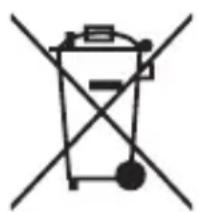
The appliance is manufactured using recyclable materials once disassembled by a specialized company. Comply with local regulations concerning recycling of all materials.
natural_image
Simple line drawing of a trash bin with two crossed lines indicating no waste or discharge (no text or symbols)

ES
for uncomplicated life

BATERÍA EXTERNA DE 4000 MAH
MODELO: GD-PB2148CO-15; GD-PB2148DG-15; GD-PB2148GR-15
Estimado cliente:
natural_image
Simple line drawing of a trash bin with crossed lines indicating no waste or discharge (no text or symbols)S
natural_image
Blank gray rectangle with no text, symbols, or markings
PT
for uncomplicated life


natural_image
Color palette bar with grayscale, gray, white, and yellow sections, plus a crosshair symbol (no text or labels)POWER BANK DE 4000 MAH
MODELO: GD-PB2148CO-15; GD-PB2148DG-15; GD-PB2148GR-15
Caro(a) cliente,
natural_image
Simple line drawing of a trash bin with crossed lines indicating no waste or discharge (no text or symbols)목



natural_image
Color palette bar with grayscale, white, and cyan swatches, plus a crosshair symbol (no text or labels)
natural_image
Blue oval-shaped object with a white three-lobed shape in the center (no text or symbols)GOODIS®
for uncomplicated life