PC-P461A - Battery charger SWIT - Free user manual and instructions
Find the device manual for free PC-P461A SWIT in PDF.


User questions about PC-P461A SWIT
0 question about this device. Answer the ones you know or ask your own.
Ask a new question about this device
Download the instructions for your Battery charger in PDF format for free! Find your manual PC-P461A - SWIT and take your electronic device back in hand. On this page are published all the documents necessary for the use of your device. PC-P461A by SWIT.
USER MANUAL PC-P461A SWIT
Thank you for choosing SWIT products. Please read the instructions before using, and keep it for future reference.

Warning
Keep in mind the following precautions to avoid fire or electric shock!
- Never expose the battery charger to rain or moisture.
- Never attempt to open the battery charger, please contact the local agent if have problems.
- Never use metal or other conductors to touch the inside of the battery charger.
- Never short-circuit the battery charger terminals.
- Please make sure the voltage range is fit for the battery charger.
Caution
- Only limited to charge specified battery(ies), it may cause danger if charge other battery(ies) due to incompatibility problem.
- Keep the terminals clean and ensure the reliable connection.
- It is a normal phenomenon that the battery charger may become warm in use.
- Do not cover the cooling vent.
- Please do not put the battery charger on unstable place, it may fall and cause serious damage.
- Do not use other brand AC power cable to avoid damage.
Features
- Intelligent identification of fast charging battery, support 4-ch 6A fast charge simultaneously.
- PC-P461S automatically identifies SWIT 14.4V and 28.8V batteries to switch charging voltages.
● Real-time monitoring of the current state, intelligent regulation of charging current. - 3.5 inch full-view highlight screen for real-time monitoring of battery and charging information in various light environments.
- 4-ch super big independent LED, Clear indication of battery charging status.
- Full range of temperature, voltage, current protection functions.
Appearance
natural_image
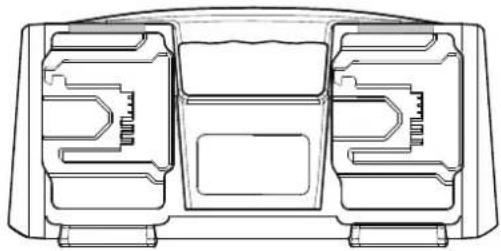
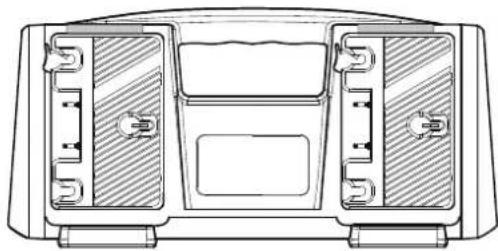
Technical line drawing of a mechanical component with internal cavities and mounting holes (no text or symbols)B-Mount Charger
natural_image
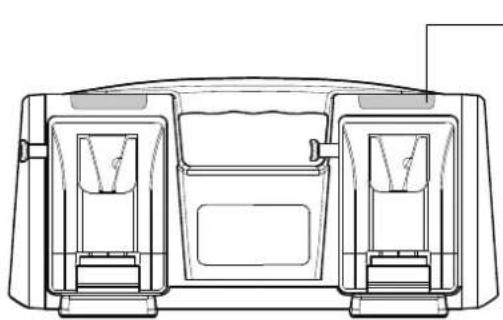
Technical line drawing of a mechanical component with internal compartments and mounting holes (no text or symbols)V-Mount Charger
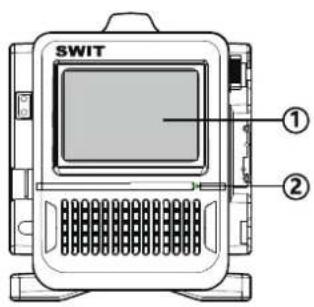
① LCD Screen
② Power indicator
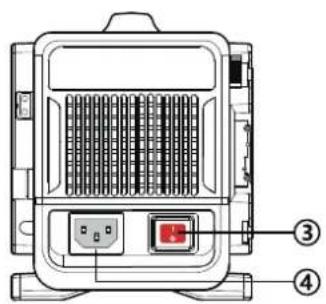
③ Power switch
④ Power socket
⑤ Charging status indicator
natural_image
Technical line drawing of a mechanical housing or enclosure with internal compartments and mounting points (no text or symbols)Gold-Mount Charger
Charging and Display Function
■ Charging status indicator:
0%\~80% Red light always on
81%\~99% Green light flash
100% Green light always on
Error: Red light flash
■ LCD Screen:
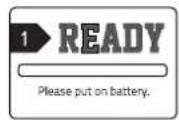
1. Standby
2. Charging
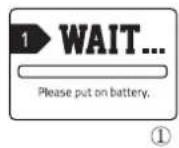
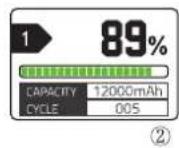
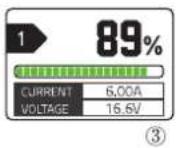
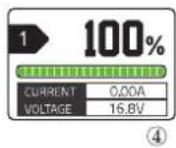
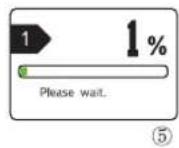
① After mounting the battery, the charger prepares to charge.
② Show the capacity and cycle times for 5s, then enter in charging interface③.
③ Show the percentage of battery capacity, battery voltage and the charging current.
④ Charging complete.
⑤ Battery abnormal situation handling interface, waiting for about 30s to exit this interface.
- Relationship between charging current and battery temperature of fast charging battery:
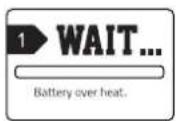
| Battery temperature | Charging current |
| <45°C | 6A |
| ≥45°C | 3A, Battery regain 6A fast charge after battery temperature is under 40°C |
① When the battery get over-heat protection, charger can recognize the temperature of battery, battery will be recharged after the temperature is under 45^ C.
4. Error
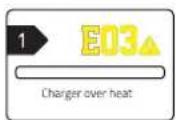
Code of Error:
| E01 | Battery initialization failed | Please check the battery status and try to replug. |
| E02 | Communication failed | Please replug the battery. |
| E03 | Charger over-heat protection | Please check if the fan is working normally, If so, move the charger to a cold place. |
| E04 | Charger fault | Please replug the battery or wait until the battery returns to normal temperature and replug. |
| E05 | Self-check fault | Please restart the charger. |
Specifications
| Model | PC-P461S | PC-P461A | PC-P461B |
| Mounting model | V-Mount | Gold-Mount | B-Mount |
| Input voltage | 100~240VA,50/60Hz | ||
| Input power | 450W(Max) | ||
| Output voltage/current | 16.8V, 3A /6A×4ch; 33.6V, 3A×4ch | 16.8V, 3A /6A×4ch | 33.6V, 3A×4ch |
| Operating temperature | 0°C~40°C | ||
| Operating humidity | 10%RH~90%RH | ||
| Dimension | 330×153×162mm | 330×135.6×162mm | 330×140×162mm |
| Net weight | About 2.43kg | ||