MTX-250 - Media player Pure Acoustics - Free user manual and instructions
Find the device manual for free MTX-250 Pure Acoustics in PDF.


| Product Type | Media Player |
| Brand | Pure Acoustics |
| Model | MTX-250 |
| Dimensions (W x H x D) | 200 x 50 x 150 mm |
| Weight | 0.5 kg |
| Power Supply | 5V DC, 1A (USB) |
| Audio Formats Supported | MP3, WMA, WAV, FLAC |
| Video Formats Supported | AVI, MP4, MKV |
| Display | LED screen |
| Remote Control | Included |
| Connectivity | USB 2.0, SD card slot, HDMI output, AV output |
| Playback Modes | Repeat, shuffle, program |
| Memory Card Support | SD, SDHC up to 32GB |
| Additional Features | Folder navigation, playlist support |
| Care and Cleaning | Wipe with a dry, soft cloth |
| Safety | Keep away from moisture and heat; do not disassemble |
| Spare Parts and Repairability | Contact authorized service center |
Frequently Asked Questions - MTX-250 Pure Acoustics
User questions about MTX-250 Pure Acoustics
0 question about this device. Answer the ones you know or ask your own.
Ask a new question about this device
Download the instructions for your Media player in PDF format for free! Find your manual MTX-250 - Pure Acoustics and take your electronic device back in hand. On this page are published all the documents necessary for the use of your device. MTX-250 by Pure Acoustics.
USER MANUAL MTX-250 Pure Acoustics
natural_image
Black audio player with two speakers and a perforated grille, labeled 'pure aeroustics' (no other text or symbols visible)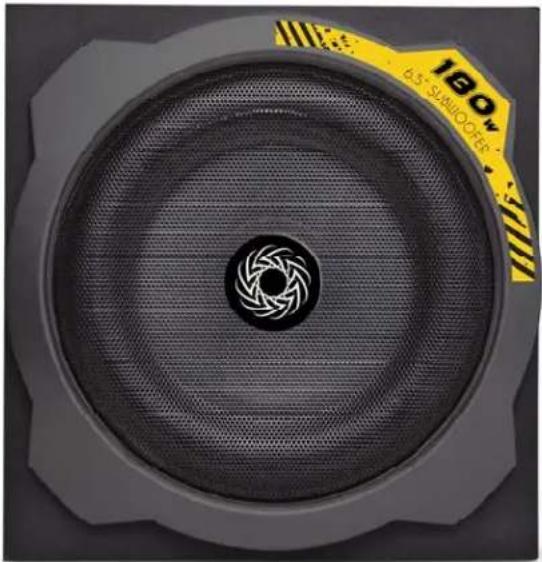
natural_image
Close-up of a speaker grille with a circular vent and metallic blade pattern (no text or symbols visible)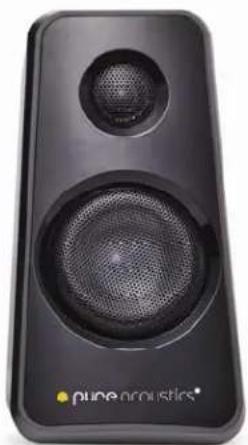
natural_image
Black audio amplifier speaker with two speakers and a perforated grille (no visible text or symbols)User Manual
&
Safety Guide
Caution:
Do not place the product in environments of extreme heat (i.e. heaters, fire places etc...) or humidity (such as kitchens, bathroom, pools etc...)
Keep away from small children to prevent damage to the unit or the child.
Never dismantle or take apart the unit on your own as you risk electric shock.
If a repair becomes necessary, please contact a qualified electronics technician.
If the device is by water, immediately unplug the cord its power source and stop using the unit until a qualified technician deems it is safe.
If the device is connected to an external power source, do not use in MAX volume setting as this may produce poor and inconsistent sound quality.
This product is intended for domestic use only.
Please note: If the product is to remain unused for an extended period of time it is recommended that you unplug it from any power source.
Control Panel:
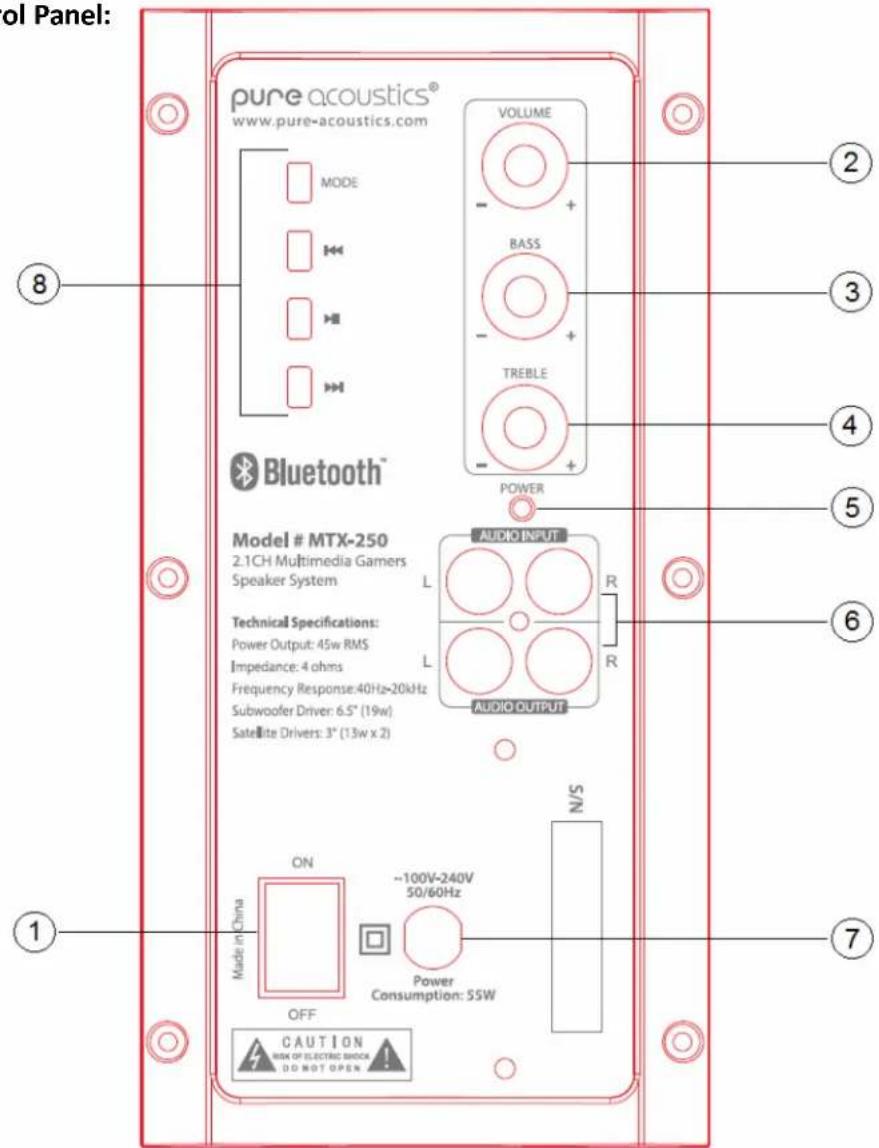
- Power switch
- Master volume
- BASS control
- Treble control
- Power & Bluetooth Indicator light
- AUDIO Input (system to computer) / Audio Output (satellites to subwoofer)
- Power cord (connection to wall)
- Multimedia control panel
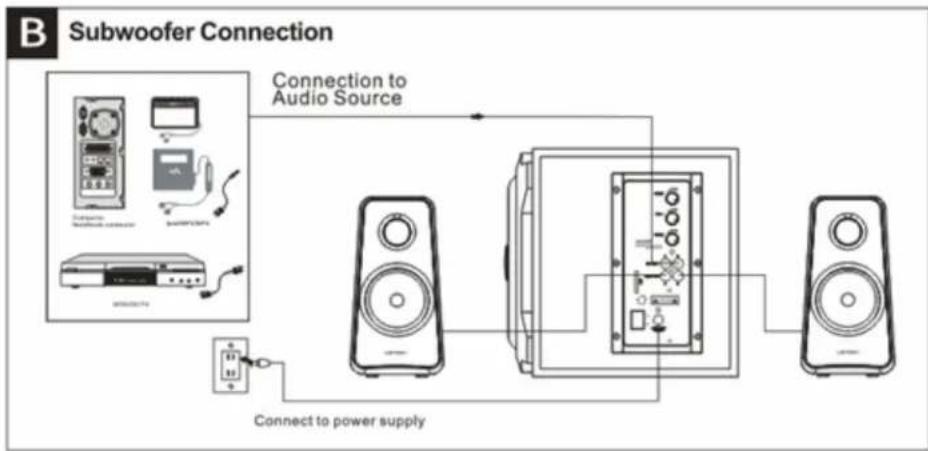
Connection to SUB Diagram:
flowchart
graph TD
    A["Subwoofer Connection"] --> B["Audio Source"]
    B --> C["Speaker 1"]
    B --> D["Speaker 2"]
    B --> E["Speaker 3"]
    C --> F["Power Supply"]
    D --> F
    E --> F
    G["Power Supply"] --> H["Switch"]
    I["Switch"] --> J["Switch"]
    K["Switch"] --> L["Switch"]
    M["Switch"] --> N["Switch"]
- Connection to audio source
- Connection to outlet
Installation:
- Connect the satellites to the subwoofer by connecting the included RCA cables to the AUDIO OUTPUT connections on the panel
- Connect the subwoofer to an audio source (i.e. PC computer)
- Connect the power cord to the outlet or external power source
Using the Control Panel
Multimedia Control Panel:
Use the multimedia control panel to switch between different modes as well as to play/pause current tracks or to select the previous or next track
Mode:
Press the mode button on the side panel to switch between the different modes.
Bluetooth Mode:
Press the mode button until the blue LED indicator illuminates and begins to flash quickly; the device is now in "PARING" mode. Search for the device on your Smartphone or bluetooth device until PURE MTX-250 appears. Select it to connect. Once connected the blue LED indicator light will remain illuminated and you may begin to stream your music wirelessly.
Technical Specifications:
Power Output: 45W RMS (180W PEAK)
Frequency Response: 40 Hz – 20 kHz
Impedance: 4 ohms
Subwoofer Driver: 6.5" (19W)
Satellite Drivers: 3" (13W x2)
Tweeter: 1"
Speaker Dimensions: 4.3" x 8.1" x 3.6" (inches)
108 x 205 x 98 mm
Subwoofer Dimensions: 9.8" x 10.2" x 10.2" (inches)
250
x 260 x 260 mm
Included with your system:
1 MTX-250 Subwoofer
2 MTX-250 Satellites
1 RCA cable
1 User manual