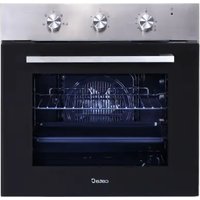
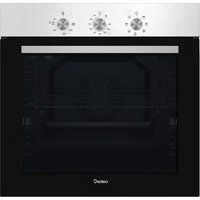
CMD 9208 BK - Oven CATA - Free user manual and instructions
Find the device manual for free CMD 9208 BK CATA in PDF.


Pick your language and provide your email: we'll send you a specifically translated version.
| Product Type | Built-in Electric Oven |
| Brand | CATA |
| Model | CMD 9208 BK |
| Color | Black |
| Energy Source | Electric |
| Power Rating | 2.8 kW |
| Capacity | 70 liters |
| Dimensions (H x W x D) | 595 x 595 x 550 mm |
| Weight | 35 kg |
| Functions | Conventional, Grill, Fan, Bottom Heat, Defrost |
| Temperature Range | 50 - 250 °C |
| Control Type | Dial and Digital Display |
| Timer | Yes, with automatic shut-off |
| Interior Light | Yes |
| Cleaning | Easy-clean enamel interior |
| Safety Features | Child lock, Cool Door, Overheat protection |
| Installation Type | Built-in |
| Door Type | Cool touch, Drop-down hinge |
| Accessories Included | Baking tray, Wire shelf, Grill plate |
| Warranty | 2 years |
Frequently Asked Questions - CMD 9208 BK CATA
How do I preheat the oven?
Turn the function selector to the desired cooking mode (e.g., fan or conventional). Set the temperature and wait until the indicator light goes out, indicating the oven has reached the set temperature.
What is the oven capacity?
The CATA CMD 9208 BK has a capacity of 70 liters, suitable for large dishes and multiple trays.
How do I clean the oven?
Use a damp cloth with mild detergent for the interior. The easy-clean enamel helps remove grease easily. Avoid abrasive cleaners. The glass door can be cleaned with glass cleaner.
Can I use aluminum foil in the oven?
Yes, but avoid covering the bottom of the oven or blocking air vents. Place foil on baking trays or wrap food loosely.
How do I activate the child lock?
Press and hold the lock button (usually indicated by a key icon) for 3 seconds until the display shows the lock symbol. Repeat to deactivate.
What should I do if the oven is not heating?
Check the power supply and ensure the function selector is set. If the problem persists, contact CATA customer support for assistance.
How do I replace the oven light bulb?
Turn off the power, remove the glass cover by turning it counterclockwise, replace with a 25W halogen bulb (type G9), and reattach the cover.
Is the oven self-cleaning?
No, the CMD 9208 BK features an easy-clean enamel interior but does not have a self-cleaning function. Manual cleaning is required.
What are the dimensions for installation?
The built-in cavity should be approximately 590 x 590 x 550 mm (H x W x D). Ensure proper ventilation gaps as per the manual.
Can I grill food directly on the oven rack?
Yes, use the grill function and place food on the wire shelf with a drip tray below to catch fat. Turn food halfway for even grilling.
User questions about CMD 9208 BK CATA
0 question about this device. Answer the ones you know or ask your own.
Ask a new question about this device
No questions yet. Be the first to ask one.
Download the instructions for your Oven in PDF format for free! Find your manual CMD 9208 BK - CATA and take your electronic device back in hand. On this page are published all the documents necessary for the use of your device. CMD 9208 BK by CATA.