RSV-Z2600 - Computer Case Rosewill - Free user manual and instructions
Find the device manual for free RSV-Z2600 Rosewill in PDF.


| Product Type | Rackmount Computer Chassis |
| Model | RSV-Z2600 |
| Form Factor | 2U Rackmount |
| Motherboard Support | ATX, Micro ATX, Mini ITX |
| Drive Bays (Internal) | 6 x 3.5" Hot-Swap SATA/SAS |
| Drive Bays (External) | 2 x 5.25" |
| Expansion Slots | 7 Low-Profile or Full-Height (depending on riser) |
| Power Supply Type | Standard ATX (not included) |
| Cooling Fans | 2 x 120mm Front (included), 1 x 80mm Rear (optional) |
| Front Panel Ports | 2 x USB 3.0, Audio In/Out, Power/Reset Buttons |
| Dimensions (W x H x D) | 17.2" x 3.5" x 16.5" (437 x 89 x 419 mm) |
| Net Weight | Approximately 20 lbs (9 kg) |
| Maximum Motherboard Size | 12" x 10.5" (305 x 267 mm) |
| Material | Steel chassis, ABS front panel |
| Rack Rails | Included (adjustable) |
| Security Features | Lockable front bezel, tamper-proof screws |
| Maintenance | Tool-less drive installation, removable fan filters |
| Spare Parts Availability | Replacement fans, drive trays, and rails available via Rosewill support |
Frequently Asked Questions - RSV-Z2600 Rosewill
User questions about RSV-Z2600 Rosewill
0 question about this device. Answer the ones you know or ask your own.
Ask a new question about this device
Download the instructions for your Computer Case in PDF format for free! Find your manual RSV-Z2600 - Rosewill and take your electronic device back in hand. On this page are published all the documents necessary for the use of your device. RSV-Z2600 by Rosewill.
USER MANUAL RSV-Z2600 Rosewill
Installation Guide....5
Top Cover Disassembly....5
Motherboard, PSU, and HDD Installation....6
Product Overview
Introduction
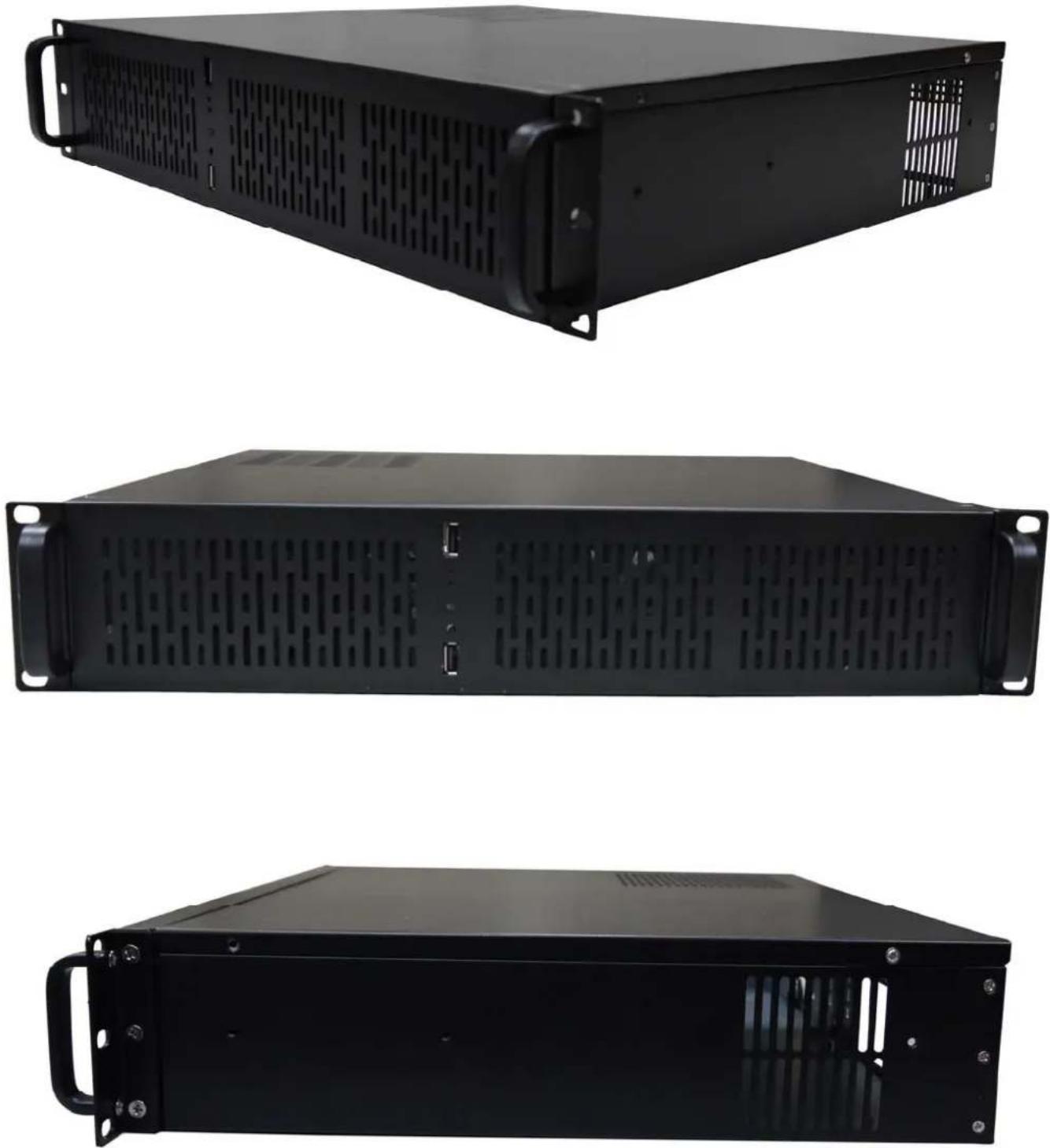
RSV-Z2600 is a 2U rackmount server chassis for various kinds of server computer which supports up to 9.6 x 9.6 Micro-ATX and smaller form factor motherboard design and PS2 power supply.
Feature
- Carries a total of 4x internal 3.5" HDDs or 3x Internal 3.5" HDD + 1x Internal 2.5" HDD
• Cooling design carry up to front 3x 80 mm front cooling fans (all are included in RSV-Z2600).
• Special design for add-on cards in the system (4 pieces max). - 2x USB 2.0 connector in front panel.
• Special Ventilation holes on top of the PSU location for better heat management
Specification
| Chassis Type | Rackmount |
| Color | Black |
| Case Material | Metal/ Steel, 1.0 mm thickness |
| Motherboard Compatibility | Maximum holding: 9.6 x 9.6 Micro-ATX |
| Form Factor | 2U |
| Cooling System | |
| 80mm Fans | 3 max (All 3x 80mm Fans included) |
| Expansion | |
| Internal Drive Bays | 4x 3.5" HDD or 3x 3.5" HDD+1x 2.5" HDD |
| Expansion Slots | 4 |
| Physical Spec | |
| Control & Indicator | 1x Power switch +1x Reset switch1x LED (power) +1 x LED (HDD)2x 2.0 USB |
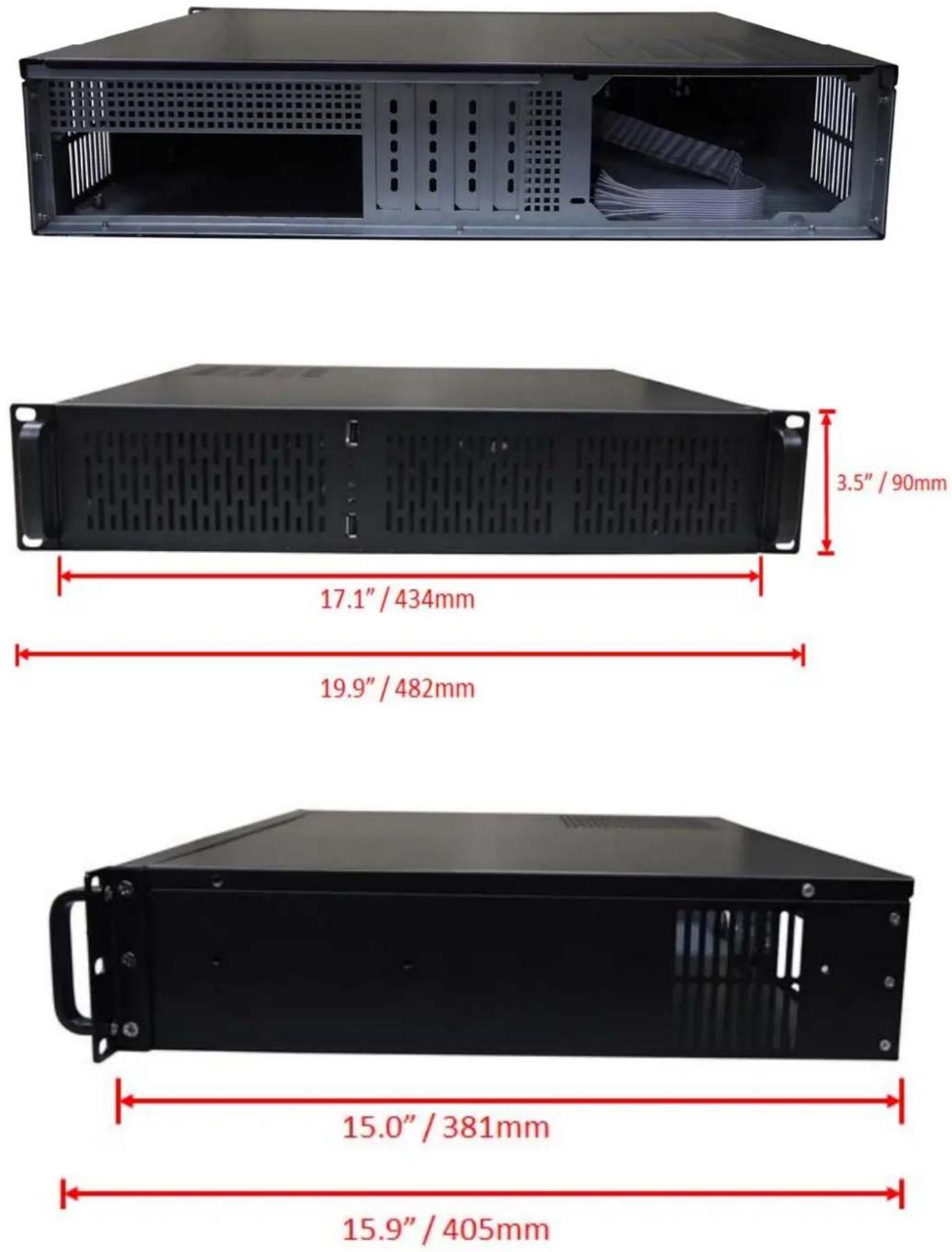
| Dimensions(L x W x H) | 15.0" x 17.1" x 3.5" (381 x 434 x 90 mm)15.9" x 19.9" x 3.5" (405 x 482 x 90 mm; including handle & Rackmount Brackets) |
| Weight | Net Weight: 10.56 lbs. (4.8kg) Gross Weight: 14.52lbs. (6.6kg) |
| Package Contents | RSV-Z2600 Server Case; Screws; Other Accessories |
| PIC ITEM PURPOSE | ||
 | SCREWS x 24 3.5" HDD | |
 | SCREWS x 6 POWER SUPPLY | |
 | SCREWS x 18 MOTHERBOARD & 2.5" HDD | |
Installation Guide
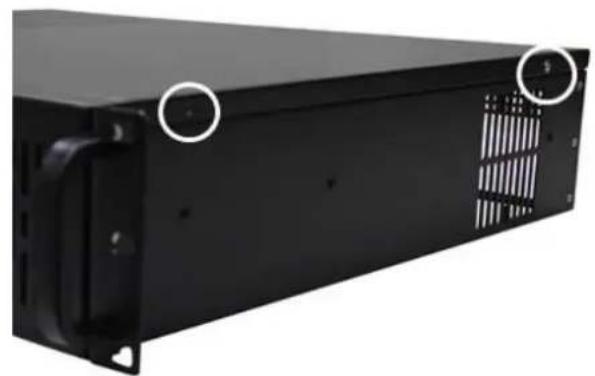
Top Cover Disassembly
natural_image
Black server rack unit with ventilation slots and mounting holes (no visible text or symbols)- Remove the screws from each side of the Chassis. (two on each side)
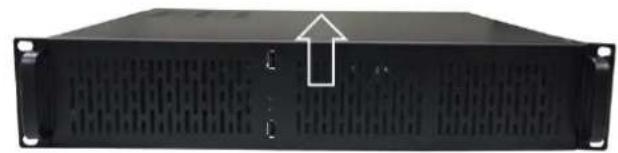
natural_image
Front view of a black server rack unit with ventilation grilles and mounting holes (no visible text or labels)- Once the screws removed, push the top cover to remove from the chassis.
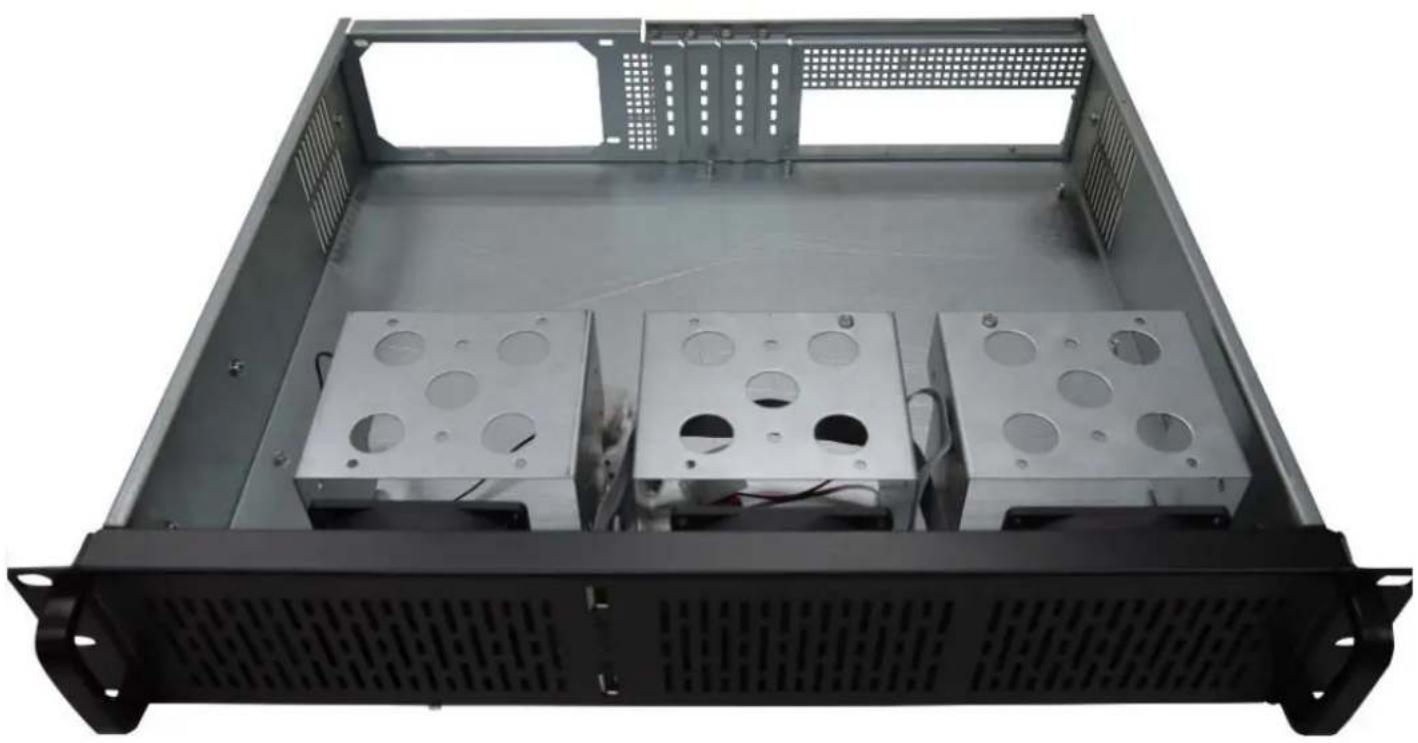
natural_image
Interior view of a server rack unit with three metal enclosure units and ventilation grilles (no text or symbols visible)Motherboard, PSU, and HDD Installation
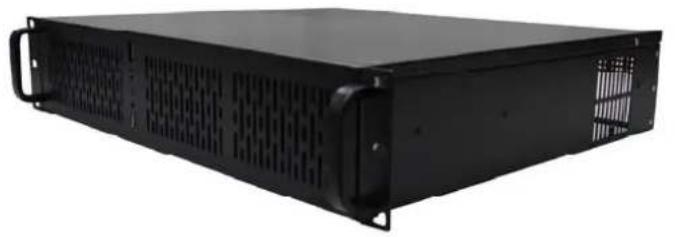
natural_image
Black server rack unit with ventilation grilles and mounting brackets (no visible text or labels)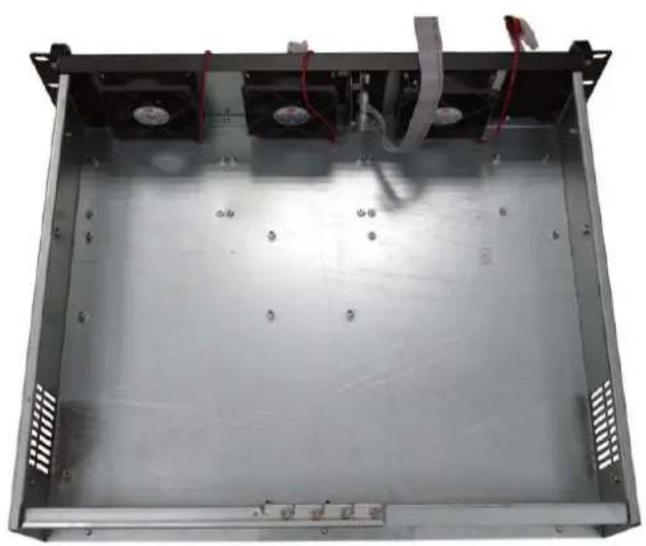
natural_image
Interior view of a metallic industrial enclosure with cooling fans and ventilation grilles (no visible text or symbols)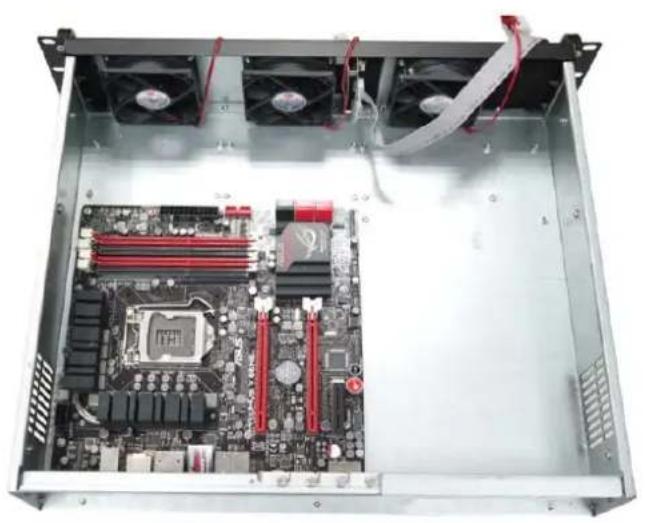
natural_image
Interior view of a computer rack with visible motherboard, CPU socket, and cooling fans (no text or symbols)-
Due to the limited space of the 2U chassis, please follow our recommended steps when installing Motherboard, Power Supply, and HDD for RSV-Z2600.
-
After remove the top cover, please remove all HDD cage.
-
Now, you can place a Micro-ATX Motherboard into the chassis, and fasten the screws.
natural_image
Interior view of a computer motherboard showing CPU socket, motherboard, and power drive (no text or labels visible)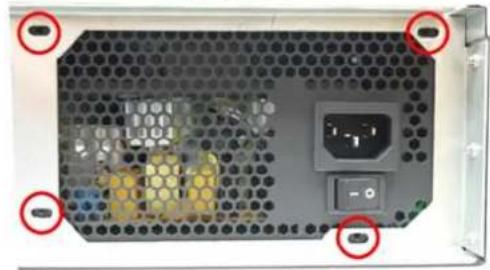
natural_image
Back view of a computer power supply unit with hexagonal grid and control buttons (no readable text or symbols)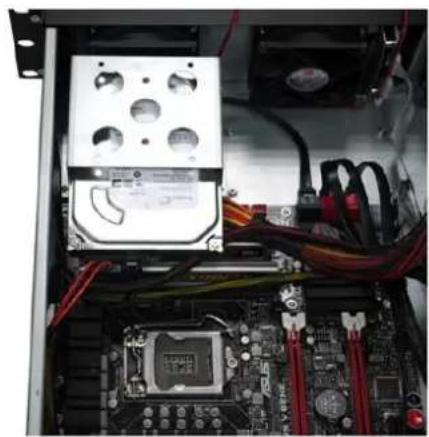
natural_image
Interior view of a computer motherboard showing CPU socket, RAM slots, and wiring (no visible text or labels)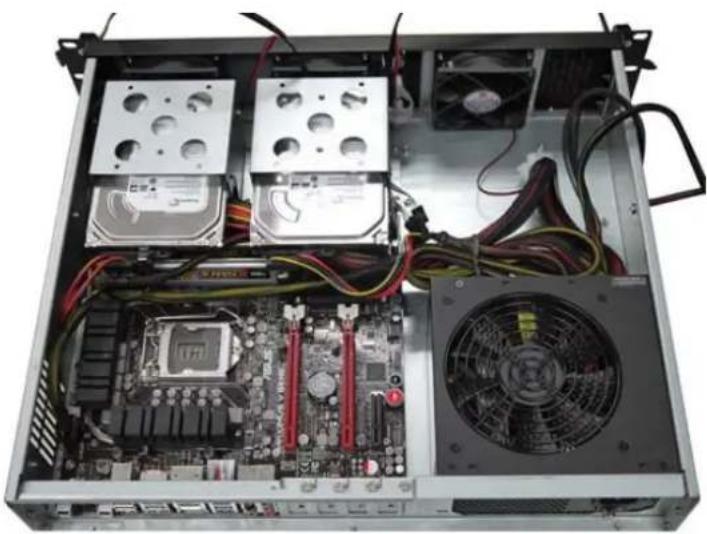
natural_image
Internal view of a computer drive bay showing CPU socket, motherboard, and fan (no visible text or labels)-
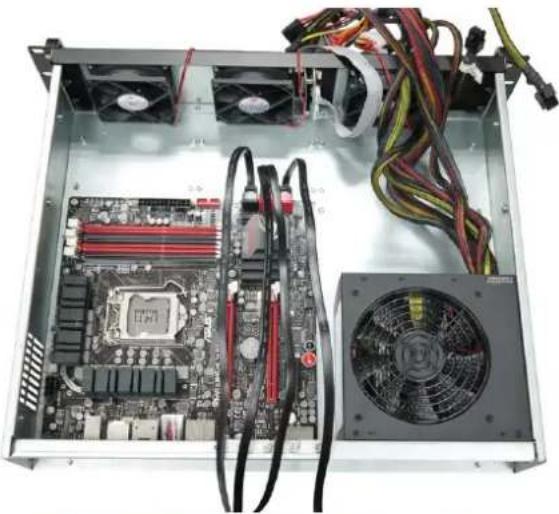
After installing the Motherboard, you can follow by installing the Power Supply.
-
To Install Power Supply, you press the Power Supply against the rear of the Chassis, and fasten the screws on the four corners.
-
You can then connect all cables for the PSU and Motherboard.
-
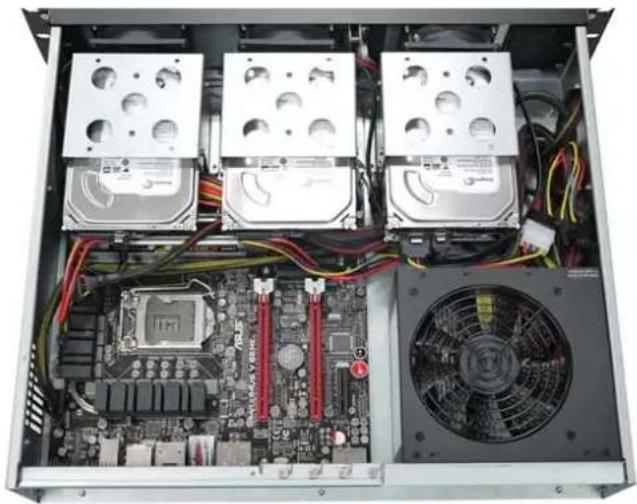
After lock the HDD on to the cage, You can then install the cage onto the Chassis, from Left to Right.
Note: You may want to adjust the cables so they won't interfere with the other connectors on the board. Also due to the limitation on height, RAM with heat sink may cause issues.
natural_image
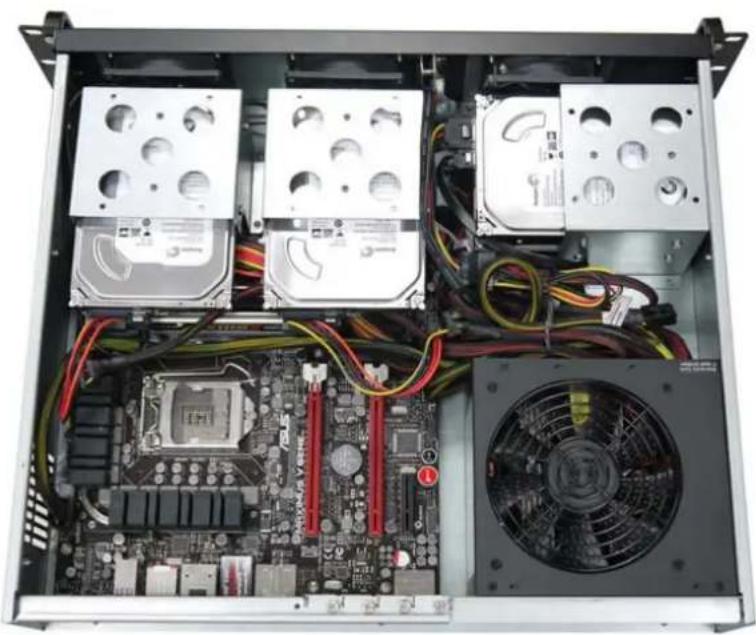
Interior view of an open computer case showing CPU socket, motherboard, and fan (no visible text or labels)- For the HDD Cage on the right side, it can take up to 2x 3.5" HDD or 1x 3.5"HDD + 1x 2.5" HDD. You can place the Cage vertically when you are using a standard ATX PS2 power supply (140x150x86mm)
natural_image
Interior view of a computer motherboard showing CPU socket, drive bays, and fan (no text or symbols visible)- You can also place the HDD Cage horizontally if you uses longer ATX power supply (165x150x86mm)
Thank you for purchasing a quality Rosewill Product.
Please register your product at: www.rosewill.com for complete warranty information and future support for your product.