U-Band P2-L - Smartwatch UMAX - Free user manual and instructions
Find the device manual for free U-Band P2-L UMAX in PDF.
| Product Type | Smartwatch (fitness tracker) |
| Brand | UMAX |
| Model | U-Band P2-L |
| Display | 1.3 inch TFT LCD touch screen |
| Dimensions | Case: 40 mm x 40 mm x 10 mm |
| Weight | Approx. 50 g (including strap) |
| Battery | Lithium-ion, 200 mAh |
| Battery Life | Up to 7 days typical use, 10 days standby |
| Charging | Magnetic USB charging cable (2 hours full charge) |
| Water Resistance | IP68 (splash proof, sweat proof, up to 1.5m for 30 min) |
| Connectivity | Bluetooth 5.0 |
| Compatibility | iOS 9.0+ and Android 4.4+ |
| Sensors | Heart rate sensor, 3-axis accelerometer |
| Main Functions | Step counting, heart rate monitor, sleep tracking, call/sms notifications, sedentary reminder, alarm, stopwatch, remote camera |
| Activity Modes | Walking, running, cycling, skipping rope, badminton, basketball, football |
| Strap Material | Silicone, interchangeable (standard 22 mm width) |
| Cleaning and Care | Wipe with a soft damp cloth; avoid solvents; dry thoroughly before charging |
| Safety Precautions | Do not expose to extreme temperatures; consult doctor if you have a pacemaker; avoid use when charging |
| Spare Parts | Available: charging cable, straps, screen protector (contact UMAX support) |
| Repairability | Battery and strap can be replaced by user; other repairs require qualified personnel |
| General Information | Designed for fitness and daily use; manual available in PDF from notice-facile.com |
Frequently Asked Questions - U-Band P2-L UMAX
User questions about U-Band P2-L UMAX
0 question about this device. Answer the ones you know or ask your own.
Ask a new question about this device
Download the instructions for your Smartwatch in PDF format for free! Find your manual U-Band P2-L - UMAX and take your electronic device back in hand. On this page are published all the documents necessary for the use of your device. U-Band P2-L by UMAX.
USER MANUAL U-Band P2-L UMAX
text_image
QR code image containing encoded data, no visible human-readable textiOS

text_image
QR code image containing encoded data, no visible human-readable textAndroid
Aktivace zařízení
text_image
Close on kind, please find this cloud Open Through
text_image
Phonocordic Diagnostics BMO 2008-06-27 15:46 BMO 2008-06-27 15:46 BMO 2008-06-27 15:46 BMO 2008-06-27 15:46 BMO 2008-06-27 15:46 BMO 2008-06-27 15:47 BMO 2008-06-27 15:47 BMO 2008-06-27 15:47 BMO 2008-06-27 15:47 BMO 2008-06-27 15:47 BMO 2008-06-27 15:48 BMO 2008-06-27 15:48 BMO 2008-06-27 15:48 BMO 2008-06-27 15:49 BMO 2008-06-27 15:49 BMO 2008-06-27 15:49 BMO 2008-06-27 15:50 BMO 2008-06-27 15:50 BMO 2008-06-27 15:51 BMO 2008-06-27 15:51 BMO 2008-06-27 15:52 BMO 2008-06-27 15:53 BMO 2008-06-27 15:54 BMO 2008-06-27 15:55 BMO 2008-06-27 15:56 BMO 2008-06-27 15:57 BMO 2008-06-27 15:58 BMO 2008-06-27 15:59 BMO 2008-06-27 15:60 BMO 2008-06-27 15:61 BMO 2008-06-27 15:62 BMO 2008-06-27 15:63 BMO 2008-06-27 15:64 BMO 2008-06-27 15:65 BMO 2008-06-27 15:66 BMO 2008-06-27 15:67 BMO 2008-06-27 15:68 BMO 2008-06-27 15:69 BMO 2008-06-27 15:70 BMO 2008-06-27 15:71 BMO 2008-06-27 15:72 BMO 2008-06-27 15:73 BMO 2008-06-27 15:74 BMO 2008-06-27 15:75 BMO 2008-06-27 15:76 BMO 2008-06-27 15:77 BMO 2008-06-27 15:78 BMO 2008-06-27 15:79 BMO 2008-06-27 15:80 BMO
text_image
add Denver Please click this service OK OK OK OK OK OK OK OK OK OK OK OK OK OK OK OK OK OK OK OK OK OK OK OK OK OK OK OK OK OK OK OK OK OK OK OK OK OK OK OK OK OK OK OK OK OK OK OK OK OK OK OK OK OK OK OK OK OK OK OK OK OK OK OK OK OK OK OK OK OK OK OK OK OK OK OK OK OK OK OK OK OK OK OK OK OK OK OK OK OK OK OK OK OK OK OK OK OK OK OK OK OK OK OK OK OK OK OK OK OK OK OK OK OK OK OK OK OK OK OK OK OK OK OK OK OK OK OK OK OK OK OK OK OK OK OK OK OK OK OK OK OK OK OK OK OK OK OK OK OK OK OK OK OK OK OK OK OK OK OK OK OK OK OK OK OK Ok Ok Ok Ok Ok Ok Ok Ok Ok Ok Ok Ok Ok Ok Ok Ok Ok Ok Ok Ok Ok Ok Ok Ok Ok Ok Ok Ok Ok Ok Ok

Správný postup:
text_image
Diagram showing wireless signal transmission between two smartphone screens, with Chinese text labels and UI elements.Špatný postup:
text_image
Diagram showing a smartphone with wireless signal and a Bluetooth symbol, likely illustrating mobile payment or wireless communication.Ovládání
natural_image
Illustration of a wristwatch and hand with motion arrow indicating movement (no text or symbols)natural_image
Illustration of a wristwatch and hand with an arrow indicating motion or change (no text or symbols)natural_image
Green leaf icon with 'Relax' text below, no additional symbols or text presentDýchání
text_image
07:45 Liking 07:45 TO C-12AMBudík
text_image
158 2148 2825 long plans to hang upUpozornění na hovor
text_image
StopwatchStopky
text_image
HONEY! Come back to dinner at night.text_image
QR code image containing encoded data, no visible human-readable textiOS

text_image
QR code image containing encoded data, no visible human-readable textAndroid
text_image
Cancel Finish
text_image
Wed Device Please submit Guidance OK OK Cancel OK Cancel OK Cancel OK Cancel OK Cancel OK Cancel OK Cancel OK Cancel OK Cancel OK Cancel OK Cancel OK Cancel OK Cancel OK Cancel OK Cancel OK Cancel OK Cancel OK Cancel OK Cancel OK Cancel OK Cancel OK Cancel OK Cancel OK Cancel OK Cancel OK Cancel
text_image
Add Devices Pharmaceutical Devices BOS BOS-10000000000000000000000000000000000000000000000000000000000000000000000000000000 BOS BOS-1500000000000000000000000000000000000000000000000000 BOS BOS-25000000000000000000000000000000000000000 BOS BOS-350000000000000000000000000 BOS BOS-4508751555555555555555555555555555555555555555 BOS BOS-65137513751375137513751375137513751375137513751375137513751375137513751375137513751375137513751375137513 BOS BOS-851988888888888888888888888888888888888888888888888888888888888888888888888888888888888888888888888 BOS BOS-1222222222222222222222222222222222222222222222222222222222222222222222222222222 BOS BOS-1444444444444444444444444444444444444444444444444444444444444444444444444 BOS BOS-16666666666666666666666666666666666666666666666666666666666666666666666666666666666666666666666666666 BOS BOS-19999999999999999999999999999999999999999999999999999999999999999999999999999999999999999999999999999 BOS BOS-231377777777777777777777777777777777777777777777777777777777777777777

text_image
Diagram showing wireless signal transmission between two smartphone screens, with interface icons and text labelstext_image
Diagram showing a smartphone with wireless signal transmission to a Bluetooth symbol, indicating wireless communication or data transfer.Ustawienia
natural_image
Illustration of a wristwatch and hand with motion arrow indicating movement (no text or symbols)text_image
Diagram showing a wristwatch being held and moving, with an arrow indicating clockwise motion.natural_image
Green leaf icon with sparkles on black background, labeled 'Relax' below (no other text or symbols)Oddychanie
text_image
StopwatchStoper
Kliknij, aby uruchomić stoper.

text_image
HONEY! Come back to dinner at night,Umax Czech a.s., Kolbenova 962/27e, 198 00 Praha 9, Czechy
Producent
Umax Czech a.s., Kolbenova 962/27e, 198 00 Praha 9, Czechy
text_image
QR code image containing encoded data, no visible human-readable textiOS

text_image
QR code image containing encoded data, no visible human-readable textAndroid
text_image
CHANGE NOT FINDS, PLEASE CHANGE YOUR NAME Cancel Finish
text_image
Land Devem Planarated Implementation Project PROJECTED BY: 100.0000 Project Status PROJECTED BY: PROJECTED BY: PROJECTED BY: PROJECTED BY: PROJECTED BY: PROJECTED BY: PROJECTED BY: PROJECTED BY: PROJECTED BY: PROJECTED BY: PROJECTED BY: PROJECTED BY: PROJECTED BY: PROJECTED BY: PROJECTED BY: PROJECTED BY: PROJECTED BY: PROJECTED BY: PROJECTED BY: PROJECTED BY: PROJECTED BY: PROJECTED BY: PROJECTED BY: PROJECTED BY: PROJECTED BY: PROJECTED BY: Project PROJECTED BY: PROJECTED BY: PROJECTED BY: PROJECTED BY: PROJECTED BY: PROJECTED BY: PROJECTED BY: PROJECTED BY: PROJECTED BY: PROJECTED BY: PROJECTED BY: PROJECTED BY: PROJECTED BY: PROJECTED BY: PROJECTED BY: PROJECTED BY: PROJECTED BY: PROJECTED BY: PROJECTED BY: PROJECTED BY: PROJECTED BY: PROJECTED BY: PROJECTED BY: PROJECTED BY: PROJECTED by:
text_image
Add Energy Pharmaceutical Devices Energy 40 21 29 48 48 48 48 48 48 48 48 48 48 48 48 48 48 48 48 48 48 48 48 48 48 48 48 48 48 48 48 48 48 48 48 48 48

Helyes eljárás:
text_image
Diagram showing wireless signal transmission between two smartphone screens, with interface details and a separate app interface.Helytelen eljárás:
text_image
Diagram showing a smartphone with wireless signal and a Bluetooth symbol, likely illustrating mobile or wireless communication.Vezérlés
natural_image
Illustration of a wristwatch and hand with motion arrow indicating movement (no text or symbols)natural_image
Illustration of a wristwatch being held, showing hand movement and motion arrow (no text or symbols)natural_image
Green leaf icon with sparkles on black background, labeled 'Relax' below (no other text or symbols)Légzés
text_image
07:45 Long drive the closeÉbresztőóra
text_image
StopwatchStopperóra
text_image
HONEY! Come back to dinner at night,Üzenetértesítések
Connecting with phone
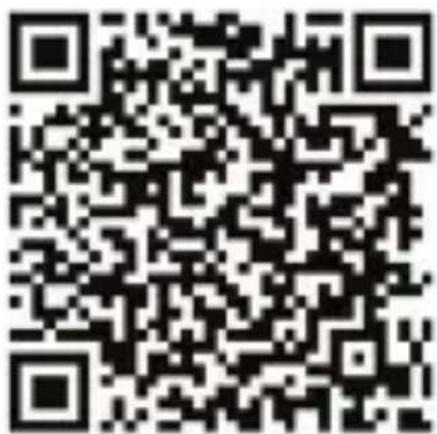
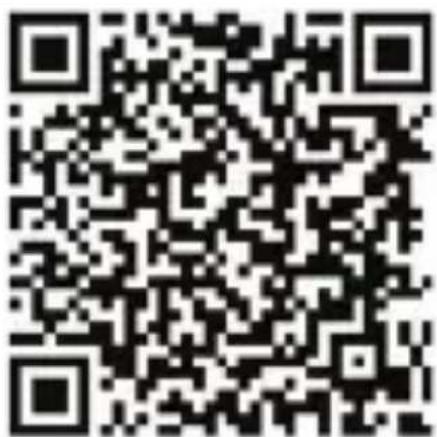
Install the VeryFitPro app on your iOS or Android phone. The device must meet the following hardware and system requirements:

iOS 8.0 or higher Android 4.4 or higher


Bluetooth 4.2
Download the VeryFitPro app
Find and download VeryFitPro from the App Store or Google Play.

text_image
QR code image containing encoded data, no visible human-readable textiOS

text_image
QR code image containing encoded data, no visible human-readable textAndroid
Device activation
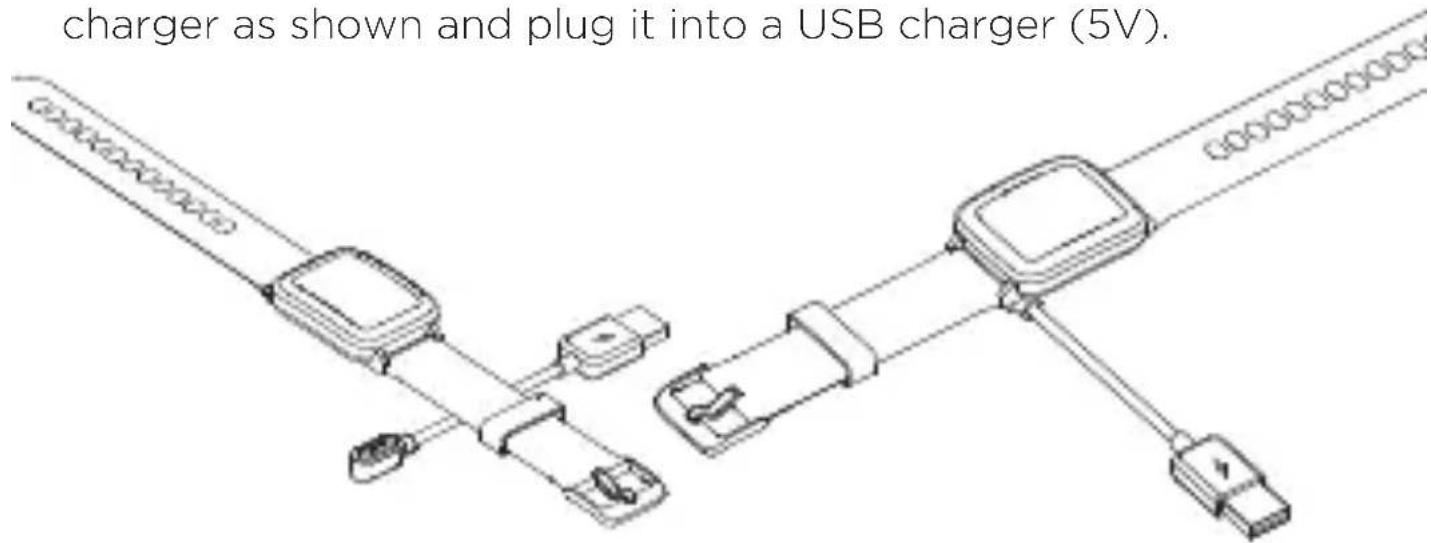
To activate, connect the watch to the charger. Connect the charger as shown and plug it into a USB charger (5V).
text_image
charger as shown and plug it into a USB charger (5V).Pairing with application
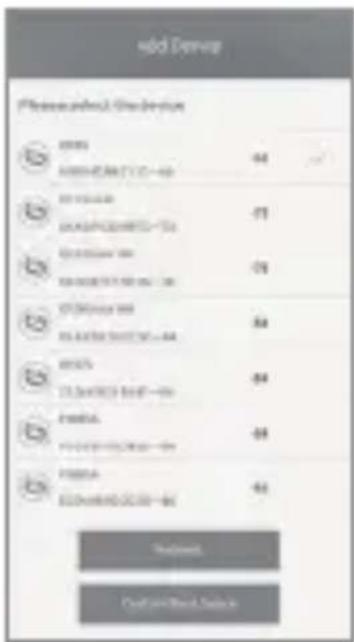
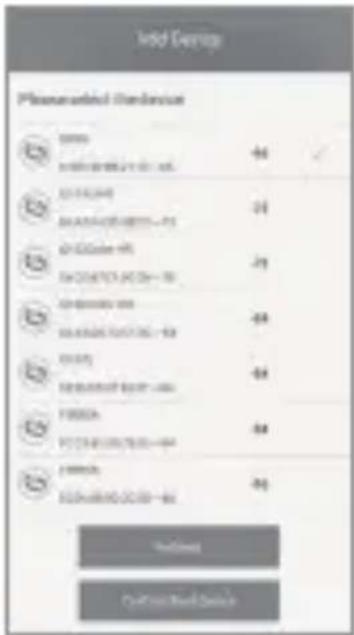
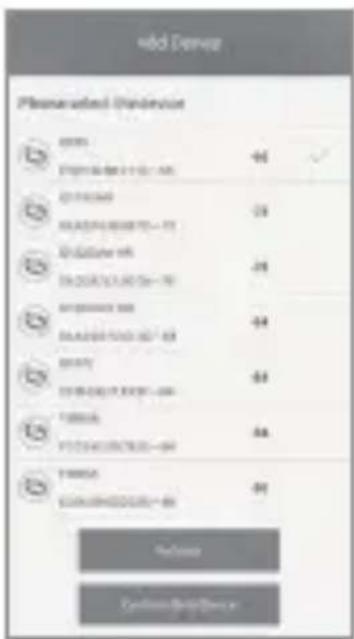
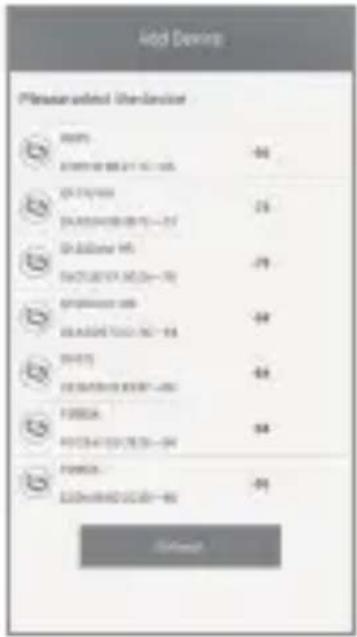
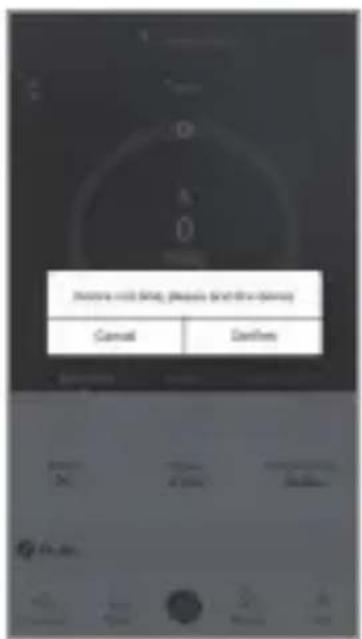
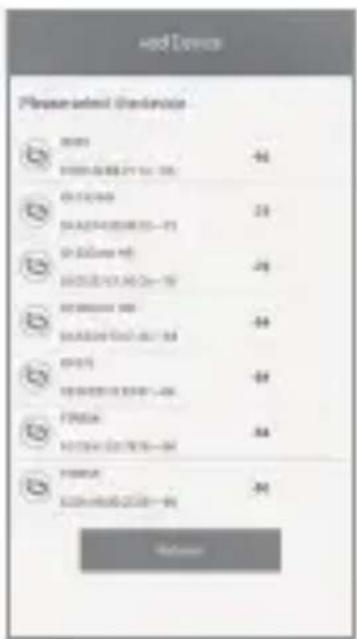
In the main application window, drag down to add a new device. Select your watch from the list and confirm.
text_image
Cancel Finish
text_image
Used Device Please submit Deviation D D001 D002 D003 D004 D005 D006 D007 D008 D009 D010 D011 D012 D013 D014 D015 D016 D017 D018 D019 D020 D021 D022 D023 D024 D025 D026 D027 D028 D029 D030 D031 D032 D033 D034 D035 D036 D037 D038 D039 D040 D041 D042 D043 D044 D045 D046 D047 D048 D049 D050 D051 D052 D053 D054 D055 D056 D057 D058 D059 D060 D061 D062 D063 D064 D065 D066 D067 D068 D069 D070 D071 D072 D073 D074 D075 D076 D077 D078 D079 D080 D081 D082 D083 D084 D085 D086 D087 D088 D089 D090 D091 D092 D093 D094 D095 D096 D097 D098 D099 D100
text_image
vdd Denver Preservation Duringout OK STOCKS & CHEMICALS SELLING MASSACH ITEMS SELLING ITEMS SELLING ITEMS SELLING ITEMS SELLING ITEMS SELLING ITEMS SELLING ITEMS SELLING ITEMS SELLING ITEMS SELLING ITEMS SELLING ITEMS SELLING ITEMS SELLING ITEMS SELLING ITEMS SELLING ITEMS SELLING ITEMS SELLING ITEMS SELLING ITEMS SELLING ITEMS SELLING ITEMS SELLING ITEMS SELLING ITEMS SELLING ITEMS SELLING ITEMS SELLING ITEMS SELLING ITEMS SELLIN MUSHROOMS SELLIN MUSHROOMS SELLIN MUSHROOMS SELLIN MUSHROOMS SELLIN MUSHROOMS SELLIN MUSHROOMS SELLIN MUSHROOMS SELLIN MUSHROOMS SELLIN MUSHROOMS SELLIN MUSHROOMS SELLIN MUSHROOMS SELLIN MUSHROOMS SELLIN MUSHROOMS SELLIN MUSHROOMS SELLIN MUSHROOMS FROCCOLIATION OF COLDENATE GOURDERS FROCCOLIATION OF COLDENATE GOURDERS FROCCOLIATION OF COLDENATE GOURDERS FROCCOLIATION OF COLDENATE GOURDERS FROCCOLIATION OF COLDENATE GOURDERS FROCCOLIATION OF COLDENATE GOURDERS FROCCOLIATION OF COLDENATE GOURDERS FROCOOLITION OF COLDENATE GOURDERS FROCOOLITION OF COLDENATE GOURDERS FROCOOLITION OF COLDENATE GOURDERS FROCOOLITION OF COLDENATE GOURDERS

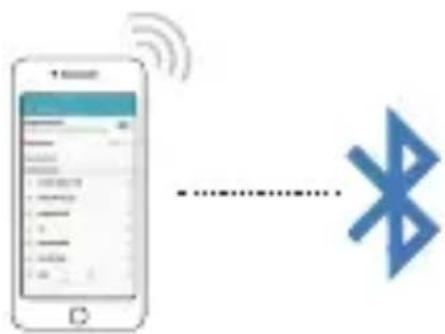
Correct procedure:
Connect the watch through the app.

text_image
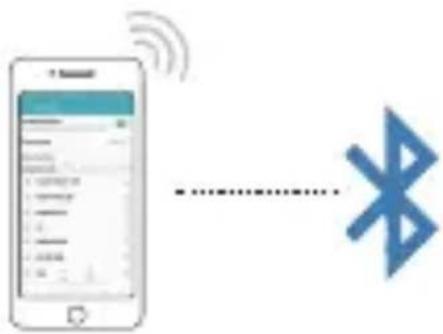
Diagram showing wireless signal transmission between two smartphone screens, with a dotted line indicating data flow or connection.Wrong procedure:
Connect your watch in the phone's Bluetooth settings.
text_image
Diagram showing a smartphone with wireless signal and Bluetooth symbol, likely illustrating mobile payment or wireless communication.Using the watch
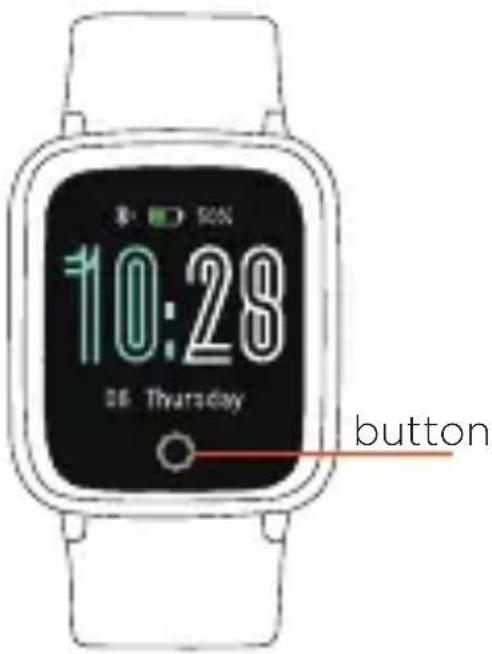
Press the button:
- Wake up the display
- Scroll through the menu
Long press of the button:
- Start selected function
- End running exercise
text_image
10:28 36 Thursday button
natural_image
Illustration of a wristwatch with a hand and wristband, showing motion direction (no text or symbols)Lift your wrist to display the information on the display.

text_image
Diagram showing a wristwatch with a hand and a curved arrow indicating motion or change, labeled in Chinese.Reverse movement turns off the display.
You can turn this feature off and on in the app.
Sport activity
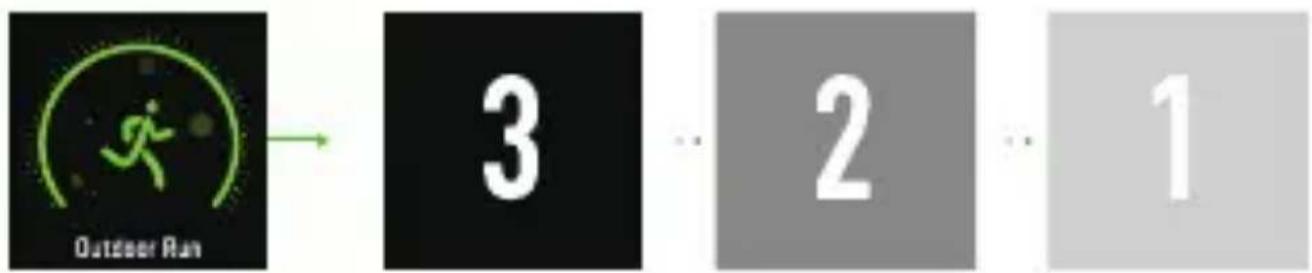
In the sports menu, hold down the button to start an activity.
text_image
Outdoor Run 3 ... 2 ... 1Press the button to switch between displayed data.

text_image
108 bpm 68 km/h 0'36" 01:26.30 60 km/h 24000 steps 0.1 km 01:26.30Hold down the button to end an ongoing activity. Press the button to switch between the displayed data.

text_image
Well done! 10:26.30 108 kcal 68 bpm 0'23" 2.0 km/h 26806 6 km Outdoor RunActivity
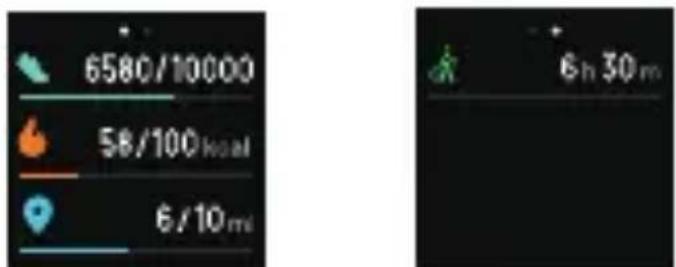
View today's steps, calories, and distance. Click to switch between the data.
text_image
6580/10000 58/100 kcal 6/10 ml 6 h 30 m
text_image
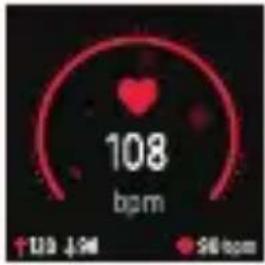
108 bpm ↑123 ↓94 +56 bpmHeart beat
Hold down the button to check the current heart rate. Do not move during detection. The display shows the current heart rate, the resting heart rate, the maximum and minimum heart rate of today.
To accurately track your heart rate, wear your watch on the top of your wrist and tighten it a little more during exercising.

natural_image
Green leaf icon with 'Relax' text below, no additional symbols or text presentBreathing
Click to start the relaxation breathing guide.
text_image
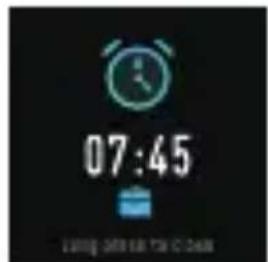
07:45 Liking Off the TV & HomeAlarm clock
You can set an alarm in the app. The watch will vibrate at the set time.
text_image
158 2148 2825 Long Phone to Help upCall alert
You can turn on an incoming call alert in the app. The display shows an incoming call. Long press to reject the call.
text_image
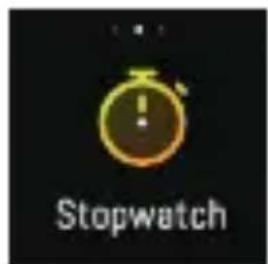
StopwatchStopwatch
Click to start the stopwatch.

text_image
HONEY! Come back to dinner at night,Message alerts
You can set notifications for text and application messages in the app. The display shows the received message and the watch vibrates.
Sleep monitoring and other features
You can set up sleep monitoring and other settings in the app.
Technical support
800 118 629
servis@umax.cz
Service Center
Umax Czech a.s., Kolbenova 962/27e, 198 00 Praha 9, Czech Republic
Manufacturer
Umax Czech a.s., Kolbenova 962/27e, 198 00 Praha 9, Czech Republic
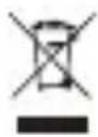
Do not dispose of electrical appliances as unsorted municipal waste, use separate collection facilities. Contact your local authority for information regarding the collection systems available. If electrical appliances are disposed of in landfills or dumps, hazardous substances can leak into the groundwater and get into the food chain, damaging your health and well-being. Please contact your local or regional waste authority for more information on collection, reuse and recycling programs.

Importer hereby declares that this wireless device is in compliance with the essential requirements and other relevant provisions of the R&TTE Directive and Radio Equipment Directive 2014/53/EU, as applicable. A copy of the EU Declaration of Conformity is available at www.umax.cz.
© 2019 Umax Czech a.s. All rights reserved. Umax and the Umax logo are trademarks or registered trademarks of Umax Czech a.s. Apple and the Apple logo are trademarks of Apple Inc. registered in the US and other countries. App Store is a trademark of Apple Inc. registered in the US and other countries. Google Play and the Google Play logo are trademarks of Google LLC. All other trademarks and trade names are those of their respective owners.
U-BAND
P2-L
SK NÁVOD NA OBSLUHU
Prepojenie s telefónom
text_image
QR code image containing encoded data, no visible human-readable textiOS

text_image
QR code image containing encoded data, no visible human-readable textAndroid
text_image
Add to new details, please print this device Cancel Finish
text_image
Add Devem Please add the permission OK OK OK OK OK OK OK OK OK OK OK OK OK OK OK OK OK OK OK OK OK OK OK OK OK OK OK OK OK OK OK OK OK OK OK OK OK OK OK OK OK OK OK OK OK OK OK OK OK OK OK OK OK OK OK OK OK OK OK OK OK OK OK OK OK OK OK OK OK OK OK OK OK OK OK OK OK OK OK OK OK OK OK OK OK OK OK OK OK OK OK OK OK OK OK OK ON OK OK OK OK OK ON OK OK OK OK ON OK OK OK ON OK OK ON OK OK ON OK OK ON OK OK ON OK OK ON OK OK ON OK OK ON OK OK ON OK OK ON OK OK ON OK OK ON OK OK ON OK OK ON OK OK ON OK OK ON OK OK ON OK OK ON OK OK ON OK OK ON OK OK ON OK OK ON OK OK ON OK OK ON OK OK ON OK OK ON OK OR OR OR OR OR OR OR OR OR OR OR OR OR OR OR OR OR OR OR OR OR OR OR OR OR OR OR OR OR OR OR OR OR OR OR OR OR OR OR OR OR OR OR OR OR OR OR OR OR OR OR
text_image
Pre-Service Pre-Service 12 20 30 40 50 60 70 80 90 100 110 120 130 140 150 160 170 180 190 200 210 220 230 240 250 260 270 280 290 300 310 320 330 340 350 360 370 380 390 400 410 420 430 440 450 460 470 480 490 500 510 520 530 540 550 560 570 580 590 600 610 620 630 640 650 660 670 680 690 700 710 720 730 740 750 760 770 780 790 800 810 820 830 840 850 860 870 880 890 900

Správný postup:
text_image
Diagram showing wireless signal transmission between two smartphone screens, with Chinese text labels and UI elements.Zlý postup:
Prepojenie hodiniek v nastavení Bluetooth telefónu.
text_image
Diagram showing a smartphone with wireless signal and Bluetooth symbol, likely representing mobile payment or wireless communication.Ovládanie
natural_image
Illustration of a wristwatch with a hand gesture showing motion, no text or symbols presenttext_image
Diagram showing a wristwatch and hand with an arrow indicating motion or change, labeled in Chinese.text_image
Outdoor Run 3 ... 2 ... 1natural_image
Green leaf icon with 'Relax' text below, no additional symbols or text presentDýchanie
text_image
07:45 Liking On the StoreBudík
text_image
StopwatchStopky
text_image
MONEY HONEY! Come back to dinner at night.2019 Umax Czech as. All rights reserved.