
I-ALARM SOS Remote control - Alarm system Techly - Free user manual and instructions
Find the device manual for free I-ALARM SOS Remote control Techly in PDF.


| Product Type | Alarm System Remote Control |
| Brand | Techly |
| Model | I-ALARM SOS Remote Control |
| Power Supply | DC 3V (CR2032 button battery x1) |
| Operating Current | <10 mA |
| Transmission Frequency | 433 MHz |
| Transmission Range | Up to 50 m (open area) |
| Housing Material | ABS Plastic |
| Dimensions (W x H x D) | 36.7 x 26.3 x 10.2 mm |
| Weight | 10 g (approx.) |
| LED Indication | Blinks once on transmission |
| Emergency Button | Triggers alarm regardless of system status |
| Registration Method | Press buttons 5 and 1 simultaneously while alarm panel is in learning mode |
| Operating Temperature | 0°C to 40°C |
| Operating Humidity | 20% to 80% relative humidity |
| Compliance | CE, WEEE |
| Color | White (typical) |
| Battery Life | Approximately 1 year under normal use |
| Application | Emergency SOS remote for Techly I-ALARM alarm system |
Frequently Asked Questions - I-ALARM SOS Remote control Techly
User questions about I-ALARM SOS Remote control Techly
0 question about this device. Answer the ones you know or ask your own.
Ask a new question about this device
Download the instructions for your Alarm system in PDF format for free! Find your manual I-ALARM SOS Remote control - Techly and take your electronic device back in hand. On this page are published all the documents necessary for the use of your device. I-ALARM SOS Remote control by Techly.
USER MANUAL I-ALARM SOS Remote control Techly
1 x SOS Remote Control
1 x User's manual

Before using for the first time
Register the SOS remote control in the alarm system Switch to Connection Mode on the control panel. Then press on the SOS button on the remote control. The control panel beeps once: the SOS remote control is registered. If you hear two beeps, the remote control has already been connected.
Usage

Emergency button
Trigger the alarm regardless the status of the alarm system. The control panel dials the stored phone number.
Specifications
Power supply
DC 3V (CR2025 button battery x 1)
Operation current
≤ 10mA
Transmission distance ≤ 120 m (in open area)
Radio-frequency
433MHz (+/-75KHz)
Housing material
ABS plastic
Operation conditions Temperature: -10°C
Relative Humidity
≤ 80% (non-condensing)
Dimensions
45 x 30 x 11 mm

www.techly.com
Led indications
Blink once
Sends transmitting signal
Low light Low batte
- 2023, Replace the results immediately,
In compliance with Eu Directive WEEE this product is market with this symbol. It means that used electrical and electronic products should not be mixed with general household waste. There is a separate collections system for there products in compliance with WEEE directive, otherwise contaminative and hazardous substances can pollute the environment.
CE With CE sign, Techly ensures that the product is conformed to the basic European standards and directives.

Telecomando SOS

www.techly.com

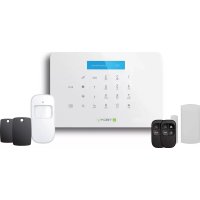
Brand : Techly
Model : I-ALARM SOS Remote control
Category : Alarm system