
LED22C1000 - Television CHANGHONG - Free user manual and instructions
Find the device manual for free LED22C1000 CHANGHONG in PDF.


| Product Type | LED Television |
| Brand | Changhong |
| Model | LED22C1000 |
| Screen Size | 22 inches (55.9 cm) |
| Resolution | 1366 x 768 pixels (HD Ready) |
| Display Technology | LED |
| Dimensions (with stand) | Approximately 510 x 370 x 160 mm |
| Weight (with stand) | Approximately 3.5 kg |
| Power Consumption | Typical: 30 W, Standby: < 0.5 W |
| Power Supply | AC 100-240V, 50/60Hz |
| Connectivity | HDMI (1), USB, VGA, AV Input, Headphone Jack |
| Tuner | Analog & Digital (DVB-T/C) |
| Audio Output | 2 x 3W speakers |
| VESA Mount | 100 x 100 mm |
| Energy Class | A+ (EU label) |
| Cleaning | Wipe with a soft, dry cloth; avoid liquids |
| Safety | Place on a stable surface; do not block ventilation |
| Spare Parts Availability | Remote control, stand base, power cord (contact support) |
Frequently Asked Questions - LED22C1000 CHANGHONG
User questions about LED22C1000 CHANGHONG
0 question about this device. Answer the ones you know or ask your own.
Ask a new question about this device
Download the instructions for your Television in PDF format for free! Find your manual LED22C1000 - CHANGHONG and take your electronic device back in hand. On this page are published all the documents necessary for the use of your device. LED22C1000 by CHANGHONG.
USER MANUAL LED22C1000 CHANGHONG
natural_image
Cartoon illustration of a smiling computer monitor holding an open book (no text or symbols present)natural_image
Cartoon illustration of a computer monitor with a sad face and raised arms, surrounded by abstract brain-like shapes (no text or symbols)natural_image
Cartoon illustration of a computer monitor with a smiling face and a bandaged head, accompanied by a sad packet and cloud (no text or symbols)
natural_image
Cartoon illustration of a computer monitor with a sad face and two fists, accompanied by an air conditioner unit (no text or symbols)natural_image
Cartoon illustration of a man standing beside a smiling computer monitor with a smiley face and electrical plug, no text or symbols present.natural_image
Cartoon illustration of a computer monitor with an angry face and a power plug, showing electrical connections (no text or symbols)natural_image
Cartoon illustration of a smiling computer monitor with arms and lightning bolts, surrounded by clouds and wind turbines (no text or symbols)natural_image
Symbolic icon of a person climbing a ladder inside a circle (no text or symbols)natural_image
Illustration of a smiling computer monitor and a worker with a toolbox, no text or symbols present.TENTANG PEMBUANGAN
natural_image
Three schematic diagrams of battery internal components with arrows indicating direction (no text or labels)Penggantian Baterai
- /← Fast Reverse/Fast Forward
Safety instructions.... 3
Getting Started.... 5
Using the Remote Control.... 5
Installing Batteries in the Remote Control....5
Battery Replacement.... 5
Connection and Setup.... 6
Connection....6
Cable Installation....7
Remote Control......
Basic Operation....9
Turning on and off the TV....9
Programme Selection.... 9
Volume Adjustment....9
Changing the Input Source....9
Menu Operation 10
How to Navigate Menus.... 10
Configuring the Channel Menu.... 10
Configuring the Picture Menu....11
Configuring the Sound Menu....11
Configuring the Timer Menu.... 12
Configuring the Option Menu....13
Using USB mode.... 14
Troubleshooting Guide.... 16
Troubleshooting.... 16
Maintenance.... 17

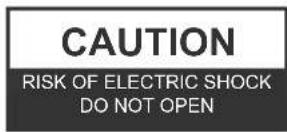

WARNING:
TO REDUCE THE RISK OF ELECTRIC SHOCK DO NOT REMOVE COVER (OR BACK). NO USER SERVICEABLE PARTS INSIDE. REFER TO QUALIFIED SERVICE PERSONNEL.

The lightning flash with arrowhead symbol, within an equilateral triangle, is intended to alert the user to the presence of uninsulated "dangerous voltage" within the products enclosure that may be of sufficient magnitude to constitute a risk of electric shock to persons.

The exclamation point within an equilateral triangle is intended to alert the user to the presence of important operating and maintenance (servicing) instructions in the literature accompanying the appliance.
REGULATORY INFORMATION
This equipment generates uses and can radiate radio frequency energy and, if not installed and used in accordance with the instructions, may cause harmful interference to radio communication. However, there is no guarantee that interference will not occur in a particular installation. If this equipment does cause harmful interference to radio or television reception, which can be determined by turning the equipment off and on, the user is encouraged to try to correct the interference by one or more of the following measures:
-Relocate the receiving antenna.
-Increase the separation between the equipment and receiver.
-Connect the equipment into an outlet on a circuit different from that to which the receiver is connected.
-Consult the dealer or experienced radio/TV technician for help.
Any changes or modifications not expressly approved by the party responsible for compliance could void the user's authority to operate the equipment.
CAUTION
DO not attempt to modify this product in any way without written authorization from supplier. Unauthorized modification could void the user's authority to operate this product.
It is not recommended to keep a certain still image displayed on the screen for a long time as well as displaying extremely bright images on screen.
WARNING
To Reduce The Risk Of Fire Or Electric Shock, Do Not Expose This Apparatus To Rain Or Moisture.
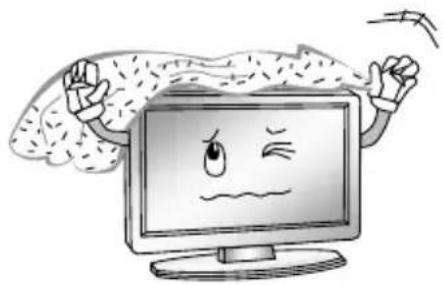
The ventilation should not be impeded by covering the ventilation openings with items, such as newspapers, table-cloths, curtains, etc.
The Apparatus shall not be exposed to dripping or splashing and that no objects filled with liquids, such as vases, shall be placed on the apparatus.
Attention should be drawn to the environmental aspects of battery disposal. Don't throw used batteries in dustbin. Please contact your retailer in order to protect the environment.
When you install your TV, maintain a distance of at least 4 inches between the TV and other objects (walls, cabinet sides, etc.) to ensure proper ventilation. Failing to maintain proper ventilation may result in a fire or a problem with the product caused by an increase in its internal temperature.
No naked flame sources, such as lighted candles, should be placed on the apparatus.
To prevent the spread of fire, keep candles or other open flames away from this product at all times.
The device may be malfunction when under electrostatic discharge. It can be manually resumed by power off and power on again.
Warning: To avoid any injury caused by overturn of the product, please always ensure the whole product was placed within the table surface in horizontal.
CAUTION connecting the Power Cord
Most appliances recommend they be placed upon a dedicated circuit; that is, a single outlet circuit which powers only that appliance and has no additional outlets or branch circuits.
Do not overload wall outlets. Overloaded wall outlets, loose or damaged wall outlets, extension cords, frayed power cords, or damaged or cracked wire insulation are dangerous. Any of these conditions could result in electric shock or fire. Periodically examine the cord of your appliance, and its if appearance indicates damage or deterioration, unplug it, discontinue use of the appliance, and have the cord replaced with an exact replacement part by an authorized servicer.
Protect the power cord from physical or mechanical abuse, such as being twisted, kinked, pinched, closed in a door, or walked upon. Pay particular attention to plugs, wall outlets, and the point where the cord exits the appliance.
The MAINS plug is used as the disconnect device, and the disconnect device shall remain readily operable.
Operating Temperature: 5°C to 35°C
Storage Temperature: -15°C to 45°C
Operating Humidity: ≤80%
Storage Humidity: ≤90%
Figures and illustrations in this User Manual are provided for reference only and may differ from actual product appearance. Product design and specifications may be changed without notice.
IMPORTANT SAFETY INSTRUCTIONS
- Read these instructions.
- Keep these instructions.
- Heed all warnings.
- Follow all instructions.

natural_image
Cartoon illustration of a smiling computer monitor holding a book (no text or symbols present)- Do not block any of the ventilation openings. Install in accordance with the manufacturer's instructions.
natural_image
Cartoon illustration of a computer monitor with a sad face and raised arms, surrounded by abstract brain-like shapes (no text or symbols)- Do not use this apparatus near water.

natural_image
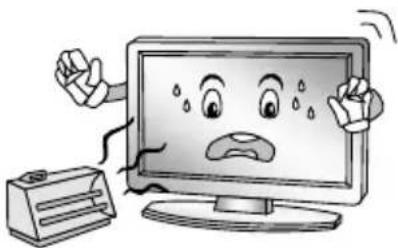
Cartoon illustration of a computer monitor with a smiling face and a broken handle, accompanied by a money bag and explosion (no text or symbols)- Do not install near any heat source such as radiators, heat registers, stoves, or other apparatus (including amplifiers) that produce heat.
natural_image
Cartoon illustration of a computer monitor with a sad face and Chinese characters, accompanied by a refrigerator (no text or symbols present)- Clean only with a dry cloth.

natural_image
Illustration of a smiling computer monitor with a power plug and a hand holding a device (no text or symbols present)- Do not defeat the safety purpose of the polarized or grounding type plug. A polarized plug has two blades with one wider than other. A grounding type plug has two blades and a third grounding prong. The wide blade or the third prong is provided for your safety. When the provided plug does not fit into your outlet, consult an electrician for replacement of the obsolete outlet.
Safety instructions
- Protect the power cord from being walked on or pinched particularly at plugs, convenience receptacles, and the point where they exit from the apparatus.

natural_image
Cartoon illustration of a computer monitor with an angry face and power plug, showing electrical connections (no text or symbols)-
Only use the attachments/accessories specified by the manufacturer.
-
Use only with a cart, stand, tripod, bracket, or table specified by the manufacturer, or sold with the apparatus. When a cart is used, use caution when moving the cart/ apparatus combination to avoid injury from tip-over.

natural_image
Symbolic illustration of a person climbing a ladder inside a circle with a diagonal line (no text or symbols)- Unplug this apparatus during lightning storms or when unused for long periods of time.

natural_image
Cartoon illustration of a smiling computer monitor with hands and lightning bolts, surrounded by industrial smokestacks (no text or symbols)- Refer all servicing to qualified service personnel. Servicing is required when the apparatus has been damaged in any way, such as power supply cord or plug is damaged, liquid has been spilled or objects have fallen into the apparatus, the apparatus has been exposed to rain or moisture, does not operate normally, or has been dropped.

natural_image
Illustration of a smiling computer monitor and a worker pointing at a box (no text or symbols)ON DISPOSAL
-The fluorescent lamp used in this product contain a small amount of mercury.
-Do not dispose of this product with general household waste.
-Disposal of this product must be carried out in accordance to the regulations of your local authority.
NOTE
-If the TV feel cold to the touch, there may be a small "flicker" when it is turned on. This is normal, there is nothing wrong with TV.
-Some minute dot defects may be visible on the screen, appearing as tiny red, green, or blue spots. However there have no adverse effect on the monitor's performance.
-Avoid touching the screen or holding your finger(s) against it for long periods of time. Doing so may produce some temporary distortion effect on the screen.
Getting Started
Using the Remote Control
When using the remote control, aim it at remote sensor on the television. If there is an object between the remote control and the remote sensor on the unit, the unit may not operate.
◆ Point the remote control at the REMOTE SENSOR located on the television.
- When using this television in a very brightly lit area, the infrared REMOTE CONTROL SENSOR may not work properly.
◆ The recommended effective distance for using the remote control is about 7 metres.
Installing Batteries in the Remote Control
- Open the cover at the back of the remote control.
- Install two AAA size batteries. Make sure to match the “+” and “-” ends of the batteries with the diagram inside the compartment.
- Replace the cover.


Battery Replacement
You will need to install the batteries into the remote control to make it operate following the instruction below.
When the batteries become weak, the operating distance of the remote control will be greatly reduced and you will need to replace the batteries.
Notes on Using Batteries:
The use of the wrong type of batteries may cause chemical leakage and/or explosion. Please note the following:
◆ Always ensure that the batteries are inserted with the + and - terminals in the correct direction as shown in the battery compartment.
- Different types of batteries have different characteristics. Do not mix different types.
- Do not mix old and new batteries. Mixing old and new batteries will shorten battery life and/or cause chemical leakage.
◆ Replace batteries as soon as they do not work.
- Chemicals which leak from batteries may cause skin irritation. If any chemical matter seeps out of the batteries, wipe it up immediately with a dry cloth.
- The batteries may have a shorter life expectancy due to storage conditions. Remove the batteries whenever you anticipate that the remote control will not be used for an extended period.
◆ The batteries (battery pack or batteries installed) shall not be exposed to excessive heat such as sunshine, fire or the like.
CAUTION:
- It may result in an explosion if batteries are replaced incorrectly.
- Only replace batteries with the same or equivalent type.
Connection
Turn off and unplug all components before making connections.
Do not turn on the TV until connection setup is completed.
| Input Connector | Video Connection Audio Connection | High or Standard Definition Quality | |
| AV |  Composite video connector Composite video connector |  Audio L/R Audio L/R | 576i, 480i(SD content) |
| Component |  Component connection Component connection | 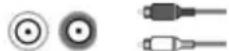 Audio L/R Audio L/R | 1080p, 1080i, 720p,576p, 576i, 480p, 480i(Compatible with HDor SD content) |
| HDMI |  HDMI connection HDMI connection | HDMI cable carries both video and audio signals.Separate audio cable is not needed. (When HDMI is connected to DVI with an adapter, a separate audio L/R is necessary) | 1080p, 1080i, 720p,576p,576i, 480p, 480i, PC(Compatible with HDor SD content) |
| PC |  PC connection PC connection |  PC audio PC audio | 1920×1080(60Hz) |
| Connection | |||
| USB | USB connection  | USB2.0 | |
| RF | RF connection  | 75Ω | |
Cable Installation
Before the installation and use, please read carefully the relevant content in "Warning and Safety instructions".
- Take out the TV from the wrapping package and put it in a drafty and flat place.
NOTE:
When you plug or unplug the TV, computer or other equipments, you must make sure that the AC power has been already shut down;
When unplugging the power cable or signal cable, please hold the plug (the insulated part), do not draw the body of the cable.
-
The RF output terminal can be connected with the RF input port of the TV.
-
The output AV terminal of DVD can be connected with the AV input port of the TV through AV cable.
NOTE:
COMPONENT and AV can not be used at same time for they share of one audio channel.
4. The output COMPONENT(YPbPr) terminal of DVD can be connected with the COMPONENT(YPbPr) input port of the TV through AV cable.
5. Connect one end of the VGA cable with the VGA port on computer, connect the other end of the VGA cable with the VGA port on the TV, and tighten the bolts clockwise on the each end of VGA cable.
NOTE:
➢ While connecting the 15-pin VGA, please do not insert the plug overexertedly, for fear the pin might be broken.
6. Connect one end of the HDMI cable with HDMI output port, connect the other end of the HDMI cable with the HDMI port on the TV.
NOTE:
➢ While connecting the HDMI, please aim at carefully, do not insert overexertedly, for fear the pin might be broken.
7. Check and make sure that all AV cables are connected with the corresponding ports correctly.
8. Connect the AC power cable with 100-240V power supply.
NOTE :
The range of power input for the TV is 100-240V 50/60Hz, do not connect the TV power input port with the AC power out of the above range.
➢ Please hold the insulated part of the plug when you are unplugging the power cable, do not touch directly the metallic part of the cable.
The buttons of the original remote control are as following:

Definition of the buttons on remote control:
-
POWER: Enter or quit the standby mode.
-
INFO: Show info of current program.
-
: Mute or restore sound.
-
NUMBER BUTTONS: Use to choose channels. (in TV mode)
-
SOURCE: Select signal source.
-
MENU: Press to display/disappear the on screen menus or to quit some operations.
-
EXIT: Quit the current interface.
-
ENTER: Select or confirm menu item.
-
◀/▶: Select direction.
-
▲/▼: Select direction.
-
REPEAT: Press to select the repeat play mode. (in USB mode)
-
CH+/CH-: Scroll to next/previous channel.
-
VOL+/VOL-: Increase/Decrease audio volume.
-
SLEEP: Set the sleep timer.
-
▼: Press to display the Favourites program in TV mode.(You should setup your favourite channels in Program Edit menu)
-
☑: Return to last viewed program/signal source.
17. COLOR BUTTONS:
Red/green/yellow/blue key navigation link.
◀: Fast reverse (in USB mode)
▶: Fast forward (in USB mode)
Previous (in USB mode)
▶: Next (in USB mode)
- STILL: Freeze or activate the current picture.
■: Stop (in USB mode)
-
▶ Play / Pause (in USB mode)
-
☐: Adjust displayable aspect ratio.
NOTE:
- All pictures in this manual are examples, only for reference, actual product may differ from the pictures.
◆ The buttons not mentioned here are not used.
Basic Operation
Turning on and off the TV
- Turn on the TV
Connect the TV to your mains socket.
If TV has a power switch, turn it on firstly. In standby mode, press ⏻ Power button on the remote to turn on the TV.
- Turn off the TV
Press the ⬇button on the remote control to enter standby mode.
Do not leave your TV in standby mode for long periods of time. It is best to unplug the power cord.
NOTE:
If there is an accident power off, the TV will be in standby mode automatically after re-supply the power. To ensure the normal use of the TV, the frequent turning on and off is forbidden, when there is an accident power off, it is recommended to unplug the power cable from the power socket.
- No signal
When the TV is working in RF receiving mode, the TV will enter standby mode automatically 5 minutes after there is no any signal (such as the programs are stopped by TV station). In PC-RGB mode, the TV set will automatically turn off in 30 seconds if no signal. When VGA cable is connected, the TV turns on automatically.
Programme Selection
- Using the CH+/CH- on the panel of TV or on the remote control.
Press CH+ to increase channel number.
Press CH - to decrease channel number.
• Using 0-9 digital buttons.
You can select the channel number by pressing 0 to 9.
Additionally, when TV is in some mode, the TV will work in TV mode and play the corresponding channel if any number button is pressed.
- Example
To select - channel (e.g. Channel 5): Press 5.
To select -- channel (e.g. Channel 20): Press 2 and 0 in a short time.
Volume Adjustment
- Press the VOL+/- button to adjust the volume.
- If you want to switch the sound OFF, press the ☑
- You can release mute by pressing the 📄 or increase the volume.
Changing the Input Source
You can select the input source by pressing the SOURCE button on the remote control.
Press the ▲/▼ button to cycle through the input source, and press the ENTER button to confirm your choice.
How to Navigate Menus
Before using the TV follow the steps below to learn how to navigate the menu in order to select and adjust different functions. The access step may differ depending on the selected menu.
- Press the MENU button to display the main menu.
- Press the ◀/▶ button to cycle through the main menu, then press ENTER button or TV/AV (→) button on the panel to confirm.
- Press the ▲/▼ button to select the desired sub item.
- Press the ENTER button to access the submenu.
- Press the ▲/▼/◄/► button to select the desired value. The adjustment in the OSD may differ depending on the selected menu.
- Press the MENU button to return to the previous menu.
- Press the EXIT button exit from the menu.
NOTE:
When an item in MENU is displayed gray, it means that the item is not available or cannot be adjusted.
- Buttons on the TV have the same function as corresponding buttons on the remote control. If your remote control is lost or couldn't work, you may use the buttons on the TV to select menus. This manual focuses on operation of the remote control.
Configuring the Channel Menu

| Auto Tuning | Press the ENTER button to start Auto tuning which automatically scan and store all available programmes. |
| Color System | To select the Color System. |
| Sound System | To select the Sound System. |
| Manual Tuning | Manual Tuning lets you manually tune and arrange the stations in whatever order you desire. |
| Programme Edit | Press ▲/▼ button select items.Press red button to delete the channel.Press green button to rename the channel.Press yellow button to move the channel.Press blue button to skip the channel.Press ♥ button to set the favorite channel.The CH+/CH- button can be used to select the following or preceding page. |
Configuring the Picture Menu
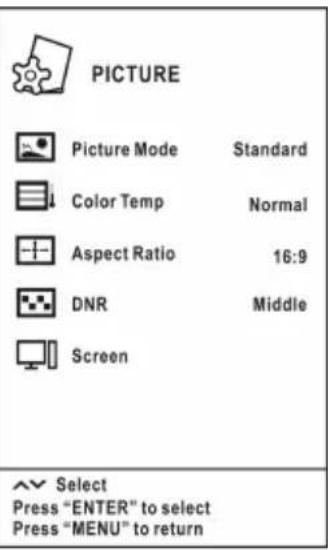
| Picture Mode | You can select the type of picture which best corresponds to your viewing requirements. Contrast, Brightness, Saturation, Sharpness and Tint (NTSC) can be adjusted when the Picture Mode is set to User. |
| Color Temp Select the color temperature of the picture. | |
| Aspect Ratio | You can select the picture size which best corresponds to your viewing requirements. |
| DNR | Reduce the picture noise (snowy picture) in a weak broadcast signal. |
| Screen(In PC-RGB mode) | If the TV is used as the display terminal, the output mode of computer 1280 x1024(60Hz) is recommended, thus allow you to have the best performance of the TV.Auto Adjust: Adjust the image automatically.H Position: Centre the image by moving it left or right.V Position: Centre the image by moving it up or down.Size: Adjust the screen size.Phase: Adjust when characters have low contrast or when the image flickers. |
Configuring the Sound Menu

Menu Operation
| Sound Mode | You can select a sound mode to suit your personal preferences. Items can be adjusted when the sound mode is set to User. |
| Balance | You can adjust the sound balance of the speakers to preferred levels. |
| AVL | AVL automatically remains on the same level of volume if you change programmes. Because each broadcasting station has its own signal conditions, volume adjustment may be needed every time when the channel is changed. This feature allows users to enjoy stable volume levels by making automatic adjustments for each program. |
| Surround | To switch the surround sound. |
Configuring the Timer Menu
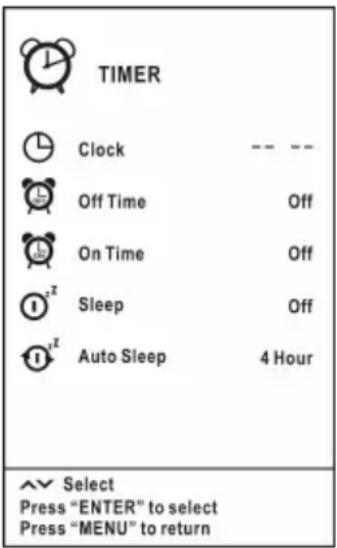
| Clock | Set the System Time.You must set the time correctly before using on/off timer function. |
| Off Time | Set the time for the TV to switch off.On time and Off time can not be set to the same time, and they do not work in operating menu. |
| On Time | Set the time for your TV to turn on. |
| Sleep | Select the time to turn the TV to standby mode automatically. |
| Auto Sleep | Select the Auto Sleep time you want.The Auto Sleep switches the TV to standby automatically after the preset time has elapsed. (the preset time is 4 hours when leave the factory).All the Timer Menu options but Clock and Auto Sleep are not available in USB mode. |
Configuring the Option Menu

| Language | Select your preferred On Screen Display language. | ||
| Transparency | Select menu transparency according to different background pictures. | ||
| Blue Screen | When there is no TV signal | When there is no other signals | |
| On Blue Screen Blue Screen | |||
| Off Picture is spotted with snowflake Black Screen | |||
| Panel Lock | When the Panel Lock is set as On, all of the buttons on the TV are locked and lose their function. To release Panel Lock, please press any button on the TV for more than 5 seconds. When you select this item as Off, the buttons on the TV are in normal mode. | ||
| Health Remind | Switch the Health Remind on or off. While Health Remind is set to On, a prompt picture will remind you to have a break at intervals of two hours. | ||
| Store Demo | Switch the Store Demo on or off.Store Demo mode is the optimal setting for store environments. If a user modifies image quality data Store Demo mode initializes the product to the image quality set by us after a certain period of time. | ||
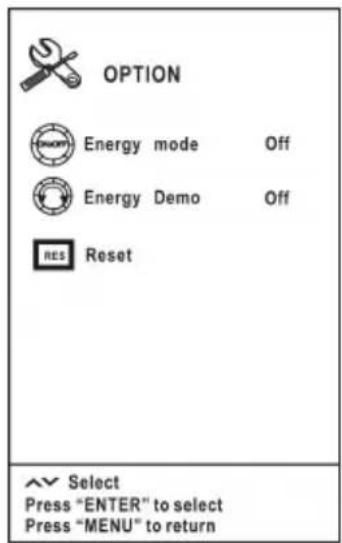
Menu Operation
| Energy mode | Switch the Energy mode on or off. |
| Energy Demo | Switch the Energy Demo on or off.While both Energy mode and Energy Demo are set to "On",the "Consumption" dial will appear on the TV screen. |
| Reset | by us after a certain period of time.Restore the system settings to the factory default. |
Using USB mode
- To Access/Quit USB mode
Press the SOURCE button to call up the signal source selection menu. Use the ▲/▼ to highlight USB, and the ENTER button to access the USB mode. You may also use the signal source selection menu to exit from the USB mode.
NOTE:
▶ Special USB device may be not or well supported.
USB max. Load: DC5V 500mA.
• The formats supported
The USB function can support the USB device with USB memory.
It can play PHOTO, MUSIC, MOVIE or TEXT files.
Photo Format Support: JPEG, BMP, PNG.
Music Format Support: WMA, MP3, M4A (AAC).
Movie Format Support: MPG, RM.
Text Format Support: TXT.
NOTE:
➢ Special algorithm documents may not be or well be supported by the USB. The USB supports the format mentioned above, if the file format is not supported, change it to the given format.
▶ Video decoder supports H.264.
- Main Operating Interface

Menu Operation
- Use the ◀/▶ button to select PHOTO, MUSIC, MOVIE or TEXT. Press ENTER button enter into sub-menu.
- Use the arrow buttons and ENTER button to enter the desired disk. Press ENTER to open the folder.
- Use the arrow buttons to highlight the file. Use the ENTER button to mark or unmark a file. Press ▶ button to play the selected files. If no file is marked, all the files in the folder will be played in sequence after you press ▶ button.
- Press the INFO button to display the menu screen in playing.
- Press the ■ to stop the playing files.
- Press the EXIT button to return to the previous menu screen.
- Basic operation
- ▶ Play/ Pause
Start playing the selected file of a folder or pause.
- ■ Stop
Stop the playing files.
- / Fast Reverse/Fast Forward
You can press /◀ to skip fast reverse or forward.
- Previous/Next
You can select the desired files manually in normal condition.
- Red button
Select a file you want to delete, press the red button to open corresponding menu, then press ENTER button to delete it.
- CH+/CH-
When view the TEXT files, press CH+/CH- to change pages up and down.
- CH+/CH- on the TV
In the USB mode, use the CH+/CH- button on the TV as you would use the ENTER button on the remote control.
Press the CH+/CH- button on the TV for more than 3 seconds to start playing the selected file.
- VOL+/VOL- on the TV
When selecting files, use the VOL+/VOL- button on the TV as you would use the ◀/▶ button on the remote control.
When playing files, use the VOL+/VOL- button on the TV as you would use the VOL+/VOL- button on the remote control.
Troubleshooting
When you meet the following common problems, you might diagnose and get the solutions without contacting with the technicians.
| Symptoms Possible Reason Solutions | ||
| No picture, no sound, and no indicator light on | 1.The power cord is not plugged in2.The power is off | 1.Plug the power cord in2.Turn the power on |
| Picture and sound with abnormality | 1.Contrast, sharpness, and color are set improperly2.Color system is set improperly3.Sound system is set improperly | 1.Adjust the value of Contrast, sharpness, and color2.Set the Color system to the country broadcasting standard3.Set the Sound system to the country broadcasting standard |
| Picture is spotted or with snow | Signal source is low-grade or the signal cord is in a lower quality | Use the qualified signal cord |
| No picture, no sound and indicator light is green/blue | Volume is in the minimum value or TV is in mute mode. | Adjust the value of volume |
| The signal cable is not correctly connected. | Connect the signal cable correctly | |
| Blue screen, AV is displayed | There is no signal input or the video cable is not connected or incorrectly connected | Connect the video cable correctly |
| Picture is unclear or shaking or with black horizontal strips (in PC mode) | PC picture is not correctly adjusted. | Enter into Screen menu, select Auto Adjust item to perform automatic calibration and adjust Phase to solve the problem |
| PC picture is not centered | ||
| No sound | There is no audio signal input or audio cable is not connected correctly | Connect the audio cable correctly |
| PC picture display with improper color | The color temp is adjusted incorrectly by user | Readjust the color temp, or select the original color setting |
| HDMI source, with snow pixel of full screen | The source generate is not standard | Plug the HDMI cable again |
Troubleshooting Guide
| The remote control does not work | Batteries are improperly installed or exhausted | 1. Make sure the positive and the negative polarities are correct.2. Check if there is a loose contact between the batteries and the springs3. Replace the batteries |
Maintenance
Early malfunctions can be prevented. Careful and regular cleaning can extend the life of your new TV. Be sure to turn the power off and unplug the power cord before you begin any cleaning.
Cleaning the screen
- Here's a great way to keep the dust off your screen for a while. Wet a soft cloth in a mixture of lukewarm water and a little fabric softener or dish washing detergent. Wring the cloth until it's almost dry, and then used it to wipe the screen.
- Make sure the excess water is off the screen, and then let it air-dry before you turn on your TV.
Cleaning the cabinet
To remove dirt or dust, wipe the cabinet with a soft, dry, lint-free cloth. Please be sure not to use a wet cloth.
Extended Absence

If you expect to leave your TV dormant for a long time (such as a vacation), it's a good idea to unplug the power cord to protect against possible damage from lightning or power surges.
Disposal of old electrical appliances
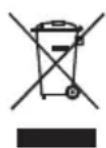
The European directive 2012/19/EU on Waste Electrical and Electronic Equipment (WEEE), requires that old household electrical appliances must not be disposed of in the normal unsorted municipal waste stream. Old appliances must be collected separately in order to optimize the recovery and recycling of the materials they contain, and reduce the impact on human health and the environment.
The crossed out “wheeled bin” symbol on the product reminds you of your obligation, that when you dispose of the appliance, it must be separately collected.
Consumers should contact their local authority or retailer for information concerning the correct disposal of their old appliance.
☐ This equipment is a Class II or double insulated electrical appliance. It has been designed in such a way that it does not require a safety connection to electrical earth.
CHANGHONG LED Expand all Specs
| COMMON SPEC | |||
| Display Type | LED19D1000 | LED22D1000 | LED 24 D 100 0 F |
| Screen Size (Inch) | 19 | 22 | 24 |
| BROADCASTING SYSTEM | |||
| Analog Yes | Yes | Yes | |
| Digital | No | No | No |
| PICTURE | |||
| Resolution | 1366x 768 | 1920x1080 | 1920x1080 |
| BLU Type (Backlight) | LED | LED | LED |
| Dynamic Contrast Ratio | 600:1 | 600:1 | 1000:1 |
| ResponseTime(MPRT) | 5ms | 5ms | 5ms |
| Full HD | No | Yes | Yes |
VIDEO
| PictureStatusMode | 4 Modes (User, Vivid, Standard |
AUDIO
| Audio Output | 2W+2W |
| Speaker System | 2 Speakers |
| Sound Mode | 5 Modes (Standard/Theater/Music/Sp |
| Mono/Stereo/Dual | No |
FEATURE
| USB 2.0 | PHOTO/MUSIC/FILM/TEXT |
| Smart Energy Saving Plus | No |
INTERFACE
| Set Side | ======== |
| USB 2.0 | 1 |
| AV In | 1 |
| Component in (Y,Pb,Pr) | 1 |
| Set Bottom | ======== |
| RF In | 1 |
| HDMI/HDCP Input | 1 |
| PC Audio Input | 1 |
| RGB In (Dsub 15pin) | 1 |
POWER
| Voltage, Hz | 100-240V~50/60Hz | ||
| Consumption 25W | 30W | 30W | |
| Standby (Off mode) 1W ↓ | 1 W↓ | 1 W↓ | |
| DIMENSION | |||
| Weight (Kg) | ======== | ======== | ======== |
| SET (w/o stand) | 2.6 | 2.85 | 3.1 |
| Included stand | 3.5 | 3.45 | 3.9 |
| WxHxD (mm) | ======== | ======== | ======== |
| SET 439 x281x49.5 | 505.5x310.3x49 | 564.5x340x44.4 | |
| Included stand | 439x321x139 | 505.5x363x140 | 5 64.5x387.5x178 |
CHANGHONG LED Expand all Specs
| COMMON SPEC | |
| Display Type | LED24B1000 |
| Screen Size (Inch) | 24 |
| BROADCASTING SYSTEM | |
| Analog Yes | |
| Digital | No |
| PICTURE | |
| Resolution | 1366 x 768 |
| BLU Type (Backlight) | LED |
| Dynamic Contrast Ratio | 2000:1 |
| ResponseTime(MPRT) | 8.5ms |
| HDReady | Yes |
| VIDEO | |
| PictureStatusMode | 4 Modes (User, Vivid, Stan |
| AUDIO | |
| Audio Output | 2W+2W |
| Speaker System | 2 Speakers |
| SoundMode | 5 Modes (Standard/Theater/Music |
| Mono/Stereo/Dual | No |
| FEATURE | |
| USB 2.0 | PHOTO/MUSIC/FILM/TEXT |
| Smart Energy Saving Plus | No |
| INTERFACE | |
| Set Side | ======== |
| USB 2.0 | 1 |
| AV In | 1 |
| Component in (Y,Pb,Pr) | 1 |
| Set Bottom | ======== |
| RF In | 1 |
| HDMI/HDCP Input | 1 |
| PC Audio Input | 1 |
| RGB In (Dsub 15pin) | 1 |
POWER
Voltage, Hz 1 0 0 - 240V\~ 50/60Hz
Consumption
Standby (Off mode) 1W
30W
↓
DIMENSION
Weight (Kg)

SET(w/o stand)
Included stand
WxHxD (mm)
SET
Included stand
3.1
3.9

552.5×346×50.5
552.5x388x178
CHANGHONG LED Expand all Specs
| COMMON SPEC | |
| Display Type | LED24868 |
| Screen Size (Inch) | 24 |
| BROADCASTING SYSTEM | |
| Analog | Yes |
| Digital | No |
| PICTURE | |
| Resolution | 1366x 768 |
| BLU Type (Backlight) | LED |
| Dynamic Contrast Ratio | 1000:1 |
| ResponseTime(MPRT) | 8.5ms |
| HDReady | Yes |
| VIDEO | |
| PictureStatusMode 4 Modes (User, Vivid, Standard, Soft) | |
| AUDIO | |
| Audio Output 2W+2W | |
| Speaker System | 2 Speakers |
| SoundMode | 5 Modes (Standard/Theater/Music |
| Mono/Stereo/Dual | No |
| FEATURE | |
| USB 2.0 | PHOTO/MUSIC/FILM/TEXT |
| Smart Energy Saving Plus | No |
| INTERFACE | |
| Set Side | ======== |
| USB 2.0 | 1 |
| RF In | 1 |
| Set Bottom | ======== |
| AV In | 1 |
| HDMI/HDCP Input | 1 |
| PC Audio Input | 1 |
| RGB In (Dsub 15pin) | 1 |
| mini Component in (Y,Pb,Pr) | 1 |
POWER
Voltage, Hz 1 0 0 - 240V\~ 50/60Hz
Consumption
Standby (Off mode) 1W
DIMENSION
Weight (Kg)
SET(w/o stand)
Included stand
WxHxD (mm)
SET
Included stand
35W
↓
3.95
4.2
[EMPTY]
576×366×41
576x413x178
CHANGHONG LED Expand all Specs
| COMMON SPEC | |
| Display Type | LED22C1000 |
| Screen Size (Inch) | 22 |
| BROADCASTING SYSTEM | |
| Analog | Yes |
| Digital | No |
| PICTURE | |
| Resolution | 1366x 768 |
| BLU Type (Backlight) | LED |
| Dynamic Contrast Ratio | 600:1 |
| ResponseTime(MPRT) | 5ms |
| HDReady | Yes |
| VIDEO | |
| PictureStatusMode 4 Modes (User, Vivid, Standard, Soft) | |
| AUDIO | |
| Audio Output 2W+2W | |
| Speaker System | 2 Speakers |
| SoundMode | 5 Modes (Standard/Theater/Music |
| Mono/Stereo/Dual | No |
| FEATURE | |
| USB 2.0 | PHOTO/MUSIC/FILM/TEXT |
| Smart Energy Saving Plus | No |
| INTERFACE | |
| Set Side | ======== |
| USB 2.0 | 1 |
| RF In | 1 |
| Set Bottom | ======== |
| AV In | 1 |
| HDMI/HDCP Input | 1 |
| PC Audio Input | 1 |
| RGB In (Dsub 15pin) | 1 |
| Component in (Y,Pb,Pr) | 1 |
POWER
Voltage, Hz 1 0 0 - 240V\~ 50/60Hz
Consumption
Standby (Off mode) 1W
DIMENSION
Weight (Kg)
SET(w/o stand)
Included stand
WxHxD (mm)
SET
Included stand
30W
↓
3.29
3.76
==========
527.5×340×46
527.5x369.8x186.9
CHANGHONG LED Expand all Specs
| COMMON SPEC | |
| Display Type | LED24D2200 |
| Screen Size (Inch) | 24 |
| BROADCASTING SYSTEM | |
| Analog | Yes |
| Digital | No |
| PICTURE | |
| Resolution | 1920x 1080 |
| BLU Type (Backlight) | LED |
| Dynamic Contrast Ratio | 3000:1 |
| ResponseTime(MPRT) | 5ms |
| HDReady | Yes |
| VIDEO | |
| PictureStatusMode 4 Modes (User, Vivid, Standard, Soft) | |
| AUDIO | |
| Audio Output 2W+2W | |
| Speaker System | 2 Speakers |
| SoundMode | 5 Modes (Standard/Theater/Music |
| Mono/Stereo/Dual | No |
| FEATURE | |
| USB 2.0 | PHOTO/MUSIC/FILM/TEXT |
| Smart Energy Saving Plus | No |
| INTERFACE | |
| Set Side | ======== |
| Komponen (Y, Pb, Pr) | 1 |
| Set Bottom | ======== |
| DCIN | 1 |
| USB | 1 |
| HDMI | 1 |
| PC | 1 |
| VIDEO | 1 |
| R- Audio -L | 1 |
| PC/DVIAUDIO | 1 |
| ANT | 1 |
| headphone | 1 |
POWER
Voltage, Hz 1 0 0 - 240V\~ 50/60Hz
Consumption
Standby (Off mode) 1W
DIMENSION
Weight (Kg)
SET(w/o stand)
Included stand
WxHxD (mm)
SET
Included stand
35W
↓
3.85
4 .95
[EMPTY]
552.6×332×50.8
552.6x365x153.1
CHANGHONG
Jl. Mangga Dua Raya
Komp. Agung Sedayu Blok J : 39-40
- TENTANG PEMBUANGAN
- Penggantian Baterai
- WARNING:
- REGULATORY INFORMATION
- CAUTION
- WARNING
- CAUTION connecting the Power Cord
- IMPORTANT SAFETY INSTRUCTIONS
- Safety instructions
- ON DISPOSAL
- NOTE
- Getting Started
- Using the Remote Control
- Installing Batteries in the Remote Control
- Battery Replacement
- Notes on Using Batteries:
- CAUTION:
- Connection
- Cable Installation
- NOTE:
- NOTE :
- Definition of the buttons on remote control:
- COLOR BUTTONS:
- Basic Operation
- Turning on and off the TV
- - Turn on the TV
- - Turn off the TV
- - No signal
- Programme Selection
- Volume Adjustment
- Changing the Input Source
- How to Navigate Menus
- Configuring the Channel Menu
- Configuring the Picture Menu
- Configuring the Sound Menu
- Menu Operation
- Configuring the Timer Menu
- Configuring the Option Menu
- Using USB mode
- - To Access/Quit USB mode
- • The formats supported
- - Main Operating Interface
- - Basic operation
- Troubleshooting
- Troubleshooting Guide
- Maintenance
- Cleaning the screen
- Cleaning the cabinet
- Extended Absence
- Disposal of old electrical appliances
- POWER
- DIMENSION
- CHANGHONG
Brand : CHANGHONG
Model : LED22C1000
Category : Television