
DX90 - Organ KAWAI - Free user manual and instructions
Find the device manual for free DX90 KAWAI in PDF.


| Product Type | Portable Organ |
| Model | DX90 |
| Brand | Kawai |
| Keyboard | 61 keys (5 octaves) with velocity sensitivity |
| Sound Generation | Advanced PCM tone generator |
| Polyphony | 32 notes |
| Preset Voices | 100+ voices including organ, piano, strings, brass, and more |
| Rhythm Patterns | 80 built-in rhythm styles with auto-accompaniment |
| Effects | Reverb, chorus, and tremolo |
| Display | Backlit LCD screen |
| Connectivity | MIDI In/Out, headphone jack, aux input, USB to host |
| Speakers | Built-in stereo speakers (2 x 10W) |
| Power Supply | DC 12V, 1.5A (AC adapter included) |
| Dimensions (W x D x H) | 910 x 360 x 130 mm |
| Weight | 7.0 kg |
| Maintenance | Clean with soft dry cloth; avoid solvents and water |
| Safety | Use only specified power adapter; keep away from moisture |
| Spare Parts & Repairability | Contact Kawai authorized service centers |
| General Information | User manual available as free PDF download |
Frequently Asked Questions - DX90 KAWAI
User questions about DX90 KAWAI
0 question about this device. Answer the ones you know or ask your own.
Ask a new question about this device
Download the instructions for your Organ in PDF format for free! Find your manual DX90 - KAWAI and take your electronic device back in hand. On this page are published all the documents necessary for the use of your device. DX90 by KAWAI.
USER MANUAL DX90 KAWAI
MANUEL D'INSTRUCTIONS
BEGLEITBUCH
MANUAL INSTRUCTIVO
HANDLEIDING
BRUKSANVISNING
MODEL DX80 DX90
OWNER'S MANUAL FOR DX80 DX90
CONGRATULATIONS on the purchase of your new KAWAI electronic organ. This owner's manual contains detailed informations and operating instructions for all the features and controls on the organ. Please read the manual to become familiar with your KAWAI organ and to enjoy it fully.
- Upper Manual
- Lower Manual
- Pedal Board
- Music Rack
- Upper Manual Voices
- Lower Manual Voices
- Pedal Voice
- Effects
- Automatic Rhythm
- Electro Chord Bass III
- One Two Play
- Touch Bar
- Expression Pedal
IHRE KAWAI DX80
KEYBOARDS and PEDALS
CLAVIERS et PEDALIERS
Your KAWAI organ has two keyboards each consisting of 37 keys. Generally, the melody of a song is played with the right hand on the upper manual. The accompaniment or background part is played with the left hand on the lower manual. The bass part is played with the left foot on the 13-note pedalboard.
TASTATUREN u. PEDAL
A maximum of 8 notes can be played simultaneously on the lower keyboard.
REMARKS:
apart.
on the upper keyboard will produce two tones, each an octave
the tone. Press the Flute 16 and 8 at once. Each key you press
ber, the deeper the tone; the smaller the number, the higher
- When these pitch references are used, the larger the num-
sounds one octave lower than 8; 4, one octave higher than
- the note middle C on the keyboard sounds as middle C. 16'
create the tone in a pipe organ. 8' pitch is called unison pitch
the voice and is related to the length of a pipe necessary to
e.g. FLUTE 16, STRING 8. The number denotes the pitch of
Most voice tabs are marked with a number as well as a range
MAJOR FLUTE 8 1 Footage:
pedals:
Flute 8, Strings 8,
Lower Keyboard:
FUTE 16, 8, CLARINET 8, STRING 8,
Upper keyboard:
keyboards and pedals.
The following tone tablets enable you to control the sound of the
ORCAN VOICES

REGAL VOLUME


LOWER VOLUME


SUSTAIN TIME
DELAY VIBRATO PEDAL UPPER
VIBRATO SUSTAIN

EFFECT
DX80
Un maximum claver infenzer.
REMARQUE
。
FluTE 16, 8, CLARINETTE 8, CORDES 8,
Claver Superieur:
kenziechenet, z.B. FLUYE 16, SIKING 8.
BOURDON 16, MAJOR FUTURE 8,
Pedal:
Flute 8, HORN 8, STRING 8,
Unteres Manual:
FUTURE 16, 8, 4, CLARINET 8, TRUMPET 8, STRING 8,
Oberes Manual:
on the upper keyboard will produce two tones, each an octave
the tone. Press the Flute 16 and 8 at once. Each key you press
ber, the deeper the tone; the smaller the number, the higher
- When these pitch reference are used, the larger the numb-
sounds one octave lower than b2 ; 4r one octave higher than
– the note middle C on the keyboard sounds as middle C. 16'
Create the tone in a pipe organ, g' pitch is called unison pitch.
the voice and is related to the length of a pipe necessary to
a. FILET 16 STING 8. The number denotes the third of MOST VOCLE (ABS) are MARKED WITH RANKER ST WELL ARE THE
oada e se ##M se soqana e quin p#d## ## ##, ##, ##, ##, ##, ##, ##, ##, ##, ##, ##, ##, ##, ##, ##, ##, ##, ##, ##, ##, ##, ##, ##, ##, ##, ##, ##, ##, ##, ##, ##, ##, ##, ##, ##, ##, ##, ##, ##, ##, ##, ##, ##, ##, ##, ##, ##, ##, ##, ##, ##
BOON
POKONNOLI, MORN LETTUR
HOUHE HOXN8 SIKING 8
Lower Keyboard:
Flute 16, 8, 4, CLARINET 8, TRUMPER 8, STRIKC 8
Upper keyboard:
Keyboards and pensions.
the following tone labels enable you to control the sound of the
RECEISTRATIONS
keyboard.
A maximu
REMARKS
-
u
-
-
-
-
-
-
-
-
-
-
-
-
-
-
-
-
-
-
-
-
-
-
-
-
The Ground Truth image displays a single, solid horizontal line. According to Rule 2 (UNDERSCORE & LINE RULES), this is a stylistic or background line, not a placeholder underscore. Therefore, the OCR result must ignore it and output nothing or only meaningful text.
(no text)
-
-
-
-
-
-
-
-
-
-
-
[EMPTY]
-
-
-
-
-
-
-
-
-
-
-
-
-
-
-
-
-
1
-
[Non-Text]
。
§
日
V
v
A
77
と
0
0
r
3
:
-
-
-
-
-
-
-
-
-
-
-
-
-
-
-
-
-
-
-
-
-
-
-
-
-
-
-
-
-
-
-
-
-
-
-
-
-
-
-
-
-
-
-
-
-
-
-
-
-
。
-
1
1
[Non-Text]
。
A
√
N
W
1
F
2
K
2
r
2
2
r
2
•
-
-
-
•
-
-
-
-
-
-
-
-
-
-
-
-
-
-
-
-
-
-
-
-
-
-
-
-
-
-
-
-
-
-
∴ m = 3/11
∴ m = 3/11
-
-
-
-
-
-
-
-
-
-
-
广力云智慧零售收银系统
[Non-Text]
[Non-Text]
[Non-Text]
[Non-Text]
[Non-Text]
[Non-Text]
[Non-Text]
[Non-Text]
[Non-Text]
[Non-Text]
[Non-Text]
[Non-Text]
[Non-Text]
[Non-Text]
[Non-Text]
[Non-Text]
[Non-Text]
[Non-Text]
[Non-Text]
[Non-Text]
[Non-Text]
[Non-Text]
[Non-Text]
![graph TD A["Total VOLUME"] --> B["PEDAL"] B --> C["UPPION 16"] B --> D["MAJOR ROUTE 8"] C --> E["LOWER"] D --> F["UPPION 8"] D --> G["UPPION 8"] E --> H["UPPION 16"] E --> I["UPPION 8"] E --> J["UPPION 4"] F --> K["UPPION 8"] F --> L["UPPION 8"] F --> M["UPPION 8"] F --> N["UPPION 8"] F --> O["UPPIO…](/content/2026/05/1047747/images/d006c6c16ebf0630e5e9fa65692f32252f1da4ffb136cffc334b9ec9f50667ba.jpg)
VOCES DE ORGANO
REGISTERS
FLUTE 8' HORN 8' STRING 8'
Pedalen:
BOURDON 16' MAJOR FLUTE 8'
Voetmaten:
When the label plane, HARPSICHOID or VIBRAPHONE is used together with any organ voice, the organ voice will also decay as the plane, harshford or vibraphone sound does.
REMARKS
The vibraphone tab enables you to create the and slightly metallic sound of the vibraphone.
VIBRAPHONE
The voice of the Richardson, the pupil ment, can be reproduced by using this tab.
HARPSICHORD
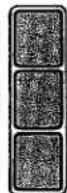
When this button is pressed, an authentic piano sound is repo- duced.
PlANO
These voices can be used independently or combined with the or- gan voices of the upper keyboard. The slider marked VOLUME controls the volume of the Presset Percussion voices.
PRESET PERCUSSION VOICES (DX90)
REDAL VOLUME LOWER VOLUME

SUSTAIN TIME

Piano Harpsi-VibRA-CHORD PHONE
PRESET REQUISITION
DX90
HARPSICHORD in planoklange.
DIE PRESET-RECISTER (DX90)
DX90

(Illustrated: DX90)
EFFECTS
SUSTAIN: Your kawai features a sustain button both for the upper manual and for the pedals. The slider marked SUSTAIN TIME makes it possible for you to control the amount of Upper Manual Sustain.
VIBRATO, DELAY VIBRATO (Upper Manual): The Vibrato is an effect which modulates the pitch of a tone and adds a feeling of warmth and richness to your music. When the DELAY VIBRATO button is in the ON position, the delay effect begins slightly after a key is pressed.
EFFECTOS
EFFETS
Touchbars (Moll, Septim)
Accords a Trois Dobets
sera entendue
Electro Chord Bass III

Touch Bars

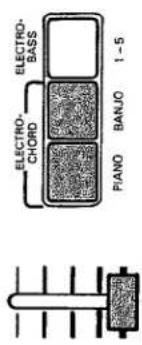
ELECTRO-CHORD VOLUME

BREAK CONSTANT MEMORY
SINGLE
ECB RHYTHMER
Electro Chord Bass III

Touch Bars
ELECTRO CHORD BASS III
The information obtained is
for theoretical
- 2017年1月1日
ME-MORY
1.25.7.20
•
(2) ∴ m = 3/11 .
The following table is the first part of the report:
The following text in the source image is a non-textual, stylized graphic and does not contain any legible characters or punctuation. Therefore, no valid OCR text can be generated that matches the visual content of the source image.
Kaspeng 1-5 of astronomical acremenage class.
-
-
-
-
-
-
-
-
-
-
-
-
-
-
-
-
-
-
-
-
-
-
-
-
-
-
-
-
-
-
-
-
-
-
-
-
-
-
-
-
-
-
-
-
-
-
-
-
-
-
-
-
-
-
-
-
-
-
-
-
-
-
-
-
-
-
-
-
-
-
-
-
-
-
-
-
-
-
-
-
-
-
-
-
-
-
-
-
-
-
-
-
-
-
-
-
-
- 99.
-
-
-
-
-
-
-
-
-
-
-
-
-
-
-
-
-
-
-
-
-
-
-
-
-
-
-
-
-
-
-
-
-
-
-
-
-
-
-
-
-
-
-
-
-
-
-
-
-
-
-
-
-
-
-
-
-
-
-
-
-
-
-
-
-
-
-
-
-
-
-
-
-
-
-
-
-
-
-
-
-
-
-
-
-
-
-
-
-
-
-
-
-
-
-
-
C-1
The following text in the source image is a non-textual, stylized graphic and does not contain any legible characters or punctuation. Therefore, no valid OCR text can be generated that matches the visual content of the source image.
(1) undergo state portion se unless until can be executed as you were
opedo:550s etc. onb osi,240s
/ur## ## ### ##
in community soil, rural population
- For example, blocks are possible
1.
Is despite other banks ultimate costs.
“
C-1
1
(二)利润分配
ELECTRO ACORDIE BAIO III
When this button is used in conjunction with electro chord and/or electro-bass voices, the voices will not play in rhythm but remain sustained, or constant.
ONTSNO
ENVISNOS
The
or posted
[Unreadable]
Turses you may
1
WARN THIS D
7.44
MEMORY
XION
If you wish to get automatic bass press down the
- (25%)
C-1
- 2017年1月1日
ELECTRO CHORD BASS III
-1. 2017, 2018, 2019
the 100% of the total value of accounting contingent shares are due
- 2017年1月1日
Chard de houton memory est encanche, used as classification.
MEMOKE
(五) 2017年1月1日
The following text in the image is a non-textual, stylized graphic:
The following table is provided in the image.
Wang disaster knot dedicated list werden alle berelelautiona.
(一)公司董事会会议决议公告
MENUKI
100%
Worshouhass
(2) ① 1987年1月20日
The following table is in English: "We have been a large number of people who are going to the country."
- 1.4.5.2023:6000 Book 1st 1-5 International Horizon is open
“
WERN LE CHEN AUCUMAUSCHU DASS EWSKUSTEL, WASHINGTON.
The following table is a single data table containing two columns: one labeled '1' and the other unlabeled. The first column contains 30 items, while the second column contains 20 items. There are no additional data series or trends to be extracted.
2019年12月31日
コレ
ELECTRO CHORD BASS III
Electro Chord Bass III
SONIS
100% 100%
—
The Ground Truth image displays a single, solid horizontal line. According to Rule 2 (UNDERSCORE & LINE RULES), if the GT contains lines used for stylistic emphasis or as background elements (like ruled paper), the OCR result must ignore them. The provided OCR content is "____", which consists of four underscores. This is incorrect because underscores are not equivalent to a solid line and are not permitted under the “Stylistic/Background Lines (Ignore)” rule. The OCR has hallucinated underscores where none should exist in the GT, violating the “Stylistic/Background Lines (Ignore)” rule. Therefore, the OCR result is inconsistent with the Ground Truth.
1
ONLY
[Figure]
-
-
-
-
-
-
-
-
-
-
-
-
-
-
-
-
-
-
-
-
-
-
-
-
-
-
-
-
-
-
-
-
-
-
-
-
-
-
-
-
-
-
-
-
-
-
-
-
-
-
-
-
-
-
-
-
-
-
-
-
-
-
-
-
-
-
-
-
-
-
-
-
-
-
-
-
-
-
-
-
-
-
-
-
-
-
-
-
- 90.
-
-
-
-
-
-
-
-
-
-
-
-
-
-
-
-
-
-
-
-
-
-
-
-
-
-
-
-
-
-
-
-
-
-
-
-
-
-
-
-
-
-
-
-
-
-
-
-
-
-
-
-
-
-
-
-
-
-
-
-
-
-
-
-
-
-
-
-
-
-
-
-
-
-
-
-
-
-
-
-
-
-
-
-
-
-
-
1
1
1
1
□
1
OH
- -
-
广力云智慧零售收银系统
广力云智慧零售收银系统
[Non-Text]
[Non-Text]
[Non-Text]
[Non-Text]
[Non-Text]
[Non-Text]
















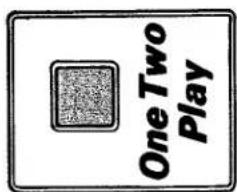
ONE TWO PLAY
Electro Chord Bass III, the Kawai's exclusive auto-accompaniment system, now includes a new exciting device One Two Play. It enables even a beginner to perform the system very easily and to enjoy the auto-accompaniment. To activate the unit; One.... Press pedal tabs and any rhythm button. Two.... Press down the One Two Play button. Play.... Press down one key of the Kawai's single finger chord with one finger. Now, the Electro Chord unit will provide an automatic bass pedal and chord accompaniment. When the One Two Play button is pressed down, the following controls will be automatically selected. Electro Chord Bass III section ..... PIANO, BANJO, 1-5, MEMORY, SINGLE, ECB, RHYTHM
ONE TWO PLAY
The One Two Play button will take priority over any buttons depressed in the Electro Chord Bass III section.
ONE TWO PLAY
ONE TWO PLAY
You are also supplied with THE KAWAI WAY 1 which is, including a collection of twenty songs from ever-popular favorites, designed as your introduction to organ playing. Following registrations are only suggestions and you may want to experiment with tones and controls to suit your own personal preference.
REGISTRATION GUIDE
DX80
| SONG NUMBER | UPPER | LOWER | PEDAL | EFFECTS |
| 1 | Flute 16', 8' | Flute 8' | Major Flute 8' | Pedal Sustain |
| 2 | Clarinet 8' | Flute 8' | Major Flute 8' | Pedal Sustain, Delay Vibrato |
| 3 | Flute 16' String 8' | Flute 8', String 8' | Major Flute 8' | Pedal Sustain, Delay Vibrato |
| 4 | Flute 16', 8' | Flute 8' | Major Flute 8' | Pedal Sustain, Vibrato |
| 5 | Flute 16', 8' | Flute 8' | Major Flute 8' | Pedal Sustain, Vibrato |
| 6 | Flute 8' String 8' | Flute 8' | Major Flute 8' | Pedal Sustain, Vibrato |
| 7 | String 8' | Flute 8' | Major Flute 8' | Pedal Sustain, Delay Vibrato |
| 8 | Flute 8' String 8' | Flute 8' | Major Flute 8' | Pedal Sustain, Delay Vibrato |
| 9 | Clarinet 8' | Flute 8' | Major Flute 8' | Pedal Sustain, Delay Vibrato |
| 10 | Flute 16' String 8' | Flute 8' String 8' | Major Flute 8' | Pedal Sustain, Delay Vibrato |
| 11 | String 8' | Flute 8' | Major Flute 8' | Pedal Sustain, Delay Vibrato |
| 12 | Flute 16', 8' String 8' | Flute 8' String 8' | Major Flute 8' | Pedal Sustain |
| 13 | Clarinet 8' | Flute 8' | Major Flute 8' | Pedal Sustain, Delay Vibrato |
| 14 | Flute 16' String 8' | Flute 8' | Major Flute 8' | Pedal Sustain, Vibrato |
| 15 | Flute 16' Clarinet 8' | Flute 8' String 8' | Major Flute 8' | Pedal Sustain, Delay Vibrato |
| 16 | String 8' | Flute 8' String 8' | Major Flute 8' | Pedal Sustain, Delay Vibrato |
| 17 | Flute 16', 8' String 8' | Flute 8' String 8' | Major Flute 8' | Pedal Sustain, Vibrato |
| 18 | Clarinet 8' | Flute 8' String 8' | Major Flute 8' | Pedal Sustain, Delay Vibrato |
| 19 | Flute 16' Clarinet 8' | Flute 8' | Major Flute 8' | Pedal Sustain |
| 20 | Flute 16', 8' | Flute 8' String 8' | Major Flute 8' | Pedal Sustain, Vibrato |
DX90
| SONG NUMBER | UPPER | LOWER | PEDAL | EFFECTS |
| 1 | Flute 8', 4' | Flute 8' | Major Flute 8' | Pedal Sustain |
| 2 | Clarinet 8' | Flute 8' | Major Flute 8' | Pedal Sustain, Delay Vibrato |
| 3 | Flute 16', 4' | Flute 8', String 8' | Major Flute 8' | Pedal Sustain, Vibrato |
| 4 | Flute 16', 4' | Flute 8' | Major Flute 8' | Pedal Sustain, Vibrato |
| 5 | Flute 16', 4' | Flute 8' | Bourdon 16' Major Flute 8' | Pedal Sustain, Vibrato |
| 6 | Clarinet 8' Vibraphone | Flute 8' Hom 8' | Major Flute 8' | Pedal Sustain, Delay Vibrato |
| 7 | String 8' | Flute 8' | Major Flute 8' | Pedal Sustain, Delay Vibrato |
| 8 | Trumpet 8' | Flute 8' Hom 8' | Major Flute 8' | Pedal Sustain, Delay Vibrato |
| 9 | Clarinet 8' | Flute 8' Hom 8' | Major Flute 8' | Pedal Sustain, Delay Vibrato |
| 10 | Flute 16' String 8' | Flute 8' String 8' | Major Flute 8' | Pedal Sustain, Vibrato |
| 11 | Flute 8', 4' | Flute 8' | Major Flute 8' | Pedal Sustain, Vibrato |
| 12 | Flute 16', 8' String 8' | Flute 8' Hom 8' | Major Flute 8' | Pedal Sustain, Vibrato |
| 13 | Clarinet 8' | Flute 8' | Major Flute 8' | Pedal Sustain, Delay Vibrato |
| 14 | Flute 16' String 8' Harpsichord | Flute 8' String 8' | Bourdon 16' Major Flute 8' | Pedal Sustain, Vibrato |
| 15 | Flute 16' Clarinet 8' Trumpet 8' | Flute 8' Hom 8' | Major Flute 8' | Pedal Sustain, Delay Vibrato |
| 16 | String 8' | Flute 8' String 8' | Major Flute 8' | Pedal Sustain, Delay Vibrato |
| 17 | Flute 16', 4' Trumpet 8' | Flute 8' Hom 8' | Major Flute 8' | Pedal Sustain, Vibrato |
| 18 | Flute 8' Clarinet 8' Trumpet 8' | Flute 8' Hom 8' | Major Flute 8' | Pedal Sustain, Delay Vibrato |
| 19 | Flute 16' 4' | Flute 8' Hom 8' | Major Flute 8' | Pedal Sustain |
| 20 | Flute 16', 8', 4' | Flute 8' Hom 8' | Major Flute 8' | Pedal Sustain, Vibrato |
SPECIFICATIONS
DX80
Upper: 37 Keys F-F Lower: 37 Keys F-F Pedal: 13 Keys C-C
UPPER MANUAL SECTION
Voices: Flute '16' 8', Clarin Effect: Sustain Controls: Sustain Time
Voices: Flute 8', String 8' Controls: Volume
PEDAL SECTION
Effect: Sustain Controls: Volume
Vibrato, Delay Vibrato
AUTOMATIC RHYTHM SECTION
Rhythm Selectors: Waltz, March, Ballad, Swing, Tango, Samba, Beguine, Bossa Nova, Rock, Disco. Controls: Volume, Tempo, Tempo Lamp
ELECTRO CHORI
Selectors: ECB, Normal/Single (48 Single-Finger Chords), Memory, Constant, Break.
Touch Bar: Minor Touch Bar, 7th Touch Bar Controls: Electro Chord Volume
CONTROLS & OTHERS
Total Volume, Expression Pedal, Power Switch, Pilot Lamp, Input Jack, Line-Out, Line-In, Headphone Jack
Output Power: 30 Watts (RMS) Speakers: 25 cm × 1
FINISH
MENSIONS Height: 880 mm
Height: 880 mm Width: 997 mm
Depth: 508 mm
Organ: 59.7 kg Bench: 8.5 kg
ROLL LID
DX80 will come WITH Roll Lid to certain countries.
Specifications are subject to change with or without notice.
| DX90 | ||
| KEY BOARD | ||
| Upper: | 37 Keys F-F | |
| Lower: | 37 Keys F-F | |
| Pedal: | 13 Keys C-C | |
| UPPER MANUAL SECTION | ||
| Voices: | Flute 16' 8' 4', Clarinet 8', Trumpet 8', String 8' | |
| Effect: | Sustain | |
| Controls: | Sustain Time | |
| PRESET PERCUSSION SECTION | ||
| Voices: | Piano, Harpsichord, Vibraphone | |
| Controls: | Volume | |
| LOWER MANUAL SECTION | ||
| Voices: | Flute 8', Horn 8', String 8' | |
| Controls: | Volume | |
| PEDAL SECTION | ||
| Voices: | Bourdon 16', Major Flute 8' | |
| Effect: | Sustain | |
| Controls: | Volume | |
| EFFECTS | ||
| Vibrato, Delay Vibrato | ||
| AUTOMATIC RHYTHM SECTION | ||
| Rhythm Selectors: | Waltz, March, Ballad, Swing, Tango, Samba, Beguine, Bossa Nova, Rock, Disco. | |
| Controls: | Volume, Tempo, Tempo Lamp | |
| ONE TWO PLAY | ||
| ELECTRO CHORD BASS III SECTION | ||
| Electro Chord Voices: | Piano, Banjo | |
| Selectors: | ECB, Normal/Single (48 Single-Finger Chords), Memory, Constant, Break | |
| Electro Bass: | 1-5 | |
| Touch Bar: | Minor Touch Bar, 7th Touch Bar. | |
| Controls: | Electro Chord Volume | |
| CONTROLS & OTHERS | ||
| Total Volume, Expression Pedal, Power Switch, Pilot Lamp, Input Jack, Line-Out, Line-In, Headphone Jack. | ||
| POWER OUTLET & SPEAKERS | ||
| Output Power: | 30 Watts (RMS) | |
| Speakers: | 25 cm x 1 | |
| FINISH | Walnut | |
| DIMENSIONS | Without Roll Lid | With Roll Lid |
| Height: | 880 mm | 910 mm |
| Width: | 997 mm | 1,009 mm |
| Depth: | 508 mm | 543 mm |
| WEIGHTS | Without Roll Lid | With Roll Lid |
| Organ: | 41.3 kg | 45.8 kg |
| Bench: | 8.5 kg | 8.5 kg |
| ROLL LID | ||
| DX90 will come WITHOUT Roll Lid to certain countries. | ||
How to Care for Your Kawai Organ
Here are some general rules to follow:
1) Always plug your KAWAI into a standard volt AC line. Plug-
ging into a DC outlet could cause damage.
2) To remove any greasiness from the cabinetry, keys, or
pedals, use a damp cloth and a little mild soap. Be sure to wine draw with a soft cloth.
wipe dry with a soft cloth.
3) When using wax from spray-on containers, be sure to spray the dust cloth. Wax which is sprayed directly on the keys or
the dust cloth. Wax which is sprayed directly on the keys of tabs could eventually cause sluggish action.
4). Do not expose your KAWAI to direct suplis
4) Do not expose your RAVAR to direct sunlight, cold drafts or radiator heat.
Kawal Australia Pty. Ltd.
447 Kent Street, Sydney, N.S.W. 2000
•Australia
100+ male, male, male
Winripe, Manitoba R2X 2W7
Canada
Kawal Canada Music
A Division of MKB Music Ltd.
3652 International Partners
Kawal America Corporation
24200 South Vermont Avenue, Harbor City,
California, 90710 U.S.A.
Kawai Musical Instruments Manufacturing Co., Ltd. 200 Terajima-cho, Hamamatsu, Japan
KAWAI

- MODEL DX80 DX90
- OWNER'S MANUAL FOR DX80 DX90
- IHRE KAWAI DX80
- KEYBOARDS AND PEDALS
- CLAVIERS ET PEDALIERS
- TASTATUREN U. PEDAL
- ORCAN VOICES
- RECEISTRATIONS
- VOCES DE ORGANO
- REGISTERS
- VOETMATEN
- REMARKS
- VIBRAPHONE
- HARPSICHORD
- PLANO
- PRESET PERCUSSION VOICES (DX90)
- DX90
- DIE PRESET-RECISTER (DX90)
- EFFECTS
- EFFECTOS
- EFFETS
- TOUCHBARS (MOLL, SEPTIM)
- ACCORDS A TROIS DOBETS
- ELECTRO CHORD BASS III
- ELECTRO ACORDIE BAIO III
- ONE TWO PLAY
- SPECIFICATIONS
- HOW TO CARE FOR YOUR KAWAI ORGAN
- KAWAI
Brand : KAWAI
Model : DX90
Category : Organ