
i.Sound 4X - Docking Station DREAMGEAR - Free user manual and instructions
Find the device manual for free i.Sound 4X DREAMGEAR in PDF.


| Product Type | Portable Speaker System with Docking Station |
| Brand | dreamGEAR |
| Model | i.Sound 4X |
| Power Supply | 6 AA batteries (not included) or AC adapter (included) |
| Audio Connection | 3.5 mm auxiliary cable (built-in) |
| Power Indicator | LED light when powered on |
| Control | Power on/off switch |
| Package Contents | Speaker system, cradle, AC adapter |
| Compatibility | Any audio device with 3.5 mm output |
| Battery Compartment | Located on the back of the speaker |
| Dimensions (Estimated) | Approximately 30 cm x 15 cm x 15 cm (12 in x 6 in x 6 in) |
| Weight (Estimated) | Approximately 1.5 kg (3.3 lbs) |
| Color | Black (typical) |
| Power Consumption | Low, suitable for battery operation |
| Usage | Indoor portable audio playback |
| Maintenance | Clean with dry cloth; avoid moisture |
| Safety | Do not expose to water or extreme temperatures |
| Spare Parts | Contact support for replacement parts |
| Repairability | Limited; refer to support |
| Technical Support | Phone: 1-877-999-DREAM, Email: support@dreamgear.net |
Frequently Asked Questions - i.Sound 4X DREAMGEAR
User questions about i.Sound 4X DREAMGEAR
0 question about this device. Answer the ones you know or ask your own.
Ask a new question about this device
Download the instructions for your Docking Station in PDF format for free! Find your manual i.Sound 4X - DREAMGEAR and take your electronic device back in hand. On this page are published all the documents necessary for the use of your device. i.Sound 4X by DREAMGEAR.
USER MANUAL i.Sound 4X DREAMGEAR
4X Portable Speaker System
PACKAGE CONTENTS:
• i.Sound 4X Portable Speaker System
- Cradle
- AC Adapter
HOW TO SET UP THE I.SOUND 4X PORTABLE SPEAKER SYSTEM:
- Open the battery compartment located on the back of the speaker.
- Insert 6 "AA" batteries.
NOTE: You may also power the i.Sound 4X Portable Speaker System using the included AC adapter.
- Attach the cradle to the front of the speakers. It will snap into the 2 holes on the front of the speakers.
- Move the power switch located on the top of the speaker to the "ON" position. The LED will confirm the speaker is powered on.
- Locate the 3.5 mm cable on the bottom of the casing, unwind it and plug it into your audio device.
NOTE: Always power the speaker "OFF" when not in use.

FOR TECHNICAL SUPPORT PLEASE CONTACT: 1-877-999-DREAM or support@dreamgear.net

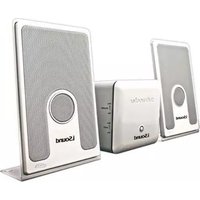

Brand : DREAMGEAR
Model : i.Sound 4X
Category : Docking Station