XKKITA2-U4W-BK - Keyboard Hamlet - Free user manual and instructions
Find the device manual for free XKKITA2-U4W-BK Hamlet in PDF.


| Product Type | Keyboard |
| Brand | Hamlet |
| Model | XKKITA2-U4W-BK |
| Color | Black |
| Connectivity | Wired USB 2.0 |
| Layout | US QWERTY (estimated) |
| Number of Keys | 104 keys (full size) |
| Dimensions (W x D x H) | 450 mm x 150 mm x 25 mm (estimated) |
| Weight | 650 g (estimated) |
| Power Source | Via USB, 5V DC |
| Cable Length | 1.5 m (estimated) |
| Compatible Operating Systems | Windows, macOS, Linux |
| Key Switch Type | Membrane (estimated) |
| Multimedia Keys | Yes (estimated 12 keys) |
| Wrist Rest | Not included |
| Cleaning Instructions | Use a soft, dry cloth; disconnect before cleaning |
| Safety | Avoid liquids, keep away from heat sources |
| Spare Parts Availability | Contact manufacturer for replacement keys |
Frequently Asked Questions - XKKITA2-U4W-BK Hamlet
User questions about XKKITA2-U4W-BK Hamlet
0 question about this device. Answer the ones you know or ask your own.
Ask a new question about this device
Download the instructions for your Keyboard in PDF format for free! Find your manual XKKITA2-U4W-BK - Hamlet and take your electronic device back in hand. On this page are published all the documents necessary for the use of your device. XKKITA2-U4W-BK by Hamlet.
USER MANUAL XKKITA2-U4W-BK Hamlet
thanks for choosing an Hamlet product. Please carefully follow the instructions for its use and maintenance and, once this item has run its life span, we kindly ask You to dispose of it in an environmentally friendly way, by putting it in the separate bins for electrical/electronic waste, or to bring it back to your retailer who will collect it for free.
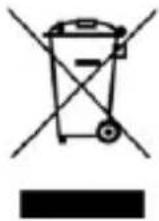
We inform You this product is manufactured with materials and components in compliance with RoHS Directives 2011/65/EU & 2015/863/EU, WEEE Directive 2002/96/CE, 2003/108/CE Italian Legislative Decree 2005/151 and EMC Directive 2014/30/EU for the following standards:
EN 55032: 2015 + A11: 2020, Class B
CISPR 32: 2015 + Cor 1: 2016, Class B
AS/NZS CISPR 32: 2015, Class B
EN 55035: 2017 + A11: 2020
CE
The complete CE declaration of conformity of the product can be obtained by contacting Hamlet at info@hamletcom.com.
Visit www.hamletcom.com for complete information on all Hamlet products and to access downloads and technical support.
Imported by: CARECA ITALIA SPA - Scandiano (RE) . Italy.
About this manual
The material in this document is for information only. Contents, specifications and appearance of the product are indicative and may change without notice.
Trademarks
All trademarks and company names mentioned in this manual are used for description purpose only and remain property of their respective owners.
1. Introduction
Hamlet XKKITA2-U4W-BK is a USB keyboard with International English Euro language layout. Slim design for comfortable and long-term use thanks to its key's hi-tech mechanical and laser printing. The anti-slip supports offer stability and adjustable tilt legs allow to increase inclination for the best comfort of use. Its USB Plug and Play interface allows for easy installation on computers and laptops without the need for drivers. Product with IP52 waterproof level, sanitizable with a damp cloth or by spraying with disinfectants.
Features
• USB keyboard with International English Euro language layout
• Interface: USB Type A connector
- Plug & Play operation, USB powered
- Quiet low-profile keys with laser printed key tops
- Switch life cycle: 10 million keystrokes
• Cable length: 1.8 meters
• Product dimension (W x D x H): 460 x 166 x 29.8/44.4 mm
Package Contents
- USB Keyboard
- User manual
System Requirements
• Windows 7/8/10 and 11, Linux and Android
- USB port
2. Installation
The USB keyboard does not require driver for operation.
To install the device, simply insert the USB plug into a free USB port of your computer. The Operating System will recognize the keyboard and install it automatically.