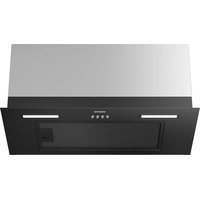
CABIH365BFF-S - Fridge CIARRA - Free user manual and instructions
Find the device manual for free CABIH365BFF-S CIARRA in PDF.


| Type de produit | Fridge |
| Modèle | CABIH365BFF-S |
| Marque | Ciarra |
| Capacité totale | 365 L (freezer: 90 L, fridge: 275 L) |
| Dimensions (H x W x D) | 1860 x 600 x 650 mm |
| Poids | 68 kg |
| Alimentation | 220-240 V ~ 50 Hz, 120 W |
| Classe énergétique | F |
| Consommation annuelle | 260 kWh/an |
| Niveau sonore | 42 dB |
| Type de dégivrage | Automatique (freezer), manuel (fridge) |
| Réfrigérant | R600a |
| Nombre de portes | 2 |
| Pieds ajustables | Oui, à l'avant |
| Éclairage intérieur | LED |
| Clayettes en verre trempé | 3 dans le compartiment réfrigérateur |
| Balconnets de porte | 4 (3 réglables) |
| Type de froid | Statique |
| Contrôle de température | Thermostat mécanique |
| Fonction congélation rapide | Oui |
| Porte réversible | Oui |
| Nettoyage recommandé | Eau tiède et savon doux |
| Entretien condenseur | Nettoyer tous les 6 mois |
| Pièces détachées disponibles | Oui, via service Ciarra |
| Indice de réparabilité | 7,5/10 |
Frequently Asked Questions - CABIH365BFF-S CIARRA
User questions about CABIH365BFF-S CIARRA
0 question about this device. Answer the ones you know or ask your own.
Ask a new question about this device
Download the instructions for your Fridge in PDF format for free! Find your manual CABIH365BFF-S - CIARRA and take your electronic device back in hand. On this page are published all the documents necessary for the use of your device. CABIH365BFF-S by CIARRA.
USER MANUAL CABIH365BFF-S CIARRA
natural_image
Black industrial stove burner with four circular cutouts and a digital display panel at the bottom (no readable text or symbols)
text_image
Cropped image showing a watermark 'clare' and a small red-and-white graphic with numbers, likely from a document or form.Model Number:
CABIH304B
CABIH304BF-S
CABIH365BFF
CABIH365BFF-S
Table of Contents
IMPORTANT SAFEGUARDS 2-7
INTRODUCTION TO INDUCTION COOKING....8-10
CARE AND CLEANING 11
IMPORTANT INSTALLATION INSTRUCTIONS 12-13
COUNTER INSTALLATION INSTRUCTIONS ....14
CONTROL PANEL OVERVIEW....15- 17
HOW TO USE 18-20
OTHER FUNCTIONS....21
TROUBLESHOOTING ERROR CODES 22-25
Please read the entire instruction manual prior to using your unit.

text_image
C LISTED US FTV 5008532READ ALL INSTRUCTIONS BEFORE USE
Read and follow all instructions before using the cooktop to prevent the risk of fire, electric shock, personal injury, or damage when using the cooktop or appliances with the cooktop. This guide does not cover all possible conditions that may occur. Always contact your service technician or manufacturer about problems that you do not understand.

WARNING: For your safety, the information in this manual must be followed to minimize the risk of fire, electric shock or to prevent property damage, personal injury or death.
IMPORTANT NOTICE: RADIO INTERFERENCE
This unit has been tested and found to comply with the limits for a class B digital device, pursuant to Part 18 of the FCC rules. These limits are designed to provide reasonable protection against harmful interference in a residential installation.
This unit generates, uses and can radiate radio frequency energy and, if not installed and used in accordance with the instructions, may cause harmful interference to radio communications.
However, there is no guarantee that interference will not occur in a particular installation. If this unit does cause harmful interference to radio or television reception, which can be determined by turning the unit off and on.
The user is encouraged to try to correct the interference by one or more of the following measures:
• Reorient or relocate the radio and/or television receiving antennae.
• Increase the distance between the cooktop unit and radio or television receiver
- Connect the cooktop unit into an outlet or a circuit different from that to which the radio or television receiver is connected.
READ ALL INSTRUCTIONS BEFORE USE
SAFETY PRECAUTIONS
- Do not attempt to repair or replace any part of your cooktop unless it is specifically recommended in this manual. All other service should be referred to a qualified technician.
- Remove all tape and packaging wrap before using the appliance. Destroy the carton and plastic bags after unpacking the appliance. Never allow children to play with packaging material.
- The safety aspects of this appliance comply with accepted technical standards.
- Do not attempt to repair or replace any part of your cooktop unless it is specifically recommended in this manual. All other service should be referred to a qualified technician.
- Remove all tape and packaging wrap before using the appliance. Destroy the carton and plastic bags after unpacking the appliance. Never allow children to play with packaging material.
- The safety aspects of this appliance comply with accepted technical standards.
Know how to disconnect the electrical power to the appliance at the circuit breaker or fuse box in case of an emergency. Mark the breaker or fuse for ease of identification and swift action if necessary. - Do not repair or replace any part of the appliance. All servicing should be done only by a qualified technician to avoid the risk of personal injury and damage to the appliance. Never modify or alter the construction of an appliance such as removal of panels, wire covers or any other permanent part of the product.
- Storage on appliance: Flammable materials should not be stored near or on the cooking surface. This includes paper, plastic and cloth items, such as cookbooks, plastic ware and towels, as well as flammable liquids. Do not store explosives, such as aerosol cans, on or near the appliance. Flammable materials may explode and result in fire, injury or property damage.
- Do not leave children alone. Children should not be left alone or unattended in the area where an appliance is in use. They should never be allowed to sit or stand on any part of the appliance.
- Do not store or use gasoline or other flammable vapors and liquids in the vicinity of this or any other appliance.

CAUTION Items of interest to children should not be stored in cabinets above a cooktop or on the backsplash of a cooktop-children climbing on the cooktop to reach items could be seriously injured

WARNING Never use your appliance for warming or heating a room.

WARNING Persons with a pacemaker or similar medical device should exercise caution using or standing near an induction unit while it is in operation, as the electromagnetic field may affect the working of the pacemaker or similar medical device. It would be advisable to consult your doctor or the pacemaker or similar medical device manufacturer about your particular situation.

CAUTION DO NOT touch Cooking Zones or areas near these surfaces. Cooking Zones may be hot from residual heat even though they are dark in color. Areas near the Cooking Zones may become hot enough to cause burns. During and after use, do not touch or let clothing or other flammable materials touch these areas until they have had sufficient time to cool.
READ ALL INSTRUCTIONS BEFORE USE
SAFETY PRECAUTIONS
- Wear proper apparel. Loose-fitting or hanging garments should never be worn while using the appliance. Do not let clothing or other flammable materials contact hot surfaces.
- Do not use water or flour on grease fires. Smother the fire with a pan lid, or use baking soda, a dry chemical or foam-type extinguisher.
- When heating fat or grease, watch it closely. Fat or grease may catch fire if allowed to become too hot.
- Use only dry pot holders. Moist or damp pot holders on hot surfaces may result in burns from steam. Do not let the pot holders touch hot surface units. Do not use a towel or other bulky cloth instead of a pot holder.
- Do not heat unopened food containers. Buildup of pressure may cause the container to burst and result in injury.
ELECTRICAL SAFETY

WARNING
- If the surface is cracked, switch off the appliance to avoid the possibility of electric shock. Do not reuse your COOKTOP until the glass surface has been changed.
- When using the COOKTOP, never use aluminum foil, products wrapped in aluminum foil, or deep-frozen food in aluminum cookware.
-
If the supply cord is damaged, it must be replaced by the manufacturer, its service agent or similarly qualified persons in order to avoid a hazard.
-
The installation and connection of the new appliance must only be carried out by qualified personnel.
- Flush-mounted appliances may only be operated following installation in suitable cabinets and workplaces which conform to the relevant standards. This ensures sufficient protection against electric shock as required by certification agencies.
- If your appliance malfunctions or breaks, switch off all cooking zones and contact Service Center.
- Proper Installation – Be sure your appliance is properly installed and grounded by a qualified technician.
CHILD SAFETY

WARNING
- This appliance is not intended for use by young children or infirm persons unless they have been adequately supervised by a responsible person to ensure that they can use the appliance safely.
- Young children should be supervised to ensure that they do not play with the appliance.
- Accessible parts may become hot during use. Young children should be kept away.
READ ALL INSTRUCTIONS BEFORE USE
SAFETY DURING USE
- This appliance may only be used for normal cooking and frying in the home. It is not designed for commercial or industrial purposes.
- Do not use the cooktop to heat the room.
• Take care when plugging in electric appliances near the cooktop. Cords must not come into contact with the hot surface. This could cause damage to the cooktop and cable insulation.
• Overheated fats and oils catch fire quickly. You should supervise cooking when preparing foods in fat or oil.
• After use, switch off the cooktop element by its control and do not rely on the pan detector. - Always keep the control panels clean and dry. Do not let liquids or grease remain on the cooktop controls area. Spilled or burnt-on foods can activate or deactivate the appliance. Clean the controls area thoroughly to resume normal operation of the appliance.
- Never place combustible items on the cooktop.
- Never keep any combustible items or aerosol cans in a drawer located under the cooktop.
- Avoid placing metal cooking utensils on the cooking surface areas. Metal objects can become hot and cause burns.
- Know which touch keypad controls each surface of the cooking zones.
- Use proper pan size. This appliance is equipped with one or more Cooking Zones of different sizes.
- Select utensils having flat bottoms large enough to cover the Cooking Zones. The pan detection sensors will not allow the affected cooking zones to operate without a pan present.
- Do not place any object on or near the control keypad area in order to prevent accidental activation of the cooktop controls.
- Utensil handles should be turned inward and should not extend over adjacent cooking zones to reduce the risk of burns, ignition of flammable materials, and spillage due to unintentional contact with the utensil.
- Never leave prepared food on the Cooking Zones. Boil-overs cause smoke and greasy spillovers that may ignite or a pan that has boiled dry may melt or become damaged.
- Protective liners: Do not use aluminum foil to line any part of the cooktop. Only use aluminum foil as recommended after the cooking process, if used as a cover to be placed over the food. Any other use of aluminum foil may result in the risk of electric shock, fire or short circuit.
- Ventilating hood: The ventilating hood above your cooking surface should be cleaned frequently so the grease from cooking vapors does not accumulate on the hood or filter.
READ ALL INSTRUCTIONS BEFORE USE
SAFETY DURING USE
- Do not clean or operate a broken cooktop. If cooktop should break, cleaning solutions and spillovers may penetrate the broken cooktop and create a risk of electric shock. Contact a qualified technician immediately.
- Clean cooktop with caution. If a wet sponge or cloth is used to wipe spills on a hot cooking area, be careful to avoid a steam cloud. Some cleaners can produce harmful fumes if applied to a hot surface.
- Do not place hot cookware on cold cooktop glass. This could cause glass to break.
- Do not slide pans across the cooktop surface. They may scratch the cooktop surface.
- Do not let pans boil dry. This may cause permanent damage in the form of breakage, fusion or marking that can affect the ceramic-glass cooktop (this type of damage is not covered by your warranty).
- Never leave surface units unattended at high heat settings. Boil-overs cause smoke and greasy spillovers that may ignite.

CAUTION
DO NOT pick up the supplied bridge pan handles after cooking. They might be hot and there is a risk of burning yourself.
SAFETY WHEN CLEANING
• Always switch off the appliance before cleaning.
- For safety reasons, do not clean the appliance with a steam jet or high-pressure cleaner.
- Clean the cooktop in accordance with the maintenance and cleaning instructions in this manual.
- Steam cleaner is not to be used for cleaning of the cooktop.
- Do not use harsh abrasive cleaners or rough metal scrapers to clean the cooktop glass since they can scratch the surface, which may result in shattering of the glass.
COOK MEAT AND POULTRY THOROUGHLY
Cook meat and poultry thoroughly-meat to at least an INTERNAL temperature of 160°F and poultry to at least an INTERNAL temperature of 180°F. Cooking to these temperatures usually protect against foodborne illness.
READ ALL INSTRUCTIONS BEFORE USE
HOW TO AVOID DAMAGE TO THE APPLIANCE
- Prior to using your cooktop for the first time, apply the recommended cooktop cleaning cream to the ceramic surface. Buff with a non-abrasive cloth or pad. This will make cleaning easier when soiled from cooking. The special cooktop cleaning cream leaves a protective finish on the glass to help prevent scratches and abrasions.
- Do not use the cooktop as a work surface or storage space.
- Please be careful on the edges when moving pots and pans around.
- Do not have the cooking zones on with empty pans or with no pots or pans on them.
- Ceramic glass is very tough and impervious to sharp temperature changes but is not unbreakable. It can be damaged if particularly hard or sharp objects fall onto it.
- Be very cautious when using pots made of cast iron or other pots with rough edges or burrs. Moving these can cause scratches on glass.
- If sugar or a mixture containing sugar falls onto a hot cooking zone and melts, remove immediately, while still hot. If left to cool down, it may damage the surface when removed. NOTE: There is a risk of burning yourself when the glass scraper is used on a hot cooking zone!
- Keep meltable objects or materials away from the ceramic glass surface, for example, plastic utensils, aluminum foil or cooking wraps. If any materials or foods melt on the ceramic-glass surface, these should be cleaned up immediately.
DISPOSAL OF OLD APPLIANCES
To protect the environment, it is important that worn-out appliances are disposed of in the correct manner.
- The appliance must not be disposed of with household rubbish.
- You can obtain information about collection or public refuse disposal sites from your local health council or environmental health office.

CAUTION Before disposing of old appliances, please make them inoperable so they cannot be a source of danger. To do this, have a qualified person disconnect the appliance from the house circuitry.
READ AND FOLLOW THIS SAFETY INFORMATION CAREFULLY
SAVE THESE INSTRUCTIONS
INDUCTION COOKING
How Induction Cooking Works
An induction coil is beneath the ceramic glass cooking surface. This generates magnetic fields, which act directly on the base of the pots and pans as compared to methods that first heat the ceramic glass. This means that the base of the pan is immediately heated up, saving time and energy.

Since the heat required for cooking is generated directly in the base of the pan, the Cooking Zone itself warms up only slightly. The cooktop becomes hot from the heat from the base of the pan.
NOTE: If there is no pot or pan on the cooking zone, there is no energy transfer (heating up). This prevents the Cooking Zones being switched on and becoming hot accidentally.
IMPORTANT
- Remove all tape and packaging wrap before using the appliance. Destroy the carton and plastic bags after unpacking the appliance. Never allow children to play with packaging materials.
- Electromagnetic fields can affect electronic circuits and interfere with portable radios and phones.
- Do not put magnetically active objects (e.g. credit cards, computer diskettes, cassettes) on or near the ceramic glass surface while one or more induction cooking zones are in use!
- Do not put any metallic objects (e.g., spoons, pan lids) on the Cooking Zones as they can become hot when the Cooking Zones are in use.
Selecting Cookware
The magnetic Cooking Zone sensors located below the cooktop surface require the use of cookware made with magnetic material in order to start the heating process on any of the Cooking Zones. When purchasing pans, look for cookware specifically labeled by the manufacturer for use with induction cooktops.
Pots and Pans
- In principle, all pots and pans with magnetic bases are suitable. These include steel, steel-enamel as well as cast-iron pots and pans.
- High grade steel pans with a mixed metal base are suitable for induction only if the manufacturer has expressly marked them as such. In that case, they have a magnetic material in the base.
- If you wish to use a special type of pan (e.g., a pressure cooker, simmering pan, wok), please follow the manufacturer's instructions and do not use a very thin pan.
NOTE: Some cookware can produce noises when used on induction cooking zones. This is not a fault in the cooktop, and its function will not be impaired in any way as a result.
Suitability Test
If you are not sure if a pot or pan is suitable for use with your induction cooktop, you can find out with a few simple tests:
- Place a pot filled with a little water (1/8" or 1/4") on the Cooking Zone. Set the Cooking Zone to full power (power level 9).

CAUTION The pan base of suitable kitchenware heats up within a few seconds! The water should boil rapidly.
- You can also check cookware suitability with a magnet. If the magnet remains fixed to the base of the pan, the pan is suitable for induction cooking.

Avoiding Scratches
It is recommended to always use heavier gauge stainless steel cookware on your induction cooktop surface. This will help reduce the possibility of developing scratches on the ceramic surface. Low-quality cookware can scratch the cooktop surface.
Cookware should always be lifted over the ceramic cooktop surface to prevent scratching. Sliding any type of cookware over the ceramic cooktop can affect the overall appearance of the cooktop. Over time, sliding ANY type of cookware over the ceramic cooktop may alter the overall appearance of the cooktop. Eventually, the buildup of scratches can make cleaning the surface difficult and degrade the overall appearance of the cooktop.
Scratches can also result from grains of sand (e.g., after washing vegetables) which are dragged with the pot across the cooking surface.
Use Flat-Bottomed Cookware
Cookware must fully contact the surface of the cooking element. Use flat-bottomed pans sized to fit the cooking element and the amount of food being prepared. Check for flatness by rotating a ruler across the bottom of the cookware with a base less than 5".

For Best Results
Always follow the recommendations for proper cookware type and size. In addition:
- Do not use dirty pans with grease buildup. Always use pans that are easy to clean after cooking and make sure that the bottoms of the pans are clean and dry.
- When cooking with large amounts of liquid, use large pots so that nothing can boil over.
- Do not let pans boil dry. This may cause permanent damage in the form of breakage, fusion or marring that can affect the ceramic cooktop (this type of damage is not covered by your warranty).
- Match the pan size and Cooking Zone to the amount of food being prepared.
Tips for Saving Energy
• Always position pots and pans before you switch on the Cooking Zone.
- Dirty cooking zones and cookware use more electricity
- Whenever possible, always have the lid firmly placed on the pots and pans so that they are completely covered.

text_image
Illustration showing three cooking pots with symbols: a pot with 'X' and a checkmark, a pot with '√', and a pot with 'X' and a checkmark.Selecting Cookware
Cookware Selection and Placement
It is important that the proper cookware be used and placed correctly on the cooktop. ANY one of the incorrect conditions shown below may be detected by the sensors located below the ceramic cooktop surface. If this happens, one or more of the Cooking Zones will not heat, and an E will appear in the affected Cooking Zone display. Correct the problem before attempting to use the cooktop.

Incorrect

Cookware not centered on Cooking Zone surface.

Curved or warped pan bottoms or sides

Pan does not meet the minimum size required for the Cooking Zone used.

Pan bottom rests on cooktop trim or does not rest completely on the cooktop surface.

Heavy handle tilts pan.
Cooking Noise
It is normal for cooktop to generate minor noises or buzz while in use. The sounds you may hear depend on cookware material, size of pan, amount of contents, power level and heating elements used.
- Heavy pans such as enameled cast iron pans are quieter than light weight multi-ply stainless steel pans.
- Pans that cover entirely the heating element are less noisy.
- Cooktop may produce noises if the pan contents are cold. As pan warms up, the sound will diminish.
- Hearing a low humming noise or buzz is normal when cooking on high settings. When reducing power levels, the noise level will decrease as well.
- When using simultaneous heating elements at certain power levels, the magnetic fields may interact and produce a soft whistle or intermitted "hum". By lowering or raising the power level settings of one or both of the elements, these noises can be reduced or eliminated.
Cleaning the Cooktop
General cleaning for induction ceramic glass cooking surfaces is considerably easier than for cooking surfaces with radiant heating.
NOTE: To prevent accidental activation of the controls, it is recommended that you set the CHILD LOCK feature before cleaning.
IMPORTANT
- Cleaning agents must not come into contact with the hot ceramic glass surface. All cleaning agents must be rinsed off thoroughly with clean water.
- Do not use any aggressive cleaners such as grill or oven sprays, coarse scouring cleansers or abrasive pan cleaners.
- Clean the ceramic-glass surface after each use when it is warm to the touch or cold. This will prevent spills from becoming burnt on. Remove water marks, grease and discoloration with a glass scraper and ceramic glass cleaner.
NOTE: You may purchase glass scrapers and ceramic glass cleaners from your local hardware store.
General Cleaning
- When it is cool, wipe the ceramic glass surface with a damp cloth and a small amount of ceramic glass cleaner.
- Wipe dry with a clean cloth.
- Once a week, thoroughly clean the entire ceramic-glass cooking surface with a commercially available ceramic glass cleaner.
- Then, wipe the ceramic glass surface using a clean, soft cloth dampened with clean water and polish dry with a clean lint-free cloth.
Problem Soils
- Remove sugar, melted plastic, aluminum foil, or other meltable materials with a glass scraper immediately and while still hot. Failure to do so can cause permanent damage to the cooktop surface. If the Cooking Zone has already cooled down, warm it up again.
IMPORTANT: There is a risk of burning yourself when the glass scraper is used on a hot Cooking Zone. Use care and wear an oven mitt.
- Then clean the cooktop normally when it has cooled down.
NOTE: Scratches or dark marks on the ceramic glass surface caused by a pan base with sharp edges cannot be removed. However, they do not impair the function of the cooktop.
Cooktop ventilation
- It is very important to provide adequate ventilation for optimal operation. Installing over vented cabinets is highly recommended.

natural_image
Diagram of a cabinet with arrows indicating airflow or movement, no text or symbols present
WARNING Allow enough space between cooktop and cabinet for proper airflow. If airflow is blocked, burners can overheat and stop working temporarily.
Cooktop ventilation areas - DO NOT OBSTRUCT!
Keep ventilation areas clear, to allow proper airflow.
Top view

natural_image
Simple diagram with circles and arrows below, no text or symbols presentRear view

text_image
**Do not obstruct these areas! Air exhaust**Recommended space between cooktop base if installing above oven

text_image
23/4"(70mm) Fresh air intake** Air exhaust**
CAUTION
It is very important to keep 2 3/4" (70 mm) distance between the cooktop and the oven.

CAUTION: During cooking, built-in fan inside the cooktop will operate constantly to keep the internal components cool. The air intake is on the bottom of the cooktop box, and the warm air exhaust is located on the back and side of rim, as shown on the schematic. If the air intake or the exhaust is obstructed, the cooktop safeties will either diminish the power output or shut down the unit.
Preparing the Installation Location
Important – Save for the local electrical inspector's use.
- All electric cooktops run off a three phase, two live wire cable, 240 Volt, 60 Hertz, AC-only electrical supply with ground.
• Maximum distance between cooktop and overhead cabinetry is 30 inches (76.2 cm)

WARNING DO NOT apply any sealant along the perimeter. The cooktop must breath freely.


text_image
I J Min. 26" Max.30" A B C D E H L G M F/F' 4"×8" opening to route armored cable if panel is present. **Do not obstruct these areas! Air exhaust**| Model | A | B | C | D | E | F | G | H | I | J | K | L | M | |
| Min | Min | Max | Min | Min | Min | |||||||||
| CABIH304BF | 520 | 75 | 745 | 495 | 20 6 | 10562 38 | 125 | 610770 730 490 | ||||||
| CABIH365BFF | 900 8452480 | 75 | 860 | 495 | 20 6 | 10562 38 610 | 125 | |||||||
All dimensions are stated in inches and millimeters (mm).
Allow 2" (5 cm) space below the armored cable opening to clear the electric cable and allow space for installation of the junction box on the wall at the back of the cooktop.
Before installing the cooktop
- Visually inspect the cooktop for damage. Also make sure all cooktop screws are on tight.
- Place the cooktop into the countertop cut-out.
Model and Serial Number Location
The serial plate is located at the front edge of the cooktop. When ordering parts or making inquiries about your cooktop, be sure to include the model and serial numbers.

natural_image
Simple line drawing of a rectangular box with an arrow pointing upward (no text or symbols)Serial plate is located at the front edge of the burner box of the cooktop.
Connecting to a 3 wires power supply cable electrical system
- Disconnect the power supply.
- In the circuit breaker, fuse box, or junction box, connect appliance and power supply cable wires as shown below.
- Circuit breaker fuse rating must be above 50 A, and wire should be 2/6 or 3/6 copper.
- Minimum acceptable size of conductors should be no less than 10AWG, copper only, and no less than 167°F.
- A wire-binding screw or stud used in the wire terminal should be 10 or larger.

text_image
Cable from Power Supply Red Wire Black Wire Red Wire Junction Box Green Wire (Grounding)
WARNING
-
The electrical power to the cooktop must be shut off while line connections are being made. Failure to do so could result in serious injury or death.
-
An extension cord must not be used with this appliance. Such use may result in a fire, electrical shock or other personal injury.
Model: CABIH304B

text_image
② ③ ① ④ ⑤ ciarra 8 8 8 8 881 Front left cooking zone----2000W Boost 2500W
② Back left cooking zone ----2000W Boost 2500W
③ Center cooking zone----2700W Boost 3700W
4 Front right cooking zone ----1500W Boost 2000W
⑤ Touch control panels

text_image
6 7 8 9 - + 10 11 12 13 14 15⑥ Select front left cooking zone key
⑦ Select back left cooking zone key
⑧ Select back right cooking zone key
⑨ Select front right cooking zone key
10 ON/OFF key
⑪ Child safty lock
⑫ +/- key
13 Slide control key
14 Booster key
15 Timer control key
Model: CABIH304BF-S

text_image
2 3 4 1 5 ciarra① Front left cooking zone----2000W Boost 2500W
② Back left cooking zone----2700W Boost 3200W
③ Center cooking zone ----2700W Boost 3700W
4 Front right cooking zone ----1600W Boost 2000W
⑤ Touch control panels

text_image
11 ⏻ + 7 + 13 ⏻ FLEX + 6 + 10 ON/OFF - ON/OFF + 8 + 9 + 10 ON/OFF - ON/OFF Hot Surface - ON/OFF⑥ Select front left cooking zone key (+/- key)
⑦ Select back left cooking zone key (+/- key)
⑧ Select back right cooking zone key (+/- key)
⑨ Select front right cooking zone key (+/- key)
10 ON/OFF key
⑪ Child safty lock
⑫ Timer control key
13 Flex zone
Model: CABIH365BFF/CABIH365BFF-S

text_image
2 5 3 1 6 4 ciarra① Front left cooking zone ----2000W Boost 2500W
② Back left cooking zone ----2000W Boost 2500W
③ Back right cooking zone----1500W Boost 2000W
4 Front right cooking zone ---1400W Boost 1800W
⑤ Center cooking zone ----2700W Boost 3700W
⑥ Touch control panels

text_image
13 + 12 - ON/OFF 15 ↑ FLEX + 12 7 - ON/OFF + 14 - ON/OFF 11 - 12 Hot Surface 9 + 12 - ON/OFF 15 ↑ FLEX + 12 10 - ON/OFF⑦ Select front left cooking zone key (+/- key)
⑧ Select back left cooking zone key (+/- key)
⑨ Select back right cooking zone key (+/- key)
⑩ Select front right cooking zone key (+/- key)
⑪ Select center cooking zone key (+/- key)
12 ON/OFF key
13 Child safty lock
14 Timer control key
15 Flex zone
Standby Mode
-
Touch the main ⏻, the induction cooktop will make a "beep" sound once, the indicator light above the ⏻ is lit up, and the display will blink and show a "0".
-
In the standby state, if there is no operation within 30 seconds, the induction cooker will automatically shut down.

Switching on the cooktop and cooking zones
-
Place a compatible pot or pan on the cooking zone you wish to use. Touch the ① key of the zone you wish to use, then touch either the "+" key or "-"key to select a cooking level. The cooking zone will automatically turn off if a key is not touched within 5 seconds.
-
Range of cooking level: 1\~9
-
Touch the minus key "-" to lower the cooking level, Touch the plus key "+" to raise the cooking level.
Or you can slide to adjust cooking level.

natural_image
Simple line drawing of a hand pointing upward with dots above (no text or symbols)
text_image
Suitable for induction cooktop
- In the boost mode, this zone will work in "b" level for 5 minutes. Then automatically drop to 9 level to continue working.
Lock
Activating the Child Safety Lock during cooktop use
Child Lock prevents activation of any sensor key, except for the ⏻ key and the 🔒 key.

To lock the controls
Press the Ⓑ key 2S to activate the function. The unit will make a "beep" sound and the indicator light will turn on above the Ⓑ key. The controls are now locked.
To unlock the controls
While in Lock mode, press the Ⓗ key 2S to deactivate the function. The indicator light will turn off.
Turn off
Press the Ⓐ key, it will make a "beep" sound once, and it will turn off. The unit is now on standby mode.

Note: Please do not pull the power plug until the cooling fan has stopped.
Timer
Using the Timer
You can use the timer in two different ways:
You can use it as a minute minder. In this case, the timer will not turn any cooking zone off when the set time is up. You can set it to turn one cooking zone off or more than one after the set time is up.
You can set the timer for up to 99 minutes.

Using the Timer as a Minute Minder
If you are not selecting any cooking zone.
- Touch the timer Ⓛ after making sure the cooktop is turned on, the minder indicator will start flashing, and "30" will show in the timer display.
- Adjust the time setting by touching the "-" or "+" controls. The minute minder indicator will start flashing and will show in the timer display.
Hint: Touch the "-" or "+" control of the timer once to decrease or increase by 1 minute. Touch and hold the "-" or "+" control of the timer to decrease or increase by 1 minutes.

-
To cancel the timer, touch the timer 📊 again and "--"will show in the timer display.
-
When the time is set, it will begin to count down immediately. The display will show the remaining time.
-
Buzzer will beep for 30 seconds and the time indicator shows "--" when the set time is finished.

Setting the timer to turn one cooking zone off
- Touch the "-" or "+" control of the heating zone that you want to set the timer for.
- Touch the timer, touch the "-" or "+" control of the timer, the minder indicator start flashing and "30" will show in the timer display.
- Set the time by touching the "-" or "+" control of the timer
Hint: Touch the "-" or "+" control of the timer once will decrease or increase by 1 minute. Touch and hold the "-" or "+" control of the timer will decrease or increase by 1 minutes.
- To cancel the timer, touch the "-" or "+" control of the heating zone that you set, then touch the timer again, and "--" will show in the timer display.
- When the time is set, it will begin to count down immediately. The display will show the remaining time and the timer indicator flash for 5 seconds
NOTE: The red dot next to the power level indicator will illuminate indicating that the zone is selected. - When the cooking timer expires, the corresponding cooking zone will be automatically switched off and show "H".
Setting the timer to turn more than one cooking zone off
- If more than one heating zone uses this function, the timer indicator will show the shortest time. For the Setup steps please refer to the "Setting the timer to turn one cooking zone off".(e.g. zone 7# setting time of 3 minutes, zone 8# setting time of 6 minutes, the timer indicator shows "3".)
NOTE: The flashing red dot next to the power level indicator means the timer indicator shows the heating zone's time. If you want to check the set time of another heating zone, touch the heating zone "-" or "+" control. The timer will indicate its set time.
- When the cooking timer expires, the corresponding cooking zone will be switched off automatically and show "H".
NOTE: If you want to change the time after the timer is set, you have to start from step 1.

WARNING
Your cooktop has a residual heat indicator for each Cooking Zone. This indicator will warn that this area has been used and is still giving off enough heat to cause burns.
Avoid touching the burner when this indicator is shown. Although the cooktop is OFF, the H will stay lit until the cooktop has cooled down.
Other Functions
Boost Function
- In standby mode, touch the zone selection key, select the corresponding zone. Then touch Ⓑkey. And enter Boost mode.

text_image
Then B- In the boost mode, this zone will work in "b" level for 5 minutes. Then automatically drop to 9 level to continue working.
Using the Flex Zone
This area can be used as a single zone or as two different zones, accordingly to the cooking needs at any time.
- Touch the "-" or "+" control of the right and left heating zone of you desire after turn on.
- Touch the ⏻ button, the cooktop will go into the Flex Zone and show "≡".
- If you want to cancel the flex zone, touch the ⏻ FLEX again.
- Touch the "-" or "+" control of the front control for adjust power setting.
Important: Make sure to place the cookware centered on the single cooking zone. In the case of big pots, oval, rectangular, and elongated pans make sure to place the center of the flex zone. Examples of good and bad pot placements:

text_image
Diagram illustrating camera lens positioning with plus signs, a rectangle, and a 240mm aperture, alongside checkmarks and an X symbol.Troubleshooting
Never repair or modify the hob or disassemble it yourself!

Problems, possible causes and what to do
| Problem | Possible cause | What to do |
| The cooktop cannot Be turned on. | No power | Make sure that the hob is properly connected to the power supply and that it is intact. |
| Check whether there is a power outage in your home or area. | ||
| If you’ve checked everything and the problem persists, contact a qualified technician. | ||
| Board error | Contact a certified electrician | |
| The touch controls are unresponsive. | The control is locked / The key lock has been activated. | Unlock the control panel.See safety chapter. |
| The touch controls are difficult to operate. | There is a slight film of water on the controls. | Make sure the touch control area is dry. |
| You are using the tip of your finger when touching the controls. | Use the ball of your finger when touching the controls. | |
| Some keys do not work. / The display does not work normally. | Board / display error | Disconnect the hob from the power supply and reconnect it after a short time.If the problem persists, contact a certified electrician. |
| The power indicator is working, but the heating process does not start. | Overheating of the hob | Ensure that the ventilation paths are not blocked and that the ambient temperature is not too high. |
| The cooling fan is not working. | Contact a certified electrician | |
| Technical error | ||
| The cookware is not heated and theicon is displayed. | The cookware is not suitable for induction or is not detected. | Use induction-suitable cookware in a size suitable for the desired cooking zone and position it correctly.See the cookware chapter. |
| Operation stops suddenly and theicon is displayed. | The automatic detection function has failed. | Contact a certified electrician |
| Theicon is displayed for two cooking zones placed one behind the other (1+2 / 3+4) | Technical error | Contact a certified electrician |
| The glass is being scratched. | Rough-edged cookware is used. | Use cookware with flat and smooth bottom.See the chapter regarding right cookware. |
| Unsuitable, abrasive scourer or cleaning products are being used. | See the cleaning chapter. | |
| Some pans or pots make crackling or clicking noises. | This may be caused by the construction of your cookware (layers of different metals vibrating differently). | This is harmless and normal. |
| A slight humming noise can be heard when operating at high power. | This can be caused by induction technology. | This is normal, but the noise should quiet down or disappear completely by reducing the power level. |
| Fan noise | A cooling fan integrated in the hob prevents the electronics from overheating. If necessary, it continues to run even after the hob is switched off. | This is normal and necessary for error-free operation.Do not disconnect the appliance from the power supply while the fan is running. |
| abnormal fan noise | The cooling fan is damaged. | Contact a certified electrician |
| The hob or cooking zone switches off suddenly, a signal tone is heard and an error code is displayed. | Technical error / Code meaning see following table | Note down the error code, disconnect the hob from the power supply and contact a certified electrician. |
Error codes
| Error code | Meaning | What to do |
| U | No suitable cookware was identified | Place suitable cookware in the middle of the corresponding cooking zone (see chapter on cookware) |
| E1 | The voltage is too low (less than 85 V) | Check the power supply. |
| E2 | The voltage is too high (higher than 285 V) | If it is normal, turn the hob back on. |
| E3 | Error message of the cooktop sensor / short circuit | Contact the customer service or a certified electrician. |
| E4 | Error message of the IGBT-sensor / short circuit | |
| E5 | Overheating of the hob | Wait until the hob has cooled down and then switch it on again. |
| E6 | IGBT overheating | Wait until the hob has cooled down and then switch it on again. |
| E7 | Malfunction of the cooktop sensor | Contact the customer service or a certified. |
| E8 | Communication failure between display and mainboard | |
| E9 | Overflow protection | Remove spilled liquids and switch the hob back on. |