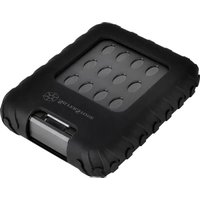
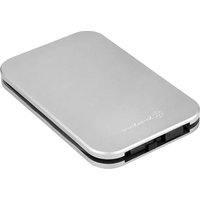
MS09C - External hard drive SILVERSTONE - Free user manual and instructions
Find the device manual for free MS09C SILVERSTONE in PDF.


| Product Type | External Hard Drive Enclosure |
| Model | MS09C |
| Brand | Silverstone |
| Compatible Drive Size | 2.5 inch SATA HDD/SSD |
| Interface | USB 3.0 (USB 2.0 compatible) |
| Maximum Supported Capacity | Up to 2TB |
| Data Transfer Rate | Up to 5 Gbps |
| Material | Aluminum and plastic |
| Dimensions (W x D x H) | 130 x 80 x 15 mm |
| Weight | Approx. 100 g (enclosure only) |
| Power Supply | Bus-powered via USB |
| Color | Black |
| Operating System Compatibility | Windows, macOS, Linux |
| Cooling | Passive (no fan) |
| Installation Type | Tool-free, slide-in design |
| LED Indicator | Power and activity |
| Safety Features | Overcurrent and short circuit protection |
| Included Accessories | USB 3.0 cable, user manual |
| Maintenance | Keep dry and clean; avoid dust |
| Repairability | No user-serviceable parts inside; contact support for defects |
Frequently Asked Questions - MS09C SILVERSTONE
User questions about MS09C SILVERSTONE
0 question about this device. Answer the ones you know or ask your own.
Ask a new question about this device
Download the instructions for your External hard drive in PDF format for free! Find your manual MS09C - SILVERSTONE and take your electronic device back in hand. On this page are published all the documents necessary for the use of your device. MS09C by SILVERSTONE.
USER MANUAL MS09C SILVERSTONE
Warranty Information
This product has a limited 1 year warranty in North America, Europe, and Australia.
For information on warranty periods in other regions, please contact your reseller or SilverStone authorized distributor.
Warranty terms & conditions
- Product component defects or damages resulted from defective production is covered under warranty. Defects or damages with the following conditions will be fixed or replaced under SilverStone Technology's jurisdiction.
a) Usage in accordance with instructions provided in this manual, with no misuse, overuse, or other inappropriate actions.
b) Damage not caused by natural disaster (thunder, fire, earthquake, flood, salt, wind, insect, animals, etc...)
c) Product is not disassembled, modified, or fixed. Components not disassembled or replaced
c) Warranty markstickers are not removed or broken.
Loss or damages resulted from conditions either than ones listed above are not covered under warranty.
-
Under warranty, SilverStone Technology's maximum liability is limited to the current market value for the product (depreciated value, excluding shipping, handling, and other fees). SilverStone Technology is not responsible for other damages or loss associated with the use of product.
-
Under warranty, SilverStone Technology is obligated to repair or replace a defective products. Under no circumstances will SilverStone Technology be liable for damages in connection with the sale, purchase, or use including but not limited to loss of costs, loss of business, loss of profits, loss of use of the product or incidental or consequential damage whether or not foreseeable and whether or not based on breach of warranty, contract or negligence, even if SilverStone Technology has been advised of the possibility of such damages.
-
Warranty covers only the original purchaser through authorized SilverStone distributors and readers and is not transferable to a second hand purchaser.
-
You must provide sales receipt or invoice with clear indication of purchase data to determine warranty eligibility.
-
If a problem develops during the warranty period, please contact your retailer/reseller/SilverStone authorized distributors or SilverStone
http://www.silverstonetek.com.
Please note that: (i) You must provide proof of original purchases of the product by a dated Itemized receipt, (ii) You must bear the cost of shipping (or otherwise transporting) the product to SilverStone authorized distributors. SilverStone authorized distributors will bear the cost of shipping (or otherwise transporting) the product back to you after completing the warranty service; (iii) Before you send the product, you must be issued a Return Merchandise Authorization ("RMA") number from SilverStone. Updated warranty information will be posted on SilverStone's official website. Please visit http://www.silverstonelek.com for the latest updates.
Additional info & contacts
For North America (ussupport@silverstonetek.com)
SilverStone Technology in North America may repair or replace defective product with refurbished product that is not new but has been functionally tested. Replacement product will be warranted for remainder of the warranty period or thirty days, whichever is longer. All power supplies should be sent back to the place of purchase if it is within 30 days of purchase, after 30 days, customers need to initiate RMA procedure with SilverStone Technology in USA by first downloading the "USA RMA form for end-users" form from the below link and follow its instructions.
http://silverstonetek.com/contactus.php
For Australia only (support@silverstonetek.com)
Our goods come with guarantees that cannot be excluded under the Australian Consumer Law. You are entitled to a replacement or refund for a major failure and for compensation for any other reasonably foreseeable loss or damage. You are also entitled to have the goods repaired or replaced if the goods fail to be of acceptable quality and the failure does not amount to a major failure. Please refer to above "Warranty terms & conditions" for further warranty details. SilverStone Technology Co., Ltd. 12F No. 158 Jiankang Rd., Zhonghe Dist., New Taipei City 235 Taiwan R.O.C. + 886-2-8228-1238 (standard international call charges apply)
For Europe (support.eu@silverstonetek.de)
For all other regions (support@silverstonetek.com)
有毒有害物质/元素及其化学含量表
SILVERSTONE® Designing Inspiration
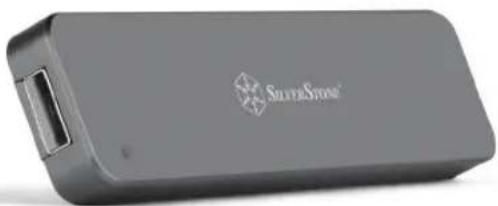
M.2 SATA external SSD enclosure with USB 3.1 Gen 2
MS09
natural_image
Exterior view of a silver stone storage device (no visible text or symbols on body)■ Support 2260 or 2280 form factors of B key M.2 SATA SSD
■ Premium all aluminum exterior with small, pocketable design
■ Latest USB 3.1 Gen 2 interface up to 10Gb/s super speed transfer rate
■ Robust USB Type-A interface and no driver installation required
■ Retractable USB connector design
www.silverstonetek.com
Specifications
| Model No. | SST-MS09C |
| Color | Charcoal |
| Material | Aluminum unibody shell and plate |
| Data transfer rate | USB 3.1 Gen 2 up to 10Gbps(Compatible with USB 3.1 Gen 1 / 3.0 / 2.0 / 1.1) |
| Connector | USB Type-A |
| Controller | VIA VL715 |
| LED indicator | Solid Blue: PoweredBlinking Blue: Reading / writing |
| Support type of M.2 SSD | B Key SATA Type M.2 SSD x 1Support 22mm x 60mm or 22mm x 80mm size |
| Operating system support | Microsoft Windows 10/8.1/8/7 (32bit/64bit)or future release versionMac 10.8.6 or future release versions |
| Net weight | 33g ± 5g |
| Dimension | 110mm (W) x 9mm (H) x 26mm (D)4.33" (W) x 0.35" (H) x 1.02" (D) |
Package Content
MS09 x 1
Screwdriver x 1
Spare outer shell screws x 2

natural_image
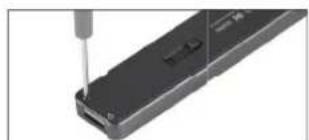
Close-up of a mechanical component with a screwdriver inserted, showing internal structure (no text or symbols visible)Remove 4 screws from the MS09
natural_image
Close-up of a black electronic component with a metallic screwdriver inserted, showing a circular hole and mounting holes (no text or symbols visible)Remove screws on the MS09 PCB and install M.2 SATA SSD
natural_image
Close-up of a hand holding a small metallic object, possibly a tool or component (no visible text or symbols)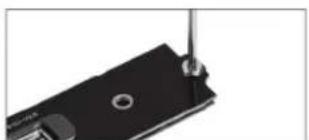
natural_image
Close-up of a black mechanical component with a metallic screw and circular holes (no visible text or symbols)Secure screws to suitable mounting hole depending on the length of M.2 SATA SSD used
natural_image
Close-up of a black electronic device with visible circuit board and ports (no text or symbols)Place the assembled MS09 PCB back into the enclosure with M.2 SATA SSD facing down as shown in the photo
natural_image
Close-up of a black electronic device with internal circuit board and ports (no visible text or symbols)Place the push button on the corresponding position as shown in the photo
natural_image
Close-up of a black electronic device with a screwdriver inserted, showing internal components (no text or symbols visible)Secure bottom cover to the enclosure with screws to finish installation