
MOON - Loudspeaker MAJESTIC - Free user manual and instructions
Find the device manual for free MOON MAJESTIC in PDF.


| Product Type | Wireless Speaker |
| Model | MOON |
| Brand | Majestic |
| Dimensions (W x H x D) | Approx. 200 x 150 x 120 mm |
| Weight | Approx. 1.2 kg |
| Power Source | Built-in rechargeable Li-ion battery, USB-C charging |
| Battery Life | Up to 12 hours at moderate volume |
| Connectivity | Bluetooth 5.0, range up to 10 m |
| Audio Input | 3.5 mm AUX, USB-C (audio) |
| Speaker Configuration | 2-way stereo: 1 tweeter, 1 woofer |
| Frequency Response | 50 Hz – 20 kHz |
| Output Power | 20 W RMS |
| Water Resistance | IPX5 (splash-proof) |
| Controls | Power, volume +/-, play/pause, Bluetooth pairing, hands-free |
| Microphone | Built-in for hands-free calls |
| Accessories Included | USB-C cable, 3.5 mm audio cable, user manual |
| Cleaning Instructions | Wipe with soft dry cloth; do not use solvents |
| Storage Conditions | Cool, dry place away from direct sunlight |
| Safety Warnings | Do not disassemble; avoid extreme temperatures; use only supplied charger |
| Spare Parts Availability | Battery and charging port available from Majestic service centers |
| Repair Service | Contact Majestic customer support or authorized service partners |
| Certifications | CE, FCC, RoHS |
Frequently Asked Questions - MOON MAJESTIC
User questions about MOON MAJESTIC
0 question about this device. Answer the ones you know or ask your own.
Ask a new question about this device
Download the instructions for your Loudspeaker in PDF format for free! Find your manual MOON - MAJESTIC and take your electronic device back in hand. On this page are published all the documents necessary for the use of your device. MOON by MAJESTIC.
USER MANUAL MOON MAJESTIC
CE

New MAJESTIC S.p.A.
Via Rossi Martini, 41
26013 Crema (CR) – Italia
www.newmajestic.com
MADE IN CHINA
Indice

USER MANUAL

CE

New MAJESTIC S.p.A.
Via Rossi Martini, 41
26013 Crema (CR) – Italia
www.newmajestic.com
MADE IN CHINA
Safety instructions
Read this booklet thoroughly before using and save it for future reference
CAUTION:

The lightning flash with arrowhead symbol, within an equilateral triangle is intended to alert the user to the presence of insulated ‘dangerous voltage’ within the product’s enclosure that may be of sufficient magnitude to constitute a risk of electric shock to persons.
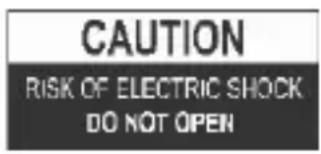
WARNING: TO REDUCE THE RISK OF ELECTRIC SHOCK DO NOT REMOVE COVER (OR BACK), NO USER SERVICEABLE PARTS INSIDE REFER SERVICING TO
QUALIFIED SERVICE PERSONNEL

The exclamation point within an equilateral triangle is intended to alert the user to the presence of important operating and maintenance (servicing) instructions in the literature
accompanying the appliance.
READ ALL INSTRUCTIONS BEFORE USE

Always follow basic safety precautions when using this Bluetooth speaker system.
PACKING CONTENTS
- MOON-1pc
- User's Manual -1pc
- USB power cable -1pc
- AUX cable -1pc
● Warranty card -1pc - Carrying cord-1pc
Guide to the Appliance
| LED indicator | Purpose |
| Red | Charging |
| Off | Charging is completed |
| Pairing LED | Purpose |
| Blue (Blinking) | Power on/Searching |
| Blue (Stop Blinking) | Pairing successfully |
| Blue (Blinking) | Paired/ Music Playback |
SPEAKER SYSTEM DESCRIPTION

- LED indicator
- POWER on/off: long press for power on /power off, and short press shift for Bluetooth/TF/Aux, double press to enter TWS function.
- Volume down/forward button: short press for forward to last song; long press for volume down.
- Microphone/play/pause: short press for play /pause/pick up /hang up
- Volume increase/ backward button: short press for backward to next song;
long press for volume increase
- Microphone
- USB charging socket
- Aux:3.5mm mini-jack for audio signal connecting
- Micro SD card slot
Getting started
Charge
The speaker has a built-in rechargeable battery that can be recharged via the supplied USB cable. Before use, it is recommended to fully charge the battery. During the charging phase the red LED will be on (the speaker will charge in about 3.5 hours).
The indicator will switch off when the appliance is fully charged.
Note:
- Low battery warning: when the speaker is unloaded it will start to emit a warning sound periodically, recharge the unit to resume playback.
- The battery life (lasting about 10 hours with listening to an average volume) may vary depending on the listening volume, the associated external device and the use or otherwise of the TWS function.
- Charging times may vary depending on the state of charge of the product and the characteristics of the charger used.
Operating instructions
Power On/Off
- Long press the Power ON/OFF button to turn it ON, then you can hear the short prompt voice and Pairing LED is blinking in Blue color.
- The speaker is available for pairing your Bluetooth device now.
Note: The unit will automatically connect to your paired device previously.
- When you long press the Power ON/OFF button again, the unit will be power off and hear short prompt voice
Note: Automatically power off 5 minutes after disconnected your Bluetooth device.
Play / Pause
During music playback, you can press the Play/Pause button to pause playback. Pressing the Play/Pause button again resumes playback.
Bluetooth Function
The Speaker supports playing music through Bluetooth connection with applications in your smartphone or other Bluetooth device.
Note: compatibility with all Bluetooth devices on the market can not be guaranteed.
Bluetooth connection:
- Power on the speaker, and switch on the Bluetooth function from your device, the Pairing LED will be blinking in blue as ready for pairing.
- Then search the named "MOON" and click to connect from your Bluetooth device (digit "0000" if requested only).
- Pairing LED will stop blinking and prompt beep sound if pairing successfully.
Remark: Once the device paired with speaker successfully, it will be connected your device automatically, Bluetooth pairing is not required again.
Answer Incoming Call
- When your smartphone is paired with speaker, the speaker rings with Ding-dong sound when an incoming received. Press Play/Pause button to answer the call. Press and hold the Play/Pause button to reject incoming call. Press the Play/Pause button twice to call-back the phone.
- When under TWS mode, press Play/Pause button at master speaker to answer the call.
TWS (True Wireless Stereo) function
If you have two pieces of Micro Bluetooth Speakers MOON, then you can activate TWS (True Wireless Stereo) function.
*the connection between two speakers are approx. 3 meters in open air.*
Activating TWS function (how to pair two MOON speakers together):
- Turn on the two MOON Bluetooth Micro Speakers.
- The LED indicator will flash on both speakers.
- Press the Power ON / OFF button twice on the loudspeaker you want to set as main (a confirmation tone will sound) and wait.
- When the secondary speaker emits a sound and its pairing LED will stop flashing it means that pairing is successful and the TWS function is active.
- When the TWS function is active the main speaker has the blue LED flashing while the secondary speaker has the solid blue LED.
- Activate Bluetooth on the external device, look for the name "MOON" and choose it to perform Bluetooth pairing.
Note:
- The TWS function, the controls and the microphone (used during calls) are managed exclusively by the main speaker.
- When both speakers are turned on if they are in the same radius they will automatically attempt to connect to each other to activate the TWS function.
Deactivation of TWS function:
To deactivate the TWS function and remove the association between the two speakers, press the Power/Function button on the loudspeaker set as main (ie the loudspeaker that has the pairing LED blinking). A sound on both loudspeakers confirms the deactivation of TWS function.
MicroSD playback
Insert a microSD card (containing MP3 tracks) into the appropriate input and turn on the speaker. Playback will start automatically.
Press the "Previous song/Volume-" or "Next song/Volume+" button to skip to the previous / next song.
Long press the "Volume -" or "Volume +" button to adjust the volume. In order to change the source (between Bluetooth/microSD/AUX) short press "Power/function" button.
AUX playback
To play some audio via the AUX input, connect one end of the appropriate cable to the AUX input on the speaker and the other to the external device. Start playback directly from the external device.
Note: in the AUX mode it is not possible to go to the previous / next track with the "Previous/Volume-" and "Next/Volume+" keys, but it is necessary to execute the operation directly from the connected external device. In order to change the source (between Bluetooth/microSD/AUX) short press "Power/function" button.
Trouble Shooting
| Problem | Remedy |
| Power light is not lit | Long Press the Power ON/ OFF button to switch On. Too low battery, charge the unit again. |
| Cannot pair | Check whether the speaker is powered on and in searching mode.Check whether there are too many Bluetooth receives around your Bluetooth device. Turn them off to avoid any disturbance and pair again. |
| Sound is weak or distorted | Check your device and adjust to a suitable. Ensure the speaker is charged. |
| Cannot play properly.The music is intermittent | Check whether the distance between the speaker and your Bluetooth device is out of its working distance of 10m.Remove the obstacles and the Bluetooth device.Move to get the speaker or the Bluetooth device again to get the best position. |
Care Instructions
- Keep the unit away from magnetic objects, water, and heat sources.
- Use a clean soft damp cloth to clean the cabinet. Never use chemical cleaners that could damage the finish of the unit.
CAUTION: Never allow any water or other liquids to get inside the unit while cleaning.
TECHNICAL SPECIFICATIONS:
| Bluetooth version | v5.0 |
| Effective reception distance | 10m |
| Battery capacity | 1200 mAh |
| Power source | DC 5V – 1000mA (micro-USB input) |
| Max output power (RMS) | 1x3W |
| Playback time | About 10hours at medium volume |
| MicroSD | Supported file system: FAT32Max storage: 32GB |
| MicroSD supported format | MP3 |
| Dimensions | 14,5 (L) x 6 (H) x 6,5 (P) cm |
| Product weight | 293g |


WEEE Logo (Waste electrical and electronic equipment)

Battery disposal
NOTE: As a result of continual improvements, the design and specifications of the product within may differ slightly to the unit illustrated on the packaging.
INFORMATION TO USERS OF DOMESTIC EQUIPMENTS

Pursuant to Art. 25, Paragraph 1 of the Legislative Act N. 49 14th March 2014, "Implement of the Directives 2011/65 / EU and 2012/19 / EU concerning the reduction of the use of hazardous substances in electrical and electronic equipment, as well as waste disposal".
The crossed bin symbol on the appliance or on its packaging indicates that the product at the end of its useful life must be collected separately from other waste. The user must, therefore, dispose the equipment at the end of its life to the appropriate electronic and electro technical waste centers, or return it to the retailer at the time of purchase of a new type of equivalent equipment, one by one.
Appropriate separate disposal for the subsequent start-up of the disused equipment for recycling, treatment and compatible environmental disposal helps to avoid possible negative effects on the environment and health and favors the re-use and / or recycling of the materials it is composed the equipment.
The illegal disposal of the product by the user involves the application of the penalties referred to in current laws.
Any rechargeable batteries or rechargeable batteries contained in the device must be disposed separately in the appropriate expired batteries bins.
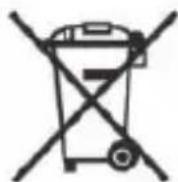
Battery disposal
Disposal of expired batteries must take place at the appropriate recycling centers or according to local authority. Batteries in compliance with the 2013/56 / EC directive.

- Indice
- Safety instructions
- Caution
- Read all instructions before use
- Packing contents
- Guide to the appliance
- Speaker system description
- Getting started
- Charge
- Note
- Operating instructions
- Power on/off
- Play / pause
- Bluetooth function
- Bluetooth connection
- Answer incoming call
- Tws (true wireless stereo) function
- Activating tws function (how to pair two moon speakers together)
- Deactivation of tws function
- Microsd playback
- Aux playback
- Care instructions
- Information to users of domestic equipments
- Battery disposal
Brand : MAJESTIC
Model : MOON
Category : Loudspeaker