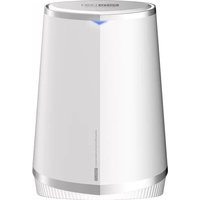
A7100RU - Router Totolink - Free user manual and instructions
Find the device manual for free A7100RU Totolink in PDF.


| Product Type | Wireless Router |
| Brand | Totolink |
| Model | A7100RU |
| Dimensions (W x D x H) | 160 x 100 x 30 mm |
| Weight | 150 g |
| Power Supply | DC 12V, 1A |
| Wi-Fi Standard | IEEE 802.11 a/b/g/n/ac |
| Frequency Bands | 2.4 GHz, 5 GHz |
| Maximum Wireless Speed | Up to 1200 Mbps (300 Mbps on 2.4 GHz + 867 Mbps on 5 GHz) |
| Ethernet Ports | 4 x LAN (10/100/1000 Mbps), 1 x WAN (10/100/1000 Mbps) |
| Antennas | 4 external antennas |
| Wireless Security | WPA2-PSK, WPA3 |
| Firewall | SPI, NAT, DoS protection |
| VPN Support | PPTP, L2TP, OpenVPN |
| Setup & Management | Web interface, Quick Setup Wizard |
| Default IP Address | 192.168.1.1 |
| Default Username/Password | admin / admin |
| LED Indicators | Power, Internet, Wi-Fi, LAN ports |
| Operating Temperature | 0°C to 40°C |
| Storage Temperature | -20°C to 60°C |
| Humidity | 10% to 90% non-condensing |
| Cleaning | Use a dry, soft cloth; do not use liquid cleaners |
| Repairability | Not user-serviceable; contact support for repairs |
Frequently Asked Questions - A7100RU Totolink
User questions about A7100RU Totolink
0 question about this device. Answer the ones you know or ask your own.
Ask a new question about this device
Download the instructions for your Router in PDF format for free! Find your manual A7100RU - Totolink and take your electronic device back in hand. On this page are published all the documents necessary for the use of your device. A7100RU by Totolink.
USER MANUAL A7100RU Totolink
natural_image
White cylindrical electronic device with metallic rim and label 'TOSO LINK' (no additional text or symbols visible)AC2600
Wireless Dual Band Gigabit Router
Model No. A7100RU

800Mbps+1733Mbps
11ac 2533Mbps


Dual-Core MIPS Processor

Full Gigabit WAN

MU-MIMO Technology

Overview
AC2600
Wireless Dual Band Gigabit Router
Model No. A7100RU
A7100RU applies dual-band technology to create two independent Wi-Fi bands and deliver the wireless speed up to 2533Mbps, which satisfies the different Internet demands from multiple users at the same time, such as website reading, mailing, streaming media and gaming. Six internal high-performance antennas and the beamforming technology helps to position the wireless devices to make a more powerful, reliable and stable wireless connection. Meanwhile, the gigabit WAN port enables a super-high speed connection to the Internet, which would help to show the best performance of the PC and Smart TV via cable connection with A7100RU.

Features
- Complies with the IEEE 802.11ac Wave2 Wi-Fi standard.
- Simultaneous 1733Mbps on 5GHz and 800Mbps on 2.4GHz for a total of 2533Mbps.
- MU-MIMO technology allows to transfer data to multiple devices at the same time.
- Beamforming technology improves directional signal transmission or reception, and reduces interferences.
- Full Gigabit ports ensure high-speed Internet access and wired speed.
- USB3.0 supports to share files based on the functions of FTP, Samba.
- Supports DHCP, Static IP, PPPoE, PPTP and L2TP broadband functions.
- Provides WPA/WPA2 mixed security.
- Connects to a secure network easily and fast using WPS.
- QoS: Bandwidth Control based on IP address.
- Supports IP/Port filtering, MAC filtering, URL filtering and Port Forwarding.
- Multi-SSID function enables users to create multiple Wi-Fi networks.
- Easy setup with smartphone UI simplifies the basic settings.
- APP Management
natural_image
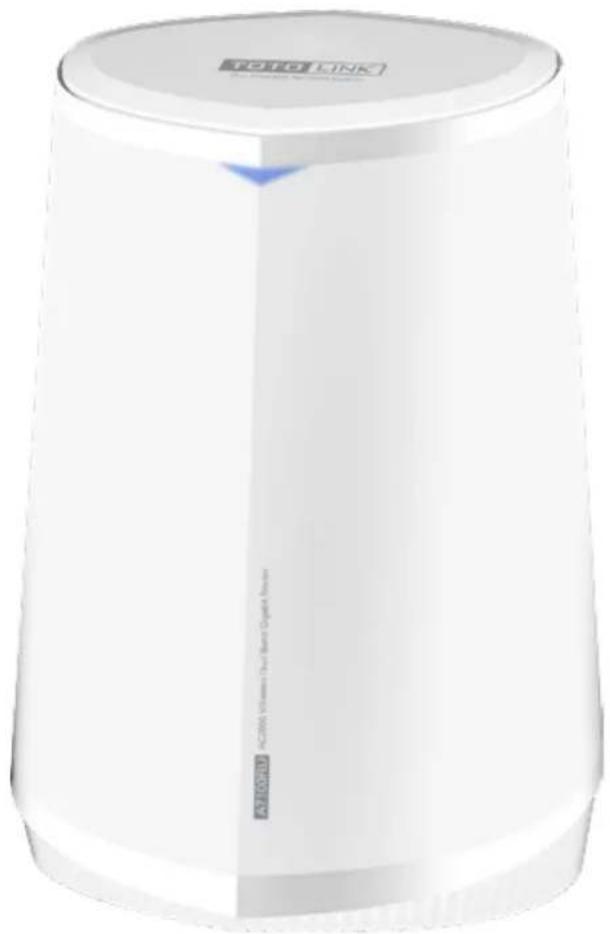
White cylindrical electronic device labeled 'TOTO LINK' with visible branding and logo (no additional text or symbols)

2533Mbps Super Speed Wi-Fi
A7100RU complies with the IEEE802.11ac Wave2 Wi-Fi standard. It works on 2.4G and 5G simultaneously and delivers speeds up to 2533Mbps.

bar
| Category | Value (Mbps) | |---|---| | 802.11ac | 1733 | | 802.11n | 800 |5GHz
Less Interference
1733Mbps
2.4GHz
High Compatibility
800Mbps


MU-MIMO Technology
MU-MIMO capable——Go faster by streaming simultaneously to multiple devices, ensuring a stable Wi-Fi connection to the Internet and keeping it consistently connected.

natural_image
Icon depicting a router with three leads, surrounded by four circular icons representing devices (no text or symbols)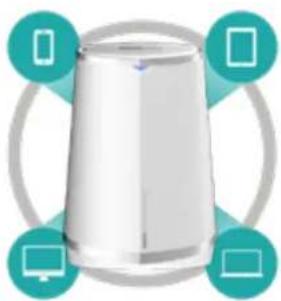
natural_image
Illustration of a white cylindrical device with four teal circular icons surrounding it (no text or symbols)Multi-User MIMOSingle-User MIMO

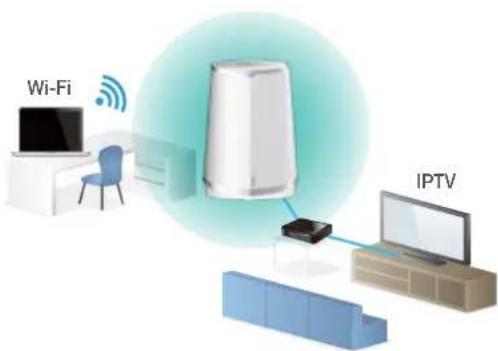
Support IPTV
With top-level configurations on hardware,
A7100RU supports much powerful applications on firmware.
IPTV is one of the most useful features for the users,
which brings very good experience on Wi-Fi and Multi-media.
Specification
Hardware
| Interface | -2*1000Mbps LAN Ports-1*1000Mbps WAN Port-1*USB3.0 Port |
| Power Supply | -12VDC/2A |
| Button | -1*RST Button-1*WPS Button-1*Power On/Off Button |
| LED Indicator | -1*SYSTEM LED |
| Antenna | -6*internal antennas (2.4G/5G) |
| Dimensions (L x W x H) | -180 x 120 x 256mm |
 | |
| 1*1000Mbps WAN Port |
Wireless
| Standards | - IEEE 802.11ac, IEEE 802.11a, IEEE 802.11b, IEEE 802.11g, IEEE 802.11n |
| RF Frequency | - 2.4GHz/5GHz |
| Data Rate | - 2.4GHz: Up to 800Mbps |
| - 5GHz: Up to 1733Mbps | |
| EIRP | - 2.4GHz < 20dBm |
| - 5GHz < 20dBm | |
| Wireless Security | - WPA/WPA2 Mixed |
| Reception Sensitivity | - 2.4G: 11b 11M: - 81dBm@8% PER |
| 11g 54M: - 68dBm@10% PER | |
| 11n HT20 MCS7: - 65dBm@10% PER HT40 MCS7: - 62dBm@10% PER | |
| - 5G: 11a 54M: - 68dBm@10% PER | |
| 11n HT20 MCS7: - 65dBm@10% PER HT40 MCS7: - 62dBm@10% PER | |
| 11ac VHT80 MCS9: - 51dBm@10% PER |
Specification
Software
| Home | - Quick Setup - Basic setup - Advanced setup- QR Code - LED - Logout - Reboot |
| Network | - WAN Setting - LAN Setting - DDNS Setting- IPTV Setting - IPv6 Setting |
| WAN Type | - Static IP, DHCP, PPPoE/Russia PPPoE, PPTP/Russia PPTP, L2TP/Russia L2TP |
| Wireless | - Basic setup - Guest Network(Multiple SSID)- Wireless Schedule - Access Control - Advanced setup |
| Parental Control | - Internet time control based on MAC |
| QoS | - Up/Down speed control on WAN, Bandwidth control based on IP address |
| Device management | - Static Router - Routing Table - IP/MAC Binding |
| Security | - MAC Filtering - IP/Port Filtering - URL Filtering |
| NAT | - Virtual Server(Port Forwarding) - DMZ- VPN passthrough |
| VPN Sever | - PPTP VPN - L2TP VPN - Open VPN |
| Storage | - DLNA - Samba - FTP |
| Tools | - Upgrade Firmware - Time Setup - Remote management- Password Settings - Reboot Schedule - System Log and so on |
Others
| Package Contents | - A7100RU Wireless Router *1- Power Adapter *1- Ethernet Cable *1- Quick Installation Guide *1 |
| Environment | - Operating Temperature: 0°C~50°C (32°F~122°F)- Storage Temperature: -40°C~70°C (-40°F~158°F)- Operating Humidity: 10%~90% non-condensing- Storage Humidity: 5%~90% non-condensing |
ZIONCOM ( HK ) TECHNOLOGY LIMITED
Copyright©ZIONCOM (HK) TECHNOLOGY CO., LTD. All Rights Reserved.
Headquarter & R&D Center
7/F, Unit D, 4 Building Shenzhen Software Industry Base, Xuefu Road, Nanshan District, Shenzhen, Guangdong, China
Tel : +86-755-6136-3288 (Ext.867) | FAX : +86-755-6136-3344
Factory
Building A1 & A2 Lantian Technology Park, Xinyu Road, Xinqiao Henggang Block, Shajing Street, Baoan District, Shenzhen, Guangdong, China
Direct Line : +86-755-3686-1188(Ext. 5810) | FAX : +86-755-3686-1133
Brand : Totolink
Model : A7100RU
Category : Router