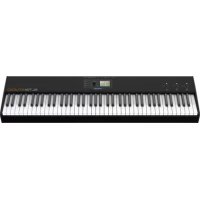
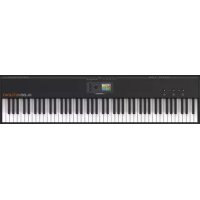
NUMA Organ - MIDI Keyboard Studiologic - Free user manual and instructions
Find the device manual for free NUMA Organ Studiologic in PDF.


Pick your language and provide your email: we'll send you a specifically translated version.
| Product Type | MIDI Keyboard / Organ Controller |
| Model | NUMA Organ by Studiologic |
| Number of Keys | 61 waterfall keys (velocity and aftertouch sensitive) |
| Drawbars | 9 physical drawbars for organ sound control |
| Sound Engine | Built-in digital organ sound engine |
| MIDI Connectivity | USB MIDI, 5-pin MIDI In/Out |
| Audio Outputs | 2 x 1/4" TS jack (L/Mono, R) |
| Headphone Output | 1 x 1/4" TRS jack |
| Pedal Input | 1 x 1/4" TRS (expression pedal) |
| Power Supply | 9V DC (center positive) or USB bus power (5V) |
| Dimensions (W x D x H) | 940 x 310 x 90 mm |
| Weight | 7.5 kg |
| Included Accessories | Power adapter, USB cable, user manual |
| Compatibility | Windows, macOS, iOS (with camera connection kit) |
| Maintenance | Clean with a soft dry cloth; avoid liquids and solvents |
| Safety | Use only specified power adapter; keep away from moisture |
| Spare Parts & Repairability | Contact Studiologic support or authorized service centers |
| General Information | Designed for organists and keyboardists; lightweight and portable |
Frequently Asked Questions - NUMA Organ Studiologic
How do I connect the NUMA Organ to my computer?
Use the included USB cable to connect the USB port on the back of the organ to a USB port on your computer. The organ should be recognized as a MIDI device. You may need to install drivers from the Studiologic website if necessary.
Can I use the NUMA Organ without a computer?
Yes, the NUMA Organ has built-in organ sounds and can be used with headphones or amplified speakers via the audio outputs. It also works as a standalone instrument.
How do I assign the drawbars to MIDI controllers?
The drawbars are pre-mapped to MIDI Control Change (CC) messages. You can reassign them using the onboard menu or the free Mackie Control software. Refer to the manual for specific CC numbers.
What is the power requirement?
The NUMA Organ can be powered via the included 9V DC adapter (center positive) or via USB bus power from a computer. USB power is sufficient for MIDI use but may require the adapter for full audio output.
How do I connect an expression pedal?
Connect a standard expression pedal (e.g., Roland EV-5) to the 'Pedal' jack on the rear panel. It will automatically control volume or can be assigned to other parameters.
Can I layer or split sounds?
Yes, the organ supports layering and splitting of internal sounds as well as external MIDI zones. Use the 'Edit' button and the LCD display to configure splits and layers.
How do I update the firmware?
Download the latest firmware from the Studiologic support page. Transfer it to a blank USB drive (FAT32) and insert it into the USB port on the organ. Power on while holding the 'Enter' button to start the update.
What should I do if the keys feel sticky?
Sticky keys may be due to debris or humidity. Gently clean around the keys with a soft, dry cloth. If the problem persists, consult an authorized service center. Do not apply lubricants.
Is the NUMA Organ compatible with iOS?
Yes, it is compatible with iOS devices using the Apple Lightning to USB Camera Adapter or USB-C adapter for newer iPads. Use apps like GarageBand or Korg iPolysix.
How do I reset the organ to factory settings?
Press and hold the 'Edit' and 'Store' buttons while powering on the device. The display will show 'Factory Reset'. Confirm with 'Enter'. All user settings will be erased.
User questions about NUMA Organ Studiologic
0 question about this device. Answer the ones you know or ask your own.
Ask a new question about this device
No questions yet. Be the first to ask one.
Download the instructions for your MIDI Keyboard in PDF format for free! Find your manual NUMA Organ - Studiologic and take your electronic device back in hand. On this page are published all the documents necessary for the use of your device. NUMA Organ by Studiologic.