
XP3.2 Quest PRO - Smartphone SONIM - Free user manual and instructions
Find the device manual for free XP3.2 Quest PRO SONIM in PDF.
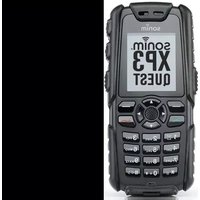


| Product Type | Rugged Smartphone |
| Brand | Sonim |
| Model | XP3.2 Quest PRO |
| Dimensions | 134 x 64 x 20 mm |
| Weight | 200 g |
| Battery Type | Li-Ion 3.7V, 2000 mAh (removable) |
| Charging | Micro USB, 5V/1A |
| Main Functions | Voice calling, text messaging, GPS navigation, camera (5 MP rear, 2 MP front), FM radio, speakerphone |
| Operating System | KaiOS or custom RTOS (depending on version) |
| Durability | IP68 dust/water resistant, MIL-STD-810G shockproof |
| Display | 2.0-inch QVGA (320x240) color TFT, scratch-resistant |
| Connectivity | GSM/WCDMA/LTE, Bluetooth 4.0, Wi-Fi 802.11 b/g/n, GPS |
| Memory | 512 MB RAM, 4 GB internal storage, microSD up to 32 GB |
| Audio | 3.5 mm headphone jack, loudspeaker, microphone |
| Care & Cleaning | Wipe with soft damp cloth; avoid solvents or abrasive cleaners. Do not immerse in water beyond IP68 rating. |
| Safety | Do not expose to extreme heat or fire. Use only approved chargers. Remove battery before cleaning. |
| Spare Parts & Repairability | Key spare parts: battery, charging port, speaker, display assembly. Repairability index: 7/10 (battery easily replaceable, screen requires disassembly). |
| General Info | Manufactured by Sonim Technologies. Supports nano SIM. Designed for use in harsh environments. |
Frequently Asked Questions - XP3.2 Quest PRO SONIM
User questions about XP3.2 Quest PRO SONIM
0 question about this device. Answer the ones you know or ask your own.
Ask a new question about this device
Download the instructions for your Smartphone in PDF format for free! Find your manual XP3.2 Quest PRO - SONIM and take your electronic device back in hand. On this page are published all the documents necessary for the use of your device. XP3.2 Quest PRO by SONIM.
USER MANUAL XP3.2 Quest PRO SONIM
Copyright © 2009 Sonim Technologies, Inc.
SONIM, Sonim Xperience, Sonim Xtend and the Sonim logo are trademarks of Sonim Technologies, Inc. Other company and product names may be trademarks or registered trademarks of the respective owners with whom they are associated.
Disposal of old electrical & electronic equipment

The symbol of the crossed-out wheeled bin indicates that within the countries in the European Union, this product, and any enhancements marked with this symbol, cannot be disposed as unsorted waste but must be taken to separate collection at their end-of-life.
Disposal of battery

Please check local regulations for disposal of batteries. The battery should never be placed in municipal waste. Use a battery disposal facility if available.
General Information----6
Phone Models Covered
Network Services
Sonim Support Information
Use the Guide Effectively
Options Commonly Used Across Menu Items
Your Safety Guidelines----8
Battery Performance
Battery Replacement
Avoid Short Circuit
Avoid High Temperatures
Battery Disposal
Personal Medical Devices
Child Safety
Emergency Calls
SAR Information
Getting Started
Battery Usage
Inserting the Battery
Removing the Battery
Charging the Battery
Set Battery Alert
Your SIM Card
Inserting the SIM card
Removing the SIM card
Home screen
Operations in Home Screen
Basic Settings
Keypad Functions
Your XP3.20 Phone----25
Your XP3.20 Phone
Main Menu
Main Menu icons
Home Screen Indicators
Key Operations Without Your SIM Card
Phone Settings----29
Phone Settings
General Settings
Display Settings
Sound Settings
Connectivity Settings
Calls----34
Calls
Dial a Number
Dial an International Number
Dial a Number via Contacts
Dial a Number via the Calls List
Managing Call List
Fixed Number Dialing
Speed Dial
Receive a Call
Any Key Answer
Call Forwarding
Call Barring
Call Waiting
Auto Redial
Auto Answer
Filter Calls
Add to Black list
Other Call Settings
Review Call Cost Information
Recording a Call
Managing Contacts----39
Managing Contacts
Add a New Contact
Dialing a Number From Contacts
Sending a Message From Contacts
Add a New Contact in Group
Group Settings
Special Numbers
Default Contact List
Default Contact Location
Sending Contact
Delete Contacts
Copy or Move Numbers to Other Lists
Adding a Contact to Blacklist
Adding a Contact to Whitelist
Searching Contacts
Messages----42
Messages
Advanced Settings
Text Input Mode
Write Messages
Send a Message Via Contacts
Call or Save a Number Embedded in a Received
Message
Manage your Messages
Inbox
Outbox
Draft Messages
Sent Messages
Predefined Messages
View SMS Memory
Voice mail
SIM Card Menu
Hardcoded Shortcuts----46
Hardcoded shortcuts
WAP Browser----47
WAP Browser
Opera Mini
Configuration of APN (Access Point Name) for Opera
Mini
Configuration of Opera Mini as Key Shortcut
Java----49
Java
Installing Pre-bundled Java Applications
Java Help
Installing Java Application from SD Card
Installing Java Application from WAP
Tools----50
Tools
Alarm
Bluetooth
Calendar
Calculator
Voice recorder
Audio Playback
Stopwatch
Unit Converter
Countdown Timer
GPS
USB function
FM Radio----56
FM Radio
Camera----57
Camera
Camera Options
Flashlight----58
Flashlight
Micro SD Card----59
Micro SD (secure digital) Card
Inserting Micro SD Card Into the Phone
Managing Your Files----60
Managing Your Files
Wired Headset----61
Wired Headset
During Calls
End User License Agreement----62
Unconditional 3 year Guarantee
Our Guarantee
What We Will Do
Phone Care
Conditions
FCC Statement
Declaration of Conformity----66
Declaration of Conformity
Index----67
3 UNCONDITIONAL 3 YEAR GUARANTEE
Congratulations on the purchase of a Sonim XP3.20™ mobile phone. This phone is a GSM/GPRS/EDGE enabled handset with tri-band capabilities and has an intuitive, feature-rich user interface, which allows you to make the best use of the offered functions.
Phone Models Covered
This user guide covers two Sonim XP3.20™ phone models: XP3.20-E and XP3.20-A. These two models contain an identical scope of features and differ only in the supported set of radio frequencies:
- Sonim XP3.20-E Quest (GSM 900/1800/1900 MHz) • Sonim XP3.20-A Quest (GSM 850/1800/1900 MHz)
The model name can be read on the phone label under the battery. In this User Guide, both models are referred to as XP3.20, except for the few places where information corresponding to a specific model (that is, XP3.20-A or XP3.20-E) can be found.
Network Services
These are additional services that you can avail through your network service provider. To make the best of these services, you must subscribe to them through your service provider and obtain instructions for their use from your service provider.
Sonim Support Information
For additional product and support information, visit www.sonimtech.com.
Use the Guide Effectively
Acquaint yourself with the terminology and symbols used in the guide to help you use your phone effectively.
| PRESS Means to press and release a key immediately. For example, Press 2 means that you press the key on the keypad that is labelled with the numeral 2 and the alphabets “ABC”. |
SELECT means to either press the
| Left or Right Selection Key to apply the command indicated at the bottom of the screen. The Center navigation key can also be used to select options. For example, if this guide says Select Menu >Messages >Create message, you must press the Left Selection Key to select Menu, scroll to Messages and press the Left Selection Key, scroll to Create message and press the Left Selection Key. To return to the previous screen, press the Right Selection Key. |
| PRESS & HOLD Means to press and hold a key for 2 seconds before releasing the key. This action is typically used when trying to switch on/off the phone or when using shortkeys to access specific functions. For example: press and hold 1 to access voicemail. | |
| MENU OPTIONS These options are displayed at the bottom of the screen. The selection keys are used to accomplish the indicated option. | |
| SELECT MENU Means to press the Left Selection Key to select the Menu option or press the Menu key (centre) for the same result. | |
| A MENU ITEM SUFFIXED WITH THREE DOTS (...) | Means more options are available but only one has been mentioned in the guide. |
 | Signifies a Note. |
Options Commonly Used Across Menu Items
The following are common actions used across various menu items:
| EXIT Displays the previous screen. Use the Right Selection key to perform this function. | |
| CLEAR Deletes data character by character. Use the Right selection key to perform this function. | |
| OK Confirms an action. Use the Left Selection Key or the Menu key to perform this function. |
Please read and understand the following safety guidelines before you use the phone. These guidelines provide details to enable you to operate your phone safely and conform to any legal requirements regarding the use of cellular phones.
 | Do not to use the phone at a refuelling point. Observe restrictions when using radio equipment at fuel depots, chemical plants or where blasting operations are in progress. |
 | Electrical interference may obstruct the use of your phone. Observe restrictions in hospitals and near medical equipment. |
 | Switch off your cellular phone when in an aircraft. Wireless phones can cause interference or danger to an aircraft. In an aircraft, the phone can be used in flight mode. |
 | Do not expose the battery to high temperatures (in excess of 60°C). |
 | Adhere to road safety laws. Do not hold/use a phone while you are driving; find a safe place to stop first. Do not speak into a hands-free microphone while you are driving. |
 | Avoid using the phone in close proximity to personal medical devices, such as pacemakers and hearing aids. |
 | Use only Sonim XP3.20 approved charging equipment to charge your phone and avoid damage to your phone. |
 | The symbol of the crossed-out wheeled bin indicates that within the countries in the European Union, this product, and any enhancements marked with this symbol, can not be disposed as unsorted waste but must be taken to separate collection at their end-of-life. |


Ensure that only qualified personnel install or repair your phone.
The Sonim XP3.20 is water-proof and can be submerged to 1 metre for 30 minutes. It can work for 30 minutes if immersed. However, it is not waterproof in deeper water, during charging or when the system connector cover on bottom of the phone is open or compromised.
- To keep your phone waterproof, make sure that the connector cover located at the bottom is firmly plugged in every time it is open for charging or use of a wired headset.
- Water droplets may form on the connector cover when it is opened soon after immersion. This does not indicate water leakage. The connector cover is sealed and waterproof.
- Water droplets may condense under the display cover if the phone is immersed in water with significant drop in temperature. This does not indicate water leakage. The droplets will disappear at room temperature.
The Sonim XP3.20 is dust-resistant, rugged and shock-resistant. However, it is not dust-proof or un-breakable if subjected to overwhelming impact. For best results and long product life, one should protect the XP3.20 from salt water, dust and strong impacts.

Make back-up copies of important information stored in your phone or maintain a written record.
Battery Performance
A rechargeable battery powers your device. Use the battery only for its intended purpose. Never use any charger or battery that is damaged. If the battery is completely discharged, it may take a few minutes before the charging indicator appears on the display or before any calls can be made. The full performance of a new battery is achieved only after two or three complete charge and discharge cycles. The battery can be charged and discharged hundreds of times but it will eventually wear out. Unplug the charger from the electrical plug and the device when not in use. Do not leave the fully charged battery connected to a charger, since overcharging may shorten its lifetime. If left unused, a fully charged battery will lose its charge over time.
Battery Replacement
When the talk and standby times are noticeably shorter than normal, replace the battery with an original Sonim battery. If a replacement battery is being used for the first time or if the battery has not been used for a prolonged period, it may be necessary to connect the charger and then disconnect and reconnect it to begin charging the battery.
Avoid Short Circuit
Do not short-circuit the battery. An accidental short-circuit can occur when a metallic object such as a coin, clip, or pen causes direct connection of the positive (+) and negative (-) terminals of the battery. (These look like metal strips on the battery.) This might happen, for example, when you carry a spare battery in your pocket or purse. A short-circuit at the terminals may damage the battery or the connecting object.
Avoid High Temperatures
Leaving the battery in hot or cold places, such as in a closed car in summer or winter conditions, will reduce the capacity and lifetime of the battery. Always try to keep the battery between 15°C and 25°C (59°F and 77°F). A device with a hot or cold battery may not work temporarily, even when the battery is fully charged. Battery performance is particularly limited in temperatures well below freezing.
Battery Disposal
Do not dispose of batteries in a fire as they may explode. Batteries may also explode if damaged. Dispose of batteries according to local regulations and recycle when possible. Do not dispose as household waste. Do not dismantle, open or shred cells or batteries. In the event of a battery leak, do not allow the liquid to come in contact with the skin or eyes. In the event of leak or a hazard seek medical help immediately.
Personal Medical Devices
Mobile phones may affect the operation of cardiac pacemakers and other implanted equipment. Please avoid placing the mobile phone over the pacemaker, for example, in your breast pocket. When using the mobile phone, place it at the ear opposite the pacemaker. If a minimum distance of 15 cm (6 inches) is kept between the mobile phone and the pacemaker, the risk of interference is limited. If you suspect that interference is taking place, immediately turn off your mobile phone. Contact your cardiologist for more information. For other medical devices, consult your physician and the manufacturer of the device. Comply with instructions to switch off the device or deactivate the RF transmitter function when required, especially when posted in hospitals and aeroplanes. Equipment used in these places may be sensitive to radio waves emitted from the device and
adversely affect their operation. Also, observe restrictions at gas stations or other areas with flammable atmosphere or when close to electro-explosive devices.
Child Safety
Do not allow children to play with your mobile phone or its accessories. Keep it out of their reach. They could hurt themselves or others, or could accidentally damage the mobile phone or accessories. Your mobile phone and its accessories may contain small parts, which could be detached and create a choking hazard.
Emergency Calls
Mobile phones operate using radio signals, which cannot guarantee connection under all conditions. Therefore you should never rely solely upon any mobile phone for essential communications (e.g. medical emergencies). Emergency calls may not be possible in all areas, on all cellular networks, or when certain network services and/or mobile phone features are in use. Check with your local service provider.
SAR Information
XP3.20 has been certified in compliance with the Government's requirements for exposure to Radio Waves.
When communicating over the wireless network, the mobile phone emits low radio waves known as radio frequency energy or RF. The Specific Absorption Rate or SAR is the unit used to measure the amount of RF energy absorbed by the body while using the phone and is expressed in watts/kilogram (W/kg).
Governments around the world have adopted comprehensive international safety guidelines, developed by scientific organizations, for example, ICNIRP (International Commission on Non-Ionizing Radiation Protection) and IEEE (The Institute of Electrical and Electronics Engineers Inc.), through periodic and thorough evaluation of scientific studies. These guidelines establish permitted levels of radio wave exposure for the general population.
Tests for SAR are conducted using standardized methods with the phone transmitting at its highest certified power level in all used frequency bands.
SAR Data Information for residents in countries that have adopted the SAR limit recommended by the International Commission on Non-Ionizing Radiation Protection (ICNIRP). For example, European Union, Japan, Brazil and New Zealand.
The limit recommended by ICNIRP is 2 W/kg averaged over ten (10) gram of tissue.
11
The highest SAR value for the XP3.20-E phone when tested by Sonim for use at the ear is 0.582 W/kg (10g).
The highest SAR value for the XP3.20-A phone when tested by Sonim for use at the ear is 0.253 W/kg (10g).
SAR Data Information for residents in the United States and Canada.
In the United States and Canada, the SAR limit for mobile phones used by the public is 1.6 watts/kilogram averaged over one gram of tissue. The standard incorporates a margin of safety to give additional protection for the public and to account for any variations in measurements.
Before a phone model is available for sale to the public in the US, it must be tested and certified by the Federal Communications Commission (FCC) that it does not exceed the limit established by the government-adopted requirement for safe exposure. The tests are performed in positions and locations (that is, by the ear and worn on the body) as required by the FCC for each model. The FCC has granted an Equipment Authorization for XP3.20 with all reported SAR levels evaluated as in compliance with the FCC RF exposure guidelines. While there may be differences between the SAR levels of various phones, all mobile phones granted an FCC equipment authorization meet the government requirement for safe exposure.
The highest SAR value for the XP3.20-A phone when tested by Sonim for use:
• By the ear is 0.557 W/kg (1 g), - When worn on the body is 0.532 W/kg (1 g) for speech and 0.519 W/kg (1 g) for data calls.
The highest SAR value for the XP3.20-E phone when tested by Sonim for use:
• By the ear is 0.204 W/kg (1 g), - When worn on the body is 0.153 W/kg (1 g) for speech and 0.275 W/kg (1 g) for data calls.
For body-worn operation, this phone meets FCC RF exposure guidelines provided that it is used with a non-metallic accessory with the handset at least 1.5 cm from the body, or with the original Sonim accessory intended for this phone and worn on the body. Use of other accessories may not ensure compliance with FCC RF exposure guidelines.
Battery Usage
- Use only an XP3.20 certified battery that is designed for this phone model.
- The use of other batteries may void the warranty terms of your phone and cause damage.
- Do not subject the battery to extreme temperature environments and protect it from moisture.
- Please keep the battery out of the reach of children.
Inserting the Battery
1
Unscrew Cover
To open the battery cover, rotate both the battery cover screws in an anti-clockwise direction (as shown in the figure). Sometimes, the battery cover may be tight and some extra effort is required to open it.

2
Lift Cover
Lift the flap that covers the battery.

3
Insert Battery
Insert the battery flush into the battery slot such that the three metallic contacts at the top of the battery are aligned with the metallic contacts within the battery compartment.

4
Close Cover
Close the battery cover. Rotate the battery cover screws in clockwise direction.
Removing the Battery
Follow steps 1 and 2 of "Inserting the Battery" on page 13.
To remove the battery, lift the flap behind the phone and raise the upper end of the battery from the slot.
The battery can now be removed.
Follow step 4 of "Inserting the Battery" on page 13 to close the cover.
Charging the Battery
The battery delivered with your mobile phone is not fully charged. We recommend that you charge your mobile for three hours before you use your mobile phone for the first time.

If the battery is deeply discharged, it can take several minutes for the charging icon to appear when the charger is connected.
1 Insert Charger
Insert the charger plug into a power outlet.
2 Align
Align the charger connector with the USB socket at the bottom of the phone and insert it.

3 Charging
If the battery is being charged when the phone is switched off, only the battery icon is displayed (as shown in the adjacent figure).

4 Charging Icon
If the battery is being charged while the phone is switched on, you will notice that the bars in the battery charge icon (visible on the home screen) show movement indicating that the battery is being charged. After the phone is fully charged the battery bars on the display stop scrolling. You can disconnect the charger from the phone.

5 Charging Process
After the charging process has begun, the only way to stop charging is to disconnect the charger.
CAUTION: There is a risk of explosion while charging if the battery has been replaced by an incorrect type.
Set Battery Alert
When you set the battery alert, every time the battery charge is low you hear an alarm. To set the battery alert select Menu > Settings > Sounds tab > Battery alert. Select On to activate the alert.
Your SIM Card
Purchase a SIM card from your mobile operator. The SIM card can be used in any GSM phone. Your phone number and user registration information always remain the same.
Inserting the SIM card
1 Switch Off Phone
Ensure that the phone is switched off.
2
Lift Cover
Lift the battery cover and remove the battery. For instructions refer "Inserting the Battery" on page 13.
3
Place SIM Card
Place the SIM card by pushing it upward in the designated slot located under the battery.

4
Lock Cover
Replace the battery and the cover. Turn the battery cover screws clockwise to lock the battery cover.
Removing the SIM card
1
Close Phone
Ensure the phone is switched off.
2
Lift Cover
Lift the battery cover and remove the battery. For instructions refer to "Inserting the Battery" on page 13.
3
Remove SIM Card
Remove the SIM card by pushing it downward from the slot.
4
Lock Cover
Replace the battery and the cover.
Parts of the XP3.20 Phone
The XP3.20 keypad has 9 function keys and 12 alphanumeric keys. The left side of the phone has one key and the right side of the phone has three keys.

Parts of the XP3.20 Phone
Sonim XP3.20 Keypad
The various keypad keys and their corresponding functions are described in the following figure. Based on customization request, some of the keys may be mapped to other shortcuts than those represented above. You can also change many of the shortcuts via Menu > Settings > General tab > Shortcuts. Select the key and select Options > Activate.

The alpha-numeric keys comprise numbers from one to zero, alphabets from A-Z, plus [*] and [#] keys. By pressing the designated key you can input numbers or characters. Choose the appropriate text input option to enable you to use these keys efficiently.
Home screen
Certain information is displayed when the phone is in standby mode, for example, the name of the service provider, date and time, battery charge status, GPRS connectivity. Other indicators may be displayed (if the feature is activated), like the alarm, call forward etc. The device with a fully-charged battery can remain in the standby mode for a duration of 1000 hours.

Operations in Home Screen
The following can be accessed from the home screen.
| Press To Access | |
| Up Arrow Java Applications List | |
| Down Arrow Contacts | |
| Right Arrow SMS Inbox | |
| Left Arrow FM Radio | |
| Menu Key Main Menu | |
| Left Selection Key Main Menu | |
| Right Selection Key Contacts | |
| Pickup/Send Key All Calls List | |

The four functions that are performed using the arrow keys are set as factory defaults, however they can be changed. Select Menu > Settings > General tab > Shortcuts. Go to the second tab. Select the arrow key and select Options > Change. You can also change many of the shortcuts. Select Menu > Settings > General tab > Shortcuts. Select the key and select Options > Change.
Basic Settings
When you have switched on your phone the name of the service provider is displayed.
Security Settings
To prevent unauthorised use of your phone, you can set a PIN code. The PIN is operator dependent.
- Select Menu > Settings > General tab > Security settings > PIN code > On. Enter the PIN. Select OK. After this is set, every time you power on the phone, you will be requested to enter the PIN. If the PIN code is wrong you cannot access the phone.
- To change the PIN code select Menu > Settings > General tab > Security settings > Change password. You can change codes for PIN, PIN2, Call barring, Safeguard and Phonelock password.
Date and Time
To set the Date and Time, select Menu > Settings > General tab > Date & Time.
Auto Keypad Lock
To lock the keypad, select Menu > Settings > General tab > Auto keypad lock. You can choose to switch it off or enable the feature by setting time.
Alternatively press and hold the “*” key to lock and unlock the keypad.
Silent Mode
In the silent mode, the alerts for Calls, Organizer, SMS and battery status are disabled.
Select Menu > Settings > Sounds tab > Alert type >
Silent OR long press the # key.
Safeguard Mode
In the safeguard mode, the Call list, Contacts, Messages and Quick call can be accessed only by entering a password.
To enter the safeguard password, select Menu > Settings > General tab > Security settings > Safeguard. Enter the password. After entering the password, the private information screen is displayed. Press the menu key to select the required features to be safeguarded and select OK to enable.
Phonelock Mode
In the phonelock mode, the phone can be unlocked only by entering a password.
To enter the phonelock password, select Menu > Settings > General tab > Security settings > Phonelock > On. 20 Enter the password. Select OK.
The default password for phonelock is 1234.

To change the safeguard or phonelock password, select Menu > Settings > General tab > Security settings > Change password > Change phonelock pw / Change safeguard pw. Enter the password. Select OK.
Keypad Functions
The following table displays the various keys and the corresponding functions they perform:
| Keypad key Operations | |
 POWER ON/OFF/END CALL POWER ON/OFF/END CALL | Press to end a call (GSM).Press and hold for > 5secs to switch on or switch off the mobile phone.Press when in Menu or Edit modes to return to Standby mode.Press to reject an incoming call. |
 ACCEPT/SEND ACCEPT/SEND | Press to answer an incoming call.After entering a phone number, press to make a call.Press while in Standby mode to access All calls list. |
 LSK/RSK LSK/RSK | These keys are present immediately below the display screen.Press the Left Selection Key (LSK) or Right Selection Key (RSK) to select the function indicated at the bottom of the screen. The indicated functions can vary according to different program definitions.Press LSK to access the main menu in standby mode.Press RSK to access the Contacts in standby mode. |
 MENU KEY (CENTRE) MENU KEY (CENTRE) | Present at the centre of the navigation keys.Press while in standby mode to enter the main menu.Press when required to be used as a toggle key to select or clear a checkbox.Press to perform similar tasks as the Left Selection Key.Press to select the OK command. |
 NAVIGATION KEYS NAVIGATION KEYS | The Left and Right Selection keys and Power On/Off keys surround this key group. There are arrows on the key that denote the direction to scroll for information displayed on the screen.UP/DOWNPress to view the pages in the text editor.Press to browse menus/lists at the same level.Press to view the previous or next picture when previewing pictures.Press to browse the main menu.LEFT/RIGHTPress to move the cursor left or right in the text editor.Press to browse the main menu. |
| NUMERIC KEYS | Press the required keys to enter the desired phone number and press to make a call. Alternatively, enter the number and select Options to dial the number.Press and hold any numeric key to create shortcuts from the available options. |
 | Press and hold in standby mode to access your Voice mail.When entering text, press to enter space. |
 | Press and hold to display the Ringtones. |
| 3DEF | Press and hold to display Call alert type. |
| 4GHI | Press and hold to set the Alarm. |
| 5JKL | Press and hold to display the Calculator. |
| 6MNO | Press and hold to display Bluetooth. |
| 7PQRS | Press and hold to display WAP. |
| 8TUV | Press and hold to display Opera mini. |
| 9WXYZ | Press and hold to display the Languages. |
| 0+↑ | Press and hold to display ‘+’ used for dialing an international number.When entering text, press to enter a dot (.). |
 | Press and hold to lock the keypad. Use it as a toggle key to lock and unlock the keypad.When entering text, press to display special characters, for example, period, comma, and so on. Press and hold to display the text input languages. |
 | Press and hold in standby mode to switch between Silent on/off modes.When entering text, press to switch between lower case, upper case or numeric. Press and hold to enable T9 mode. |
Your XP3.20 Phone
This model is a bar type phone with a single LCD screen. The graphic field of the screen is 176 (w) and 220 (h) pixels. The CSTN technology used displays 64K colours.
Main Menu
To access the phone menu, press the menu key to display the main menu which comprises the following nine items:
Main Menu icons

- CALLS
- SETTINGS
- MY FILES
- CONTACTS
- CAMERA
- TOOLS
- MESSAGES
- APPLICATIONS
- BROWSER
Home Screen Indicators
The home screen indicators are visible when the phone is in standby mode. Some icons indicate the status of certain functionalities of the phone, for example, the battery charge indicator, the network status indicator, the date and time etc. Some icons are displayed only if the specific service is activated.

The following table describes the display indicators on the top bar of the home screen in the XP3.20 phone. These icons depend on the selected theme.
| Display Indicators | Name Description | |
 | Battery | Four clear bars indicate maximum battery charge. Opaque bars indicate decline in battery charge |
 | Roaming | This icon is only displayed when your phone is registered with a nonhome network. |
  | GPRS | G displayed in green indicates that GPRS is active.G displayed in red indicates that GPRS is inactive. |
 | Alarm Clock | Indicates that the alarm clock has been set. |
 | Meeting | Indicates that the phone is on meeting mode. |
| Display Indicators | Name Description | |
 | Call Forward | Indicates that the call forward function is enabled. |
 | Missed Appointment | Indicates a missed appointment. |
 | Unread Message | Indicates that there are unread messages in the inbox. |
 | SMS Memory Full | Indicates that the SMS memory is full. |
 | Voice Message | Indicates a new voice message. |
 | Auto Answer | Indicates that auto answer has been set. |
 | Keypad Lock | Indicates that the keypad is locked. |
 | Firewall | Indicates that the black list/white list has been enabled. |
 | Bluetooth Connectivity | Indicates that bluetooth is active. |
 | Bluetooth CarKit/Headset Connectivity | Indicates that your device is paired and connected to a carkit or headset with bluetooth connectivity. |
 | SD Card | Indicates that an SD card is inserted. |
 | WAP Push Message | Indicates a new WAP push message. |
 | Wired Headset | Indicates that a wired headset is connected. |
| Display Indicators | Name Description | |
 | Vibrate Then Ring | Indicates that the phone will first vibrate then ring. |
 | EDGE | Indicates that the EDGE network is active. |
 | GPRS | Indicates that the GPRS is attached and EDGE network is inactive. |
The following table describes the display indicators on the GSM call screen in the XP3.20 phone:
| Display indicators | Name Description |
 | Active Call Indicates an active call. |
 | Call on Hold Indicates a call on hold. |
 | Call on Mute Indicates a call on mute. |
 | Handsfree Call Indicates a handsfree call. |
 | Active Conference Call Indicates an active conference call. |
The following table describes the display indicators on the home screen in the XP3.20 phone:
| Display Indicators | Name Description | |
 | Incoming Call | Indicates an incoming call. |
 | Outgoing Call | Indicates an outgoing call. |
 | Missed Call | Indicates a missed call. |
Key Operations Without Your SIM Card
Making SOS Call
Select SOS. A message appears SOS Call? Select OK to make the emergency call.
Menus Accessible
The following menus can be accessed on the phone without the SIM card:
- Settings
- General settings
- Display settings
- Sound settings
- My files
- Camera
- Tools
- Applications
Phone Settings
You can create and modify various settings on your XP3.20 phone. On the Standby screen, select Menu > Settings to display the options.
General Settings
Select Menu > Settings > General tab. The following general settings are displayed.
Profiles
You can customize the profiles to use features such as ring volume, ringtones, alert type, key sound and backlight level. There are seven environment profiles present in this phone. Personal is the default profile, while the other profiles are Car, Flight, Home, Meetings, Outdoor and Silent.

You cannot change the parameters for the Flight and Silent modes.
- Personal: This is the default profile where all sounds are enabled. Parameters in this mode can be changed. Select Menu > Settings > General tab > Profiles > Personal > Options > Personalize to open the Personalize screen. You can use this screen to choose ring volume, ringtones, alert type, key sound or backlight level. Select Menu > Settings > General tab > Profiles > Personal > Options > Activate to activate this profile.
- Car: Parameters in this mode can be changed. Select Menu > Settings > General tab > Profiles > Car > Options > Personalize to open the Personalize screen. You can use this screen to choose ring volume, ringtones, alert type, key sound or backlight level. Select Menu > Settings > General tab >
Profiles > Car > Options > Activate to activate this profile.
- Flight: Here all sounds are kept in mute. Select Menu > Settings > General tab > Profiles > Flight > Options > View to open the View screen. Select Menu > Settings > General tab > Profiles > Flight > Options > Activate to activate this profile.
- Home: Parameters in this mode can be changed. Select Menu > Settings > General tab > Profiles > Home > Options > Personalize to open the Personalize screen. You can use this screen to choose ring volume, ringtones, alert type, key sound or backlight level. Select Menu > Settings > General tab > Profiles > Home > Options > Activate to activate this profile.
- Meetings: Here only the vibrate mode is enabled. Parameters in this mode can be changed. Select Menu > Settings > General tab > Profiles > Meetings > Options > Personalize to open the Personalize screen. You can use this screen to choose ring volume, ringtones, alert type, key sound or backlight level. Select Menu > Settings > General tab > Profiles > Meetings > Options > Activate to activate this profile.
- Outdoors: Here both the vibrate and ring modes are enabled. Parameters in this mode can be changed. Select Menu > Settings > General tab > Profiles > Outdoors > Options > Personalize to open the Personalize screen. You can use this screen to choose ring volume, ringtones, alert type, key sound or backlight level. Select Menu > Settings > General tab > Profiles > Outdoors > Options > Activate to activate this profile.
- Silent: Here all sounds are kept in mute. Select Menu > Settings > General tab > Profiles > Silent > Options > View to open the View screen. Select
Menu > Settings > General tab > Profiles > Silent > Options > Activate to activate this profile.
Languages
You can display all the phone menu options and text in the selected language. For example, choose English to display all menu items, text messages, and so on, in English. Select the language and select OK.
Time and Date
You can set and display the date and time on the phone. You can also select the display format. The time zone can also be set for local settings and foreign settings.
|  | The date formats supported are YYYY/MM/ DD, YYYY.MM.DD, DD.MM.YYYY, YYYYY- MM-DD, DD-MM-YYYY or MM-DD-YYYY. The time formats supported are 24 hr and 12 hr. |
You can view the time of major cities in different time zones using this function and set the time on your phone to a selected time zone. You also have the option to use Daylight Saving Time (DST).
The local time or the international time is displayed in the lower half of the screen. Use the navigation keys to view various time zones.
- To view the international clock, select Menu > Settings > General tab > Date and Time > International clock > Clock status > On. The international clock is displayed on the idle screen.
- To set your local time, select Menu > Settings > General tab > Date and Time > International clock > Local settings > Option > Set time > Change time. Enter the time and select OK. To set the local date, select Option > Set time > Change date. Enter
the date and select OK.
- To set Daylight Saving Time (DST), select Menu > Settings > General tab > Date and Time > International clock > Local settings OR Foreign settings > Option > Daylight saving > On. The symbol of the sun is displayed beside the name of the city signifying that the DST option is on.
- To switch between local and foreign settings, select Menu > Settings > General tab > Date and Time > International clock > Switch local/foreign > OK.
- To view the city list, select Menu > Settings > General tab > Date and Time > International clock > Local settings OR Foreign settings > Option > City list.
Security Settings
To prevent unauthorised use of your phone, you can set PIN protection, safeguard and phonelock. To enable PIN protection or phonelock, select On. To enable safeguard, enter the password. To change any security related password, select Change Password and change the particular password.
Shortcuts
Shortcut keys have been set for specific functions. To activate a shortcut, select the shortcut and select Options > Activate. To change any shortcut, select the shortcut and select Options > Change. Select the new function.
Default Storage
The individual default storage location for Camera, Voice recorder, WAP download or Bluetooth can be set as Phone memory or Memory card.
Memory Status
The memory status for Contacts, Messages and My files is displayed.
Auto Power On
To enable this feature, select On. Select the time after which the phone will be automatically switched on. Select OK. Select Off to disable this feature.
Auto Power Off
To enable this feature, select On. Select the time after which the phone will be automatically switched off. Select OK. Select Off to disable this feature.
Firewall
You can avoid unwanted calls or messages by entering such numbers in the Black list and enabling the Black list. You can make calls or send messages only to specific numbers by entering such numbers in the White list and enabling the White list. You can enable either the Black list or White list at a time.
- To enable the Black list or White list, select Menu > Settings > General tab > Firewall > Enable > Black list OR White list > SMS OR Incoming call OR SMS and Incoming call > OK.
- To disable the Black list or White list, select Menu > Settings > General tab > Firewall > Enable > Off.
- To enter a number in Black list or White list, select Menu > Settings > General tab > Firewall > Black list OR White list > Add new > New number (enter the number) OR Contacts (select the number from Contacts) > OK.
Auto Keypad Lock
Select the time after which the keypad will be automatically locked. Select Off to disable this feature. The keypad will be locked automatically when the phone is in idle state on home screen.
Default Settings
Select to reset the settings to the original factory settings.
Display Settings
Select Menu > Settings > Display tab . The following display settings are displayed:
- Wallpaper: Allows you to set the background screen display using the embedded pictures available in your phone or from your own pictures that you have downloaded on to your phone or SD card. The selected wallpaper is displayed on the standby screen only if you select On.
- Themes: Allows you to set the colour theme and icons for the main menu and other screens. There are two themes available. Select Menu > Settings > Display tab > Themes > Theme 1 OR Theme 2 > OK.
- Backlight Level: Select the backlight level of the screen display as maximum, high, medium or low.
- Backlight Duration: Keeps the screen display active for the period chosen by you. Select the screen display active time as 10 sec, 30 sec or 60 sec.
- Greeting: Select On. Enter the greeting and Save to make it appear on the screen while powering on the phone.
- Screensaver: Select On to make the screen saver appear on the idle screen.
Sounds Settings
Select Menu > Settings > Sounds tab. Changing it affects the current set profile. The following sound settings are displayed:
- Alert Type: You can set the alert type for incoming calls and SMS alerts. You can select from Ring only, Vibrate only, Vibrate then ring or Silent.
- Ringtone: You can set different ringtones for your incoming calls, SMS alerts and alarms. This helps you to identify callers of a specific group. You can select from Default sounds (pre-recorded factory tunes) OR Phone memory (downloaded via WAP, personal recordings or files transferred via Bluetooth) OR SD card.
| You can download and store ring tones over Bluetooth, WAP or PC software. The ringtone formats are MIDI, MP3, AAC and AMR. |
- Ring Volume: You can set the ringer volume for GSM calls, alarms and alerts.
- Key Tone: You can set the keypad sound as Off, Low, Medium or High.
- Shutter Sound: You can set the camera shutter
sound.
- Battery Alert: Select On to get any low battery alert.
Connectivity Settings
Select Menu > Settings > Connectivity tab. The following connectivity settings are displayed:
- Network Settings: This relates to various network related settings. You can select your network, specify the network account, indicate whether GPRS is required at all times, and so on.
- Select Network: Your phone will select the network automatically or you can do it manually.
- Search Mode: You can select Auto to set the phone to automatically select a cellular network available in your area, or select Manual to set the network manually. If manual mode is set, the user has to invoke Select Network to do network selection.
- Preferred Networks: You have a list of options which will enable you to view a list of preferred networks, allows you to add a new network or delete an existing network. This list is made to use while the user is roaming.
- Attach GPRS: You can access GPRS network.

When Always attached is selected, the phone always remains registered with the GPRS network.

When Attached during PDP session is selected, the phone gets registered with the GPRS network only when data transfer is required.
- Connections: You can set the GPRS profile and view the GPRS information.
- GPRS Profiles: You can view or edit the profiles. There are five profiles present. You can edit the following information in the profiles: Profile name, APN, Login and Password. Make the changes and select Save.
• GPRS Info: You can view the GPRS information such as data received.
Calls
Before making a call you must ensure the following:
- Keypad is not locked. • A valid SIM card is installed. • Phone battery is charged.
- Phone is switched on and the network operator's name or number is displayed.
Dial a Number
- Use the numeric keys to enter the number and press
- Alternatively you can enter the desired phone number and select Options > Dial > Dial > Select.

Dial an International Number
Press and hold the numeric key 0 till the + symbol is displayed. Enter the Country code, Area code (without preceding 0) and the phone number and press on select Options > Dial > Dial > Select.
Dial a Number via Contacts
You can dial a number directly from the Contacts.
To Locate a Phone Number
- On the home screen, select Contacts. Scroll to the phone number.
- Press the call key to dial the number, or select Options > Dial > Dial > Select, or press the easy call key. Press or select End to disconnect.
Dial a Number Via the Calls List
The Calls list comprises separate lists for All calls, Missed calls, Answered calls, and Outgoing calls.
- To access the Calls list, press Menu > Calls > Call list. All the available call lists are displayed.
- Select a list, scroll to the number, and press the call key to dial the number.

Managing Call List
Contacts within the call list have the following options:
- Save: You can save the number in Contacts (if it is not saved).
- Send messages: You can send an SMS to the number. Enter the SMS and select Options to view the SMS options and send it accordingly.
- Send phone number: You can send the name and phone number of a contact to the recipient via SMS.
- Delete: You can delete the number from the Call list. • Dial: displays dial options from which to choose.
Dial Dials the selected number.
Handsfree Dial
You can talk using the speaker.
- Add to blacklist: You can add the number to blacklist.
- Edit number before dialing: You can edit the number before dialing.
Fixed Number Dialing
A fixed set of numbers are stored as fixed numbers and only those numbers can be dialed from the phone. User(s) can make calls from Contacts or dial the number if the selected number is stored in fixed numbers list. User(s) can however receive calls from any number. User(s) cannot make calls to the numbers which are not stored in fixed numbers list.
- Select Menu > Calls > Call settings > Fixed Dial Mode > On. Enter the PIN2 to activate fixed number dialing.
- Enter the PIN2 to activate fixed number dialing. Select Add new to add a new number to the list or select Fixed numbers list to view the list.
Speed Dial
This option enables you to dial a number quickly via a shortcut.
- If shortcut is not set for Speed dial, select Menu > Settings > General tab > Shortcuts > scroll to a key > Options > Change. Select Speed dial from the list. The shortcut is set.
- Press and hold the shortcut designated for Speed dial from home screen. The Speed dial screen appears.
- To add a new contact, scroll to an empty slot, select Add. Select the contact. Select Yes to add a picture or No to not add a picture. Select the picture from Default pictures OR Phone memory OR SD card. The Speed dial is set.
- To make a call, press the other options available for a contact are View, Replace, Delete and Send message.
Receive a call
- To receive a call, press the Accept key (Left Selection key). Select Accept.

- To reject a call, press the Power on/off key, press Left Selection key. Select Accept.

- To receive another call while you are already speaking, enable the call waiting feature for GSM calls. Select Menu > Calls > Call settings > Call services > Call waiting > Enable. For details on how to enable Call waiting facility, refer "Call Waiting" or page 37.
Any Key Answer
When enabled, you can press any key except answer a call.

To activate this feature, select Menu > Calls > Call settings > Anykey answer > On.
35

Long pressing the Power on/off key during a GSM call will only end the call and not switch off the phone.

Call Forwarding
You can forward your incoming calls to a new number or an existing number in the Contacts, provided your network operator supports this service. To access call forward settings, select Menu > Calls > Call settings > Call forward. The Call forward options are mentioned below:
| Call Forward Option | Function |
| All calls Forward all incoming calls to a pre-designated number. | |
| If no reply Forward calls when you do not answer incoming calls. | |
| If unreachable Forward calls when you have switched off your phone or you are out of your coverage area. | |
| If busy Forward calls when your phone is busy. | |
| Status Check the current Call forward status. | |
| Cancel all Withdraws the call forward option. | |

When All calls divert is enabled, the icon is displayed at the top of the screen when the phone is in standby mode.
Call Barring
You can set Call barring facility for all outgoing calls, all international calls, only here & home, all incoming calls or incoming if abroad.
- To set call barring settings, select Menu > Calls > Call settings > Call barring.
- Enter a restriction password. (Your network operator provides this before you use this function). This password will be sent to the network for verification.
The Call barring options are mentioned below:
| Call Barring Option Function | |
| Outgoing calls All outgoing calls are barred. | |
| International calls All international calls are barred. | |
| Local calls only All calls except from the current country and the home country are barred. | |
| All incoming All incoming calls are barred. | |
| Roaming incoming All incoming calls from abroad are barred. | |
| Barring status | Checks the current call barring status. |
| Cancel barring | Withdraws call barring. |
Call Waiting
When call waiting is enabled and your phone is in conversation, the message Call waiting and the number is displayed when you receive an incoming call.
- To enable this facility, select Menu > Calls > Call settings > Call services > Call waiting > Enable.
- To cancel this facility, select Menu > Calls > Call settings > Call services > Call waiting > Cancel. You will not be prompted when you receive an incoming call while your phone is busy. The caller will receive a busy signal.
- To verify the call waiting status, select Menu > Calls > Call settings > Call services > Call waiting > Status.
Auto Redial
When auto redial is enabled, your phone will automatically redial within a set interval, if a call does not connect.
- To enable this function select Menu > Calls > Call settings > Auto redial > On.
- When you redial a number, you are prompted with the message Auto redial? Select OK to redial. Select Back to return to home screen.
Auto Answer
When auto answer is enabled, your incoming calls will automatically be answered.
Select Menu > Calls > Call settings > Auto answer > On.
Filter Calls
This function enables you to avoid receiving unnecessary calls or messages. Users can select SMS/Calls/Both SMS and Calls to go to the black list/white list.

At any point of time, you can enable either black list or white list. If white list is enabled, only the contacts in the white list can reach you. When black list is enabled, all other contacts except the ones in the black list can reach you.
To enable this function, select Menu > Settings > General tab > Firewall > Enable > Black list or White list > SMS or Incoming call or SMS and Incoming call > OK.

If the black list or white list is empty, it cannot be enabled.
- Enable Black list: Rejects all incoming calls and messages from numbers in the black list.
- Enable White list: Allows incoming calls and messages from numbers in the white list and rejects incoming calls and messages from numbers that are not in the white list.
- Off: Disallows filtering of incoming calls and messages.
Add to Black list
To add a number to the black list, select Menu > Settings > General tab > Firewall > Black list > Add new. Two options are displayed:
- New number: You can enter a new number to be stored in the black list.
- Contacts: You can open the Contacts list to select and transfer a number to the black list.
Add to White list
To add a number to the white list, select Menu > Settings > General tab > Firewall > White list > Add new. Two options are displayed:
- New number: You can enter a new number to be stored in the white list.
- Contacts: You can open the Contacts list to select and transfer a number to the white list.
Other Call Settings
- Minute reminder: When enabled, you receive a prompt at the 50th second of every minute during a conversation. Select Menu > Calls > Call settings > Minute reminder > On.
- Own ID: When enabled, your ID is displayed to the recipient when you call or send a message. However this service must be supported by your network.
- To enable this option, select Menu > Calls > Call settings > Call services > Own ID > Show ID.
- To disable this option, select Menu > Calls > Call settings > Call services > Own ID > Hide ID.
- To request the network to set this option, select Menu > Calls > Call settings > Call services > Own ID > Set by network.
- Caller ID: When enabled, you can view the ID of the caller. To enable this option, select Menu > Calls > Call settings > Call services > Caller ID.
Review Call Cost Information
Select Menu > Calls > Call settings > Call services > Cost settings. The following options are available:
• Currency: Displays the currency balance. • Personal rate: Displays the personal rate per call unit. • Maximum cost: Displays the maximum cost.
• Auto display: Displays the Cost or Duration or Both after a call.
38
Recording a Call
- After making a call or receiving a call, select Option > Record > Record own voice OR Record opposite party OR Record both. You can also long press the menu key to record or stop.
- A square button at the bottom indicates that recording is going on.
- Select Option > Stop recording to stop the recording.
- The recorded file is saved in the location My files > Sounds.
Depending on the settings, the storage location can be phone or SD card.
Managing Contacts
You can use the Contacts list to maintain phone numbers of your contacts. This feature enables you to add, delete, dial phone numbers and send SMS messages. To access the contacts, select Menu > Phonebook > Contacts. The contacts are displayed.
| You can use the volume keys to scroll through the contacts. |
Add a New Contact
To add a new contact, select Menu > Phonebook > Contacts > Add new. Press the menu key. Enter the name and phone number and select Save. Alternatively, you can directly enter a number and select Option > Save. Enter the name of the contact and select Save. The new number is updated in the Contacts list.
Dialing a Number From Contacts
On the home screen, select Menu > Phonebook > Contacts. Select the contact. Select Option > Dial OR press the easy call key.
Sending a Message From Contacts
- On the home screen, select Menu > Phonebook > Contacts. Select the contact. Select Option > Send message.
- Enter the message and select Option > Continue.
- Select Send to send your message.
Add a New Contact in Group
On the home screen, select Menu > Phonebook > Groups. Select the group. Select Add. The phone numbers in Contacts are displayed. Select the phone numbers to be added to the group.
| On the contacts stored in phone memory can be added to the group. |
Group Settings
To view or change the group settings, select Menu > Phonebook > Groups. Select the group. Select Options. The following options are displayed:
• View: You can view the contacts in the group. - Rename: You can rename the group. Enter the new group name. Select OK to save. - Send message: You can send a message to the contacts in the group. - Reset: You can reset the group settings.
Special Numbers
You can store some special purpose phone numbers in this location. It has four categories:
- Own Info: You can manage your own information. Select Menu > Phonebook > Special numbers > Own info. The following sub-menus are present.
- Edit own info: Enter your Name and other personal details such as Mobile number, Office number, Home number, Fax number, Pager number, Email, Postal address and Postal code. Select Save.
- Delete own info: You can delete your information.
- Send own info: You can send your information to any number via SMS.
- Display own info: You can view your own information.
• Service Numbers: Contains the service numbers provided by the operator. • Voice Mail Number: You can enter and save your voicemail number. - SOS: You can call the SOS number already provided.
Default Contact List
- Select Menu > Phonebook > Advanced > Choose contact list > Default contact list.
- Select Phone or SIM or All to indicate the location of the default contact list displayed.
Default Contact Location
- Select Menu > Phonebook > Advanced > Choose contact list > Default contact location.
- Select either Phone or SIM as the memory location to store the new numbers.
Sending Contact
You can send contact information by SMS or by Bluetooth.
Send Contact by SMS
- Select Menu > Phonebook > Contacts.
- Select the contact and select Options > Send contact > via SMS.
- Enter the message and select Options > Continue.
- Select Contacts to add existing phone numbers OR Select Select multiple to send the message more than one number OR Select Phone number to enter the number.
- Select Send to send the contact in your message.
Send Contact by Bluetooth
- Select Menu > Phonebook > Contacts.
- Select the contact and select Options > Send contact > via Bluetooth.
- Select the paired device to which you want to send the namecard.
- If the device is not paired, select Search more... and then select the device.
- When the other device accepts the contact, Object sent message will be displayed.
Delete Contacts
- To delete a contact, select Menu > Phonebook > Contacts. Select the contact to delete and select Delete.
- To delete all contacts, select Menu > Phonebook > Advanced > Delete all contacts > Delete SIM entries OR Delete phone entries.
Copy or Move Numbers to Other Lists
- To copy all records from Phone memory to SIM card, select Menu > Phonebook > Advanced > Copy to SIM > select > OK.
- To copy all records from SIM card to Phone memory, select Menu > Phonebook > Advanced > Copy to phone > select > OK.
- To move all records from Phone memory to SIM card, select Menu > Phonebook > Advanced > Move to SIM > select > OK. Moved records get deleted from the source location. All the records moved from the Phone memory will not be available in the Phone memory thereafter.
- To move all records from SIM card to Phone memory, select Menu > Phonebook > Advanced > Move to phone > select > OK. Moved records get deleted from the source location. All the records moved from the SIM card will not be available in the SIM card thereafter.
Adding a Contact to Blacklist
- Select Menu > Phonebook > Contacts.
- Select the contact and select Options > Add to blacklist.
Adding a Contact to Whitelist
- Select Menu > Phonebook > Contacts.
- Select the contact and select Options > Add to whitelist.
Searching Contacts
- Select Menu > Phonebook > Contacts.
- Enter the contact name.
- The contact will be displayed.
Messages
SMS is a convenient and inexpensive means of communication. You can send a text message to other people via this service. You can use the Messages menu in your phone to send an SMS message to other mobile phones or any other equipment that can receive SMS. To access the SMS function select Menu > Messages. The list of options are displayed.
Advanced Settings
To view or define settings for your messages select Menu > Messages > Advanced.
- Cell info: You can select to receive broadcast messages.
- Reception: Select On to get information about the reception tower.
- Topics: Select Topics > Add new to add the channel number of the topic to get information.
- Message settings: You can set the SMS account. Select SMS Account > Options > Activate to set selected account. Select SMS Account > Options > Edit to edit the following settings:
| Settings Function | |
| Service Center No | The message centre number, provided by your service provider, via which your messages are sent and received. |
| Validity period S | Select the period for which your messages will be stored in the message centre. |
| Delivery report | Select On to get a confirmation report whether message has been delivered or not. |
| Signature Select | On to set a signature that will be attached along with your sent messages. |
| Storage location | Select SIM or Mobile phone as the storage location of messages. |
| Send & save | Select On to save the sent messages. |
• Memory status: You can view the number of messages stored in the SIM and the mobile phone. - My favourites: You can view the messages stored in this location. - SIM archive: You can view the messages stored in the SIM. - SMS timer: You can add a timer to an SMS and mention the time in which it is to be sent. Select SMS timer > Add > Enter the text > Save > Contacts or Phone number > Enter date > OK > Enter time > OK.
Text Input Mode
When you enter text, the input mode is displayed at the top left of the screen. Press and release the # key to view the different text input modes, that is conventional (Abc/ABC/abc) and numeric (123). Long press the # key to enable the T9 mode.
In conventional mode, you can enter a letter by repeatedly pressing a key until the letter you want appears. Numeric mode is used to input numbers.
In T9 mode, when you press a key, the alphabets or letters are displayed. Scroll to the alphabet or letter and press the menu key to select.
- To switch between upper case (ABC), lower case (abc) or sentence case (Abc), use key #. When the sentence case is used, the letter which comes immediately after the characters full stop (.), exclamation mark (!) and question mark (?) automatically becomes capital.
- To enter a character, press the numeric key repeatedly until the desired character appears on the screen. For example, to enter GOOD, in the text mode, press 4 once to display G, press 6 thrice to display O, and again press 6 thrice to display O and press 3 once to display D. OR If you are in T9 mode, press 4, scroll to G. Press 6, scroll to GO. Press 6, scroll to GOO. Press 3, scroll to and select GOOD.
- When editing text, to insert a space between characters or words, press 1.
- To erase a character select Clear.
To insert special characters, press * to display the special characters. Press the navigation keys to scroll through the special characters. Select the character to appear in the text.
Long press * to display the text input in different languages. Press the menu key to select the language. Select Done to change the text input language.
Write Messages
- To create a message select Menu > Messages > Create message OR press the Right navigation key as a shortcut to the Write message screen.
- Enter the message in the text pane. The text input mode is displayed at the top left of the screen. Press and release * to select the appropriate text input mode.
- Enter the message and select Option. The following options are present:
| Option Function | |
| Contacts You can select the number from Contacts. | |
| Select multiple You can select more than one number from Contacts. Use the menu key to select. | |
| Phone number You can enter the phone number. | |
| Group You can send the message to a group. | |
| Use template You can use a message template stored in Templates folder. | |
| Save as draft You can save the message as a draft in Draft folder. | |
| Save as template You can save the message as a template in Template folder. | |
- Select OK. Select Send message to send the message OR select Add recipient to add another recipient.
Send a Message Via Contacts
You can send an SMS from the Contacts.
- On the home screen, select Menu > Contacts > Phonebook. Select the contact. Select Options > Send message.
- Enter the message and select Options > Continue.
- Select Contacts to add existing phone numbers OR Select Group to send the message to a group OR Select Phone number to enter the number.
- Press the menu key to send your message.
Call Or Save a Number Embedded in a Received Message
It is possible to call a number embedded in a received SMS.
- Select Menu > Messages > Inbox > open the message.
- Select Options > Extract numbers. The number is displayed.
- Select Options > Dial OR Select Options > Save.
Manage your Messages
The inbox, outbox, sent and draft folders display the number of stored messages in parentheses.
Inbox
The Inbox stores and displays all the incoming messages.
- To access the Inbox, select Menu > Messages > Inbox > Select. The Inbox displays a list of messages.
- To delete a message or all the messages, select Options > Delete or Options > Delete all
respectively.
- To open a message, scroll to a message and press the menu key.
- After a message is opened other functions can be performed. Select Options to list the options.
- Reply: You can send a message to the sender of that message.
- Forward: You can send the message to another recipient.
- Delete: You can delete the message after reading it.
- Extract numbers: You can save the numbers present in the message. You can also dial or send a message to the numbers.
- Archive to SIM: You can save the message in your SIM card memory.
- Move to my favourites: You can save the message in My favourites folder. These will be stored in the phone memory.
- Details: You can view the details about the message such as storage location and time of receipt.
• Dial: You can call the sender of the message.
Outbox
Messages that were undelivered to the recipient due to some reason are stored in Outbox.
- To access undelivered messages, select Menu > Messages > Outbox.
- Select Options to display the outbox options.
- Press the menu key to view the message.
- Press Options > Resend to send the message. You can also forward an undelivered message.
Draft Messages
Messages that have been saved to be sent later are stored in Draft.
- To access unsent messages, select Menu > Messages > Draft.
- Select Options to display the draft options.
- Press the menu key to view the message.
- Press Options > Send to send the message.
Sent Messages
Messages that have been sent and delivered are stored in Sent.
- To access sent messages, select Menu > Messages > Sent.
- Select Options to display the sent options.
- Press the menu key to view the message.
- Press Options > Send to resend the message.
- You can also forward a sent message.
Predefined Messages
You can customise and store up to a maximum of 10 messages in Templates.
- Select Menu > Messages > Templates > Select > OK.
- Enter a message and select Options > Save Templates.
View SMS Memory
To view the memory capacity for messages, select Menu >
Messages > Advanced > Memory status.
Voice mail
Your incoming calls can be forwarded to your voice mail. Callers will be prompted to leave a message for you. This feature requires you to enter a voice mail number which is provided by your service provider.
- To set voice mail number, select Menu > Messages > Voice mail > Voice mail number > OK. Enter the number provided by your service provider. This number should be used when you want to listen to your stored voice mail messages.
- When you need to listen to your incoming voice mail messages, select Menu > Messages > Voice mail > Call voice mail > OK. Enter your voice mail number and select Call. You are connected to your mailbox where you can hear the stored voice mails messages. If your voice mail number is already stored, select Menu > Messages > Voice mail > Call voice mail > Call.

For quick access to voice mail, press and hold 1.
SIM Card Menu
You can access certain services provided by the operator using this menu. This feature can be accessed via Menu >Messages >Operator service.
Hardcoded shortcuts
The following is the list of hardcoded shortcuts.
- Press the green dial button From idle screen - Get the All calls list.
- Enter 0 followed by SEND - releases all held calls or sets User Determined User Busy (UDUB) for a waiting call.
- Enter 1 followed by SEND - Releases all active calls (if any exist) and accepts the other (held or waiting) call.
- Enter 1X followed by SEND - Releases a specific active call X.
- Enter 2 followed by SEND - Places all active calls (if any exist) on hold and accepts the other (held or waiting) call.
- Enter 2X followed by SEND - Places all active calls on hold except call X, with which communication shall be supported.
- Enter 3 followed by SEND - Adds a held call to the conversation.
- Enter 4 followed by SEND - Connects two calls and disconnects the subscriber from both calls (ECT).
- Enter 4 * "Directory Number" followed by SEND - Redirects an incoming or waiting call to the specified directory number.
- Enter 5 followed by SEND - Activates the completion of calls to busy subscriber request.
- Enter "Directory Number" followed by SEND - Places all active calls (if any exist) on hold and sets up a new call to the specified directory number.
- Enter END - Releases the subscriber from all calls (except a possible waiting call).
- Press LEFT and RIGHT key in Outgoing/Answered/Missed calls list - Allows to scroll between these 3 screens.
 | “X” is the numbering (starting with 1) of the call given by the sequence of setting up or receiving the calls (active, held or waiting) as seen by the served subscriber. Calls hold their number until they are released. New calls take the lowest available number. |
 | Where both a held and a waiting call exist, the above procedures shall apply to the waiting call (that is, not to the held call) in conflicting situation. |
WAP Browser
This mobile phone has an internal WAP browser that allows you to browse contents of various WAP websites on the Internet. This facility is made available only if you subscribe to a data service from your network operator for Internet access. You need to consult your local operator for more details. Configure the WAP when you use it for the first time. Some WAP parameters on your phone have already been set to a specific network operator. If you utilize the services of the same network operator you can directly operate the WAP service with the available configuration. If not, you need to reconfigure the settings.
| If you are unable to view WAP web pages because your network operator changed its WAP parameters or the Internet content Provider (ICP) changed its WAP web address or contents, please consult your network operator and ICP for updates. |
Select Menu > Browser > Select. The following submenus are displayed:
- Load Homepage: This is the page that is displayed first when you open the WAP browser.
- Bookmarks: You can use this menu to add and manage your bookmarks and go directly to the corresponding web address. You can also edit or delete bookmarks via this menu. • History: You can view web pages which you have viewed previously. Click on them to open the pages.
- Enter address: You can enter a web address directly and browse.
- Settings: The following configurations can be set via this menu:
- Edit homepage: You can edit the web address of your homepage. Specify a title and the web
address.
- Select profile: In this menu, existing profiles are listed on the display. Scroll to the required profile and select OK.
- Connection: Specify the connection details for WAP. The following details are present:
- Network account: Select the profile which you had selected in Settings > Connectivity > Connections > GPRS profiles.
- Connection type: Select the connection type.
- Timeout: Enter the time (in seconds) after which your connection will be timed out.
- Proxy address: Enter the proxy address as 125.63.77.141. 5.Proxy port: Enter the proxy port as 8888 (for HTTP) OR 9201 (for WSP).
- Browser options: You can enable the refresh option to refresh the web pages, you can select to display or not display images in the web pages and you can enable or clear cookies.
- Rename profile: You can specify a name for the selected profile in this menu. The maximum length of the name is 40 characters.
- Push settings: You can decide to receive or not receive push messages from operators and web portals.
- Resume: You can view web pages from where you last left off. Access the web pages you visited last via this menu. Select the Back and Forward options to move between web pages.
- Push inbox: This is the inbox for WAP push messages.
Opera Mini
Opera Mini is a web browser designed for mobile phones. It uses the Java ME platform and consequently requires that the mobile device be capable of running Java ME applications. Opera Mini is offered free of charge. This mobile phone has a copy of Opera Mini pre-installed.
Configuration of APN (Access Point Name) for Opera Mini
Set the network account for the Opera Mini.
- Select Menu > Settings > Connectivity tab > Connections > GPRS profiles > Select > Profile 5. Select Edit to enter the profile details.
- The following details are to be entered.
• Profile name: Enter the name of the profile. • APN: Enter the access point name. - Login: Enter the login name. - Password: Enter the password.
- Select Save to save the details.

Always use Profile 5 for Opera Mini and other Java applications.
Configuration of Opera Mini as Key Shortcut
A shortcut can be assigned for launching Opera Mini.
Select Menu > Settings > General tab > Shortcuts > select an empty key. Select Set. Select Opera Mini and select OK. The shortcut is set.
Press the particular shortcut to launch Opera Mini.
Java
Sonim XP3.20 has a collection of Java applications that are saved in the phone as default. You can also download more Java applications via WAP or Bluetooth.
Installing Pre-bundled Java Applications
This phone comes with Java applications that you can install and use. To install the Java applications, please refer to "Java Help".
XP3.20 has four Java applications pre-bundled.
- Mujmail
- Opera Mini
- Amaze GPS
- Java App Manager
Java Help
Select Menu > Applications > Java Help.
You will obtain information on how to install Java pre-bundled applications, how to set the APN and how to turn on GPS.

Java applications can also be installed from the SD card.
Installing Java Application from SD Card
Select Menu > My files > Memory card tab. Select the file (.jar or .jad). The installation process begins. Once the application is installed successfully, it will be displayed in the Java box.
Installing Java Application from WAP
Launch WAP. Browse to the location where the file (.jar or .jad) is present. Select the file. The installation process begins. Once the application is installed successfully, it will be displayed in the Java box.
Tools
Tools are used to organize and manage your daily tasks systematically.
Alarm
You can set alarm for a particular time. Select Menu > Tools > Alarm.
- To set a simple alarm, select Menu > Tools > Alarm > Simple alarm. Enter the time and select OK.
- To set a recurrent alarm, select Menu > Tools > Alarm > Recurrent alarm. Enter the time and day, and select OK.
- To set the alarm tone, select Menu > Tools > Alarm > Alarm tone > Default sounds or Phone memory. Select the alarm tone.
- To enable snooze, select Menu > Tools > Alarm > Snooze. Use the menu key to toggle between on and off.

The alarm will work even if the phone is in Silent mode.
Bluetooth
Bluetooth is a wireless connection that enables devices to exchange information. Devices within a range of 10 meters can be connected wirelessly using Bluetooth technology.
Sonim XP3.20 is compliant with Bluetooth specification 2.0 supporting the following profiles: Headset profile, Hands free profile, Object push profile, Dial up networking profile, Serial port profile. This device can send images and audio files using Bluetooth connection.

There may be restrictions on using Bluetooth technology in some locations. Check with your local authorities or service providers.
Activate Bluetooth
Select Menu > Tools > Bluetooth > Activate. Use the menu key to toggle between on and off. When Bluetooth is activated, the Bluetooth icon is displayed on the home screen.
Deactivate Bluetooth
Select Menu > Tools > Bluetooth > Activate. Use the menu key to toggle between on and off.
Bluetooth Settings
| Type Function | |
| My name Select this option to change the name of your device. | |
| Visibility Select On to show your presence to other devices. Select Off to hide your presence from other devices. | |
| My profiles Use this option to view the Bluetooth service list. | |
Pairing Devices
- Select Menu > Tools > Bluetooth > Search for devices.
- Select Search more... to view the list of devices within a range of 10 metres with Bluetooth connectivity.
- Select the device of your choice.
- Enter the passcode (for example, 0000) in the Enter passcode screen. The same passcode must be entered for the other devices also.
- Select OK.
- When the other device accepts your request, the message Pairing Done is displayed on the screen.
- When the other device rejects your request, the message Pairing Failed is displayed on the screen.
| Do not pair with an unknown device for security reasons. |
Connecting a Bluetooth Headset
You can connect a Bluetooth headset after pairing it with your phone.
- Select Menu > Tools > Bluetooth > My devices.
- Select the paired Bluetooth headset.
- Select Options > Connect.
| For more details, refer the user manual of the Bluetooth headset. |
Rename Paired Device
- Select Menu > Tools > Bluetooth > My devices.
- Select the paired device.
- Select Options > Rename.
- Enter the new name.
- Select OK.
Delete Paired Device
- Select Menu > Tools > Bluetooth > My devices.
- Select the paired device.
- Select Options > Delete.

If you cancel the pairing with a device that is connected, pairing is removed and the connection is switched off immediately.
Sending Data via Bluetooth
You can connect several Bluetooth devices at a time. You can also transfer files to another compatible device.
- Select Menu > My files.
- To send an image file, select Pictures > select the file OR To send an audio file, select Sounds > select the file OR To send any other file, select Others > select the file.
- Select Option > Send > via Bluetooth.
- Select the paired device to which you want to send the file.

My devices screen normally displays the paired devices as well as devices which are not paired currently. Re-pairing may be required. To send a data to an unpaired device, Select Search more.... Select the unpaired device of your choice. Enter the pin code when you are asked to enter.
- When the other device accepts your file, the message Object sent is displayed on the screen.
- When the other device rejects the file, the message Connection failed is displayed on the screen.
Receiving Data via Bluetooth
To receive data using Bluetooth, your device should be Bluetooth activated and must be visible to other devices.
- When you receive a data, you are asked if you want to accept it.
- Select Accept to receive data OR select Reject to refuse the data.
- If you accept, the data will be stored in My files > Pictures or Sounds or Others.
Calendar
The calendar enables you to set appointments, create appropriate notes, schedule reminders when required, set alerts and repeat specific settings. Tasks can be viewed on a daily, weekly and monthly basis.
- To access the Organizer and its associated functions,
select Menu > Tools > Calendar. The calendar for the current month is displayed. Use the navigation keys to navigate across months.
- Select Option to view the list of options available.
• View day: You can view the list of events for the day. • View week: You can view the list of events for the week. • New event: You can enter a new event. - Go to date: You can go to a particular date and view the events for that date. - Advanced: You can find any event, delete all events or check for reminders.
Edit Events
Select Menu > Tools > Calendar > Option > View day. Select the event. Select Option > Edit. Make the changes. Select Save.
Delete Events
Select Menu > Tools > Calendar > Option > View day. Select the event. Select Option > Delete. Select OK.
Calculator
The calculator in this phone is designed to perform simple mathematical calculations.
- Select Menu > Tools > Calculator.
- To enter the numbers, press the numeric keys.
- To use mathematical operators use the navigation keys.
| Navigation Key Operation | |
| Up + (Addition) | |
| Down - (Subtraction) | |
| Left / (Division) | |
| Right * (Multiplication) | |
- After performing the calculations, press the menu key for the final result.
- Select Option to display the following options.
| Option Function | |
| Calculate Performing calculations | |
| Percentage Percentage calculations | |
| Modular Modular division | |
| MC Clears number from memory | |
| MR Reads the number from memory | |
| MS Stores the entered number in memory | |
| M+ Adds a number to the number in memory and stores the result in memory |

This phone accepts numbers up to a maximum of 9 digits per entry.
Voice recorder
Select Menu > Tools > Voice recorder.
- To record an audio file, select Option > New episode.
- To temporarily stop the recording, select Pause.
- To continue with the recording, select Resume.
- To end the recording, select Stop.
- To select the storage location of the recorded file, select Option > Select memory > Phone memory or Memory card.
The recorded audio file is stored under My files. For more information refer "Managing Your Files" on page 60.
Audio Playback
The user can do instant playback of the recorded audio within the voice recorder. To listen to a recorded audio file, select Menu > My files > Sounds. Select the file.
Stopwatch
Select Menu > Tools > Stopwatch.
- To trigger the timer, select Start. The counter starts running.
- To temporarily stop the counter, select Pause.
- To resume running the counter, select Go.
- To stop the counter, select Stop.
Unit Converter
You can convert one type of physical units to another type. Select Menu > Tools > Unit converter.
- Select the type of physical unit. Use the Right or Left navigation keys to scroll. For example, Temperature.
- Scroll down and select the Unit 1 for Temperature, for example, Fahrenheit.
- Scroll down and enter the amount for Fahrenheit in Amount 1, for example, 80.
- Scroll down and select the Unit 2 for Temperature, for example, Celsius.
- The Temperature in Celsius is displayed in Amount 2.
Countdown Timer
This function is helpful when you need to be reminded of a specific event or you want to time a particular task.
- Select Menu > Tools > Countdown.
- Specify the time for the reminder in terms of hours and minutes. The maximum time you can set is 23 hours, 59 minutes and 59 seconds (23:59:59) and the minimum is one second (00:00:01).
- When the countdown is completed, the alarm rings.
GPS
The Global Positioning System (GPS) is a Global Navigation Satellite System. It uses satellites that transmit precise microwave signals, which enable GPS receivers to determine their current location and time.
- To enable GPS, select Menu > Tools > GPS > GPS > On.
- To set the time interval to receive the current location and time, select Menu > Tools > GPS > Frequency > select the time.
- To enter the IP address of the instant fix server from which the related file will be received, select Menu > Tools > GPS > Instant fix server > Instant fix server > enter the IP address > Save.
- To set the time interval to receive the file from the server, select Menu > Tools > GPS > Instant fix server > Frequency. Select the time.

If GPS is switched ON continuously, the battery life will reduce.
USB function
You can transfer and synchronize data between the XP3.20 phone and your computer using either USB drive or PC Sync. Select Menu > Tools > USB Function > USB Drive OR PC Sync.

If you select USB drive, the SD Card should be present in the phone and the phone should be connected to the computer via USB cable. The SD card will be displayed as a separate drive in the computer.

Select PC Sync if you want to use the PC Tools software on your computer to transfer data.
FM Radio
The FM radio is built-in and offers instant and easy access to FM radio channels in your phone. A wired headset must be attached to the phone, as the wire works as an antenna for the radio. You can then listen to the radio via the wired headset.

Select Menu > Applications > FM Radio. The radio starts playing. Select Option to display the following options.
- Preset station: You can view the radio stations that have already been saved. Select a radio station to play.
- Search and save: You can automatically save the radio channels. • Off: You can switch off the radio.
- Handsfree: To play FM radio in the phone speaker, select Option > Handsfree > On.
- Play in background: You can play the radio in background. An icon at the bottom half of the screen indicates that radio is playing in background.
Camera
The Sonim XP3.20 phone provides a 2 MP (megapixel) camera. You can use the camera to take pictures. The pictures can then be saved in your phone.
Select Menu > Camera OR press the camera key. The camera is switched on. Select the menu key to shoot the picture. A message appears Save photo? Select Yes to save. The picture is saved in Menu > My files > Pictures. After shooting is complete, select Option to display the following options:
- Send: You can send the picture to a phone number via Bluetooth.
- Delete: You can delete the selected file. • Capture: You can capture a new picture.
- Set as contact picture: You can set the captured picture as the picture against a contact.
- Set as wallpaper: You can set the captured picture as the phone screen wallpaper.
Camera Options
To view the camera options, select Menu > Camera > Option. The following options are displayed:
- Picture resolution: Select the picture resolution from the following options: 1600*1200, 1280*1024, 1024*768, 640*480 or 176*220. • Picture quality: Select the picture quality from the following options: Superfine, Fine or Normal. • View picture: This option takes the user to the Pictures folder. • Camera Mode: You can set the color effects and
self-timer.
- The color effects available are black and white, sepia and blue.
- If you switch on self-timer, the picture will be shot only after a certain amount of time after pressing the menu key.
- Flash: Select On to turn on the flash or select Off to turn off the flash.
• Advanced: The advanced options available are.
- Storage location: You can set the default location of pictures as Phone memory OR Memory card.
- Default name: You can set the default name of the picture. • Frequency: You can set the frequency of the power as 50 Hz OR 60 Hz. • Full screen preview: You can turn on the full screen preview during shooting.
Flashlight
You can use the camera flash as a flashlight. To turn on the flash, press and hold (long press) the lowest button on the right side of the phone. Press and hold (long press) the button again to turn off the flash. The flashlight can be turned ON/OFF from the following screens:
- Idle screen.
- Keypad locked screen.
- Main menu screen. • GSM call screen.
- Menu screens: Contacts, Messages, Create message, Settings, Call list and My files.
- Tools screen.
- Without SIM screen and when keypad locked without SIM screen.

The flashlight does not work if you are using WAP or any Java applications.
Micro SD (Secure Digital) Card
In XP3.20 phone, you can insert a removable Micro SD Card to increase the storage capacity. This card is inserted into the slot inside the phone. You can perform the following functions on the SD card.
• Formatting of the SD card. - Viewing memory details such as free space, used space and total space. - Setting the images in the SD card as wallpaper. - Setting the audio files in the SD card as ringtones.
Inserting Micro SD Card Into the Phone
- Ensure the phone is switched off.
- Lift the battery cover and remove the battery. For instructions refer to Inserting the Battery.
- Lift the silver clip over the designated slot located at the top left end of the phone.

- Place the SD card in the designated slot and close the silver clip.

- Replace the battery and the cover. Turn the battery cover screws clockwise to lock the battery cover.

When the XP3.20 phone is connected to a computer using USB, the Micro SD card is displayed as a separate drive in the computer.
Managing Your Files
Using the My files menu, you can store and manage audio files, picture files, .jar files and .txt files. You can preview the files, view their details and delete files. The internal storage capacity is approximately 25 MB.
- To view your files, select Menu > My files.
- Scroll to a category and select either Pictures, Sounds, or Others, then select OK.
- For pictures, select the pictures that you would have downloaded via WAP or Bluetooth. For sounds, select the audio files that you would have downloaded or recorded.
- Scroll to a file from the displayed list and select Option to display further options.
For a picture file, the following options are present.
| Option Function | |
| View You can view the picture in full screen mode. | |
| Send You can send the picture to a phone number via Bluetooth. | |
| Advanced You can cut or copy the picture to another location. You can also rename the picture or view the details. | |
| Use You can use the picture as contact id or wallpaper. | |
| Delete You can delete the picture. | |
| Slide show You can view the pictures as a slide show. |
| Change view You | can view the pictures as a list or as a grid. |
| Sort You can sort | the pictures by name, date or size. |
| Select multiple You | you can select all the pictures or select one by one. |
For an audio file, the following options are present.
| Option Function | |
| Play You can play the audio file. | |
| Send | You can send the audio file to a phone number via Bluetooth. |
| Advanced | You can cut or copy the audio file to another location. You can also rename the audio file or view the details. |
| Use | You can use the audio file as contact id or ringtone. |
| Delete You can delete the audio file. | |
| Change view | You can view the audio files as a list or as a grid. |
| Sort You can sort the audio files by name, date or size. | |
| Select multiple | You can select all the audio files or select one by one. |
Wired Headset
A wired headset is supplied along with the XP3.20 phone. This wired headset enables you to talk on the phone without holding the phone. The wired headset also acts as an antenna for FM radio.
During Calls
- To accept a call, press the headset button to accept a call.
- To end a call, press and hold the headset button.
- To record the conversation, press the headset button during a call.
This wireless device (the "Device") contains software owned by Sonim Technologies, Inc. ("Sonim") and its third-party suppliers and licensors (collectively, the "Software"). As a user of this Device, Sonim grants you a non-exclusive, non-transferable, non-assignable license to use the software solely in conjunction with the Device on which it is installed and/or delivered with. Nothing herein shall be construed as a sale of the Software to a user of this Device.
You shall not reproduce, modify, distribute, reverse engineer, decompile, otherwise alter, or use any other means to discover the source code of the Software or any component of the Software. For avoidance of doubt, you are at all times entitled to transfer all rights and obligations to the Software to a third party, solely together with the Device with which you received the Software, provided always that such third party agrees in writing to be bound by these rules.
You are granted this license for a term of the useful life of this Device. You can terminate this license by transferring all your rights to the Device on which you have received the Software to a third party in writing. If you fail to comply with any of the terms and conditions set out in this license, it will terminate with immediate effect. Sonim and its third-party suppliers and licensors are the sole and exclusive owners of and retain all rights, title, and interest in and to the Software. Sonim, and, to the extent that the Software contains material or code of a third party, such third party, shall be entitled third-party beneficiaries of these terms. The validity, construction, and performance of this license shall be governed by the laws of Delaware, United States.
Unconditional 3 Year Guarantee
Sonim provides this Unconditional three year Guarantee for your mobile phone (hereinafter referred to as "Product"). Should your Product need warranty service, please return it to the dealer from whom it was purchased, or contact
• Email: support@sonimtech.com • US number: 1-888-547-9370 • Other number: +800-5225-5227 • URL: www.sonimtech.com/support
Our Guarantee
Subject to the conditions of this Unconditional 3 Year Guarantee, Sonim warrants this product to be free from major defects in design, material, and workmanship at the time of its original purchase by a consumer, and for a subsequent period of Three (3) years.
What We Will Do
If during the guarantee period, this product fails to operate under normal use and service, due to defects in design, material, or workmanship, Sonim's authorized distributors or service partners, in the country/region where you purchased the product, will replace it with the same or better model in the same or better condition. Sonim and its service partners reserve the right to charge a handling fee if a returned Product is found not to be under warranty according to the conditions below.
Please note that some of your personal settings, downloads, or other information may be lost when your Sonim Product is repaired or replaced. Sonim does not take any responsibility for any lost information of any kind and will not reimburse you for any such loss. You should always make backup copies of all the information stored on your Sonim Product, such as downloads, calendar, and contacts, before handing in your Sonim Product for repair or replacement.
Phone Care
The Sonim XP3.20 is designated class IP67 for dust and water protection, according to the IEC Ingress Protection (IP) Standard 60529. This means that the phone is dust protected and can be submerged into 1.0m deep water for up to 30 minutes. Immersion in deeper water can damage it and must be avoided. The phone is not waterproof or water resistant during charging, use of a plug-in headset, or any other use when the system connector cover on the bottom of the phone is not tightly enclosed.
The Sonim XP3.20 is solid and built for heavy duty use. Its design protects against disassembly or mechanical damage when subjected to forces equal to free fall from the height of an average adult. Subjecting the phone to stronger impact and forces can damage it and must be avoided.
Conditions
- The warranty is valid only if the original proof of purchase issued to the original purchaser by a Sonim authorized dealer, specifying the date of purchase and serial number for this Product, is presented with the Product to be repaired or replaced. Sonim reserves the right to refuse warranty service if this information has been removed or changed after the original purchase of the Product from the dealer.
- If Sonim repairs or replaces the Product, the repaired or replaced Product shall be warranted for the remaining time of the original warranty period or for ninety (90) days from the date of repair, whichever is longer. Repair or replacement may involve the use of functionally equivalent reconditioned units. Replaced parts or components will become the property of Sonim.
- This warranty does not cover any failure of the Product due to normal wear and tear, or due to misuse, including but not limited to use in other than the normal and customary manner, in accordance with the Sonim instructions for use and maintenance of the Product. Nor does this warranty cover any failure of the Product due to accident, software or hardware modification or adjustment, acts of God or damage resulting from liquid interacting with the product beyond what is described as acceptable in the user guide for the product. A rechargeable battery can be charged and discharged hundreds of times. However, it will eventually wear out - this is not a defect. When the talk-time or standby time is noticeably shorter, it is time to replace your battery. Sonim recommends that you use only batteries and chargers approved by Sonim. Minor variations in display brightness and colour may occur between phones. There may be tiny bright or dark dots on the display. These are called defective pixels and occur when individual dots have malfunctioned and can not be adjusted. Several defective pixels are deemed acceptable.
- This warranty does not cover Product failures caused by installations, modifications, or repair or opening of the Product performed by a non-Sonim authorised person. Tampering with any of the seals on the Product will void the warranty.
- The warranty does not cover Product failures which have been caused by use of accessories or other peripheral devices which are not Sonim branded original accessories intended for use with the Product.
- THERE ARE NO EXPRESS WARRANTIES, WHETHER WRITTEN OR ORAL, OTHER THAN THIS PRINTED LIMITED WARRANTY. ALL IMPLIED WARRANTIES, INCLUDING WITHOUT LIMITATION THE IMPLIED WARRANTIES OF MERCHANTABILITY OR FITNESS FOR A PARTICULAR PURPOSE, ARE LIMITED TO THE DURATION OF THIS LIMITED WARRANTY. IN NO EVENT SHALL SONIM OR ITS LICENSORS BE LIABLE FOR INCIDENTAL OR CONSEQUENTIAL DAMAGES OF ANY NATURE WHATSOEVER, INCLUDING BUT NOT LIMITED TO LOST PROFITS OR COMMERCIAL LOSS; TO THE FULL EXTENT THOSE DAMAGES CAN BE DISCLAIMED BY LAW.
WARNING: Changes or modifications made to this equipment not expressly approved by Sonim Technologies, Inc. for compliance could void the user's authority to operate the equipment.
FCC Statement
This device complies with Part 15 of the FCC rules. Operation is subject to the following two conditions:
- This device may not cause harmful interference.
- This device must accept any interference received, including interference that may cause undesired operation.
This equipment has been tested and found to comply with the limits for a Class B digital device, pursuant to part 15 of the FCC Rules. These limits are designed to provide reasonable protection against harmful interference in a residential installation. This equipment generates, uses, and can radiate radio frequency energy and, if not installed and used in accordance with the instructions, may cause harmful interference to radio communications. However, there is no guarantee that interference will not occur in a particular installation. If this equipment does cause harmful interference to radio or television reception, which can be determined by turning the equipment off and on, the user is encouraged to try to correct the interference by one or more of the following measures:
• Reorient or relocate the receiving antenna. • Increase the separation between the equipment and receiver. • Connect the equipment into an outlet on a circuit different from that to which the receiver is connected. • Consult the dealer or an experienced radio/TV technician for help.
Declaration of Conformity
Sonim Technologies Inc declares that the mobile phone Sonim XP3.20™ is in compliance with the essential requirements and other relevant provisions of Directive 1999/5/EC.

Declaration of Conformity
We, Sonim Technologies, Inc. 1875 S. Grant Street, Suite 620, San Mateo, CA 94402, US, declare under our own responsibility that our products
Type: P22C001AA, P23C001AA Model: Sonim XP3.20-E Quest, Sonim XP3.20-A Quest
to which this declaration refers, alone and in combination with our accessories, conform with the relevant standards:
Safety: EN 60950 SAR: EN 50360, EN 50361 RF: EN 301511, EN 300328 EMC: EN 301489-1, EN 301489-7, EN 301489-17 3GPP: TS 51.010-1
We hereby declare that all essential radio test suites have been carried out and that the above named products are in conformity to the essential requirements of Radio and Telecommunication Terminal Equipment Directive 1999/5/EC.
The conformity assessment procedure according to the regulations in R&TTE Directive 1999/5/EC has been followed with the involvement of the following Notified Body: BABT, Balfour House, Churchfield Rd, Walton-on-Thames, Surrey, KT12 2TD, UK. Notified Body Number 0168.
The technical documentation relevant to the above products will be held at Sonim Technologies, Inc. 1875 S. Grant Street, Suite 620, San Mateo, California 94402, USA
San Mateo, March 11, 2009
The original copy of this Declaration of Conformity is signed.
Access Point Name (APN) 47, 48
Alarm clock 49
Alpha-numeric 18
Audio
Playback 52
Recorder 52
Auto-power ON/OFF 30
B
Bar calls
Cancel 35
Status 35
Battery
Alert 13
Bars 13
Charge 13, 18
Usage 12
Bluetooth
Activate 49
Deactivate 49
Headset 50
Pair devices 50
Receive data 51
Send data 50
Settings 49
Bookmarks 46
C
Calculator 52
Calendar 51
Call accept/Send key 17
Call cost details 37
Call list 33
Calls on hold/waiting 36
Camera 55
Flash 56
Options 56
Car mode 28
Connectivity settings 31
Contacts 38
Add 38
Delete 40
Group 38
Move or copy 40
Send 39
Send message 38
Count-down timer 53
Create messages 42
D
Display settings 30
F
Filter calls 36
Firewall
Black list 30
White list 30
Fixed number dialing 34
Flashlight 57
Flight mode 28
FM radio 55
Forward calls 35
G
General settings 28
GPRS 36
GPS 53
GSM
Dial 33
Send phone number 33
67
H
Handsfree dial 33
Hardcoded shortcuts 44
Home mode 28
Homepage 46
|
International clock
Daylight saving time 29
Local settings 29
International number dialling 33
K
Keypad
Accept/Send 20
End call 20
Function keys 15
LSK/RSK 20
Navigation keys 17, 21
Power On/Off 20
XP3.2 17
L
Left Selection Key 17
M
Managing your files 65
Meeting mode 28
Memory 41
Memory status 30
Menu
Call list 24, 33
Key 18, 20
Main 24
Messages 24, 41
My files 24, 65
Phone book 24, 38
Quick settings 24
Settings 24, 28
SIM toolkit 24, 44
Tools 24, 49
WAP 24, 46
Messages
Delete 43
Dial sender 43
Forward 43
Inbox 43
Predefined SMS 43
Save sender's number 43
Sent 43
SMS memory 44
Unsent 43
Write 42
Message settings 41
Memory 41
Reply path 41
Service number 41
Signature 41
Status report 41
Validity period 41
Micro SD card 64
Insert 64
My files 65
O
Opera Mini 47, 48
Access Point Name (APN) 47, 48
Language Selection 47
Network account 47
Organizer
Delete entries 50
Edit entries 50
Outdoor mode 28
P
Pair devices 50
Personal mode 28
Phone languages 29
Predefined message 44
Predefined SMS 43
Profiles 28
Car 28
Flight 28
Home 28
Meeting 28
Outdoor 28
Personal 28
Silent 28
R
Recording a call 37
Security settings 29
Silent mode 28
SMS memory 44
Sound settings 31
Speed dial 34
Standby mode duration 18
Stopwatch 53
Text input mode
Conventional 41
Predictive 41
Themes 30
Tools
Alarm clock 49
Audio playback 52
Audio recorder 52
Bluetooth 49
Calculator 52
Calendar 51
Camera 55
Count-down timer 53
Flashlight 57
FM radio 55
GPS 53
Opera Mini 47, 48
Stopwatch 53
Unit converter 53
USB function 54
U
Unit converter 53
USB function 54
V
Voicemail 17
W
WAP 46
Address 46
Bookmarks 46
Cache 46
Homepage 46
Push inbox 46
Settings 46
Write Messages 42
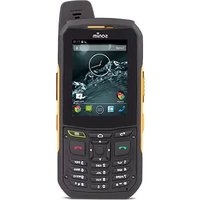
- GENERAL INFORMATION
- YOUR SAFETY GUIDELINES
- GETTING STARTED
- YOUR XP3.20 PHONE
- PHONE SETTINGS
- CALLS
- MANAGING CONTACTS
- MESSAGES
- HARDCODED SHORTCUTS
- WAP BROWSER
- JAVA
- TOOLS
- FM RADIO
- CAMERA
- FLASHLIGHT
- MICRO SD CARD
- MANAGING YOUR FILES
- WIRED HEADSET
- END USER LICENSE AGREEMENT
- DECLARATION OF CONFORMITY
- INDEX
- UNCONDITIONAL 3 YEAR GUARANTEE
- PHONE MODELS COVERED
- NETWORK SERVICES
- SONIM SUPPORT INFORMATION
- USE THE GUIDE EFFECTIVELY
- BATTERY PERFORMANCE
- BATTERY REPLACEMENT
- AVOID SHORT CIRCUIT
- AVOID HIGH TEMPERATURES
- BATTERY DISPOSAL
- PERSONAL MEDICAL DEVICES
- CHILD SAFETY
- EMERGENCY CALLS
- SAR INFORMATION
- XP3.20 HAS BEEN CERTIFIED IN COMPLIANCE WITH THE GOVERNMENT'S REQUIREMENTS FOR EXPOSURE TO RADIO WAVES
- SAR DATA INFORMATION FOR RESIDENTS IN COUNTRIES THAT HAVE ADOPTED THE SAR LIMIT RECOMMENDED BY THE INTERNATIONAL COMMISSION ON NON-IONIZING RADIATION PROTECTION (ICNIRP). FOR EXAMPLE, EUROPEAN UNION, JAPAN, BRAZIL AND NEW ZEALAND
- SAR DATA INFORMATION FOR RESIDENTS IN THE UNITED STATES AND CANADA
- BATTERY USAGE
- INSERTING THE BATTERY
- UNSCREW COVER
- LIFT COVER
- INSERT BATTERY
- CLOSE COVER
- REMOVING THE BATTERY
- CHARGING THE BATTERY
- INSERT CHARGER
- ALIGN
- CHARGING
- CHARGING ICON
- CHARGING PROCESS
- SET BATTERY ALERT
- YOUR SIM CARD
- INSERTING THE SIM CARD
- SWITCH OFF PHONE
- PLACE SIM CARD
- LOCK COVER
- REMOVING THE SIM CARD
- CLOSE PHONE
- REMOVE SIM CARD
- PARTS OF THE XP3.20 PHONE
- SONIM XP3.20 KEYPAD
- HOME SCREEN
- OPERATIONS IN HOME SCREEN
- BASIC SETTINGS
- SECURITY SETTINGS
- DATE AND TIME
- AUTO KEYPAD LOCK
- SILENT MODE
- SAFEGUARD MODE
- PHONELOCK MODE
- KEYPAD FUNCTIONS
- MAIN MENU
- MAIN MENU ICONS
- HOME SCREEN INDICATORS
- GENERAL SETTINGS
- PROFILES
- LANGUAGES
- TIME AND DATE
- SHORTCUTS
- DEFAULT STORAGE
- MEMORY STATUS
- AUTO POWER ON
- AUTO POWER OFF
- FIREWALL
- DEFAULT SETTINGS
- DISPLAY SETTINGS
- SOUNDS SETTINGS
- CONNECTIVITY SETTINGS
- DIAL A NUMBER
- DIAL AN INTERNATIONAL NUMBER
- DIAL A NUMBER VIA CONTACTS
- TO LOCATE A PHONE NUMBER
- DIAL A NUMBER VIA THE CALLS LIST
- MANAGING CALL LIST
- FIXED NUMBER DIALING
- SPEED DIAL
- RECEIVE A CALL
- ANY KEY ANSWER
- CALL FORWARDING
- CALL BARRING
- CALL WAITING
- AUTO REDIAL
- AUTO ANSWER
- FILTER CALLS
- ADD TO BLACK LIST
- ADD TO WHITE LIST
- OTHER CALL SETTINGS
- REVIEW CALL COST INFORMATION
- RECORDING A CALL
- ADD A NEW CONTACT
- DIALING A NUMBER FROM CONTACTS
- SENDING A MESSAGE FROM CONTACTS
- ADD A NEW CONTACT IN GROUP
- GROUP SETTINGS
- SPECIAL NUMBERS
- DEFAULT CONTACT LIST
- DEFAULT CONTACT LOCATION
- SENDING CONTACT
- SEND CONTACT BY SMS
- SEND CONTACT BY BLUETOOTH
- DELETE CONTACTS
- COPY OR MOVE NUMBERS TO OTHER LISTS
- ADDING A CONTACT TO BLACKLIST
- ADDING A CONTACT TO WHITELIST
- SEARCHING CONTACTS
- ADVANCED SETTINGS
- TEXT INPUT MODE
- WRITE MESSAGES
- SEND A MESSAGE VIA CONTACTS
- CALL OR SAVE A NUMBER EMBEDDED IN A RECEIVED MESSAGE
- MANAGE YOUR MESSAGES
- INBOX
- OUTBOX
- DRAFT MESSAGES
- SENT MESSAGES
- PREDEFINED MESSAGES
- VIEW SMS MEMORY
- MESSAGES > ADVANCED > MEMORY STATUS
- VOICE MAIL
- SIM CARD MENU
- OPERA MINI
- CONFIGURATION OF APN (ACCESS POINT NAME) FOR OPERA MINI
- CONFIGURATION OF OPERA MINI AS KEY SHORTCUT
- INSTALLING PRE-BUNDLED JAVA APPLICATIONS
- JAVA HELP
- INSTALLING JAVA APPLICATION FROM SD CARD
- INSTALLING JAVA APPLICATION FROM WAP
- ALARM
- BLUETOOTH
- ACTIVATE BLUETOOTH
- DEACTIVATE BLUETOOTH
- BLUETOOTH SETTINGS
- PAIRING DEVICES
- CONNECTING A BLUETOOTH HEADSET
- RENAME PAIRED DEVICE
- DELETE PAIRED DEVICE
- SENDING DATA VIA BLUETOOTH
- RECEIVING DATA VIA BLUETOOTH
- CALENDAR
- EDIT EVENTS
- DELETE EVENTS
- CALCULATOR
- VOICE RECORDER
- AUDIO PLAYBACK
- STOPWATCH
- UNIT CONVERTER
- COUNTDOWN TIMER
- GPS
- USB FUNCTION
- CAMERA OPTIONS
- SELF-TIMER
- MICRO SD (SECURE DIGITAL) CARD
- INSERTING MICRO SD CARD INTO THE PHONE
- DURING CALLS
- OUR GUARANTEE
- WHAT WE WILL DO
- PHONE CARE
- CONDITIONS
- FCC STATEMENT
- B
- C
- D
- F
- G
- H
- K
- KEYPAD
- L
- M
- MENU
- MESSAGE SETTINGS
- O
- ORGANIZER
- P
- PERSONAL MODE
- PHONE LANGUAGES
- PREDEFINED MESSAGE
- PREDEFINED SMS
- R
- SMS MEMORY
- SOUND SETTINGS
- STANDBY MODE DURATION
- U
- V
- W
Brand : SONIM
Model : XP3.2 Quest PRO
Category : Smartphone