DVD9325 - Portable DVD Player Reflexion - Free user manual and instructions
Find the device manual for free DVD9325 Reflexion in PDF.


| Product Type | Portable DVD Player |
| Brand | Reflexion |
| Model | DVD9325 |
| Display Technology | LCD / TFT |
| Screen Size | 9 inch (22.9 cm) |
| Screen Format | 16:9 |
| Resolution | 640 x 234 pixels |
| Contrast Ratio | 500:1 |
| Brightness | 120 cd/m² |
| Colors | 16.7 million |
| Viewing Angle (Horizontal) | 70° |
| Viewing Angle (Vertical) | 65° |
| Response Time | 25 ms |
| Refresh Rate | 50 Hz |
| Video Systems | PAL / NTSC |
| TV Tuner | DVB-T (1000 channels, 999 page teletext) |
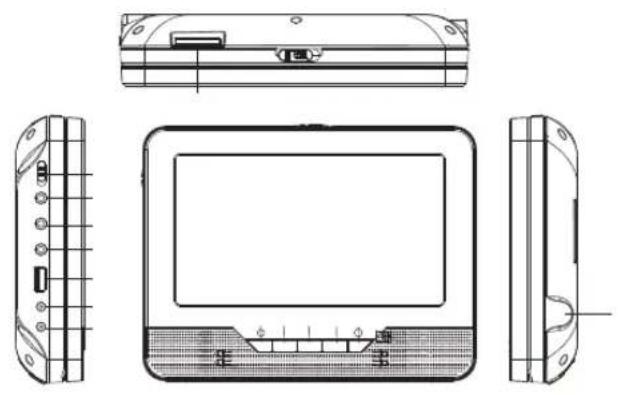
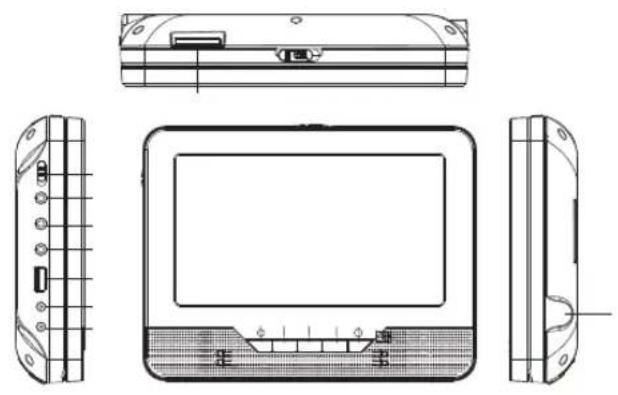
| Connections (Main Unit) | USB, SD card slot, AV out, Coaxial, DVB-T antenna, Earphone, DC 9-12V input/output |
| Connections (Slave Unit) | AV in, Earphone, DC 9-12V input |
| Audio Output | 2 x 1 Watt |
| Power Supply | DC 9-12V, 1.5A; AC 110-240V, 50/60Hz |
| Power Consumption (Max) | 15 W |
| Power Consumption (On) | 10 W |
| Battery | Li-Ion 1200 mAh |
| Weight | 1.38 kg |
| Environmental Compliance | WEEE, RoHS |
Frequently Asked Questions - DVD9325 Reflexion
User questions about DVD9325 Reflexion
0 question about this device. Answer the ones you know or ask your own.
Ask a new question about this device
Download the instructions for your Portable DVD Player in PDF format for free! Find your manual DVD9325 - Reflexion and take your electronic device back in hand. On this page are published all the documents necessary for the use of your device. DVD9325 by Reflexion.
USER MANUAL DVD9325 Reflexion
 |

natural_image
Technical line drawing of a portable electronic device showing front, side, and top views with no visible text or symbols.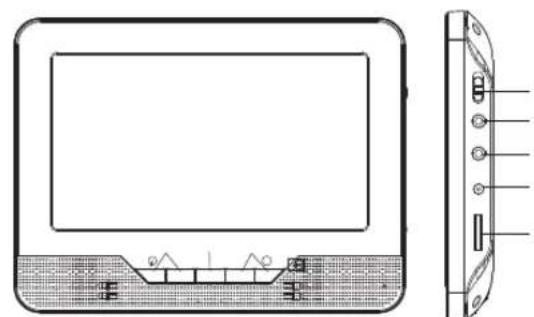
natural_image
Technical line drawing of a rectangular electronic device with internal components and a side view showing terminal connectors (no text or symbols)
natural_image
Abstract arrangement of black triangles on white background (no text or symbols)
natural_image
Four black left-pointing arrows arranged in a scattered pattern on a white background (no text or symbols)
natural_image
Computer desktop icons including TV, laptop, printer, and folder (no text or symbols)
natural_image
Computer desktop interface with icons for TV, monitor, printer, and folder (no text or symbols)
natural_image
Computer monitor setup interface with three icons (TV, desktop, printer) on a screen (no text or symbols)
natural_image
Computer monitor setup interface with icons for TV, desktop, and printer (no text or labels visible)


| :1 Vp_p (75Ω) | ||
 |

natural_image
Technical line drawing of a portable electronic device showing front, side, and top views with no text or symbols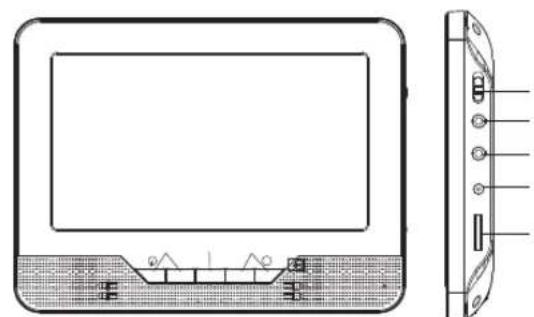
natural_image
Technical line drawing of a rectangular electronic device with internal components and a side view showing terminal connectors (no text or symbols)
natural_image
Abstract arrangement of black triangles on white background (no text or symbols)
natural_image
Computer desktop interface with icons for TV, monitor, printer, and folder (no text or symbols)
natural_image
Computer desktop interface with icons for TV, monitor, printer, and folder (no text or symbols)
natural_image
Computer desktop interface with icons for TV, monitor, printer, and folder (no text or symbols)
natural_image
Computer desktop interface with icons for TV, monitor, printer, and folder (no text or symbols)
natural_image
Simple geometric shapes including a circle, black triangles, and two arrows on white background (no text or symbols)| Item | Standard requirement | |
| :1 Vp-p (75Ω) | ||
Technical details DVD9325
| Display technology LCD/TFT | ||
| Screen size, visible 9 Inch (22,9 cm) | ||
| Screen format 16:9 | ||
| Resolution 640 x 234 | ||
| Minimum contrast ratio 500:1 | ||
| Minimum brightness 120 cd/m2 | ||
| Display colors 16.7 M colors | ||
| Minimum viewing angle 70° (horizontal) / 65° (vertical) | ||
| Maximum response time 25 ms | ||
| Picture repetition rate 50 Hz | ||
| Video color systems PAL / NTSC | ||
| TV Functions | Chanels (DVB-T) 1000 | |
| Videotext (DVB-T) 999 Pages | ||
| Connections Main unit | USB | 1 |
| SD CARD SLOT | 1 | |
| AV OUT | 1 | |
| COAXIAL | 1 | |
| DVB-T ANT. JACK | 1 | |
| EARPHONE OUTPUT | 1 | |
| DC 9-12 V INPUT | 1 | |
| DC 9-12 V OUTPUT | 1 | |
| Connections Slave unit | AV IN | 1 |
| EARPHONE OUTPUT | 1 | |
| DC 9-12 V INPUT | 1 | |
| Audio output | 2 x 1 Watt | |
| Gross weight | 1.38 KG | |
| Power requirement DC 9-12V, 1.5A, | AC 110~240V, 50Hz/60Hz | |
| Power consumption maximum | 15 W | |
| Power consumption „ON“ for EN 62087 | 10 W | |
| Peak luminance ratio in % | 50 % | |
| Accu | LI-ION / 1200mAh | |
Energyefficiency
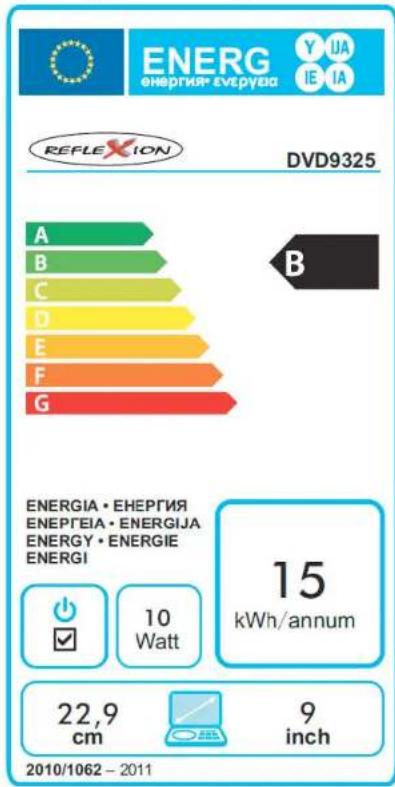

Instructions on en
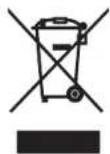
Electric and electronic equipment and included batteries contains materials, components and substances that can be hazardous to your health and the environment, if the waste material (discarded electric and electronic equipment and batteries) is not handled correctly.
Electric and electronic equipment and batteries is marked with the crossed out trash can symbol, seen below. This symbol signifies that electric and electronic equipment and batteries should not be disposed of with other household waste, but should be disposed of separately.
As the end user it is important that you submit your used batteries to the appropriate and designated facility. In this manner you make sure that the batteries are recycled in accordance with legislature and will not harm the environment.
All cities have established collection points, where electric and electronic equipment and batteries can either be submitted free of charge at recycling stations and other collection sites, or be collected from the households. Additional information is available at the technical department of your city.
Please fill the blank with the model number of this player for future reference