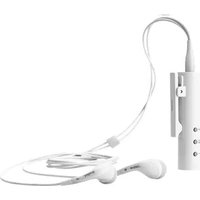
Play - Headphones JABRA - Free user manual and instructions
Find the device manual for free Play JABRA in PDF.


| Type de produit | Headset |
| Style | On-ear (wired) |
| Dimensions (câble) | 1.2 m |
| Poids | 15 g |
| Alimentation | Via prise audio 3.5 mm (aucune batterie) |
| Fonctions principales | Musique, appels téléphoniques, commandes intégrées (lecture/pause, prise d'appel, volume) |
| Microphone | Intégré avec réduction de bruit |
| Haut-parleur | Dynamique, 20-20 000 Hz |
| Entretien et nettoyage | Essuyer avec un chiffon doux et sec ; ne pas utiliser de produits chimiques |
| Sécurité | Éviter une écoute prolongée à volume élevé pour prévenir les lésions auditives |
| Pièces détachées et réparabilité | Les coussinets d'oreille peuvent être remplacés, contacter le service client pour les pièces |
| Informations générales | Compatible avec tous les appareils équipés d'une prise jack 3.5 mm (smartphones, tablettes, PC) |
Frequently Asked Questions - Play JABRA
User questions about Play JABRA
0 question about this device. Answer the ones you know or ask your own.
Ask a new question about this device
Download the instructions for your Headphones in PDF format for free! Find your manual Play - JABRA and take your electronic device back in hand. On this page are published all the documents necessary for the use of your device. Play by JABRA.
USER MANUAL Play JABRA
natural_image
Line drawing of a cylindrical object with internal components and mounting holes, no text or symbols presentContents
weLCome....2
Jabra PLaY oVerView ....3
ConneCtInG....6
how to use the Jabra PLaY....7
suPPort....10
teChnICaL sPeClflCatlons....13
WELCOME
Thank you for purchasing the Jabra Play. We hope you enjoy it!

natural_image
Line drawing of a cylindrical device with a handle and circular base, no text or symbols presentWHAT YOUR JABRA PLAY CAN DO
• Answer, end, reject* and mute calls.
• Voice dialing*.
• Redial last number dialed*.
- Play music and get GPS instructions via your connected mobile device.
- Connect to two mobile devices simultaneously.
JABRA PLAY OVERVIEW


natural_image
Line drawing of a USB cable with two connectors (no text or symbols)USB cable
natural_image
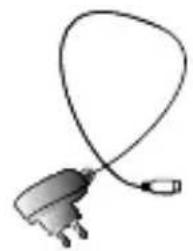
Illustration of a plug with a coiled cable (no text or symbols)AC Charger

natural_image
Line drawing of two earbuds with no text or symbolsEarphones

Quick Start Guide

Warning Leaflet

Warranty Leaflet
WEARING THE JABRA PLAY
The Jabra Play has two different wearing styles.
Around the neck
Create a loop using the headphone cables, and wear around the neck. Adjust the length of the cable by moving the clip on the wire either up or down.

natural_image
Line drawing of a person wearing a medical device on their shoulder (no text or symbols)Clip-on
Clip the Jabra Play to your clothing, using the clip-on attachment.

natural_image
Line drawing of a person wearing a medical earpiece (no text or symbols)TURN ON THE JABRA PLAY
Press and hold (4 secs) the Answer/end button to turn the Jabra Play on/off.

natural_image
Line drawing of a hand holding a cylindrical object with two small circular features, no text or symbols presentCHARGING THE JABRA PLAY
Remove the micro-USB protector and plug the Jabra Play to a power supply using the charging adapter. It takes 2 hours to fully charge.

CONNECTING
FIRST TIME PAIRING
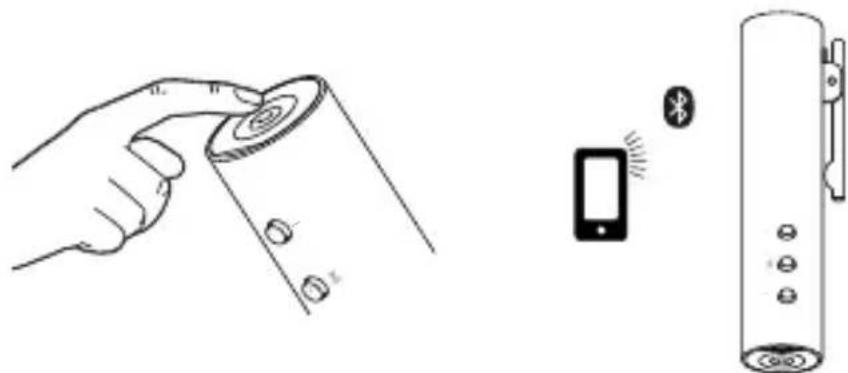
- Turn the Jabra Play on. (press and hold the Answer/end button for 4 seconds).
- Activate Bluetooth on your Mobile phone, and select Jabra Play. If asked for a PIN code enter 0000.
NOTE: After the Jabra Play and a mobile phone have been paired they will automatically connect whenever the Jabra Play is switched on, and the mobile phone has bluetooth activated and is within range (10 m).

natural_image
Diagram showing a smartphone connected to a cylindrical device with wireless signals and a speaker (no text or symbols present)PAIRING WITH ANOTHER MOBILE PHONE
- Turn the Jabra Play off (press and hold the Answer/end button for 4 seconds).
- Press and hold the Answer/end button (6 secs) until the LED indicator flashes blue.
- Activate Bluetooth on your Mobile phone, and select Jabra Play. If asked for a PIN code enter 0000.
natural_image
Illustration showing a hand holding a remote control panel, a smartphone with Bluetooth signal, and a cylindrical device (no text or symbols)HOW TO USE THE JABRA PLAY
USING WITH YOUR MOBILE PHONE

| On/off | Press and hold (4 secs) the Answer/end button | |
| Play/pause music | Music played on your mobile phone will automatically transfer to the Jabra Play. To pause music, tap the Play/pause button, to resume music tap the Play/pause button again | |
| Make call | The call will automatically transfer to the Jabra Play. If not, tap the Answer/end button | |
| Answer call Tap the | Answer/end button | |
| End call Tap the | Answer/end button | |
| Reject call | Press and hold (1 secs) the Answer/end button | |
 | Redial last number* | Double-tap the Answer/end button |
| + - | Speaker volume up/down* | Tap the Volume + or Volume - button |
| Mute/un-mute microphone | Press both the Volume + button and Volume - buttons simultaneously | |
| Skip music tracks | Press and hold (2 secs) the Volume + or Volume - button |
*Phone dependent
USING WITH TWO MOBILE PHONES
The Jabra PLAY can accept and handle calls from two mobile phones simultaneously.
| End current call and answer incoming call | Tap the Answer/end button | |
| Reject incoming call | Double-tap the Answer/end button | |
| Put current call on hold and answer incoming call | Press and hold (2 secs) the Answer/end button | |
| Switch between held call and active call | Press and hold (2 secs) the Answer/end button |
WHAT THE LIGHTS MEAN
| What you see | What it means |
| Power on | |
| Power off | |
| The Jabra Play is powered on, but not connected to a mobile phone (standby mode) | |
| The Jabra Play is in pairing mode, and ready to connect | |
| A mobile phone is Bluetooth connected to the Jabra Play | |
| Incoming call | |
| Active call | |
| Battery is charging | |
| Battery is fully charged | |
| Low battery |
SUPPORT
FAQ
Q I hear crackling noises
A Bluetooth is a radio technology that is sensitive to objects between the Jabra Play and the connected device. Ensure the Jabra Play and the connected device are within 33 feet (10 meters) of each other, with no major objects in the way (walls, etc.).
Q I cannot hear anything
A - Increase the speaker volume.
- Ensure that the Jabra Play is paired to a device that is playing.
- Make sure your phone is connected to the Jabra Play by tapping the Answer/end button.
Q I am having pairing problems
A You may have deleted your Jabra Play pairing connection to your mobile phone. Follow the pairing instructions again.
Q Will the Jabra Playsupport other Bluetooth equipment?
A The Jabra Play is designed to work with Bluetooth mobile phones. It can also support other Bluetooth devices that are compliant with Bluetooth version 1.1 or higher and support a headset, hands-free and/or advance audio distribution profile.
Q I cannot use Reject call or Redial
A These features require your mobile phone to support a hands-free profile. Refer to your mobile phone user manual for more details.
HOW TO CARE FOR YOUR JABRA PLAY
• Always store the Jabra Play with the power off and safely protected.
- Avoid storage at extreme temperatures (above 45^ C/113°F or below -10^ C/14°F). This can shorten battery life and may affect operation. High temperatures may also degrade performance.
- Do not expose the Jabra Play to rain or other liquids.
NEED MORE HELP
Web: www.jabra.com/play
E-mail:
Deutsch support.de@jabra.com
English support.uk@jabra.com
Español support.es@jabra.com
New Zealand support.nz@jabra.com
Singapore support.sg@jabra.com
Phone:
Belgique/Belgie +32 28080766
Danmark +45 69918794
United Kingdom +44 2033180070
Australia 1-800-738-521
China 800-858-0789
Japan 03-3242-8722
Singapore 800-101-2329
United States 1 (800) 327-2230
Canada 1 (800) 489-4199
International +45 35256540
TECHNICAL SPECIFICATIONS
Weight:
10.6 grams
Dimensions:
L 60.0 mm x W 18.8 mm x H 14.5 mm
Microphone:
4 mm Omni-directional microphone
14 dB +/- 3 dB
Speaker:
32 Ohm, 5 dB +/- 3 dB
Operating range:
Up to 10 m (33 ft)
Bluetooth version:
3.0
Paired devices:
Can be connected to two Bluetooth devices at the same time
Supported Bluetooth profiles:
Hands Free profile (v. 1.5), Headset profile (v. 1.2), A2DP (v. 1.2), AVRCP 1.4
Talk time:
Up to 6 hours
Standby time:
Up to 8 days
Charging time:
Approximately 2 hours
AC power supply:
100 - 240 V, 50 - 60 Hz
Charging plug dimensions:
5 pin micro-USB, L 5.0 mm x W 8.7 mm x H 2.4 mm
Operating temperature:
-10°C to 65°C (14°F to 149°F)
Storage temperature:
0^ C to 40^ C (32°F to 104°F)
Pairing passkey or PIN:
0000
Materials:
Polymethylmethacrylate, Acryl Butadiene Styrene
Warranty:
One year limited warranty

Dispose of the product according to local standards and regulations.
www.jabra.com/weee
Jabra®
YOU'RE ON
A BRAND BY
GN Netcom
© 2012 GN Netcom US, Inc. All rights reserved. Jabra® is a registered trademark of GN Netcom A/S. All other trademarks included herein are the property of their respective owners. The Bluetooth® word mark and logos are owned by the Bluetooth SIG, Inc. and any use of such marks by GN Netcom A/S is under license. (Design and specifications subject to change without notice).
© 2012 GN Netcom A/S. All rights reserved. Jabra® is a registered trademark of GN Netcom A/S. All other trademarks included herein are the property of their respective owners. The Bluetooth® word mark and logos are owned by the Bluetooth SIG, Inc. and any use of such marks by GN Netcom A/S is under license. (Design and specifications subject to change without notice).
Made in China
MODEL: OTE11


Bluetooth
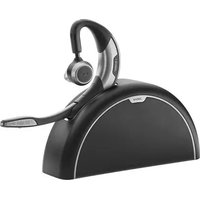
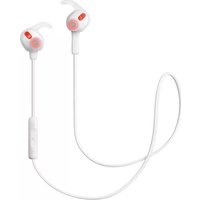
- Contents
- WELCOME
- WHAT YOUR JABRA PLAY CAN DO
- JABRA PLAY OVERVIEW
- WEARING THE JABRA PLAY
- Around the neck
- Clip-on
- TURN ON THE JABRA PLAY
- CHARGING THE JABRA PLAY
- CONNECTING
- FIRST TIME PAIRING
- PAIRING WITH ANOTHER MOBILE PHONE
- HOW TO USE THE JABRA PLAY
- USING WITH YOUR MOBILE PHONE
- USING WITH TWO MOBILE PHONES
- WHAT THE LIGHTS MEAN
- SUPPORT
- FAQ
- Q I hear crackling noises
- Q I cannot hear anything
- Q I am having pairing problems
- Q Will the Jabra Playsupport other Bluetooth equipment?
- Q I cannot use Reject call or Redial
- HOW TO CARE FOR YOUR JABRA PLAY
- NEED MORE HELP
- E-mail:
- Phone:
- TECHNICAL SPECIFICATIONS
- Weight:
- Dimensions:
- Microphone:
- Speaker:
- Operating range:
- Bluetooth version:
- Paired devices:
- Supported Bluetooth profiles:
- Talk time:
- Standby time:
- Charging time:
- AC power supply:
- Charging plug dimensions:
- Operating temperature:
- Storage temperature:
- Pairing passkey or PIN:
- Materials:
- Warranty:
- Jabra®
- YOU'RE ON
Brand : JABRA
Model : Play
Category : Headphones