
BKS3972 - Kitchen scale Becken - Free user manual and instructions
Find the device manual for free BKS3972 Becken in PDF.


| Product Type | Kitchen Scale |
| Brand | Becken |
| Model | BKS3972 |
| Dimensions (L x W x H) | 20 x 15 x 2 cm |
| Weight | 300 g |
| Power Source | 2 x AAA batteries (not included) |
| Maximum Capacity | 5 kg |
| Accuracy | 1 g |
| Display | LCD screen |
| Materials | Stainless steel platform, plastic body |
| Functions | Tare, unit conversion (g, kg, lb, oz), auto-off |
| Cleaning and Maintenance | Wipe with a damp cloth; do not immerse in water |
| Safety | Do not exceed maximum capacity; avoid dropping; keep away from heat sources |
| Spare Parts / Repairability | Batteries are replaceable; no other user-serviceable parts |
| Certifications | CE, RoHS |
Frequently Asked Questions - BKS3972 Becken
User questions about BKS3972 Becken
0 question about this device. Answer the ones you know or ask your own.
Ask a new question about this device
Download the instructions for your Kitchen scale in PDF format for free! Find your manual BKS3972 - Becken and take your electronic device back in hand. On this page are published all the documents necessary for the use of your device. BKS3972 by Becken.
USER MANUAL BKS3972 Becken
MANUAL DE INSTRUÇÕES
natural_image
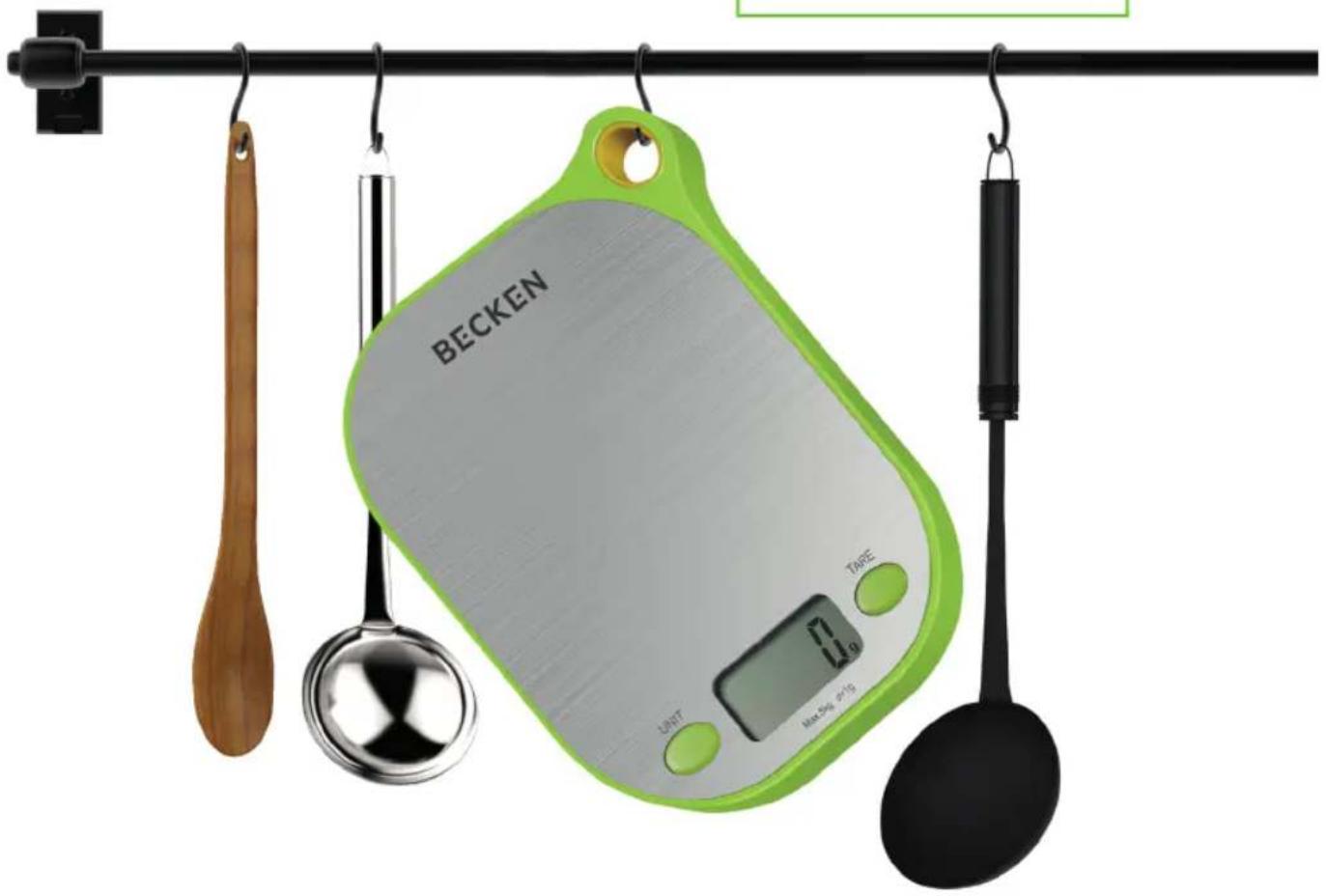
Kitchen utensil with a green Becken scale and digital display, hanging against a black rod (no text or symbols on main objects)Dear client,
Thank you for purchasing this product.
The quality of this appliance has been certified by several laboratory tests. This instructions manual is provided to simplify the use of the appliance as well as to guarantee a safe use.
Please read carefully the instructions and safety measures described in this manual.
We sincerely hope you will be satisfied when using your new appliance.
INDEX
1. SAFETY INSTRUCTIONS 4
1.1. Power Supply 5
1.3. Humidity and Water 5
1.4. Cleaning 5
1.5. General Precautions 6
1.2. Power Cord and Other Cables 5
2. OPERATING INSTRUCTIONS 6
2.1. Product Description 6
2.2. Product Usage 8
2.3. Maintenance 10
3. POST-SALE SERVICE 11
4. ENVIRONMENTAL PROTECTION 11
1. SAFETY INSTRUCTIONS
 | WARNING |  |
| RISK OF ELECTRIC SHOCKDO NOT OPEN | ||
| Warning: to avoid the risk of electric shock, do not remove the cover. The interior does not contain any parts that can be repaired by the user. Ask for assistance from the Customer Support Service. | ||
Important Warnings
Before using your appliance read this instructions manual carefully and keep it in a safe place as you may need to consult it in the future.
Before turning on your appliance, and to ensure a safe and correct operation, do not use if:
• It has fallen to the ground;
- You notice any evidence of damage;
- Any anomaly occurs during its operation.
To avoid hazards or deterioration of your appliance through incorrect use it is advisable to read these instructions thoroughly.
Your appliance should not be used for other purposes than the ones intended and solely for household use. Any damage resulting from using the appliance outside this scope, any incorrect use, as well as any manual modifications to the product will not be covered and automatically voids the warranty.
[you can trust]
Assistance
In case of malfunction, take your appliance to the Customer Support Service for assistance.
This appliance can be used by children from the age of 8 and by people with reduced physical, sensorial or mental capabilities and/or lack of experience and knowledge if they have been given instructions on using the appliance safely and if they understand the hazards involved. Children may not play with the appliance. Cleaning and maintenance must not be carried out by children without supervision.
These instructions are also available at www.suporteworten.pt
1.1. Power Supply
Not applicable.
1.2. Power Cord and Other Cables
Not applicable.
1.3. Humidity and Water
Do not use your appliance in humid places. Do not allow the appliance to become wet under any circumstances as this may be dangerous. To avoid fire hazard or electric shock do not expose your appliance to humidity or water. Furthermore, do not place your appliance under water (e.g. for cleaning).
1.4. Cleaning
To clean the exterior of the product, use a dry soft cloth only.
- Please follow the instructions in the user manual which will help you to properly install and operate this product and enjoy its advanced features. Please keep the instructions for future reference.
- Read all instructions before using the product.
- Maintenance and service operations are only to be carried out by authorized professionals.
- Any damage caused by manual modifications to the product is not covered by the warranty.
- If this product is used for other purposes than the ones originally intended, or if it is not correctly connected, the product may become damaged and the warranty will be voided.
2. OPERATING INSTRUCTIONS
2.1. Product Description
• This scale is equipped with high precision strain gauge sensor system
- Touch panel switch
• Stainless steel platform
- Capacity: 5 kg
• Division: 1 g / 0.05 oz / 1 ml
- Tare function
- Manual on / off and Auto off
- Units: g / oz / ml (ml for water or milk only)
- Auto zero resetting
• Over-load / Low power indication
• Power: 1 x 3V CR2032 battery (included)
[you can trust]
Key function
UNIT Key:
Press to change the unit (g/oz/lb:ox/ml)

Switch off
The scale will switch off after pressing "TARE" for 2 seconds.
The scale will automatically switch off after being inactive for approximately 60 seconds.
Unit changes (g/oz/ml)
Press "UNIT" once, the unit will be changed from g / oz / water (ml) / milk (ml).

Step 1: Place the scale on a hard & flat surface.
Step 2: Press "TARE" once, the LCD display will show zero.
Step 3: Put the food on the platform, the weight will be displayed.

TARE FUNCTION
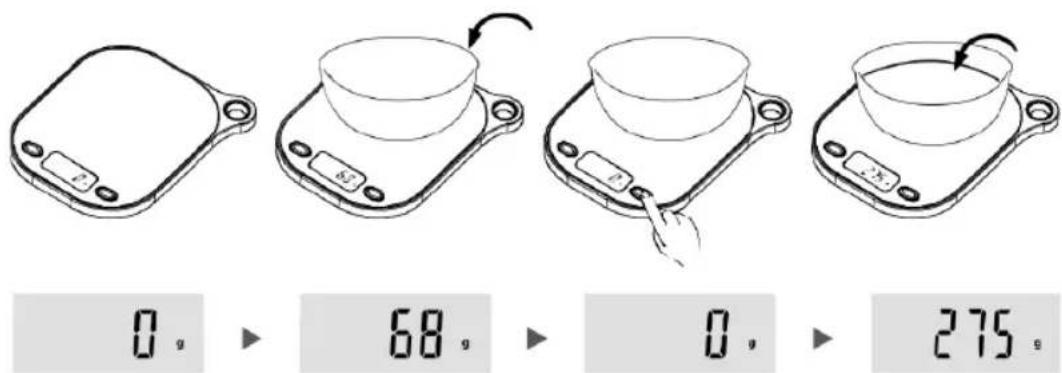
Step 1: Put the container on the platform, the LCD display will show the weight of the container.
Step 2: Press "TARE" to clear the weight of the container (reset to zero). Then put the food into the container, the LCD display will show the weight of food only. Repeat press "TARE" to weight more different foods.
Step 3: The LCD display will show the negative value of the container if you remove the food and container from the platform together. Please press "TARE" again, the display will show zero in 2 seconds.
[you can trust]
Please note:
If the tare weight is less than 100 g, it will show

If the tare weight is more than 100 g, it will show

ml MEASUREMENT
Put a container on the platform, press "TARE" to clear the weight of container. Then put water or milk into it, press" UNIT "till ml to check the volume.
Insert the battery

flowchart
graph LR
    A["Hand Hand Icon"] --> B[" folding Area"]
    B --> C[" Layout Area"]
Open the battery cover.
Install 1 x 3V CR2032 lithium battery as shown.
After installing the battery, put back the battery cover and push the cover back. Please be aware that incorrect polarity will permanently affect electronic parts.
Error indication
When power is low, it will show
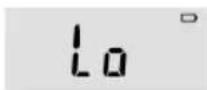
When the scale is not stable before weighing, it will show

When the scale is overloaded (more than 5 kg), it will show
- Place the scale on a hard & flat surface to ensure the greatest accuracy and replicability.
- Don't drop or subject the scale to shocks as this may damage the unit.
- Don't use chemical abrasive cleaners.
- Clean the scale's platform with a damp cloth, but do not allow water to enter the unit.
- To prolong the life of the scale, please do not put it in a wet and hot environment.
- Please remove the battery from the scale if it has not been used for a long period.
- If the scale does not function when you first use it, please check the battery and ensure the battery poles are aligned correctly. Please check if the battery needs to be changed when the scale has been used for a long time, then try using it again.
- This scale is for family use only and should not be used commercially for any reason at all.
- Please ensure there is no water on the key.
- Do not stack things on the scale.
[you can trust]
3. POST-SALE SERVICE
BECKEN has designed this appliance in order to guarantee maximum reliability. However, if a problem occurs do not attempt to open the appliance - there is a risk of electrical shock. If you are not able to solve the problem, please contact the Customer Support Service of any Worten, Modelo or Continente store in order to be assisted. Worten Equipamentos para o Lar provides a 2-year warranty for manufacturing defects from the date of purchase of the appliance.
WARNING: any attempt to repair the appliance without contacting the manufacturer or seller will void the warranty.
All users must be familiar with these instructions. Knowing what could go wrong can help prevent problems from occurring.
4. ENVIRONMENTAL PROTECTION
In order to protect the environment, we strive to reduce the volume of packaging used, limiting it to three easily sorted materials: cardboard, paper and plastic.
The appliance is manufactured using recyclable materials after disassembled by a specialized company. Please comply with local regulations concerning the recycling of all materials.

natural_image
Symbol of a trash bin crossed with two crossed lines, no text or labels presentnatural_image
Line drawing of a mechanical device with a hand pressing a button (no text or symbols)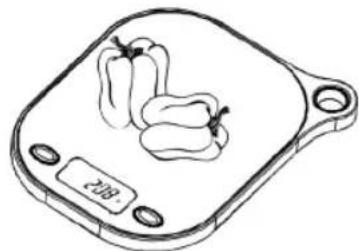
natural_image
Line drawing of a balance scale with two bell peppers on top, no text or symbols present0g
▶
208g
FUNCIÓN DE TARA
flowchart
graph LR
    A["Hand Hand Icon"] --> B[" folding"]
    B --> C[" Layout"]
    C --> D[" Layout"]
natural_image
Symbol of a trash bin with crossed lines indicating no waste or restriction, and a solid black rectangle below (no text or labels)flowchart
graph LR
    A["Hand Hand Icon"] --> B[" folding Area"]
    B --> C[" Layout Area"]
natural_image
Simple line drawing of a trash bin with crossed lines indicating no waste or restriction (no text or symbols)Imported, produced and distributed by:
Worten Equipamentos p/o Lar S.A.
- INDEX
- SAFETY INSTRUCTIONS 4
- OPERATING INSTRUCTIONS 6
- POST-SALE SERVICE 11
- ENVIRONMENTAL PROTECTION 11
- SAFETY INSTRUCTIONS
- Important Warnings
- Assistance
- Power Supply
- Power Cord and Other Cables
- Humidity and Water
- Cleaning
- OPERATING INSTRUCTIONS
- Product Description
- Key function
- Switch off
- Unit changes (g/oz/ml)
- Insert the battery
- POST-SALE SERVICE
- ENVIRONMENTAL PROTECTION
- FUNCIÓN DE TARA
Brand : Becken
Model : BKS3972
Category : Kitchen scale