
SCHW A1 - Car charger SILVERCREST - Free user manual and instructions
Find the device manual for free SCHW A1 SILVERCREST in PDF.


| Product Type | Car Charger Adapter |
| Model | SCHW A1 |
| Input Voltage | 12 - 24 V DC, 3 A |
| USB Output 1 | 5 V, 2.4 A |
| USB Output 2 (Quick Charge 3.0) | 3.6 - 6.5 V / 3 A, 6.5 - 9 V / 2 A, 9 - 12 V / 1.5 A |
| Total Max Output Current | 5.4 A |
| Smart Fast Charge | Yes, optimizes charging time |
| Quick Charge Compatibility | Qualcomm Quick Charge 3.0 |
| LED Indicator | Yes, lights up when powered |
| Dimensions (approx.) | 82 x 37 x 26 mm |
| Weight (approx.) | 29 g |
| Operating Temperature | 0 - 25 °C |
| Storage Temperature | 0 - 45 °C |
| Scope of Delivery | Car charger adapter, operating instructions |
| Warranty | 3 years |
| Cleaning | Dry, soft, lint-free cloth; unplug before cleaning |
| Safety Features | Overload protection, LED indicates fault |
| Intended Use | Powering Qi wireless chargers in vehicles |
| Compliance | CE |
| Disposal | Recycle according to local regulations |
Frequently Asked Questions - SCHW A1 SILVERCREST
User questions about SCHW A1 SILVERCREST
0 question about this device. Answer the ones you know or ask your own.
Ask a new question about this device
Download the instructions for your Car charger in PDF format for free! Find your manual SCHW A1 - SILVERCREST and take your electronic device back in hand. On this page are published all the documents necessary for the use of your device. SCHW A1 by SILVERCREST.
USER MANUAL SCHW A1 SILVERCREST
natural_image
Black and white photo of a black electric shaver with metallic pins (no text or symbols visible)CAR CHARGER ADAPTER SCHW A1
GB IE NI
CAR CHARGER ADAPTER
Operation and Safety Notes
DK
OPLADER TIL BILEN
Operation and Safety Notes Page 5
DK
Warnings and symbols used...... Page 6
Introduction Page 7
Intendeduse...... Page 7
Trademark notices.... Page 7
Description of parts...... Page 8
Technical data.... Page 8
Scopeofdelivery...... Page 9
Safetynotes...... Page 9
Start-up...... Page 10
Cleaning and care Page 11
Trouble-shooting...... Page 11
Disposal Page 12
Warranty and service ...... Page 12
Warranty Page 12
Warranty claim procedure ...... Page 13
Service...... Page 14
| Warnings and symbols usedThese instructions for use contain the following symbols and warnings: | |
 | Direct current / voltage |
 | DANGER! This symbol with the signal word “DANGER” indicates a hazard with a high level of risk which, if not avoided, will result in serious injury or death. |
 | WARNING! This symbol with the signal word “WARNING” indicates a hazard with a medium level of risk which, if not avoided, could result in serious injury. |
 | CAUTION! This symbol with the signal word “CAUTION” indicates a hazard with a low level of risk which, if not avoided, could result in minor or moderate injury. |
 | ATTENTION! This symbol with the signal word“ ATTENTION” indicates a potential property damage, if not avoided, could result in property damage. |
 | NOTE: This symbol with the signal word “NOTE” provides additional useful information. |
 Smart Fast Charge Smart Fast Charge | Maximum current available is used to optimise charging time. |

Qualcomm quick charge 3.0
The equipment complies Quick Charge 3.0 specifications and agreements issued by Qualcomm Technologies, Inc.
CAR CHARGER ADAPTER
●Introduction
We congratulate you on the purchase of your new product. You have chosen a high quality product. The instructions for use are part of the product. They contain important information concerning safety, use and disposal. Before using the product, please familiarise yourself with all of the safety information and instructions for use. Only use the unit as described and for the specified applications. If you pass the product on to anyone else, please ensure that you also pass on all the documentation with it.
- Intended use
This CAR CHARGER ADAPTER (hereinafter called "product") may be used to supply your purchased Qi wireless charger with power.
The product provides the rating given under "Technical data". The product is not intended for commercial use. The manufacturer is not liable for any damages caused by any use other than for the intended purpose.
●Trademarknotices
- USBis a registered trademark of USB Implementers Forum, Inc.
- The SilverCrest trademark and trade name is the property of their respective owners.
- The Smart Fast Charge trademark and trade name is the property of their respective owners.
- Qualcomm is a trademark of Qualcomm Incorporated, registered in the United States and other countries. Qualcomm Quick Charge is a trademark of Qualcomm Incorporated. All Qualcomm Incorporated trademarks are used under license.
- Any other names and products may be trademarks or registered trademarks of their respective owners.
● Description of parts
Please refer to the fold out page.
1 USB output
2 USB output (Quick Charge 3.0)
3 LED indicator
4 Instructions for use
●Technicaldata
Input: 12 - 24 V , 3 A ===
USB output 1:5V,2.4A ---
USB output
(Quick Charge 3.0) 2: 3.6 - 6.5 V = 3 A
6.5 - 9 V
==, 2 A
9 - 12 V*
==, 1.5 A
Total max. output current: 5.4 A
Operating temperature: 0 - 25 °C
Storage temperature: 0 - 45 °C
Dimensions: approx. 82 x 37 x 26mm
Weight: approx. 29 g
* The output voltage of output 2 can be up to 25% lower in QC mode (range 9 - 12 V) if there is
unfavorable conditions in your vehicle, such as when the engine is switched off or the car battery is weak. This could lead to a longer charging time for your device.
- Scope of delivery
1 Car charger adapter
1 Set of operating instructions

Safety notes
PLEASE READ THE INSTRUCTIONS PRIOR TO USE! PLEASE KEEP THE INSTRUCTIONS IN A SAFE PLACE!
- Check the product for damage before use. Never use a damaged product.
This product can be used by children aged from 8 years and above and persons with reduced physical, sensory or mental capabilities or lack of experience and knowledge if they have been given supervision or instruction concerning use of the product in a safe way and understand the hazards involved. Children shall not play with the product. Cleaning and user maintenance shall not be made by children without supervision. - Do not expose the product to direct sunlight or moisture.
■ Only plug the product into car sockets that are easily accessible, so that you can unplug it easily in case of an emergency. - Do not place burning candles or other open fire on or next to the product.
- Check the product before every use! Discontinue use if any damage to the product is detected!
If you notice smoke or unusual noise or odour: Unplug the product from the car socket and remove all USB connections.
■ Sudden temperature changes may cause condensation inside the product. In this case, allow the product to acclimate for some time before using it again to prevent short circuits!
- Do not operate the product near heat sources, e.g. radiators or other devices emitting heat!
- Do not throw the product into fire and do not expose it to high temperatures.
WARNING! Do not try to open the product! It has no internal parts requiring maintenance.
Start-up
ATTENTION! RISK OF OVERHEATING! Only connect the product to your external devices which do not require more than 5400 mA (= 5.4 A).
⚠️ATTENTION! At high current consumption, heating of the product is normal.
Plug the product into a 12V/24V car socket. The LED indicator 3 lights up to show that the product is receiving current.
■ Connect your external devices that should be charged with the product by plugging its USB plug into the USB output 1 or USB output (Quick Charge 3.0) 2. If the device to be charged is equipped with the Qualcomm Quick Charge 3.0 technology, use USB output (Quick Charge 3.0) 2.
CAUTION! If the LED indicator 3 lights off while connecting with your external devices: This indicate that the product is in overload or fault condition. Please unplug your external devices from the product immediately.
IMPORTANT! You can leave the motor on or off when using the product. Be aware that the battery of car might become low because the product still
consumes power when the motor is off. Disconnect the product completely from the power supply if you are not intended to charge your external devices.
Attention: Do not switch the ignition on or off during the charging process, as this can lead to differences or peaks in the power supply.
■ Disconnect your charged external device from the product after charging, by unplugging the USB plug from the USB output 1 or USB output (Quick Charge 3.0) 2.
■ Unplug the product from the car socket.
● Cleaning and care
■ Always unplug the product from the car socket before cleaning!
■ Use a dry, soft and lint-free cloth for cleaning and care.
●Trouble-shooting
● = Fault
● = Possible cause
○ = Action
The connected Qi charger is not powered up.
- Loose connections.
○ Check the connection between the car charger adapter and the car socket.
○ Check the connection between the USB plug of the connected Qi charger and the USB socket.
●Disposal
Packaging:
The packaging is made of environmentally friendly materials, which may be disposed of through your local recycling facilities.
Product:
Contact your municipality for information on how to dispose of your worn-out product.
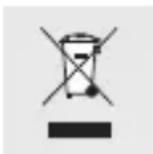
The adjacent symbol of a crossed out dustbin on wheels indicates this product is subject to Directive 2012/19/EU. This directive states at the end of the life this product must not be disposed of through regular household refuse but must be returned to special collection sites, recycling depots or waste management companies.
This disposal is free of charge to you.
Protect the environment and dispose of properly.
The product is recyclable, subject to extended manufacturer responsibility, and collected separately. an be obtained from your local authority.
●Warranty and service
Warranty
The product has been manufactured to strict quality guidelines and meticulously examined before delivery. In the event of product defects you have legal rights against the retailer of this product. Your legal rights are not limited in any way by our warranty detailed below.
The warranty for this product is 3 years from the date of purchase. Should this product show any fault in materials or manufacture within 3 years from the date of purchase, we will repair or replace it – at our choice – free of charge to you.
The warranty period begins on the date of purchase. Please keep the original sales receipt in a safe location. This document is required as your proof of purchase. This warranty becomes void if the product has been damaged, or used or maintained improperly.
The warranty applies to defects in material or manufacture. This warranty does not cover product parts subject to normal wear, thus possibly considered consumables (e.g. batteries) or for damage to fragile parts, e.g. switches, rechargeable batteries or glass parts.
●Warranty claim procedure
To ensure quick processing of your case, please observe the following instructions:
Please have the till receipt and the item number (e.g. IAN 123456_7890) available as proof of purchase.
You will find the item number on the rating plate, an engraving, on the front page of the instructions for use (bottom left), or as a sticker on the rear or bottom of the product.
If functional or other defects occur, please contact the service department listed either by telephone or by e-mail.
You can return a defective product to us free of charge to the service address that will be provided to you. Ensure that you enclose the proof of purchase (till receipt) and information about what the defect is and when it occurred.
Service
GB Service Great Britain
Tel.: 08000569216
E-Mail: owim@lidl.co.uk
IE Service Ireland
Tel.: 1800 200736
E-Mail: owim@lidl.ie
Ni Service Northern Ireland
Tel.: 0800927852
E-Mail: owim@lidl.ie
CE
Brugte advarsler og symboler ...... Side 16
Indledning ...... Side 17
Qualcomm quick charge 3.0
Qualcomm quick charge 3.0


- CAR CHARGER ADAPTER SCHW A1
- CAR CHARGER ADAPTER
- OPLADER TIL BILEN
- Warnings and symbols used...... Page 6
- Introduction Page 7
- Safetynotes...... Page 9
- Qualcomm quick charge 3.0
- ●Introduction
- - Intended use
- ●Trademarknotices
- ● Description of parts
- ●Technicaldata
- - Scope of delivery
- Safety notes
- Start-up
- ● Cleaning and care
- ●Trouble-shooting
- ●Disposal
- Packaging:
- Product:
- This disposal is free of charge to you.
- ●Warranty and service
- Warranty
- ●Warranty claim procedure
- Service
- GB Service Great Britain
- IE Service Ireland
- Ni Service Northern Ireland
- CE
- Brugte advarsler og symboler ...... Side 16
- Indledning ...... Side 17
Brand : SILVERCREST
Model : SCHW A1
Category : Car charger