
Breeva A3B - Air purifier TCL - Free user manual and instructions
Find the device manual for free Breeva A3B TCL in PDF.


| Product Type | Air Purifier |
| Brand | TCL |
| Model | Breeva A3 / Breeva A3 Wi-Fi |
| Rated Voltage | 24 V DC |
| Rated Power | 38 W |
| Clean Air Delivery Rate (CADR) | 158 cfm / 270 m³/h |
| Recommended Coverage Area | ≈ 246 pi² / 22,9 m² |
| Filter Type | Composite filter (pre-filter + HEPA + activated carbon) |
| Number of Speeds | 3 speeds + auto mode + sleep mode |
| Timer | 1H / 2H / 4H / 8H |
| Additional Functions | Anions, UV-C, night light, child lock, air quality indicator (3-color LED) |
| Wi-Fi Connectivity (A3 Wi-Fi model) | Yes, via TCL Home app (compatible with Alexa and Google Assistant) |
| Power Supply | AC adapter 100-240 V ~ 50/60 Hz |
| Standby Power Consumption | Not specified |
| Noise Level | Not specified |
| Filter Maintenance | Vacuum cleaning every 2 weeks; replacement every 6 months (12 hours/day) |
| Filter Replacement Indicator | Yes, red flashing light |
| Safety | Child lock, automatic shut-off in case of tipping (not specified), UV-C protection |
| Weight | Not specified |
| Dimensions (L x W x H) | Not specified |
| Warranty | To be checked with the retailer |
Frequently Asked Questions - Breeva A3B TCL
User questions about Breeva A3B TCL
0 question about this device. Answer the ones you know or ask your own.
Ask a new question about this device
Download the instructions for your Air purifier in PDF format for free! Find your manual Breeva A3B - TCL and take your electronic device back in hand. On this page are published all the documents necessary for the use of your device. Breeva A3B by TCL.
USER MANUAL Breeva A3B TCL
natural_image
Line drawing of a modern cylindrical device with textured surface and top panel (no text or symbols)natural_image
Line drawing of a modern mobile phone with a wide neck and textured body (no text or symbols)- Композитен филтър
natural_image
Circular diagram with horizontal striped pattern and numbered label (③), no readable text or symbols present.
natural_image
Cross-sectional diagram of a cylindrical object with internal striations and a labeled section (6), no text or symbols present.
natural_image
Diagram showing a hand pressing down on a cylindrical component with an arrow indicating rotation (no text or symbols present)natural_image
Diagram of a cylindrical object with an upward arrow, no text or symbols presentnatural_image
Illustration of a hand holding a cylindrical filter next to a separate cylindrical filter, showing the process (no text or symbols)Монтирайте филтъра
natural_image
Diagram showing a cylindrical object being dropped into a container with a downward arrow (no text or symbols)
natural_image
Line drawing of a hand inserting a plug into a cylindrical device connected to a wall-mounted panel (no text or symbols)
natural_image
Simple line drawing of a cylindrical object with a black base and white top (no text or symbols)
natural_image
Line drawing of a modern cylindrical device with textured surface and top panel (no text or symbols)natural_image
Line drawing of a modern mobile phone with a wide neck and textured body (no text or symbols)- Kompozitní filtr

natural_image
Circular diagram with horizontal striped pattern and numbered label (3), no readable text or symbols beyond the number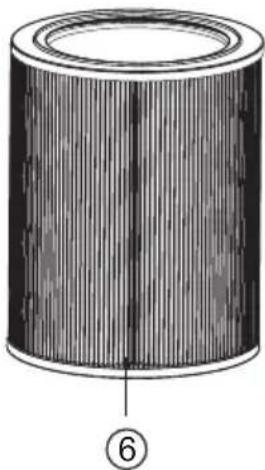
natural_image
Cross-sectional diagram of a cylindrical object with internal striations and a numbered label (6) at the bottom right corner.
natural_image
Diagram showing a hand pressing down on a circular component with an arrow indicating rotation (no text or symbols present)natural_image
Diagram showing a cylindrical object with an upward arrow emerging from it, no text or symbols presentnatural_image
Illustration of two cylindrical filters being placed on paper, one being folded and the other tilted (no text or symbols)Nainstalujte filtr
natural_image
Diagram showing a cylindrical object being dropped into a container with a downward arrow (no text or symbols)natural_image
Diagram showing a cylindrical container being inserted into a lid, with arrows indicating process direction (no text or symbols)
natural_image
Line drawing of a hand inserting a plug into a cylindrical device connected to a wall-mounted panel (no text or symbols)
natural_image
Simple line drawing of a cylindrical object with a black base and white top (no text or symbols)
natural_image
Line drawing of a modern cylindrical device with textured surface and top panel (no text or symbols)natural_image
Line drawing of a modern cylindrical device with mesh grille and top panel (no text or symbols)- Kompositfilter
Den kan absorbere røg, pollen og støv, filtrere bakterier i luften, effektivt fjerne formaldehyd, TVOC, lugte (røg) i luften og effektivt fjerne PM 2.5.
Pakkeliste

natural_image
Circular diagram with horizontal striped pattern and numbered circle (③), no text or symbols present
natural_image
Cross-sectional diagram of a cylindrical object with internal striations and a numbered label (6) at the bottom right corner.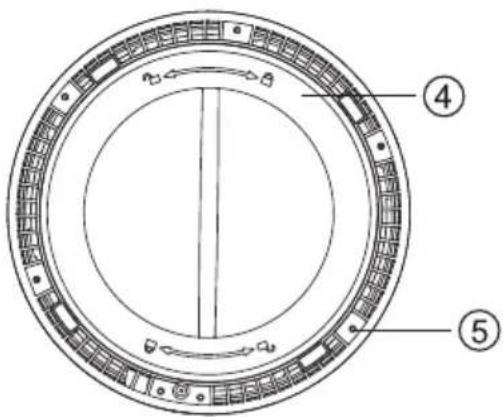
natural_image
Diagram showing a hand pressing down on a circular component with an arrow indicating rotation (no text or symbols present)- Fjern filteret inde i apparatet.
natural_image
Diagram showing a cylindrical object with a downward arrow emerging from it, no text or symbols presentnatural_image
Illustration of a hand holding a paper with a cylindrical object, transforming into a separate cylindrical object (no text or symbols present)Installer filter
natural_image
Diagram showing a cylindrical object being dropped into a cylindrical container with a downward arrow (no text or symbols)natural_image
Diagram showing a cylindrical container being inserted into a ring, with arrows indicating process direction (no text or symbols)
natural_image
Line drawing of a hand inserting a plug into a cylindrical device connected to a wall-mounted panel (no text or symbols)
natural_image
Simple line drawing of a cylindrical object with a black base and white top (no text or symbols)

natural_image
Line drawing of a modern cylindrical speaker with textured grille and top panel (no text or symbols)natural_image
Line drawing of a modern cylindrical device with mesh grille and top panel (no text or symbols)- Verbundfilter

natural_image
Circular diagram with horizontal striped pattern and numbered circle (3), no text or symbols present
natural_image
Illustration of a cylindrical object with vertical striations and a central seam (no text or symbols)
natural_image
Diagram showing a hand pressing down on a cylindrical component with an arrow indicating rotation (no text or symbols present)natural_image
Diagram showing a cylindrical object with an upward arrow emerging from it, no text or symbols presentnatural_image
Illustration of a hand holding a paper with a cylindrical object, transforming into a separate cylindrical object (no text or symbols present)Filter installieren
natural_image
Diagram showing a cylindrical object being dropped into a container with an arrow indicating downward motion (no text or symbols)natural_image
Diagram showing a cylindrical container being cut with a lid and a hand using a brush to clean the lid (no text or symbols)
natural_image
Simple line drawing of a hand connecting a power outlet to a cylindrical device (no text or symbols)
natural_image
Simple line drawing of a cylindrical object with a black base and white top (no text or symbols)

natural_image
Line drawing of a modern cylindrical device with textured surface and top panel (no text or symbols)READ AND SAVE THESE INSTRUCTIONS (you can also read the instruction at www.TCL.com)

Model Number:breeva A3; breeva A3 Wi-Fi
This device complies with Part 15 of the FCC Rules. Operation is subject to the following two conditions: (1) this device may not cause harmful interference, and (2) this device must accept any interference received, including interference that may cause undesired operation. Please note that changes or modifications of this product is not expressly approved by the party responsible for compliance could void the user's authority to operate the equipment.
Contents
Product Description 3
Packing list 3
Name of each part 4
Safety 5-6
Getting started 7-8
Control Panel 8
Instructions 9-10
APP connection instructions 11
Maintenance 12
Troubleshooting 13
Specifications 13
Customer support 14
Product description
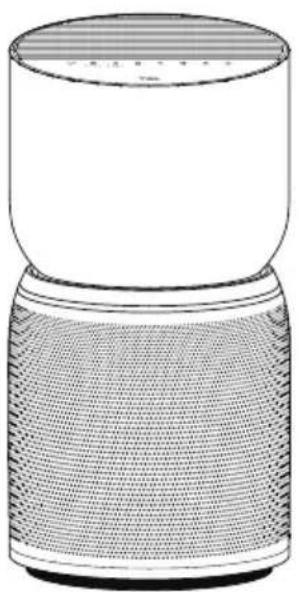
The TCL Breeva air purifier can efficiently remove dust, smoke, pollen, bacteria, and more, helping to protect your family's health by converting these pollutants into clean air.
This air purifier is equipped with a composite filter that can efficiently remove particulate matter in the air, including PM2.5 particles, formaldehyde, and odor (smoke).
natural_image
Line drawing of a modern cylindrical device with mesh grille and top panel (no text or symbols)- Composite Filter
It can absorb smoke, pollen, and dust, filter bacteria in the air, effectively remove formaldehyde, TVOC, odors (fumes) in the air, and effectively remove PM2.5.
Packing list
| Packing position | Main machine packaging | ||||
| Name of items | Main | Filter Adaptor |  | User Manual Other documents |  |
| Quantity | 1 | 1 | 1 | 1 | 1 |

natural_image
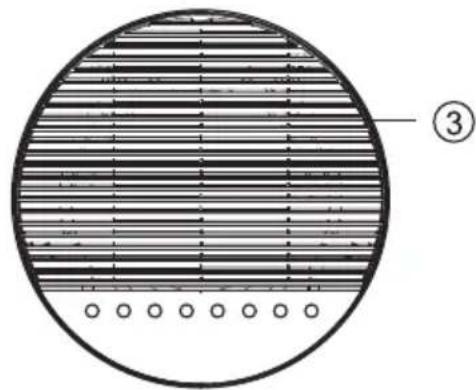
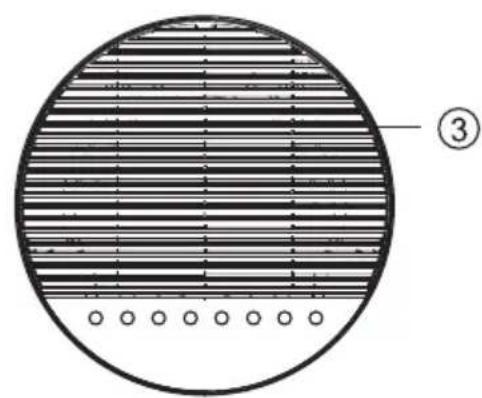
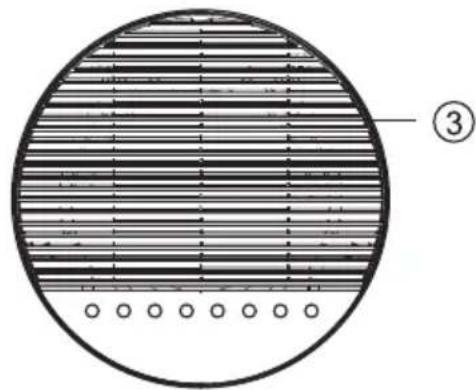
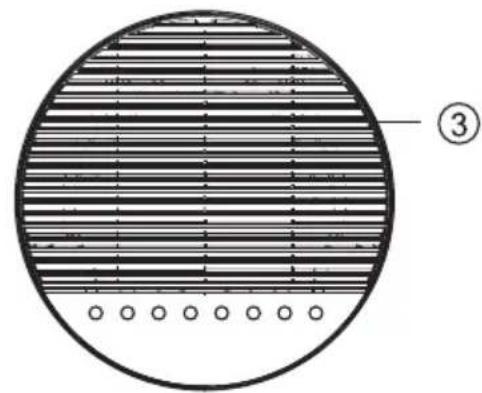
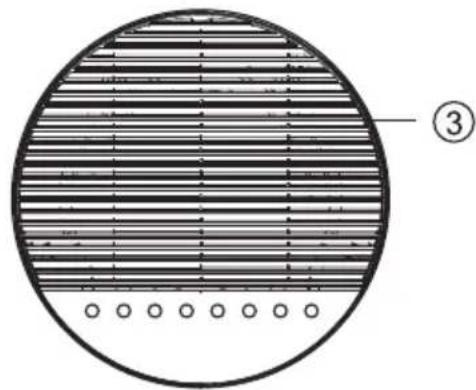
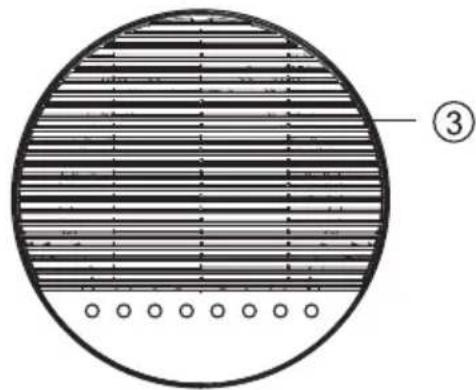
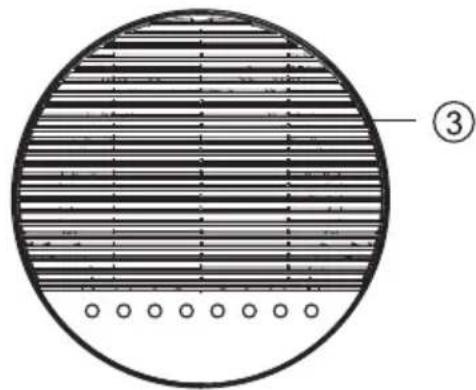
Circular diagram with horizontal striped pattern and numbered label (③), no readable text or symbols beyond the number
natural_image
Illustration of a cylindrical object with vertical striations and a central vertical seam (no text or symbols)⑥
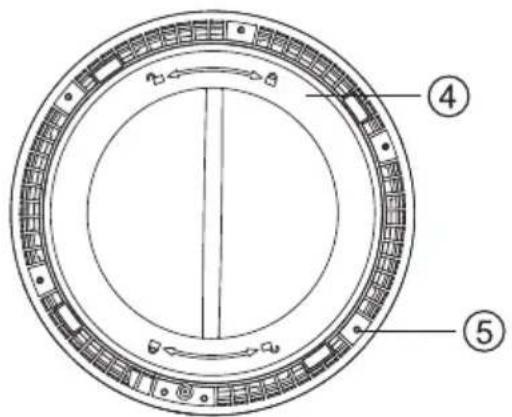
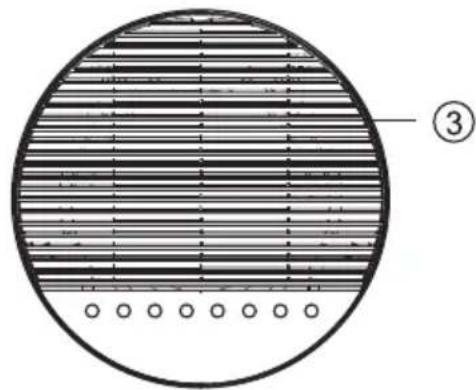
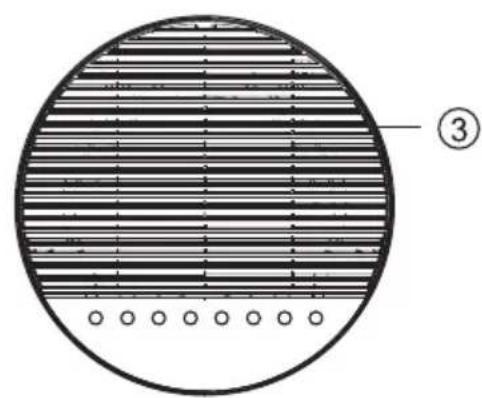
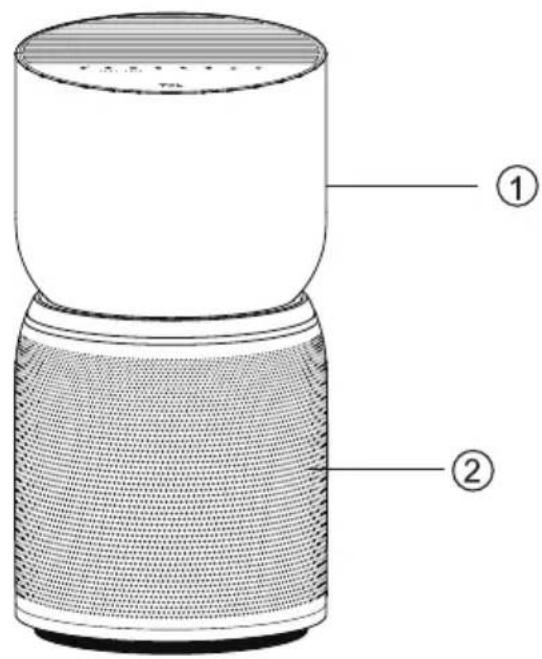
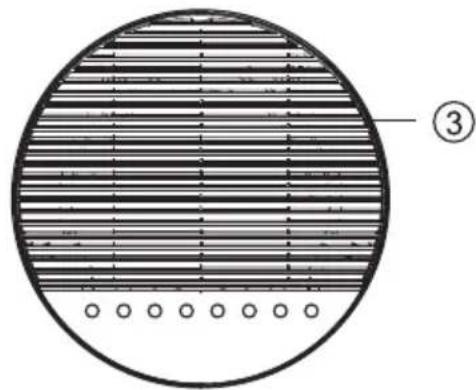
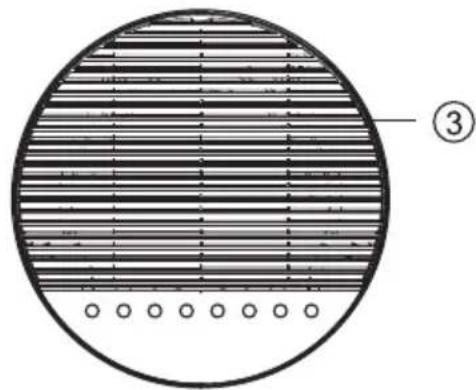
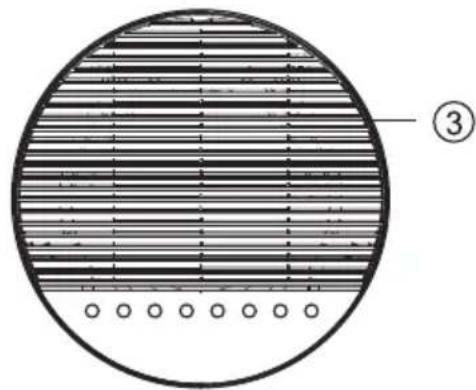
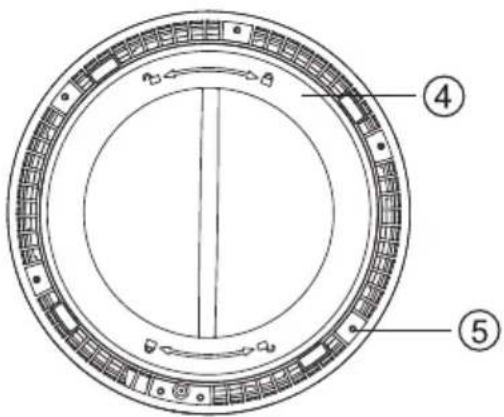
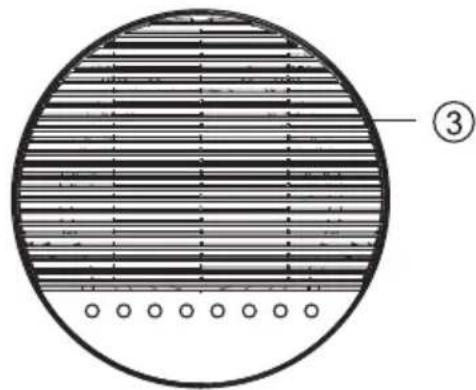
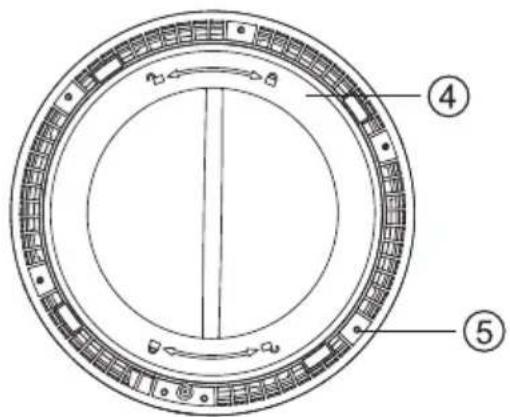
1、Shell 4、Bottom cover
2、Air inlet 5、Anti-slip mat
3、Air outlet 6、Composite filter
- Read the instructions for use carefully before putting the appliance into operation, and keep in a safe place for later reference.
- Only use the appliance in living spaces and within the specified technical data. Incorrect use can place health and life in danger.
●Children cannot recognize the dangers associated with using electrical devices. For this reason, always supervise children when they are in the vicinity of a running appliance.
- To operate the appliance only use the supplied original components. Use the unit only at room temperatures ( >10^ ).
● The appliance is only to be used with the power supply unit provided with the appliance.
●Appliance must only be supplied at safety extra low voltage.
- Persons who have not familiarized themselves with the instructions for use, as well as children and persons under the influences of medicines, alcohol or drugs, must not operate the unit, or do so only under supervisors.
- Do not use the appliance if the power cable is defective or the appliance has been damaged by, e.g., falling over.
●The appliance may only be put into operation in a completely assembled state.
- Never remove the power plug from the mains socket by pulling on the cable or with wet hands.
- Place the appliance on a level, dry surface only.
● Appliances that are obviously damaged must not be operated.
● Never immerse the appliance in water or other liquids.
- Place the appliance so that it cannot be knocked over.
- Remove the power plug prior to cleaning, maintenances, or when the appliance is not in use.
- Do not cover the cable with a carpet or other objects. Place the unit so that you cannot trip over the cable.
- Do not operate the appliance in rooms containing flammable goods, gases or vapors.
- Do not place the appliance in the rain, and do not use it in damp rooms.
- Do not insert any foreign objects into the appliance.
● Never sit on the appliance, and do not place any objects on it.
● The cable must never be trapped by a door threshold or crushed by other heavy objects!
- Do not move the appliance during operation.
● This appliance can be used by children aged from 8 years and above and persons with reduced physical, sensory or mental capabilities or lack of experience and knowledge if they have been given supervision or instruction concerning use of the appliance in a safe way and understand the hazards involved. Children shall not play with the appliance. Cleaning and user maintenance shall not be made by children without supervision.
- This device complies with Part 15 of the FCC Rules. Operation is subject to the following two conditions: (1) this device may not cause harmful interference, and (2) this device must accept any interference received, including interference that may cause undesired operation Please note that changes or modifications of this product is not expressly approved by the party responsible for compliance could void the user's authority to operate the equipment. NOTE: This equipment has been tested and found to comply with the limits for a Class B digital device, pursuant to Part 15 of the FCC Rules. These limits are designed to provide reasonable protection against harmful interference in a residential installation. This equipment generates, uses and can radiate radio frequency energy and, if not installed and used in accordance with the instructions, may cause harmful interference to radio communications. However, there is no guarantee that interference will not occur in a particular installation.
- If this equipment does cause harmful interference to radio or television reception, which can be determined by turning the equipment off and on, the user is encouraged to try to correct the interference by one or more of the following measures:
(1) Reorient or relocate the receiving antenna.
(2) Increase the separation between the equipment and receiver.
(3) Connect the equipment into an outlet on a circuit different from that to which the receiver is connected.
(4) Consult the dealer or an experienced radio/TV technician for help.
- This device contains license-exempt transmitter(s)/receiver(s) that comply with Innovation, Science and Economic Development Canada’s license-exempt RSS(s). Operation is subject to the following two conditions:
(1) This device may not cause interference.
(2) This device must accept any interference, including interference that may cause undesired operation of the device.
- This equipment complies with FCC's and IC's RF radiation exposure limits set forth for an uncontrolled environment. The antenna(s) used for this transmitter must be installed and operated to provide a separation distance of at least 20 cm from all persons and must not be collocated or operating in conjunction with any other antenna or transmitter. Installers must ensure that 20cm separation distance will be maintained between the device (excluding its handset) and users.

This marking indicates that this product should not be disposed with other household wastes throughout the EU. To prevent possible harm to the environment or human death from uncontrolled waster disposal, recycle it responsibly to promote to the sustainable reuse of material resources. To return your used device, please use the return and collection systems or contact the retailer where the product was purchased. They can take this product for environment safe recycling.
- This appliance is not intended for use by persons (including children) with reduced physical, sensory or mental capabilities, or lack or experience and knowledge, unless they have been given supervision or instruction concerning use of the appliance by a person responsible for their safety. Children should be supervised to ensure that they do not play with the appliance.
This appliance contains a UV-C emitter.
● Warning: User replaces UV-C transmitter It's not allowed.
If the UV-C emitter cannot be replaced, it must be clearly stated.
Unintended use of the appliance or damage to the housing may result in the escape of dangerous UV-C radiation. UV-C radiation may, even in little doses, cause harm to the eyes and skin.
Ensure that the device is switched off from the supply mains before removing the guard.
This product complies with the maximum allowable concentration of ozone of 0.050 parts per million by volume (ppmv) in a 24-h period.
●WARNING: UV radiation is dangerous for the eyes and skin. Do not operate the UV-C emitter outside the appliance.
- WARNING: RISK OF ELECTRIC SHOCK – These servicing instructions are for use by qualified personnel only. To reduce the risk of electric shock, do not perform any servicing other than that contained in the operating instructions unless you are qualified to do so.
●WARNING: DISCONNECT POWER SUPPLY BEFORE SERVICING.
Start preparation
Remove filter Install filter
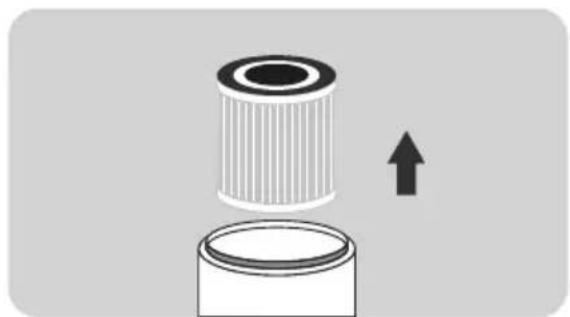
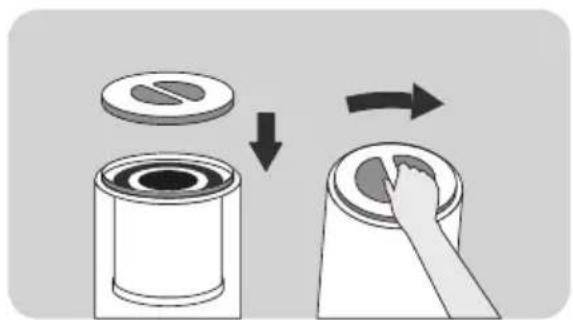
- Flip the air purifier over and twist the filter cover counterclockwise to remove it.
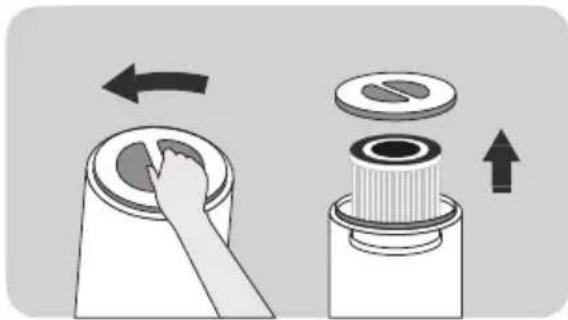
natural_image
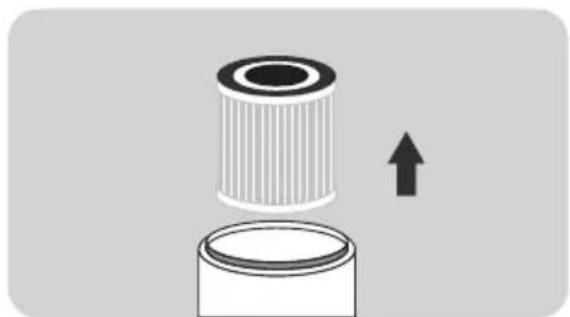
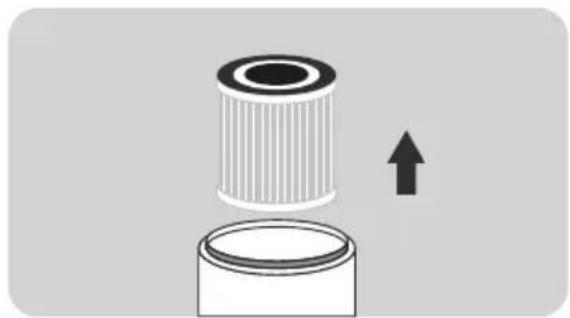
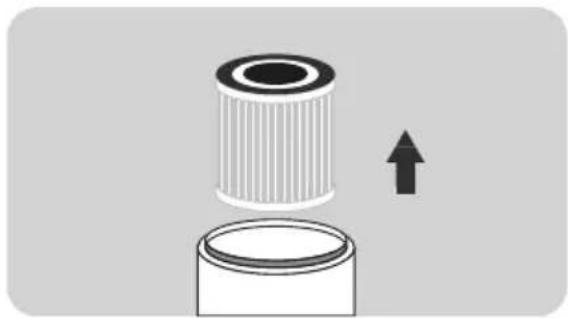
Diagram showing a hand pressing down on a circular component with an arrow indicating rotation (no text or symbols present)- Remove the filter from inside the unit.
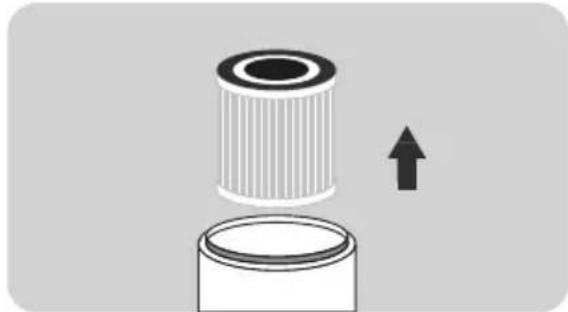
natural_image
Diagram of a cylindrical object with an upward arrow, no text or symbols present- Remove the filter from its plastic packaging.
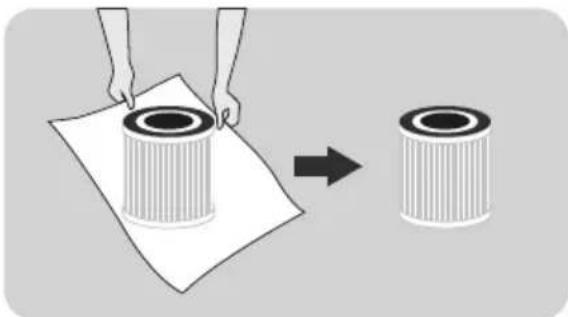
natural_image
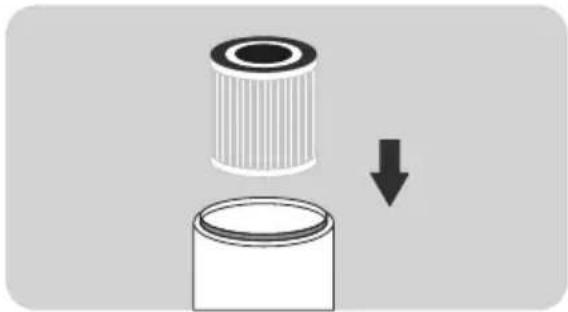
Illustration of a person handling a cylindrical object on paper, with an arrow indicating transformation (no text or symbols present)- Place the filter back into the air purifier. The side with drawstring should be placed outward.

natural_image
Diagram showing a cylindrical object being dropped into a container with a downward arrow (no text or symbols)- Replace the cover and twist it clockwise to tighten.
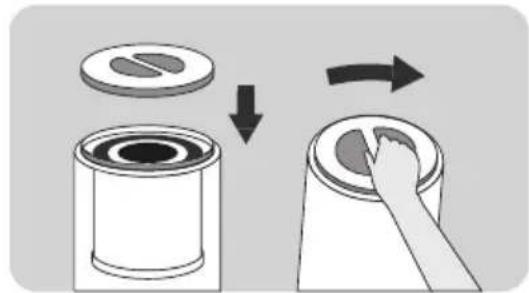
natural_image
Illustration of a hand placing a circular object onto a cylindrical container, showing a step-by-step transformation (no text or symbols)
- The filter is a consumable item, thus is excluded from our warranty policy. Please confirm that the filter is in good condition before removing the protective wrap.
- Please do not use the air purifier without the filter.
- The unit must be disconnected from the power supply before replacing the filter.
Power on
- Place the air purifier on a flat surface, and then insert the plug into the power socket;
- This product can only be used on a 100-240V 50/60Hz socket.
- Before inserting the plug into the socket, please make sure that your hands and the plug are dry. If there is water on your hands or the plug, please dry the plug and your hands before inserting it into the power socket.
- After the power is turned on, the light on the operation panel will flash once. After 1 second, except for the half-bright switch light, all the other lights are off.

natural_image
Simple line drawing of a hand inserting a plug into a cylindrical device with a cable (no text or symbols)
- Please close doors and windows when using;
- If the air quality does not improve after the air purifier has been running for a period of time, please open the doors and windows to maintain air circulation. (In extreme environments)
Control panel
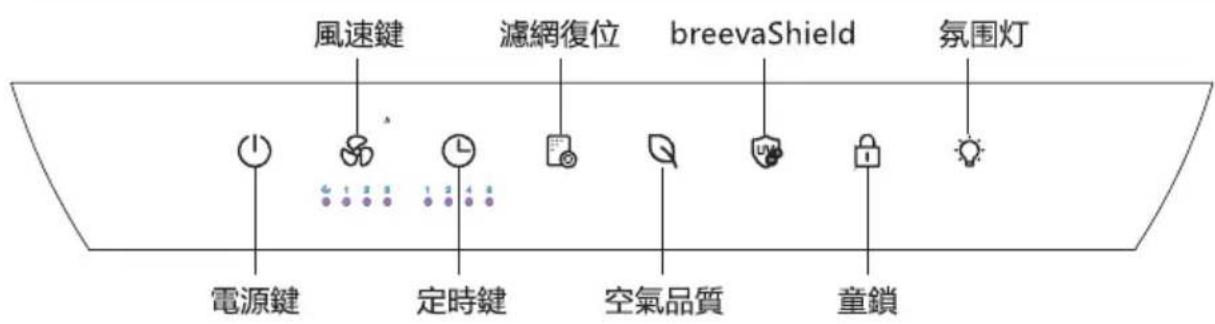
breeva A3 operation panel

breeva A3 Wi-Fi operation panel

flowchart
graph LR
    A["Wi-Fi indicator"] --> B["ON/OFF"]
    B --> C["Timer"]
    C --> D["Air quality"]
    D --> E["Child Lock"]
    F["Mode"] --> G["Light icon"]
    H["Filter reset"] --> I["Weather icon"]
    J["breevaShield"] --> K["Lock icon"]
    L["Ambient light"] --> M["Light icon"]
On/off

Light on
Insert the power plug into the socket and press the "on/off" button to turn on the machine.
- Insert the power plug into the socket and press the "on/off" button to turn on the machine.
- When the air purifier is on, press the power button to re-enter the standby state. The power button light will be half lit. * Standby refers to the state when the device is connected to power but is not turned on.
Mode

Light on
- While powered on, press the wind speed button to adjust the wind speed in the following order: Sleep-1st gear-2nd gear-3rd gear-Automatic.
- In automatic mode, when the air quality is excellent, it operates in the first gear, when the air quality is medium, it operates in the second gear, and when the air quality is poor, it operates in the third gear.
- In sleep mode, all lights are at 50% brightness. Press and hold the wind speed button for 3 seconds to turn on/off the lights on the control panel. When the control panel lights are off, if touched, the rest of the button panel will light up by 50% . The lights will turn off again if there is no operation within 10 seconds.
Timer

Light on

- Press the timer button while the unit is on to turn on the timer function.
The time can be set to 1H-2H-4H-8H-cancel time intervals, and the corresponding indicator will turn white. After setting the timer to turn off, press the power button to cancel the timer setting and immediately enter the standby mode.
breevaShield

Light on

- Press the breevaShield button to turn on/off the anion/UV-C function while the device is turned on.
Child Lock

Light on

- Press and hold for 3 seconds to turn on the panel lock. Once the panel is locked, users will be unable to change any settings. You can unlock the device by pressing the lock icon for 3 seconds.
Filter

Light on

- The internal timer calculates the cumulative running time. When the filter indicator flashes red (each time it powers on), and the buzzer sounds three times, it indicates that the filter will need to be replaced soon. When the filter indicator flashes red (each time it powers on) and the buzzer sounds five times, you will need to replace the filter as soon as possible (The time of the timer is calculated by laboratory simulation test, which may not be completely consistent with actual use. In heavy usage scenarios, you may need to replace the filter before the time expires).
• After replacing the filter, press and hold the filter reset button for 3 seconds, the buzzer will sound once, and the indicator light will turn white.
Air quality (no button function)

- The icon will change based on your quality of air measured by the dust and VOC sensor. When the light is white, the air quality is excellent; When the light is yellow, the air quality is medium; When the light is red, the air quality is poor.
Ambient light

Light on

- While the device is on, press the night light button to turn on/off the night light function. (For the WiFi version, you can adjust the brightness through the TCL Home app)
Wi-Fi connection (only for breeva A3 Wi-Fi)


- When the device is turned on, press and hold the power button for 3 seconds. The buzzer will then make a sound indicating the unit is ready to pair.
- As the unit begin to pair, the WiFi icon will begin to flash quickly.
- Once the unit has finished pairing and is connected to WiFi, the icon will appear solid as long as it remains connected.
- WiFi pairing will automatically turn off if there is action after 8 minutes.
(only for breeva A3 Wi-Fi)
1、Download the APP
You can scan the QR code below to download and install TCL HOME or search for "TCL HOME" in the Apple App Store and Google Play Store.

2、Configure the device
When the device is turned on, press the power button for 3 seconds and the buzzer will make a sound, the WiFi indicator will flash quickly, and the device will enter the configuration mode. When the WiFi indicator is always on, the TCL HOME APP can be used to operate the equipment after the configuration is completed.
[Turn off Wi-Fi]: Long press the power button for 3 seconds to enter the network configuration state (the Wi-Fi light flashes), press the power button again to turn off Wi-Fi.

Reminder
If your connection fails, please check the following list:
A. Make sure your Bluetooth is turned on.
B. When you are adding a device, make sure you are connected to Wi-Fi.
C. Put your smartphone as close to the device as possible.
D. Your phone is not in power-saving mode.
3、Voice operation
After the configuration is complete, enter the APP screen, click the upper right corner to enter the voice operation settings:
A. Click the function to start connecting to the voice assistant.
B. TCL HOME is compatible with both Alexa and Google voice assistants.
C. It will display the voice operation guide.
Tips
A. Because we are constantly improving the TCL Home app to provide you a better experience, the actual instruction may very slightly from above. This is no problem though, our app has the latest information to keep you up to date.
B. Devices are only compatible with the 2.4GHz band and not the 5GHz band. (No need to worry, all WiFi networks have a 2.4GHz band that comes standard).
NOTE: While connected to a WiFi network, the WiFi icon will remain on even when the unit is powered off. However, the WiFi icon will dim to 50% brightness when the unit turns off. If your unit become disconnected from the WiFi, you can repair it at any time.
Precautions for maintenance:
- Before maintenance, you must unplug the unit to disconnect the power supply.
Composite Filter
- Use a vacuum cleaner to maintain the filter.
• The filter is not washable.
※ Please clean the filter once every two weeks.
Clean the filter with a vacuum cleaner
- The filter material is easy to damage, so be gentle while cleaning to avoid damage.
※ The filter is a consumable product, which is not covered by the product warranty. Please maintain and use it properly to avoid damage.
Brush nozzle or gap nozzle


Reminder
- Do not operate when the filter is removed. (It loses the function of dust removal and deodorization, and the inhaled dust may cause the sensor in the machine to malfunction.)
-
During maintenance, do not arbitrarily place the removed accessories. (It is possible to trip over or damage the accessories, and children could get injured by playing with them.)
-
Wipe the body and operation panel with a soft cloth.
- Please do not wipe with a hard cloth, otherwise it will cause surface damage.
- Please use a dry cloth to clean the power cord to avoid potential injury (electrical shock).
- Please use neutral detergent when cleaning. Never use decontamination powder, alkaline detergent, thinner, bleach, alcohol or gasoline to clean the body.

natural_image
Simple line drawing of a cylindrical object with a black base and white top (no text or symbols)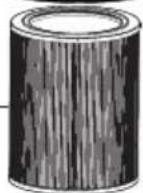

| Reference time for filter replacement | |
| Replacement cycle | |
| Composite Filter | When the panel indicator is flashing (it needs to be replaced every 6 months after use) |
| Conditions: The product use time is 12 hours/day, and the use environment is normal. | |
| If the environmental pollution is high, please shorten the replacement time as appropriate. | |
※ Depending on the actual use environment and method of use, the replacement cycle of the filter may change. If you believe your air purifier is not performing good because of a heavy usage environment, please replace the filter.
- After replacing the filter, press and hold the light button for 3 seconds, the buzzer will sound once, the panel indicator will turn from red to white, and the reset is complete.
- Please dispose of the used filter as non-combustible garbage.
The following lists the problems you may encounter during use. If you cannot solve the problem based on the information below, please contact your local dealer.
| Problems Possible solutions | |
| The red indicator on the panel flashes for a long time. | You ignored the reminder to replace the filter. When the red indicator on the panel starts to flash, you did not replace the filter in time; You must replace the filter and press and hold the light button for 3 seconds. After the reset is complete, the indicator goes out. |
| No air is discharged from the air outlet. | The product is not connected to the power source. Please insert the plug into the power socket and turn on the product. |
| The product has been running for a long time, and the air quality has not improved significantly. | A certain filter may not be placed as it should inside the product. Please make sure to install the filter in the correct order, starting with the innermost filter: composite filter-base. |
| The indoor humidity is too high, so condensate is formed. Do not place the product in a place with high humidity such as bathroom, toilet | |
| There are obstacles around the product that affect the purification effect. (Refer to the instructions for use.) | |
| The room where the product is in is too large. The recommended room area for this product is about 246 square feet. | |
| Difficult to remove dirt in the air. | Is the filter dirty? If there is no improvement after maintenance, please replace the filter. |
| The wind blowing from the air outlet has a peculiar smell. | Is it used in places with strong smells? If you use it under strong odors such as cigarettes and barbecues, the filter will produce an unpleasant odor within weeks or months. Please replace the filter and keep it well ventilated. |
| No response after touching buttons. | Please confirm whether the child lock button is locked first, you need to press and hold the child lock button for 3 seconds to unlock the child lock button, and then touch other buttons to operate. |
Specifications
| breeva A3 /breeva A3 Wi-FiProduct model | |
| Rated voltage | 24V |
| Rated power | 38W |
| Clean air delivery rate (CADR) | 158 cfm270 m3/h |
| Applicable area | 246 square feet |
Customer support
We are devoted to your 100% satisfaction and would like to get your feedback on our product and service. If there is anything that did not meet you expectation you have any questions regarding your new product. Please contact us via www.tcl.com without hesitation.
TCL OVERSEAS MARKETING LIMITED
7/F BUILDING 22E,
22 SCIENCE PARK EAST AVENUE,
HONG KONG SCIENCE PARK,
SHATIN NT
www.tcl.com
*Please have your order invoice and order ID ready before contacting Customer Support.
Purificador de aire
Manual de usuario
Modelo: breeva A3 / breeva A3 Wi-Fi

natural_image
Line drawing of a modern cylindrical device with textured surface and top panel (no text or symbols)LEA Y GUARDE ESTAS INSTRUCCIONES
natural_image
Line drawing of a modern cylindrical device with a mesh grille (no text or symbols)- Filtro compuesto

natural_image
Circular diagram with horizontal striped pattern and numbered circle (3), no text or symbols present
natural_image
Illustration of a cylindrical object with vertical striations and a central gap (no text or symbols)
natural_image
Diagram showing a hand pressing down on a circular component with an arrow indicating rotation (no text or symbols present)natural_image
Diagram showing a cylindrical object with an upward arrow emerging from it, no text or symbols presentnatural_image
Illustration of a person handling a cylindrical object with an arrow indicating transformation (no text or symbols present)Instalar el filtro
natural_image
Diagram showing a cylindrical object being dropped into a container with a downward arrow (no text or symbols)natural_image
Diagram showing a cylindrical container being cut with a circular slot, then being placed on top of a cylindrical container (no text or symbols present)
natural_image
Simple line drawing of a hand inserting a plug into a cylindrical device connected to a black base (no text or symbols)
natural_image
Simple line drawing of a cylindrical object with a black base and white top (no text or symbols)

natural_image
Line drawing of a modern mobile phone with a perforated grille and top cylindrical body (no text or symbols)LUGEGE JA SÄILITAGE NEED JUHISED (juhiseid saate lugeda ka veebilehelt www.TCL.com)

Mudelinumber: breeva A3; breeva A3 Wi-Fi
natural_image
Line drawing of a modern cylindrical device with a mesh grille (no text or symbols)- Komposiitfilter
natural_image
Circular diagram with horizontal striped pattern and numbered label (③), no readable text or symbols beyond the number
natural_image
Cross-sectional diagram of a cylindrical object with internal striations and a labeled section (6), no text or symbols present.
natural_image
Diagram showing a hand pressing down on a circular component with an arrow indicating rotation (no text or symbols present)- Eemaldage filter seadmest.

natural_image
Diagram showing a cylindrical object with a base and an upward arrow, no text or symbols present- Eemaldage filter plastpakendist.

natural_image
Illustration of a hand holding a cylindrical object on paper, transforming into a separate cylindrical object (no text or symbols present)Paigaldage filter
natural_image
Diagram showing a cylindrical object being dropped into a container with a downward arrow (no text or symbols)natural_image
Illustration showing a hand placing a circular object onto a cylindrical container, with arrows indicating process flow (no text or symbols)
natural_image
Line drawing of a hand inserting a plug into a cylindrical device connected to a wall-mounted power outlet (no text or symbols)
2. Seadistage seade
natural_image
Simple line drawing of a cylindrical object with a black base and white top (no text or symbols)

natural_image
Line drawing of a modern cylindrical device with textured surface and top panel (no text or symbols)natural_image
Line drawing of a modern cylindrical device with a textured base and top panel (no text or symbols)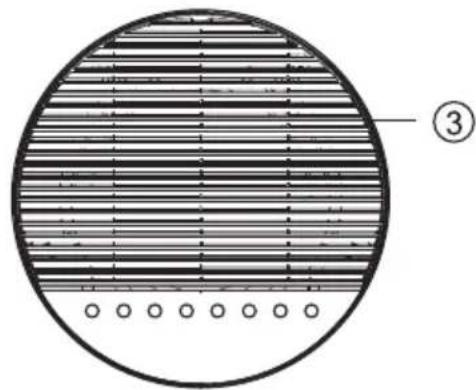
natural_image
Circular diagram with horizontal striped pattern and numbered label (③), no readable text or symbols beyond the number
natural_image
Cross-sectional diagram of a cylindrical object with internal striations and a labeled section (6), no text or symbols present.
natural_image
Diagram showing a hand pressing down on a circular component with an arrow indicating rotation (no text or symbols present)natural_image
Diagram showing a cylindrical object with an upward arrow emerging from it, no text or symbols presentnatural_image
Illustration of a hand holding a cylindrical filter next to a separate cylindrical filter, showing a change from the original to the second (no text or symbols present)Asenna suodatin
natural_image
Diagram showing a cylindrical object being dropped into a container with a downward arrow (no text or symbols)natural_image
Diagram showing a cylindrical container being inserted into a lid, with arrows indicating the process (no text or symbols present)
natural_image
Line drawing of a hand inserting a plug into a cylindrical device connected to a wall-mounted power outlet (no text or symbols)
2. Määritä laite
natural_image
Simple line drawing of a cylindrical object with a black base and white top (no text or symbols)

natural_image
Line drawing of a modern cylindrical speaker with textured grille and top panel (no text or symbols)natural_image
Line drawing of a modern cylindrical device with a mesh base (no text or symbols)- Filtre composite
natural_image
Circular diagram with horizontal striped pattern and numbered label (③), no readable text or symbols beyond the number
natural_image
Illustration of a cylindrical object with vertical striations and a flat top (no text or symbols)⑥

natural_image
Diagram showing a hand pressing down on a circular component with an arrow indicating rotation (no text or symbols present)natural_image
Diagram showing a cylindrical object with an upward arrow emerging from it, no text or symbols presentnatural_image
Illustration of a hand holding a paper with a cylindrical object, transforming into a separate cylindrical object (no text or symbols present)Installer le filtre
natural_image
Diagram showing a cylindrical object being dropped into a container with a downward arrow (no text or symbols)natural_image
Diagram showing a hand placing a circular object onto a cylindrical container, with arrows indicating process flow (no text or symbols)
natural_image
Simple line drawing of a hand connecting a power outlet to a cylindrical device with a cable (no text or symbols)
2. Configurer l'appareil
natural_image
Simple line drawing of a cylindrical object with a black base and white top (no text or symbols)

natural_image
Line drawing of a modern cylindrical speaker with textured grille and top panel (no text or symbols)natural_image
Line drawing of a modern cylindrical device with mesh grille (no text or symbols)• Σύνθετο φίλτρο
natural_image
Circular diagram with horizontal striped pattern and numbered label (③), no readable text or symbols beyond the number
natural_image
Cross-sectional diagram of a cylindrical object with internal striped texture and labeled point 6 (no text or symbols beyond label)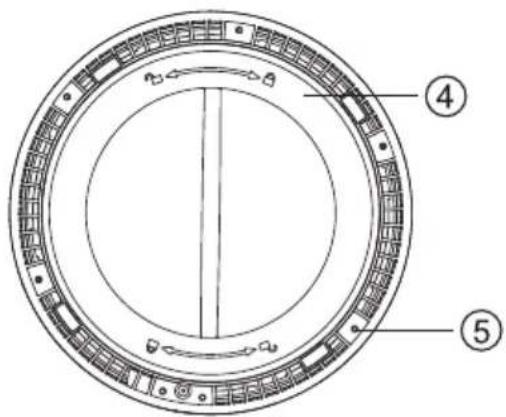
natural_image
Diagram showing a hand pressing down on a circular component with an arrow indicating rotation (no text or symbols present)natural_image
Diagram showing a cylindrical object with an upward arrow emerging from it, no text or symbols presentnatural_image
Illustration of a hand holding a cylindrical object next to a separate cylindrical object, both shown with an arrow indicating transformation (no text or symbols present)natural_image
Diagram showing a cylindrical object being dropped into a container with a downward arrow (no text or symbols)natural_image
Illustration of a mechanical assembly process showing a cylindrical component being cut and then placed on a cylindrical base, with arrows indicating motion direction (no text or symbols)
natural_image
Line drawing of a hand inserting a plug into a cylindrical device connected to a wall-mounted panel (no text or symbols)
natural_image
Simple line drawing of a cylindrical object with a black base and white top (no text or symbols)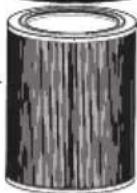

natural_image
Line drawing of a modern cylindrical device with textured surface and top panel (no text or symbols)PROČITAJTE I SPREMITE OVE UPUTE
natural_image
Line drawing of a modern cylindrical device with mesh grille and top panel (no text or symbols)- KompNeozitni filtar
Može apsorbirati dim, pelud i prašinu, filtrirati bakterije u zraku, učinkovito ukloniti formaldehid, TVOC, mirise (isparenja) iz zraka i učinkovito ukloniti PM2.5 čestice.
Lista pakiranja
| Položaj pakiranja | Pakiranje glavnog stroja | ||||
| Naziv predmeta | Glavni dio |  | AdapterFiltar | Korisnički priručnik | Ostali dokumenti |
| Količina | 1 | 1 | 1 | 1 | 1 |
natural_image
Circular diagram with horizontal striped pattern and numbered label (③), no readable text or symbols beyond the number
natural_image
Cross-sectional diagram of a cylindrical object with internal striations and a numbered label (6) at the bottom right corner.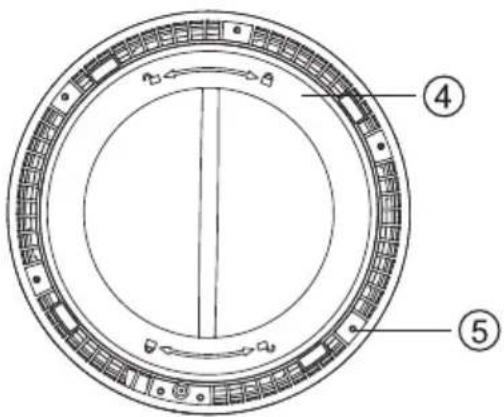
- Školjka 4. Donji poklopac
- Ulaz zraka 5. Podloga protiv klizanja
- Izlaz zraka 6. Kompozitni filtar
- Prije puštanja uređaja u rad pažljivo pročitajte upute za uporabu i čuvajte ih na sigurnom mjestu za kasniju uporabu.
- Uređaj upotrebljavajte samo u stambenim prostorima i u okviru navedenih tehničkih podataka. Nepravilna uporaba može dovesti u opasnost zdravlje i život.
natural_image
Diagram showing a hand pressing down on a cylindrical component with an arrow indicating rotation (no text or symbols present)- Uklonite filtar iz unutrašnjosti jedinice.
natural_image
Diagram showing a cylindrical object with a base and an upward arrow, no text or symbols presentnatural_image
Illustration of a hand holding a paper with a cylindrical object, next to a separate cylindrical object (no text or symbols)Ugradite filtar
- Vratite filtar u pročišćivač zraka. Strana s uzicom treba biti postavljena prema van.
natural_image
Diagram showing a cylindrical object being dropped into a container with a downward arrow (no text or symbols)natural_image
Illustration of a mechanical assembly process showing a cylindrical component being cut and then placed on a cylindrical base, with arrows indicating motion (no text or symbols)
natural_image
Line drawing of a hand inserting a plug into a cylindrical device connected to a wall-mounted panel (no text or symbols)
2. Konfiguriranje uređaja
U stanju pripravnosti, pritisnite i držite tipku za napajanje 3 sekunde i zvučni signal će se oglasiti, WiFi indikator će brzo treptati i uređaj će ući u konfiguracijski način rada. Kada je WiFi indikator uvijek uključen, APLIKACIJA TCL HOME se može koristiti za upravljanje opremom nakon dovršetka konfiguracije.
natural_image
Simple line drawing of a cylindrical object with a black base and white top (no text or symbols)

Referentno vrijeme za zamjenu filtra
natural_image
Line drawing of a modern cylindrical device with textured surface and top panel (no text or symbols)natural_image
Line drawing of a modern mobile phone with a wide neck and textured body (no text or symbols)- Kompozit szürö
natural_image
Circular diagram with horizontal striped pattern and numbered circle (③), no text or symbols present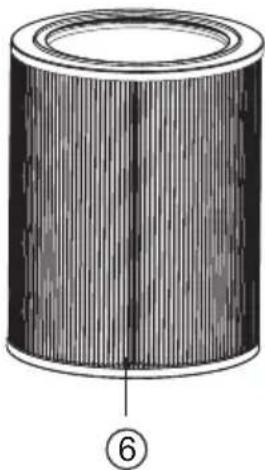
natural_image
Cross-sectional diagram of a cylindrical object with internal striations and a numbered label (6) at the bottom right corner.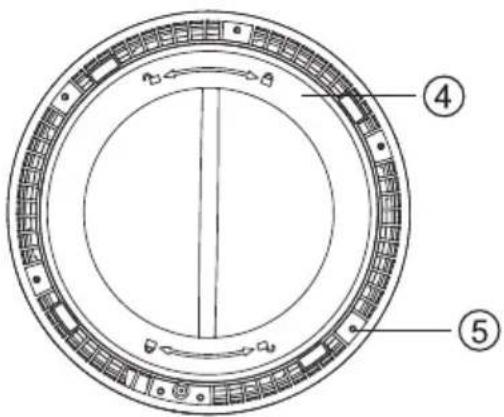
natural_image
Diagram showing a hand pressing down on a cylindrical component with an arrow indicating rotation (no text or symbols present)natural_image
Diagram showing a cylindrical object with an upward arrow emerging from it, no text or symbols presentnatural_image
Illustration of two cylindrical filter rollers being placed on a sheet, with an arrow indicating the process (no text or symbols present)A szűrő behelyezése
natural_image
Diagram showing a cylindrical object being dropped into a container with a downward arrow (no text or symbols)natural_image
Diagram showing a cylindrical container being cut with a hand using a circular tool to press down, illustrating the process (no text or symbols present)
natural_image
Diagram of a hand holding a power plug connected to a cylindrical device with a cable (no text or symbols present)
natural_image
Simple line drawing of a cylindrical object with a black base and white top (no text or symbols)

natural_image
Line drawing of a modern cylindrical speaker with textured grille and top panel (no text or symbols)natural_image
Line drawing of a modern cylindrical speaker with mesh grille (no text or symbols)- Filtro composito

natural_image
Circular diagram with horizontal striped pattern and numbered circle (3), no text or symbols present
natural_image
Illustration of a cylindrical object with vertical striations and a central seam (no text or symbols)
natural_image
Diagram showing a hand pressing down on a circular component with an arrow indicating rotation (no text or symbols present)natural_image
Diagram showing a cylindrical object with an upward arrow emerging from it, no text or symbols presentnatural_image
Illustration of a person handling a cylindrical filter next to a separate cylindrical filter (no text or symbols)natural_image
Diagram showing a cylindrical object being dropped into a rectangular container with a downward arrow (no text or symbols)natural_image
Diagram showing a cylindrical container being cut with a hand using a tool to clean the lid (no text or symbols present)
natural_image
Simple line drawing of a hand connecting a power outlet to a cylindrical device (no text or symbols)
2、Configurare il dispositivo
natural_image
Simple line drawing of a cylindrical object with a black base and white top (no text or symbols)


Promemoria
natural_image
Line drawing of a modern cylindrical device with textured surface and top panel (no text or symbols)natural_image
Line drawing of a modern mobile phone with a wide neck and textured body (no text or symbols)- Sudètinis filtras
natural_image
Circular diagram with horizontal striped pattern and numbered label (③), no readable text or symbols beyond the number
natural_image
Cross-sectional diagram of a cylindrical object with internal striations and a labeled section (6), no text or symbols present.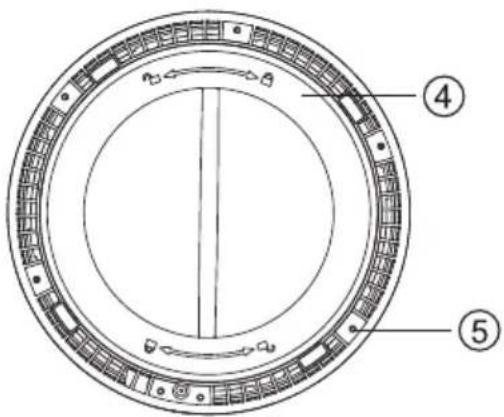
natural_image
Diagram showing a hand pressing down on a circular component with an arrow indicating rotation (no text or symbols present)natural_image
Diagram showing a cylindrical object with an upward arrow emerging from it, no text or symbols presentnatural_image
Illustration of a person handling a cylindrical filter next to a separate cylindrical filter (no text or symbols present)Idiekite filtra
natural_image
Diagram showing a cylindrical object being dropped into a container with a downward arrow (no text or symbols)natural_image
Diagram showing a cylindrical container being cut with a hand using a tool to press down it, illustrating the process (no text or symbols present)
natural_image
Line drawing of a hand inserting a plug into a cylindrical device connected to a wall-mounted panel (no text or symbols)
natural_image
Simple line drawing of a cylindrical object with a black base and white top (no text or symbols)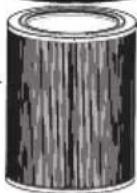

natural_image
Line drawing of a modern cylindrical speaker with textured grille and top panel (no text or symbols)IZLASIET UN SAGLABĀJIET ŠOS NORĀDĪJUMUS
natural_image
Line drawing of a modern cylindrical device with a mesh grille (no text or symbols)
natural_image
Circular diagram with horizontal striped pattern and numbered label (③), no readable text or symbols beyond the number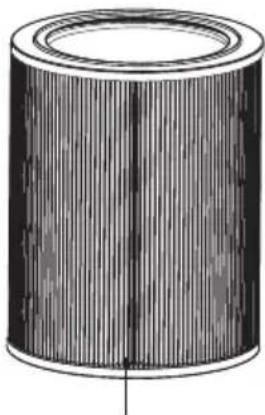
natural_image
Illustration of a cylindrical object with vertical grooves and a central hole (no text or symbols)⑥
natural_image
Diagram showing a hand pressing down on a circular component with an arrow indicating rotation (no text or symbols present)natural_image
Diagram showing a cylindrical object with a downward arrow emerging from it, no text or symbols present- Nonemiet filtru no plastmasas iepakoju-ma.

natural_image
Illustration of a hand holding a paper with two cylindrical filters, one being cut and the other fixed (no text or symbols)Instalējiet filtru
natural_image
Diagram showing a cylindrical object being dropped into a container with a downward arrow (no text or symbols)natural_image
Diagram showing a cylindrical container being cut with a hand using a tool to press down it, illustrating the process (no text or symbols present)
natural_image
Line drawing of a hand inserting a plug into a cylindrical device connected to a wall-mounted panel (no text or symbols)
natural_image
Simple line drawing of a cylindrical object with a black base and white top (no text or symbols)
natural_image
Line drawing of a modern cylindrical device with textured surface and top panel (no text or symbols)ПРОЧИТАЈТЕ ГИ И ЗАЧУВАЈТЕ ГИ ОВИЕ УПАТСТВА (исто така упатствата можете да ги прочитате на www. TCL.com)

natural_image
Line drawing of a modern cylindrical speaker with mesh grille (no text or symbols)- Композитен филтер

natural_image
Circular diagram with horizontal striped pattern and numbered label (③), no readable text or symbols beyond the number
natural_image
Cross-sectional diagram of a cylindrical object with internal striations and a numbered label (6) at the bottom right corner.
natural_image
Diagram showing a hand pressing down on a circular component with an arrow indicating rotation (no text or symbols present)natural_image
Diagram showing a cylindrical object with a base and an upward arrow, no text or symbols presentnatural_image
Illustration of a hand holding a paper with a cylindrical object, transforming into a separate cylindrical object (no text or symbols present)Ставете го филтерот
natural_image
Diagram showing a cylindrical object being dropped into a container with a downward arrow (no text or symbols)natural_image
Diagram showing a hand pressing down on a cylindrical container with a lid, illustrating a process (no text or symbols)
natural_image
Diagram of a hand inserting a plug into a cylindrical device connected to a wall-mounted panel (no text or symbols present)
natural_image
Simple line drawing of a cylindrical object with a black base and white top (no text or symbols)
natural_image
Line drawing of a modern cylindrical device with textured surface and top panel (no text or symbols)LEES EN BEWAAR DEZE INSTRUCTIES
natural_image
Line drawing of a modern mobile phone with a wide neck and textured body (no text or symbols)- Samengesteld filter
natural_image
Circular diagram with horizontal striped pattern and numbered label (③), no readable text or symbols beyond the number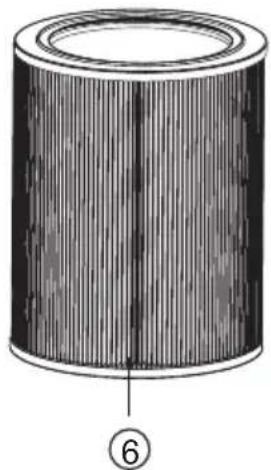
natural_image
Cross-sectional diagram of a cylindrical object with internal striations and a labeled section (6), no text or symbols present.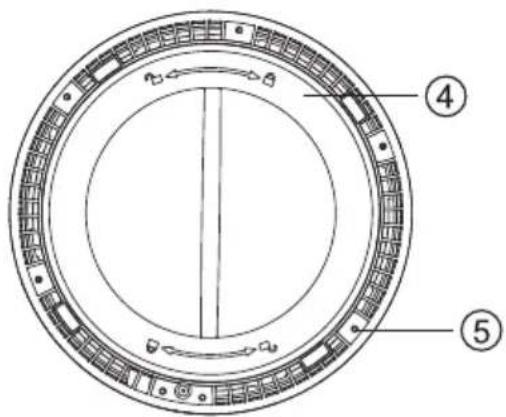
natural_image
Diagram showing a hand pressing down on a cylindrical component with an arrow indicating rotation (no text or symbols present)natural_image
Diagram showing a cylindrical object with an upward arrow emerging from it, no text or symbols presentnatural_image
Illustration of a hand holding a paper with a cylindrical object, transforming into a separate cylindrical object (no text or symbols present)natural_image
Diagram showing a cylindrical object being dropped into a container with an arrow indicating downward motion (no text or symbols)natural_image
Diagram showing a cylindrical container being inserted into a ring, with arrows indicating process direction (no text or symbols)
natural_image
Line drawing of a hand inserting a plug into a digital water dispenser (no text or symbols)
natural_image
Simple line drawing of a cylindrical object with a black base and white top (no text or symbols)

natural_image
Line drawing of a modern cylindrical device with textured surface and top panel (no text or symbols)natural_image
Line drawing of a modern mobile phone with a wide neck and textured body (no text or symbols)
natural_image
Circular diagram with horizontal striped pattern and numbered circle (③), no text or symbols present
natural_image
Cross-sectional diagram of a cylindrical object with internal striped texture and labeled point 6 (no text or symbols beyond label)
natural_image
Diagram showing a hand pressing down on a circular component with an arrow indicating rotation (no text or symbols present)natural_image
Diagram showing a cylindrical object with a downward arrow emerging from it, no text or symbols presentnatural_image
Illustration of a hand holding a paper with a cylindrical object, next to a separate cylindrical object (no text or symbols)Installere filteret
- Plasser baksiden av filteret i luftrenseren. Den kablede siden skal stikke ut.

natural_image
Diagram showing a cylindrical object being dropped into a container with a downward arrow (no text or symbols)natural_image
Diagram showing a cylindrical container being inserted into a lid, with arrows indicating process direction (no text or symbols)
natural_image
Diagram of a hand inserting a plug into a cylindrical device connected to a wall-mounted panel (no text or symbols present)
breeva A3 driften panelet

breeva A3 Wi-Fi driften panelet

Instruksjoner
På/av

Light on

2. Konfigurere enheten
natural_image
Simple line drawing of a cylindrical object with a black base and white top (no text or symbols)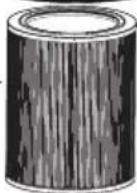

natural_image
Line drawing of a modern cylindrical device with textured surface and top panel (no text or symbols)natural_image
Line drawing of a modern cylindrical device with a mesh base (no text or symbols)- Filtr kompozytowy

natural_image
Circular diagram with horizontal striped pattern and numbered label (③), no readable text or symbols beyond the number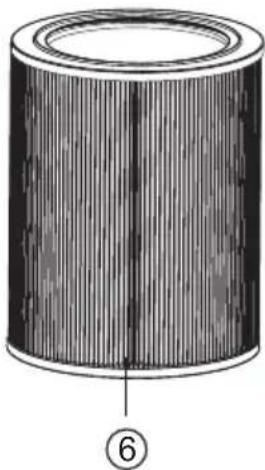
natural_image
Cross-sectional diagram of a cylindrical object with internal striations and a labeled section (6), no text or symbols present.
natural_image
Diagram showing a hand pressing down on a circular component with an arrow indicating rotation (no text or symbols present)natural_image
Diagram showing a cylindrical object with an upward arrow emerging from it, no text or symbols presentnatural_image
Illustration of two cylindrical filters being placed on paper, one being folded and the other tilted (no text or symbols)Zainstaluj filtr
natural_image
Diagram showing a cylindrical object being dropped into a container with a downward arrow (no text or symbols)natural_image
Diagram showing a cylindrical container being inserted into a lid, with arrows indicating process direction (no text or symbols)
natural_image
Line drawing of a hand inserting a plug into a cylindrical device connected to a wall-mounted power outlet (no text or symbols)
natural_image
Simple line drawing of a cylindrical object with a black base and white top (no text or symbols)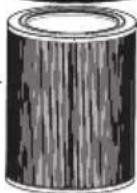


Przypomnienie
natural_image
Line drawing of a modern cylindrical speaker with textured grille and top panel (no text or symbols)natural_image
Line drawing of a modern cylindrical speaker with mesh grille (no text or symbols)- Filtro Composto
natural_image
Circular diagram with horizontal striped pattern and numbered label (③), no readable text or symbols beyond the number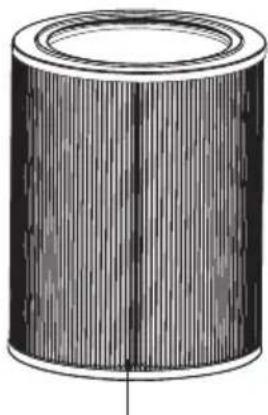
natural_image
Illustration of a cylindrical object with vertical grooves and a flat centerline (no text or symbols)⑥

1、Cobertura 4、Tampa inferior
2、Entrada de ar 5、Tapete
3、Saída de ar 6、antiderrapante
natural_image
Diagram showing a hand pressing down on a cylindrical component with an arrow indicating rotation (no text or symbols present)natural_image
Diagram showing a cylindrical object with an upward arrow emerging from it, no text or symbols presentnatural_image
Illustration of a person handling a cylindrical object on paper, with an arrow indicating transformation (no text or symbols present)instalar o filtro
natural_image
Diagram showing a cylindrical object being dropped into a container with a downward arrow (no text or symbols)natural_image
Diagram showing a cylindrical container being cut with a hand using a tool to press down it, illustrating the process (no text or symbols present)
natural_image
Simple line drawing of a hand inserting a plug into a cylindrical device with a cable (no text or symbols)2. Configure o dispositivo
natural_image
Simple line drawing of a cylindrical object with a black base and white top (no text or symbols)

natural_image
Line drawing of a modern cylindrical speaker with textured grille and top panel (no text or symbols)natural_image
Line drawing of a modern cylindrical device with a mesh grille (no text or symbols)- Filtrul compozit

natural_image
Circular diagram with horizontal striped pattern and numbered label (③), no readable text or symbols beyond the number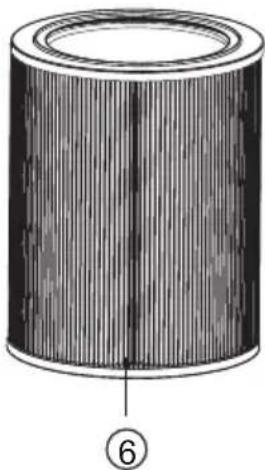
natural_image
Cross-sectional diagram of a cylindrical object with internal striped texture and labeled point 6 (no text or symbols beyond label)
natural_image
Diagram showing a hand pressing down on a cylindrical component with an arrow indicating rotation (no text or symbols present)natural_image
Diagram showing a cylindrical object with a downward arrow emerging from it, no text or symbols presentnatural_image
Illustration of a hand holding a paper with two cylindrical filters, one being cut (no text or symbols)natural_image
Diagram showing a cylindrical object being dropped into a container with a downward arrow (no text or symbols)natural_image
Diagram showing a cylindrical container being inserted into a ring, with arrows indicating process direction (no text or symbols)
natural_image
Line drawing of a hand inserting a plug into a cylindrical device connected to a wall-mounted power outlet (no text or symbols)
natural_image
Simple line drawing of a cylindrical object with a black base and white top (no text or symbols)

natural_image
Line drawing of a modern cylindrical device with textured surface and top panel (no text or symbols)natural_image
Line drawing of a modern cylindrical device with mesh grille and top panel (no text or symbols)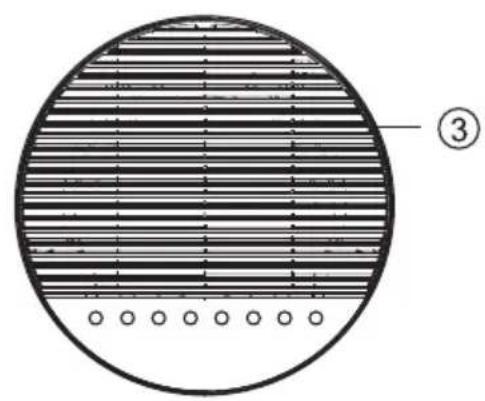
natural_image
Circular diagram with horizontal striped pattern and numbered circle (3), no text or symbols present
natural_image
Illustration of a cylindrical object with vertical striations, resembling a mechanical part or filter (no text or symbols)⑥
natural_image
Diagram showing a hand pressing down on a cylindrical component with an arrow indicating rotation (no text or symbols present)natural_image
Diagram showing a cylindrical object with an upward arrow emerging from it, no text or symbols presentnatural_image
Illustration of a person handling a cylindrical object with an arrow indicating transformation (no text or symbols present)Установка фильтра
natural_image
Diagram showing a cylindrical object being dropped into a rectangular container with a downward arrow (no text or symbols)
natural_image
Simple line drawing of a hand connecting a power outlet to a cylindrical device (no text or symbols)
natural_image
Simple line drawing of a cylindrical object with a black base and white top (no text or symbols)


Напоминание
natural_image
Line drawing of a modern cylindrical device with textured surface and top panel (no text or symbols)natural_image
Line drawing of a modern cylindrical device with a mesh base (no text or symbols)- Kompozitný filter

natural_image
Circular diagram with horizontal striped pattern and numbered circle (③), no text or symbols present
natural_image
Cross-sectional diagram of a cylindrical object with internal striations and a numbered label (6) at the bottom right corner.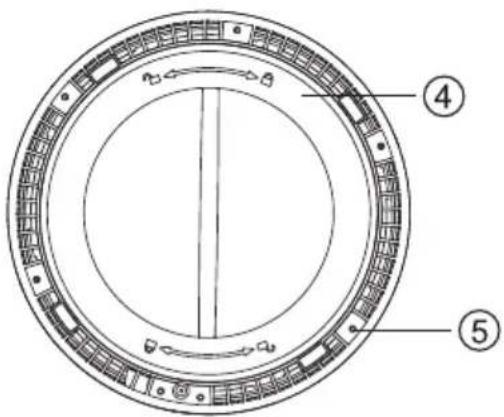
natural_image
Diagram showing a hand pressing down on a circular component with an arrow indicating rotation (no text or symbols present)- Odstráňte filter z jednotky.

natural_image
Diagram showing a cylindrical object with an upward arrow emerging from it, no text or symbols presentnatural_image
Illustration of a person installing or adjusting a cylindrical component on a sheet, with an arrow indicating process (no text or symbols present)Nainštalujte filter
- Umiestnite filter spät' do čističky vzduchu. Strana so st'ahovacou šnúrkou by mala byt' umiestnená smerom von.

natural_image
Diagram showing a cylindrical object being dropped into a container with a downward arrow (no text or symbols)natural_image
Diagram showing a cylindrical container being cut with a hand using a tool to press down it, illustrating the process (no text or symbols present)
natural_image
Diagram of a hand inserting a plug into a cylindrical device connected to a wall-mounted panel (no text or symbols present)
On/off (Zapnutie/vypnutie)

Kontrolka svieti

Zasuňte zástrčku do zásuvky a stlačením tlačidla "on/off" („zapnút/vypnút“) stroj zapnite.
2. Nakonfigurujte zariadenie
natural_image
Simple line drawing of a cylindrical object with a black base and white top (no text or symbols)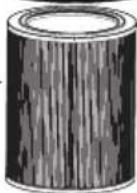

natural_image
Line drawing of a modern cylindrical speaker with textured grille (no text or symbols)natural_image
Line drawing of a modern cylindrical device with mesh grille and top panel (no text or symbols)- Sestavljeni Filter
natural_image
Circular diagram with horizontal striped pattern and numbered circle (③), no text or symbols present
natural_image
Cross-sectional diagram of a cylindrical object with internal striations and a numbered label (6) at the bottom right corner.
natural_image
Diagram showing a hand pressing down on a circular component with an arrow indicating rotation (no text or symbols present)- Odstranite filter iz notranjosti.
natural_image
Diagram showing a cylindrical object with an upward arrow emerging from it, no text or symbols presentnatural_image
Illustration of a hand holding a paper with a cylindrical object, transforming into a separate cylindrical object (no text or symbols present)Namestitev filtra
- Postavite filter nazaj v čistilec zraka. Stran z vrvico mora biti obrnjena navzven.

natural_image
Diagram showing a cylindrical object being dropped into a container with a downward arrow (no text or symbols)- Namestite pokrov in ga zavrtite v smeri urinega kazalca, da se zategne.
natural_image
Diagram showing a cylindrical container being inserted into a ring, with arrows indicating process direction (no text or symbols)
- Filter je potrošni izdelek, za katerega ne velja garancija za izdelek. Preden odstranite zaščitni ovoj, se prepričajte, da je filter v dobrem stanju.
- Čistilca zraka ne uporabljajte brez filtra.
- Pred zamenjavo filtra je treba enoto izključiti iz električnega omrežja.
Vklop
- Čistilec zraka postavite na ravno površino in vstavite vtič v električno vtičnico;
natural_image
Diagram of a hand connecting a power outlet to a cylindrical device with a cable (no text or symbols present)
2. Nastavite napravo
natural_image
Simple line drawing of a cylindrical object with a black base and white top (no text or symbols)
natural_image
Line drawing of a modern cylindrical device with textured surface and top panel (no text or symbols)natural_image
Line drawing of a white cylindrical device with a mesh pattern on its side (no text or symbols)- Filtri i përbërë
natural_image
Circular diagram with horizontal striped pattern and numbered circle (③), no text or symbols present
natural_image
Cross-sectional diagram of a cylindrical object with internal striations and a numbered label (6) at the bottom right corner.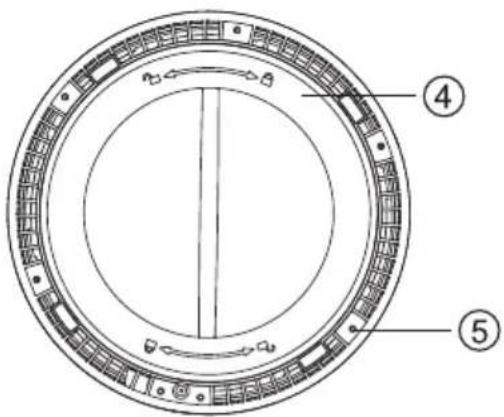
natural_image
Diagram showing a hand pressing down on a circular component with an arrow indicating rotation (no text or symbols present)natural_image
Diagram showing a cylindrical object with an upward arrow emerging from it, no text or symbols presentnatural_image
Illustration of a person installing or adjusting a cylindrical component on a sheet, with an arrow indicating process (no text or symbols present)Instaloni filtrin
natural_image
Diagram showing a cylindrical object being dropped into a container with a downward arrow (no text or symbols)natural_image
Diagram showing a cylindrical container being cut with a hand using a tool to press down it, illustrating the process (no text or symbols present)
natural_image
Diagram of a hand inserting a plug into a cylindrical device connected to a wall-mounted panel (no text or symbols present)
natural_image
Simple line drawing of a cylindrical object with a black base and white top (no text or symbols)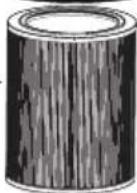

Rikujtesë
natural_image
Line drawing of a modern mobile phone with a perforated grille and top panel (no text or symbols)natural_image
Line drawing of a modern mobile phone with a wide neck and textured body (no text or symbols)- Kompozitni filter
Može apsorbovati dim, polen i prašinu, filtrirati bakterije u vazduhu, efikasno ukloniti formaldehid, TVOC, mirise u vazduhu i efikasno ukloniti PM2.5.
Sadržaj pakovanja
| Pakovanje | |||||
| Naziv | Glavna jedinica |  | AdapterFilter | Uputstvo za upotrebu | Ostali dokumenti |
| Količina | 1 | 1 | 1 | 1 | 1 |

natural_image
Circular diagram with horizontal striped pattern and numbered label (3), no readable text or symbols beyond the number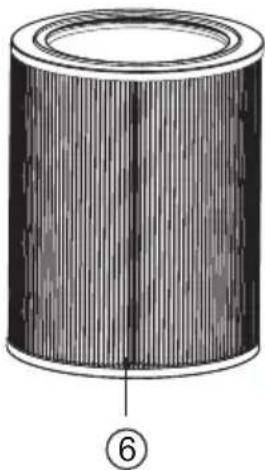
natural_image
Cross-sectional diagram of a cylindrical object with internal striations and a numbered label (6) at the bottom right corner.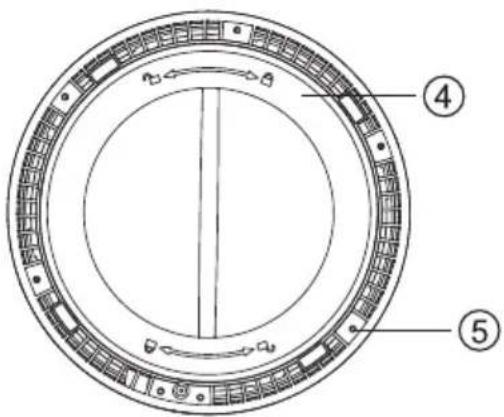
- Glavna jedinica 4. Donji poklopac
- Otvor za vazduh (ulaz) 5. Podloga protiv klizanja
- Otvor za vazduh (izlaz) 6. Kompozitni filter
natural_image
Diagram showing a hand pressing down on a circular component with an arrow indicating rotation (no text or symbols present)- Uklonite filter iz unutrašnjosti jedinice.

natural_image
Diagram showing a cylindrical object with an upward arrow emerging from it, no text or symbols present- Izvadite filter iz plastične ambalaže.

natural_image
Illustration of a hand holding a paper with a cylindrical filter, transforming into a separate cylindrical filter (no text or symbols present)Instalirajte filter
- Vratite filter u prečišćivač vazduha. Strana s vezicom treba biti postavljena prema spolja.

natural_image
Diagram showing a cylindrical object being dropped into a container with a downward arrow (no text or symbols)- Vratite poklopac i okrenite ga u smeru kazaljke na časovniku da biste ga zategli.

natural_image
Illustration of a hand placing a circular object onto a cylindrical container, showing a step-by-step transformation (no text or symbols)
- Filter je potrošni materijal, stoga je isključen iz naše politike garancije. Pre uklanjanja zaštitnog omota proverite da li je filter u dobrom stanju.
• Nemojte koristiti prečišćivač vazduha bez filtera. - Pre zamene filtera, uređaj se mora isključiti iz napajanja.
Uključite napajanje
- Postavite prečišćivač vazduha na ravnu površinu, a zatim uključite utikač u utičnicu
- Ovaj proizvod se može koristiti samo na utičnici od 100-240V 50/60Hz.
-Pre uključivanja utikača u utičnicu, proverite da li su vam ruke i utikač suvi. Ako imate vode na rukama ili utikaču, osušite utikač i ruke pre nego što ga uključite u utičnicu. - Nakon što se napajanje uključi, svetlo na upravljačkoj ploči će jednom zasvetliti. Nakon 1 sekunde, osim polusvetlog prekidača, sva ostala svetla se gase.

natural_image
Line drawing of a hand inserting a plug into a cylindrical device connected to a wall-mounted panel (no text or symbols)
natural_image
Simple line drawing of a cylindrical object with a black base and white top (no text or symbols)

| Referentno vreme za zamenu filtera | |
| Ciklus zamene | |
| Kompozitni filter | Kada indikator na ploči treperi.(treba ga zameniti svakih 6 meseci nakon upotrebe) |
| Uslovi: Vreme upotrebe proizvoda je 12 časova dnevno, a okruženje za korišćenje je normalno. | |
| Ako je zagađenje okoline veliko, skratite vreme zamene prema potrebi. | |
natural_image
Line drawing of a modern mobile phone with a perforated grille and top cylindrical body (no text or symbols)natural_image
Line drawing of a modern cylindrical device with mesh grille (no text or symbols)- Kompositfilter

natural_image
Circular diagram with horizontal striped pattern and numbered label (③), no readable text or symbols beyond the number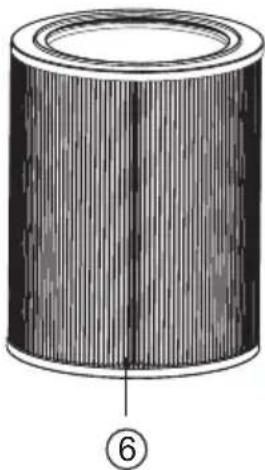
natural_image
Cross-sectional diagram of a cylindrical object with internal striations and a labeled section (6), no text or symbols present.
- Skal 4. Bottenkåpa
- Luftinlopp 5. Halkfri matta
- Luftutlopp 6. Kompositfilter
natural_image
Diagram showing a hand pressing down on a circular component with an arrow indicating rotation (no text or symbols present)natural_image
Diagram showing a cylindrical object with a downward arrow emerging from it, no text or symbols presentnatural_image
Illustration of two cylindrical filter rollers being placed on a sheet, with an arrow indicating the process (no text or symbols present)Installera filtret
natural_image
Diagram showing a cylindrical object being dropped into a container with a downward arrow (no text or symbols)natural_image
Diagram showing a cylindrical container being inserted into a ring, with arrows indicating process direction (no text or symbols)
natural_image
Line drawing of a hand inserting a plug into a cylindrical device connected to a wall-mounted panel (no text or symbols)
2. Konfigurera enheten
natural_image
Simple line drawing of a cylindrical object with a black base and white top (no text or symbols)
natural_image
Line drawing of a modern cylindrical speaker with textured grille and top panel (no text or symbols)natural_image
Line drawing of a modern cylindrical device with mesh grille (no text or symbols)- 復合濾網

natural_image
Circular diagram with horizontal striped pattern and numbered circle (3), no text or symbols present
natural_image
Illustration of a cylindrical object with vertical striations and a central seam (no text or symbols)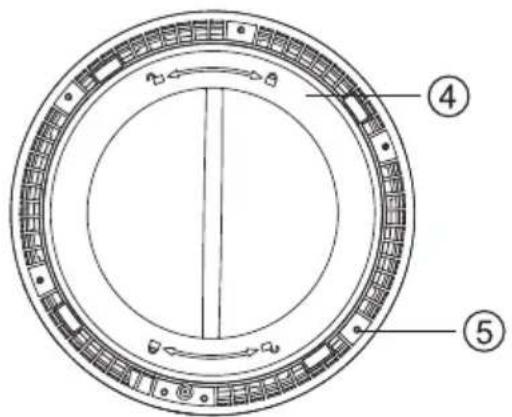
natural_image
Diagram showing a hand pressing down on a cylindrical component with an arrow indicating rotation (no text or symbols present)2、將複合濾網從產品中拿出;
natural_image
Diagram showing a cylindrical object with a downward arrow emerging from it, no text or symbols present3、將濾網從塑膠袋中拿出。

natural_image
Illustration of a hand holding a paper with a cylindrical filter, transforming into a separate cylindrical component (no text or symbols present)安裝濾網
1、安装滤网;

natural_image
Diagram showing a cylindrical object being dropped into a rectangular container with a downward arrow (no text or symbols)2、抓住底座對準卡扣並順時針旋轉,安裝底座。

natural_image
Illustration of a cylindrical container being cut with a hand using a tool, showing step-by-step transformation (no text or symbols)
natural_image
Simple line drawing of a hand inserting a plug into a cylindrical device connected to a wall-mounted panel (no text or symbols)控制台
breeva A3 操作面板
2、配置設備
natural_image
Line drawing of a modern cylindrical device with textured surface and top panel (no text or symbols)natural_image
Line drawing of a modern cylindrical device with mesh grille and speaker grille (no text or symbols)
natural_image
Circular diagram with horizontal striped pattern and numbered label (③), no readable text or symbols beyond the number
natural_image
Illustration of a cylindrical object with vertical grooves and a central hole (no text or symbols)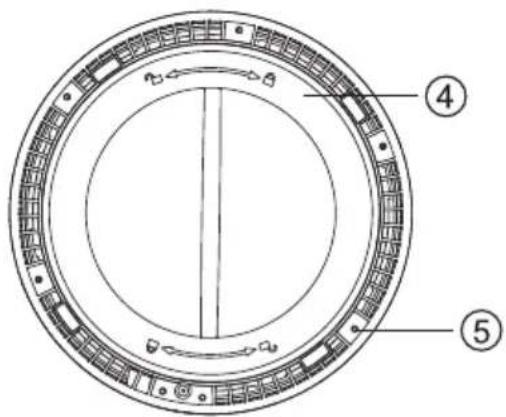
natural_image
Diagram showing a hand pressing down on a circular component with an arrow indicating rotation (no text or symbols present)natural_image
Diagram of a cylindrical object with an upward arrow, no text or symbols presentnatural_image
Illustration of a hand holding a paper with two cylindrical filters, one being cut and the other fixed (no text or symbols)Встановіть фільтр
natural_image
Diagram showing a cylindrical object being dropped into a container with a downward arrow (no text or symbols)natural_image
Diagram showing a cylindrical container being inserted into a ring, with arrows indicating process direction (no text or symbols)
natural_image
Diagram of a hand inserting a plug into a cylindrical device connected to a wall-mounted power outlet (no text or symbols present)
natural_image
Simple line drawing of a cylindrical object with a black base and white top (no text or symbols)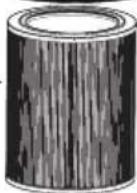

- - Композитен филтър
- Монтирайте филтъра
- - Kompozitní filtr
- Nainstalujte filtr
- - Kompositfilter
- Pakkeliste
- Installer filter
- - Verbundfilter
- Filter installieren
- Contents
- Product description
- - Composite Filter
- Packing list
- Start preparation
- Remove filter Install filter
- Power on
- Control panel
- On/off
- Insert the power plug into the socket and press the "on/off" button to turn on the machine.
- Mode
- Timer
- breevaShield
- Child Lock
- Filter
- Air quality (no button function)
- Ambient light
- Wi-Fi connection (only for breeva A3 Wi-Fi)
- (only for breeva A3 Wi-Fi)
- 1、Download the APP
- 2、Configure the device
- Reminder
- 3、Voice operation
- Tips
- Precautions for maintenance:
- Composite Filter
- Clean the filter with a vacuum cleaner
- Customer support
- TCL OVERSEAS MARKETING LIMITED
- Purificador de aire
- Manual de usuario
- - Filtro compuesto
- Instalar el filtro
- - Komposiitfilter
- Paigaldage filter
- Seadistage seade
- Asenna suodatin
- Määritä laite
- - Filtre composite
- Installer le filtre
- Configurer l'appareil
- • Σύνθετο φίλτρο
- - KompNeozitni filtar
- Lista pakiranja
- Ugradite filtar
- Konfiguriranje uređaja
- - Kompozit szürö
- A szűrő behelyezése
- - Filtro composito
- 2、Configurare il dispositivo
- Promemoria
- - Sudètinis filtras
- Idiekite filtra
- Instalējiet filtru
- - Композитен филтер
- Ставете го филтерот
- - Samengesteld filter
- Installere filteret
- Instruksjoner
- På/av
- Konfigurere enheten
- - Filtr kompozytowy
- Zainstaluj filtr
- Przypomnienie
- - Filtro Composto
- instalar o filtro
- Configure o dispositivo
- - Filtrul compozit
- Установка фильтра
- Напоминание
- - Kompozitný filter
- Nainštalujte filter
- On/off (Zapnutie/vypnutie)
- Zasuňte zástrčku do zásuvky a stlačením tlačidla "on/off" („zapnút/vypnút“) stroj zapnite.
- Nakonfigurujte zariadenie
- - Sestavljeni Filter
- Namestitev filtra
- Vklop
- Nastavite napravo
- - Filtri i përbërë
- Instaloni filtrin
- Rikujtesë
- Sadržaj pakovanja
- Instalirajte filter
- Uključite napajanje
- Installera filtret
- Konfigurera enheten
- - 復合濾網
- 安裝濾網
- 控制台
- 2、配置設備
- Встановіть фільтр
Brand : TCL
Model : Breeva A3B
Category : Air purifier