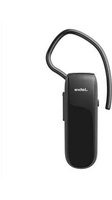
Classic - Headphones JABRA - Free user manual and instructions
Find the device manual for free Classic JABRA in PDF.


| Product Type | Over-ear headphones |
| Brand | Jabra |
| Model | Classic |
| Color | Black |
| Driver Size | 40 mm |
| Frequency Response | 20 - 20000 Hz |
| Impedance | 32 Ohm |
| Sensitivity | 115 dB |
| Cable Length | 1.2 m |
| Connector | 3.5 mm gold-plated jack |
| Weight | 150 g |
| Dimensions (W x H x D) | 200 x 180 x 80 mm |
| Noise Isolation | Passive |
| Volume Control | On cable (inline remote) |
| Microphone | Yes, inline |
| Foldable | Yes |
| Compatibility | Devices with 3.5 mm jack |
| Cleaning | Wipe with a soft dry cloth |
| Safety Warning | Do not listen at high volume for prolonged periods |
| Spare Parts Available | Ear cushions, cable |
Frequently Asked Questions - Classic JABRA
User questions about Classic JABRA
0 question about this device. Answer the ones you know or ask your own.
Ask a new question about this device
Download the instructions for your Headphones in PDF format for free! Find your manual Classic - JABRA and take your electronic device back in hand. On this page are published all the documents necessary for the use of your device. Classic by JABRA.
USER MANUAL Classic JABRA
- welcoMe 3
- headset oVeRView......4
- how to weaR 5
3.1 change eaRgels
3.2 attaching the eaRhook
- how to chaRge the batteRy......7
- how to connect......8
- how to Use 9
6.1 Multiple call handling
6.2 list of Voice gGuidance
- soft waRe....13
7.1 jabRa assist
- sUppoRt....14
8.1 faQ
8.2 how to caRe foR yoUR headset
- technical specifications .....16
1. welcoMe
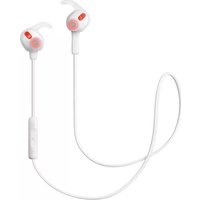
Thank you for using the Jabra Classic. We hope you will enjoy it!
Jabra ClassiC features
■ Voice guidance
■ Battery and pairing status display
■ HD voice
■ Long talk time - Up to 9 hours
■ Power Nap feature
■ New comfort pack
■ Wireless freedom - Up to 30m/98ft
2. headset oVeRView


natural_image
Illustration of a Jabra audio jack and two separate ear ear brackets (no text or symbols)Wall charger

Small earhook

Large earhook
Eargel Looped Eargel
3. how to weaR
The headset can be worn on the left or right ear.
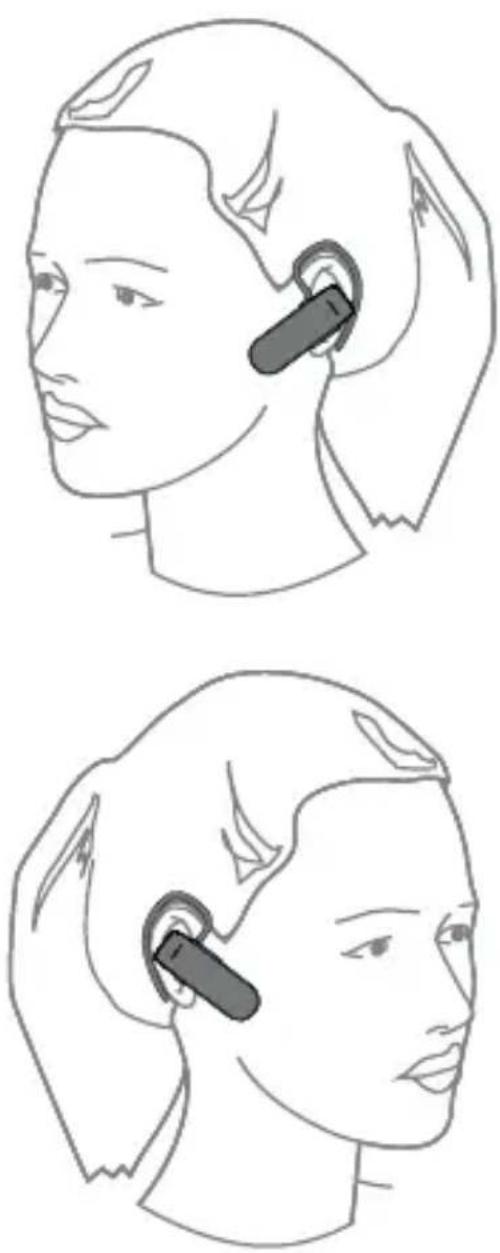
3.1 CHANGE EARGELS
Choose between 2 ergo-designed eargels for optimal fit and comfort.

natural_image
Diagram showing a device transitioning from a black-and-white headset to a gray-and-white device with a green arrow indicating progression (no text or symbols)3.2 ATTACHING THE EARHOOK
The earhook can be attached to the headset for a more secure fit, and can be worn with or without the eargel.

natural_image
Line drawing of a hand holding a device with a green arrow pointing to the tip (no text or symbols)4. how to chaRge the batteRy
Plug the headset into a power supply using the wall charger.

NOTE: For safety reasons, it is recommended not to use the headset while it is charging.
It takes approx. 2 hours to fully charge the headset.
5. how to connect
-
Turn the headset on (set the On/Off switch to the On position).
-
Press and hold (3 secs) the answer/end button until the Bluetooth indicator flashes blue, and pairing mode is announced in the headset.
-
Follow the voice-guided pairing instructions to pair to your Bluetooth device.

6. how to Use

FUNCTION ACTION
Answer call Tap the Answer/end button
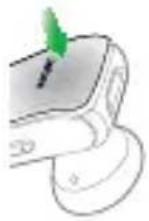
| End call Tap the | Answer/end button |
| Activate voice dialing (phone dependent) | Press and hold (2 secs) the Answer/end button when not on a call |
| Reject call | Double-tap the Answer/end button |
| Redial last number | Double-tap the Answer/end button when not on a call |
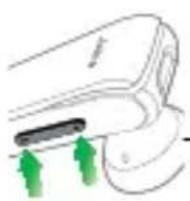
Adjust speaker volume Tap the Volume up or Volume down button
Mute/un-mute Tap both the Volume up and microphone Volume down to mute/un-mute.
6.1 MULTIPLE CALL HANDLING
The headset can accept and handle multiple calls simultaneously.
| fuNCtiON aCtiON | ||
 | End current call and answer incoming call | Tap the answer/end button |
| Switch between held call and active call | Press and hold (2 secs) the answer/end button | |
| Put current call on hold and answer incoming call | Press and hold (2 secs) the answer/end button | |
| Reject incoming call | Double-tap the answer/end button | |
| Click to listen What you hear |
| Connected |
| Battery low |
| Redialling |
| Disconnected |
| To connect your headset, go to the Bluetooth menu on your phone and select it from the list |
7. softwaRe
7.1 JABRA ASSIST
Jabra Assist is a smartphone app that enables GPS tracking of the headset, pairing assistance, and headset battery status.
■ Android download - Google Play
■ iOS download - App Store
8. sUppoRt
8.1 FAq
View the comprehensive FAq on Jabra.com/classic.
Q Why do I hear crackling noises?
A Bluetooth is a radio technology that is sensitive to objects between the headset and the connected device. Ensure the headset and the connected device are within range (up to 30 meters or 98 feet).
Q What is the range of the headset?
A The Jabra Classic supports the following maximum ranges: 30m/98ft.
Q Why do I not hear anything?
A You might need to increase the speaker volume, or ensure that the headset is connected to a device.
Q I am having Bluetooth connection problems
A Check your mobile device's Bluetooth menu and delete/forget the headset. Re-connect the headset to your Bluetooth device following the Bluetooth connection instructions.
8.2 HOW TO CARE FOR YOUR HEADSET
■ Always store the headset with the power off and safely protected
- Avoid storage at extreme temperatures (above 35°C/95°F or below -20°C/-4°F). This can shorten battery life and may affect headset operation.
■ Do not expose the headset to rain or other liquids
9. technical specifications
Jabra Classic headset specifiCatiON
| Weight: under 10g | |
| Dimensions: | H 46.9mm x W 15.9mm x D 9.7mm |
| Microphones: Omni-directional microphone | |
| Speaker: 11 mm dynamic speaker | |
| Operating range: 30m/98ft (phone dependent) | |
| Bluetooth version: 4.0 | |
| Paired devices: | Up to 8, connected to two at the same time (MultiUseTM) |
| Supported Bluetooth profiles: | A2DP(v1.2), Hands Free Profile (v1.6), Headset profile(v1.2) |
| Talk time: Up to 9 hours | |
| Standby time: Up to 9 days | |
| Operating temperature: -10°C to 55°C (14°F to 131°F) | |
| Storage temperature: -20°C to 35°C (-4 F to 95 F) | |
| AC power supply | 100-240 V, 50-60 Hz |
| Pairing passkey or PIN: | 0000 |
Jabra®
YOU'RE ON
A BRAND BY
GN Netcom
© 2013 GN Netcom A/S (North America: GN Netcom US, Inc.). All rights reserved. Jabra® is a registered trademark of GN Netcom A/S. All other trademarks included herein are the property of their respective owners. The Bluetooth® word mark and logos are owned by the Bluetooth SIG, Inc. and any use of such marks by GN Netcom A/S is under license. (Design and specifications subject to change without notice).
MADE IN CHINA
MODEL: OTE15
- welcoMe
- Jabra ClassiC features
- headset oVeRView
- how to weaR
- CHANGE EARGELS
- ATTACHING THE EARHOOK
- how to chaRge the batteRy
- how to connect
- how to Use
- FUNCTION ACTION
- MULTIPLE CALL HANDLING
- softwaRe
- JABRA ASSIST
- sUppoRt
- FAq
- Q Why do I hear crackling noises?
- Q What is the range of the headset?
- Q Why do I not hear anything?
- Q I am having Bluetooth connection problems
- HOW TO CARE FOR YOUR HEADSET
- technical specifications
- Jabra®
- YOU'RE ON
Brand : JABRA
Model : Classic
Category : Headphones