
ACTIVE A6 - Smartwatch iGET - Free user manual and instructions
Find the device manual for free ACTIVE A6 iGET in PDF.


| Product Type | Smartwatch |
| Brand | iGET |
| Model | ACTIVE A6 |
| Connectivity | Bluetooth, GPS |
| Charging | Magnetic docking cradle |
| Main Functions | Multi-sport modes, heart rate monitor, pedometer, sleep monitor, weather, barometer, altimeter, notifications, SMS, contacts, voice control, BT music, remote camera, microphone, alarm, calendar |
| Compatible Apps | iGET GO (iOS & Android) |
| Display Activation | Wrist gesture, power button |
| Sensor Calibration | Available in settings for temperature, altitude, pressure |
| Power Button | Long press to turn on/off, short press to wake display |
| Digital Crown | Scroll and confirm selection |
| Operating Temperature | -10°C to +40°C |
| Warranty | Standard warranty per seller terms |
| Manufacturer | INTELEK spol. s r.o., Brno, CZ |
| User Manual Languages | Multiple languages including English, German, Polish, etc. |
Frequently Asked Questions - ACTIVE A6 iGET
User questions about ACTIVE A6 iGET
0 question about this device. Answer the ones you know or ask your own.
Ask a new question about this device
Download the instructions for your Smartwatch in PDF format for free! Find your manual ACTIVE A6 - iGET and take your electronic device back in hand. On this page are published all the documents necessary for the use of your device. ACTIVE A6 by iGET.
USER MANUAL ACTIVE A6 iGET
Complete user guide can be found on our website in PDF format.
www.iget.eu
SUPPORT: hp://www.iget.eu/helpdesk
Czech....2
Slovak....12
German....22
English....32
Polish....41
Magyar....51
Warranty card....61
Základní informace:
natural_image
Symbol of a trash bin crossed with diagonal lines, no text or numbers presentiOS

natural_image
Symbol of a trash bin crossed with diagonal lines, no text or numbers presentiOS

erzeugen.
natural_image
Symbol of a trash bin with crossed x and y lines, no text or numbers presentiOS
Individual technical parameters, the descripon of the phone and the design may dier depending on the dierent versions of the phone and updates. Precise specicaons and other informaon can be found on website www.iget.eu. Misprints reserved.
Aer the rst start of your smart watch and aer pairing with iGET GO, check for a possible soware update.
The buyer is obliged to provide a serial number on the warranty card as well as in the delivery note and the proof of purchase. In this context, the buyer acknowledges that unless the serial number of goods is not marked on the proof of purchase, delivery note and in the warranty card and therefore it cannot be possible to compare this serial number marked on goods and its protective packaging with the serial number stated in the warranty card, delivery note and the proof of purchase and thus to verify that the goods runs from the seller, the service center is competent to claim such a goods automacally and reject it immediately. The buyer must instruct all persons to whom the goods would be subsequently sold. Product complaints do with your dealer if you are not on the web www.iget.eu indicated otherwise. The warranty card is on the last pages of this manual.
Safety warnings:
- The small parts of the watch can cause suocaon.
- Do not expose your watch to open re.
- The watch can produce a loud sound.
- The watch is not resistant to metal llings.

- Avoid exposure to magnec elds.
- Avoid extreme temperatures (-10°C, +40°C).
- On request, turn o your watch in hospitals and other medical facilities.
- Do not dismantle the watch.
- Use the watch only with cered equipment.
- Do not reckon only upon your watch during emergency situations.
- In case of any change in the watch's dimensions due to overheang, stop using the appliance until the baery is replaced.
Damages requiring professional repair:
If such cases may occur, please, contact the authorized service or your distributor:
- Moisture got into the watch.
- The watch is mechanically damaged.
- The watch is extremely overheated.
For household use: The given symbol (crossed-out wheeled bin) on the product or at accompanying documents means that used electrical and electronic products should not disposed of with household waste. To ensure proper disposal of the product, hand it over to a designated collecon point, where it will be accepted free of charge. The correct disposal

natural_image
Symbol of a trash bin crossed with two crossed lines, no text or numbers presentof this product will help to save valuable natural resources and prevent any potential negative impacts on the environment and human health, which could otherwise be caused by inappropriate disposal of wastes. For more details, please, contact your local authorities or the nearest collecon point.
The improper disposal of this waste can be penalized in accordance with naonal regulaons. Informaon for users to disposal of electrical and electronic devices (corporate and business use): For proper disposal of electrical and electronic devices, ask for details from your dealer or distributor.
Informaon for users to disposal of electrical and electronic devices in other countries outside EU: The above menoned symbol (crossed-out wheeled bin) is valid only in the countries of EU. For proper disposal of electrical and electronic devices, ask for details from your authorities or dealer. All is expressed by the symbol of crossed-out wheeled bin on product, packaging or in printed materials. Set up the claim for warranty repair of device at your dealer. If you have technical quesons or problems, contact your dealer. Follow the rules for working with electrical equipment. The user may not dismantle the device or replace any part of this. Opening or removing the covers poses the risk of electric shock. In case of incorrect reassembly and subsequent conncon you are also exposed to electric shock.
Declaraon of Conformity:
Company Importeur INTELEK spol. s r.o.hereby declares that all ACTIVE A6 Black devices are in compliance with essenal requirements and other relevant provisions of Direcve 2014/53/EU. The full text of the EU Declaraon of Conformity is available on this website www.iget.eu.

The components used in the device meet the requirements on the restricon of hazardous substances in electrical and electronic devices in accordance with Directive 2011/65/EU, 2013/56/EU. The RoHS declaraon can be downloaded from www.iget.eu.
This device can be used in the following countries:
| AT | BE | CY | CZ | DK | EE | FI | MT | NL | PL | PT | SK |
| SI | ES | DE | GR | HU | IE | IT | LV | LT | GB | IS | LI |
| NO | CH | BG | HR | RU | RO | FR | SE | LU | TR |
Basic funcons and use
Turning on
Long press Power on the right side of the watch to turn on.
Turning o
Long press Power on the right side of the watch to turn o.
Charging
The watch is charged with the so-called docking cradle. Put your watch on the docking cradle so that the golden Pins hit the Pine Cradle (the cradle is magnec, it snaps itself).
Install iGET GO on your phone.
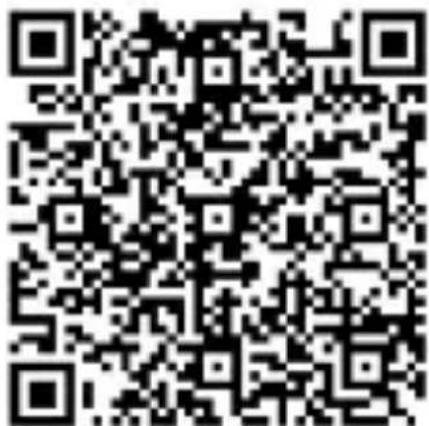
Download: Find the iGET GO applicaon or scan the following QR code for installaon.
Android

iOS

Connect your watch to your mobile phone
Enable Bluetooth on your phone. If you can not locate your device, enable locaon detecon. Open "iGET GO" on your phone, set your prole in Sengs.
Click "Connect Device" under Sengs. Select a watch conncon. Follow the steps, nd and connect the device name.
Disconnect your watch from your mobile phone
Press the Power buon briefy to turn on the display.
Swipe from right to le on the watch interface.
Scroll up / down with your nger on the screen or use the digital crown on the right to switch the main menu
Double-click the icon or press the digital crown to conrm.
Swipe from le to right to exit the menu.
Briey press the power buon on any interface to return to the Dial.
Press Sport to start sports mode.
Scroll up / down or rotate the digital crown to switch to the submenu.
Dialer
Touching the touchscreen for a long me, you can select dierent dials. To conrm, double-tap the display.
Sensor calibraon
Inside the seng is the "Sensor Calibraon" opon.
If you nd that the temperature, altitude, and pressure in your watch are wrong, you can calibrate the sensor to make it more accurate.
Mul-sport mode
Select the mode you need and tap on the icon to select it. The watch will ask you to set your goal and if you want to track your heart rate. To begin the acvity, you have to wait for the GPS posion to load (the first me may take several minutes to download the data from the satellites). Once you do it, the watch will start to measure. To nish the sport, turn digital crown down to stop the sport and press the "STOP" and then „SAVE“ buon to save the sporng record
Heart rate monitor
Use this feature to measure your heartbeat, and see the results in both watches and iGET GO.
Pedometer
The watch connuously records your missed steps. You can view them on your watch or iGET GO. Measured data is only indicave.
Sleep monitor
Your watch records your sleep data, which you can see in detail in iGET GO.
Weather
The watch paired with your mobile phone displays the weather status for your current locaon including temperature and weather conditions.
Barometer
Thanks to the barometer, you will be able to nd atmospheric pressure data on your watch to predict the weather.
Almeter
This funcon will inform you about the current altitude on your watch - you need to calibrate the sensor for proper operaon.
Above.
Locaon
This feature enables GPS device locaon detecon. They serve, for example, to draw maps in sport mode.
Nocaons
With smart watches, you can view all apps like SMS, Facebook, Whatsapp, and more.
SMS
Use smart watches to read and reply to SMS messages from your phone.
Contacts
Using smart watches, you can view phone contact informaon and then call them.
Voice control
With this feature, you can control your watch by voice - for example, dial a contact or start a funcon.
BT Music
With this feature, you can play and switch music from a smartphone.
Remote camera
A smartwatch can be used as a remote control for the camera's mobile phone.
Microphone
It is possible to record audio with Microphone in your watch.
Alarm
You can set the alarm clock even in the applicaon. When the alarm is on, the smartwatch will vibrate.
Calendar
Use the smart watch to view and browse the calendar.
Sengs
Prole
You can set your personal data on Prole sengs.
BT
You can turn on or turn o the BT.
GPS
You can turn on or turn o the GPS.
Senzor calibraon
In this opon you can set basic values for all sensors.
Sleep monitor
You can set sleep switch, sleep zone in this opon.
Time date
You can set me and date
Units
You can set metric or imperial units.
Heart rate
You can set the frequency of heart rate measuring.
Wrist acvaon
You can set if you want to acvate your LCD by wrist gesture.
Sounds
You can set melodies and volume of your watch.
Display
You can set the brightness and me out.
Watch info
You can see informaons about your watch.
Language
You can set language of your watch.
Power display
You can display the baery level.
Restore to factory
You can reset your watch to factory sengs.
Sedentary
You can set a reminder of a sedentary style in the applicaon:
Sengs -> Advanced Sengs -> Sedentary
When the me you choose is in moon, your watch will vibrate and remind you that you have to go through.
Producer / exclusive importer of iGET products to EU:
INTELEK spol. s r.o., Ericha Roučky 1291/4, 627 00 Brno - Černovice, CZ
Web: hp://www.iget.eu
SUPPORT: hp://www.iget.eu/helpdesk
Copyright © 2018 INTELEK spol. s r.o. All rights reserved.
natural_image
Simple line drawing of a trash bin with crossed lines indicating no waste or restriction (no text or symbols)
iOS

natural_image
Symbol of a trash bin crossed with no text or numbers, representing environmental protection (no text present)iOS

Serial / Batch number: (S/N)
Date of sale:
Warranty unl:
Sale document number:
Seal of the store:
Informaon for Customers about Warranty Terms and Conditions:
Warranty shall apply to defects of purchased product, found during its warranty period. When purchasing a parcular product, please consider carefully what properes and funcons you expect your product to have. The fact that purchased product shall not sasfy your later requirements shall not give any reason for complaint. Please, prior to the rst use of this product read carefully its operang instrucons and follow these instrucons consistently. We recommend you to keep original product packing during the warranty period for possible
WARRANTY CARD
transport of the product in such a way so as to prevent any product damage during its transport and handling.
For the purpose of due applicaon of any complaint about the product we recommend you to ask Seller to ll-in and conrm this Warranty Card including idencaon of serial number of purchased product, which shall comply with the serial number specied both in the document proving product purchase and delivery note and purchased product.
In this conncon Customer hereby takes into account that unless this Warranty Card species serial number of purchased product, i.e., comparison of such serial number idened in the product with the serial number idened in this Warranty Card and document of product purchase/or delivery note shall not allow to conrm that parcular product has come from Seller, in case of any doubts about the origin of such parcular product Seller shall be entled to automacally and without any other acts to reject the complaint of such goods.
Warranty shall not apply to:
product damage suered by unqualified installaon of rmware or its modicaon;
product damage by stac electricity;
product use for any other purposes than designed, described in aached operang instrucons;
damage to warranty seal of the producer, aached to the product;
product damage inconsistent with the operang instrucons, technical standards or safety regulaons valid in the Czech Republic;
product damage resulting from normal wear and tear;
discharged baeries, decrease in baery capacity caused by its wear and tear;
WARRANTY CARD
product defects caused by the use in dusty, polluted or in any other way dissasfactory environment pursuant to aached operang instrucons.
Wear and tear of the product and its components caused by their common use (discharged baeries, decreased capacity of accumulator, wear and tear of mechanical or displaying components, wear and tear of supply cables, headphones etc.) shall be subject neither to defect warranty nor quality warranty in the moment of take-over.
Furthermore, complaints about product parameters, not included in the operang instrucons or in any
commercial-technical documentaon of Seller, related to the product, shall not be subject to quality warranty in the moment of take-over.
In the event of any changes in the dimensions of the baery, disconnue use, and unl there is a change the baery with a new one.
Proof of product purchase, or delivery note, shall constute an integral part of this Warranty Card.


- Základní informace:
- erzeugen.
- Aer the rst start of your smart watch and aer pairing with iGET GO, check for a possible soware update.
- Safety warnings:
- Damages requiring professional repair:
- Declaraon of Conformity:
- Basic funcons and use
- Turning on
- Turning o
- Charging
- Install iGET GO on your phone.
- Connect your watch to your mobile phone
- Disconnect your watch from your mobile phone
- Dialer
- Sensor calibraon
- Mul-sport mode
- Heart rate monitor
- Pedometer
- Sleep monitor
- Weather
- Barometer
- Almeter
- Locaon
- Nocaons
- SMS
- Contacts
- Voice control
- BT Music
- Remote camera
- Microphone
- Alarm
- Calendar
- Sengs
- Prole
- BT
- GPS
- Senzor calibraon
- Time date
- Units
- Heart rate
- Wrist acvaon
- Sounds
- Display
- Watch info
- Language
- Power display
- Restore to factory
- Sedentary
- WARRANTY CARD
- Warranty shall not apply to:
Brand : iGET
Model : ACTIVE A6
Category : Smartwatch