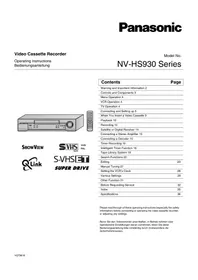
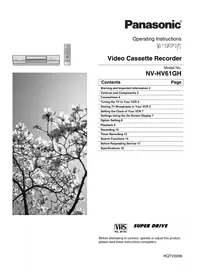
NV-F77EG - VCR PANASONIC - Free user manual and instructions

Find the device manual for free NV-F77EG PANASONIC in PDF.
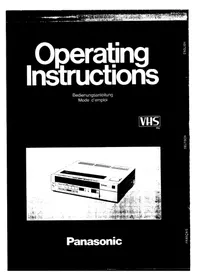
PANASONIC NV-F77EG - VCR
📄 74 pages English EN Download 💬 AI Question 10 questions ⚙️ Specs
Notice PANASONIC NV-F77EG - page 1
Pick your language and provide your email: we'll send you a specifically translated version.
Product Type Video Cassette Player (VCR)
Brand Panasonic
Model NV-F77EG
Dimensions (W x H x D) Approx. 430 x 85 x 260 mm
Weight Approx. 3.5 kg
Power Supply 220-240 V, 50 Hz
Power Consumption Approx. 20 W (standby: 5 W)
Video Heads 4-head system for enhanced HQ VHS
Tape Format VHS (Video Home System)
Recording/Playback Speed SP (Standard Play)
Audio System Hi-Fi stereo, Dolby Noise Reduction
Timer Recording Programmable up to 1 month/8 events
Remote Control Infrared remote with full function
Input Connectors 2 x SCART (Euroconnector), 1 x RF antenna in
Output Connectors 1 x SCART, 1 x RF antenna out, 1 x RCA audio/video
Special Features Auto tracking, Digital auto head cleaning, ShowView
Safety Class Class I (earthed)
Recommended Cleaning Use dry VHS head cleaning cassette every 6 months
Spare Parts Availability Belts, heads, and remote control available through Panasonic service
Repairability Serviceable by qualified technician; user-replaceable fuses
Year of Manufacture (approx.) Early 1990s
General Information For indoor use only; do not expose to moisture

Frequently Asked Questions - NV-F77EG PANASONIC

How do I connect the Panasonic NV-F77EG to my TV?
Use a SCART cable to connect the VCR to your TV. Insert one end into the AV/SCART output of the VCR and the other into a SCART input on your TV. Switch the TV to the corresponding AV channel.
How do I clean the video heads?
Use a dry VHS head cleaning cassette according to the instructions on the cassette. Do not use liquid cleaners or swabs, as they may damage the heads.
What should I do if a tape gets stuck?
First, switch off the VCR and unplug it. Gently try to remove the tape by turning the loading mechanism manually if visible. If stuck, do not force it; contact a technician.
How do I set up timer recording?
Press the Timer button on the remote control. Use the numeric keys to set the date, start time, end time, and channel. Confirm by pressing OK. Ensure the VCR is in standby mode for the recording to start.
Can I use the remote control for other devices?
The remote control is specifically programmed for the Panasonic NV-F77EG and may not work with other devices. Check if the remote has a multi-brand code option; otherwise, use the original remote.
Why is there no picture or sound?
First, check connections: ensure SCART or RCA cables are securely attached. Verify the TV is on the correct input. Try a different tape. If using RF, retune the TV to the VCR's output channel.
How do I rewind or fast forward quickly?
Press the Rewind (<<) or Fast Forward (>>) button on the remote or front panel. The VCR will automatically stop at the beginning or end of the tape.
Can I record from one VCR to another?
Yes, connect the source VCR's audio/video output to the NV-F77EG's input (via SCART or RCA). Set the input source to AV and press record on the NV-F77EG.
What happens if there is a power failure during recording?
The recording will stop and the timer setting may be lost. When power resumes, reset the clock and timer settings. The tape will be partially recorded.
How do I maintain the VCR for long life?
Place the VCR in a ventilated area away from heat and moisture. Remove tapes when not in use. Clean the heads periodically. Avoid dusty environments.

User questions about NV-F77EG PANASONIC

0 question about this device. Answer the ones you know or ask your own.

Ask a new question about this device

Your email remains private: it is only used to notify you if someone answers your question.

No questions yet. Be the first to ask one.

Download the instructions for your VCR in PDF format for free! Find your manual NV-F77EG - PANASONIC and take your electronic device back in hand. On this page are published all the documents necessary for the use of your device. NV-F77EG by PANASONIC.

USER MANUAL NV-F77EG PANASONIC

19-JUN-2009 09:12 FROM

TO veronika.toth@eu.pan P.01/74

PANASONIC

VHS CALIFRSC4.43

- as oraluo bea110da

The following table is a simple formula:

C. 2016, 19: 2008, 19:

Beállítás:

Technical diagram showing labeled components of a container or tank with numbered parts 1 to 5.

  1. Ora beállitó gomb (CLOCK)

22

19-JUN-2009 09:12 FROM

TO veronika.toth@eu.pan P.23/74

Holyezze viozza a fedelet.

19-JUN-2009 09:12 FROM

TO veronika.toth@eu.pan P.30/74

LEJATSZAS
Diagram of a mobile phone with numbered parts labeled 1 to 5, showing front panel, keypad, and door.

1 2 3 4 5 6 RECORDING SPLP REC PAUSE/STILL STOP

19-JUN-2009 09:12 FROM

TO veronika.toth@eu.pan P.35/74

Bevezetés

Bevezetés

Bevezetés

2 amp; 0 amp; - amp; 2 1 5 amp; 1 amp; - amp; 5 3 0 amp; 3 amp; - amp; 0

9 - 1

The following table is a simple diagram of the number 10.

O

INDEX

Müködtetés

PLAY REC 2

Előkészületek

Működtetés

The source image contains no legible text or symbols. According to Rule 4 (Edge Noise Strategy), since the ground truth is not clearly visible, the OCR should output nothing.

Therefore, the corrected OCR text is:

```text [No text detected]
Manual assistant
Powered by Anthropic
Waiting for your message
Product information

Brand : PANASONIC

Model : NV-F77EG

Category : VCR