
NV-J45B - VCR PANASONIC - Free user manual and instructions
Find the device manual for free NV-J45B PANASONIC in PDF.


Pick your language and provide your email: we'll send you a specifically translated version.
| Product Type | VHS Video Cassette Recorder/Player |
| Brand | Panasonic |
| Model | NV-J45B |
| Video System | VHS (Video Home System) |
| Recording Format | VHS, VHS HQ (High Quality) |
| Playable Formats | VHS, VHS HQ |
| Power Supply | 220-240 V AC, 50 Hz |
| Power Consumption | Approx. 20 W (operating), 2 W (standby) |
| Dimensions (W x H x D) | 430 x 95 x 280 mm (16.9 x 3.7 x 11.0 in) |
| Weight | Approx. 4.5 kg (9.9 lbs) |
| Heads | 2 rotary heads (standard), optional HQ |
| Recording Speed | SP (Standard Play), LP (Long Play) |
| Recording Time | Up to 4 hours (E-240 tape in LP) |
| Audio | Mono (Hi-Fi optional via external decoder) |
| Connections | RF out, RCA audio/video in/out, SCART (Euroconnector) |
| Features | Auto repeat, timer recording, slow motion, still frame, search functions |
| Remote Control | Infrared remote control included |
| Maintenance | Clean video heads regularly using a dry cleaning cassette |
| Safety | Do not expose to moisture; unplug during storms; use only specified power supply |
| Spare Parts Availability | Belts, pinch rollers, and heads may still be available from specialized suppliers |
| Manual Languages | English (original), other languages available on request |
Frequently Asked Questions - NV-J45B PANASONIC
How do I connect the NV-J45B to my TV?
Use the provided RF coaxial cable to connect the RF OUT on the VCR to the ANT IN on your TV. Alternatively, use a SCART cable (if available) for better quality.
Why is the playback picture snowy or with lines?
This usually indicates dirty video heads. Clean the heads using a VHS head cleaning cassette (dry type). If issue persists, the heads may need professional replacement.
Can I record from one VCR to another?
Yes, connect the RCA audio/video OUT of the source VCR to the RCA IN of the NV-J45B. Select the correct input channel and press REC.
How do I set the timer recording?
Press the TIMER button, use the arrow keys to set start/stop time and channel, then press REC to activate. Ensure the clock is set correctly.
What is the difference between SP and LP recording?
SP (Standard Play) offers better quality and longer tape life; LP (Long Play) doubles recording time but reduces quality slightly.
The VCR does not power on. What should I check?
Check the power cord connection, ensure the outlet is working, and verify the standby button is pressed. If still off, a fuse may be blown.
How do I reset the tape counter?
Press the COUNTER RESET button on the remote or front panel. This sets the counter to 0000 for easy tracking.
Can I play tapes recorded in other countries?
The NV-J45B is designed for PAL system. Tapes recorded in NTSC or SECAM will not display correctly without a multistandard converter.
What spare parts are commonly needed?
Commonly replaceable parts include the loading belt, pinch roller, and video heads. These can be sourced from specialized electronics stores.
How do I clean the VCR interior?
Switch off and unplug the unit. Use a soft dry cloth to gently wipe the exterior. For internal cleaning, use a head cleaning cassette; never open the case unless trained.
User questions about NV-J45B PANASONIC
0 question about this device. Answer the ones you know or ask your own.
Ask a new question about this device
No questions yet. Be the first to ask one.
Download the instructions for your VCR in PDF format for free! Find your manual NV-J45B - PANASONIC and take your electronic device back in hand. On this page are published all the documents necessary for the use of your device. NV-J45B by PANASONIC.
USER MANUAL NV-J45B PANASONIC

Preparations:
Note:
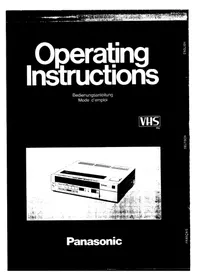
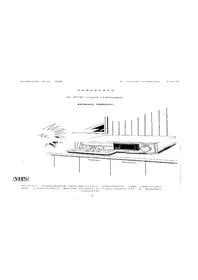
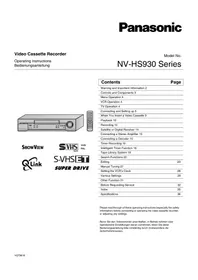
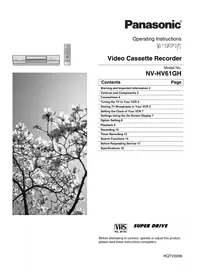
Table of contents
Click a title to access it
Manual assistant
Powered by Anthropic
Waiting for your message
Product information
Brand : PANASONIC
Model : NV-J45B
Category : VCR