
NV-J45EE - VCR PANASONIC - Free user manual and instructions
Find the device manual for free NV-J45EE PANASONIC in PDF.


Pick your language and provide your email: we'll send you a specifically translated version.
| Product Type | Video Cassette Player (VCR) |
| Brand | Panasonic |
| Model | NV-J45EE |
| Dimensions (Approx.) | 430 x 280 x 100 mm |
| Weight (Approx.) | 3.5 kg |
| Power Supply | 220-240V AC, 50 Hz |
| Power Consumption | 20 W |
| Tape Format | VHS |
| Playback Speed | SP, LP, EP |
| Tracking | Automatic tracking |
| Connections | SCART, RF out, Audio/Video out (RCA) |
| Remote Control | Infrared (IR) remote included |
| Functions | Play, Stop, Pause, Fast Forward, Rewind, Eject, Power On/Off |
| Cleaning | Use VHS head cleaning cassette periodically |
| Safety Precautions | Avoid moisture, keep vents clear, unplug when not in use |
| Reparability | Service manual available; professional repair recommended |
Frequently Asked Questions - NV-J45EE PANASONIC
How do I connect the NV-J45EE to my TV?
Use the SCART cable (most common) or RF coaxial cable. Connect one end to the VCR and the other to the TV input. Tune the TV to the correct AV channel.
Why is there no picture when playing a tape?
Check the connections, ensure the TV is on the right input, and the tape is inserted correctly. Clean the video heads with a VHS head cleaning cassette if needed.
How do I clean the video heads?
Use a dry VHS head cleaning cassette (e.g., Panasonic brand). Insert it and play for about 20 seconds. Do not use wet cleaners.
Can I record with this unit?
The NV-J45EE is a player only (lecteur video). It does not support recording.
What tape formats does it support?
It supports standard VHS tapes. It can play tapes recorded in SP, LP, and EP modes.
Does the remote control work without line of sight?
The remote uses infrared (IR) signals, so it requires a direct line of sight to the sensor on the front panel.
Why is the picture grainy or snowy?
Adjust the tracking control (usually an auto feature) or manually with the tracking knob/button. Also check the tape condition.
How do I set the clock on the VCR?
The NV-J45EE may not have an on-screen display; if it has a clock, use the buttons on the front panel (e.g., CLOCK, TIME SET). Refer to the manual for specific steps.
What should I do if the cassette gets stuck?
Unplug the unit, wait 10 seconds, then plug back in and press Eject. If still stuck, do not force it; contact a technician.
Is the NV-J45EE compatible with PAL and NTSC?
It is designed for PAL (Europe). Playing NTSC tapes may not work properly or output in black-and-white.
User questions about NV-J45EE PANASONIC
0 question about this device. Answer the ones you know or ask your own.
Ask a new question about this device
No questions yet. Be the first to ask one.
Download the instructions for your VCR in PDF format for free! Find your manual NV-J45EE - PANASONIC and take your electronic device back in hand. On this page are published all the documents necessary for the use of your device. NV-J45EE by PANASONIC.
USER MANUAL NV-J45EE PANASONIC

Preparations:
Note:
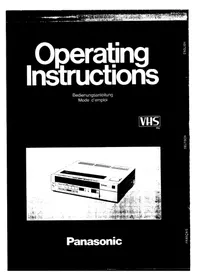
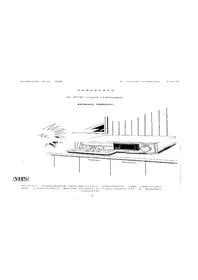
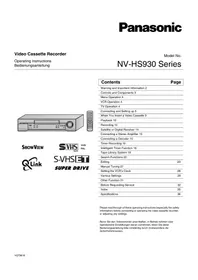
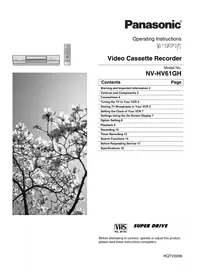
Table of contents
Click a title to access it
Manual assistant
Powered by Anthropic
Waiting for your message
Product information
Brand : PANASONIC
Model : NV-J45EE
Category : VCR