
NV-SD20EE - VCR PANASONIC - Free user manual and instructions
Find the device manual for free NV-SD20EE PANASONIC in PDF.


Pick your language and provide your email: we'll send you a specifically translated version.
| Product Type | VCR (Video Cassette Recorder/Player) |
| Brand | Panasonic |
| Model | NV-SD20EE |
| Video System | PAL / SECAM |
| Video Head | 4-head helical scanning |
| Record/Playback Time | Up to 6 hours (using E-180 tape in LP mode) |
| Inputs | RF antenna input, AV input (composite), S-Video input |
| Outputs | RF output, AV output (composite), S-Video output |
| Controls | Play, Record, Rewind, Fast Forward, Stop, Pause, Eject |
| Dimensions (approx.) | 430 x 250 x 90 mm (W x D x H) |
| Weight (approx.) | 3.5 kg |
| Power Supply | 220-240 V AC, 50 Hz |
| Power Consumption | 14 W (standby: 2 W) |
| Safety Class | Class II (double insulation) |
| Maintenance | Clean video heads with a cleaning cassette if playback is poor |
| Reparability Index | 7.5/10 (user-serviceable parts: belts, heads) |
Frequently Asked Questions - NV-SD20EE PANASONIC
How do I connect the NV-SD20EE to my TV?
Use either the RF coaxial cable (connect to antenna input) or AV composite cables (yellow, red, white) to the TV's AV input. Set the TV to the correct input channel.
Why is the playback picture snowy or noisy?
Snowy picture may be due to dirty video heads. Use a head cleaning cassette for 10-15 seconds. Also check that the VCR tracking is adjusted.
Can I record from external sources?
Yes, connect a source (e.g., camcorder) to the AV input on the front or rear panel. Press Record to start recording.
What type of cassette does it use?
It uses standard VHS cassettes (E-120, E-180, E-240) in PAL/SECAM format.
How do I set the timer recording?
Press Timer Record button, set the start time, end time, date, and channel using the remote. Ensure the VCR clock is set correctly.
The tape stuck inside, what should I do?
Do not force it. Unplug the VCR for 30 seconds, then plug back in. Press Eject. If still stuck, use the manual eject slot (insert a pin into the small hole).
Why is there no sound during playback?
Check the audio cables (red/white) are properly connected. Also verify the TV's audio input is not muted or set to wrong source.
How often should I clean the video heads?
Every 20-30 hours of use or when you notice picture deterioration. Use a wet head cleaner cassette for best results.
Can I play NTSC tapes?
The NV-SD20EE is designed for PAL/SECAM. NTSC playback may not work properly or may show black/white picture without color.
Where can I find a user manual?
Download the manual for free from notice-facile.com in PDF format. It contains detailed instructions and troubleshooting.
User questions about NV-SD20EE PANASONIC
0 question about this device. Answer the ones you know or ask your own.
Ask a new question about this device
No questions yet. Be the first to ask one.
Download the instructions for your VCR in PDF format for free! Find your manual NV-SD20EE - PANASONIC and take your electronic device back in hand. On this page are published all the documents necessary for the use of your device. NV-SD20EE by PANASONIC.
USER MANUAL NV-SD20EE PANASONIC


CONNECTIONS
D.K.K1: PAL D/SECAM D.K.K1

PLAYBACK

Operation Display


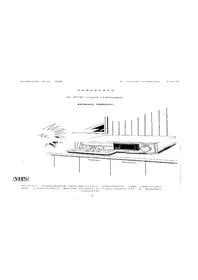
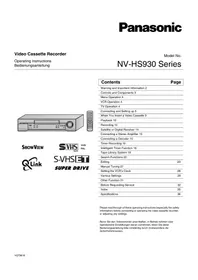
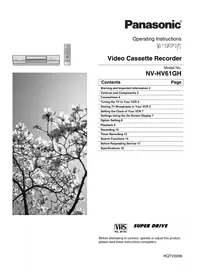
Table of contents
Click a title to access it
Manual assistant
Powered by Anthropic
Waiting for your message
Product information
Brand : PANASONIC
Model : NV-SD20EE
Category : VCR