NV-SD407EE - VCR PANASONIC - Free user manual and instructions

Find the device manual for free NV-SD407EE PANASONIC in PDF.
PANASONIC NV-SD407EE - VCR
📄 33 pages English EN Download 💬 AI Question 10 questions ⚙️ Specs
Notice PANASONIC NV-SD407EE - page 1
Pick your language and provide your email: we'll send you a specifically translated version.
Product Type VHS Video Cassette Recorder
Model NV-SD407EE
Brand Panasonic
Dimensions (W x H x D) Approx. 380 x 95 x 280 mm
Weight Approx. 3.5 kg
Power Supply 220-240 V ~ 50 Hz
Power Consumption Approx. 18 W
Video Heads 4-head helical scanning system
Recording System Rotary two-head helical scanning, azimuth recording
Playback System VHS standard
Loading System Front loading, cassette auto eject
Functions Play, record, rewind, fast forward, pause, stop, eject
Special Features Auto tracking, still picture, slow motion, program timer
Input/Output RCA audio/video IN and OUT, RF antenna IN/OUT
Remote Control Infrared remote control included
Cleaning Use a soft dry cloth; avoid liquids and abrasives
Safety Do not expose to moisture; unplug during storms
Spare Parts & Repairability Contact authorized Panasonic service centers
Warranty Standard 1-year warranty from purchase date
Operating Temperature 5°C to 40°C

Frequently Asked Questions - NV-SD407EE PANASONIC

How do I connect the VCR to my TV?
Use the provided RCA cables (yellow for video, red/white for audio) and connect them to corresponding inputs on your TV. Alternatively, connect the RF antenna cable to the 'RF IN' port on the VCR and then connect the 'RF OUT' to your TV. Tune your TV to the correct channel (usually 36 or 40).
The tape is stuck; what should I do?
First, ensure the unit is powered on. If the tape does not eject automatically, try gently pressing the eject button. Do not use force. If it remains stuck, unplug the VCR for 30 seconds, then plug it back in and try again. If this fails, contact support.
How do I set the timer recording?
Press the Timer button on the remote. Use the arrow keys to set the start time, end time, date, and channel. Confirm with Set. Ensure the VCR is in standby mode (power off) for the timer to work. Insert a blank tape.
Why is the playback picture noisy or snowy?
Check all cable connections. The heads may be dirty – use a VHS head cleaning cassette (available at electronics stores). Also adjust the tracking using the tracking control on the VCR or remote until the picture clears.
Can I record from my cable box?
Yes, connect the cable box output to the VCR's A/V IN jacks. Set the VCR input source to 'AV' (not tuner). Then press record. The cable box must be tuned to the desired channel.
The remote control doesn't work; what can I do?
Replace the batteries with new ones (AA/LR6). Ensure there are no obstacles between the remote and the VCR sensor. Point the remote directly at the VCR. If still not working, try resetting the VCR by unplugging for a minute.
How do I clean the VCR heads?
Purchase a wet-type VHS head cleaning cassette. Apply a drop of cleaning fluid to the cleaning ribbon (if required), insert the cassette, and press Play for 5–10 seconds. Do not overuse. Dry the heads by playing a blank tape for a few seconds after.
Why does the VCR shut off automatically?
This is normal: the VCR will automatically power down after being idle for about 30 minutes to save energy. It may also shut off if overheating occurs. Ensure proper ventilation and do not block the vents.
What types of tapes can I use?
Use standard VHS video cassettes (T-120 or T-160 for longer recording). Avoid using damaged or wrinkled tapes as they can damage the VCR. The unit does not support S-VHS tapes.
How do I reset the VCR to factory settings?
Unplug the VCR from the power outlet for at least 1 minute. Plug it back in and turn it on. This will clear all settings (timer, channels). You can also press the Reset button on the front panel if available.

User questions about NV-SD407EE PANASONIC

0 question about this device. Answer the ones you know or ask your own.

Ask a new question about this device

Your email remains private: it is only used to notify you if someone answers your question.

No questions yet. Be the first to ask one.

Download the instructions for your VCR in PDF format for free! Find your manual NV-SD407EE - PANASONIC and take your electronic device back in hand. On this page are published all the documents necessary for the use of your device. NV-SD407EE by PANASONIC.

USER MANUAL NV-SD407EE PANASONIC

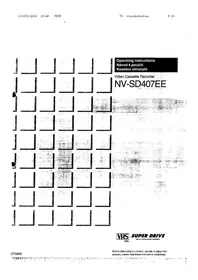
Operating Instructions

Instructions for Use

Operating Instructions

Video Cassette Recorder

NV-SD407EE

PANASONIC NV-SD407EE - 1

SUPER DRIVE

MULTI-INTELLIGENT CONTROL

Dear Customer,

IMPORTANT!

D.K.K1: PAL D/SECAM D.K.K1

I: PAL!

B.G.H.: PAL B.G.H./SECAM B.G

Connections

Main Menu Timer recording Status list Settings T1: select STONE: to access E7/2: Home menu

Note:

Factory setting

Table of contents Click a title to access it
Manual assistant
Powered by Anthropic
Waiting for your message
Product information

Brand : PANASONIC

Model : NV-SD407EE

Category : VCR