
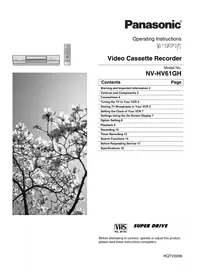
NV-SJ207EE - VCR PANASONIC - Free user manual and instructions
Find the device manual for free NV-SJ207EE PANASONIC in PDF.


| Product Type | VHS Video Cassette Recorder |
| Brand | Panasonic |
| Model | NV-SJ207EE |
| Dimensions (W x H x D) | 430 x 88 x 315 mm |
| Weight | 3.5 kg |
| Power Supply | 220-240 V AC, 50 Hz |
| Power Consumption | 14 W (approx.) |
| Video System | PAL / SECAM |
| Audio System | Hi-Fi stereo, mono linear track |
| Recording Speed | SP, LP, EP (depending on model) |
| Number of Heads | 4 video heads |
| Main Functions | Play, Record, Rewind, Fast Forward, Pause, Still, Slow Motion, Timer Recording |
| Control Features | Automatic tracking, Auto Head Cleaning, Digital Auto Picture |
| Inputs / Outputs | RF In/Out, AV In/Out (RCA, S-Video not typical), Audio In/Out |
| Remote Control | Infrared remote with basic functions |
| Maintenance | Use cleaning cassette every 30 hours; keep vents clear |
| Safety | Do not remove cover; unplug during lightning storms |
| Spare Parts Availability | Through authorized Panasonic service centers |
| Repairability Index | Moderate; professional service recommended |
| User Manual | Free PDF download from notice-facile.com |
Frequently Asked Questions - NV-SJ207EE PANASONIC
User questions about NV-SJ207EE PANASONIC
0 question about this device. Answer the ones you know or ask your own.
Ask a new question about this device
Download the instructions for your VCR in PDF format for free! Find your manual NV-SJ207EE - PANASONIC and take your electronic device back in hand. On this page are published all the documents necessary for the use of your device. NV-SJ207EE by PANASONIC.
USER MANUAL NV-SJ207EE PANASONIC
Operating Instructions User Guide
NV-SJ207EE
Panasonic
| 页码 | 页名 |
| 1 | |
| 2 | |
| 3 | |
| 4 | |
| 5 | |
| 6 | |
| 7 | |
| 8 | |
| 9 | |
| 10 | |
| 11 | |
| 12 | |
| 13 | |
| 14 | |
| 15 | |
| 16 | |
| 17 | |
| 18 | |
| 19 | |
| 20 |
Dear Customer,
The quick brown fox jumps over the lazy dog.
The quick brown fox jumps over the lazy dog.
A 123. A 43-45-NSC is key to verify the role of


• In particular, a personal capital is available to the company.
I don't know that the course is well known.

2
A MENU field gomb 35
- Press the PROG.CHECK (Programming/Erasing) button four times.
serving channel.
(re:Veter) job @ button
SET THE CLOCK
Replace and rotate the video head:
Eleniortizze the TV lighter report, led to the printing paper
- A multidisciplinary generalised survey based separately.
• Olyan helvisgeben van a videoamagod, school erpen
Paralecsapodas akkor kelekzezhet a video magnoban, ha:
Ha paralescapodas kepzodik a videomagnoban
Brand : PANASONIC
Model : NV-SJ207EE
Category : VCR