
Exact-65 - Scale Luvion - Free user manual and instructions
Find the device manual for free Exact-65 Luvion in PDF.


| Product Type | Digital Scale |
| Brand | Luvion |
| Model | Exact-65 |
| Category | Baby Scale |
| Dimensions (approx.) | 32 x 32 x 5 cm |
| Weight (device) | 1.2 kg |
| Power Supply | 2 x 1.5V AAA batteries |
| Weighing Capacity | 20 kg |
| Graduation | 10 g |
| Display | LCD, 4 digits |
| Auto-Off | Yes, after 30 seconds of inactivity |
| Tare Function | Yes |
| Low Battery Indicator | Yes |
| Overload Indicator | Yes |
| Material | Tempered glass platform, ABS plastic base |
| Cleaning | Wipe with a damp cloth; do not immerse |
| Safety Features | Anti-slip feet, rounded edges |
| Spare Parts Available | Battery compartment cover |
| Repairability | Replaceable batteries only; no user-serviceable parts |
| Warranty | 2 years |
Frequently Asked Questions - Exact-65 Luvion
User questions about Exact-65 Luvion
0 question about this device. Answer the ones you know or ask your own.
Ask a new question about this device
Download the instructions for your Scale in PDF format for free! Find your manual Exact-65 - Luvion and take your electronic device back in hand. On this page are published all the documents necessary for the use of your device. Exact-65 by Luvion.
USER MANUAL Exact-65 Luvion
Technical Specifications
• Working temperature: 10 \~ 40 °C
• Working humidity: <80%
• Max. capacity: 20kg
• Min. capacity: 100g
- Graduation: 5g
• Power supply: 4 x AA batteries
• Low power indication: L o
• Working Error indication: Err
• Unit change: kg or lb
• Memory function: optionally save and recall weighing value
• Turn off automatically (5 minutes)
- Blue backlight
• 1.5m tape measure inside
Operation
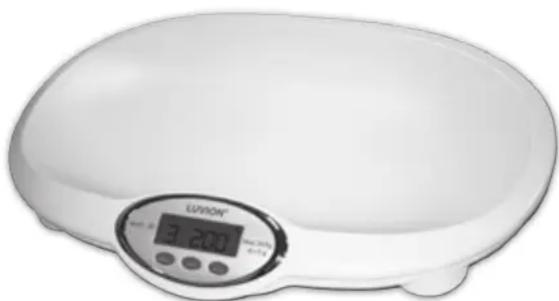
- After the batteries placed, press "ON/Z" key to start the scale until "0.00" appears.
- Gently place baby on the pan, weighing record will be flashed on the window after a few seconds. If baby remain lying on the pan after its weight value has shown, the weighing value will continue to flash for 5 minutes and then turn off automatically.
- If take baby from the pan immediately after baby's weight has been flashed, the scale will return to "0.00" and then turn off automatically within 5 minutes if no operation again.
- If see about the former saved weighing value, please press the "MEM" key while the scale is in "0.00" position. The scale will save optional value during each weighing operation.
- If need to measure the baby' height. Taking out the tape measure from the left side of the bottom. When the tape withdraws to keep from touching the baby' head and other parts of body.
Keys' functions
- ON/Z: Press the key to power on the scale and start up weighing process. For zero setting, press the key again to clear the display and "zero" annunciator will show in the left lo corner of LCD. If you want to turn off the scale please hold pressing this key for about 3 seconds.
- MODE: Weighing units exchange key. Press the key to select kg and lb in turn The suitable indicator of unit is shown in LCD right side by kg or lb annunciator.
- MEM: While the scale is in "0.00" situation, you can press this key to recall the former one weighing value saved in the memory and the suitable indicator is lighted. During weighing if the key is pressed to show "SET" and the stable value will be saved, otherwise twinkling value is not saved in the memory.
Cautions
- The scale should be placed on a hard flat surface for baby's easement and safety.
- You must replace batteries immediately when window display "Lo".
- Keep the scale clean to ensure the normal working.
• Take the batteries out if no operation for a long term. - Please place baby in the center of the pan otherwise probably affect weighing accuracy.
• Overload (heavier than 20.5kg) is strictly prohibited. - Be careful to withdraw tape measure to avoid touch and hurting the baby.
Technische Specificaties




Brand : Luvion
Model : Exact-65
Category : Scale