
ZY1702T - Uncategorized Emos - Free user manual and instructions
Find the device manual for free ZY1702T Emos in PDF.


| Product Type | Electronic Device |
| Brand | Emos |
| Model | ZY1702T |
| Dimensions (Approx.) | 10 x 10 x 5 cm |
| Weight (Approx.) | 200 g |
| Power Source | USB or 2x AAA batteries |
| Power Consumption | less than 1 W |
| Display | LCD screen with backlight |
| Key Features | Temperature and humidity display, clock, alarm, memory function |
| Measurement Range (Temperature) | 0°C to 50°C |
| Measurement Range (Humidity) | 20% to 95% RH |
| Accuracy | ±1°C, ±5% RH |
| Mounting | Table stand or wall mount |
| Operating Environment | Indoor use only, non-condensing |
| Maintenance | Clean with soft dry cloth; do not use abrasive cleaners |
| Safety Instructions | Keep away from water, extreme temperatures, and direct sunlight; use only as intended |
| Spare Parts | Contact Emos customer service for replacement sensors or stands |
| Warranty | 2 years from date of purchase |
Frequently Asked Questions - ZY1702T Emos
User questions about ZY1702T Emos
0 question about this device. Answer the ones you know or ask your own.
Ask a new question about this device
Download the instructions for your Uncategorized in PDF format for free! Find your manual ZY1702T - Emos and take your electronic device back in hand. On this page are published all the documents necessary for the use of your device. ZY1702T by Emos.
USER MANUAL ZY1702T Emos
| CLASSIC | CHERRY |
| ZY0802T cool white ZY0812T multicolor | ZY0902T warm white ZY1602T cool white |
| ZY0807T cool white ZY0817T multicolor | ZY1601T warm white ZY1604T cool white |
| ZY0803T cool white ZY0813T multicolor | ZY1603T warm white ZY0911T multicolor |
| ZY0804T cool white ZY0814T multicolor | ZY1605T warm white ZY0912T multicolor |
| ZY0805T cool white ZY0815T multicolor | ZY0901T cool white ZY1610T multicolor |
| ZY0806T cool white ZY0816T multicolor | ZY0903T cool white ZY1612T multicolor |
| ZY1702T warm white ZY1432T vintage | |
| ZY1428T warm white ZY1433T vintage | |
| ZY1703T warm white ZY1434T vintage | NET |
| ZY1704T warm white | ZY1446T warm white |
| ZY1705T warm white | ZY1447T warm white |
| ZY1429T warm white | ZY1449T warm white |
| GB | istmas LED Lights + Timer |
| CZ | noční LED osvětlení + Časovač |
| SK | nočné LED osvetlenie + Časovač |
| PL | lietlenie choinkowe LED + Timer |
| HU | ácsonyi LED fényfüzér + Időzítő |
| SI | LED božična okrasna razsvetljava + Programska ura |
| RS|HR|BA | Novogodišnje LED osvjetljenje + Tajmer |
| DE | -Weihnachtsbeleuchtung + Timer |
| UA | дв’яне світлодіодне освітлення + Таймер |
| RO | ninație de crăciun cu LED + Temporizator |
| LT | dinė šviesos diodu girlianda + Laikmatis |
| LV | massvētku LED apgaismojums + Taimeris |
| NET | ZY1446T |
| ZY1447T | |
| ZY1449T |
GB Christmas LED Lights + Timer
Do not connect the chain to power supply if it is in packaging.
Light sources are not replaceable.
Do not connect another Christmas light.
When handling, disconnect from the power network.
In case of malfunction, do not remove bulbs and do not repair the chain!
Do not interfere with the connection.
Use only with the power source supplied with the product.
Suited for both indoor and outdoor use.
Timer (T)
The light chain has a built-in timer on the body of the transformer (adapter).
After the first connection, the chain will be constantly lit. After the second connection (a green light will light up), the timer will be set to 6 hours. Afterwards, it turns off automatically and will remain off for 18 hours. The timer will operate automatically in these intervals (6 hours on/18 hours off) until turned off by making a third contact.
Example:
The chain will turn on 1 December at 18 o'clock. It will remain lit until midnight, then turns off automatically. On 2 December, it will turn on automatically at 18 o'clock and turn off again at midnight. That means that the chain only has to be turned on once, and it will automatically keep lighting in this fashion until you turn it off.
Changing the timer settings
If you wish to change the time when the chain automatically turns on and off (e.g. 19 o'clock until 1 o'clock), all you need to do is turn off the chain at the desired time (if it is turned on) and then turn it on again.
Note:
The timer may deviate by a few minutes per month. If you want to adjust the turn-on timer back to the original time, set the timer again.
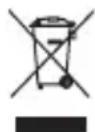
Do not dispose with domestic waste. Use special collection points for sorted waste. Contact local authorities for information about collection points. If the electronic devices would be disposed on landfi II, dangerous substanoes may reach groundwater and subsequently food chain, where it could affect human health.


Brand : Emos
Model : ZY1702T
Category : Uncategorized