
Vertis Expi - Smartphone Overmax - Free user manual and instructions
Find the device manual for free Vertis Expi Overmax in PDF.


| Product Type | Smartphone |
| Brand | Overmax |
| Model | Vertis Expi |
| Display | 5.5-inch IPS LCD |
| Resolution | 720 x 1280 pixels |
| Processor | Quad-core 1.3 GHz |
| RAM | 2 GB |
| Internal Storage | 16 GB |
| Expandable Storage | microSD up to 64 GB |
| Rear Camera | 8 MP |
| Front Camera | 5 MP |
| Battery | Li-Ion 2500 mAh |
| Operating System | Android 8.0 (Oreo) |
| Connectivity | Wi-Fi, Bluetooth 4.0, GPS |
| SIM | Dual SIM (Micro-SIM) |
| Dimensions | 154 x 77 x 8.9 mm |
| Weight | 150 g |
| Sensors | Accelerometer, proximity |
| Ports | microUSB, 3.5mm jack |
| Colors | Black, White |
Frequently Asked Questions - Vertis Expi Overmax
User questions about Vertis Expi Overmax
0 question about this device. Answer the ones you know or ask your own.
Ask a new question about this device
Download the instructions for your Smartphone in PDF format for free! Find your manual Vertis Expi - Overmax and take your electronic device back in hand. On this page are published all the documents necessary for the use of your device. Vertis Expi by Overmax.
USER MANUAL Vertis Expi Overmax
natural_image
Interior view of an office with cubicles and ceiling lights, no visible text or symbolsRejestrator dźwięku
Galeria
Zabezpieczenia
Rozwiń pasek menu
Power key: Press and hold this key to turn on/off the mobile phone; in standby state, press this key to turn on/off the screen
Menu key: Press this key to open the action list, so that you can execute the action in current interface or menu.
Home key: Press this key to return to the home page from any application or interface.
Back key: Press this key to return to previous interface, or close the dialog box, menu, notification panel or the screen keypad.
Side key: Press this key to adjust volume
Installation method and precautions of SIM card
By setting PIN (personal identification number) code of the SIM card, you can protect your SIM card from illegal operation.
Installing SIM card
This is a dual SIM mobile phone with two SIM slots. Please turn off the mobile phone first, take out the battery, and insert the SIM card into the slot as shown in the picture below; then, place the battery into the battery jar and install the battery cover.
Precautions of SIM card
By setting PIN (personal identification number) code of the SIM card, you can protect your SIM card from illegal operation.
If the PIN code is enabled, you need to enter the valid PIN code when you turn on the mobile phone.
If you input wrong code for three times continuously, your SIM card will be locked and you need to input PUK code.
△Note: Your network service provider will set a standard PIN code (4-8 digits) for your SIM card. Please change it with your private password as soon as you get the phone.
Connecting to network
When the SIM card is decrypted, the mobile phone will search registered network or available local network automatically. Once connected, the logo of the network operator appears in the top of the screen, the mobile phone is in standby state, and you can make or answer calls.
Please contact your network operator if the SIM card has a failure.
Precautions of SIM card:
- Put the SIM card out of children's reach.
- Please use, insert and remove the SIM card carefully because the SIM card and its contacts are prone to be scratched or damaged by bending.
- Do not expose the SIM card to electrostatic, dusty or moist environment.
Operation and installation methods of SD card
SD card is a removable mobile memory card inside the mobile phone and used for extending the storage space of the mobile phone.
Battery and charging methods
- Connect the charger to provided USB cable.
-
Connect the charger plug to the power outlet.
-
Connect the USB cable to the mobile phone; this icon indicates the charging status.
-
The battery is fully charged when the status icon changes to ; please disconnect the charger from the power

outlet.
- Disconnect the charger from the mobile phone.
△Note: If the battery isn't used for a long time or the battery is used up, the mobile phone may be not turned on normally while charging. It is normal. Please charge for a while before turning on the mobile phone.
The battery can be charged repeatedly; however, it is consumable product, please change a new battery if the standby duration reduces significantly.
The data service consumes more power and will reduce the standby duration.
The charging time changes according to temperature and battery usage.
The mobile phone will show prompt if the battery is too low. The mobile phone will power off automatically if battery level drops too low.
Unlocking mode
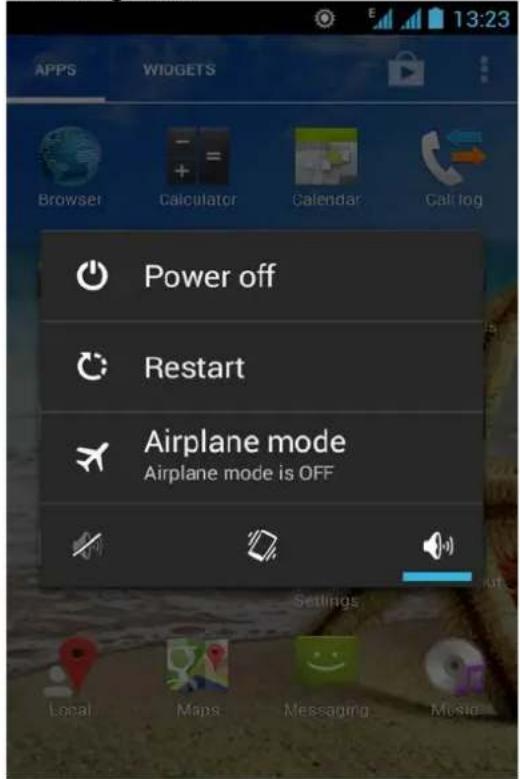
Mobile phone options list
In standby state, you can press the Power key to lock and turn off the screen, and press it again to turn on the screen. Press and hold the Power key to open the mobile phone option list.
Unlocking interface
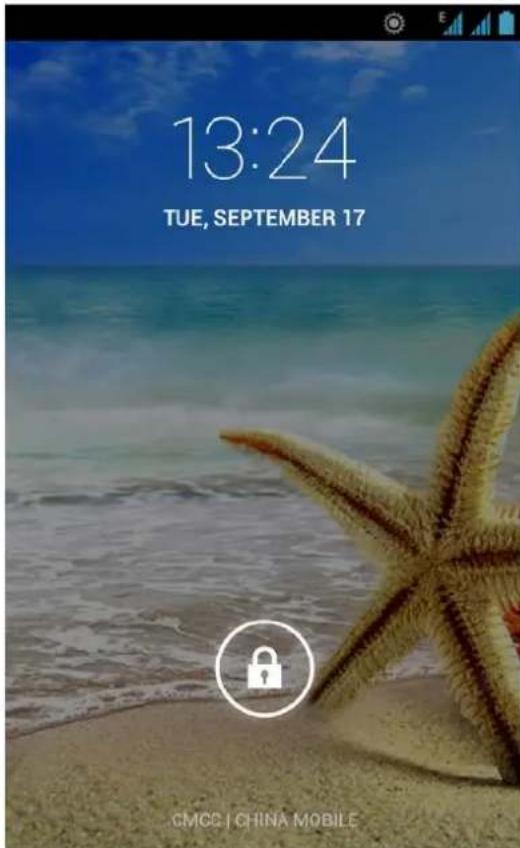

In locked screen, tap the icon in the bottom of the screen, slide to any direction unlock the screen, or drag the whole screen to right to access Camera and take pictures.
Main menu
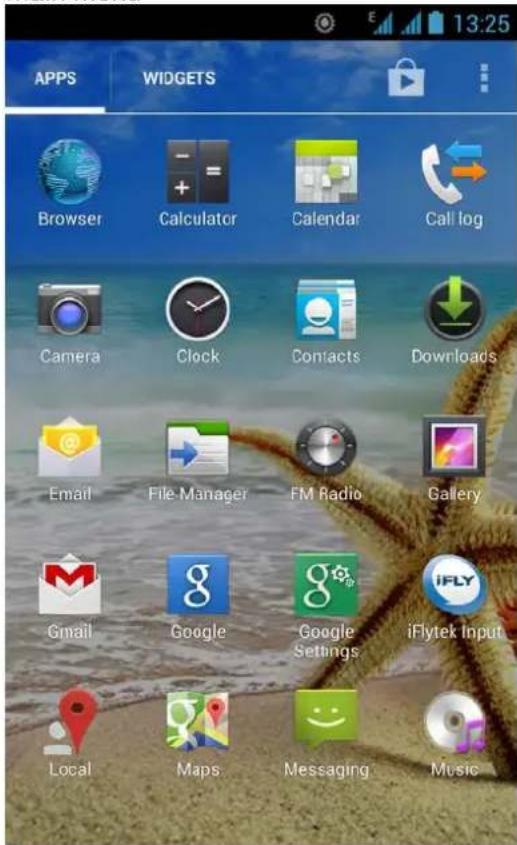
Main menu page
Slide to left/right on the screen to switch the main menu page, and tap the Menu key to select Manage applications or Settings
Drag and drop an icon to desktop to create a shortcut.
View notifications
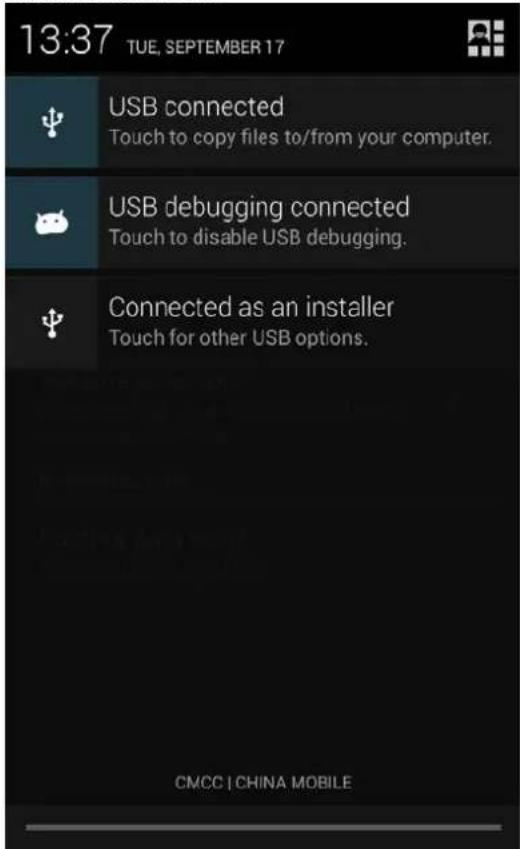
notifications interface of Status bar
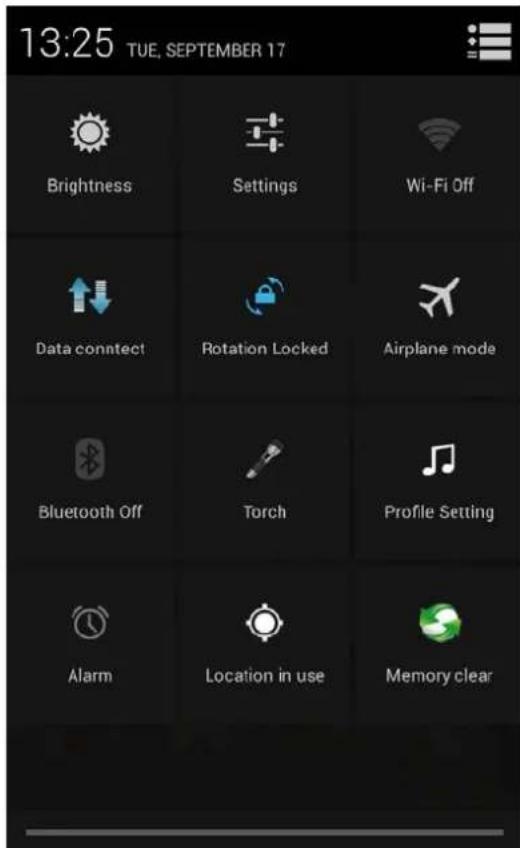
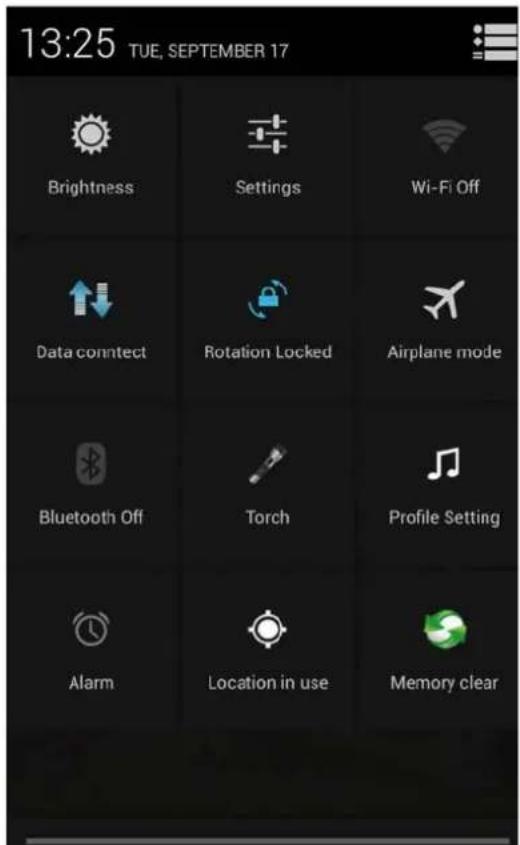
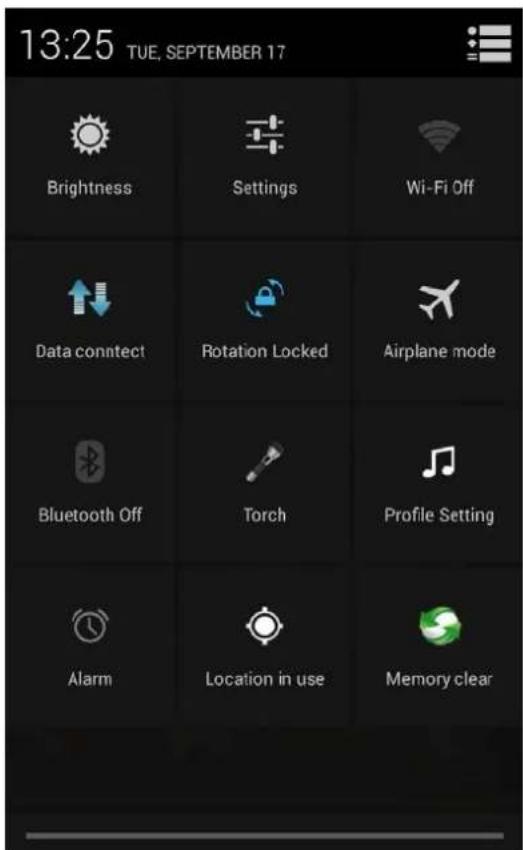
quick settings interface of Status bar
Pull down the status bar, you can view the notifications interface directly, in this interface, you can
view notifications of the mobile phone, or tap

icon in top right corner of the screen to display quick setteings interface, in this interface , you can turn on/off WLAN, Bluetooth, Data connection, GPS, Flight mode and customize profiles, etc.
Manage applications
In Manage applications interface, you can manage the running applications to improve the running speed of the mobile phone. You can view the information of downloaded applications, applications installed on SD card, running applications and all applications, restrict permissions or uninstall third party applications.
Contacts
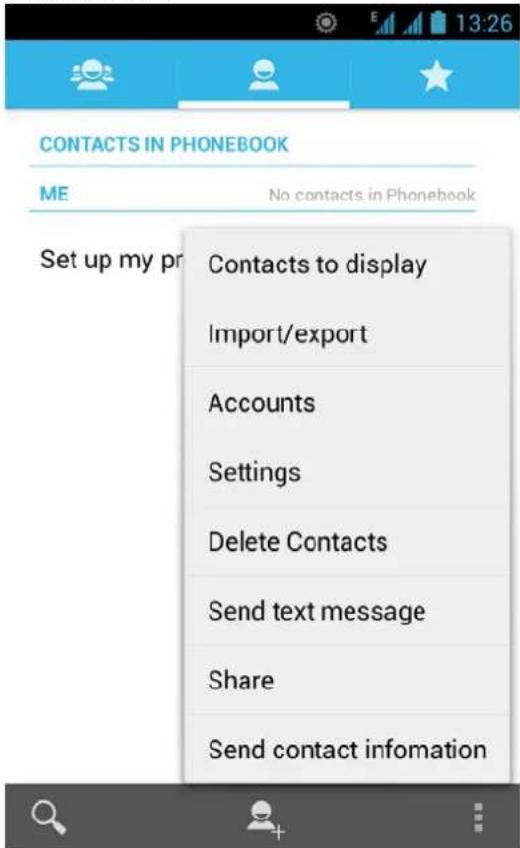
You can search contacts through phone number, email account or name.
Press the Menu key to select Contacts to display, Import/Export, Accounts, Send text message or Share contacts.
Smart dialing
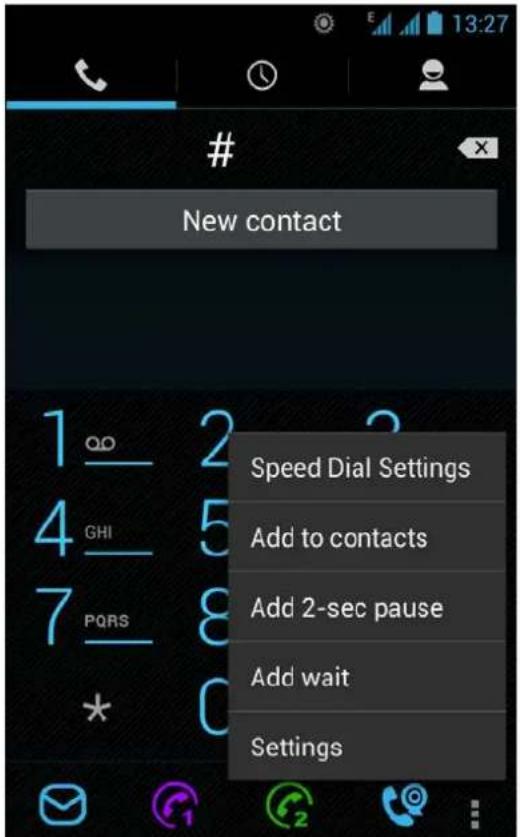
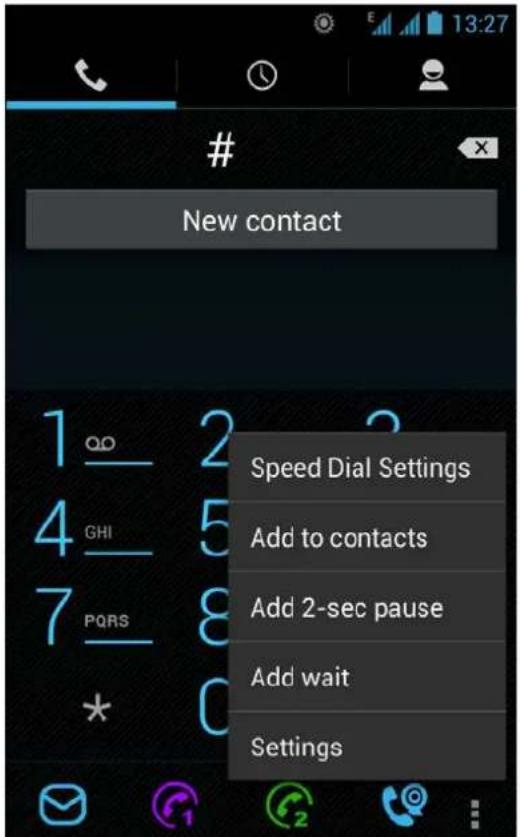
In dial plate interface, the mobile phone will fuzzy match with local contact info and show in the result while you are typing. In settings, you can set up voice call, video call, Quick responses and others.
During a call, you can access the dial plate or contacts through shortcuts.
After typing the number with keypad, press MENU and select Speed dial.
During the call, the backlight turns off when the phone is close to your ear for saving power and preventing misoperation
Messaging & browser
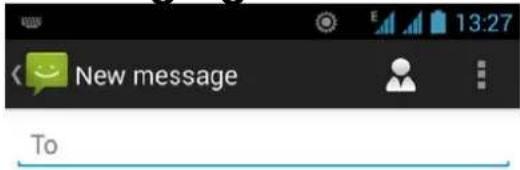
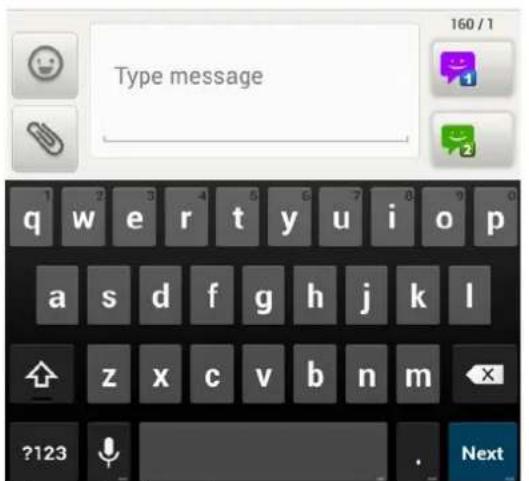
Messaging interface
Support pinyin, and third party input method software.
Tap Switch to switch among Chinese, English and stroke. If the language of spelling correction is set to English,
tap the word in the input box while typing to get suggested results for choosing.
Browser
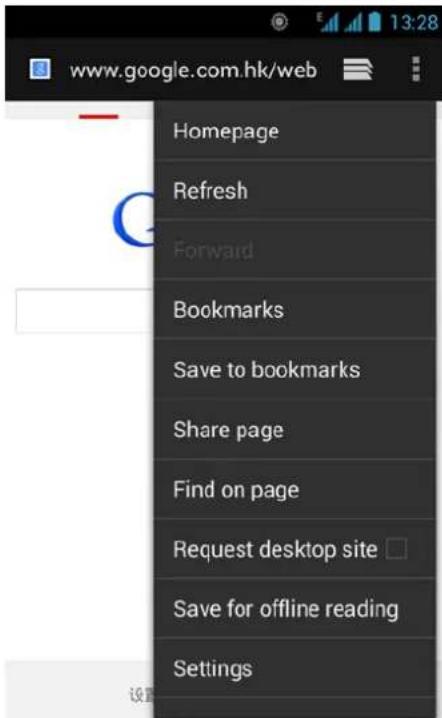
There default homepage interface will be show when you open the app first time, you can also change the default homepage to your favorite webpage site in the settings page. With this app, you can visit all of the internet webpages, download resource form the web server or watch video online.
Music
Music interface
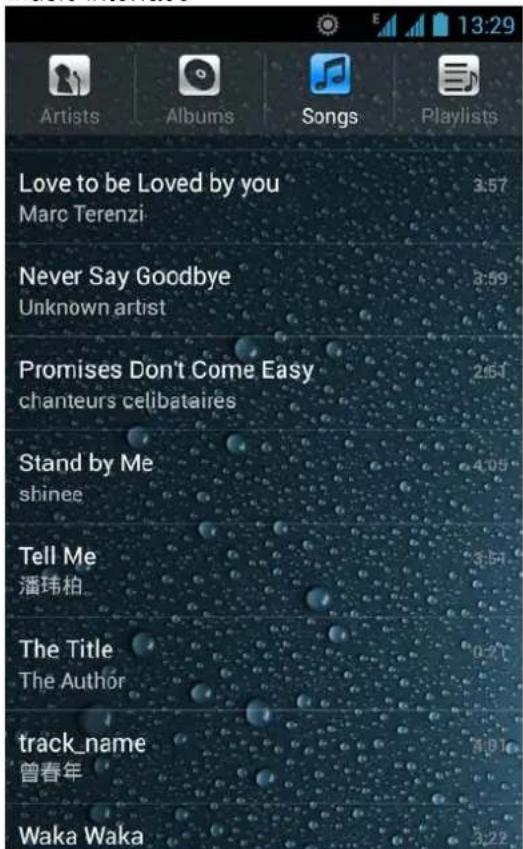
Support MP3, aac, ogg, midi and other formats; drag the progress bar while playing to move to any segment of the music, and tap Play button to pause or play.
Tap and hold artist, album or music name to perform operations such as play, add to playing list, send to ring tone, delete, and search; select search to search music and play
Camera
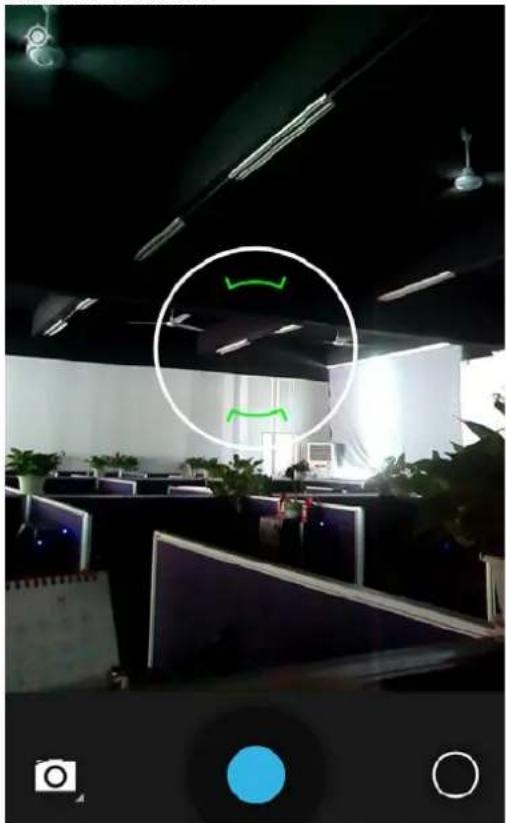
Camera function
natural_image
Interior view of an office with cubicles and ceiling lights, no visible text or symbolsTap on the screen to focus and follow the focus automatically, making the capture of moving object more convenient. You can set best capture, continuous shooting, common mode, automatic scene detection and other modes. The camera integrates various creative styles; you can tap to preview different effects.
Dual-camera
Support front camera; tap photo switch to front camera and take self photo shoot.
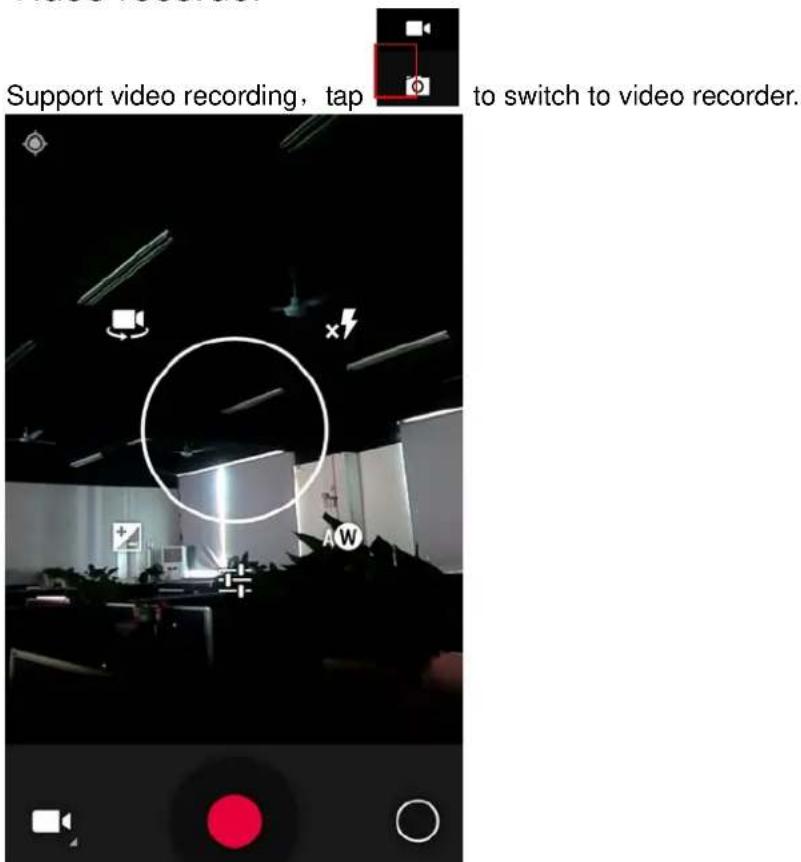
Video recorder
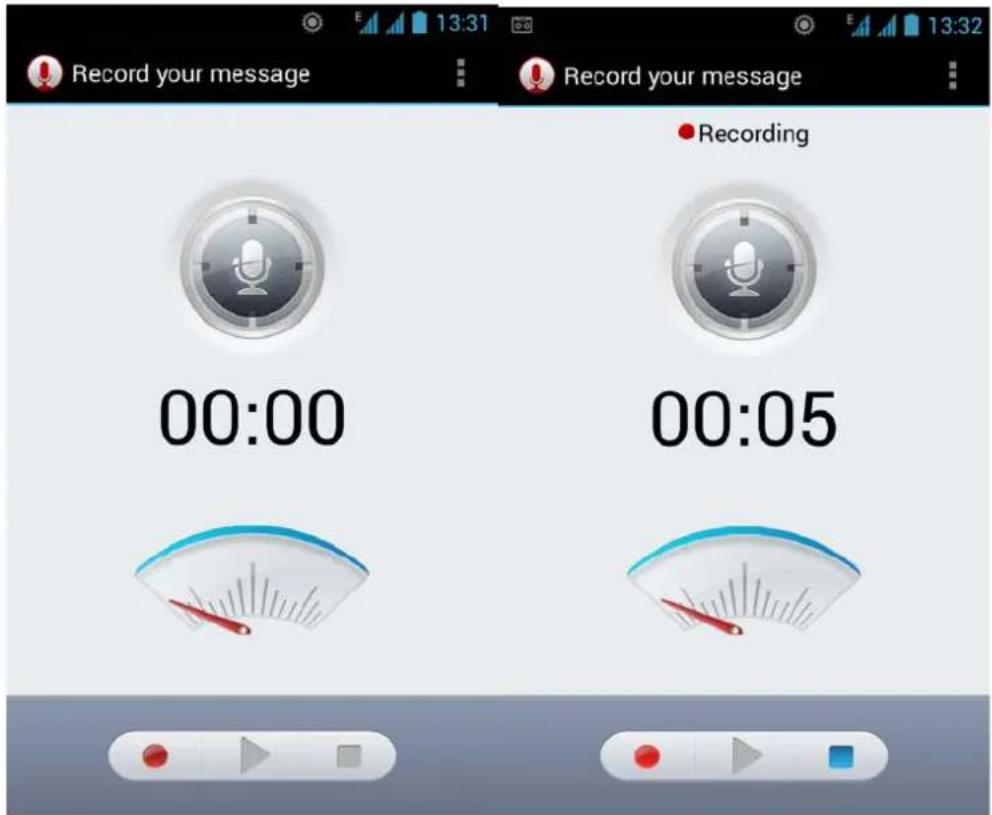
Sound recorder
You can record the sound, and send through MMS or Bluetooth directly, or set as ring tone.
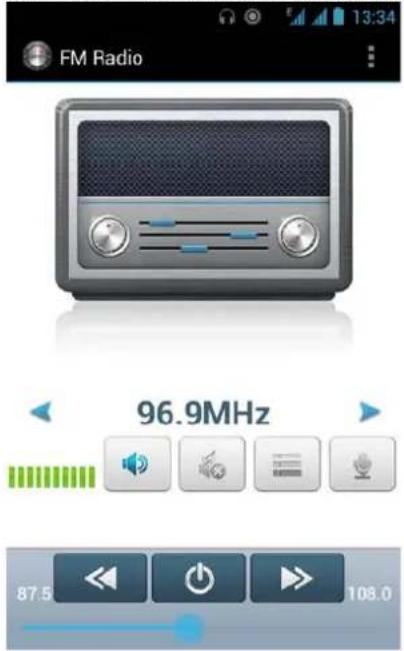
FM radio
Insert the headset and listen to FM radio, which supports loud speaker.
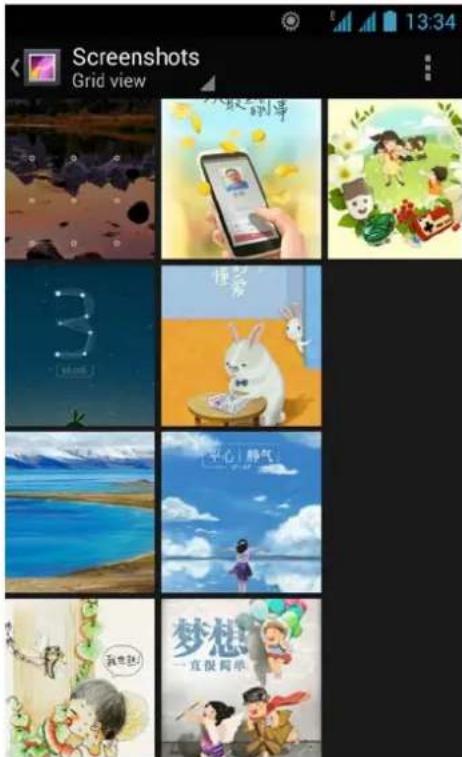
Gallery
You can view the pictures and videos recorded by the camera in Gallery and or pictures and videos on SD card. In gallery, you can perform operations to multimedia files such as share, edit and set as wallpaper, or contact icon.
Support Gmail and E-mail; you can create an account and read e-mails at any time and anywhere with this function, you can merge the e-mails of different e-mail boxes to the same interface.
![Folders lngbj Inbox 6 Drafts Sent Trash ALL FOLDERS [Gmail]](/content/2026/05/1003452/images/484a39cdd8c08854622cb0515bab2b5ccfb056490faf2d397fe21e1584c3ec4d.jpg)
File Manager
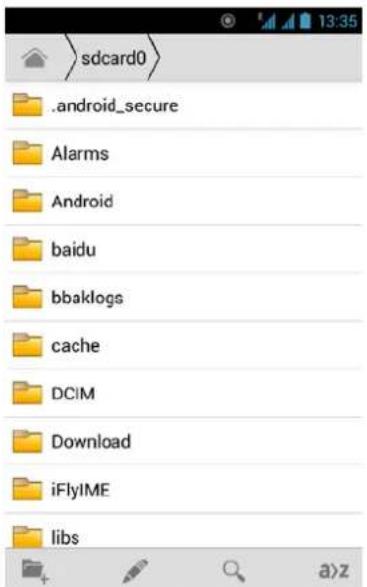
In File Manager interface, tap the Menu key to select New folder, Cut, and view the files stored on SD card directly.
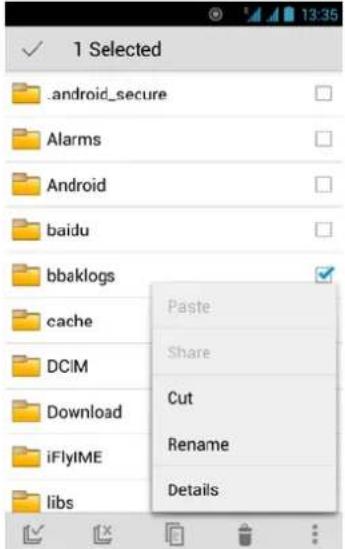
Tap and hold a file or folder and select Copy, Cut, Delete, Rename and other options.
Software store
This mobile phone is designed with built-in “play store”, which provides popular software and other sources; you can find wanted software through search or rank list. Experience the desktop shortcut of play store, get the recommended info quickly, and experience free download through WIFI or web client.
Settings
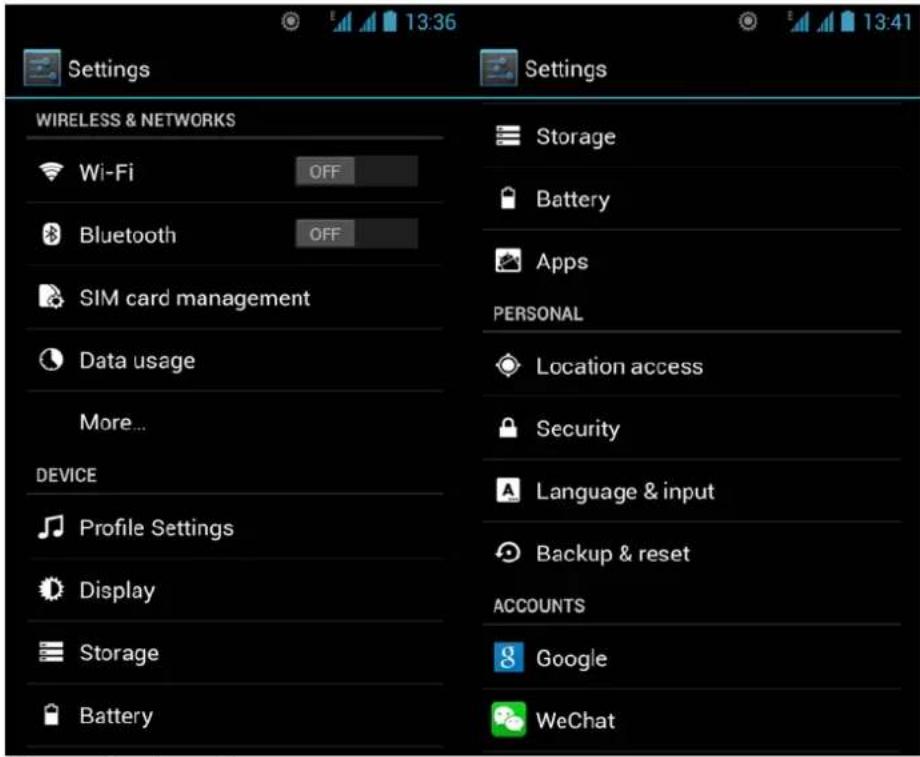
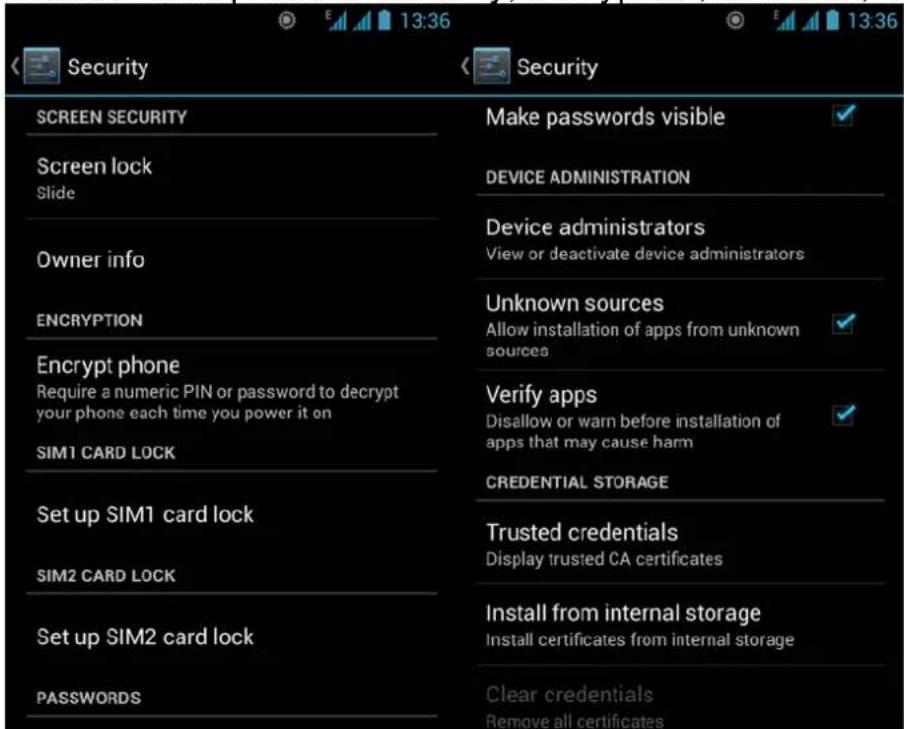
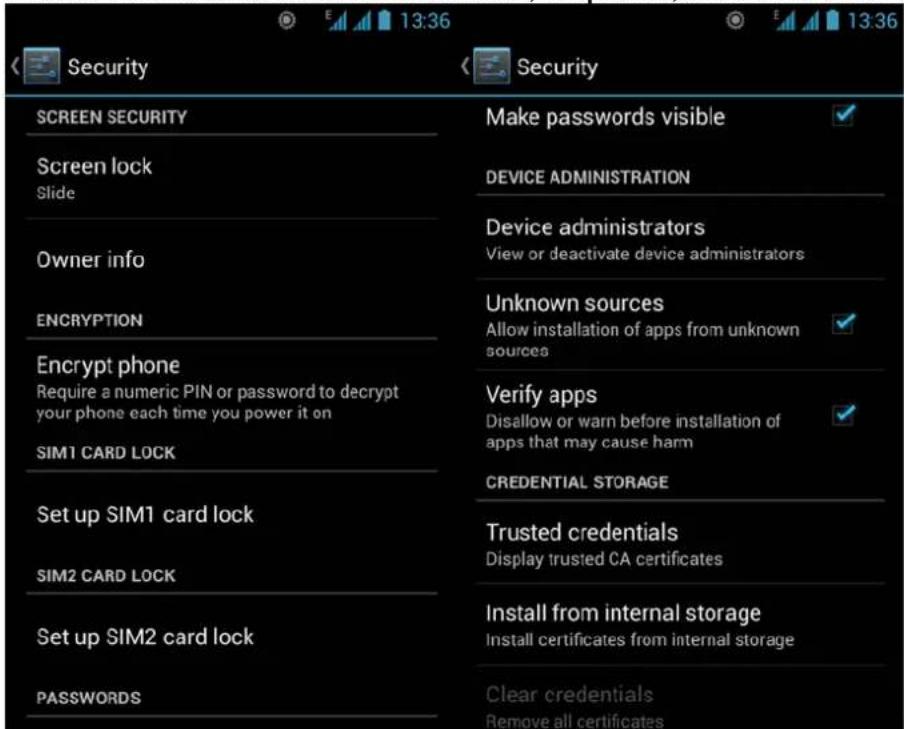
Security function
You can set up screen security, encryption, SIM lock, etc.
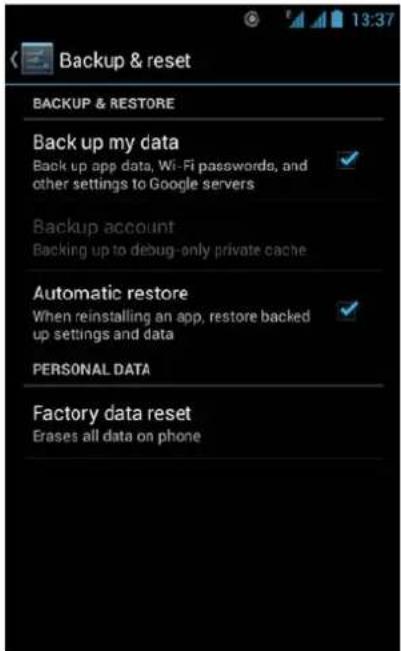
Backup and reset
In this interface: you can back up the application data, WLAN password and other settings to Google server; and reset all data stored on the mobile phone.
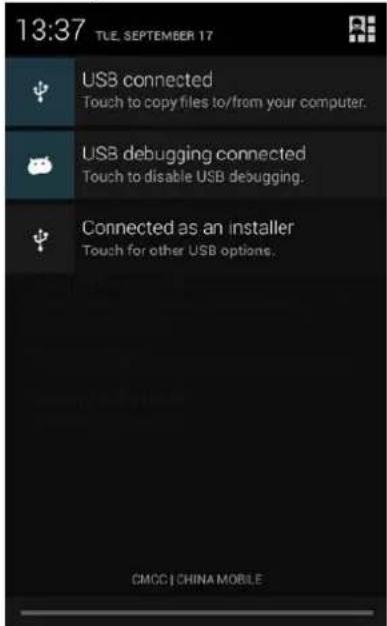
Drop-down menu bar
Drop down USB connection in menu bar; as the mobile phone can be set as flash drive, the files on SD card can be copied to PC or from PC to mobile phone.
Electromagnetic Radiation Specific Absorption Rate (SAR)
The maximum value of the electromagnetic radiation specific absorption rate (SAR) is 0.687W/kg, which is in compliance with GB 21288-2007 requirements.
Troubleshooting
Please refer to the following list of problems and solutions if there is any abnormality when you use the mobile phone. Please contact the distributor or service provider if it still doesn't work.
| Problem | Reason | Solution |
| Can't access Internet normally when using browser | The network operator doesn't provide this service or you hasn't applied this service | Please contact and consult your network operator for information of how to apply and use this service |
| The setting is not correct | Please refer to specific introductions of the browser | |
| SIM card error | SIM card is damagedThe SIM card isn't installed properly. | Please contact your network operatorCheck the SIM card |
| The metal surface of the SIM card is dirty | Clean it with clean cloth | |
| Poor receiving | The mobile phone is used in bad signal receiving area, for example, near tall building or in basement, the radio waves can't reach these area effectively | Please make or answer a call in places with strong signal |
| The mobile phone is used when communication is busy and lines are congested. | Try to avoid using mobile phone when communication is busy | |
| Can't switch on | Battery is too low | Charge the battery |
| Can't make a call | Call barring is active | Cancel call barring |
| Can't connect to network | SIM card is invalid | Please contact your network operator |
| Beyond service area | Move to service area of your network operator | |
| Weak signal | Move to a place with strong signal and try again | |
| Can't charge | The voltage is not within rated range of the charger | Use an allowed voltage within the rated range of the charger |
| Nonstandard charger is used. | Use a charger specially designed for the mobile phone | |
| Poor contact | Check whether the plug is connected properly |
natural_image
Interior view of an office with cubicles and ceiling lights, no visible text or symbolsNahrávání zvuku
Galerie
Funkce zabezpečení
Záloha a obnovení
rozhranie s upozorneniami na stavovej lište
natural_image
Interior view of an office with cubicles and ceiling lights, featuring a circular overlay highlighting a green icon (no readable text or symbols)Galéria
Záloha a obnovenie
Rozbal'ovacia lišta ponúk
Interfata notificarilor a barii de Status
Interfata cu setari rapide a barii de Status
Trageti in jos bara de status si puteti vizualiza direct interfata notificarilor. In aceasta interfata, puteti

Puteti cauta contacte prin numarul de telefon, cont de email sau nume.
Apasati tasta de Meniu pentru a selecta afisarea Contactelor, Import/Export, Conturi, trimiteti mesaje text sau Distribuiti contacte.
Apelare Smart
Support pinyin si introducerea softului third party.
natural_image
Interior view of an office with cubicles and ceiling lights, no visible text or symbolsGalerie
Functia de securitate
Puteti seta securitatea ecranului, criptare, blocare SIM etc.
Backup si resetare
Trageti in jos bara de meniu
Rata de Absobtie Specifica a Radiatiilor Electromagnetice (SAR)
Valoarea maxima a ratei de absorbtie specifica radiatiilor electromagnetice (SAR) este 0.687W/kg, care este in conformitate cu cerintele GB 21288-2007.
Rezolvarea problemelor
Fömenü
natural_image
Interior view of an office with cubicles and ceiling lights, no visible text or symbolsHangrögzítő
Galéria
Biztonsági funkció
Legördülő menüsor
Peamenüü
natural_image
Interior view of an office with cubicles and ceiling lights, no visible text or symbolsHelisalvesti
Galerii
Rippmenüü
Declaration of Conformity
We, the undersigned:
Declare the following apparatus:
| Products name: | Mobile Phone 5" |
| Brand and Model name: | OV-Vertis-01 |
Hereby we confirm above product compliance with the European directive of CE:
| EMC : | 2004/108/EC |
| LVD : | 2006/95/EC |
| R&TTE : | 1999/5/EC |
| ROHS : | 2011/65/EU |
| WE : | 1275/2008 |
Below standards were tested and passed:
| EMC : | ETSI EN 301 489-1 V1.8.1 (2008-04)ETSI EN 301 489-17 V2.1.1(2009-05) |
| LVD : | EN 60950-1:2006 + A11:2009 +A1:2010 + A12:2011 |
| R&TTE : | EN 300328 V1.7.1:2006EN 62311:2008 |


May be sold in: BE CZ DK DE EE IE EL ES FR HR IT LV LT HU MT NL AT PL PT RO SI SK FI SE UK

The original document is located in the headquarter Overmax Poland sp. z o.o sp. k. ul. Dziadoszańskiej 10 61-248 Poznan Poland
Release date: 21.09.2012
OV-Vertis-Expi
www.overmax.pl
- Rejestrator dźwięku
- Galeria
- Zabezpieczenia
- Rozwiń pasek menu
- Power key: Press and hold this key to turn on/off the mobile phone; in standby state, press this key to turn on/off the screen
- Installation method and precautions of SIM card
- Installing SIM card
- Precautions of SIM card
- Connecting to network
- Precautions of SIM card:
- Mobile phone options list
- Main menu page
- Manage applications
- Smart dialing
- Messaging & browser
- Browser
- Music
- Camera
- Camera function
- Dual-camera
- Video recorder
- Sound recorder
- FM radio
- Gallery
- Software store
- Settings
- Security function
- Backup and reset
- Drop-down menu bar
- Electromagnetic Radiation Specific Absorption Rate (SAR)
- Troubleshooting
- Nahrávání zvuku
- Galerie
- Funkce zabezpečení
- Záloha a obnovení
- Galéria
- Záloha a obnovenie
- Rozbal'ovacia lišta ponúk
- Apelare Smart
- Functia de securitate
- Backup si resetare
- Trageti in jos bara de meniu
- Rezolvarea problemelor
- Fömenü
- Hangrögzítő
- Legördülő menüsor
- Peamenüü
- Helisalvesti
- Galerii
- Rippmenüü
- Declaration of Conformity
- OV-Vertis-Expi
Brand : Overmax
Model : Vertis Expi
Category : Smartphone