
SL-MV65 - Hi-Fi-System PANASONIC - Kostenlose Bedienungsanleitung
Finden Sie kostenlos die Bedienungsanleitung des Geräts SL-MV65 PANASONIC als PDF.


Benutzerfragen zu SL-MV65 PANASONIC
0 Frage zu diesem Gerät. Beantworten Sie die, die Sie kennen, oder stellen Sie Ihre eigene.
Eine neue Frage zu diesem Gerät stellen
Laden Sie die Anleitung für Ihr Hi-Fi-System kostenlos im PDF-Format! Finden Sie Ihr Handbuch SL-MV65 - PANASONIC und nehmen Sie Ihr elektronisches Gerät wieder in die Hand. Auf dieser Seite sind alle Dokumente veröffentlicht, die für die Verwendung Ihres Geräts notwendig sind. SL-MV65 von der Marke PANASONIC.
BEDIENUNGSANLEITUNG SL-MV65 PANASONIC
Portable Video CD Player
便携式小型影碟(VCD)机
SL-MV65
SL-MV60
Operating Instructions
使用说明书
natural_image
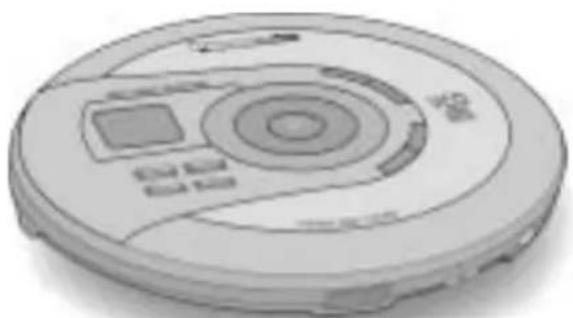
Illustration of a circular electronic device with a central display and control buttons (no text or symbols visible)Panasonic®
Dear Customer
Thank you for purchasing this product.
For optimum performance and safety, please read these instructions carefully.
Before connecting, operating or adjusting this product, please read these instructions completely. Please keep this manual for future reference.
亲爱的用户
感谢您购买本产品。
为确保最佳性能和安全,请仔细阅读下列说明。
连接、操作或调节本产品之前,请仔细阅读下列说明。并请保管本手册。
A
B
natural_image
Line drawing of a rectangular electronic device with a coiled cable and terminal plug (no text or symbols)C

natural_image
Line drawing of a remote control device with no visible text or symbolsD
(for wireless remote control only)
(仅限无线遥控器用)
E
SL-MV65
text_image
SL-MV65 Parameters TO RIF2071-ENL20FF
SL-MV65 SL-MV60
natural_image
Line drawing of a pair of earphones with a cord tied together (no text or symbols)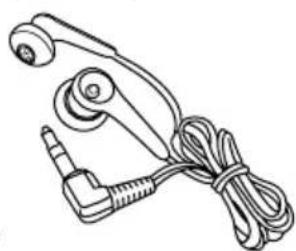
natural_image
Line drawing of a mechanical device with attached cable and connector (no text or symbols)G
H
natural_image
Simple line drawing of a mechanical component mounted on a circular base (no text or symbols)SL-MV65
SL-MV65 : indicates a feature which can be enjoyed with SL-MV65 only.
SL-MV60 : SL-MV60 only.
Table of Contents
Supplied Accessories.... 2
Features 4
Wireless Remote Control Preparations ..... 4
Setting up the Stand SL-MV65 6
Location of Controls 8
Power Supply Preparations.... 10
Before Operating the Unit 14
Playing Video CDs (with playback control)...... 16
Playing Audio CDs and Video CDs (not equipped with playback control) ..... 20
Repeat function/Random function ..... 24
Changing TV display mode (OSD) 24
Various Play Using the Wireless Remote Control 26
Resume Play.... 34
Multi Screen Function 34
Playing MP3 Files 36
Sequential Play with MP3 Files.... 38
Other Useful Functions SL-MV65 42
Other Play Methods with MP3 Files...... 44
Changing the Sound Quality 50
Audio Channel Selection 50
Using the Wired Remote Control SL-MV65 .. 52
Anti-Skip System 54
Using the Unit with an audio system ..... 54
Concerning Compact Discs 56
Cautions 58
Troubleshooting Guide 60
Maintenance 60
Specifications.... 62
Concerning the TV display (On screen display) 64
Description of Terms 66
Supplied Accessories
Check the packing carton for these accessories. A
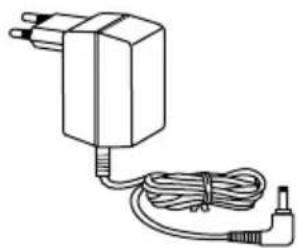
□ AC adaptor B 1 pc.
The configuration of the AC adaptor differs according to the area.
□ Wireless remote control (N2QAGB000031) C.... 1 pc.
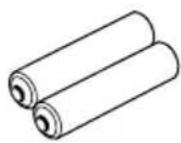
□ Batteries (for wireless remote control) D...... 2 pcs.
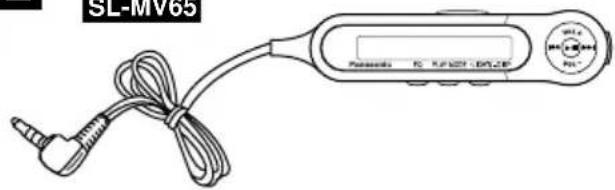
□ Wired remote control SL-MV65 (N2QCBD000036) E.... 1 pc.
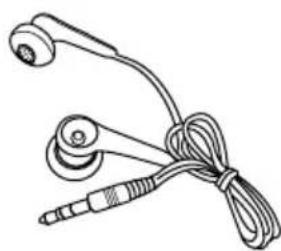
□ Stereo earphones F 1 pc.
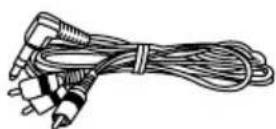
□ Audio/Video cable G 1 pc.
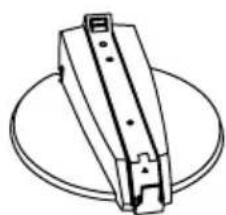
□ Stand SL-MV65 H....1 pc.
SL-MV65:表示仅SL-MV65具有的特点。
SL-MV60:仅SL-MV60。
松下电器产业 日本大阪 新加坡制造
目录
提供附件附....3
特点....5
无线遥控器准备遥....5
装置基座 SL-MV65 7
控制部位部....9
电源准备准....11
操作本机之前本....15
播放视像CD时(具备播放控制功能)……17
播放音频CD和视像CD时
(不具备播放控制功能) 21
重复功能/任意功能功……25
切换电视显示方式时(OSD) 25
使用无线遥控器进行各种播放操作无……27
恢复播放播....35
多屏幕功能幕....35
播放MP3档案 37
MP3档案之顺序播放 39
其他好用的功能 SL-MV65 43
MP3档案之其他播放方法 45
改变音质音....51
音频声道选择声....51
使用有线遥控器时 SL-MV65 53
抗震功能功....55
通过音响系统使用本机音....55
光碟须知须....57
注意事项事....59
故障检修指南检....61
保养....61
规格....63
电视显示须知(屏幕显示)显....65
术语说明说……67
提供附件
请检查包装盒内是否有下列附件。A
□ 交流电源适配器 B …… 1件 交流电源适配器结构会因地区而不同。
□ 无线遥控器 (N2QAGB000031) C ...... 1件
□ 电池(无线遥控器用)D 2节
□有线遥控器SL-MV65(N2QCBD000036)E..1件
□ 立体声耳机 F 1件
□ 音频/视像接线 G 1件
□ 基座 SL-MV65 H....1件
A

B

C
text_image
Diagram of a device panel with numbered components and directional arrows indicating movement or assembly.D
natural_image
Diagram of a device's internal components with no visible text or symbolsE
text_image
7m 30° 30° aFeatures
This is a portable video CD player with playback control (PBC).
The following CDs can be played on this unit.
Video CD:
(Motion picture+audio)
Only compact discs having this mark can be used. A
Version 2.0
These discs have PBC so you can control video and high resolution still pictures with menus.
Version 1.1
These discs do not have PBC so only normal video play is possible.
Audio CD:
Only compact discs having this mark can be used. B Only audio play is possible.
This unit can play CD-DA (digital audio), MP3 and video CD format CD-R and CD-RW that have been finalized (a process that enables CD-R/CD-RW players to play CD-R and CD-RW) upon completion of recording. It may not be able to play some CD-R or CD-RW due to the condition of the recording.
Wireless Remote Control Preparations
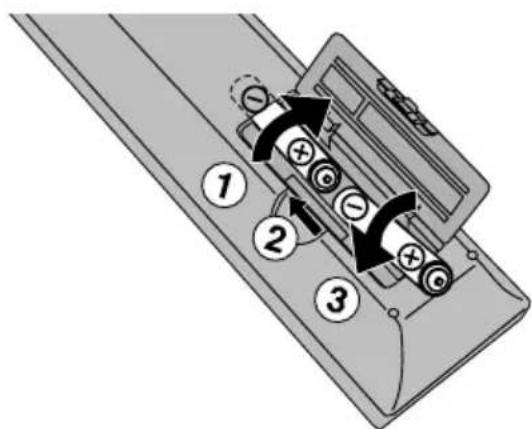
Battery installation ©
Open the battery cover as shown in the figure.
Insert two R6, AA, UM-3 (included) as shown on the left.
- Align the poles ⊕ and ⊖ correctly when inserting the batteries.
- Do not use rechargeable type batteries.
Mishandling of batteries can cause electrolyte leakage which can damage items the fluid contacts and may cause a fire.
If electrolyte leaks from the batteries, consult your dealer. Wash thoroughly with water if electrolyte comes in contact with any part of your body.
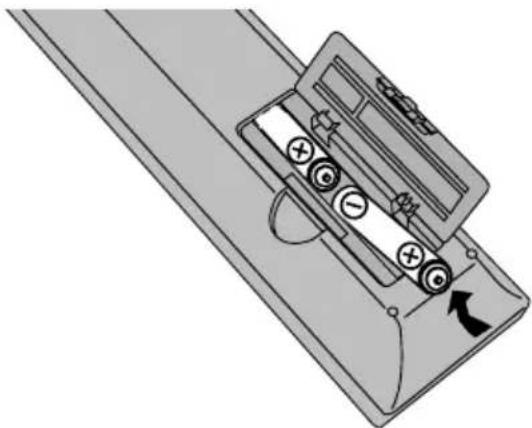
Battery removal D
Press and push up batteries from the end to remove them.
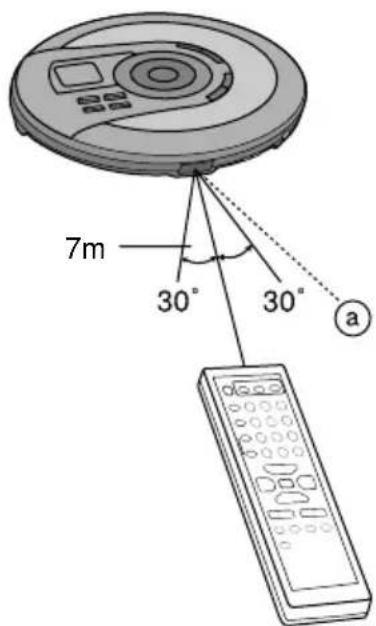
Wireless remote control operation range and precautions E
a Wireless remote control signal sensor
- Use within 7 meters of the sensor.
- Do not place obstacles between the sensor and wireless remote control.
- Keep the sensor and end of the wireless remote control free of dust.
- Do not expose to direct sunlight.
特点
本机为具有播放控制(PBC)功能的便携式小型影碟(VCD)机。
本机可以播放下列CD。
视像CD:
(动画+音频)
仅可使用带有此种标志的光碟。A
2.0版式
此种光碟具备播放控制功能,因此您可用选择单控制视像和具有高解析度的静画面。
1.1版式
由于此种光碟不具备播放控制功能,因此仅可进行普通的视像播放。
音频CD:
仅可使用带有此种标志的光碟。B
仅可进行音频播放。
本机能够播放录制完毕之后封轨(一个使CD-R/CD-RW播放机得以播放CD-R和CD-RW的过程)的CD-DA(数码声)、MP3与视像CD格式CD-R和CD-RW。因为录制效果,它或许不能播放一些CD-R或CD-RW。
无线遥控器准备
电池安装=C
如图所示,打开电池舱盖。
如左所示,插入两节R6, AA, UM-3(附件)电池。
- 插入电池时,应确保其极性 ④ 和 的正确。
- 切勿使用充电型电池。
不正确地使用电池可造成电解液泄漏而导致与之接触的物体损坏,并引起火患。
如果电解液从电池泄漏的话,与您的经销商联系。如果您身体的任何部位与电解液接触,用水彻底清洗。
电池取出=D
取出电池时,边按住其⊕的一端边向上推。
无线遥控器操作范围和注意事项-E
①无线遥控器信号感应窗
- 请在距离感应窗7米之内的范围使用。
- 勿在感应窗和无线遥控器之间放置障碍物。
- 勿让感应窗和无线遥控器的末端沾上灰尘。
- 勿将其置于直射阳光之下。
A
text_image
Stand 基座 a b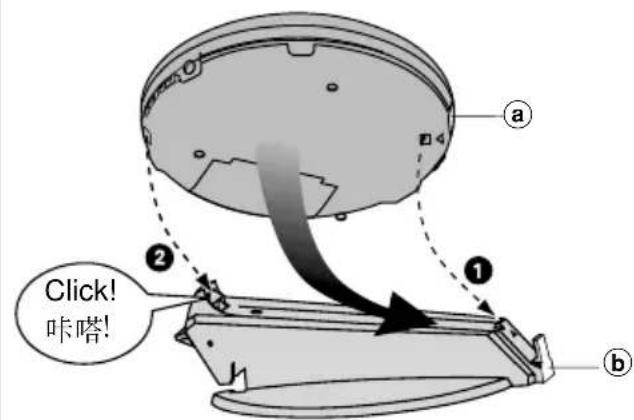
text_image
a ① ② Click! 咔嗒! bB
text_image
B Stand 基座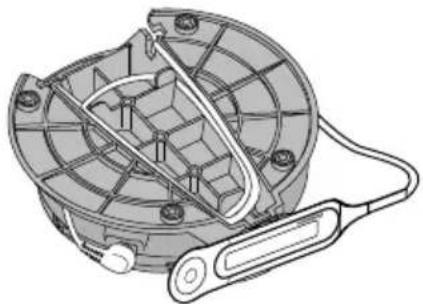
natural_image
Technical line drawing of a mechanical component with internal structure and cable (no text or symbols)C
text_image
Diagram of a CD or DVD scanner with labeled parts including base, cable, and connector componentsSetting up the Stand
SL-MV65
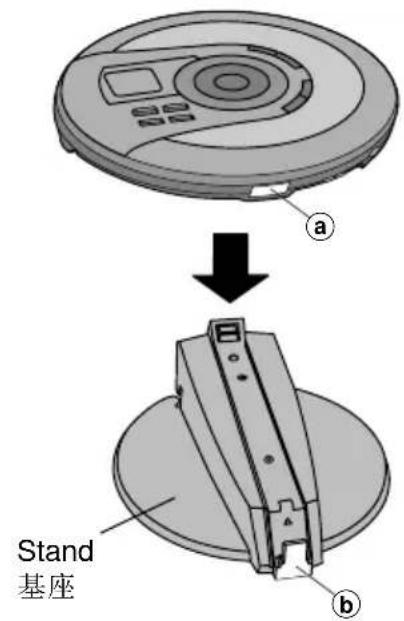
Set Up A
1 Place the main unit on the stand with the unit facing up.
2 Slide the unit onto the stand, aligning the sensor ① with the holder ②.
①wireless remote control sensor
⑥wired remote control holder
3 "Click" is heard when it is firmly inserted.
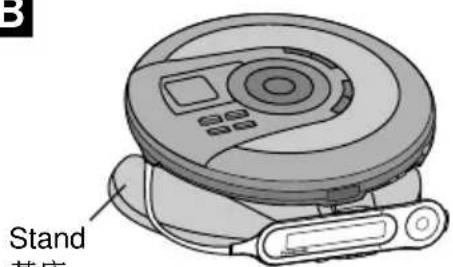
Placing the wired remote control B
You can clip the wired remote control onto the holder and place the cords as shown.
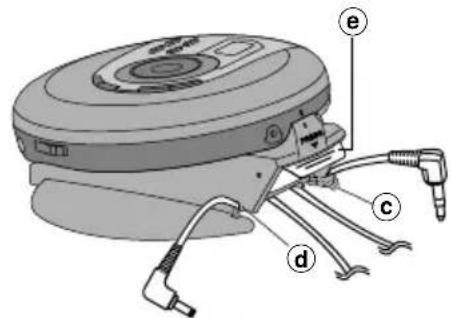
Placing the Audio/Video cable and AC adaptor cord ©
Refer to Before Operating the Unit (page 14) and Power Supply Preparations (page 10) for information on connecting the Audio/Video cable and AC adaptor cord.
You can place the Audio/Video cable on the cable holder © and the AC adaptor cord on the other cable holder ⓐ.
Removing the main unit from the stand ©
- Unplug the Audio/Video cable and AC adaptor cord from the main unit. You can leave the cables on the cable holders © and ⓓ for the convenience of future use.
- Remove the wired remote control from the stand.
- Press down the catch ⓔ to remove the main unit from the stand.
装置A
1 将主机置入基座时朝上。
2 将本机滑入基座时感应窗①应对准持座②。
a 无线遥控器感应窗
⑥有线遥控器持座
3 听到“咔嗒”一声即表示已嵌牢。
放置有线遥控器 B
您可将有线遥控器夹在持座并如图所示安放其缆线。
放置音频/视像接线和交流电源适配器 C
有关连接音频/视像接线和交流电源适配器的信息,请参阅“操作本机之前”(第15页)和“电源准备”(第11页)。
您可将音频/视像接线置于电缆持座=① 及将交流电源适配器缆线放于另一个电缆持座=②。
将主机从基座上拆除
- 将音频/视像接线和交流电源适配器从主机上拆除。=您可将接线保留在电缆持座①和②以方便将来使用。
- 将有线遥控器从基座上除去。
- 将门扣⑧按下并把主机从基座上拆除。
B
text_image
OSD MULTI/CREEM SCORES TIME/ACCESS PLAY MODE A-B PROGRAM RECALL SELECT PREV NEXT ←album ←album → MONO L/R V-INDEX 30 31 32 33 34 35 36 18 19 20 21 22 23 24 25 26 27 28 29C
text_image
C 37 38 43 44 45 46 47 39 40 41 VOL VOLx 42D
text_image
L R SL-MV65 SL-MV60 48Location of Controls
Illustrations showing SL-MV65 are used in these instructions.
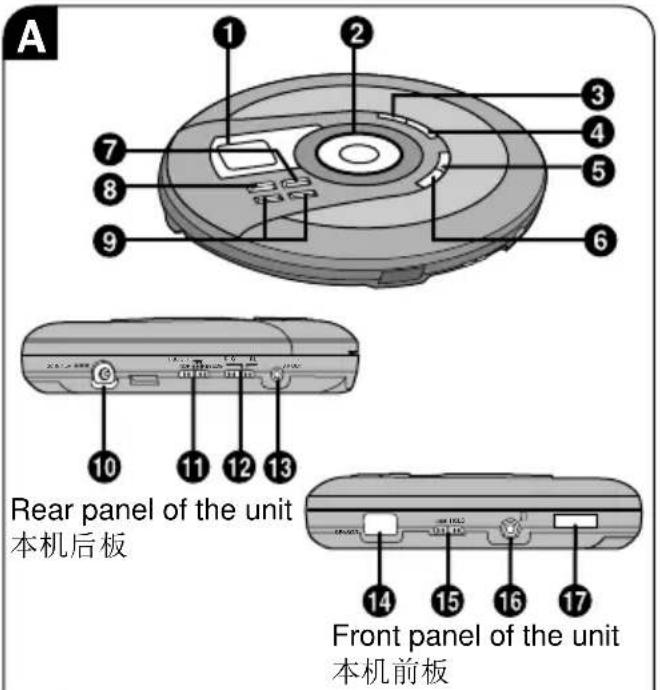
Main unit A
① Display
②Cursor button (ALBUM _/MENU +, ALBUM_/MENU -, I◀◀ PREV, ▶▶▶I NEXT)
③EQ mode button (EQ)
④ Return button (RETURN 📞)
⑤Play mode button (PLAY MODE)
⑥ Album mode button (ALBUM MODE)
⑦ Select/play/pause button (▶/II SELECT)
⑧ Stop/operation off button (■ OPR OFF)
⑨ Headphone volume buttons (VOLUME, -, +)
⑩DC IN jack (DC IN 4.5V ◇-●-⊕)
⑪ Play mode selector (NOR, PBC OFF, RESUME)
⑫Video format selector (NTSC, PAL)
⑬Audio/video output terminal (AV OUT)
14 Wireless remote control signal sensor (SENSOR)
⑮Hold switch (HOLD)
⑯Headphone jack ( ∩)
⑰Lid open switch (OPEN ▶)
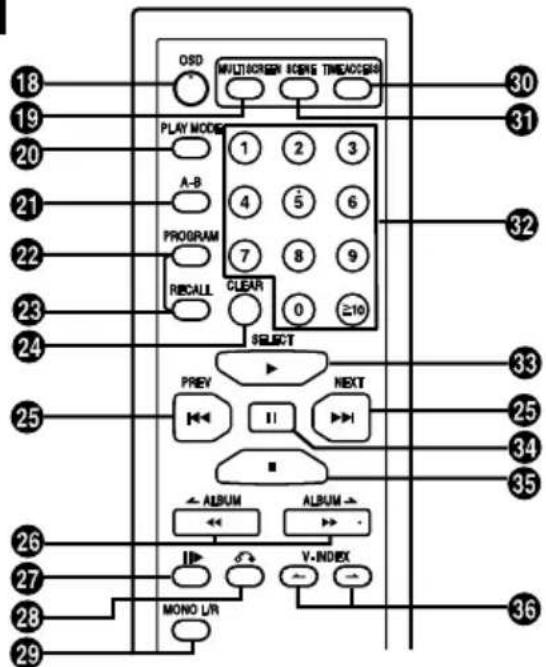
Wireless remote control B
⑱On screen display button (OSD)
⑲Multi screen button (MULTI SCREEN)
⑳Play mode button (PLAY MODE)
②A-B repeat button (A-B)
22 Program button (PROGRAM)
②3 Recall button (RECALL)
24 Clear button (CLEAR)
25 Previous, next buttons (I◀◀ PREV,▶▶I NEXT)
⑳Search/album skip buttons
(◀◀ ← ALBUM, ▶▶ ALBUM →)
⑳Frame skip button ( 11▶ )
28 Return button ( 📷 )
29 Voice mode button (MONO L/R)
③0 Time access button (TIME ACCESS)
③Scene button (SCENE)
32 Numeric buttons
③3Select/play button (▶ SELECT)
③4 Pause button (II)
35 Stop/operation off/program clear button (■)
③6 VCD index buttons (V-INDEX, ←, )
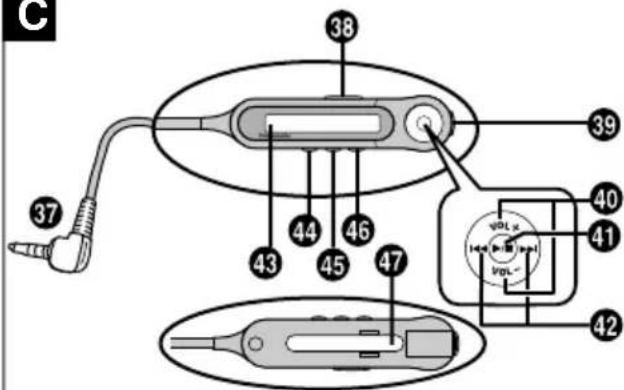
Wired remote control SL-MV65 C
③7 Plug ④3 Display
38 Hold switch (HOLD) 44 EQ mode button (EQ)
⑲Headphone jack ⑴Play mode /album
④0 Volume button mode button (VOL+, VOL−) (PLAY MODE)
41 Play/stop/off button (▶/■) 46 Light/display button
Track skip/search/album (•LIGHT/-DISP) skip button (I◄◄, ►►I) 47 Clip
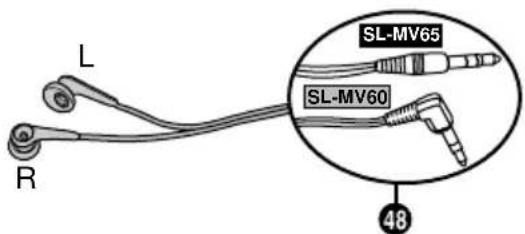
Stereo earphones D
48 Plug
控制部位
本说明书中的插图所示为型号SL-MV65。
主机=A
①显示屏
② 光标钮=(ALBUM_ /MENU +,
ALBUM_ /MENU -, I◀◀ PREV, ▶▶▶I NEXT)
③均衡器方式选择钮=(EQ)
④ 返回钮=(RETURN)
⑤播放方式选择钮(PLAY MODE)
⑥唱片方式选择钮(ALBUM MODE)
⑦ 选择/播放/暂停钮 (▶/II SELECT)
⑧ 停止/操作关闭钮=(■ OPR OFF)
⑨ 头戴耳机音量控制钮=(VOLUME-,+)
10 DC IN(直流输入)插孔= (DC IN 4.5V ◇-○-◇)
播放方式选择器=(NOR, PBC OFF, RESUME)
⑫视像格式选择器=(NTSC, PAL)
⑬ 音频/视像输出端子=(AV OUT)
⑭无线遥控器信号感应窗 (SENSOR)
⑮锁定开关=(HOLD)
⑯头戴耳机插孔(Ω)
⑰开盖开关=(OPEN▶)
无线遥控器 B
⑱屏幕显示钮(OSD)
⑲多屏幕钮 (MULTI SCREEN)
⑳播放方式选择钮 (PLAY MODE)
⑳A-B重复钮(A-B)
22编程钮(PROGRAM)
②3召回钮(RECALL)
⑳清除钮 (CLEAR)
25 之前,之后钮=(I ◀ ◀ PREV, ▶ ◀ I NEXT)
②6检索/唱片 跳越钮 (◀◀ ← ALBUM,▶▶ ALBUM →)
27帧跳越钮()
28返回钮()
29歌声方式钮 (MONO L/R)
30 时间进取钮 (TIME ACCESS)
③1 片段钮 (SCENE)
32数字钮
33 选择/播放钮 (▶ SELECT)
③4暂停钮(Ⅱ)
35 停止/操作关闭/编程清除钮 (■)
36 VCD(视像CD)索引钮 (V-INDEX, ←, →)
有线遥控器 SL-MV65 C
37插头43显示屏
38 锁定开关 (HOLD)
39头戴耳机插孔耳(EQ)
④0音量控制(VOL+,VOL-)
④ 播放/停止/关闭钮
(▶/■)
42 乐曲跳越/检索/唱片跳越钮 (I◄◄, ►►)
44 均衡器方式选择钮
45 播放方式/唱片方式选择钮 (PLAY MODE)
46 灯光/显示钮
(•LIGHT/-DISP)
47 夹子
立体声耳机 D
48插头
A

text_image
Diagram showing a device interior with labeled parts and directional arrows, likely illustrating a mechanical or electrical component assembly.B
text_image
Diagram showing electrical connections to a device with labeled parts (a, b, c, d) and a power outlet.C
flowchart
graph LR
    A[" "] --> B[" "] --> C[" "] --> D[" "]
D
natural_image
Top-down diagram of a circular mechanical or electronic component with internal compartments and a directional arrow (no text or symbols)E
natural_image
Top-down schematic of a circular mechanical or electronic component with internal compartments and a directional arrow (no text or symbols)Power Supply Preparations
Refer to the specifications (page 62) for information on operating times when using rechargeable batteries or dry-cell batteries.
Using rechargeable batteries (not included)
Obtain the optional rechargeable batteries.
Make sure to recharge the batteries before using them. The unit cannot be used to charge rechargeable batteries other than those specifically designed for it.
- Optional batteries (P-3GAVT/2B)
Recharging procedure
1 Insert the special rechargeable batteries into the unit. A
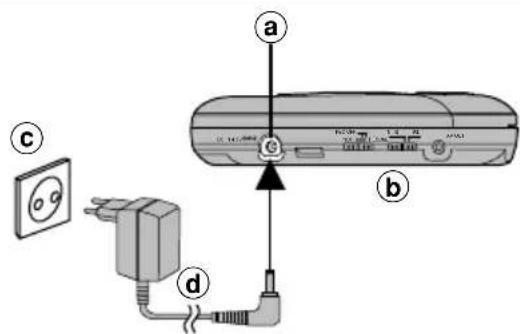
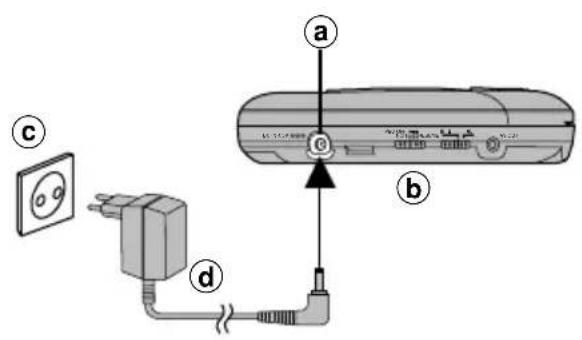
2 Connect the AC adaptor. B
①DC IN jack (DC IN 4.5V ◇-●-⊕)
⑥Rear panel of the unit
©AC power outlet
d AC adaptor
Note
- The configuration of the AC adaptor differs according to the area.
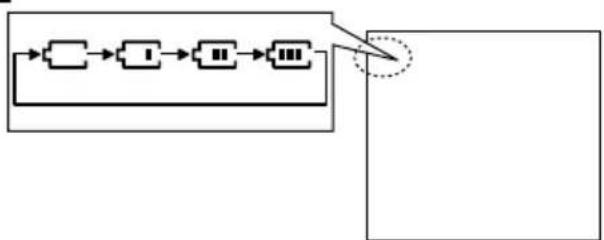
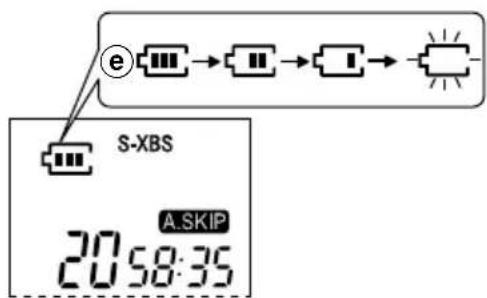
• The battery indicator changes while recharging. C - The battery indicator disappears when the batteries is fully charged.
- You can recharge the batteries before they are fully discharged.
3 When recharging is complete, unplug the AC adaptor from the power outlet and the DC IN jack.
Note
- Never mix dry cell and rechargeable batteries.
- Rechargeable batteries have a service life of approximately 300 charge-discharge cycles. If the operating time on one full charge becomes noticeably shorter than it used to be, the battery has reached the end of its service life and should be replaced.
- Recharging may only be performed when the unit is off. (It is not possible to recharge the batteries while playing discs.)
- The AC adaptor and rechargeable batteries may become warm while recharging is in progress. This is not a malfunction.
- The unit should be off when changing rechargeable batteries.
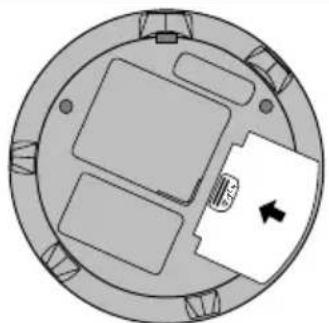
If the battery lid becomes loose ☐
Slide the lid back into place horizontally.
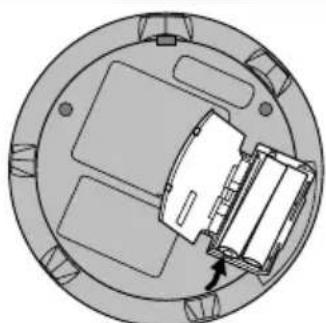
Removing batteries ☐
Push up on the battery in the direction indicated by the arrow, then lift it out.
If the unit malfunctions or freezes during use, disconnect the power source (the AC adaptor or batteries). Reconnect the power source and continue operation.
电源准备
欲知使用充电型或干电池时的操作时间,请参看规格表(第63页)的信息。
使用充电型电池时(非附件)
购买任选充电型电池。
使用这些电池前,必须给电池充电。除特别指定的充电型电池以外,本机不能为其他电池进行充电。
- 任选电池 (P-3GAVT/2B)
充电步骤
1 将特别的充电型电池装入本机。A
2 连接交流电源适配器。B
① DC IN 插孔
(DC IN 4.5V ◇-●-⊕)
b本机后板
©交流电源插座
d交流电源适配器
=注意
- 交流电源适配器的结构会因地区而不同。
- 电池指示灯在充电时会更动。C
- 电池指示灯在电池充足电时消失。
- 您可在电池的电量还未排完以前为它们进行充电。
3 充电结束后,请从电源插座和DC IN 插孔拔出交流电源适配器。
注意
- 勿将干电池和充电型电池混用。
- 充电型电池拥有约300次循环充电的使用寿命。若一次过充足电后的操作时间短于平常时,表示电池已达其使用寿命的终点,应予以更换。
- 只有在本机电源关闭之下才能进行充电。(在播放光碟当中将无法进行充电。)
- 在充电进行中,交流电源适配器和充电型电池可能会变热。此非功能失常。
- 更换充电型电池时应关闭本机。
如果电池舱盖松开D
平行滑动电池舱盖,使其回到原位。
取出电池时=E
依箭头所示的方向推按电池,然后将其取出。
如果本机在使用中功能失常或静止不动,请切断电源(交流电源适配器或电池)。重新连接电源线,并继续进行操作。
A
text_image
Diagram showing cable connection with labeled components: power outlet, plug, cable, and device (a, b, c)B
text_image
e S-XBS A.SKIP 20:58:35Power Supply Preparations
Using the AC adaptor A
Connect the AC adaptor supplied.
a DC IN jack (DC IN 4.5V ◇-●-⊕)
⑥Rear panel of the unit
©AC power outlet
dAC adaptor
Note
- The configuration of the AC adaptor differs according to the area.
- The unit is in the standby condition when the AC adaptor is connected. The primary circuit is always "live" as long as the AC adaptor is connected to an electrical outlet.
Using dry-cell batteries (not included)
After disconnecting the AC adaptor, insert two LR6, AA, UM-3 alkaline batteries.
The procedure for inserting and removing dry-cell batteries is identical to that for rechargeable batteries.
Battery indicator B
eBattery indicator
This indicator starts flashing when the batteries are almost out of power. Power is cut off completely a short while later.
Rechargeable batteries: Recharge batteries.
Dry-cell batteries: Replace batteries with new ones.
Note
- The length of time the unit will continue to operate between when the battery indicator starts flashing and when the power is cut off differs depending on the type of batteries used.
- The battery indicator may not be displayed if rechargeable batteries other than those designated by Panasonic are used.
电源准备
使用交流电源适配器时=A
连接所提供的交流电源适配器。
aDC IN 插孔
$$ (\mathrm{DCIN} 4. 5 \mathrm{V} \diamond - \odot - \oplus) $$
b本机后板
©交流电源插座
d交流电源适配器
注意
- 交流电源适配器的结构会因地区而不同。
- 连接交流电源适配器后,本机即处于待机状态。只要交流电源适配器与电源插座保持连接,主要电路将一直处于“带电”状态。
使用干电池时(非附件)
拔出交流电源适配器后,插入两节LR6, AA, UM-3碱性电池。
干电池的插入和取出步骤与充电型电池相同。
电池指示灯=B
e电池指示灯
电池电量快耗尽时,指示灯会开始闪烁。其后不久,电源会完全切断。
充电型电池:给电池充电。
干电池组:更换新的电池。
注意
- 电池指示灯开始闪烁后,本机仍可继续操作的时间长短将因所用电池的类型而异。
- 如果使用了Panasonic所指定以外的充电型电池,有可能不会出现电池指示灯。
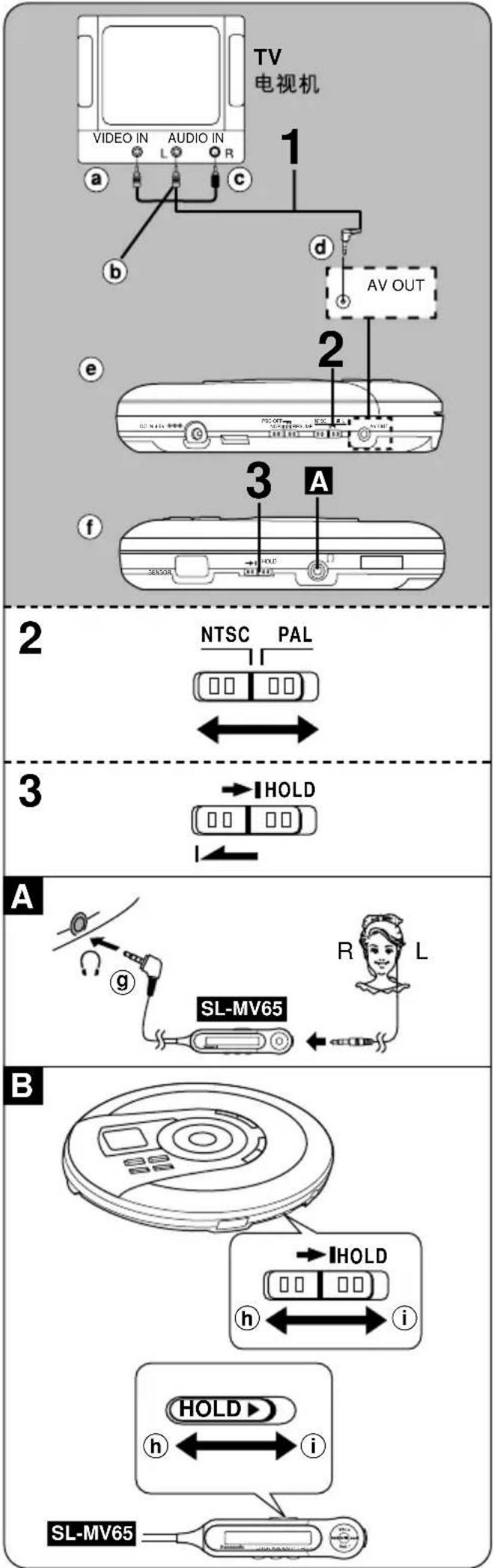
text_image
TV 电视机 VIDEO IN AUDIO IN 1 b c d AV OUT e 2 3 A f HOLD SENSOR NTSC PAL 3 A g SL-MV65 R L B HOLD h i HOLD▶ i SL-MV65Before Operating the Unit
1 Connect the unit to your TV to play video CDs.
Use the Audio/Video cable (included).
a Yellow b White c Red
(d)Black eRear panel of the unit
2 Set video format selector according to the television set.
NTSC: if your TV is NTSC
PAL: if your TV is PAL
For details, refer to the operating instructions of the TV.
3 Release the hold mode.
f Front panel of the unit
Note
• Video CD output is generally lower than TV output. Reduce the TV volume before switching input back to TV.
- Some TVs are unable to output sound when there is no video signal.
To listen through the stereo earphones (included) A
SL-MV65
Connect the stereo earphones and wired remote control (SL-MV65) to the (Ω) jack. (Plug in firmly.)
SL-MV60
Connect the stereo earphones to the (Ω) jack. (Plug in firmly.) ⑨ Plug type: 3.5mm stereo
- Before connecting the stereo earphones, reduce the volume level.
- When [AV OUT] is connected, you cannot listen through stereo earphones or adjust earphone volume. "VOL--" will be displayed when [VOLUME, +, -] (unit) or [VOL+, VOL-] (wired remote control) is pressed.
HOLD function B
This function causes the unit to ignore short, accidental button presses. (The disc lid can still be opened and closed.)
The HOLD function prevents the following:
- Powering on the unit accidentally (which can cause the batteries to run down).
- Play being cut off unexpectedly in the middle of a selection.
To use the HOLD function
Set [HOLD] to the HOLD position. It is possible to operate the unit from the wireless remote control in the HOLD mode.
hRelease
①HOLD mode
SL-MV65
The unit and wired remote control have [HOLD] switches, each of which works independently.
“”indication
When the unit is in HOLD mode, pressing any button causes the indication "hold" to appear on the display.
When the wired remote control is in HOLD mode, pressing any button will not cause any effect.
When the unit is turned off
The "hold" indication appears only when [▶/II SELECT] is pressed.
操作本机之前
1 播放视像 CD时,请将本机连接至电视机。
使用音频/视像接线(附件)。
a 黄色
b 白色
© 红色
d 黑色e本机后板
2 按照电视机制式设定视像格式选择器。
NTSC:如果您的电视机为NTSC制式
PAL:如果您的电视机为PAL制式
具体细节,请参阅电视机的使用说明书。
3解除锁定状态。
f 本机前板
注意
- 视像CD的输出电平一般低于电视机。在将输入切换回电视机以前,须降低电视的音量。
- 当无视像信号时,有些电视机会无法输出声音。
通过立体声耳机(附件)欣赏 A
SL-MV65
将立体声耳机和有线遥控器 (SL-MV65) 连接到[Ω]插孔。(牢固地插入)
SL-MV60
将立体声耳机连接到[Ω]插孔。(牢固地插入)
⑧ 插头类型:3.5毫米立体声
- 连接立体声耳机之前,请降低音量。
- 当 [AV OUT] 端子被接上时,您无法通过立体声耳机进行收听或调节耳机的音量。当按 [VOLUME, +, -] 钮(主机)或 [VOL +, VOL -] 钮(有线遥控器)时,“VOL --”将会出现。
HOLD(锁定)功能 B
即使意外地错按了任何按钮,此功能也可防止本机进行操作。(光碟盖仍可开关。)
HOLD功能可防止下列事项:
- 意外打开本机电源(可使电池耗尽)。
- 山目播放至中途意外被中断。
使用HOLD功能时
将[HOLD]钮设定在HOLD位置。在锁定状态下仍可用无线遥控器操作本机。
h 解除
① HOLD状态
SL-MV65
本机和有线遥控器分别带有[HOLD]开关,且能各自独立操作。
“hold”指示
当本机处于锁定状态时,无论按下任何按钮均会令显示屏上出现“hold”指示。
当有线遥控器处于锁定状态时,无论按下任何按钮均不会起作用。
当本机电源关闭时
只有在按下[▶/II SELECT]钮时才显示出“hold”指示。
text_image
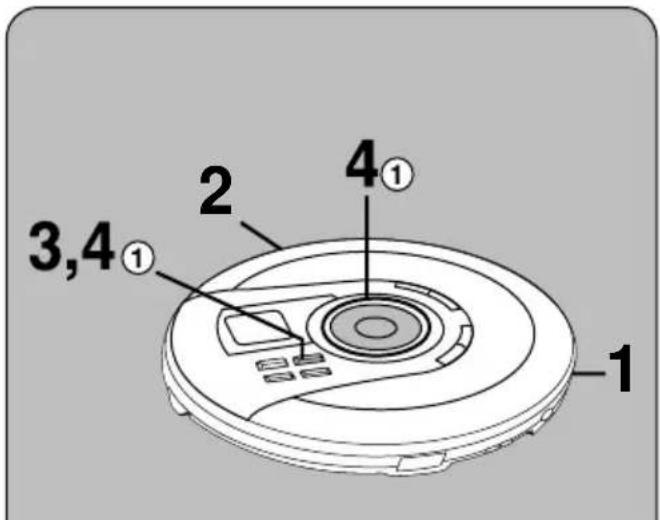
1 2 3,4① 4①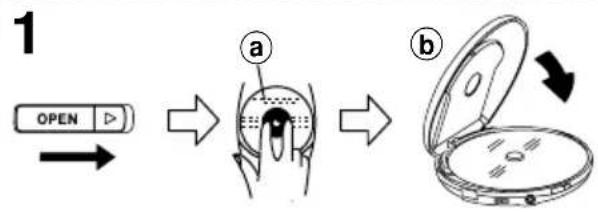
flowchart
graph LR
    A["OPEN"] --> B["Step a"]
    B --> C["Step b"]
    C --> D["Open device"]
text_image
2 PBC OFF NOR ■ ■ RESUME
flowchart
graph TD
    A["SELECT ▷/II"] --> B["00:00:00"]
    B --> C["-SELECT - PBC"]
    C --> D["SELECT"]
    D --> E["PBC"]
    E --> F["Next"]
    F --> G["OK"]
    F --> H["<<"]
    F --> I["11"]
    F --> J[">>"]
text_image
4① MP3 MP3 MP3 MP3 MP3 MP3 MP3 MP3 MP3 MP3 MP3 MP3 MP3 MP3 MP3 MP3 MP3 MP3 MP3 MP3 MP3 MP3 MP3 MP3 MP3 MP3 MP3 MP3 MP3 MP3 MP3 MP3 MP3 MP3Playing Video CDs (with playback control)
PBC Play
(See description of terms on page 66.)
The method described below is for video CDs with playback control (PBC). If the video CD is not PBC supported, refer to page 20.
Preparation:
Switch on the TV and select the VIDEO input mode.
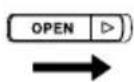
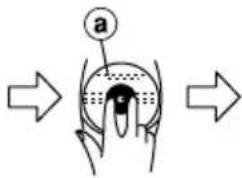
1 Slide [OPEN ▶] to open the lid, and insert the video CD.
①Label must face upward.
Press the area near the center of the disc until it clicks into position.
⑥Close the lid.
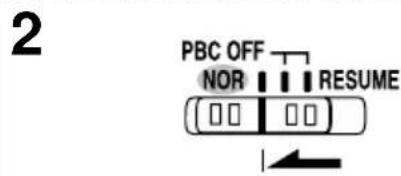
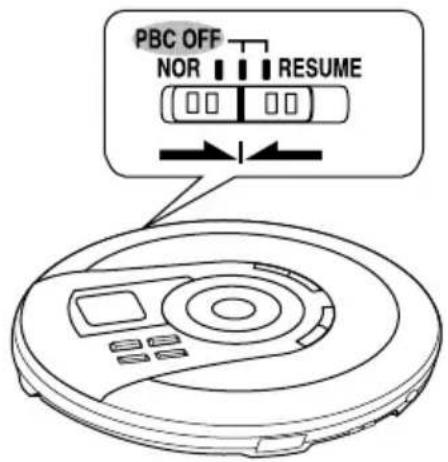
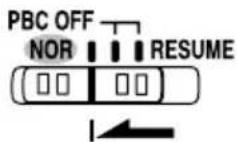
2 Set play mode selector to [NOR].
When set to [NOR], PBC mode is engaged automatically.
3 Press [▶/II SELECT] (unit) or [▶SELECT] (wireless remote control).
The unit comes on and a menu appears on the TV (it may not appear immediately).
Note
[▶SELECT] on the wireless remote control does not turn the unit on if the unit is being powered by batteries.
4 Select an item and start play.
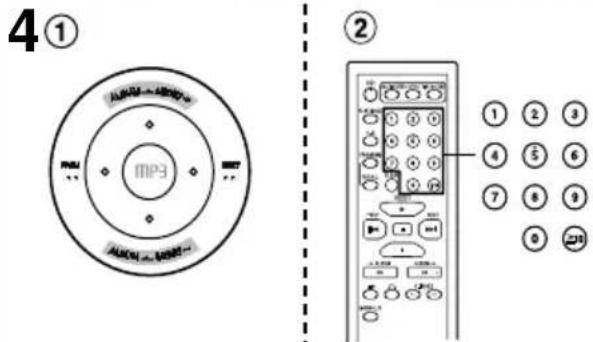
①On the unit: Press the cursor button [ALBUM →/MENU +] or [ALBUM ←/MENU -] to select an item and press [▶/II SELECT].
ALBUM →/MENU + :
to select the next item in ascending order
ALBUM ←/MENU - :
to select the next item in descending order
The display shows the menu number and then play starts.
② On the wireless remote control: Press the numeric buttons.
To select a two-digit menu number:
Press [≥10] then the numeric buttons corresponding to the menu number.
Example: 20: [≥10] → [2] → [0]
5 Adjust the TV volume.
Please refer to the TV operating instructions manual for adjusting the TV volume.
Menus depend on the discs. Read the disc's instructions and screen display when selecting menu items.
For your reference:
Concerning the display that appears on the TV, refer to page 64.
Note
Play may stop if the disc is scratched or damaged. If this happens, set play mode selector to [PBC OFF]. Press [▶/▶ SELECT] on the unit or [▶ SELECT] on the wireless remote control and regular play will start (See page 20).
播放视像CD时
(具备播放控制功能)
PBC(播放控制)播放
(参阅第67页的术语说明)
下述的方法仅可用于具备播放控制(PBC)功能的视像CD。如果视像CD不具备PBC功能,请参阅第21页。
准备:
打开电视机,并选择VIDEO(视像)输入方式。
1 滑动[OPEN▶]扭打开盖子,然后装入视像CD°
①标签面必须朝上。
从靠近光碟中心孔的地方按下,直至咔嗒一声到位。
⑥关上盖子。
2 将播放方式选择器设定在[NOR](普通)。
当设定在[NOR]时,PBC方式将自动被启动。
3 按[▶/Ⅱ SELECT]钮(主机)或[▶SELECT]钮(无线遥控器)。
本机开启并在电视上出现选择单(未必马上出现)。
注意
当本机由电池供电时,无线遥控器上的[▶ SELECT]钮将无法把其打开。
4 选择一个项目并开始播放。
①于主机:按光标钮[ALBUM /MENU+]或[ALBUM /MENU-]选择一个项目,并按[▶/II SELECT]钮。
ALBUM /MENU+:以升序选择下一个项目
ALBUM /MENU-:以降序选择下一个项目显示屏会出现选择单的号码,然后开始播放。
② 于无线遥控器:按数字钮。
选择两位数的选择单号码时:
首先按 [≥10] 钮,然后按与选择单号码相应的数字钮。
例如:20: ≥ 10] [2] [0]
5调节电视机的音量。
请参阅电视机的使用说明书以调节电视音量。
选择单因光碟而不同。请依照光碟所附的说明和屏幕显示来选择单上的项目。
仅供参考:
有关电视屏幕上所出现的显示,请参阅第65页。
注意
如果光碟有划伤或损坏的迹象时,播放或会停止。若发生这种情况,请将播放方式选择器设定在[PBC OFF]。按本机的[▶/■ SELECT]钮或无线遥控器上的[▶ SELECT]钮将可开始一般播放(参阅第21页)。
text_image
SELECT ▷/II OPR OFF OISD HOLD SCREEN HOURS TRAVINGS PLAY MODE 1 2 3 A-B 4 5 6 PROGRAM 7 8 9 RECALL CLEAR 0 NEXT PREV PREV NEXT I II ALBUM ALBUM V-INDEX MONO LTR ← ← → ·A
text_image
PBC OFF NOR ■ ■ RESUMEPlaying Video CDs
(with playback control)
| Operations for PBC Unit or Wireless remote play control | |
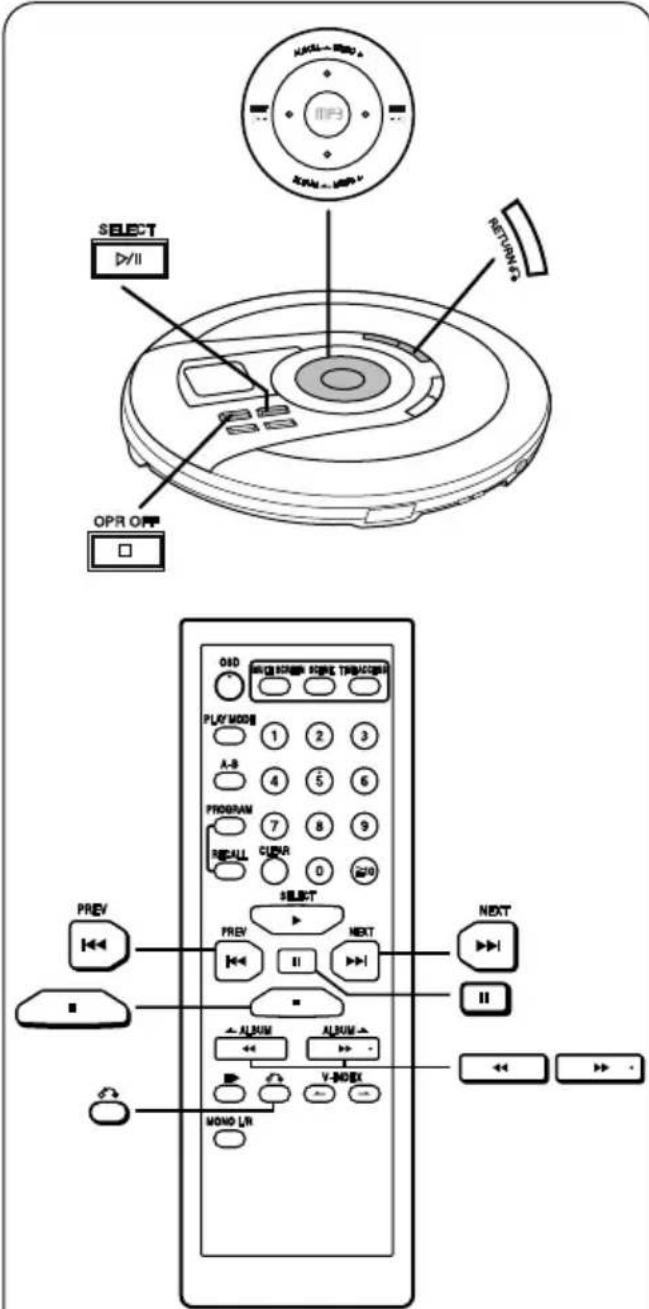
| To return to the [RETURN previous menu |  |
| To advance to the continuation of the menu | Cursor button [▶▶I NEXT] or [▶▶I NEXT] |
| To return to the Cursor previous screen | button [I◀◀ PREV] or [I◀◀ PREV] |
| Operations for PBC Unit or Wireless remote and regular play control | |
| To pause playPress during play.To resume play, press the button once again. | [▶/II SELECT] or [III] |
| To stop playStop modePress during play. | [■ OPR OFF] or [■] |
| To turn off the unitOff modeOn the unit: Press during stop mode.On the wireless remote control:Press and hold in the stop mode. | [■ OPR OFF] or [■] |
| Skipping tracks(Regular play only)Press during play. | Skip forward:Cursor button [▶▶I NEXT] or [▶▶I NEXT]Skip backward:Cursor button [I◀◀ PREV] or [I◀◀ PREV]Press [I◀◀ PREV] twice to skip to the beginning of the previous track. |
| Searching through tracks or [Press and hold during Splay. Cursor button [I◀◀ PREV]or [◀◀ ← ALBUM] | Search forward:Cursor button [▶▶I NEXT] ▶▶ ALBUM → ]Search backward:PREV]or [◀◀ ← ALBUM] |
Note
- The picture moving on the menu screen will not pause even when [▶/II SELECT] is pressed during play.
- You cannot search forward or backward with a "slide show" disc.
To switch video CDs with PBC to regular play A
Set play mode selector to [PBC OFF]. Refer to page 20 for regular play.
播放视像CD时
(具备播放控制功能)
| PBC播放之操作之主机或无线遥控器 | |
| 回返之前的选择单之[RETURN]或 | |
| 前进至选择单上的后续部分 | 光标钮[▶▶ NEXT]或[▶▶ NEXT] |
| 回返之前的屏幕之[◀◀◀ | 光标钮PREV]或[◀◀ PREV] |
| PBC与一般播放之操作一般主机或无线遥控器 | |
| 暂时停止播放在播放当中按钮。放[▶恢复播放时,再按一次该钮。 | /|| SELECT]或[■] |
| 停止播放停止方式在播放当中按钮。 | [■ OPR OFF]或[■] |
| 关闭本机关机状态于本机:在停止方式当中按钮。于无线遥控器:在停止方式中持续按住按钮。 | [■ OPR OFF]或[■] |
| 跳越乐曲乐或[▶▶I(仅限一般播放)限向后在播放当中按钮。放光标钮[◀◀ PREV]或[◀◀ PREV]按两次次[◀◀ PREV]钮以跳越至前一支乐曲的开首。 | 向前跳越:光标钮[▶▶ NEXT]NEXT]跳越:或[◀◀ PREV]按两次次[◀◀ PREV]钮以跳越至前一支乐曲的开首。 |
| 在乐曲中检索曲[▶▶I在播放当中持续按住放[按钮。。向后检索: | 向前检索:光标钮NEXT]或▶▶ ALBUM→]光标钮[◀◀ PREV]或[◀◀ ←ALBUM] |
注意
- 在播放当中即使按[▶/Ⅱ SELECT]钮,于选择单屏幕上移动的画面也不会暂停。
- 使用 “幻灯片” 光碟时,将不能进行向前或后的检索。
将具备PBC功能的视像CD切换至一般的播放方式 A
将播放方式选择器设定在[PBC OFF]。有关一般播放,请参阅第21页。
text_image
1 2 31
flowchart
graph LR
    A["OPEN"] --> B["Internal Component"]
    B --> C["Open Body"]
2
3
flowchart
graph TD
    A["SELECT"] --> B["00:00:00"]
    B --> C["1:00:1"]
    C --> D["17:3:18"]
    D --> E["e"]
    D --> F["f"]
Playing Audio CDs and Video CDs
(not equipped with playback control)
Regular Play
(See description of terms on page 66.)
The method described below will play the disc in sequence from the beginning. Regular play can also play video CDs equipped with the playback control (PBC). However, it is impossible to play some moving or still pictures. In this case, use PBC play.
Preparation: When playing video CDs
Switch on the TV and select the VIDEO input mode.
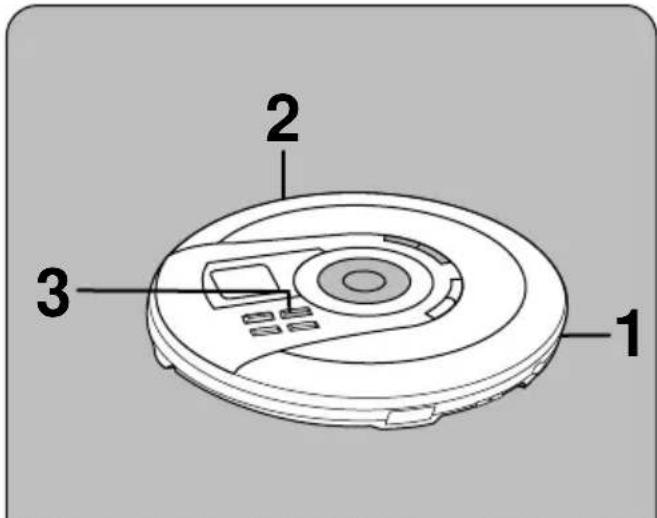
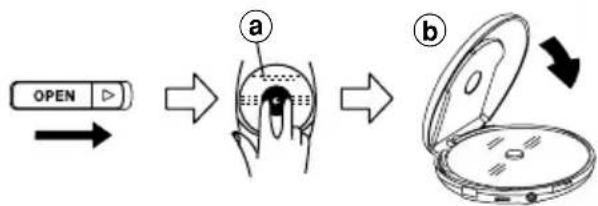
1 SLIDE [OPEN ▶] to open the lid, and insert the CD.
①Label must face upward.
Press the area near the center of the disc until it clicks into position.
⑥Close the lid.
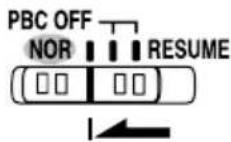
2 Set play mode selector to [NOR].
When set to [NOR], regular mode is engaged automatically.
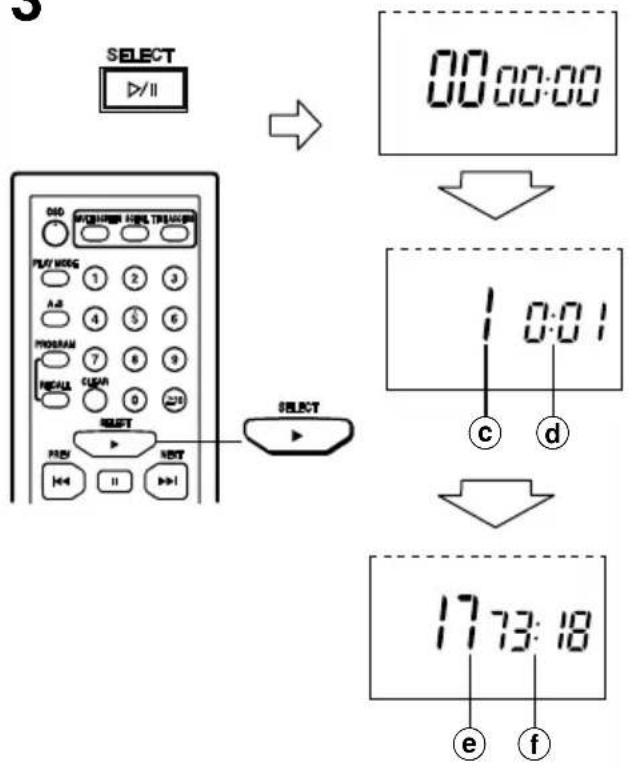
3 Press [▶/II SELECT] (unit) or [▶ SELECT] (wireless remote control).
The unit comes on and play starts from the first track.
©Track number
d Elapsed play time
Play stops automatically when all the tracks have been played.
©Total number of tracks
fTotal playing time
Note
[▶ SELECT] on the wireless remote control does not turn the unit on if the unit is being powered by batteries.
4 When playing video CDs: Adjust the TV volume.
Please refer to the TV operating instructions manual for adjusting the TV volume.
播放音频CD和视像CD时
(不具备播放控制功能)
一般播放
(参阅第67页的术语说明。)
下述的方法将让光碟由头顺序播放。一般播放也可播放具备播放控制(PBC)功能的视像CD。然而它却不能播放一些动或静画面。在此情况下,请使用PBC播放。
准备:播放视像CD时
打开电视机,并选择VIDEO(视像)输入方式。
1 滑动[OPEN ▶]钮打开盖子,然后装入CD。
①标签面必须朝上。
从靠近光碟中心孔的地方按下,直至咔嗒一声到位。
⑥关上盖子。
2 将播放方式选择器设定在[NOR](普通)。
当设定在[NOR]时,一般播放方式将自动被启动。
3 按 [▶/I SELECT] 钮 (=主机=) 或 [▶SELECT] 钮(无线遥控器)。
本机打开并从第一支乐曲开始进行播放。
©乐曲号码
①已播放过的时间
当播放完所有的乐曲时,播放操作会自动停止。
e= 乐曲总数
f=总播放时间
注意
当本机由电池供电时,无线遥控器上的[▶ SELECT]钮将无法把其打开。
4 播放视像CD时:
调节电视机的音量。
请参阅电视机的使用说明书以调节电视音量。
A
natural_image
Line drawing of a hand opening a CD or DVD case with open lid (no text or symbols)Playing Audio CDs and Video CDs
(not equipped with playback control)
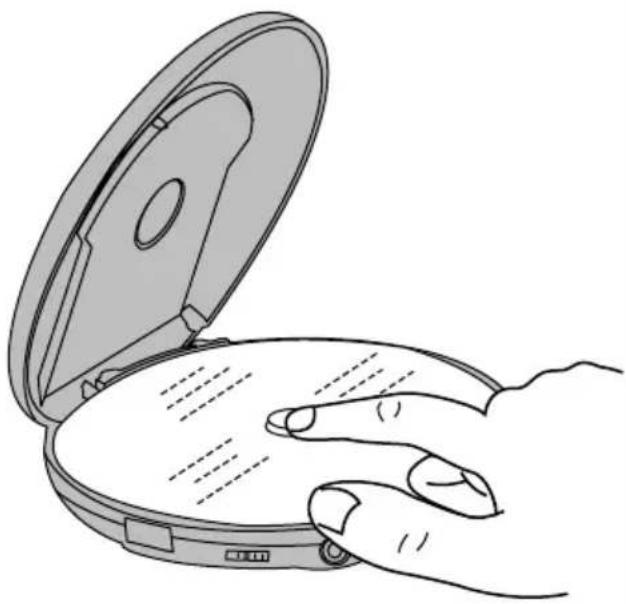
Removing discs A
1 Press [■ OPR OFF] to stop play and disc rotation.
2 Slide [OPEN▶] to open the lid.
3 Once the disc has stopped, lift the disc out with your finger.
Do not stop the disc by hand or try to remove it before it stops rotating. This can damage CDs.
Note
Never insert foreign objects into the unit.
"no disc" indication
This indication appears for about 30 seconds if [▶/II SELECT] is pressed when no disc is loaded in the unit or if the disc is not properly secured.
"OPEN" indication
This indication appears for about 10 minutes (30 seconds if no disc is loaded) when the cover is opened. (The indication does not appear when the unit is off.)
Auto power off function
If the unit is left in the stop mode for approximately 10 minutes, the unit turns itself off automatically. (If no disc is loaded in the unit, it turns itself off in about 30 seconds.)
播放音频CD和视像CD时
(不具备播放控制功能)
取出光碟 A
1 按[■ OPR OFF]钮以停止播放和光碟旋转。
2 滑动[OPEN▶]钮打开盖子。
3 光碟停止之后,用手指挑起光碟来。
光碟停止旋转之前,不要用手去停止或尝试取出。这可能会损坏光碟。
=注意
切勿将异物放入本机内。
“no disc”(无光碟)指示
如果在本机无装上光碟或光碟没被稳妥地安放好时按[▶/II SELECT]钮,本指示将出现约30秒。
“0050===”(开盖)指示
当盖子被打开时,本指示将出现约10分钟(如果机内无光碟则30秒)。(此指示不会在本机电源关闭时出现。)
自动电源关闭功能
如果本机在停止状态下放置约10分钟不用,它将自动关闭电源。
(如果本机无装上光碟,它大约会在30秒内自动关闭。)
A
natural_image
Line drawing of a circular robotic device with control panel and labeled component (no text or symbols beyond label)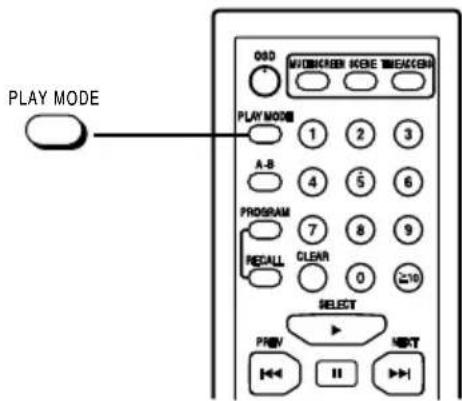
text_image
PLAY MODE O3D MOBICHER MODE MACHIN PLAY MODE 1 2 3 A-B 4 5 6 PROGRAM 7 8 9 RECALL CLEAR 0 ≥10 SELECT PROV NEXT①

text_image
1 0②
③
④
text_image
OSD MUSKOREN KIME MEXCKEN PLAY MODE 1 2 3 A-B 4 5 6 PROGRAM 7 8 9 RECALL CLEAR 0 ≥10B

text_image
OSD OFFC

text_image
OSD ONRepeat function/Random function A
(For video CDs and audio CDs)
Preparation:
Set play mode selector to [PBC OFF].
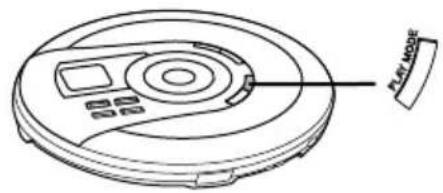
Press [PLAY MODE] during play or stop mode.
The setting is switched in the sequence indicated below each time [PLAY MODE] is pressed.
①1-track repeat (1
![PANASONIC SL-MV65 - Press [PLAY MODE] during play or stop mode. - 1](/content/2026/05/796530/images/98cae5b079f9e76e8cd4043d4c6c863b1fdce383843dc65987c053b97dbf0fd1.jpg)
One track is repeated.
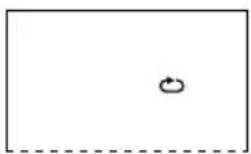
②All-track repeat (
![PANASONIC SL-MV65 - Press [PLAY MODE] during play or stop mode. - 2](/content/2026/05/796530/images/8c0e78e67147301789babfec337c1688043fcc2af4bb9e7a70c65a90ec159ed2.jpg)
All the tracks on the disc are repeated.
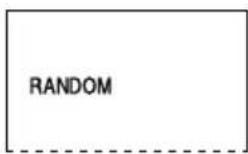
③Random (RANDOM)
Each track plays once in random order and then play stops.
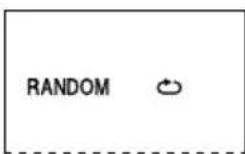
④Random repeat (RANDOM ⬇)
The tracks play repeatedly in random order.
Cancel (no indicator is shown)
Note
- You cannot select random play or random repeat play during program mode.
- The mode is cancelled when you stop the disc during play mode, open the CD lid or disconnect the power source.
- You cannot use the numeric keys to select your desired tracks during random play or random repeat play.
- The resume function does not work when random or random repeat is on.
- During random play, the skip buttons cannot be used to skip back to tracks that were played previously in the random sequence.
Changing TV display mode (OSD)
(Video CDs only)
The on-screen-display (OSD) shows CD information and the condition of this unit.
You can turn the OSD on and off.
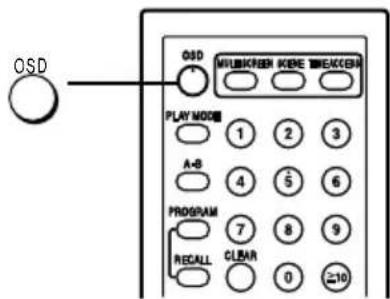
Press [OSD].
Each time you press the button:
OSD OFF ↔ OSD ON
OSD OFF B
information is not displayed when you press the buttons.
OSD ON
information is displayed when you press the buttons.
Note
The unit is always in OSD ON mode when turned on.
重复功能/任意功能 A
(用于视像 CD 和音频 CD)
准备:
将播放方式选择器设定在[PBC OFF](播放控制关)。
在播放或停止方式中按[PLAY MODE]钮。
每按该钮,设定将如下依次切换。
① 单曲重复(1)
重复单曲。
↓
② 全部重复()
重复光碟上所有的乐曲。
↓
③ 任意 (RANDOM)
乐曲不顺序地各播放一次,然后停止。
↓
④ 任意重复 (RANDOM ⬇)
乐曲不顺序地重复播放。
↓
取消(无指示灯)
注意
- 您不能在编程方式中选择任意播放或任意重复播放方式。
- 您在播放时停止光碟、打开CD盖子或切断电源时,此方式会被取消。
- 您不能在任意播放或任意重复播放方式当中使用数字钮来选择想要的乐曲。
- 恢复功能无法在任意或任意重复播放方式开着时起作用。
- 在任意播放时不能通过跳越按钮跳越回任意顺序中已播过的乐曲。
切换电视显示方式时 (OSD)
(仅限视像CD)
屏幕显示(OSD)显示CD信息和本机状况。
您可打开和关闭OSD。
按[OSD]钮。
每按该钮:
OSD OFF OSD ON
(屏幕显示关) (屏幕显示开)
OSD OFF B : 显示屏不会在您按下按钮的时候出现信息。
OSD ON C: 显示屏会在您按下按钮的时候出现信息。
=注意
本机在电源开启的时候总是处于OSD ON状态。
A
text_image
A-B Q3D MILKON KON KON KON KON KON PLAY MODE 1 2 3 A-B 4 5 6 PROGRAM 7 8 9 RISCALL 0 10 SELECT PREV NEXT 111
2
B
text_image
SELECT PREV NEXT ← ↔ || → ■ ← ALBUM ← ALBUM V-INDEX MONO L/R V-INDEX ① ②①
text_image
2 PBC → 1 PBC②
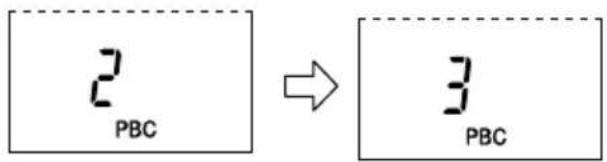
text_image
2 PBC → 3 PBCVarious Play Using the Wireless Remote Control
(For video CDs and audio CDs)
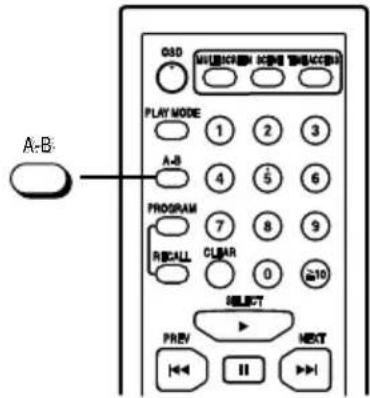
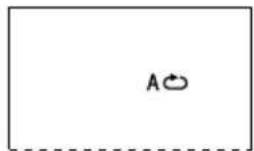
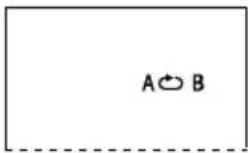
To repeat a particular section (A-B repeat) A
Preparation:
Set play mode selector to either [PBC OFF] or [NOR].
1 Press [A-B] during play at the point where repeat play is to start (point A).
2 Press [A-B] at the point where repeat play is to be concluded (point B).
Repeat play of the section between points A and B starts.
To cancel the A-B repeat
Press [A-B] again.
Note
• A-B repeat is not possible during program play.
- A-B repeat between a track and another track is not possible.
- When using a video CD, A-B repeat of within 2 seconds is not possible.
(Video CDs only)
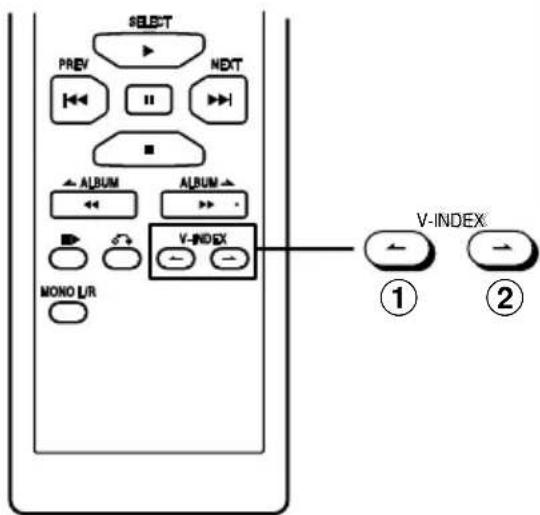
To find the scene using video index numbers B
(See description of terms on page 66.)
This can only be done with video CDs with video index numbers recorded.
Preparation:
Set play mode selector to either [PBC OFF] or [NOR].
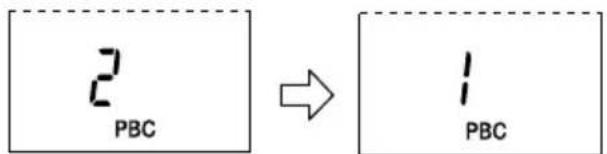
Press [V-INDEX (or)] during play.
①: Press to search backwards.
②: Press to search forwards.
Play now starts at the video index selected.
Note
• Video index search is available with the track in play only.
- It may not be possible to make a video index search with motion pictures.
使用无线遥控器进行各种播放操作
(用于视像CD和音频CD)
重复某一部分(A-B重复)A
准备:
将播放方式选择器设定在[PBC OFF](播放控制关)或[NOR](普通)。
1 在播放进行当中于您打算开始重复播放之处(A点),按[A-B]钮。
2 在您打算结束重复播放之处(B 点)按 [A-B] 钮。
开始重复播放A点和B点之间的部分。
取消 A-B 重复
再次按[A-B]钮。
注意
- 在编程播放当中不能进行A-B重复。
- 乐曲与乐曲之间无法进行A-B重复。
- 使用视像CD时,无法进行历时低于2秒的A-B重复。
(仅限视像 CD)
使用视像索引号码寻找片段 B
(参阅第67页的术语说明。)
此功能只有在视像CD录有视像索引号码时方为有效。
准备:
将播放方式选择器设定在[PBC OFF](播放控制关)或[NOR](普通)。
在播放进行当中按 [V-INDEX(◀或◀)] 钮。
①:按该钮可向后检索。
②:按该钮可向前检索。
播放现从选定的视像索引开始。
注意
- 视像索引仅对播放中的乐曲有效。
- 您可能无法就动画面进行视像索引检索。
A
text_image
OSD MULTI SCREEN SCENE TIME ACCESS PLAY MODE 1 2 3 A-B 4 5 6 PROGRAM 7 8 9 RECALL CLEAR 0 10 SELECT PREV NEXT II1
text_image
- SCENEB

text_image
OSO MULTISCREEN ICEE TIMEACCESS PLAY MODE 1 2 3 A-B 4 5 6 PROGRAM 7 8 9 RECALL CLUBAR 0 ≥10 SELECT PREV NEXT 1,2 3 4a
text_image
TIME 12 56:43 ① ②b
text_image
TIME 1 0:08 0:08 ① ② ③Various Play Using the Wireless Remote Control
(Video CDs only)
To find the scene using a scene number A
(See description of terms on page 66.)
A particular scene in a track can be located by selecting the scene number. Refer to the instructions accompanying the disc for details. Scene play is possible only with video CDs equipped with playback control (PBC).
Preparation:
Set play mode selector to [NOR].
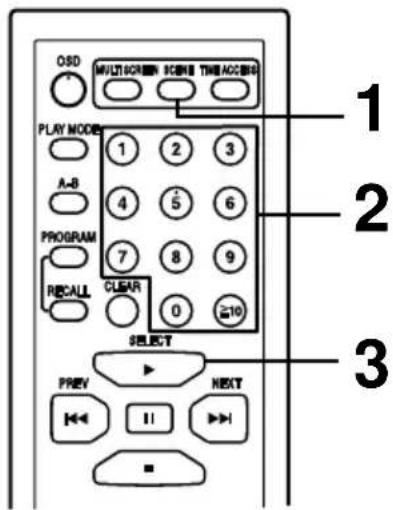
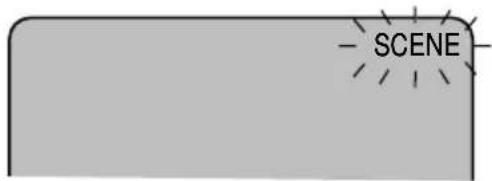
1 Press [SCENE] during play.
2 Press the numeric buttons to select the scene number.
To select a two-digit scene number:
Press the numeric buttons corresponding to the scene number.
Example:
15: [1] → [5]
3 Press [▶ SELECT].
To cancel this function
Press [SCENE] again.
To find the scene using the time (Time access) B
You can play the desired scene by specifying the time of the scene.
Preparation:
Set play mode selector to [PBC OFF].
Time access can be operated either in stop mode or play mode.
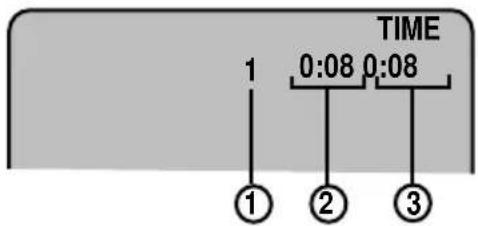
1 Press [TIME ACCESS].
①When the disc is stopped:
①Total number of tracks
②Total playing time
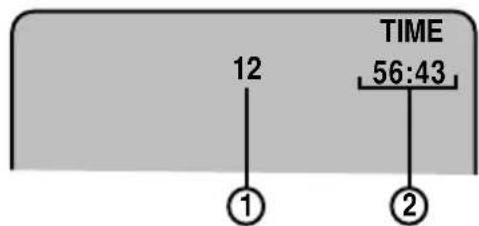
⑥When the disc is playing:
①Track number currently playing
② Elapsed time of track being played
③ Elapsed time of entire disc
2 Within 2 seconds
Press [TIME ACCESS] again.
(Continued on next page)
使用无线遥控器进行各种播放操作
(仅限视像CD)
使用片段号码寻找片段=A
(参阅第67页的术语说明。)
通过选择片段的号码可以找出乐曲中的某一片段。有关具体细节,请参阅光碟所附的说明。片段播放功能只对具备播放控制(PBC)功能的视像CD有效。
准备:
将播放方式选择器设定在[NOR](普通)。
1 在播放进行当中按[SCENE]钮。
2 按数字钮选择片段号码。
选择两位数的片段号码:
按与片段号码相应的数字钮。
例如:
15 : [1] → [5]
3 按[▶ SELECT]钮。
取消此功能:
再次按[SCENE]钮。
使用时间寻找片段(时间进取) B
您可指明片段的时间以播放所需之片段。
准备:
将播放方式选择器设定在[PBC OFF](播放控制关)。
在停止或播放方式中均可进行时间进取功能的操作。
1 按[TIME ACCESS]钮。
a在光碟被停止时:
①乐曲总数
②总播放时间
⑥当光碟正在播放时:
①正播放中的乐曲之号码
②正播放中的乐曲已播放过之时间
③整张光碟已播放过的时间
2 于2秒钟之内
再次按[TIME ACCESS]钮。
(下页待续)
A

text_image
OSD MULTIMSCREEN SCENE TIMEACCESS PLAY MODE 1 2 3 A-B 4 5 6 PROGRAM 7 8 9 RECALL CLEAR 0 ≥10 SELECT PREV NEXT ← || → | ▲ ALBUM ALBUM ▲ ← >> - ■ V-INDEX MONO L/R SELECTB
text_image
OSO MULTI/CHEEN SCENE TIME/ACO/BO PLAY MODE A-B PROGRAM RECALL 1 2 3 4 5 6 7 8 9 0 ≥10 SELECT PREV NEXT || ALBUM ALBUM ID V-INDEX MONO L/R 1 2 3 4 5 6 7 8 9 0 ≥10Various Play Using the Wireless Remote Control
(Video CDs only)
3 Press the numeric buttons to enter the time.
To enter time:
Press the numeric buttons corresponding to the desired time.
Example:
$$ 2 2: 4 0 \dots [ 2 ] \rightarrow [ 2 ] \rightarrow [ 4 ] \rightarrow [ 0 ] $$
$$ 0 0: 2 5 \dots [ 0 ] \rightarrow [ 0 ] \rightarrow [ 2 ] \rightarrow [ 5 ] $$
4 Press [▶SELECT].
To cancel this function
Press [TIME ACCESS] again.
Frame skip A
Preparation:
Set play mode selector to either [PBC OFF] or [NOR].
Press and hold [ll▶] during play.
The video frame will go forward slowly.
Release the button, frame skip will pause.
To cancel the frame skip mode
Press [▶ SELECT] or [III].
(For video CDs and audio CDs)
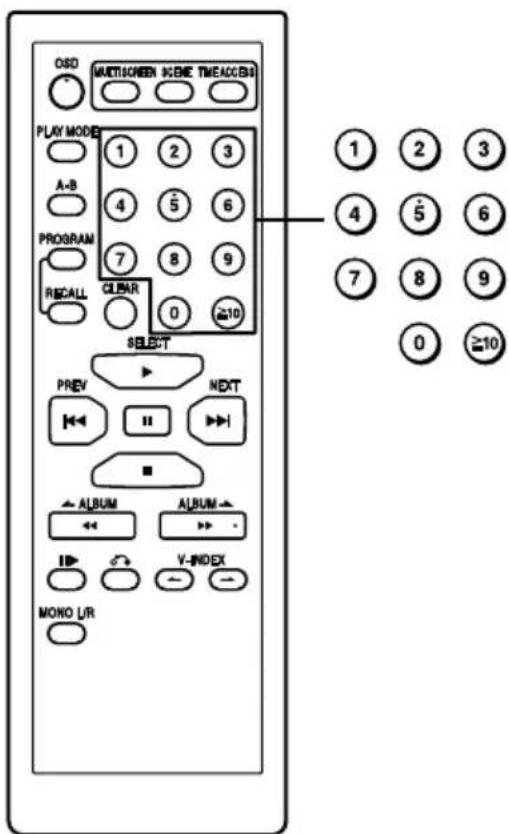
Starting play from a desired track (Direct access play) ☐
Preparation:
Set play mode selector to [PBC OFF].
Direct access play can be operated either in stop mode or play mode.
Press the numeric buttons corresponding to the track number.
All the tracks are played in the original track order starting with the one selected and ending with the final track.
To select a two-digit track number:
Press [≥10] then the numeric buttons corresponding to the track number.
Example:
$$ 1 5: [ \geq 1 0 ] \rightarrow [ 1 ] \rightarrow [ 5 ] $$
$$ 2 0: [ \geq 1 0 ] \rightarrow [ 2 ] \rightarrow [ 0 ] $$
使用无线遥控器进行各种播放操作
(仅限视像 CD)
3 按数字钮输入时间。
输入时间:
根据所需的时间按相应的数字钮。
例如:
$$ 2 2: 4 0 \dots [ 2 ] \rightarrow [ 2 ] \rightarrow [ 4 ] \rightarrow [ 0 ] $$
$$ 0 0: 2 5 \dots [ 0 ] \rightarrow [ 0 ] \rightarrow [ 2 ] \rightarrow [ 5 ] $$
4 按[▶SELECT]钮。
取消此功能
请再次按[TIME ACCESS]钮。
帧跳越 A
准备:
将播放方式选择器设定在[PBC OFF](播放控制关)或[NOR](普通)。
在播放进行当中,持续按住[▶]钮。
视像帧会慢慢前进。
松开按钮时,帧跳越将暂停。
取消帧跳越方式
按[▶ SELECT]或[Ⅲ]钮。
(用于视像CD和音频CD)
从所要的乐曲开始进行播放(直接进入播放)B
准备:
将播放方式选择器设定在[PBC OFF](播放控制关)。
在停止或播放方式中均可进行直接进入播放。
根据乐曲号码按相应的数字钮。
将以原本的顺序从选定的乐曲开始播放所有乐曲,直至最后一支为止。
选择两位数的乐曲号码:
首先按 ≥10 钮,然后按与乐曲号码相应的数字钮。
例如:
$$ 1 5: [ \geq 1 0 ] \rightarrow [ 1 ] \rightarrow [ 5 ] $$
$$ 2 0: [ \geq 1 0 ] \rightarrow [ 2 ] \rightarrow [ 0 ] $$
A
text_image
OSD MULBSCREEM SCENE TIMEACCESS PLAY MODE 1 2 3 A-B 4 5 6 PROGRAM 7 8 9 RECALL CLEAR 0 ≥10 SELECT PREV NEXT II ALBUM ALBUM V-INDEX MONO L/R1

text_image
S-XBS M A.SKIP 20:58:352
text_image
S-XBS M A.SKIP 8--01 a bB
text_image
OSD MULTI SCREEN SCORE TIMEOUT PLAY MODE 1 2 3 A-B 4 5 6 PROGRAM 7 8 9 RECALL 0 10 SELECT PREV NEXT ■ ■ ▲ ALBUM ▲ ALBUM ▼ ▼ ▼ V-INDEX MONO U/RVarious Play Using the Wireless Remote Control
(For video CDs and audio CDs)
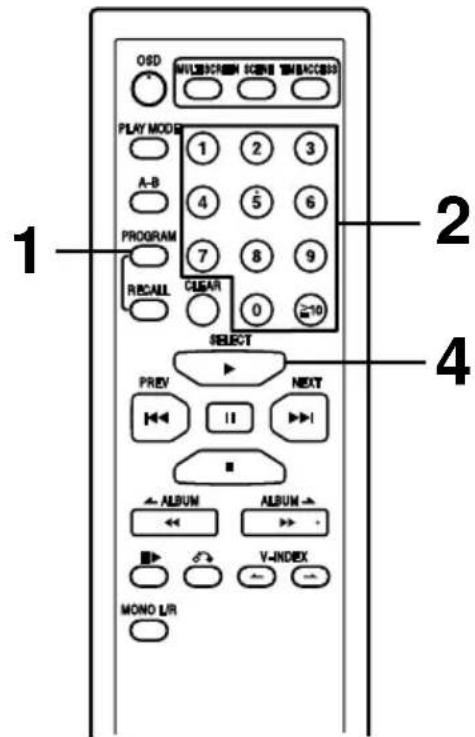
Playing tracks in a particular sequence (Program play) A
With program play, you can program up to 24 tracks on the disc in any order you choose.
Preparation:
- Set play mode selector to [PBC OFF].
- Set the unit to the stop mode. (See page 18.)
1 Press [PROGRAM].
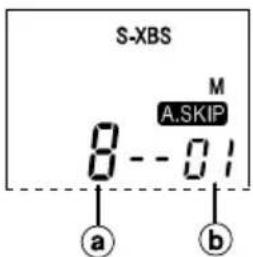
2 Press the numeric buttons corresponding to the track number in sequence.
aTrack number
⑥ Programmed order
To select a two-digit track number:
Press [≥10] then the numeric buttons corresponding to the track number.
Example:
15: [≥10] → [1] → [5]
24: [≥10] → [2] → [4]
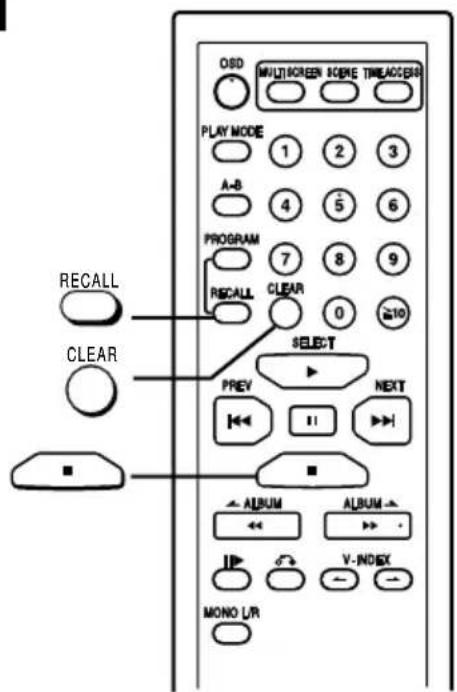
■ To cancel a programmed track B
Press [CLEAR] during stop mode. The track you programmed last will be cancelled.
■ To cancel program mode
Press [PROGRAM] again.
3 Repeat steps 1 and 2 to program all the desired tracks.
4 Press [▶ SELECT].
The unit stops and the program is cleared when all the programmed tracks have been played.
■ If “ F” is displayed
No more tracks can be programmed.
■ To confirm the programmed contents B
Press [RECALL]. (The track numbers and their sequence appear in order, one after the other.)
■ To clear the program B
Press [■].
For your reference:
- The tracks play in the order they were programmed.
- Press [I◄◄ PREV] or [►►I NEXT] to skip tracks.
If “☐” is selected during program play, only the tracks in the programmed sequence are repeated.
使用无线遥控器进行各种播放操作
(用于视像CD和音频CD)
以特定的顺序播放乐曲(编程播放)A
使用编程播放功能时,您可以按照自己所选的任何顺序最多编排光碟上的24支乐曲。
准备:
- 将播放方式选择器设定在[PBC OFF](播放控制关)。
- 将本机设定在停止方式中。(参阅第19页。)
1 按[PROGRAM]钮。
2 根据乐曲的号码,依序按相应的数字钮。
a乐曲号码
b编程顺序
选择两位数的乐曲号码:
首先按 [≥10] 钮,然后按与乐曲号码相应的数字钮。
例如:
15 : [≥10]→[1]→[5]
24 : [≥10]→ [2]→ [4]
■ 取消被编排的乐曲 B
在停止方式当中按[CLEAR]钮。
您最后编排的乐曲将被取消。
■ 取消编程方式
再次按[PROGRAM]钮。
3 重复步骤 1 和 2, 直至您所要的乐曲全部被编排为止。
4 按[▶ SELECT]钮。
当所有被编排的乐曲播放完毕时,本机将停止,编程也同时将被清除。
■ 如果显示屏出现“F”
无法再编排更多的乐曲。
■ 确定编程内容 B
按[RECALL]钮。(乐曲号码以及它们的顺序将先后一一出现在显示屏上。)
■ 取消编程 B
按[■]钮。
仅供参考:
- 乐曲将按编排的顺序进行播放。
- 按[◀◀PREV]或[▶▶NEXT]钮跳越乐曲。
若在编程播放当中选择了“”只有在编程顺序中的乐曲才会被重复。
A
text_image
PBC OFF NOR RESUMEB
text_image
MULTI SCREEN ODD METHI SCREEN SCENE TIME/ORDER PLAY MODE 1 2 3 A-B 4 5 6 PROGRAM 7 8 9 RECAUL CLEAR 0 SELECT PREV NEXT PREV || | || >| NEXT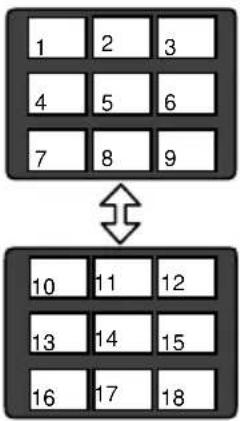
text_image
1 2 3 4 5 6 7 8 9 10 11 12 13 14 15 16 17 18C
text_image
B PLAY MODE A-B PROGRAM RECAUL SELECT PREV NEXT AD
text_image
ALBUM ALBUM V-INDEX MONO L/RResume Play
(For video CDs)
This function allows you to listen from the point of the track where play stopped because the unit was turned off (or switched to stop mode).
(For audio CDs and MP3)
This function allows you to listen from the beginning of the track where play stopped because the unit was turned off (or switched to stop mode).
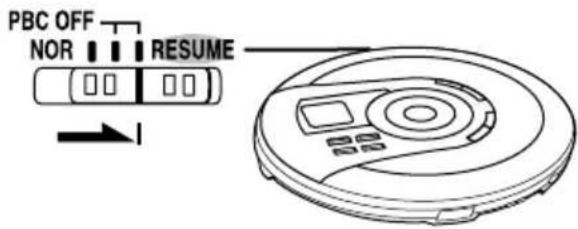
Set play mode selector to [RESUME]. A
Next time you start play, play will resume.
To cancel the resume mode
Set play mode selector to either [PBC OFF] or [NOR].
Note
- Play may start from a position which is at a slight distance from the place where the unit was turned off. (For video CDs)
- Opening the lid cancels the function. However, for video CD and audio CD, it remains active if you open the lid during off mode when the unit is powered by batteries.
- Replacing the disc while in the off mode cancels the function. However, for video CD and audio CD, it remains active if you replace the disc during off mode when the unit is powered by batteries.
- Resume play does not function if you press [■ OPR OFF] during the multi screen display. (For video CDs)
Multi Screen Function
(Video CDs only)
This function divides the TV screen into 9 parts and displays the first five seconds of each track.
Preparation:
- Set play mode selector to [PBC OFF].
- Set the unit to the stop mode. (See page 18.)
- Press [PLAY MODE] to cancel the repeat and random modes. (See page 24.)
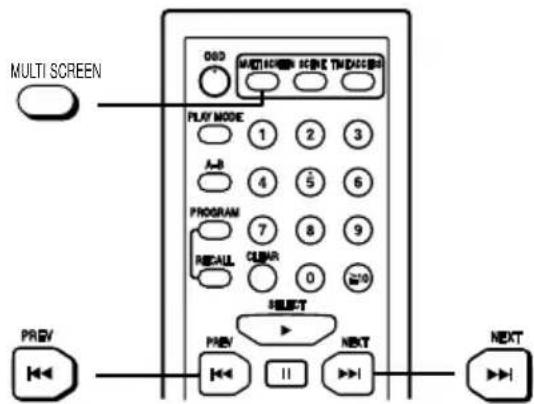
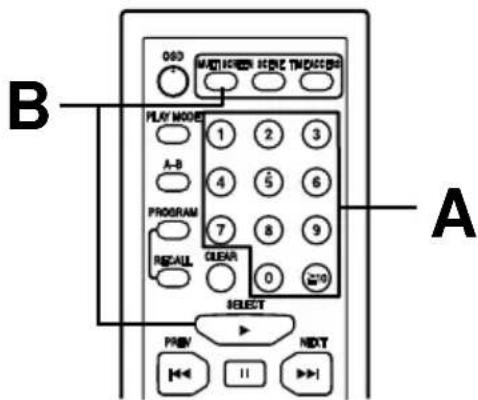
Press [MULTI SCREEN]. B
The first five seconds of tracks 1 to 9 are displayed in order.
To display the next group of tracks
Press [▶▶I NEXT].
To display the previous group of tracks
Press [◀◀ PREV].
To play a track ©
Use one of the two methods.
A. Enter a track number
B. Press [▶ SELECT] or [MULTI SCREEN] during the five seconds the track is playing.
To select a two-digit track number:
Press [≥10] then the numeric buttons corresponding to the track number.
Example:
15: [≥10] → [1] → [5]
24: [≥10] → [2] → [4]
To cancel the multi screen mode D
Press [■].
Note
- This function does not work in the program play mode, repeat play mode or random play mode.
- The track numbers are not displayed on the TV screen when OSD is off.
恢复播放
(用于视像CD)
此功能让您从停止播放之处再度欣赏因本机电源切断=(或被切换至停止方式)=而中途停止播放的乐曲。
(用于音频CD和MP3)
此功能让您从头欣赏因本机电源切断(或被切换至停止方式)而中途停止播放的乐曲。
将播放方式选择器设定在[RESUME]。A
当您下次开始播放时,将恢复播放。
取消恢复方式
将播放方式选择器设定在[PBC OFF](播放控制关)或[NOR](普通)。
=注意
- 光碟播放开始的位置可能稍微远离电源切断时乐曲停顿的地方。(于视像CD)
- 功能将因打开盖子而取消。但用于视像CD和音频CD时,当主机使用电池,如果您在关闭方式下打开盖子,功能会保持有效。
- 功能将因在关闭方式时更换光碟而取消。但用于视像CD和音频CD时,当主机使用电池,如果您在关闭方式下更换光碟,功能会保留。
- 如果您在多屏幕显示中按了[■OPR OFF]钮,恢复播放这一功能将无法起作用。(于视像CD)
多屏幕功能
(仅限视像CD)
此功能将电视屏幕分隔成 9 个部分,并显示每一支乐曲的首 5 秒钟。
准备:
- 将播放方式选择器设定在 [PBC OFF](播放控制关)。
- 将本机设定在停止方式中。(参阅第 19 页。)
- 按[PLAY MODE]钮取消重复和任意方式。(参阅第25页。)
按[MULTI SCREEN]钮。B
将顺序显示乐曲 1 至 9 的首 5 秒钟。
显示下一组乐曲
按[▶▶| NEXT]钮。
显示上一组乐曲
按[◀◀ PREV]钮。
播放乐曲 C
使用两种方法的其中之一。
A. 输入乐曲号码。
B. 在乐曲播放的那 5 秒钟里,按[▶ SELECT]或[MULTI SCREEN]钮。
选择两位数的乐曲号码:
首先按 ≥10 钮,然后按与乐曲号码相应的数字钮。
例如:
15 : [≥10] → [1] → [5]
24 : [≥10] → [2] → [4]
取消多屏幕方式=D
按[■]钮。
=注意
- 此功能无法在编程播放方式,重复播放方式或任意播放方式中起作用。
- 乐曲号码不会在OSD(屏幕显示)关闭时于电视屏幕上出现。
flowchart
graph TD
    A["root"] --> B["001"]
    B --> C["001.mp3"]
    B --> D["002.mp3"]
    B --> E["003.mp3"]
    A --> F["002"]
    F --> G["001.mp3"]
    F --> H["002.mp3"]
    F --> I["003.mp3"]
    A --> J["003"]
    J --> K["001.mp3"]
    J --> L["002.mp3"]
    J --> M["003.mp3"]
    F --> N["004.mp3"]
Playing MP3 Files
What is MP3?
A method of compressing audio. MPEG Audio Layer 3 (MP3) allows audio to be reduced to up to one tenth its original size when a compression rate of 128 kbps is used, without overtly hurting audio quality.
When creating MP3 files to play on this unit
• Disc formats: ISO9660 level 1 and level 2 (except for extended formats)
Files: MP3 files with the suffix ".mp3" or ".MP3"
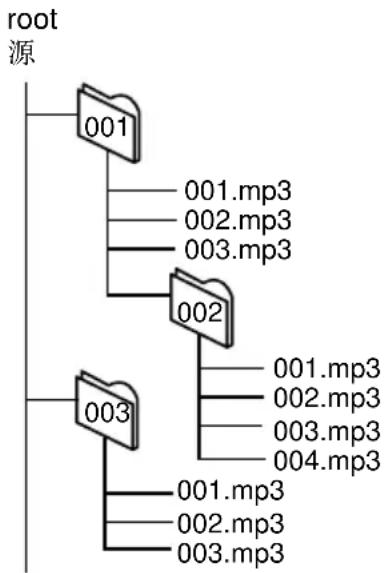
• To play in a certain order
Prefix the folder and file names with 3-digit numbers in the order you want to play them. Files may not be recorded in numbered order if the prefixes have different numbers of digits. For example: 1????.mp3, 2????.mp3, 10????.mp3. However, some writing software may also cause recording to occur in a different order.
MPEG Layer-3 audio decoding technology licensed from Fraunhofer IIS and Thomson multimedia.
Limitations on MP3
- This unit cannot play files if they have a suffix other than ".mp3" or ".MP3".
- This unit cannot play files that have the suffix “.mp3” or “.MP3” if they are not MP3 files.
- This unit is compatible with multi-session but if there are a lot of sessions it takes more time for play to start. Keep the number of sessions to a minimum to avoid this.
- This unit cannot play files recorded using packet write.
- This unit can display album and track titles with ID3 tags (version 1.0 and 1.1). Titles containing text data that the unit doesn't support cannot be displayed.
- When both MP3 and CD-DA data is recorded on the disc over a number of sessions:
- If the first session is MP3, the unit will play from the MP3 recordings made in that session till the session before the first CD-DA recordings.
- If the first session is CD-DA, the unit will play only the recordings made in that session. The subsequent sessions will be ignored.
Frequently asked questions
Q. Is there a limit on the number of albums and tracks?
This unit can play a maximum of 999 albums and 999 tracks. The unit cannot play albums or tracks beyond these limits.
Q. Why is sound interrupted between tracks?
The pick-up lens has to move to find the next track so a few seconds of silence is normal.
Q. Can I use 700-MB data?
Yes, you can.
播放MP3档案
何为MP3?
一种压缩音频信号的方法。MPEG音层3(MP3)可在压缩率128kbps之下将音频信号缩减至其大小的十分之一,而不明显地有损音质。
制作MP3光碟来通过本机播放时
- 光碟制式:制ISO9660第1及第2级
(延伸制式除外)
档案:=带有“.mp3”或“.MP3”等附加部分的MP3 档案
- 以某一顺序进行播放
以您想要播放的顺序在档案夹和档案的名字前面加上3位数的数字。
若此前缀部分为不同位数的数字,档案或不能以所编的顺序进行烧录。
例如:1????.mp3,2????.mp3,10????.mp3。
然而一些写录软件也可能令烧录工作以不同的顺序进行。
MPEG 第 3 层音频解码技术,经 Fraunhofer IIS 和 Thomson multimedia 许可。
MP3的局限
- 带有“.mp3”或“.MP3”等附加部分以外的档案,本机一概不能播放。
- 本机不能播放那些带有“.mp3”或“.MP3”等附加部分,但却不是MP3档案的档案。
- 本机虽能兼容多时段,但过多的时段可能需要较长的时间才能开始播放。尽量将时段的数量保持最低以避免这种情况。
- 本机不能播放以封包写入录制而成的档案。
- 本机能显示带有ID3标签(1.0和1.1版式)的唱片和曲名。至于不受支援的唱片和曲名,包括文字数据在内,则不会显示。
- 当MP3和CD-DA数据分多个时段烧录在光碟时:
- 如果第一个时段为MP3,本机将从该时段所录制的MP3数据进行播放,直至第一个CD-DA录制数据之前的那个时段为止。
- 如果第一个时段为CD-DA,本机将只播放录制在该时段的数据。接下来的时段将不受理。
常见问题
问:唱片和乐曲的数量有无限制?
本机最多可播放999张唱片和999支乐曲。一旦超过这些限额便不能进行播放。
问:为何在乐曲之间会出现声音中断的现象?
--------由于光束镜必须移动以找寻下一支的乐曲,因此几秒钟的无声状态乃是正常的现象。
问:我能否使用700-MB的数据?
行,没问题。
text_image
1 2 3 41
text_image
a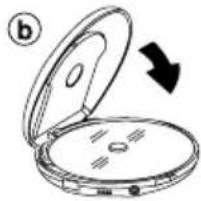
natural_image
Diagram of an open compact device with a black arrow indicating rotation (no text or symbols)2
3
flowchart
graph TD
    A["SELECT"] --> B["Select"]
    B --> C["S-XBS MP3 150 A.SKIP"]
    C --> D["S-XBS MP3 ALBUM TRACK"]
    D --> E["S-XBS MP3 0:01 A.SKIP"]
4
Sequential Play with MP3 Files
Basic Play
1 Slide [OPEN ▶] to open the lid, and insert the disc.
①Label must face upward.
Press the area near the center hole of the disc until it clicks into position.
⑥Close the lid.
2 Set play mode selector to [NOR].
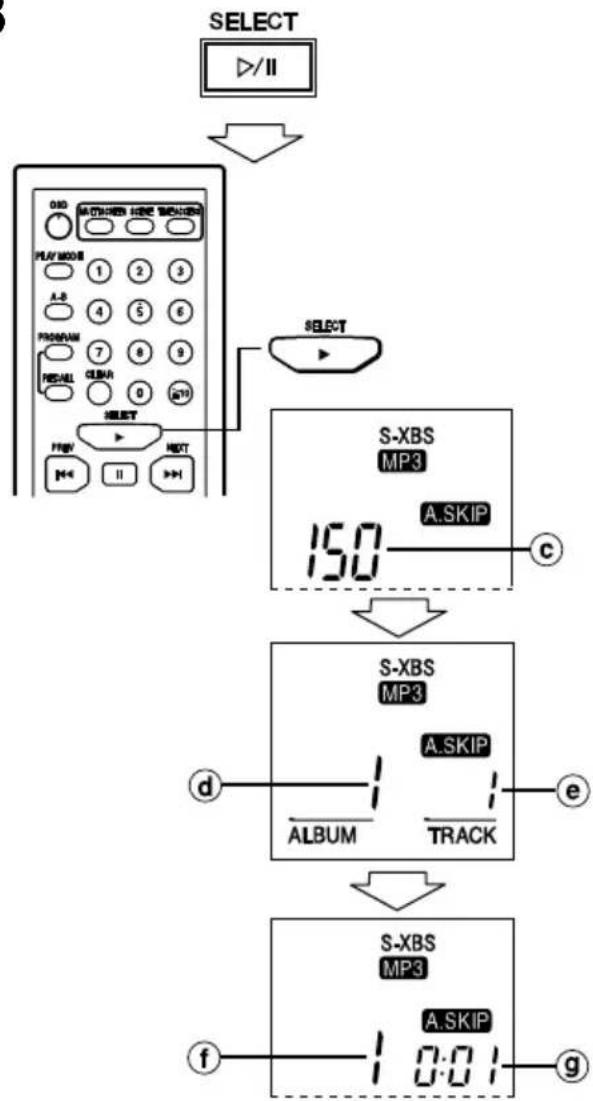
3 Press [▶/II SELECT] (unit) or [▶ SELECT] (wireless remote control).
The time until play starts depends on the number of files on the disc. If the unit cannot read the disc correctly (it is scratched or dirty or the unit is bumped), some files may be left unread or the disc may not be read at all.
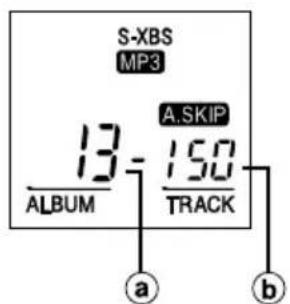
©Counts the files (tracks) on the disc
dAlbum number
©Track number
fTrack number in play
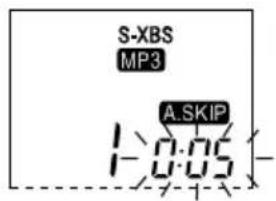
⑨ Elapsed playing time of each track
If in Disc mode (see page 42), play stops after the last track on the disc. If in Album mode (see page 42), play stops after the last track in the album.
4 Adjust the volume.
+: To increase the volume level
-: To decrease the volume level
The volume range is 0 - 25.
(Press and hold to change the volume successively.) The volume changes when pressed while the level is displayed. If any other display is shown, it changes to show the current level.
To select resume play function
See page 34.
For anti-skip system
See page 54.
MP3档案之顺序播放
基本的播放操作
1 滑动[OPEN▶]钮打开盖子,再装入光碟。
①标签面必须朝上。
从靠近光碟中心孔的地方按下,直至咔嗒一声到位。
⑥关上盖子。
2 将播放方式选择器设定在[NOR](普通)。
3 按[▶/Ⅱ SELECT]钮(主机)或 [▶ SELECT]钮(无线遥控器)。
档案数量将决定光碟开始播放前那段时间的长短。如果本机无法正确地读取光碟上的数据(当光碟被划伤或肮脏或者是本机受到碰撞时),可能会有些档案就此不被读取或是整张光碟完全不被读取。
©点算光碟上的档案(乐曲)
d唱片号码
e乐曲号码
①播放中的乐曲之号码
⑨每支乐曲已播放过的时间
如果唱机处于光碟方式(参阅第43页),播放操作在光碟最后一支乐曲结束后便停止;如果是处于唱片方式(参阅第43页)的话,播放操作则在唱片最后一支乐曲结束后停止。
4 调节音量。
+:增加音量
一:降低音量
音量的幅度为0-25。
(持续按住按钮以连续改变音量。)
在音量于显示屏出现时按钮可改变之。如果出现任何其他的显示,则音量会变回目前的电平。
选择恢复播放功能
参阅第35页。
抗震功能
参阅第55页。
text_image
SELECT OPR OFF PREV NEXT MMP3 PREV NEXT PREV NEXT Y-HOXX MOND LRA
text_image
S-XBS MP3 A.SKIP 1:0:05B
text_image
S-XBS MP3 13- ALBUM A.SKIP 150 TRACK a bSequential Play with MP3 Files
| Operation for MP3 basic play | Unit or Wireless remote control |
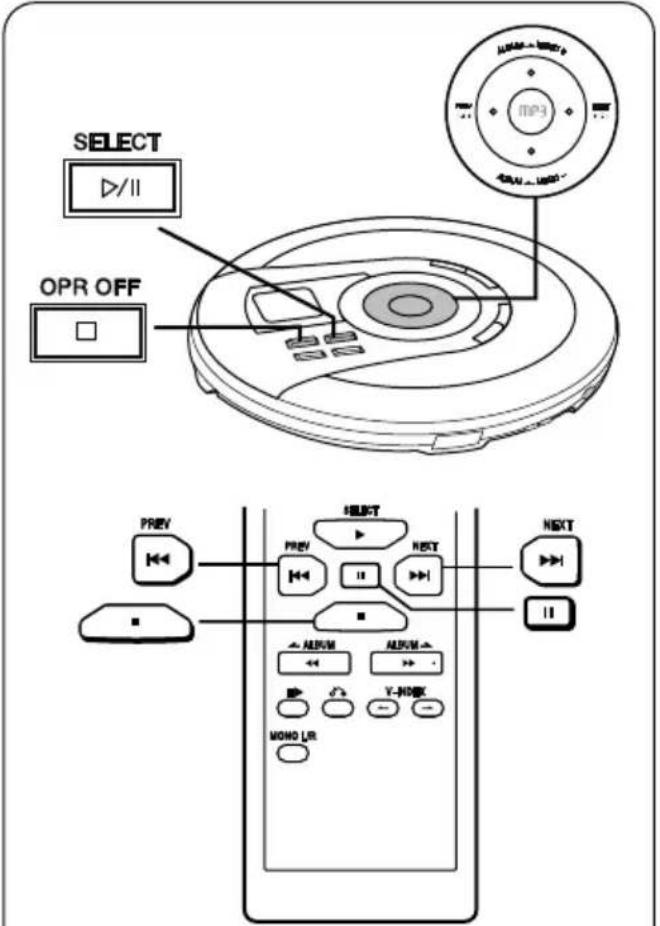
| To pause playAPress during play.To resume play, press the button once again. | [▶/II SELECT] or [II] |
| To stop playBStop modePress during play.a Total number of albumsb Total number of tracks | [■ OPR OFF] or [■] |
| To turn off the unitOff modeOn the unit: Press during stop mode.On the wireless remote control:Press and hold in the stop mode. | [■ OPR OFF] or [■] |
| The unit stores data it has read so play can start again immediately when you press [▶/II SELECT] (unit) or [▶ SELECT] (wireless remote control). This stored data is lost when using batteries or if you replace the disc. | |
| Skipping tracksPress during play. | Skip forward:Cursor button[▶▶I NEXT] or [▶▶INEXT] Skip backward:Cursor button[I◀◀ PREV] or [I◀◀PREV] Press [I◀◀ PREV] twice to skip to the beginning of the previous track. |
| You can only skip tracks in the current album when in album mode.During program play (see page 48), these buttons are used to skip forward or back through the programmed sequence of tracks.During random repeat (see page 46), the skip buttons cannot be used to skip back to tracks that were played previously in the random sequence. | |
- You can only skip tracks in the current album when in album mode.
- During program play (see page 48), these buttons are used to skip forward or back through the programmed sequence of tracks.
- During random repeat (see page 46), the skip buttons cannot be used to skip back to tracks that were played previously in the random sequence.
Note
- You cannot search when playing MP3 files.
- If the disc is scratched or the condition of the recording is poor, some noise may occur before the unit goes to stop mode.
MP3 档案之顺序播放
| MP3基本播放之操作播 | 主机或无线遥控器 |
| 暂时停止播放=A在播放当中按钮。放[▶恢复播放时,再按一次该钮。 | /II SELECT] 或 [II] |
| 停止播放B停止方式方[■]在播放当中按钮。a唱片总数b乐曲总数 | OPR OFF] 或 [■] |
| 关闭本机关机状态于本机:在停止方式当中按钮。于无线遥控器:在停止方式中持续按住按钮。 | [■ OPR OFF] 或 [■] |
| 本机把读取过的数据储存在记忆体,以便播放操作可以在您按 [▶/II SELECT] 钮(主机)或 [▶SELECT] 钮(无线遥控器)的时候立即开始。倘若您使用电池或更换光碟,所储存的数据将会消失。 | |
| 跳越乐曲乐向前跳越:在播放当中按钮。放光标钮 | [▶▶ NEXT] 或 [▶▶ NEXT]向后跳越:光标钮[◀◀ PREV] 或[◀◀ PREV]按两次 [◀◀ PREV] 钮以跳越至前一支乐曲的开首。 |
| 当唱机处于唱片方式时,您只可以跳越目前唱片里的乐曲。在编程播放(参阅第49页)时可通过这些按钮在编列的乐曲中向前或后跳越。在任意播放(参阅第47页)时不能通过跳越按钮跳越回任意顺序中已播过的乐曲。 | |
注意
- 您不能在MP3档案播放时进行检索。
- 如果光碟被划伤或者录音的效果不佳,本机在进入停止方式之前可能会有一些噪音出现。
flowchart
graph TD
    A["Audio Recorder"] --> B["Audio Mode"]
    B --> C["Audio Signal"]
    C --> D["Audio Mask"]
    D --> E["Audio Display"]
    E --> F["Audio Control"]
    F --> G["Audio Output"]
    style A fill:#f9f,stroke:#333
    style B fill:#ccf,stroke:#333
    style C fill:#cfc,stroke:#333
    style D fill:#fcc,stroke:#333
    style E fill:#cff,stroke:#333
    style F fill:#ffc,stroke:#333
    style G fill:#fcf,stroke:#333
flowchart
graph TD
    A["ALBUM S-XBS MP3"] --> B["A-BAND S-XBS MP3"]
    B --> C["TRACK S-XBS MP3"]
    C --> D["BEL MP3 S-XBS MP3"]
    D --> E["Id3ALBUM S-XBS MP3"]
    E --> F["Id3B-ALBU S-XBS MP3"]
    F --> G["Id3TRACK S-XBS MP3"]
    G --> H["Id3C-SONG S-XBS MP3"]
    H --> I["17 2:50 S-XBS MP3"]
    I --> J["e"]
Sequential Play with MP3 Files
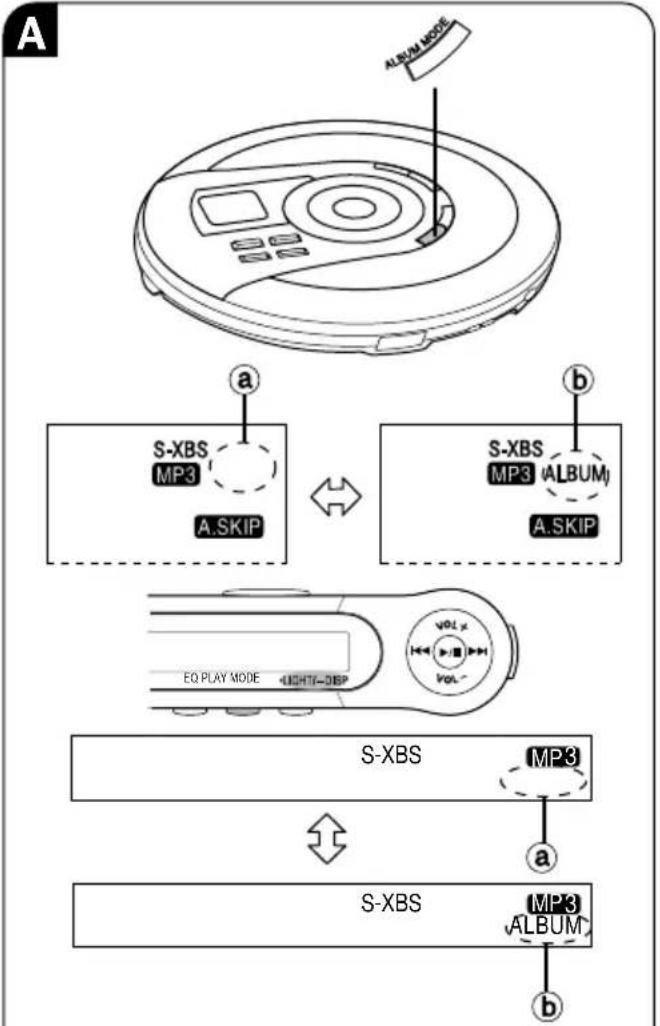
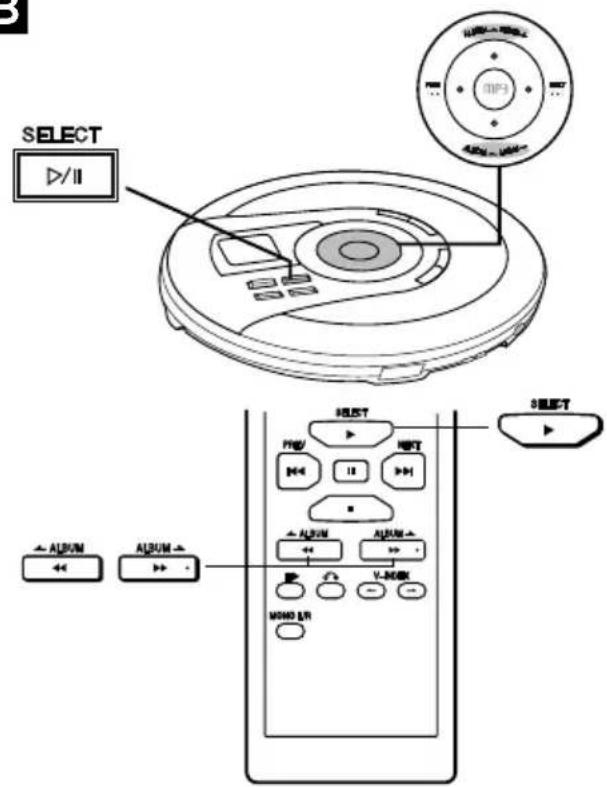
To switch between Disc and Album mode A
On the unit:
Press [ALBUM MODE] during play or stop mode.
SL-MV65
On the wired remote control:
Press and hold [PLAY MODE] during play or stop mode.
The setting switches as shown below each time you press the button.
① Disc mode (no indication is shown)
Plays all the tracks on the disc.
⑥ Album mode (ALBUM)
Plays all the tracks in the current album.
Note
You cannot do the operation above during program play (see page 48).
Other Useful Functions SL-MV65
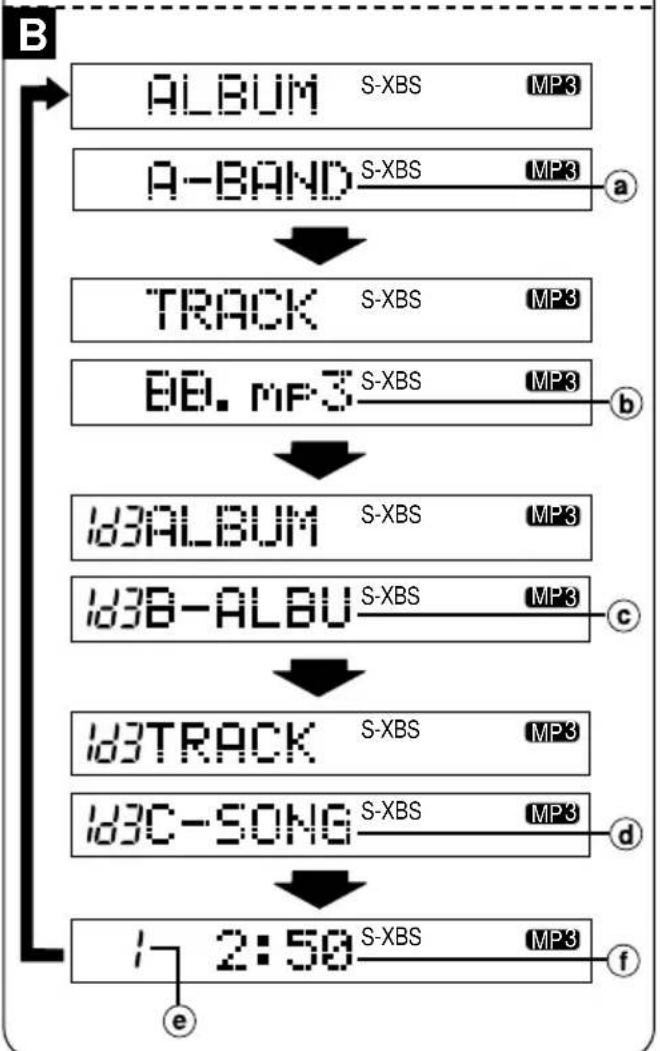
Changing the information displayed for MP3 tracks ☐
You can view the album title, track title, ID3 album title and ID3 track title on the wired remote control. (ID3 is a tag embedded in MP3 track to provide information about the track.)
Press and hold [•LIGHT/-DISP] on the wired remote control during play.
The information changes each time you press and hold the button.
• ALBUM → Album title (a)
- TRACK → Track title (⑥)
• Id3ALBUM → ID3 album title (©)
- Id3TRACK → ID3 track title (d)
- Track number in play (e) and elapsed playing time of each track (f)
Note
- The display shows up to 6 characters at once. Longer titles scroll from right to left.
- This unit can display up to 30 characters each for album, track, ID3 album and ID3 track title. (“\~” appears at the end of the title if it is longer than this.)
- “—” is displayed if titles with ID3 tags haven't been entered.
- Titles entered with 2-byte code cannot be shown correctly on this unit.
MP3 档案之顺序播放
在光碟和唱片方式两者之间进行切换 A
于主机:
在播放或停止方式当中按 [ALBUM MODE] 钮。
SL-MV65
于有线遥控器:
在播放或停止方式当中持续按 [PLAY MODE] 钮。
每按该钮,设定会如下切换。
a 光碟方式(无指示出现)
播放光碟所有的乐曲
⑥ 唱片方式 (ALBUM)
播放目前唱片里所有的乐曲
注意
您不能在编程播放(参阅第49页)当中进行以上操作。
其他好用的功能
SL-MV65
变换MP3乐曲出现在显示屏上的信息 B
您可在有线遥控器上查看唱片名称,乐曲名称,ID3 唱片名称以及 ID3 乐曲名称。(ID3 为一植入于 MP3 乐曲以便提供有关该曲信息之标签。)
在播放当中持续按住有线遥控器上的[•LIGHT/-DISP]钮。
每持续按住该钮,信息将有所变换。
- ALBUM → 唱片名称 (a)
- TRACK → 乐曲名称 (⑥)
- Id3ALBUM → ID3唱片名称 (©)
- Id3TRACK → ID3乐曲名称 (①)
- 播放中的乐曲之号码(e)和每支乐曲已播放过的时间(f)
注意
- 显示屏一次最多只能出现6个字母。较长的名称从右卷动到左。
- 本机各可为唱片、乐曲、ID3唱片和ID3乐曲名称显示最多30个的字母。(如果长过此,名称的后部将出现“\~”。)
- 如果尚未输入带有 ID3 标签的名,显示屏会出现 “-♪♪” 。
- 本机无法正确地显示带有2位元组代码的名称。
A
text_image
SELECT ▷/II 1 2 1 PREV 1 HESLT 2 SELECT PREV NEXT II 1 NEXT HESLT HESLT HESLT HESLT HESLT HESLT HESLT HESLT HESLT HESLT HESLT HESLT HESLT HESLT HESLT HESLTB
text_image
SELECT D/II SELECT P/MP V-MOK V-MOK V-MOK V-MOK V-MOK V-MOK V-MOK V-MOK V-MOK V-MOK V-MOK V-MOK V-MOK V-MOK V-MOK V-MOK V-MOK V-MOK V-MOK V-MOK V-MOK V-MOK V-MOK V-MOK V-MOK V-MOk V-MOK V-MOK V-MOK V-MOK V-MOK V-MOK V-MOK V-MOK V-MOK V-MOK V-MOK V-MOK V-MOK V-MOK V-MOK V-MOK V-MOK V-MOK V-MOK V-MOK V-MOK V-MOK V-MOK V-MOK V-Mok V-Mok V-Mok V-Mok V-Mok V-Mok V-Mok V-Mok V-Mok V-Mok V-Mok V-Mok V-Mok V-Mok V-Mok V-Mok V-Mok V-Mok V-Mok V-Mok V-Mok V-Mok V-Mok V-Mok V-Mok V-Mak V-Mak V-Mak V-Mak V-Mak V-Mak V-Mak V-Mak V-Mak V-Mak V-Mak V-Mak V-Mak V-Mak V-Mak V-Mak V-Mak V-Mak V-Mak V-Mak V-Mak V-Mak V-Mak V-Mak V-Mak V-MokC
text_image
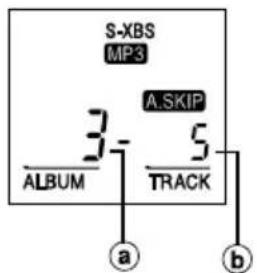
S-XBS MP3 A.SKIP 3- ALBUM 5 TRACK a bOther Play Methods with MP3 Files
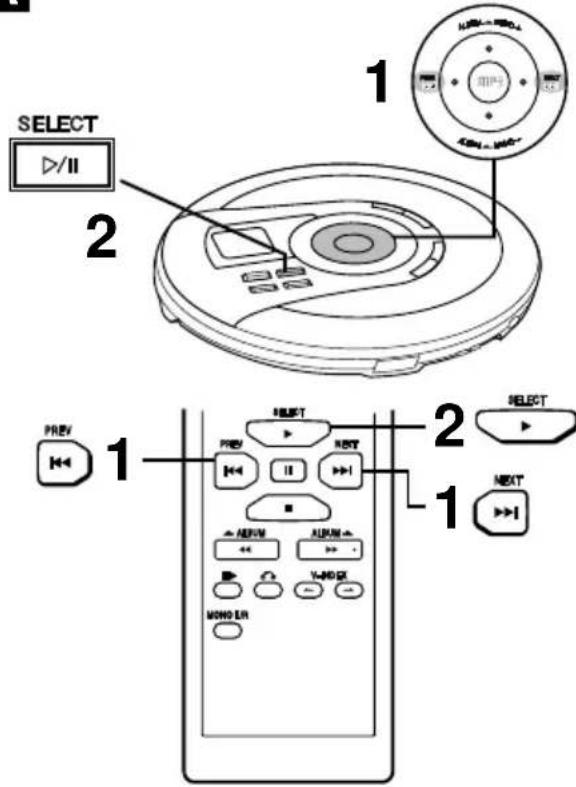
Track skip play A
Disc mode
Plays from the selected track through to the last track on the disc.
Album mode
Plays from the selected track through to the last track in the current album.
Preparation: Put unit in stop mode.
On the unit:
1 Press [I◄◄ PREV] or [►►I NEXT] to select a track.
2 Press [▶/II SELECT] to play the track.
On the wireless remote control:
1 Press [I◄◄ PREV] or [►►I NEXT] to select a track.
2 Press [▶ SELECT] to play the track.
Album skip play B
You can skip album to album.
Disc mode
Plays from the first track of the selected album through to the last track on the disc.
Album mode
Plays from the first track of the selected album through to the last track in the current album.
On the unit:
Press [ALBUM /MENU+] or [ALBUM /MENU-] during play or stop mode to select the desired album.
On the wireless remote control:
Press [◀◀ ← ALBUM] or [▶▶ ALBUM →] during play or stop mode to select the desired album.
When pressed while stopped
The album number and the total number of tracks within it appears on the display. C
a Album number
⑥ Number of tracks in the album
Press [▶/II SELECT] (unit) or [▶ SELECT] (wireless remote control) to start play from the first track.
Press [I◄◄ PREV] / [►►I NEXT] first to select another track to start play.
跳越乐曲播放 A
光碟方式
从选定的乐曲播放至光碟上最后一支乐曲。
唱片方式
从选定乐曲播放至目前唱片里的最后一支乐曲。
准备:让唱机处于停止方式中。
于主机:
1 按 [◀◀ PREV] 或 [▶▶ NEXT] 钮选择一支乐曲。
2 按 [▶/II SELECT] 钮播放乐曲。
于无线遥控器:
1 按 [I◄◄ PREV] 或 [►►I NEXT] 钮选择一支乐曲。
2 按 [▶ SELECT] 钮播放乐曲。
跳越唱片播放 B
您可以从一张唱片跳越至另一张。
光碟方式
从选定唱片上的第一支乐曲播放至光碟的最后一支乐曲。
唱片方式
从选定唱片上的第一支乐曲播放至目前唱片里的最后一支乐曲。
于主机:
在播放或停止方式中按 [ALBUM→/MENU+] 或 [ALBUM←/MENU-] 钮选择所要的唱片。
于无线遥控器:
在播放或停止方式中按 [◀◀ ←ALBUM] 或 [▶▶ ALBUM →] 钮选择所要的唱片。
在停止的同时按钮
显示屏出现唱片的号码和总曲数。C
a 唱片号码
b 唱片的曲数
按 [▶/II SELECT] 钮(主机)或=[▶ SELECT] 钮(无线遥控器)以便从第一支乐曲开始播放。
先按 [I◄◄ PREV] / [►►I NEXT] 钮选择另一支乐曲来开始播放。
A
text_image
PLAY MODE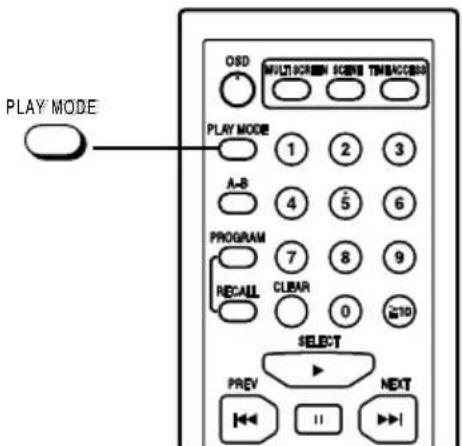
text_image
PLAY MODE OSD MULTICREEM SCENE TIMEACCOR PLAY MODE 1 2 3 A-B 4 5 6 PROGRAM 7 8 9 RECALL CLEAR 0 20 SELECT PREV NEXTOther Play Methods with MP3 Files
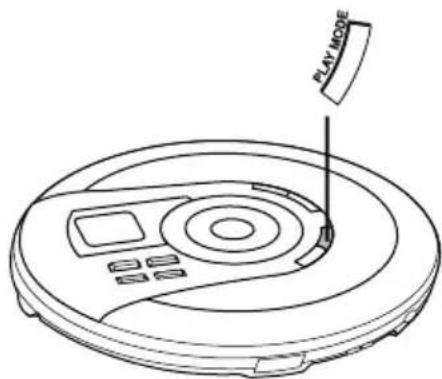
Repeat function/Random function A
Press [PLAY MODE] during play or stop mode.
The setting switches as shown below each time you press the button.
Disc mode
1-track repeat (1 ⬇)
One track is repeated.
All-track repeat (○)
All the tracks on the disc are repeated.
Random repeat (RANDOM ⬇)
The tracks on the disc play repeatedly in random order.
Cancel (no indicator is shown)
Album mode
1-track repeat (1 ⬇)
One track is repeated.
Album repeat (○)
All the tracks in the album are repeated.
Random repeat (RANDOM ⬇)
The tracks in the current album play repeatedly in random order.
Cancel (no indicator is shown)
When pressed during program play
The setting switches as shown below each time you press the button.
1-track repeat (1 ⬇ M)
One track is repeated.
↓
Memory repeat ( ⬇ M)
The programmed tracks are repeated.
↓
Cancel (M)
Note
- Tracks in an album or disc are played randomly until you release the mode or press [■ OPR OFF] (unit)/[■] (wireless remote control) in random repeat play.
- You cannot select random repeat play during program play.
- The resume function does not work when random repeat is on.
- The mode is cancelled when you stop the disc during play mode, disconnect the power source or open the lid.
重复功能/任意功能 A
在播放或停止方式当中按 [PLAY MODE] 钮。
每按该钮,设定会如下切换。
光碟方式
单曲重复 (1)
重复单一乐曲。
全部重复(重)
重复光碟上全部的乐曲。
任意重复(RANDOM
不顺序地重复播放光碟上的乐曲。
取消(无指示灯)
唱片方式
单曲重复(1)
重复单一乐曲。
唱片重复(重)
重复唱片上所有的乐曲。
任意重复 (RANDOM)
不顺序地重复播放目前唱片里的乐曲。 ↓
取消(无指示灯)
在编程播放时按钮
每按该钮,设定会如下切换。
单曲重复(1MD)
重复单一乐曲。
记忆体重复(体M)
重复编排的乐曲。
取消 (M)
注意
- 唱片或光碟的乐曲将不顺序地播放至您解除该方式或在任意重复播放方式里按 [■ OPR OFF] 钮(主机)或 [■] 钮(无线遥控器)为止。
- 您不能在编程播放当中选择任意重复播放。
- 恢复功能无法在任意重复播放方式开着时起作用。
- 当您在播放时停止光碟、切断电源或打开盖子的时候此方式会被取消。
A
text_image
1 RECALL CLEAR 2 3 5 1 2 3 4 5 6 7 8 9 0 10 PREV NEXT - - - - - - - - - - - - - - - - - - - - - - - - - - - - - - - - - - - - - - - - - - - - - - - - - - - - - - - - - - - - - - - - - - - - - - - - - - - - - - - - - - - - - - - - - - - - - - - -3
text_image
S-XBS MP3 M A.SKIP --01 → S-XBS MP3 M A.SKIP 1 8 ALBUM TRACKOther Play Methods with MP3 Files
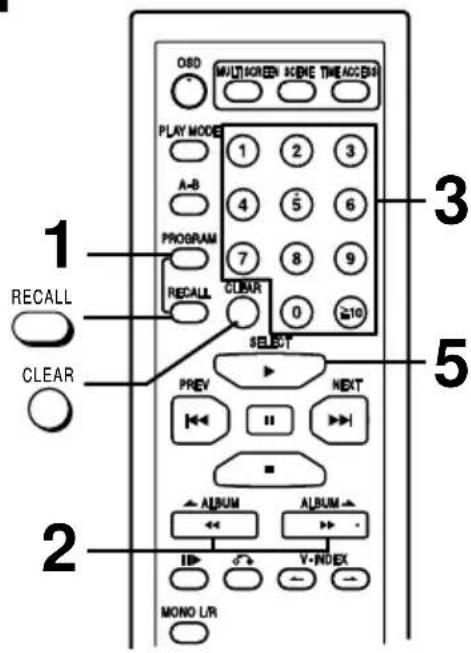
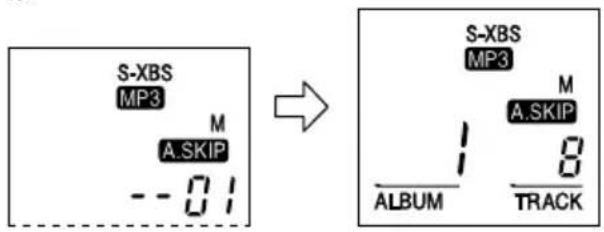
Program play A
Up to 24 tracks can be entered in the programmed sequence.
Preparation: Put unit in stop mode.
1 Press [PROGRAM].
2 Select the desired album.
3 Select the desired track.
To select a two-digit track number:
Press [≥10] once then the numeric buttons corresponding to the track number.
Example: 15: [≥10] → [1] → [5]
To select a three-digit track number:
Press [≥10] twice then the numeric buttons corresponding to the track number.
Example: 120: [≥10] → [≥10] → [1] → [2] → [0]
■ To cancel a programmed track
Press [CLEAR] during stop mode.
The track you programmed last will be cancelled.
■ To cancel program mode
Press [PROGRAM] again.
4 Repeat steps 1 and 3 to program all the desired tracks.
5 Press [▶ SELECT].
The unit stops and the program is cleared when all the programmed tracks have been played.
■ If “ F ” is displayed
No more tracks can be programmed.
■ To confirm the contents of the program
Press [RECALL]. (The album and track numbers and their sequence appear in order, one after the other.)
■ To delete the entire programmed sequence
Press [■].
For your reference:
- If album mode was engaged, disc mode is engaged automatically when you press [PROGRAM].
- The random repeat play mode (see page 46) is cancelled after program mode is engaged.
编程播放 A
您可依编程顺序输入多达24支的乐曲。
准备:让唱机处于停止方式中。
1 按 [PROGRAM] 钮。
2 选择所要的唱片。
3 选择所要的乐曲。
选择两位数的乐曲号码时:
按一次[≥10]钮,然后按与乐曲号码相应的数字钮。
例如:15: [≥ 10] [1] [5]
选择三位数的乐曲号码时:
按两次[≥10]钮,然后按与乐曲号码相应的数字钮。
例如:120: |≥10||≥10||1||2||0|
■ 取消被编排的乐曲
在停止方式当中按[CLEAR]钮。
您最后编排的乐曲将被取消。
■ 取消编程方式
再次按[PROGRAM]钮。
4 重复步骤 1 和 3, 直至您所要的乐曲全部被编排为止。
5 按 [▶ SELECT] 钮。
当所有被编排的乐曲播放完毕时,本机将停止,编程也同时将被清除。
■ 如果显示屏出现 “F”
无法再编排更多的乐曲。
■ 确定编程内容
按 [RECALL] 钮。(唱片和乐曲号码以及它们的顺序将先后一一出现在显示屏上。)
■ 删除整个编程顺序
按=■钮。
仅供参考:
- 若已启动唱片方式,光碟方式会在您按[PROGRAM]钮的时候自动启动。
- 任意重复播放方式(参阅第47页)在编程方式被启动后取消。
A
text_image
EQ①
text_image
S-XBS②
text_image
MOLO/R NEXT PREV NEXT ALBUM ALBUM V-INDEX MONO L/RB
C
D
Changing the Sound Quality
(For video CDs, audio CDs and MP3)
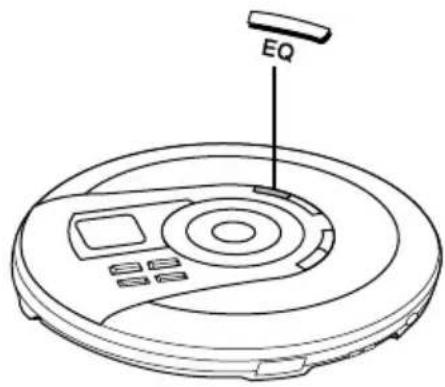
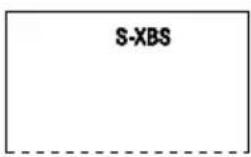
Press [EQ] during play or stop mode. A
The setting switches in the sequence indicated below each time [EQ] is pressed.
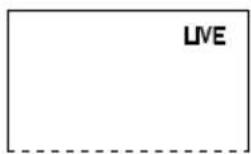
① S-XBS → ② LIVE → Cancel (no indicator is shown)
S-XBS:
Select this setting to boost the low-range response.
LIVE:
Select this setting to reproduce the sound as if it would be heard in a concert hall.
Note
The last setting will be memorised when the unit is disconnected from the power source.
Audio Channel Selection
(For video CDs)
When using multi-audio CDs, you can select the audio channel to play the vocal or backing tracks.
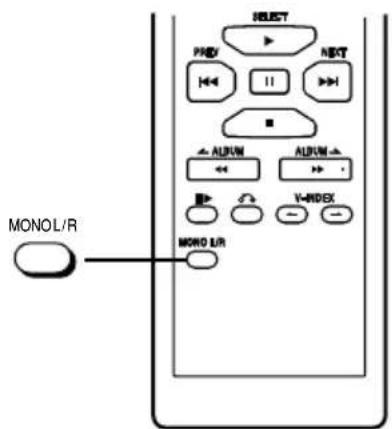
Press [MONO L/R].
Pressing this button once displays the present mode for about 2 seconds.
Each subsequent press changes the mode as follows.
MONO L → MONO R
![PANASONIC SL-MV65 - Press [MONO L/R]. - 1](/content/2026/05/796530/images/560cfb0e3be0f77a01d7dd03f61f058ade46ed3fabb6d8f1017cf23b93bc32be.jpg)
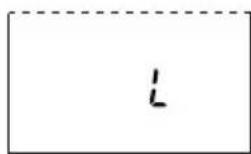
MONO L: Accompaniment only (main) B
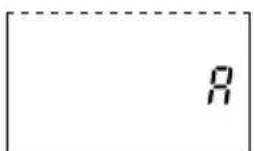
MONO R: Vocal only (sub) ©
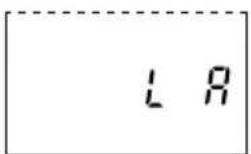
L R: Accompaniment (main) and vocal (sub) ☐
(With some discs, accompaniment may be heard)
Note
- Audio channel selection is retained in memory even if the lid is opened and you replace the CD. It returns to "L R" mode if the unit is turned off.
改变音质
(用于视像CD,音频CD和MP3)
在播放或停止方式中按[EQ]钮。
每按[EQ]钮,设定会依下列所示的顺序切换。
① S-XBS → ② LIVE → 取消(无指示灯)
↑
S-XBS:
选择此设定来增强低幅反应。
LIVE:
选择此设定以便产生出的音响效果如同音乐厅一般。
注意
最后一次的设定将在唱机电源被切断时存入记忆体。
音频声道选择
(用于视像CD)
当您使用多音频CD时,可通过选择音频声道来播放歌声或伴奏乐曲。
按[MONO L/R]钮。
按此钮 1 次,显示屏会出现目前的方式约 2 秒钟。
接下来每按该钮,方式会如下所示改变。
MONOL (单声左) → MONOR (单声右)
LR(左右)
MONOL:仅仅伴奏(主)B
MONOR:仅仅歌声(副)
LR:伴奏(主)和歌声(副)D
(有些光碟或可听得到伴奏)
注意
- 您即使打开了盖子并更换CD,音频声道的选择也将保留在记忆体。若关闭了电源,“L R”方式则将恢复。
Using the Wired Remote Control SL-MV65
The wired remote control can be operated regardless of the hold mode of the unit.
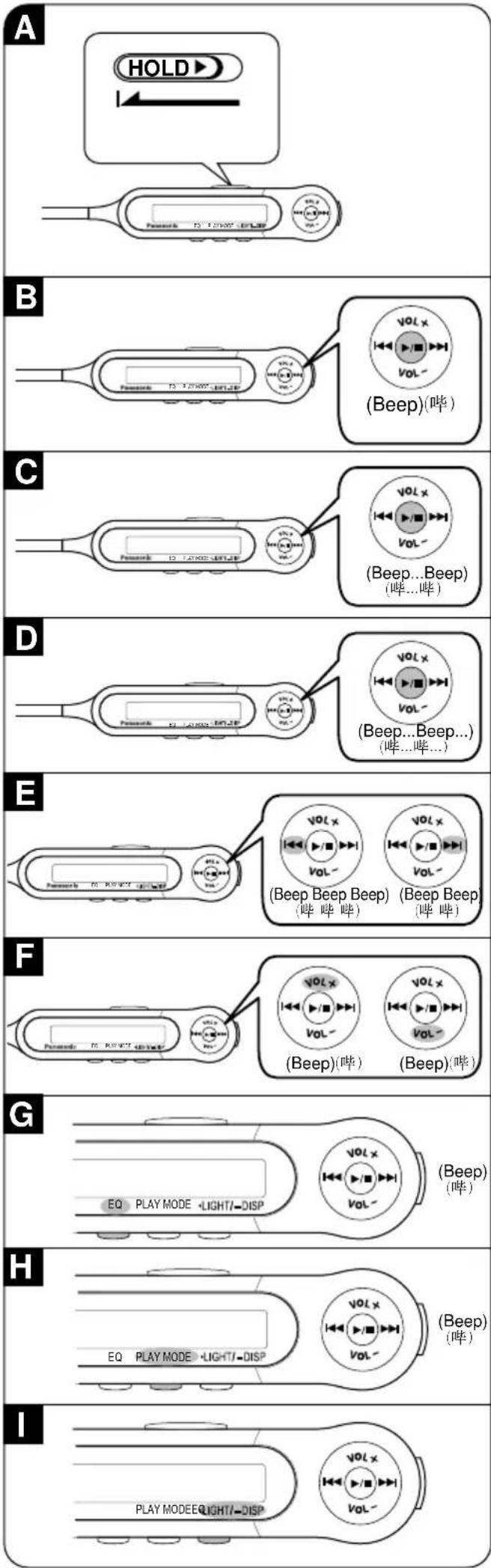
■ Operation confirmation tones
This tone sounds when a button on the wired remote control is pressed. Refer to the parentheses in the illustration for the different types of confirmation tones.
However, when no disc is loaded in the unit, the tone pattern will sound differently.
Basic operation
Preparation:
Release the wired remote control from the hold mode. A
To start play B
Press [▶/■] once during off or stop mode.
To stop play ©
Press [▶/■] once during play.
To turn off the unit D
Press and hold [▶/■] during play or stop mode.
Skipping tracks ☐
Press [◀◀◀] or [▶▶▶] during play.
▶▶I : Forward
Backward
Searching through tracks E Skipping album E (MP3 only)
Press and hold [◀◀] or [▶▶] during play.
▶▶I : Forward
Backward
To adjust the volume F
The volume range is 0 - 25. A tone (beep-beep) sounds when you reach the minimum or maximum volume (except when you press and hold to change volume successively).
The volume level is memorised even if the unit is disconnected from power source.
To change sound quality G
Press [EQ] once during play or stop mode. For details, see page 50.
To select repeat/random function H
Press [PLAY MÖDE] once during play or stop mode. For details, see page 24 and 46.
To use the display light
Press [•LIGHT/-DISP] once during play or stop mode. The display lights for about five seconds whenever the wired remote control is operated. This makes operation in the dark easier. The light does not come on when switching the hold function off.
To select album mode (MP3 only)
Press and hold [PLAY MODE] during play or stop mode. For details, see page 42.
Changing the information displayed for MP3 tracks.
See page 42.
使用有线遥控器时=SL-MV65
无论本机是否处于锁定状态都可使用有线遥控器操作。
■ 操作确定声响
当按下有线遥控器上的按钮时,将发出声响。有关各种确定声响的信息,请参阅图示括号内的说明。然而当本机无装上光碟时,声响将以不同的形式发出。
基本操作
准备:
解除有线遥控器的锁定状态。A
开始播放=B
在电源关闭或停止方式中按一次 [▶/■] 钮。
停止播放=C
在播放进行当中按一次 [▶/■] 钮。
关闭本机=D
在播放或停止方式当中持续按住 [▶/■] 钮。
跳越乐曲 E
在播放当中按 [◀◀] 或 [▶▶] 钮。
▶▶I:向前
◀◀:向后
在乐曲中检索
跳越唱片E(仅限MP3)
在播放当中持续按住 [◀◀] 或 [▶▶] 钮。
▶▶I:向前
◀◀:向后
调节音量=F
音量的幅度为 0 - 25。当您达到最高或最低的音量时会有哔哔的声响(除非您持续按住按钮以连续改变音量)。
即使在本机电源被切断时音量也将存入记忆体。
改变音质=G
在播放或停止方式当中按一次 [EQ] 钮。
具体细节,参阅第51页。
选择重复/任意功能=H
在播放或停止方式当中按一次 [PLAY MODE] 钮。
具体细节,参阅第25和47页。
显示灯光=■
在播放或停止方式当中按一次 [•LIGHT/-DISP] 钮。进行遥控动作时,显示灯点亮大约5秒钟。从而在黑暗中的操作变得非常简单。当锁定功能被关闭时,灯不会点亮。
选择唱片方式(仅限MP3)
在播放或停止方式当中持续按住[PLAY MODE]钮。
具体细节,参阅第43页。
变换MP3乐曲出现在显示屏上的信息
参阅第43页。
A
text_image
S-XBS 7 A.SKIPB
text_image
3G IN 45V PAC D1 NOR RES RAX RAC IN OUT a b c d L e f CD/AUX RC
text_image
SNROR → I-CLD h i CD/AUX L R e f dAnti-Skip System
(For audio CDs and MP3)
This system deals with skipping in a variety of ways:
- An anti-skip mechanism prevents skipping caused when play speed changes due to swinging of the unit.
- A recovery system immediately returns the laser pickup to its original position if it is knocked off the track by a strong shock.
- The anti-skip memory (maximum 45 seconds when playing CD-DA and maximum 100 seconds when playing 128 kbps MP3) fills in interruptions caused by bumps and vibrations.
The anti-skip system works automatically while the system is on.
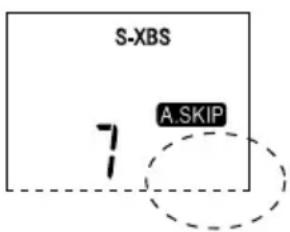
When bumps continue repeatedly A
The elapsed playing time disappears and sound is interrupted.
Note
- The anti-skip memory compresses digital signals.
- During the anti-skip operation, the disc rotates at a higher rate than usual in collecting extra audio data. This could result in a slight increase in disc rotation noise.
- Anti-skip function is cancelled automatically if a video CD is inserted.
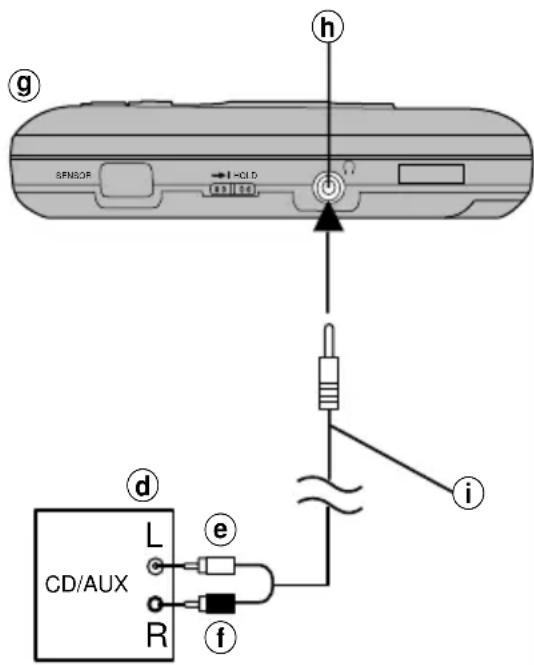
Using the unit with an audio system
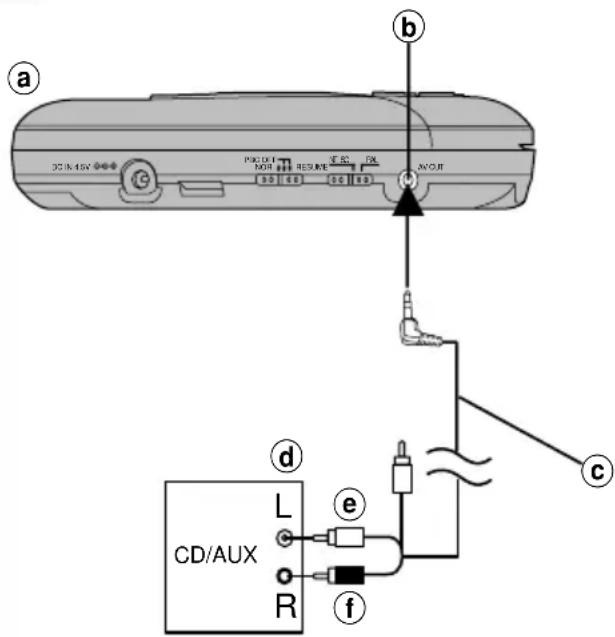
Use an Audio/Video cable B or a stereo connection cable C to listen to CDs through your home audio.
- Turn off this unit and the other equipment before connection.
- Adjust the volume level on the amplifier.
- Do not connect the cable to the PHONO jacks on the amplifier.
- Obtain the optional connecting cable if the other equipment comes with mini-phone jacks.
- You can connect speakers, active or otherwise, with an impedance of 1k or less to the headphone jack.
- Keep the unit's VOLUME control at a setting between 15 and 20, then adjust the volume on the other equipment. (only for C)
ⒶRear panel of the unit
⑥[AV OUT] jack
©Audio/Video cable (included)
dOther equipment
e(White)
f(Red)
⑨Front panel of the unit
①(Ω) jack
①Stereo connection cable (not included)
Note
- You cannot use this unit with a car audio system.
- When [AV OUT] is connected, the anti-skip memory switches to non-compression mode and lasts about 10 seconds when playing CD-DA.
抗震功能
(用于音频CD和MP3)
本系统通过各种不同的方法来抗震:
- 抗震装置有助于防止因摇晃本机所造成的播放速度变化而结果导致的跳曲现象。
- 还原系统可在光束镜因强大撞击力而离轨的时候立刻将其带回原来的位置。
- 抗震记忆体(播放CD-DA时最多45秒;播放128kbps MP3时则最多100秒)可填补因碰撞和震动而引起的中断部分。
抗震功能在本机开着时自动操作。
当碰撞一再持续时 A
已播放过的时间消失,声音也会中断。
=注意
- 抗震记忆体压缩数码信号。
- 在抗震功能操作,光碟比平常旋转得更快以积聚额外的音频数据。这可能会导致光碟旋转噪音轻微地上升。
- 在装入视像CD时,抗震功能将自动被取消。
通过音响系统使用本机
使用音频/视像接线 B 或立体声接线 C 以便通过您的家庭音响系统欣赏CD。
- 连接前要关闭本机和另一台设备。
- 调节扩音器的音量。
- 勿将接线连接至扩音器的PHONO(音频)插孔。
- 如果另一台设备附有微型耳机插孔,便须购买选购接线。
- 无论有源与否,您都可将阻抗小于1千欧的扬声器连接至头戴耳机插孔。
- 将本机的音量设定在15和20之间,然后调节其他设备的音量。(仅限C)
a本机后板
⑥[AV OUT]插孔
©音频/视像接线(附件)
⑭另一台设备
⑧ (白色)
f (红色)
⑨本机前板
①(Ω) 插孔
①立体声接线(非附件)
=注意
- 本机不能与汽车音响系统一同使用。
- 当音频输出[AV OUT]端子被接上时,抗震记忆会在播放CD-DA的当儿切换至非压缩状态并会持续约10秒钟。
A


B


C
text_image
Diagram showing a CD or DVD disc being placed on a screen, with an arrow indicating the process.D
E
F
Concerning Compact Discs
Only compact discs bearing these marks can be used with this unit. A
However, continued use of irregular shaped CDs can damage the unit. B
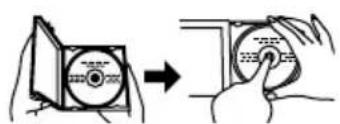
How to remove a disc from its case ©
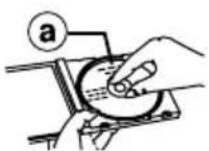
How to store the disc in its case D
①Label side
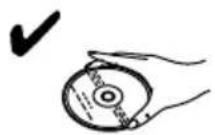
How to hold a disc ☐
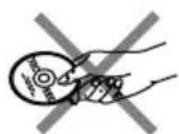
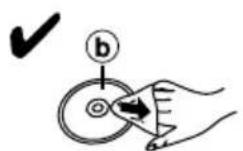
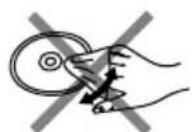
If the surface is dirty F
⑥Play surface (shiny surface)
Wipe it with a damp cloth and then wipe dry.
Wipe from the center toward the circumference.
Handling precautions
- If you are taking the CD from a cold to a warm environment, moisture may form on the CD. Wipe this off with a soft, dry, lint-free cloth before using the CD.
- Do not write on the label side with a ball-point pen or other writing instrument.
- Do not use record cleaning sprays, benzine, thinner, static electricity prevention liquids or any other solvent.
- Do not attach labels or stickers to CDs. (Do not use CDs with exposed adhesive from tape or left over peeled off stickers.)
- Do not use scratch-proof protectors or covers other than those specified for use with this unit.
Storage precautions
Be sure to store CDs in their cases to protect them from dust, scratches, and warping.
Do not place or store CDs in the following places
- Locations exposed to direct sunlight
• Humid or dusty locations - Locations directly exposed to a heat vent or heating appliance
- In the glove compartment or on the rear deck of an automobile
F
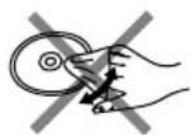
光碟须知
唯有带有此标志的光碟才可与本机一起使用。A 不过,连续不断地使用形状不规则的CD却会损坏本机。B
如何自盒内取出光碟=C
如何将光碟收入盒内=D
a标签面
如何手持光碟=■
如果表面很脏=F
⑥播放面(光亮面)
用湿布擦拭,然后擦干。
从中心向外围擦拭。
使用注意事项
- 如果将CD从一低温环境拿到一高温环境,其面可能有水气形成。在使用此CD前,先用软、干、无棉绒布将水气擦净。
- 勿用圆珠笔或其他书写工具在标签面上书写。
- 勿用唱片清洁喷雾剂、挥发剂、稀释剂、静电防止液或任何其他溶剂。
- 勿在CD上粘贴标签纸或粘胶纸。(勿使用粘贴胶带纸或撕下粘胶纸后留有粘胶的CD。)
- 勿使用本机所指定之外的划伤保护膜或盖子。
收藏注意事项
须将CD收回其盒子以避免沾上灰尘、划伤和弯曲。
勿将CD放置或存放在下列场所
- 暴露在直射阳光之处
- 潮湿或多尘之处
- 直接暴露在热气出口或暖气设备之处
- 汽车工具箱或后舱内
Selection and care of rechargeable/dry cell batteries
■ Selection
As a safety precaution, the portable video CD players made by Panasonic are constructed so it is impossible to recharge ordinary batteries.
Only batteries especially designed for this unit can be recharged.
Special rechargeable Ni-Cd batteries: P-3GAVT/2B (set of 2)
For details, check with your dealer.
Special rechargeable batteries
Ordinary dry cell batteries/rechargeable batteries
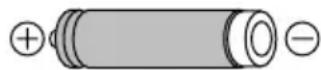
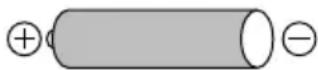
- If rechargeable battery play time is short after recharging, the batteries have reached the end of their service life. Replace them with the recommended replacements.
- Play time may be shorter than usual after recharging batteries for the first time or after they have been unused for a long time. Repeatedly recharge and discharge the batteries if this occurs to restore them to normal.
Care
To prevent battery damage, electrolyte leakage, and short-circuiting, heed the following points.
- Do not peel off the covering on batteries and do not use if the covering has been peeled off.
- Align the poles and correctly when inserting the batteries.
- Do not mix different types or makes of batteries or old and new batteries.
- Remove the batteries if you do not intend to use the unit for a long time.
- Do not throw into fire, short-circuit, disassemble, or subject to excessive heat.
- Do not attempt to recharge dry cell batteries.
- Do not allow metal objects to touch the battery terminals as this may cause short-circuiting which is dangerous.
- When carrying batteries in a pocket or bag, ensure no metal objects such as necklaces are placed together with them. Contact with metal may cause short-circuiting which can cause a fire.
For safety, carry the rechargeable batteries in the battery carrying case.
Precautions for Listening with the Headphones or Earphones
- Do not play your headphones or earphones at a high volume. Hearing experts advise against continuous extended play.
- If you experience a ringing in your ears, reduce volume or discontinue use.
- Do not use while operating a motorized vehicle. It may create a traffic hazard and is illegal in many areas.
- You should use extreme caution or temporarily discontinue use in potentially hazardous situations.
- Even if your headphones or earphones are the open-air type designed to let you hear outside sounds, don't turn up the volume so high that you can't hear what's around you.
Discontinue use if you experience discomfort with the earphones or any other parts that directly contact your skin.
Continued use may cause rashes or other allergic reactions.
AC adaptor
- Handle the AC adaptor carefully. Improper handling is dangerous.
- Do not touch it with wet hands.
- Do not place heavy objects on top of it.
- Do not forcibly bend it.
- Be sure to connect only the AC adaptor provided with the unit.
- Disconnect the AC adaptor from the power outlet if the unit is not going to be used for a long time.
Unit
No altering or remodeling
This can cause malfunctioning.
No dropping or strong impacts
This may damage the unit.
Locations to be avoided
Avoid using the unit in the following locations since they can cause malfunctioning.
-
Bathrooms and other moisture-prone places
-
Warehouses and other dusty places
-
Very hot places near heating appliances, etc.
Do not leave the unit exposed to direct sunlight for long periods of time.
This may deform or discolor the cabinet and may also cause malfunctioning.
When driving a car
In the interest of traffic safety, do not operate the unit while driving.
充电型电池/干电池的选择和保养
■ 选择
为安全起见,由Panasonic(松下电器)生产的便携式影碟机在结构上并不允许其予以普通电池充电。只有专为本机设计的电池方能充电。
特别镍镉充电型电池
P-3GAVT/2B (2节)
具体细节,请向您的经销商咨询。
特别充电型电池
普通干电池/充电型电池
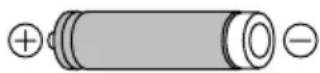
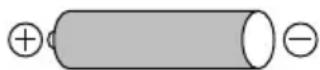
- 如果在给充电型电池充电后,播放时间还是很短,表示该电池已达其使用寿命的终点。请更换推荐使用的电池。
- 在第一次充电或长时间没使用再次充电后,播放时间可能比平时来得短。若出现这种情况,反复充电和放电以使电池恢复正常。
■ 保养
为防止电池损坏、电解液泄漏和短路,请遵循下列要点。
- 勿剥去电池的外壳。如果外壳被剥下的话,勿再使用该电池。
- 插入电池时,注意要使极性⊕和⊖正确。
- 勿将不同类型或商标的电池或者新旧电池进行混用。
- 如果打算长时间不使用本机,把电池取出。
- 勿将电池扔入火中,使其短路、解体或者接触高温。
- 切勿尝试给干电池进行充电。
- 勿让金属物体接触到电池终端,否则将导致短路,十分危险。
- 确保携带电池的口袋或皮包无项链等金属物品,否则可能造成短路并引起火患。
为了安全,把充电型电池放入便携盒中携带。
使用头戴耳机或耳机欣赏时的注意事项
- 勿将头戴耳机或耳机的音量开得过大。耳科专家劝告,不得连续不断地长时间欣赏。
- 如果出现耳鸣的现象,请降低音量或停止使用。
- 开车时切勿使用,否则很可能发生交通事故。况且在许多地区,这是违法的行为。
- 在一些具有潜伏性危险的情况里,必须要特别小心或暂停使用。
- 即使您的头戴耳机或耳机是开放型设计的,能让您听到周围的声音,也不要将音量开大得无法听见周遭的声音。
如果您因耳机或因其他任何部件直接接触到皮肤而感到不适,马上停止使用。
继续使用可能导致斑疹或其他过敏反应。
交流电源适配器
- 小心使用交流电源适配器。使用不当将导致危险。
- 勿用湿手与其接触。
- 勿在其上放置重物。
- 勿用力将其弯曲。
- 只能连接本机附带的交流电源适配器。
- 如果长期不用本机时,请从电源插座上拔掉交流电源适配器。
本机
勿更改或重新组装
否则会引起功能故障。
勿摔落或强烈碰撞
否则可能损坏本机。
应避免之处
请避免在下列场所使用本机,否则会引起功能失常。
- 浴室和其它容易受潮之处。
2.仓库和其它脏乱之处。
3.靠近加热设备等的高温之处。
否则可能造成变形或外壳变色,以及功能失常。
勿让本机长时间暴露在直射阳光之下。
驾驶汽车时
为了维护交通安全,在驾驶中勿操作本机。
Troubleshooting Guide
Before requesting service for this unit, check the chart below for a possible cause of the problem you are experiencing. Some simple checks or a minor adjustment on your part may eliminate the problem and restore proper operation. If you are in doubt about some of the check points, or if the remedies indicated in the chart do not solve the problem, consult your dealer for instructions.
| Problem Check this | |
| Cannot close the cover. Is the disc properly secured in place? | |
| Cannot play discs. | Is the unit in HOLD mode?Is the disc properly secured in place?Is there condensation on the lens?(Wait for about an hour and then try again.)Is the disc dirty or scratched or the lens dirty?(Wipe the disc clean and clean the lens. If it is an MP3 disc and is badly scratched, re-record the files onto a fresh disc.) |
| Cannot hear music—too noisy. | Separate the unit from mobile phones.Have the earphone and wired remote control plugs been inserted firmly?Are the plugs dirty? (Wipe away dirt on plug.) |
| No sound can be heard through earphone. Is the plug connected to the [AV OUT] jack?(Remove the plug from the [AV OUT] jack.) | |
| No picture on the TV while playing a video CD. | Is the video cable connected?Is TV input switched to “VIDEO”? |
| The unit cannot be operated with the wireless remote control. | Are the batteries installed in the reverse polarity?Are the batteries worn out? |
| Tracks on disc do not play in order, starting with the first track. | Is the random play mode on?Is the unit in the resume mode? |
| TV picture is distorted. Radio reception Are you using the unit too near a TV or tuner?is noisy. (Keep the unit away from TV or tuner.) | |
| Titles are cutoff or not displayed correctly. | The title exceeds the 30-character limit of this unit.The unit cannot display some characters entered with computer and other equipment (e.g. 2-byte code). |
| During playback of a MP3 or audio disc, the disc does not rotate but you can hear the sound normally. player is not malfunctioning. | The CD player is designed to stop the rotation of a MP3 or audio disc during playback to reduce the power consumption. The |
Maintenance
If the surfaces are dirty
To clean this unit, wipe with a soft, dry cloth.
- Never use alcohol, paint thinner or benzine to clean this unit.
- Before using chemically treated cloth, read the instructions that came with the cloth carefully.
Maintaining the lens
Open the lid and clean the lens as shown in the figure. Use a cotton swab to gently wipe off any finger-prints. Recommended product: Lens cleaner kit (SZZP1038C)
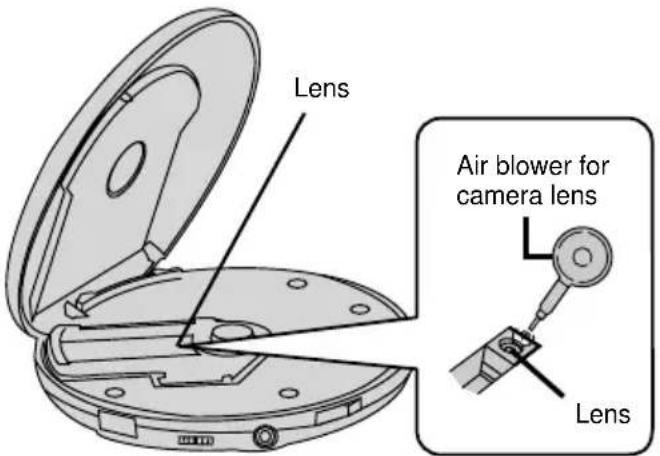
text_image
Lens Air blower for camera lens Lens故障检修指南
在提出维修本机的要求之前,请查阅下列图表以找出您所遇问题的可能原因。您所进行的一些简单检查或小调整可能会令问题解决和操作恢复正常。如果您对某些检查要点存有疑问或图表所指示的修理方法无法解决问题,请向经销商咨询以获得指示。
| 问题检查要点 | |
| 不能关闭盖子。关光碟是否稳妥地安放到位 | ? |
| !"# | 本机是否处于锁定状态?光碟是否稳妥地安放到位?光束镜上是否有水气形成?(等待1小时左右,然后再尝试。)光碟是否肮脏或被划伤,又或者是光束镜肮脏?(将光碟拭擦干净并擦净光束镜。如果是MP3光碟的话,而且划伤得很严重,不妨将档案重新录制到一张新的光碟上。) |
| 不能清楚地听到音乐-=噪音问题严重。 | 将本机远离手机。耳机和有线遥控器插头是否已经插牢?插头是否太脏?(清洁插头。) |
| 无法通过耳机听到声音。 | 插头有否连接至〔AV OUT〕端子?(将插头从〔AV OUT〕端子拔除。) |
| 播放视像CD时,电视机上无影像。 | 接线是否连接妥当?电视机输入是否切换至“VIDEO”(视像)? |
| 用无线遥控器不能操作本机。 | 电池的极性是否放反了?电池是否已经耗尽? |
| 光碟上的乐曲并没有按序从第一支开始播放。 | 任意播放方式是否开启!'"#%&'( |
| 电视画面失真。=收音机接收噪杂。 | !"#'$%&'()*'+,-'(将本机跟电视机或收音机距离远一点。) |
| 名称不完整或者不能正确地显示。 | 名称超越了本机30个字母的限制。本机不能显示一些通过电脑和其他器材输入的字母(如2位元组代码)。 |
| 光碟在播放MP3或音频光碟当中不会旋转,但您却可听到平时所发出的声音。却少耗电 | 唱机在进行播放当中停止MP3或音频光碟旋转的设计是为了减量,而非功能失常。 |
保养
如果表面很脏
清洁本机时,请使用柔软的干布。
- 万勿使用酒精、涂料稀释剂或挥发剂等清洁本机。
- 使用化学浸透布之前,请仔细阅读该布随附的说明。
光束镜的保养
打开盖子,如图所示般清洁光束镜。
用棉花棒轻轻地擦掉指印。
推荐用产品:光束镜清洁配套 (SZZP1038C)
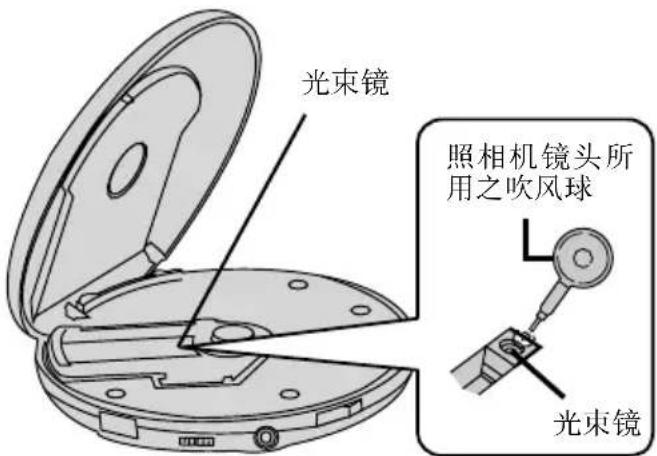
text_image
光束镜 照相机镜头所用之吹风球 光束镜Specifications
Audio
No. of channels: 2 (left and right, stereo)
Frequency response: 20 to 20,000 Hz
(+0.5 dB, -1.5 dB)
Output voltage: 1.2 V (10 kΩ)
S/N: More than 85 dB
Wow and flutter: Below measureable limit
DA converter: 1 bit, MASH
Headphones output level: RMS Max. 9 mW+9 mW/
16 Ω (adjustable)
Pickup
Light source: Semiconductor laser
Wavelength: 780 nm
Video
Output format: NTSC/PAL
Output voltage: 1.0 Vp-p (75 Ω)
MP3
Maximum number of items
(sum of folders and files): 999
Maximum album levels: 100
Supported bit-rates: 32kbps to 320kbps
(128kbps is recommended)
General
Operating temperature
range: 0^ C– 40^ C
Rechargeable temperature
range: 5^ C– 40^ C
Power supply:
DC 4.5V
Power consumption:
| Power source | Audio CDs | Video CDs | MP3 disc |
| AC adaptor | 2.5 W | 5.0 W | 2.5 W |
When recharging:
6.1 W
Play time:
(When used in hold mode, with S-XBS and LIVE cancelled, at 25^ C temperature and on flat and stable surface)
| Batteries Used | Audio CDs | Video CDs | MP3 disc |
| 2 Alkaline batteries | About 18 hours | About 3 hours | About 26 hours |
| Rechargeable batteries (P-3GAVT) | About 9 hours | About 2 hours | About 14 hours |
- The play time may be less depending on the operating conditions.
- Play time will be considerably reduced when playing CD-RW.
Recharging time:
About 3 hours
Dimension (W×H×D):
136×30.5×136 mm
Mass:
240 g (with batteries)
197 g (without batteries)
Note
Specifications are subject to change without notice.
Mass and dimensions are approximate.
These specifications were measured using the AC adaptor.
规格
音频
声道数:2(左和右,立体声) 频率响应:20到20,000赫 (+0.5分贝,-1.5分贝) 输出电压:1.2伏(10千欧)
杂讯比:比大于85分贝
晃抖度:度低于测量限度
DA(数模)转换器:1毕特,MASH
头戴耳机输出电平:RMS最大9毫瓦+9毫瓦/16欧(可变)
拾音
光源:半导体激光装置 波长:780纳米
视像
输出制式:制NTSC/PAL
输出电压:电1.0Vp-p (75欧)
MP3
最高的项目数量
(档案夹和档案总数):999
最高唱片级:100
受支援位元速率:32kbps至320kbps(推荐128kbps)
总体
操作温度范围: 0^ 40^ 充电温度范围: 5^ 40^
电源:直流电4.5伏
耗电量:
| 电源 | 音频CD | 视像CD | MP3光碟 |
| 交流电源适配器 | 2.5瓦 | 5.0瓦 | 2.5瓦 |
充电时的消耗量:6.1瓦
播放时间:
(在锁定状态、25℃,稳固平面以及S-XBS与LIVE被取消的情况下使用时)
| 所用电池 | 音频CD | 视像CD | MP3光碟 |
| 两个碱性干电池 | 约18小时 | 约3小时 | 约26小时 |
| 充电型电池(P-3GAVT) | 约9小时 | 约2小时 | 约14小时 |
- 根据操作状况的不同,播放的时间会更短。 - 播放时间在播放CD-RW时将大为缩短。
充电时间:时约3小时
尺寸(宽×高×深) 136×30.5×136毫米
重量::240克(包括电池)
197克(不包括电池)
注意
规格若有变化,恕不另行通知。
重量和尺寸为近似值。
上述规格为使用交流电源适配器时所测量。
1 | 13 |
2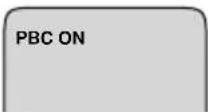 | 14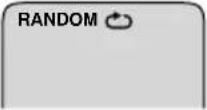 |
3 | 15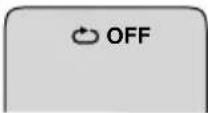 |
4 | 16 |
5 | 17 |
6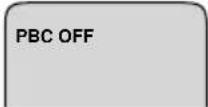 | 18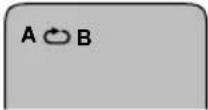 |
7 | 19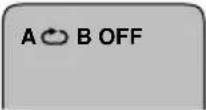 |
8 | 20 |
9 | 21 |
10 | 22 |
11 | 23 |
12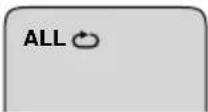 | 24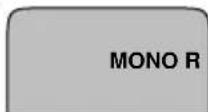 |
Concerning the TV display
(On screen display)
You can confirm the unit's operating condition on the TV. The display will disappear after a few seconds.
□: Reference page
①When starting play 16,20
②When switched to PBC play 16
③When returning to the previous menu (RETURN) 18
④When advancing to the continuation of the menu (NEXT) 18
⑤When returning to the previous screen (PREV) 18
⑥When PBC is switched off 18
⑦ When pausing play 18
⑧When stopping play 18
⑨When skipping forward to track "3" 18
⑩When skipping backward to track "3" 18
⑪ When repeating one track 24
⑫When repeating all tracks 24
⑬When playing all tracks randomly 24
⑭When repeating all tracks randomly 24
⑮When cancelling the repeat function 24
⑯When repeating programmed tracks 32
⑰When repeating one programmed track 32
⑱ When repeating a particular section (A-B repeat) 26
⑲When cancelling A-B repeat 26
⑳When programming a track 32
②1 When cancelling program mode 32
②2 When changing the audio channel to select "accompaniment+vocal" 50
②3 When changing the audio channel to select "accompaniment" only 50
②4 When changing the audio channel to select "vocal" only 50
Operating condition are also shown when frame skipping, video index searching, and selecting scenes to play.
电视显示须知
(屏幕显示)
您可以在电视屏幕上确定本机的操作状况。几秒钟后,显示将消失。
□:参阅页数
①当开始播放时 17,21
② 当切换至PBC(播放控制)播放时=17
③ 当回返至前一个选择单时(RETURN)19
④ 当前进至选择单上的后续部分时(NEXT)19
⑤ 当回返至前一个屏幕时(PREV)=19
⑥ 当PBC(播放控制)功能关闭时=19
⑦当暂停播放时=19
⑧当停止播放时=19
⑨ 当向前跳越至乐曲 “3” 时=19
⑩ 当向后跳越至乐曲 “3” 时=19
⑪ 当重复单一乐曲时=25
⑫ 当重复所有的乐曲时=25
⑬ 当任意播放所有乐曲时=25
⑭ 当任意重复所有乐曲时=25
⑮当取消重复功能时=25
⑯ 当重复编程乐曲时=33
⑰当重复一支编排的乐曲时=33
⑱ 当重复特定部分时(A-B重复)27
⑲ 当取消A-B重复时=27
⑳当编排一支乐曲时=33
②1当取消编程方式时=33
②当改变音频声道来选择“伴奏+歌声”时=51
②3当改变音频声道来单单选择“伴奏”时=51
②4当改变音频声道来单单选择“歌声”时=51
当您进行帧跳越、视像索引检索以及选择片段来播放时,操作状况也会显示在电视屏幕上。
A
natural_image
Illustration of a person sitting at a desk with a clock and a window (no text or symbols)Description of Terms
Read this section together with the instructions accompanying the disc.
Playback control:
This refers to the control signals which are recorded on a disc. These signals enable moving picture and still picture play by selecting menus. There are two types of video CDs, those which support playback control and those which do not. The type is indicated in the disc's instructions and on the CD case.
PBC (playback control) play:
This method plays the moving pictures or high-definition still pictures on a video CD by selecting a menu.
Regular play:
This method plays a disc in sequence from the beginning without using menus.
Track (number):
CDs are divided into tracks. The numbers allocated to the tracks are called track numbers.
Video index (number):
A track is subdivided into smaller units called indexes. The numbers allocated to the video indexes are called index numbers.
Scene:
Scenes refer to an individual menu, moving picture, still picture, etc. which are recorded only on video CDs equipped with PBC. The numbers allocated to the scenes are called scene numbers.
If the TV screen is in the following condition
• Picture is smaller than screen.
• Picture appears too wide.
• Picture movements are not smooth.
It is possible that software recorded using the NTSC system is being viewed on a PAL type TV. Set the video format selector on the unit's left panel to "PAL".
Note
- Depending on the TV set used, the picture may shrink vertically and black bars may appear both at the top and bottom of the screen. This is not an indication of a malfunction. A
- If the picture remains unchanged even when the switch has been set to the "PAL" position, set it to the normal viewing position.
术语说明
请配合光碟所附的说明一起阅读下列部分。
播放控制:
这指的是光碟上已经录制好的控制信号。通过选择单的选择,这些信号可播放动和静画影像。视像CD可分成两类,即具备播放控制功能和不具备的。其类别会注明在光碟的说明和CD的盒子上。
PBC(播放控制) 播放:
通过选择单的选择,此方法可播放视像CD上的动画或具有高解析度的静画面。
一般播放:
不必选择单的选择,此方法也可从光碟的开始依序播放。
乐曲(号码):
CD被划分为乐曲。分配给乐曲的号码称为乐曲号码。
视像索引(号码):
一支乐曲可再划分为更小的单元。分配给视像索引的号码称为索引号码。
片段:
片段指的是只录制在具备播放控制(PBC)功能的视像CD之个别选择单、动画、静画等。分配给片段的号码称为片段号码。
如果电视屏幕处于下列状态时
- 画面小于屏幕。
- 画面看起来太宽。
- 画面的移动不够流畅。
有可能是在PAL类型的电视机上观看使用NTSC制式录制的软件。将本机左板上的视像格式选择器设定在“PAL”。
注意
- 根据所使用的电视机不同,画面可能会垂直收缩,且屏幕顶部和底部会出现黑色条带。这并非功能失常。A
- 如果开关已经设定在 “PAL” 的位置,而画面却仍未获得改善,请将其设定在普通的观看位置。
CAUTION!
THIS PRODUCT UTILIZES A LASER.
USE OF CONTROLS OR ADJUSTMENTS OR PERFORMANCE OF PROCEDURES OTHER THAN THOSE SPECIFIED HEREIN MAY RESULT IN HAZARDOUS RADIATION EXPOSURE.
DO NOT OPEN COVERS AND DO NOT REPAIR YOURSELF. REFER SERVICING TO QUALIFIED PERSONNEL.
CAUTION!
- DO NOT INSTALL OR PLACE THIS UNIT IN A BOOKCASE, BUILT-IN CABINET OR IN ANOTHER CONFINED SPACE. ENSURE THE UNIT IS WELL VENTILATED. TO PREVENT RISK OF ELECTRIC SHOCK OR FIRE HAZARD DUE TO OVERHEATING, ENSURE THAT CURTAINS AND ANY OTHER MATERIALS DO NOT OBSTRUCT THE VENTILATION VENTS.
- DO NOT OBSTRUCT THE UNIT'S VENTILATION OPENINGS WITH NEWSPAPERS, TABLECLOTHS, CURTAINS, AND SIMILAR ITEMS.
- DO NOT PLACE SOURCES OF NAKED FLAMES, SUCH AS LIGHTED CANDLES, ON THE UNIT.
• DISPOSE OF BATTERIES IN AN ENVIRONMENTALLY FRIENDLY MANNER.
WARNING:
TO REDUCE THE RISK OF FIRE, ELECTRIC SHOCK OR PRODUCT DAMAGE, DO NOT EXPOSE THIS APPARATUS TO RAIN, MOISTURE, DRIPPING OR SPLASHING AND THAT NO OBJECTS FILLED WITH LIQUIDS, SUCH AS VASES, SHALL BE PLACED ON THE APPARATUS.
This product may receive radio interference caused by mobile telephones during use. If such interference is apparent, please increase separation between the product and the mobile telephone.
Marking sign is located on bottom of the unit.
For China
THIS UNIT IS INTENDED FOR USE IN MODERATE CLIMATES.
For areas except China
THIS UNIT IS INTENDED FOR USE IN TROPICAL CLIMATES.
注意!
本产品使用激光射线。
控制器的使用、调整及操作等如不遵照此处的说明进行,很可能会受到激光辐射的危害。
勿拆开机壳自行修理。有问题请交给专业维修人员。
注意!
- 为了确保良好的通风条件,请勿将本机安装或置于书柜、内藏式机柜或其它密闭的空间里。勿让窗帘或任何其它物体堵塞通风孔,以免因过热而造成触电或火灾危险。
- 切勿让报纸、桌布、窗帘等物品堵塞住本机的通风孔。
- 切勿将诸如点燃的蜡烛等明火火源置于本机上。
- 废弃处理电池时要尽量采取不破坏环境的方式。
警告:
为了减少火灾、触电或产品损坏的危险,请勿让本机遭受雨淋、受潮、滴上或溅上水,也不要将诸如花瓶等盛水之物置于本机上。
本产品在使用过程中,可能会受到移动电话的无线电波干扰。如果这种干扰明显的话,请将本产品远离移动电话使用。
标记在装置底部。
用于中国
本机供在温和气候地区使用。
用于中国以外地区
本机供在热带气候地区使用。
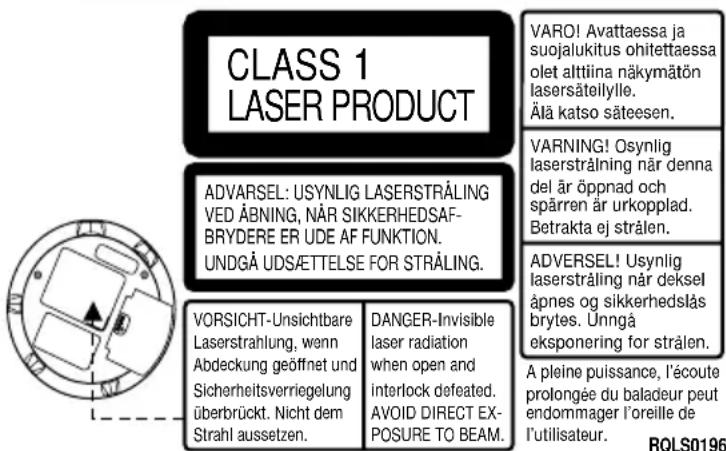
text_image
CLASS 1 LASER PRODUCT ADVARSEL: USYNLIG LASERSTRÅLING VED ÅBNING, NÄR SIKKERHEDSAF- BRYDERE ER UDE AF FUNKTION. UNDGÅ UDSÄTTELSE FOR STRÅLING. VORSICHT-Unsichtbare Laserstrahlung, wenn Abdeckung geöffnet und Sicherheitsverriegelung überbrückt. Nicht dem Strahl aussetzen. DANGER-Invisible laser radiation when open and interlock defeated. AVOID DIRECT EX- POSURE TO BEAM. VARO! Avattaessa ja suojalukitus ohitettaessa olet alttiina näkymätön lasersäteilylle. Älä katso säteesen. VARNING! Osynlig laserstråling när denna del är öppnad och spärren är urkopplad. Betrakta ej strålen. ADVERSEL! Usynlig laserstråling när deksel åpnes og sikkerhedslås brytes. Unngå eksponering for strålen. A pleine puissance, l'écoute prolongée du baladeur peut endommager l'oreille de l'utilisateur. RQLS0196Bottom of product 产品底面