ER-150 - Kasse Sam4S - Kostenlose Bedienungsanleitung
Finden Sie kostenlos die Bedienungsanleitung des Geräts ER-150 Sam4S als PDF.


Benutzerfragen zu ER-150 Sam4S
0 Frage zu diesem Gerät. Beantworten Sie die, die Sie kennen, oder stellen Sie Ihre eigene.
Eine neue Frage zu diesem Gerät stellen
Laden Sie die Anleitung für Ihr Kasse kostenlos im PDF-Format! Finden Sie Ihr Handbuch ER-150 - Sam4S und nehmen Sie Ihr elektronisches Gerät wieder in die Hand. Auf dieser Seite sind alle Dokumente veröffentlicht, die für die Verwendung Ihres Geräts notwendig sind. ER-150 von der Marke Sam4S.
BEDIENUNGSANLEITUNG ER-150 Sam4S
ELECTRONIC CASH REGISTER
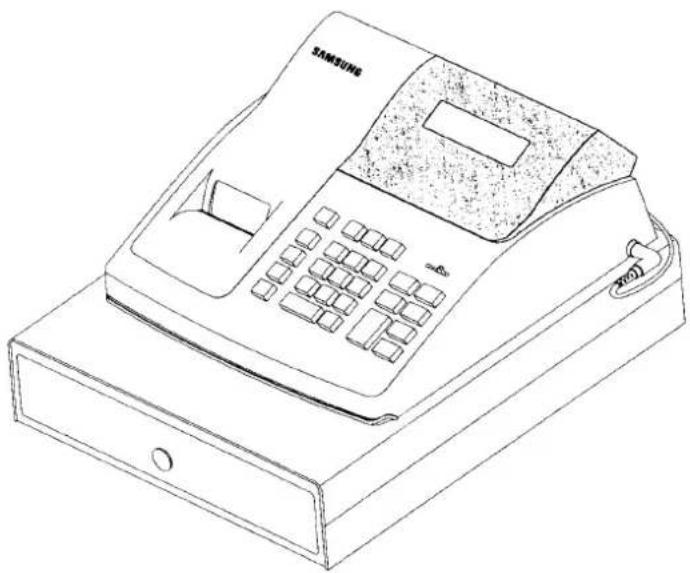
natural_image
Line drawing of a Samsung 10000 digital fax with keypad and base case (no text or symbols on device body)OPERATION MANUAL
All specifications are object to change without notice.
CE
SAFETY NOTICE
The socket-outlet shall be installed near the equipment and shall be easily accessible.
P/Z MODE SIGN ON CODE PROGRAMMING
The ER-150 has the added feature of an extra security function to limit access to certain phases of operation.
Through optional programming, you may require a four digit code before allowing access to the Z and Programming modes.
When the mode switch is changed to a protected mode, the buzzer sounds until the switch is returned to an unprotected mode. If no mode protection is required then you may disregard this section.
TO ESTABLISH OR CHANGE THE SECRET CODE
-
Switch the mode lock to the "X" position, press No Sale(#/NS), enter the four digit code,
-
press the RA key for Z mode protection.
- press the PO key for P mode protection.
ESTABLISHES CODE FOR Z MODE
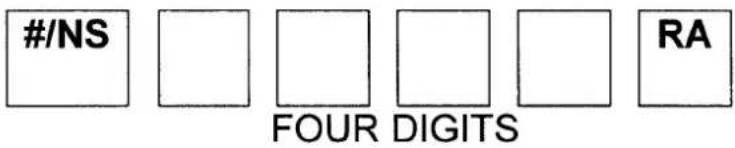
text_image
#/NS FOUR DIGITS RAESTABLISHES CODE FOR P MODE

text_image
#/NS FOUR DIGITS PONOTE : THE FOUR DIGIT CODE PROTECTION CAN BE DISABLED BY ENTERING BEFORE ZERO'S AS THE CODE NUMBER USING THE SAME SEQUENCE AS ABOVE.
- To enter the Z or P modes once protection is established, place the mode switch in the "X" position and press the (−) minus key, enter your four digit code and press the % discount key.
TABLE OF CONTENTS
INITIAL SET UP INSTRUCTIONS 1
UNPACK THE CASH REGISTER ....1
INSTALL AND REPLACE BATTERIES ....1
CLEAR RANDOM ACCESS MEMORY (RAM) AND
INITIALIZE CASH REGISTER 2
LOAD PAPER 2
HOW TO REPLACE THE INK ROLLER 3
FEATURES 4
MODE SWITCH 4
DISPLAY 4
KEYBOARD 5
KEY FUNCTIONS 5
PROGRAMMING 7
TAX, DECIMAL POINT INFORMATION 7
DEPARTMENT STATUS 7
TAX RATE......8
SETTING THE PERCENT (%) KEY 8
SETTING THE MACHINE NUMBER 8
RECEIPT PRINT / JOURNAL PRINT 9
ROUNDING OPTION 9
SYSTEM OPTIONS 10
OPTION 1 10
OPTION 2 10
SETTING THE DATE 11
REGISTER MODE OPERATIONS 11
NO SALE OPERATIONS 12
NON ADD NUMBER ENTRIES 12
DEPARTMENT OPERATION 13
MULTIPLE ITEM DEPARTMENT ENTRY ......13
SINGLE ITEM DEPARTMENT SALES 13
MINUS (−) KEY OPERATION 14
MULTIPLE MINUS OPERATION 14
MINUS SINGLE OPERATION 14
PERCENT DISCOUNT OPERATION 15
PERCENT DISCOUNT ON ITEM 15
PERCENT DISCOUNT ON ENTIRE SALE ......15
MERCHANDISE RETURN OPERATION 16
VOID OPERATION 16
LAST ITEM VOID / ERROR CORRECT ...... 16
PREVIOUS ITEM VOID 17
TENDERING OPERATION 17
CASH TENDER 17
AMOUNT TENDERED ON CASH 17
CHARGE TENDER 18
SPLIT TENDER 18
RECEIVED ON ACCOUNT (RA) OPERATION 18
PAID OUT (PO) OPERATION 18
MANAGEMENT REPORTS AND BALANCING 19
CASH IN DRAWER DECLARATION 19
FINANCIAL DAILY REPORT 20
P-T-D GRAND TOTAL REPORT 20
SYSTEM BALANCING 21
MAINTENANCE 21
SPECIFICATIONS 22
DIMENSIONS 22
DRAWER 22
MODE KEY 22
KEYBOARD 22
PRINTER 22
DISPLAY 22
POWER 22
INITIAL SET UP INSTRUCTIONS
The following instructions describe how to unpack and start up the cash register.
UNPACK THE CASH REGISTER
- Unpack and unwrap cash register.
- Locate in the packing the following items.
* 1 roll of paper
* 1 rewind spindle (for journal tape)
* 2 batteries
* 1 battery cover
INSTALL AND REPLACE BATTERIES
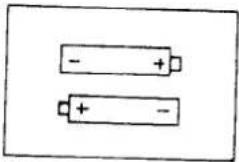
- Open printer cover and position batteries make sure that the positive and negative poles are aligned correctly.
- Stick a sheet of battery cover.
NOTE : This register comes with 2 "AAM" batteries for providing memory back-up in a power interruption. In order to assure continuous battery back-up protection, it is important that batteries be changed once a year.
natural_image
Two battery illustrations with polarity markings (no text or symbols)CLEAR RANDOM ACCESS MEMORY (RAM) AND INITIALIZE CASH REGISTER
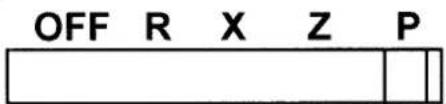
- Place mode switch in P position.
text_image
OFF R X Z P-
Connect the AC plug into a power outlet while pressing the "C" and "00" keys.
-
Then, RAM is cleared and cash register prints the symbol "......".
NOTE : This is a one time only procedure to be performed after the battery is installed. DO NOT CLEAR RAM ONCE THE CASH REGISTER IS PROGRAMMED. TO DO SO WOULD CAUSE ALL PROGRAMS AND TOTALS TO BE LOST.
LOAD PAPER
-
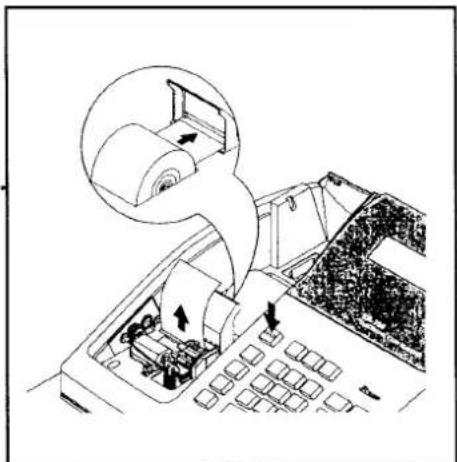
Cut or tear the end of a single paper tape evenly for proper feeding through the print head.
-
Place paper roll in the paper holder and insert the paper end straight into the paper inlet of the printer.
-
Depress the "FEED" key until the paper catches and advances through the printer.
natural_image
Diagram of a computer keyboard with an open key and a magnified inset showing the screen area (no text or symbols present)- If the paper does not feed through the printer, make sure the paper was entered properly, insert end of
paper tape.
FOR RECEIPT ONLY...
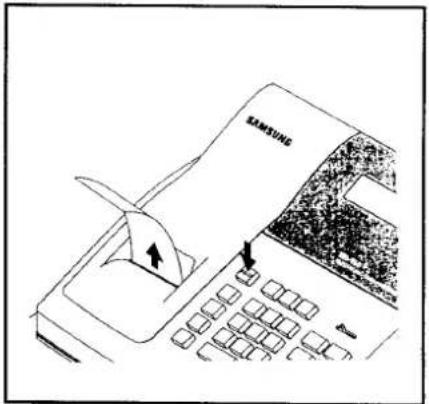
- Pass the paper through the receipt window of the printer cover. Replace over printer compartment.
FOR JOURNAL ONLY...
-
Route paper over top of paper guide insert in the slot of the take-up spool.
-
Press "FEED" key to wind paper securely onto spindle.
-
Replace printer cover.
text_image
SAMSUNG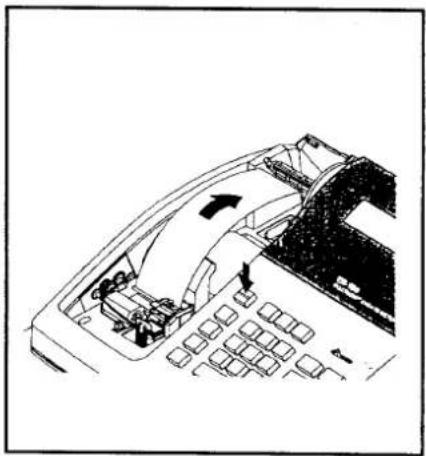
natural_image
Diagram of a car's internal structure showing engine, dashboard, and control panel (no text or labels)HOW TO REPLACE THE INK ROLLER
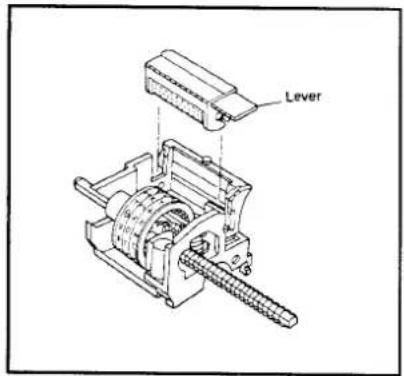
The ink roller is a one-time article. Re-inking roller can cause damage to the printer and void warranty. Do not re-ink. When the print becomes faint, replace the ink roller as follows.
-
Remove the old roller by lifting of it.
-
Fit the new ink roller completely.
text_image
LeverFEATURES
MODE SWITCH
OFF - Turns the cash register off. Any key can not be accessed.
R - To enter transaction.
X - To read financial report and C-I-D declaration.
Z - To read financial reports and reset totals to zero.
P - To program.
DISPLAY
The display features fluorescent digits providing the customer with information about operation of the cash register. During operations, the display will show the following symbols. All these symbols appear in position 1 of the display.
1234567.89
C : Indicates the amount displayed is due in change.
=: Indicates the amount displayed is the a total.
- : Indicates the amount displayed is a negative.
E : Indicates an error condition.
Press the "C" key to clear error condition.
S : Indicates the amount displayed is a subtotal.
KEYBOARD
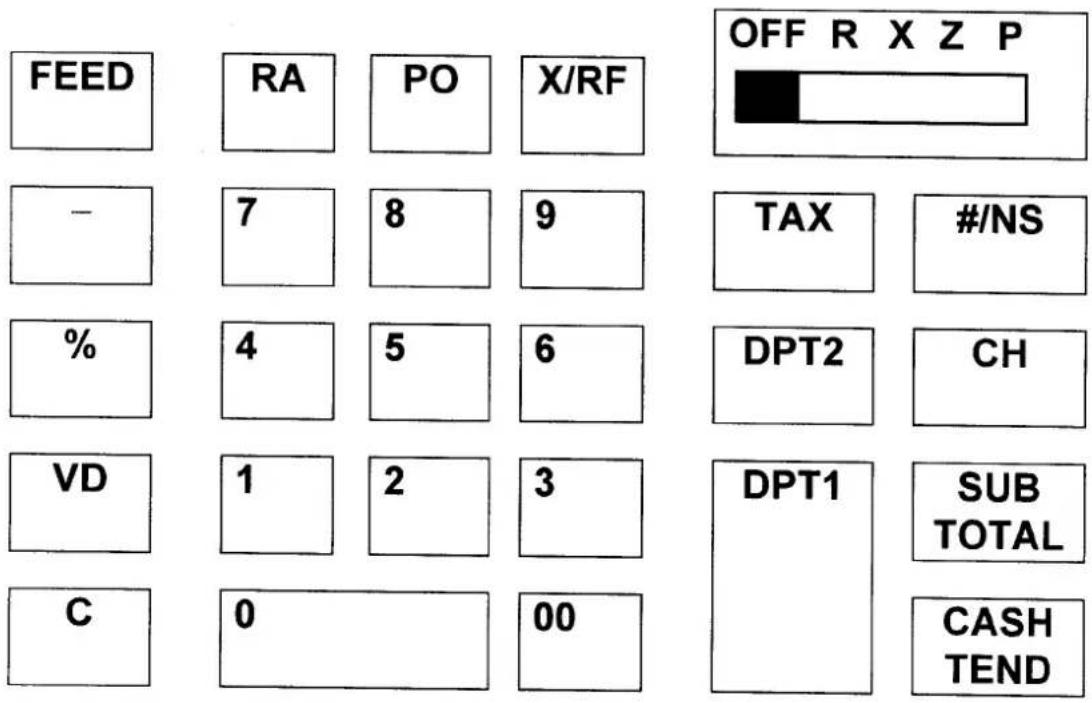
other
| Metric | Value | |---|---| | FEED | | | RA | | | PO | | | X/RF | | | - | 7 | | 8 | | | 9 | | | TAX | | | #/NS | | | % | 4 | | 5 | | | 6 | | | DPT2 | | | CH | | | VD | 1 | | 2 | | | 3 | | | DPT1 | | | SUB TOTAL | | | CASH TEND | 00 |KEY FUNCTIONS
FEED Used to advance printer paper.
0 - 9, 00 Used to enter the number.
DPT1 These keys classify the items sold and
DPT2 memorize the quantities and amounts in their own memories.
X/RF Used for multiplication entry. (X)
To allow for the return of merchandise by department. (RF)
PO To register any money paid out.
RA To register any money received on account.
- To register an amount minus or coupon.
% To register a percent discount (-%) or surcharge (+%) on an item or on a sale.
VD To correct entries before a sale is finalized.
C To clear incorrect entries made on the numeric keys. Also to clear error conditions and silence the error tone.
TAX To program the tax rate in P mode. Also to enter the rate of tax in external straight tax method in R mode.
/NS To print the reference number or to open the cash drawer outside of a sale.
CH To finalize the transaction in charge sales.
SUB TOTAL To obtain the subtotal of a sale.
CASH To finalize cash sale and change calculation. TEND
PROGRAMMING
Read this entire section carefully to program the machine to the most preferable set-up according to your store system.
* MODE SWITCH POSITION : P *
TAX, DECIMAL POINT INFORMATION
| N1 | N2 | X/RF |
| VALUE | |
| N1 | 0 = 2 decimal1 = non decimal2 = 1 decimal3 = 3 decimal |
| N2 | 0 = VAT1 = add-on tax2 = external straight tax |
DEPARTMENT STATUS
| N1 | DPT1 | or | DPT2 |
| N1 | In case VAT, add-on tax | In case external straight tax |
| 0 | Non single, non tax | Non single |
| 1 | Non single, tax1 | Single |
| 2 | Non single, tax2 | |
| 3 | Single, non tax | |
| 4 | Single, tax1 | |
| 5 | Single, tax2 |
TAX RATE
| N1 | N2 | N3 | N4 | N5 | N6 | TAX |
| VALUE | COMMENTS | |
| N1-N5 | 0.000 - 99.999 | Tax rate |
| N6 | 0 | External straight tax |
| 1 | Tax1 (VAT or add-on) | |
| 2 | Tax2 (VAT or add-on) |
SETTING THE PERCENT(%) KEY
| N1 | N2 | N3 | N4 | N5 | N6 | % |
| VALUE | COMMENTS | |
| N1-N5 | 0.000 - 99.999 | Percent rate |
| N6 | 0 | -% |
| 1 | +% |
SETTING THE MACHINE NUMBER
| N1 | N2 | #/NS |
2 DIGITS
RECEIPT PRINT / JOURNAL PRINT
| N1 | N2 | SUB TOTAL |
| VALUE | COMMENTS | |
| N1 | 0 | Taxable, tax amount print |
| 1 | Taxable, tax amount not print | |
| N2 | 0 | Receipt on |
| 1 | Receipt off |
ROUNDING OPTION
| N1 | - |
| N1 | COMMENTS |
| 0 | Not European, round up / down |
| 1 | Not European, round up |
| 2 | Not European, round down |
| 3 | European, round up / down |
| 4 | European, round up |
| 5 | European, round down |
SYSTEM OPTIONS
OPTION 1
| N1 | N2 | N3 | N4 | N5 | RA |
| NO | OPTION | VALUE = 0 | VALUE = 1 |
| N1 | CASH DECLARATION | NOT COMPULSORY | COMPULSORY |
| N2 | ZERO SKIP IN REPORT | NOT SKIP | SKIP |
| N3 | Z REPORT REPEAT | NOT REPEAT | REPEAT |
| N4 | RF / VD / GROSS TOTAL PRINT IN REPORT | NOT PRINT | |
| N5 | SUBTOTAL PRINT | NOT PRINT |
OPTION 2
| N1 | N2 | N3 | N4 | N5 | PO |
| NO | OPTION | VALUE = 0 | VALUE = 1 |
| N1 | GRAND TOTAL TO PRINT | NOT PRINT | |
| N2 | GRAND TOTAL RESET AFTER Z REPORT | NOT RESET | RESET |
| N3 | Z COUNTER RESET AFTER Z REPORT | NOT RESET | RESET |
| N4 | CONSECUTIVE NUMBER AFTER Z REPORT | NOT RESET | RESET |
| N5 | DATE PRINT | NOT PRINT |
SETTING THE DATE
- SET MODE SWITCH TO THE "X" POSITION.
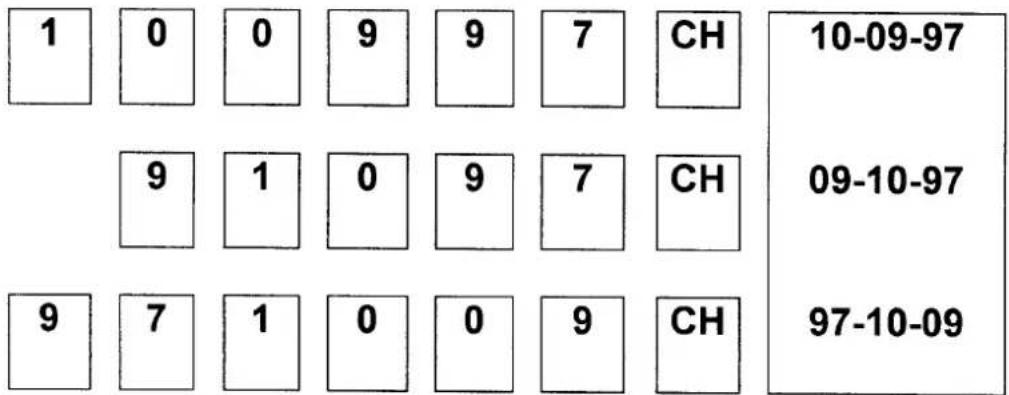
The date must be programmed daily and will be printed on all transaction receipts and on the totalizer printouts. To program the date, press the appropriate number keys, then press the "CH" key. Any single digit must be preceded by a zero.

text_image
M M D D Y Y CHEx) TO DATE TO BE PROGRAMMED IS OCTOBER 9, 1997
text_image
1 0 0 9 9 7 CH 10-09-97 9 1 0 9 7 CH 09-10-97 9 7 1 0 0 9 CH 97-10-09REGISTER MODE OPERATION EXAMPLES
• MODE SWITCH SET TO "R" POSITION
This section provides examples of practice in the register mode. When an error occurs, the symbol "E" will appear on the display accompanied by an error tone. Clear this error condition by pressing the "C" key. The Error prompt may indicate an incorrect key has been entered, or a compulsory function has been performed.
SAMPLE RECEIPT
| VAT version | Add - on tax version |
| 10-09-97 | 10-09-97 |
| 1.00TX1 | 1.00TX1 |
| 2.00NT2 | 2.00NT2 |
| 3.00CA | 1.00TX |
| 1.00TX | 0.05TX |
| 0.04TX | 2.00NT |
| 2.00NT | 0.12NT |
| 0.11NT | 3.00CA |
| 001-77 | 001-77 |
- Following example are based on VAT version.
NO SALE OPERATION
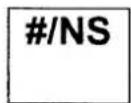
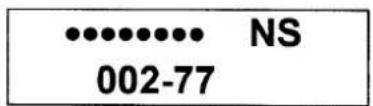
A no sales operation opens the cash drawer outside of a sale. The financial report records the no sale activity counter.
text_image
NS 002-77NON ADD NUMBER ENTRIES
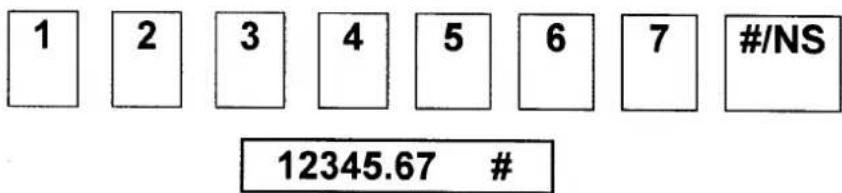
The "#/NS" key can be used to enter up 7 digits. The entry can be made prior to any operation in the register mode. This numeric entry will not add to any activity counts or totals.
text_image
1 2 3 4 5 6 7 #/NS 12345.67 #DEPARTMENT OPERATION
MULTIPLE ITEM DEPARTMENT ENTRY
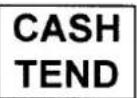
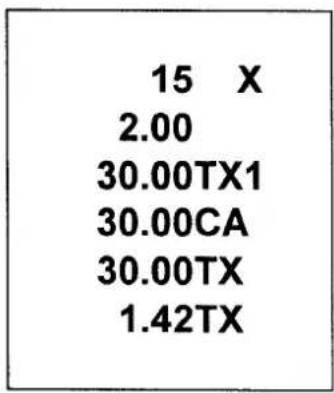
text_image
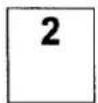
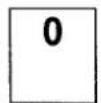
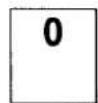
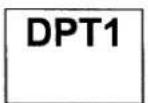
15 X 2.00 30.00TX1 30.00CA 30.00TX 1.42TXSINGLE ITEM DEPARTMENT SALES
NOTE : Even if a department is programmed as single item, the department is not processed as a single sale in case of another department had entered already.
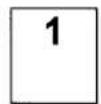
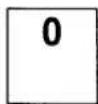
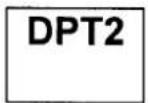
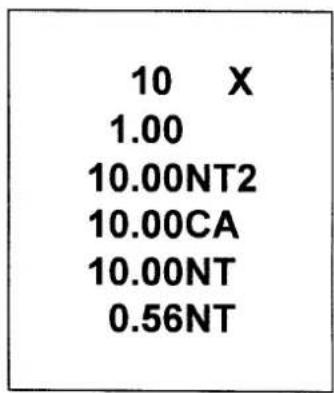
text_image
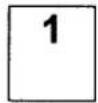
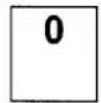
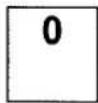
10 X 1.00 10.00NT2 10.00CA 10.00NT 0.56NTMINUS (−) KEY OPERATION
MULTIPLE MINUS OPERATION
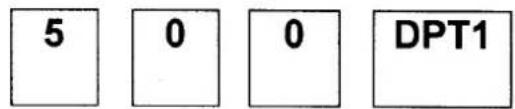
text_image
5 0 0 DPT1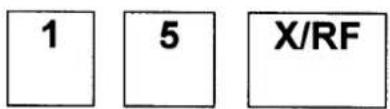
text_image
1 5 X/RF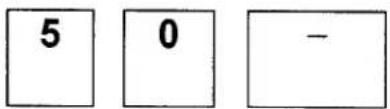
text_image
5 0 -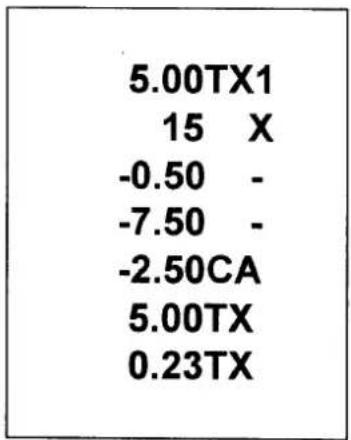
text_image
5.00TX1 15 X -0.50 - -7.50 - -2.50CA 5.00TX 0.23TX
MINUS SINGLE OPERATION
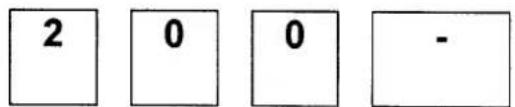
text_image
2 0 0 -

text_image
-2.00 - -2.00CAPERCENT OPERATION (%)
PERCENT DISCOUNT ON ITEM
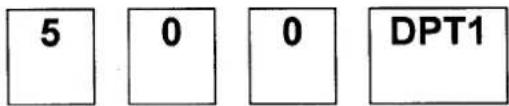
text_image
5 0 0 DPT1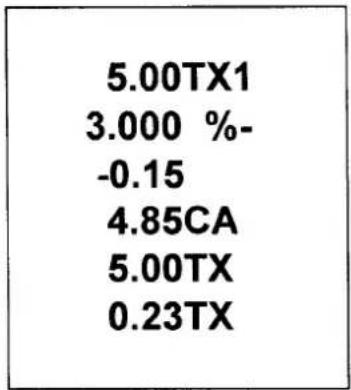
text_image
5.00TX1 3.000 %-0.15 4.85CA 5.00TX 0.23TX
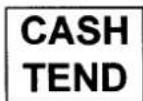
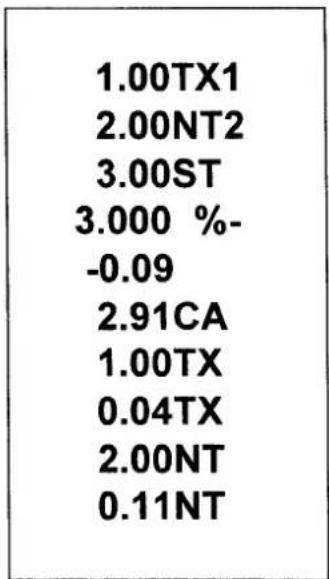
PERCENT DISCOUNT ON ENTIRE SALE

text_image
1 0 0 DPT1
text_image
2 0 0 DPT2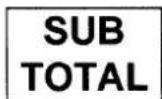
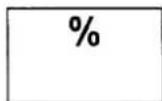
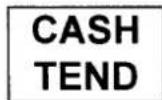
text_image
1.00TX1 2.00NT2 3.00ST 3.000 %-0.09 2.91CA 1.00TX 0.04TX 2.00NT 0.11NTMERCHANDISE RETURN OPERATION
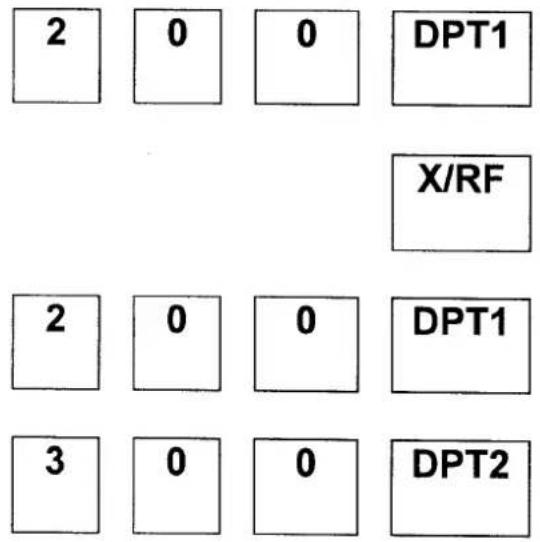
text_image
2 0 0 DPT1 X/RF 2 0 0 DPT1 3 0 0 DPT2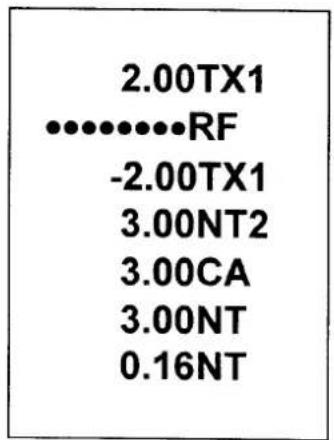
text_image
2.00TX1 ............RF -2.00TX1 3.00NT2 3.00CA 3.00NT 0.16NT
VOIDING ENTRIES (VD)
LAST ITEM VOID / ERROR CORRECT
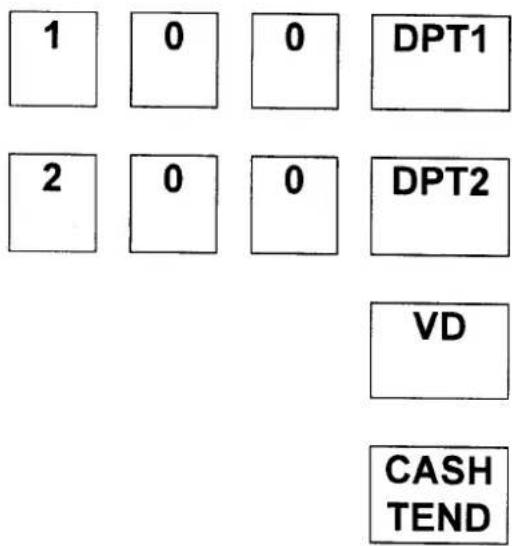
text_image
1 0 0 DPT1 2 0 0 DPT2 VD CASH TEND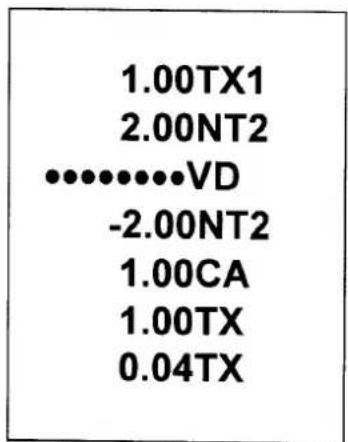
text_image
1.00TX1 2.00NT2 .......... VD -2.00NT2 1.00CA 1.00TX 0.04TXPREVIOUS ITEM VOID

text_image
1 0 0 DPT1 2 0 0 DPT2 1 0 0 VD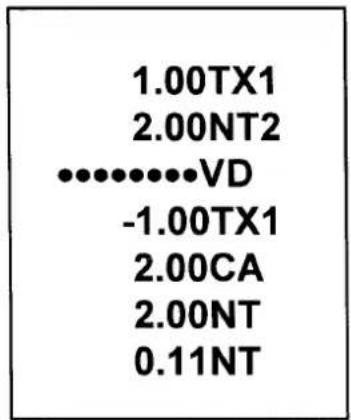
text_image
1.00TX1 2.00NT2 .......... VD -1.00TX1 2.00CA 2.00NT 0.11NT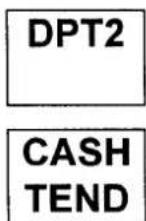
TENDERING OPERATION
CASH TENDER

text_image
1 0 0 DPT1 CASH TEND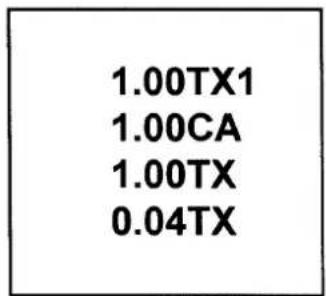
text_image
1.00TX1 1.00CA 1.00TX 0.04TXAMOUNT TENDERED ON CASH
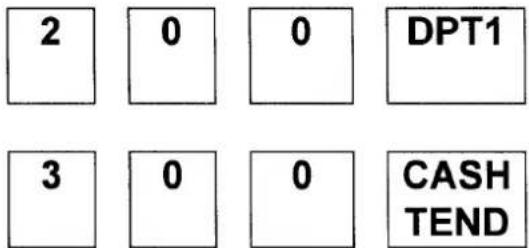
text_image
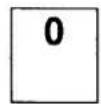
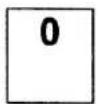
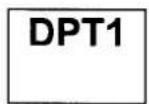
2 0 0 DPT1 3 0 0 CASH TEND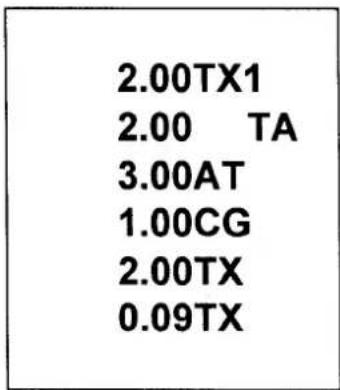
text_image
2.00TX1 2.00 TA 3.00AT 1.00CG 2.00TX 0.09TXCHARGE TENDER
- Amount tender operation is impossible on the charge tender.
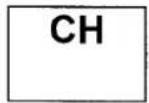
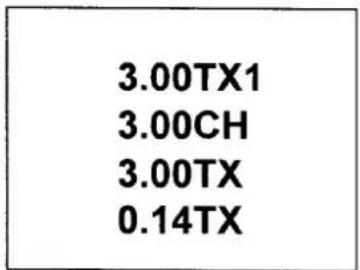
text_image
3.00TX1 3.00CH 3.00TX 0.14TXSPLIT TENDER
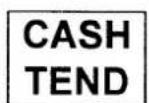
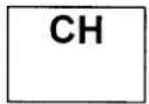
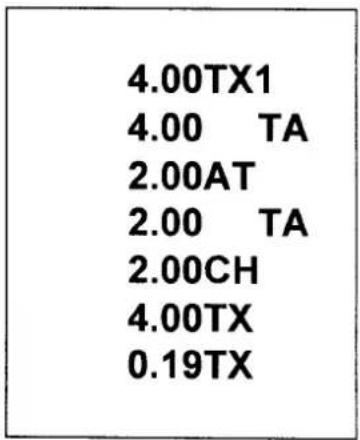
The cash drawer should not open during split tender.
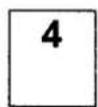
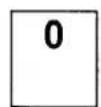
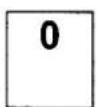
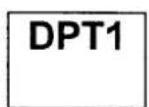
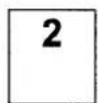
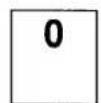
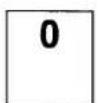
text_image
4.00TX1 4.00 TA 2.00AT 2.00 TA 2.00CH 4.00TX 0.19TXRECEIVED ON ACCOUNT (RA) OPERATION
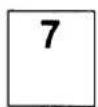
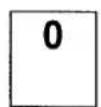
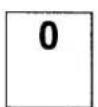
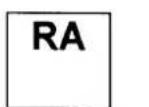
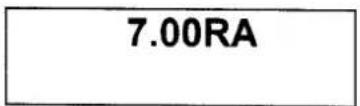
text_image
7.00RAPAID OUT (PO) OPERATION
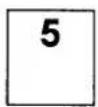

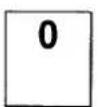
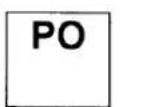
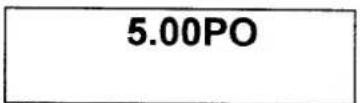
MANAGEMENT REPORTS AND BALANCING
| MODE | REPORT | KEY | COMMENTS |
| X | CASH IN DRAWER DECLARATION | AMOUNT - SUBTOTAL | AMOUNT = NUMERIC |
| X | FINANCIAL DAILY REPORT | CASH TEND | READ |
| Z | READ & RESET | ||
| X | P-T-D GRAND TOTAL | CH | READ |
| Z | READ & RESET |
CASH IN DRAWER DECLARATION
In the system option 1 programming, cash-in-drawer declaration can be programmed compulsory. Cash-in-drawer declaration is performed by adding the total of each type of media in the drawer, and pressing the "SUBTOTAL" key. Depression of the "SUBTOTAL"
key with numeric will enter the information that the cash-in-drawer declaration performed, and reports in X position and Z position will be allowed.
In this case, the difference of input amount and cash in drawer is displayed.
After this declaration, you can not take any registering operation, if not reporting in X mode or Z mode.
| 10-09-97 |
| 70.00CA |
| 70.26AT |
| -0.26 |
| 021-77 |
TOTAL ENTERED BY KEY-INPUT TOTAL IN CASH DRAWER DIFFERENCE
FINANCIAL DAILY REPORT
| 10-09-97 | DATE |
| 001 Z | Z COUNTER, MODE SWITCH POSITION |
| 024 @ | DEPARTMENT1 COUNTER |
| 53.00TX1 | DEPARTMENT1 TOTAL |
| 025 @ | DEPARTMENT2 COUNTER |
| 30.00 2 | DEPARTMENT2 TOTAL |
| 53.00TX | TAXABLE1 TOTAL |
| 2.47TX | TAX1 TOTAL |
| 30.00NT | TAXABLE2 TOTAL |
| 1.66NT | TAX2 TOTAL |
| -0.24 %- | PERCENT TOTAL |
| -9.50 - | (-) TOTAL |
| 73.26 * 1 | NET SALES TOTAL |
| -2.00RF | RETURN MERCHANDISE TOTAL |
| -3.00VD | VOID TOTAL |
| 85.00 * 2 | GROSS SALES TOTAL |
| 016 # | CUSTOMER COUNTER |
| 68.26CA | CASH TOTAL |
| 5.00CH | CHARGE TOTAL |
| 7.00RA | RECEIVED ON ACCOUNT |
| 5.00PO | PAID OUT |
| 70.26AT | CASH IN DRAWER |
| 001 NS | NO SALE COUNTER |
| ·········· | |
| 85.00 * 3 | GRAND TOTAL |
| 064-01 | RECEIPT NUMBER, MACHINE NUMBER |
P-T-D GRAND TOTAL REPORT
| 001 *Z85.00 *4 | P-T-D GRAND TOTAL |
SYSTEM BALANCING
NET SALES TOTAL
= DEPARTMENT TOTALS
(add positive, subtract negative)
+ TAX TOTAL (add-on,
external straight tax version
only)
+ % TOTAL
+ (-) TOTAL
GROSS SALES TOTAL
= NET SALES TOTAL
- MERCHANDISE RETURN
-(-) TOTAL
- % TOTAL
ENDING GRAND TOTAL
= GROSS SALES TOTAL
+ PREVIOUS GRAND
TOTAL
MAINTENANCE
- Avoid excess dust and extreme temperatures.
- Be certain that AC cord is inserted firmly in the outlet, and that cord poses no danger of accidental tripping.
- Use no chemicals or abrasives while cleaning cabinet or keyboard.
- Do not pull or hold paper while the register is printing.
SPECIFICATION
| DIMENSIONS | |
| REG. SIZE | 325 mmW × 420 mmL × 225 mmH |
| NET WEIGHT | 5.0 kg |
| DRAWER | |
| SIZE | 325 mmW × 420 mmL × 95 mmH |
| WEIGHT | 3.3 kg |
| MODE KEY | |
| LOCK SWITCH | SLIDE SWITCH |
| POSITIONS | 5 (OFF, R, X, Z, P) |
| RECEIPT ON / OFF | NONE (BY PROGRAM) |
| KEYBOARD | |
| TYPE | RUBBER CONTACT TYPE |
| NUMBER OF KEYS | 26 |
| KEYSTROKE BUFFER | 8 |
| PRINTER | |
| MODEL # | M-42V |
| STATIONS | 1 |
| PAPER | SINGLE PLY(57.5 mm OR 40 mm) |
| COPY | NONE |
| PRINT SPEED | 2.2 LINE / SECOND |
| DISPLAY | |
| CAPACITY | 9 DIGITS |
| SYMBOLS | 5 (E, C, -, =, S) |
| POWER | |
| INPUT | AC LOCAL VOLTAGE ±10%, 50 / 60 Hz |
| CONSUMPTION | STANDBY : 2W, MAX : 8W |
| MEMORY BACK-UP | 1 YEAR |
| BATTERY | AAM 1.5 Volt × 2, EQUIVALENT |