Divider 370 TG ARGB - 电脑机箱 THERMALTAKE - 免费用户手册
免费查找设备手册 Divider 370 TG ARGB THERMALTAKE PDF格式.


| 产品类型 | 中塔式机箱 |
| 品牌 | Thermaltake |
| 型号 | Divider 370 TG ARGB |
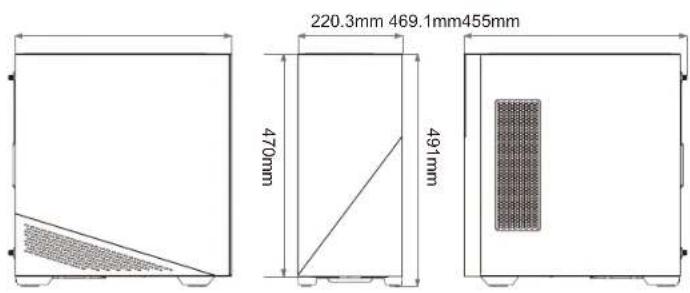
| 尺寸(高×宽×深) | 491 × 220.3 × 469.1 毫米 |
| 侧板 | 钢化玻璃 x 1 |
| 材质 | SPCC 钢板 |
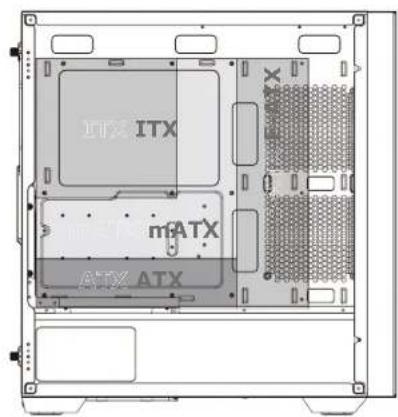
| 主板支持 | Mini ITX / Micro ATX / ATX / E-ATX(最宽 330.2mm) |
| 扩展槽 | 7 个 |
| 驱动器位 | 2 个 3.5" + 2 个 2.5" 或 4 个 2.5" |
| I/O 端口 | USB 3.0 x 2,HD Audio x 1 |
| 电源支持 | 标准 PS2 电源(选配) |
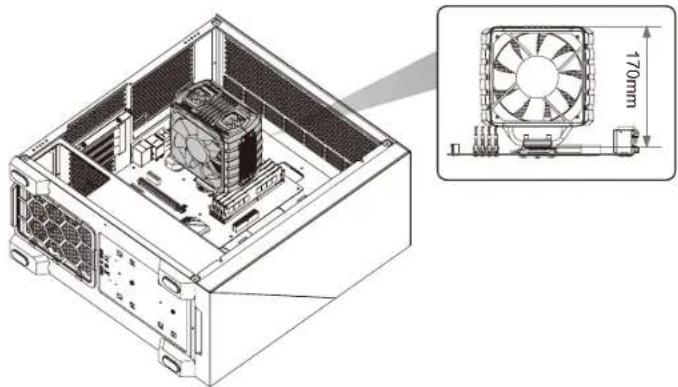
| CPU 散热器限高 | 170 毫米 |
| 显卡限长 | 340 毫米(带水冷)/ 400 毫米(无水冷) |
| 电源限长 | 230 毫米(带硬盘架) |
| 风扇支持(前) | 3 x 120mm / 2 x 140mm |
| 风扇支持(顶部) | 3 x 120mm / 2 x 140mm |
| 风扇支持(右侧主板侧) | 2 x 120mm |
| 风扇支持(后) | 1 x 120mm |
| 水冷排支持(前) | 360mm / 280mm / 240mm / 140mm / 120mm |
| 水冷排支持(顶部) | 360mm / 280mm / 240mm / 140mm / 120mm |
| 水冷排支持(右侧) | 240mm / 120mm |
| 水冷排支持(后) | 120mm |
| ARGB 灯效 | 支持 27 种模式,可通过主板或按钮控制 |
| 附件 | 螺丝、铜柱、蜂鸣器、束线带等 |
| 清洁维护 | 可拆卸防尘网(前、顶、右、左) |
常见问题 - Divider 370 TG ARGB THERMALTAKE
用户关于以下问题的提问 Divider 370 TG ARGB THERMALTAKE
0 问题 关于此设备。回答您知道的问题或提出自己的问题。
提出关于此设备的新问题
下载您的设备说明 电脑机箱 免费PDF格式!查找您的手册 Divider 370 TG ARGB - THERMALTAKE 并重新掌握您的电子设备。本页发布了使用您的设备所需的所有文档。 Divider 370 TG ARGB 品牌 THERMALTAKE.
用户手册 Divider 370 TG ARGB THERMALTAKE

thermaltake
© 2022 Thermaltake Technology Co., Ltd. All Rights Reserved. 2022.05
All other registered trademarks belong to their respective companies. www.thermaltake.com
FCC Tested To Comly WITH FCC Standards FOR HOME OR OFFICE US


thermaltake
natural_image
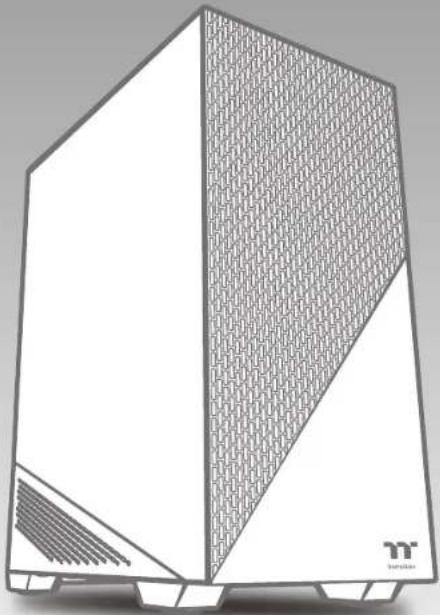
3D architectural rendering of a modern modular device with a mesh-patterned front panel and slatted base (no text or symbols)Divider 370 TG ARGB
User's Manual
Benutzerhandbuch
Mode d'emploi
Manual del usuario
Manuale dell'utente
Manual do Utilizador
安裝說明書
用戶手冊ユーザーズマニュアル
Руководство пользователя
kullanıcı elkitabı
(EEE Yönetmeliğine Uygundur)
คุมอาการไซ
TT Premium

TT Premium
To continue achieving the corporate mission of delivering the perfect user experience, Thermaltake developed "TT Premium" with the essence of combining supreme quality products with a new logo design. TT Premium is far more than just a guarantee of quality. Behind the name, it represents the passion in DIY, Modding and Thermaltake's desire to be the most innovative brand in the PC hardware market. To satisfy the demand of the high-end PC users, TT Premium follows its core values of Excellent Quality, Unique Design, Diverse Combinations and Boundless Creativity to provide a high performance PC product for every enthusiast. http://htpremium.com
Tt LCS-Liquid Cooling Support Certification

Tt LCS Certified is a Thermaltake exclusive certification applied to only products that pass the design and hardcore enthusiasts standards that a true LCS chassis should be held to. The Tt LCS certification was created so that we at Thermaltake can designate to all power users which chassis have been tested to be best compatible with extreme liquid cooling configurations to ensure you get the best performance from the best features and fitment.
Join Tt Community To Receive Benefits

Dear Valued Customer,
Thank you for choosing Thermaltake. As a new user we value your thoughts and opinions and your feedback is important to us. We at Thermaltake would like to use this opportunity to invite you to join our Community Forums. Register today to start enjoying the full benefits of our community.

Benefits of being a member:
- Quick and responsive user support
● Receive help and advice with new builds - Keep up to date with new product releases
- Share your thoughts and builds with the community
- Enter monthly contests and giveaways
Brand official website
http://www.thermaltake.com/
Global Facebook
https://www.facebook.com/Thermaltakelnc
Taiwan Facebook
http://www.facebook.com/ThermaltakeTW
Global community forums
http://community.thermaltake.com
CONTENTS
Chapter 1. Product Introduction
1.0 Specification 01
1.1 Accessory 02
1.2 Warning and Notice 03
Chapter 2. Installation Guide
2.0 Remove Components 06
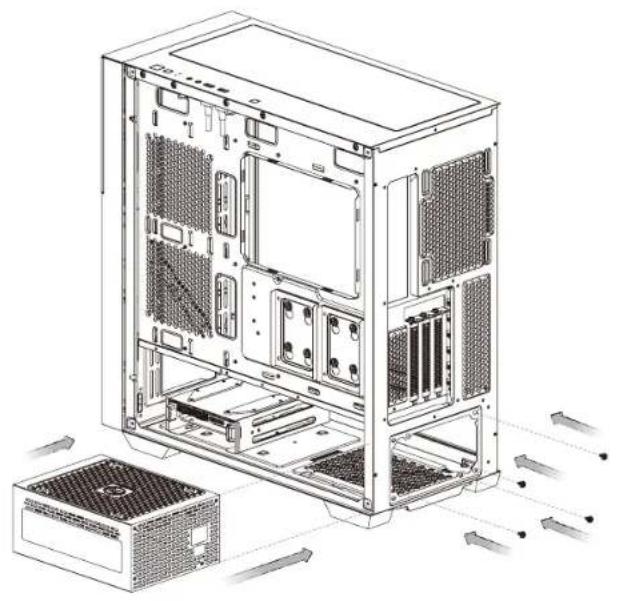
2.1 Power Supply Unit (PSU) Installation 07
2.2 Motherboard Installation 08
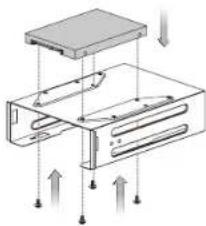
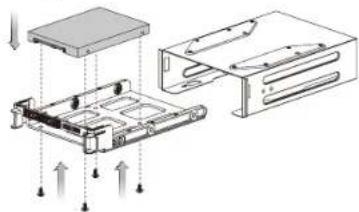
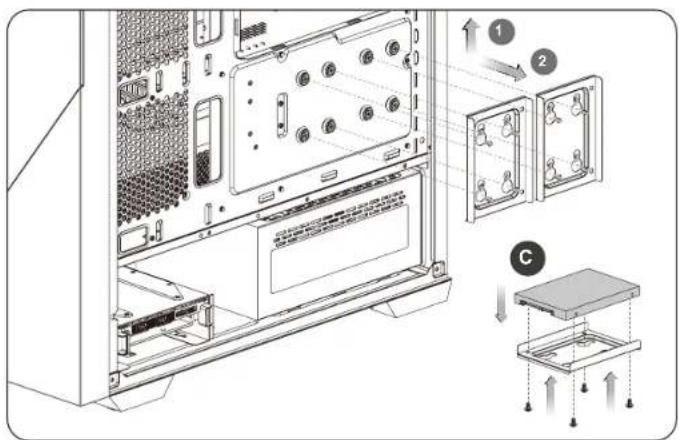
2.3 3.5" & 2.5" HDD Installation 09
2.4 PCI Card Installation 11
2.5 Air Cooling Installation 13
2.6 AIO Liquid Cooling Installation 14
2.7 I/O Connection 15
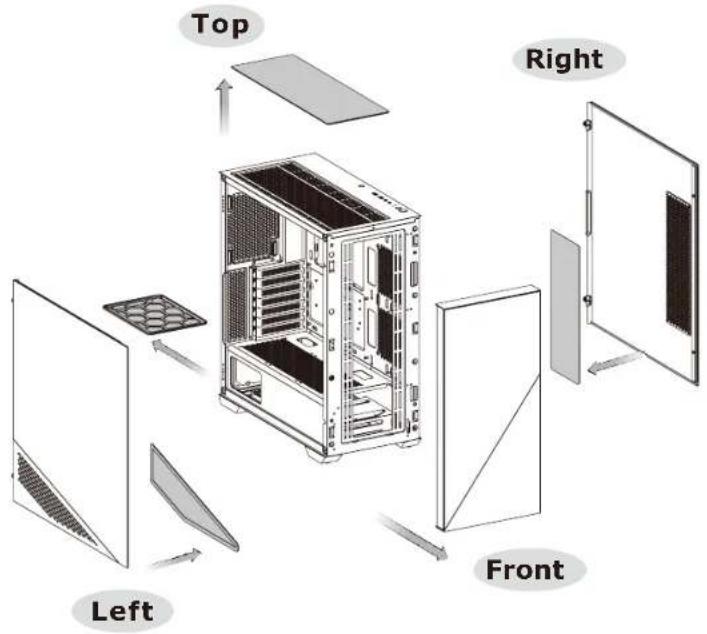
2.8 Remove Filters 16
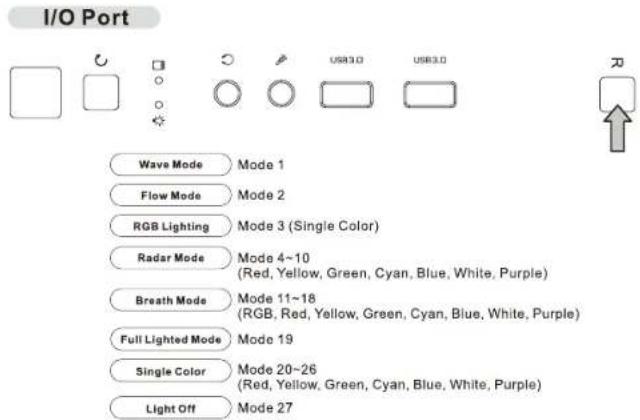
2.9 ARGB Control Instruction 17
3.0 PWM ARGB Control Board Connection 18
Divider 370 TG ARGB Division 370nTG ARGB
Accessory
| Case Type | Mid Tower | ||
| Dimension (H*W*D) | 491 x 220.3 x 469.1 mm (19.3 x 8.7 x 18.5 inch) | ||
| Side Panel | Tempered Glass x 1 | ||
| Material | SPCC | ||
| Cooling System | Front (intake):120 x 120 x 25 mm ARGB PWM fan (1500 rpm, 27.2 dBA) x 2Rear (exhaust):120 x 120 x 25 mm ARGB PWM fan (1500 rpm, 27.2 dBA) x 1 | ||
| Drive Bays | 2 x 3.5", 2 x 2.5" or 4 x 2.5" | ||
| Expansion Slots | 7 | ||
| Motherboards | 6.7" x 6.7" (Mini ITX), 9.6" x 9.6" (Micro ATX), 12" x 9.6 (ATX), 12" x 13" (E-ATX) | ||
| I/O Port | USB 3.0 x 2, HD Audio x 1 | ||
| PSU | Standard PS2 PSU (optional) | ||
| Fan Support | Front | 3 x 120 mm, 2 x 120 mm, 1 x 120 mm | 3 x 140 mm, 2 x 140 mm, 1 x 140 mm |
| Top | 3 x 120 mm, 2 x 120 mm, 1 x 120 mm | 2 x 140 mm, 1 x 140 mm | |
| Right (M/B Side) | 2 x 120 mm, 1 x 120 mm | ||
| Rear | 1 x 120 mm | ||
| Radiator Support | Front | 1 x 360 mm, 1 x 240 mm, 1 x 120 mm | 1 x 280 mm, 1 x 140 mm |
| Top | 1 x 360 mm, 1 x 240 mm, 1 x 120 mm | 1 x 280 mm, 1 x 140 mm | |
| Right (M/B Side) | 1 x 240 mm, 1 x 120 mm | ||
| Rear | 1 x 120 mm | ||
| Clearances | CPU cooler height limitation | 170 mm | |
| VGA length limitation | 340 mm (With radiator)400 mm (Without radiator) | ||
| PSU length limitation | 230 mm (With HDD Cage) | ||
| Figure Use For | Part Name | Q'ty | |
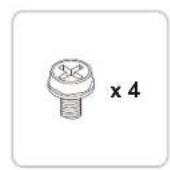
| Screw #6-32 x 6 mm | 11 | Power Supply / VGA Card | |
| Net settler | 1 | Motherboard Stand-off installation | |
| Stand-off #6-32 x 6.5 mm | 3 | Motherboard | |
| Screw M3 x 5 mm | 30 | Motherboard / 2.5" HDD / SSD / VGA riser Cable | |
| Stand #6-32 x 5 mm | 12 | 3.5" HDD | |
| Stand #6-32 x 10 mm | 2 | 3.5" HDD Cage | |
| Stand #6-32 x 26 mm | 13 | Front Fan / Power Cover Fan | |
| Buzzer | 1 | Motherboard Alarm | |
| PCI Leaf PCI Plate | 5 | ||
| Cable Ties | 10 | Cable Management |
For ARGB Version Only
| Figure | Parts Name | Q'ty | Used for |
| MB Signal Bridge Cable(ASUS/MSI/ASROCK/GIGABYTE) | 1 | LED Signal Sync |
Divider 370 TG ARGB Dividing AND CARGB
Chassis dimension
text_image
220.3mm 469.1mm455mm 470mm 491mmMotherboard Compatibility: ITX / mATX / ATX / E-ATX (Up to 330.2mm wide)
text_image
ITX ITX mATX ATX ATXCPU cooler max height: 170mm
natural_image
Technical line drawing of a computer tower case with an inset showing the exterior view of a fan assembly (no text or symbols present)VGA length max length: 400mm
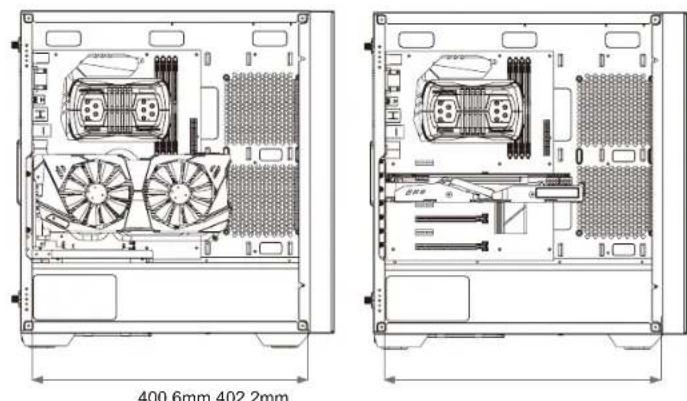
text_image
400.6mm 402.2mmDivider 370 TG ARGB Divider 370 TG ARGB
Remove Components
PSU max length: 230mm
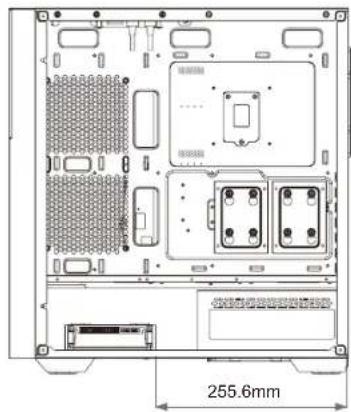
text_image
255.6mm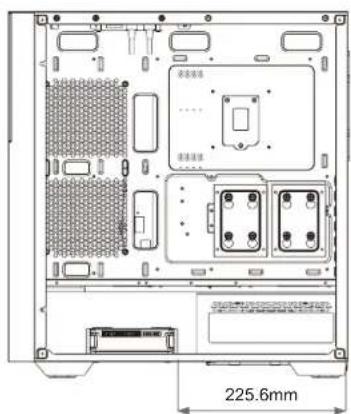
text_image
225.6mm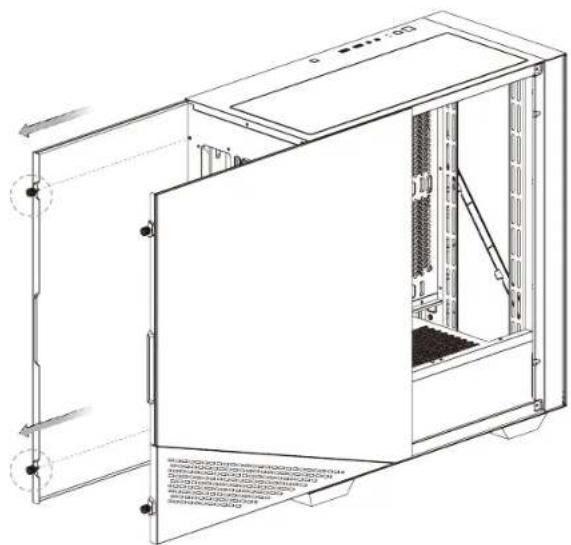
natural_image
Technical line drawing of a server rack unit with open door and internal panel (no text or symbols)Divider 370 TG ARGB Divider Supply GUAR Installation Motherboard Installation
natural_image
Technical line drawing of a computer tower internal structure showing drive bays and ventilation slots (no text or labels)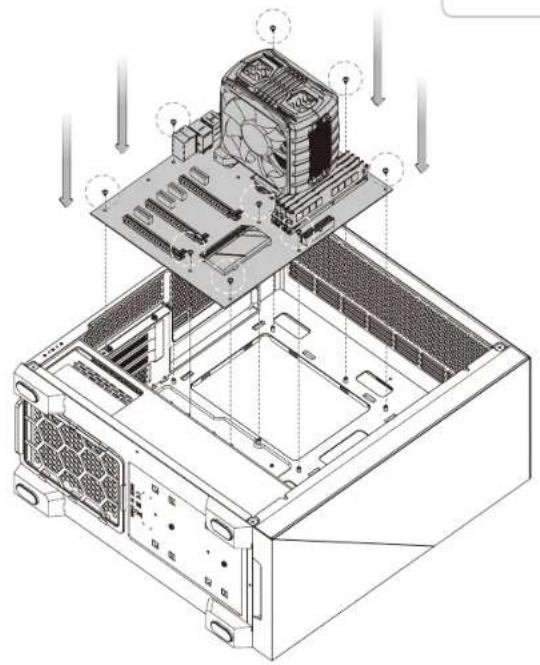
natural_image
Isometric technical diagram of a computer tower with visible CPU socket and drive bays (no text or labels)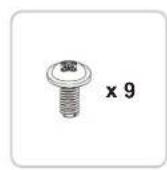
Divider 370 TG ARGB
DIVIDED0705GARGB
natural_image
Technical line drawing of a server rack with internal components and ventilation ducts (no text or symbols)
natural_image
Technical diagram of a server rack with ventilation ducts and drive bays (no text or labels)
text_image
A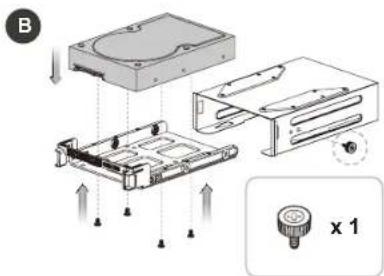
text_image
B x 12.5" HDD Installation
A
natural_image
Pure technical diagram of a mechanical assembly with arrows indicating force or movement (no text or symbols)B
natural_image
Technical diagram of a computer chassis with internal components and directional arrows indicating assembly (no text or symbols)
x 4
text_image
Technical diagram of a computer tower internal structure with labeled components and assembly stepsDivider 370 TG ARGB DIVIDERS ZUSTGARIGB
Type A Type B
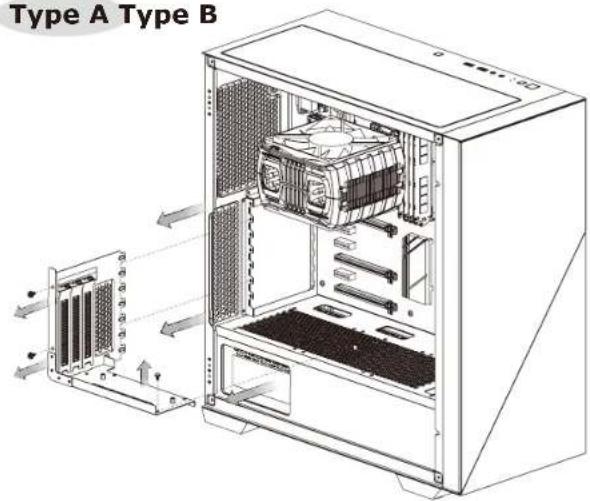
text_image
Type A Type B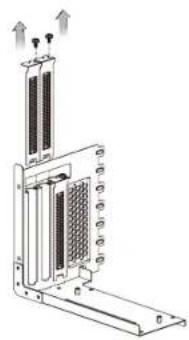
natural_image
Technical line drawing of a server rack with heat exchangers and ventilation slots (no text or symbols)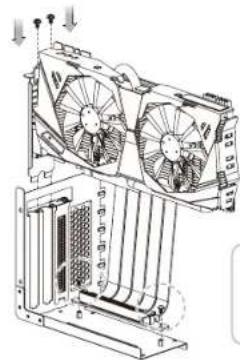
natural_image
Technical line drawing of a dual fan cooling system with cooling fins and cooling tower (no text or labels)
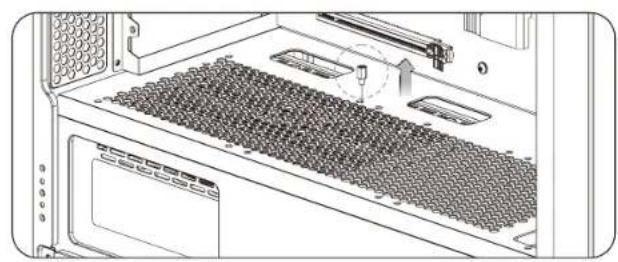
natural_image
Diagram of a computer tower rack with slots and ventilation slots, showing internal components and a directional arrow (no text or symbols)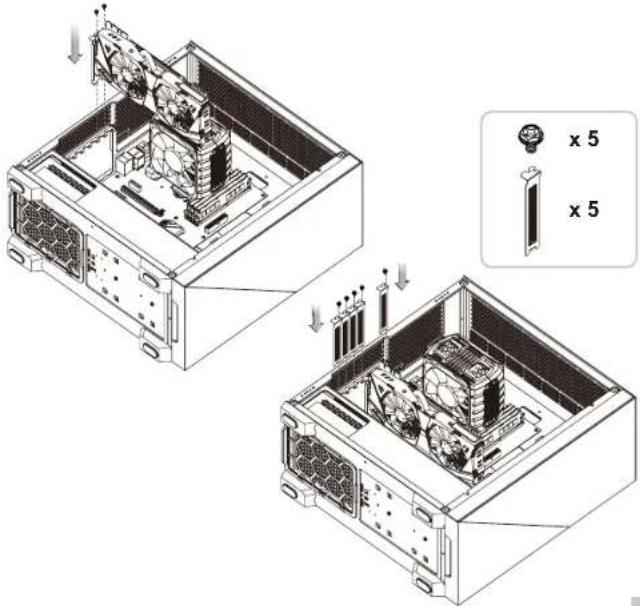
text_image
Technical diagram showing internal components of a computer tower with labeled x5 dimensions and assembly stepsDivider 370 TG ARGB Divider16701ngtARGBon
AIO Liquid Cooling Installation
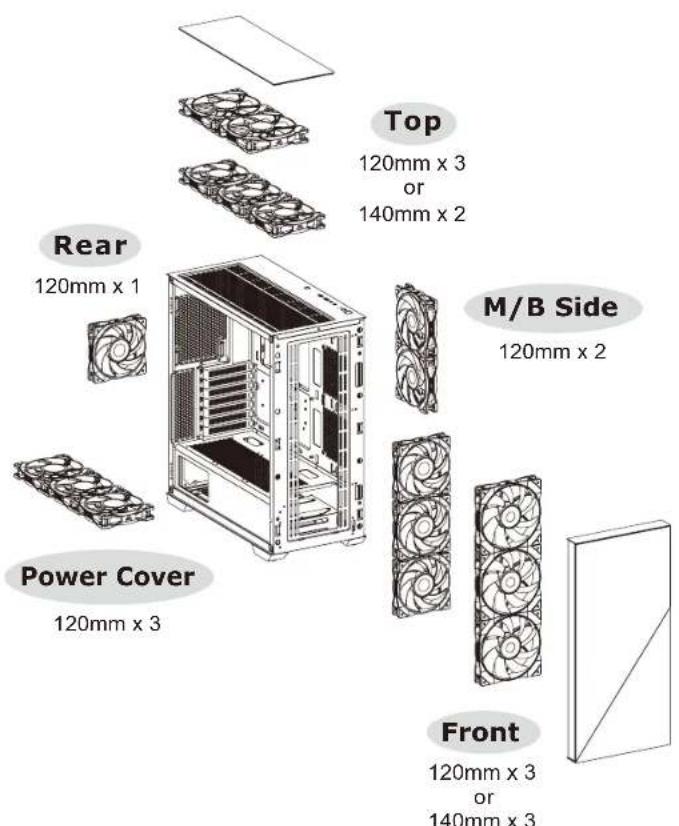
text_image
Top 120mm x 3 or 140mm x 2 Rear 120mm x 1 M/B Side 120mm x 2 Power Cover 120mm x 3 Front 120mm x 3 or 140mm x 3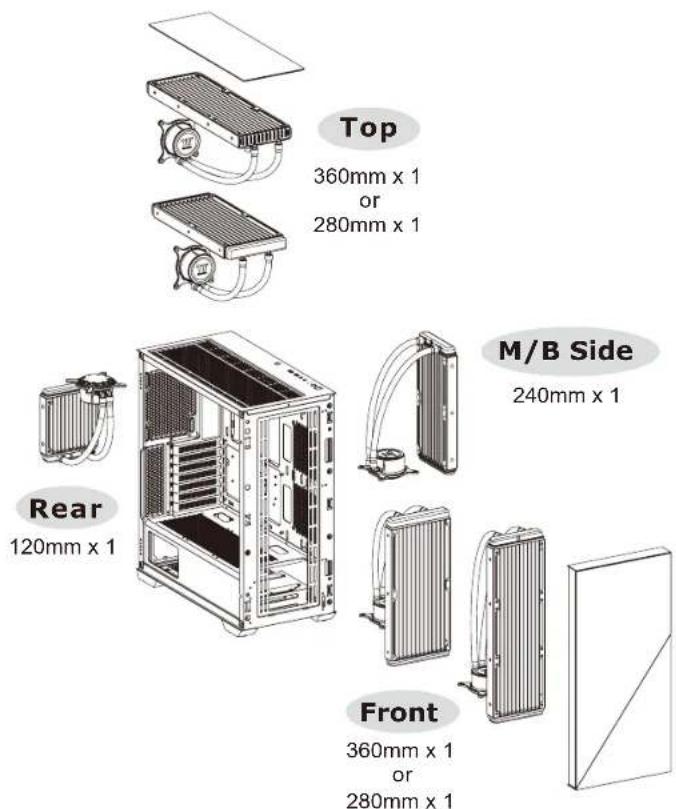
text_image
Top 360mm x 1 or 280mm x 1 M/B Side 240mm x 1 Rear 120mm x 1 Front 360mm x 1 or 280mm x 1Divider 370 TG ARGB DividemB120T G ARGB
Remove Filters

flowchart
graph TD
    A["HD Audio"] --> B["USB 3.0"]
    A --> C["RESET"]
    B --> D["Power SW / Power LED / HDD LED"]
    C --> E["Power SW / Power LED / HDD LED"]
    F["R"] --> A
text_image
Top Right Left FrontDivider 370 TG ARGB ARGB Control Instruction
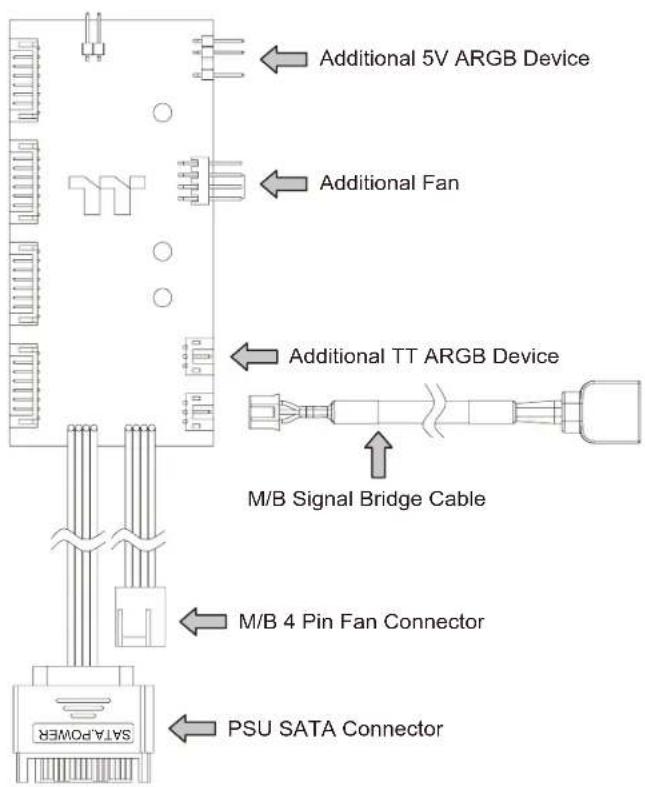
PWM ARGB Control Board Connection
text_image
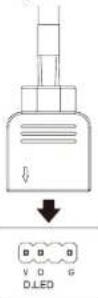
I/O Port Wave Mode Mode 1 Flow Mode Mode 2 RGB Lighting Mode 3 (Single Color) Radar Mode Mode 4~10 (Red, Yellow, Green, Cyan, Blue, White, Purple) Breath Mode Mode 11~18 (RGB, Red, Yellow, Green, Cyan, Blue, White, Purple) Full Lighted Mode Mode 19 Single Color Mode 20~26 (Red, Yellow, Green, Cyan, Blue, White, Purple) Light Off Mode 27※ Long press on RGB button for 3 seconds, fan will blink twice which now are controlled by MB software. And vice versa.
How to connect MB
ASUS/ASRock/BIOSTAR
MSIMSI
GIGABYTE
JRGB-strip Header(S)Aura AddressAGURESRQD Reader(sylth Digital LEDs
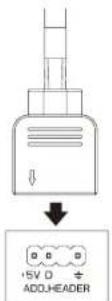
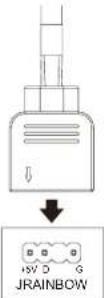
text_image
Additional 5V ARGB Device Additional Fan Additional TT ARGB Device M/B Signal Bridge Cable M/B 4 Pin Fan Connector PSU SATA ConnectorDivider 370 TG ARGB
Note: