
SL-PG380A - System Hi-Fi PANASONIC - Bezpłatna instrukcja obsługi
Znajdź bezpłatnie instrukcję urządzenia SL-PG380A PANASONIC w formacie PDF.
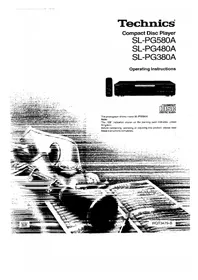


| Typ urządzenia | Odtwarzacz CD |
| Marka | Panasonic |
| Model | SL-PG380A |
| Wymiary (szer. × wys. × gł.) | 430 × 92 × 283 mm |
| Masa | 3,1 kg |
| Zasilanie | AC 50/60 Hz, 230-240 V |
| Pobór mocy | 13 W |
| Przetwornik D/A | MASH 1-bit |
| Długość fali lasera | 780 nm |
| Impedancja wyjściowa | 1 kΩ |
| Wyjście stereofoniczne | 2 kanały |
| Funkcje odtwarzania | Odtwarzanie sekwencyjne, pomijanie (skip), wyszukiwanie, losowe, programowane, powtarzanie (repeat), auto cue, wybór trybu wyświetlania czasu |
| Regulacja poziomu wyjścia | Brak (tylko modele SL-PG580A i SL-PG480A) |
| Pilot zdalnego sterowania | Niedołączony (można używać pilota z wzmacniaczem Technics) |
| Akcesoria w zestawie | Przewód zasilający AC (1 szt.), kabel łączący stereo (1 szt.) |
| Pasmo przenoszenia | 4 Hz – 20 kHz |
| Stosunek sygnału do szumu | 92 dB |
| Zniekształcenia harmoniczne | < 0,03% (w zależności od modelu) |
| Bezpieczeństwo | Produkt wykorzystuje laser klasy 1. Nie otwierać obudowy. Serwis tylko przez wykwalifikowany personel. |
| Czyszczenie i konserwacja | Przecierać miękką szmatką, unikać rozpuszczalników. W przypadku kondensacji wilgoci odczekać godzinę. |
| Gwarancja i serwis | Autoryzowane centra serwisowe – patrz dołączona lista. |
Często zadawane pytania - SL-PG380A PANASONIC
Pytania użytkowników dotyczące SL-PG380A PANASONIC
0 pytanie dotyczące tego urządzenia. Odpowiedz na te, które znasz, lub zadaj własne.
Zadaj nowe pytanie dotyczące tego urządzenia
Pobierz instrukcję dla swojego System Hi-Fi w formacie PDF za darmo! Znajdź swoją instrukcję SL-PG380A - PANASONIC i weź swoje urządzenie elektroniczne z powrotem w ręce. Na tej stronie opublikowane są wszystkie dokumenty niezbędne do korzystania z urządzenia. SL-PG380A marki PANASONIC.
INSTRUKCJA OBSŁUGI SL-PG380A PANASONIC
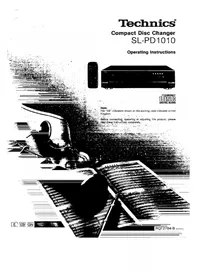
Technics
Odtwarzacz płyt kompaktowych
SL-PG580A
SL-PG480A
SL-PG380A
Instrukcja obsługi
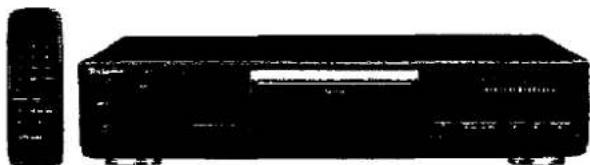
PŁYTA KOMPAKTOWA DIGITAL AUDIO
Zdjęcie przedstawia model SL-PG580A.
Uwaga:
Oznaczenie "EB" na opakowaniu oznacza Wielką Brytanię.
Przed podłączeniem, obsługą lub regulacją tego produktu, prosimy o dokładne przeczytanie niniejszej instrukcji.
EB
RQT3479-B
Szanowny Kliencie
Dziękujemy za zakup tego produktu.
Aby zapewnić optymalną wydajność i bezpieczeństwo, należy dokładnie przeczytać niniejszą instrukcję obsługi.
Niniejsza instrukcja obsługi dotyczy modeli SL-PG580A, SL-PG480A i SL-PG380A.
Niniejsza instrukcja obsługi zasadniczo wyjaśnia działanie modelu SL-PG580A.
Funkcje modeli SL-PG680A, SL-PG480A i SL-PG380A różnią się między sobą. Z tego powodu zastosowano następujące symbole, aby wskazać funkcje dostępne tylko w odpowiednich modelach.
SL-PG580A: SL-PG580A
SL-PG480A: SL-PG480A
SL-PG380A: SL-PG380A
Jeśli funkcja nie jest oznaczona symbolem, jest wspólna dla wszystkich trzech modeli.
| SL-PG580A | SL-PG480A | SL-PG380A | |
| Tape length button | Provided | Not provided | Not provided |
| Tape side select button | Provided | Not provided | Not provided |
| Time fade button | Provided | Not provided | Not provided |
| Numeric buttons | Provided | Provided (Remote control only) | Not provided |
| Remote Control | Provided | Provided | Not provided |
OSTRZEŻENIE!
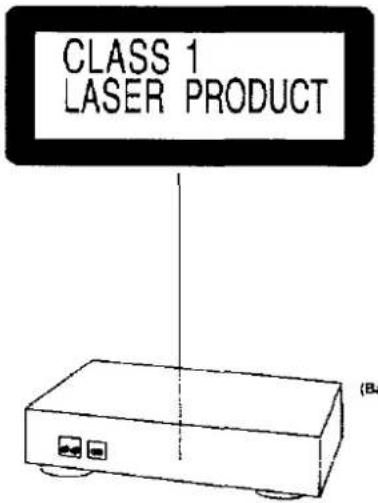
TEN PRODUKT WYKORZYSTUJE LASER.
UŻYWANIE KONTROLI, REGULACJI LUB WYKONYWANIE PROCEDUR INNYCH NIŻ OKREŚLONE W NINIEJSZEJ INSTRUKCJI MOŻE PROWADZIĆ DO NIEBEZPIECZNEGO NARAŻENIA NA PROMIENIOWANIE.
NIE OTWIERAĆ POKRYW I NIE NAPRAWIAĆ SAMODZIELNIE. ZLECIĆ SERWIS WYKWALIFIKOWANEMU PERSONELOWI.
Spis treści
Przed użyciem
Ostrożność dotycząca przewodu zasilającego AC 3
Elementy sterowania na przednim panelu 4
Podłączenia 5
Informacje o pilocie zdalnego sterowania
SL-PG580A SL-PG480A 6
Operacje
Odtwarzanie sekwencyjne Odtwarzanie podstawowe 7
Funkcja pomijania 8
Funkcja wyszukiwania 8
Odtwarzanie z bezpośrednim dostępem SL-PG580A 9
Odtwarzanie losowe 9
Odtwarzanie programowe 10
Funkcje wygodne
Funkcja powtarzania 12
Funkcja auto-cue 13
Regulacja poziomu wyjścia SL-PG580A SL-PG480A 14
Wybór trybu czasu 14
Funkcja płynnego wygaszania czasu SL-PG580A 15
Nagrywanie z edycją CD
Nagrywanie z edycją CD SL-PG580A 15
Automatyczna edycja SL-PG580A 16
Edycja programowa SL-PG580A 18
Nagrywanie płyty CD z użyciem funkcji wyszukiwania szczytu 19
Informacje ogólne
Obsługa pilota — szybki przegląd — SL-PG580A SL-PG480A 20
Zalecenia dotyczące bezpieczeństwa 21
Informacje o płytach kompaktowych 22
Dane techniczne 22
Rozwiązywanie problemów 23
Konserwacja 23
| CAVAGER | PRAIRLE, LEEF PARATHA, WOOD NOK ANDO CABBRE EXPORE 2014 |
| ADWARSEL | S. M. M. M. M. M. M. M. M. M. M. M. M. M. M. M. M. M. M. M. M. M. M. M. M. M. M. M. M. M. M. M. M. M. M. M. M. M. M. M. M. M. M. M. M. M. M. M. M. M. M. |
| VARO | M. M. M. M. M. M. M. M. M. M. M. M. M. M. M. M. M. M. M. M. M. M. M. M. M. M. M. M. M. M. M. M. M. M. M. M. M. M. M. M. M. M. M. M. M. M. M. M. M. M. N. |
| VAPNING | DOWA GUSTAVES, W. W. W. W. W. W. W. W. W. W. W. W. W. W. W. W. W. W. W. W. W. W. W. W. W. W. W. W. W. W. W. W. W. W. W. W. W. W. W. W. W. W. W. W. W. W. W. W. W. W. W |
| ADVERSE | S. M. M. M. M. M. M. M. M. M. M. M. M. M. M. M. M. M. M. M. M. M. M. M. M. M. M. M. M. M. M. M. M. M. M. M. M. M. M. M. M. M. M. M. M. M. M. M. M. |
(Wewnątrz produktu)
(Wnętrze urządzenia)
(Świeże wnętrze)
(Wnętrze urządzenia)
(Produkty - przekrój)
(Wnętrze urządzenia)
Ostrzeżenie dotyczące przewodu zasilającego
(Dla Wielkiej Brytanii)
(Tylko modele z kodem obszaru "EB")
Dla Twojego bezpieczeństwa, przeczytaj uważnie poniższy tekst.
To urządzenie jest wyposażone w formowaną wtyczkę z trzema bolcami dla Twojego bezpieczeństwa i wygody.
W tej wtyczce jest zainstalowany bezpiecznik 5-amperowy.
Jeśli bezpiecznik wymaga wymiany, upewnij się, że nowy bezpiecznik ma prąd znamionowy 5 amperów i jest zatwierdzony przez ASTA lub BSI do normy BS1362.
Sprawdź znak ASTA 📄 lub znak BSI 🌐 na obudowie bezpiecznika.
Jeśli wtyczka zawiera zdejmowaną pokrywę bezpiecznika, musisz ją ponownie zamontować po wymianie bezpiecznika.
Jeśli zgubisz pokrywę bezpiecznika, nie używaj wtyczki, dopóki nie zdobędziesz nowej pokrywy.
Zapasową pokrywę bezpiecznika można kupić u lokalnego dealera.
UWAGA!
JEŚLI ZAMONTOWANA WTŁOCZONA WTYKA JEST NIEODPOWIEDNIA DO GNIAZDKA W TWOIM DOMU, NALEŻY WYJĄĆ BEZPIECZNIK, ODCIĄĆ WTYKĘ I BEZPIECZNIE JĄ ZUTYLIZOWAĆ.
ISTNIEJE NIEBEZPIECZEŃSTWO POWAŻNEGO PORAŻENIA PRĄDEM, JEŚLI ODCIĘTA WTYKA ZOSTANIE WŁOŻONA DO JAKIEGOKOLWIEK GNIAZDKA 13-AMPEROWEGO.
Jeśli ma być zamontowana nowa wtyczka, należy przestrzegać poniższego schematu podłączenia przewodów.
W razie wątpliwości należy skonsultować się z wykwalifikowanym elektrykiem.
WAŻNE
Jeśli gniazdka w domu nie są odpowiednie dla wtyczki dostarczonej z tym urządzeniem, należy ją odciąć i zamontować odpowiednią wtyczkę trójbolcową.
Przewody w tym przewodzie zasilającym są oznaczone kolorami zgodnie z poniższym kodem:
Niebieski: neutralny
Brązowy: fazowy
Nie podłączać żadnego z przewodów do zacisku uziemienia we wtyczce, który jest oznaczony literą "E" lub symbolem uziemienia ± lub kolorem zielonym lub zielono-żółtym.
Ponieważ kolory przewodów w przewodzie zasilającym tego urządzenia mogą nie odpowiadać kolorowym oznaczeniom zacisków we wtyczce, należy postępować w następujący sposób. Przewód koloru NIEBIESKIEGO należy podłączyć do zacisku oznaczonego literą N lub kolorem CZARNYM.
Przewód koloru BRĄZOWEGO należy podłączyć do zacisku oznaczonego literą L lub kolorem CZERWONYM.
Przed użyciem
Zdejmij osłonę złącza w następujący sposób.
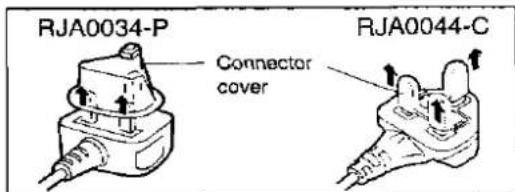
Jak wymienić bezpiecznik
- Otwórz pokrywę bezpiecznika za pomocą śrubokręta.
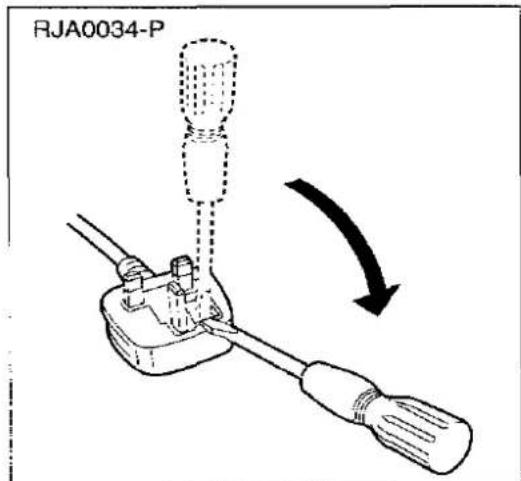
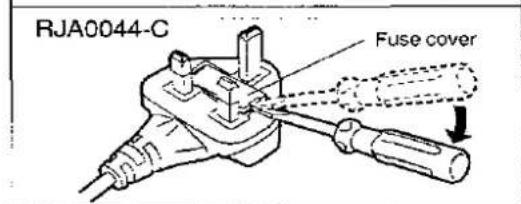
- Wymień bezpiecznik i zamknij lub zamocuj pokrywę bezpiecznika.
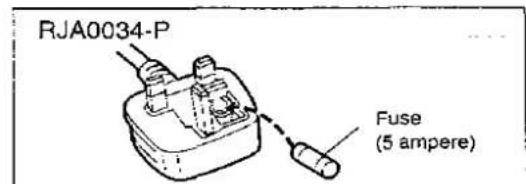
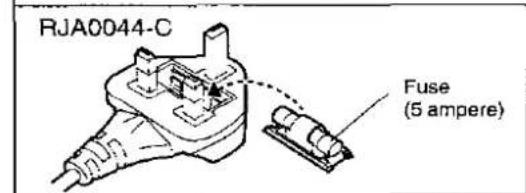
Elementy sterowania na panelu przednim
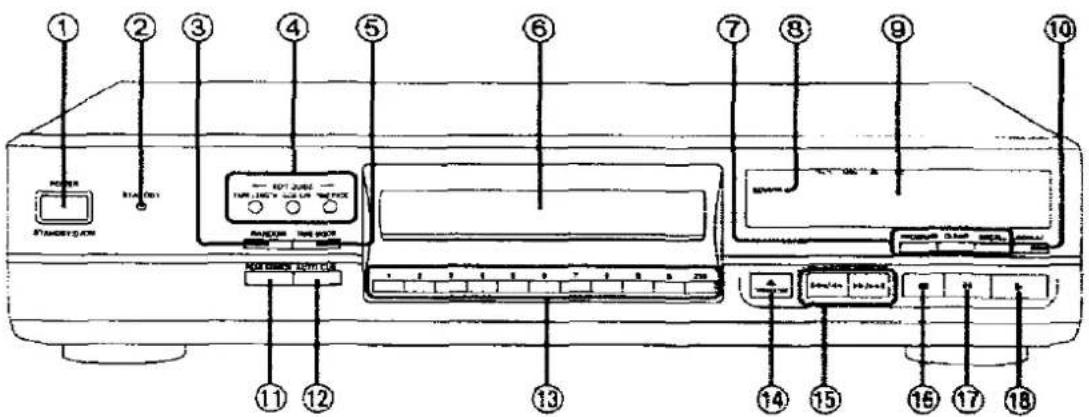
| No. | Name | Ref. page |
| 1 | Power “STANDBY ⏻/ON” switch(POWER, STANDBY ⏻/ON)Press to switch the unit from on to standby mode or vice versa.In standby mode, the unit is still consuming a small amount of power. | 7 |
| 2 | Standby indicator (STANDBY)When the unit is connected to the AC mains supply, this indicator lights up in standby mode and goes out when the unit is turned on. | |
| 3 | Random play button (RANDOM) | 9 |
| 4 | CD edit record buttons (EDIT GUIDE)SL-PG580A | |
| •Tape length button (TAPE LENGTH)SL-PG580A | 16, 18 | |
| •Tape side select button (SIDE A/B)SL-PG580A | 16, 18 | |
| •Time fade button (TIME FADE)SL-PG580A | 15, 17 | |
| 5 | Time mode select button (TIME MODE) | 14 |
| 6 | Disc tray | 7 |
| 7 | Program play buttons | |
| •Program button (PROGRAM) | 10 | |
| •Clear button (CLEAR) | 11 | |
| •Recall button (RECALL) | 11 |
| No. | Name | Ref. page |
| 8 | Remote control signal sensor (SENSOR)There is no “SENSOR” indication on SL-PG380A.SL-PG380A can be operated by using the remote control provided with a Technics amplifier or receiver. | 6 |
| 9 | Display panel | |
| 10 | Repeat button (REPEAT) | 12 |
| 11 | Peak search button (PEAK SEARCH) | 16, 19 |
| 12 | Auto cue button (AUTO CUE) | 13 |
| 13 | Numeric buttons (1-9, 0, ≥10)SL-PG580A | 9, 10 |
| 14 | Disc tray open/close button(▲ OPEN/CLOSE) | 7 |
| 15 | Skip/Search buttons(I◄◄/◄◄, ►►/►►I) | 8 |
| 16 | Stop button (■) | 7 |
| 17 | Pause button (11) | 7 |
| 18 | Play button (►) | 7 |
Akcesoria w zestawie
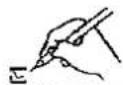
Sprawdź i zidentyfikuj akcesoria w zestawie.
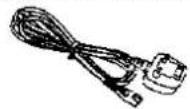
☐ Przewód zasilający .... 1 szt. (RJA0034-P lub RJA0044-C)
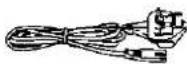
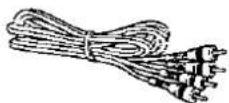
□ Przewód połączeniowy stereo .... 1 szt. (SJP2249-6)
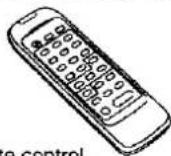
Pilot zdalnego sterowania SL-PG580A SL-PG480A 1 szt. (EUR643900)
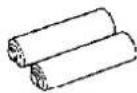
□ Baterie do pilota zdalnego sterowania SL-PG580A SL-PG480A .... 2 szt. (UM-4, AAA, R03)
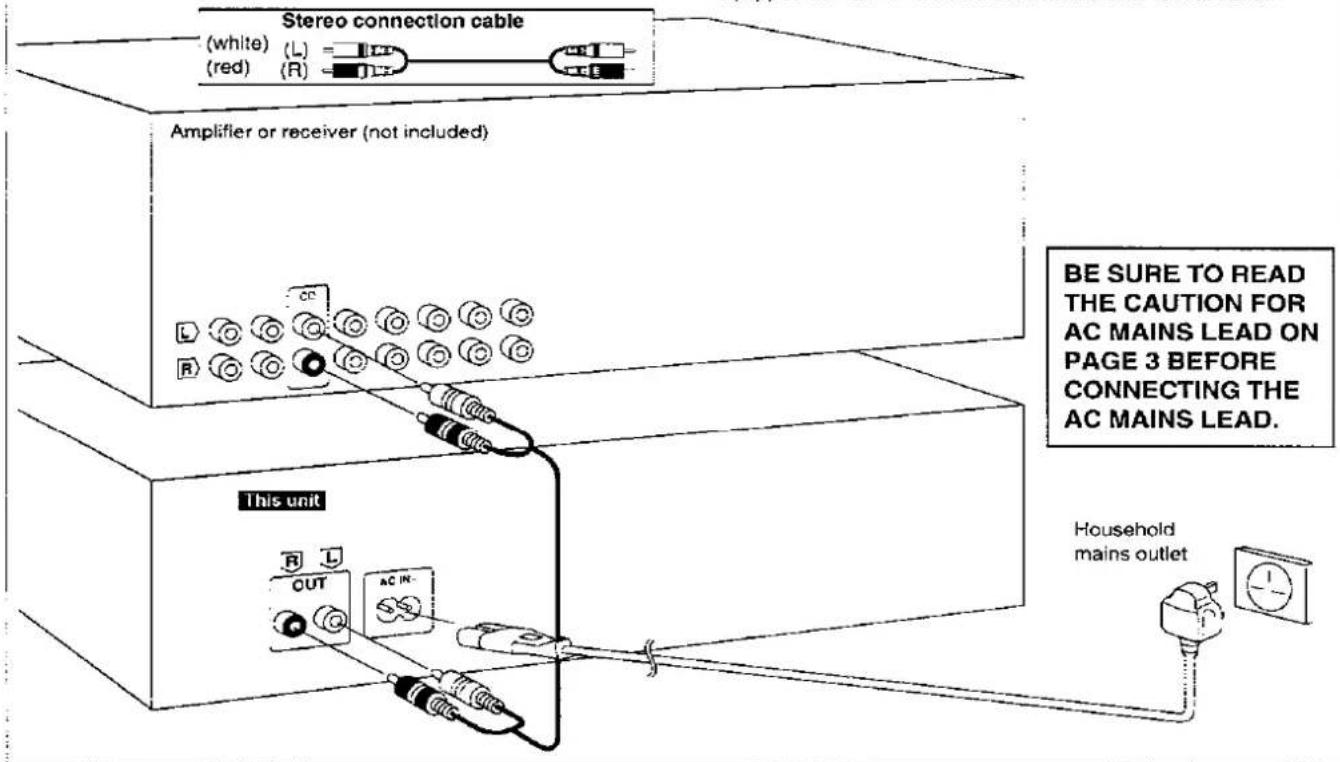
Przed wykonaniem połączeń upewnij się, że zasilanie tego urządzenia i wszystkich innych elementów systemu jest wyłączone.
Uwaga
Chociaż poniższy rysunek pokazuje przewód zasilający podłączony do domowego gniazdka sieciowego, jeśli wzmacniacz (lub odbiornik) jest wyposażony w gniazdko sieciowe, podłącz przewód do tego gniazdka.
Dotyczące pilota zdalnego sterowania
SL-PG580A SL-PG480A
Instalacja baterii
Włóż baterie zgodnie z biegunowością (⊕, ⊖).
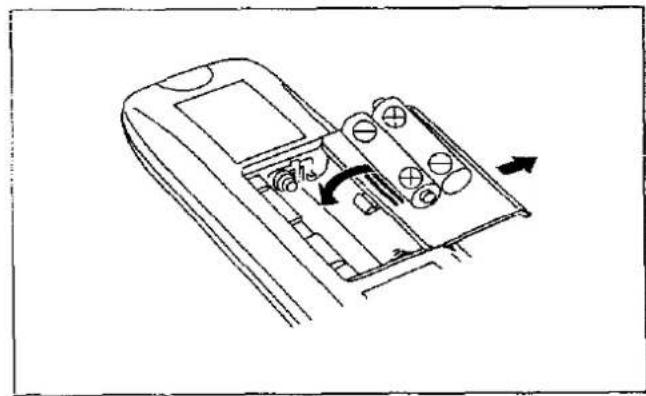
Aby wyjąć baterie, pociągnij za stronę ⊕.
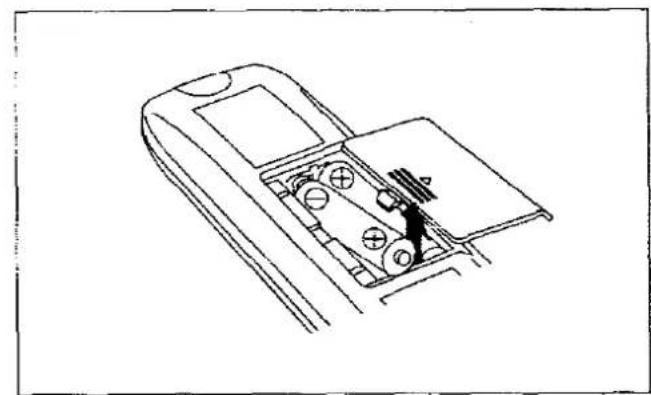
Użytkowanie baterii
- Nie mieszaj starych i nowych baterii ani baterii różnych typów (węglowych i alkalicznych itp.).
- Nigdy nie wystawiaj baterii na działanie nadmiernego ciepła lub ognia; nie próbuj ich demontować; upewnij się, że nie są zwarte.
- Jeśli pilot nie będzie używany przez dłuższy czas, wyjmij baterie i przechowuj je w chłodnym, ciemnym miejscu.
- Nie próbuj ładować baterii alkalicznych lub węglowych.
- Nie używaj baterii akumulatorowych.
Żywotność baterii
Żywotność baterii wynosi około jednego roku.
Baterie należy wymienić, jeśli polecenia z pilota nie działają na urządzenie nawet wtedy, gdy pilot znajduje się blisko panelu przedniego.
Prawidłowy sposób użycia
Czujnik sygnału pilota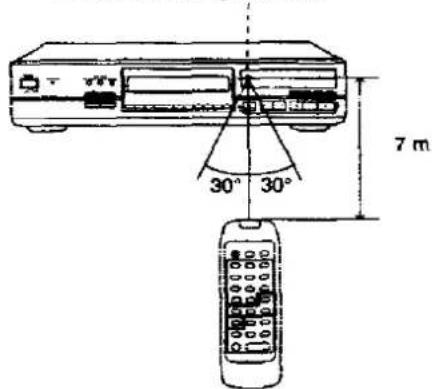
Uwagi dotyczące obsługi
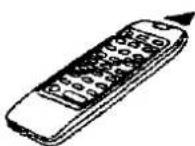
- Skieruj okienko nadawcze pilota w stronę czujnika urządzenia. Unikaj przeszkód.
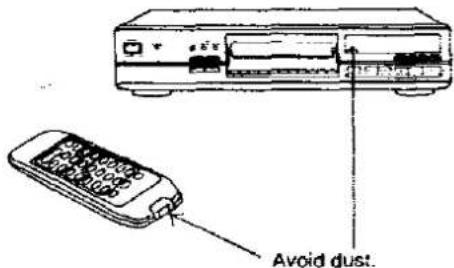
- Upewnij się, że okienko nadawcze i czujnik urządzenia są wolne od kurzu. Nadmierny kurz może wpłynąć na ich działanie.
- Działanie może być nieprawidłowe, jeśli bezpośrednie światło słoneczne lub inne silne źródło światła pada na czujnik odbiorczy tego urządzenia. W razie problemu umieść urządzenie z dala od źródła światła.
- Jeśli urządzenie jest zainstalowane w szafie z przeszklonymi drzwiami, grubość lub kolor szyb może wymagać skrócenia odległości pilota od urządzenia. ●Nigdy nie stawiaj ciężkich przedmiotów.
- Nie demontuj ani nie modyfikuj urządzenia.
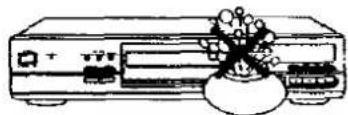
- Nie rozlewaj wody ani innych płynów.
1
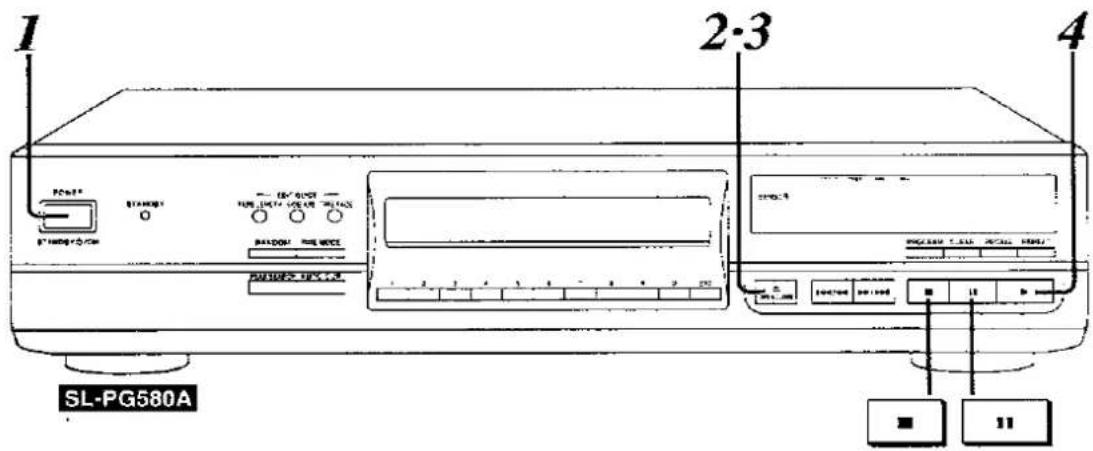
Naciśnij POWER (urządzenie włączy się).
SL-PG580A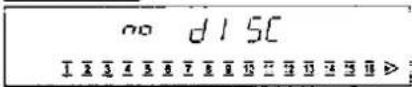
SL-PG480A SL-PG380A
- Oznacza to, że płyta CD nie została włożona.
- Jeśli płyta CD znajduje się już w szufladzie, odtwarzanie rozpocznie się automatycznie od pierwszego utworu.
2

Naciśnij ▲ OPEN/CLOSE, aby otworzyć szufladę i włożyć płytę.

3

Naciśnij ▲ OPEN/CLOSE, aby zamknąć tacę.
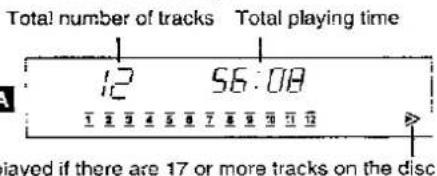
Całkowita liczba utworów Całkowity czas odtwarzania

4
Naciśnij ▶ (rozpocznie się odtwarzanie).
Odtwarzanie zatrzyma się automatycznie po odtworzeniu wszystkich utworów. Numer indeksu
(Jeśli nie ma, wyświetlane jest "f".)
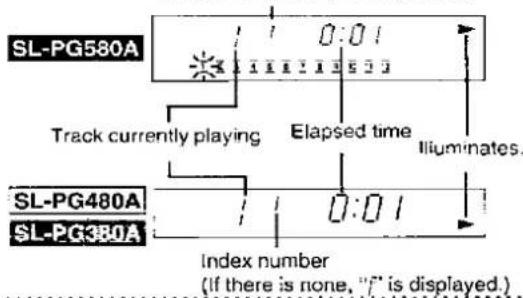
Aby zatrzymać odtwarzanie płyty:

Naciśnij ■.
Aby tymczasowo zatrzymać odtwarzanie płyty:

Naciśnij II.
SL-PG580A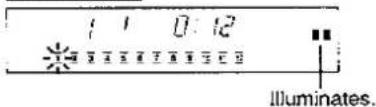
SL-PG480A SL-PG380A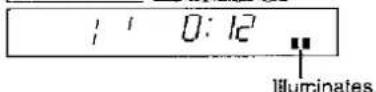
Aby kontynuować odtwarzanie, naciśnij ▶.
Uwagi
- Wyświetlany całkowity czas odtwarzania obejmuje czas pomiędzy utworami. Z tego powodu czas może być o kilka sekund dłuższy niż ten podany na kartach utworów i tym podobnych.
- W przypadku korzystania z timera z innym urządzeniem należy włączyć to urządzenie. Dla przypomnienia:
- Jeśli pominiesz krok 3 i naciśniesz ▶, szuflada automatycznie się zamknie, a odtwarzanie rozpocznie się od pierwszego utworu.
Funkcja pomijania
Ta funkcja umożliwia przeskakiwanie do początku utworów.
Funkcja wyszukiwania
Ta funkcja umożliwia wyszukiwanie żądanego miejsca podczas wyświetlania czasu.
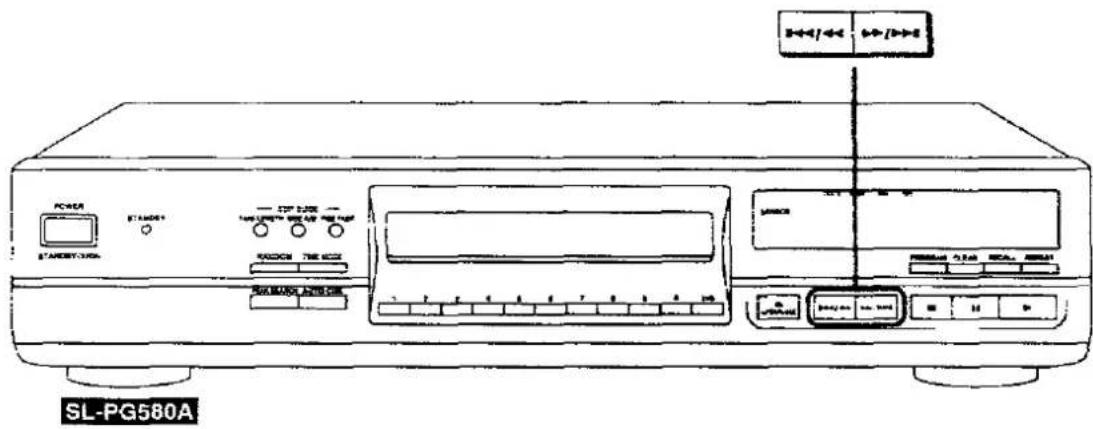
Naciśnij przycisk ◀◀◀/◀◀ lub ▶▶/▶▶I.
▶▶/▶▶: Pomijanie do przodu
Możesz pominąć tyle utworów, ile razy naciśniesz przycisk.
1◄◄/◄◄: Pomijanie do tyłu
Możesz przeskoczyć do początku odtwarzanego utworu. Jeśli ponownie szybko naciśniesz przycisk, możesz przeskoczyć do początku poprzedniego utworu.
Podczas odtwarzania lub pauzy płyty:
Naciśnij i przytrzymaj przycisk I◄◄/◄◄ lub ►►/►►.
Zwolnij przycisk po osiągnięciu żądanego punktu.
▶▶/▶▶: wyszukiwanie do przodu
: wyszukiwanie do tyłu
Wyszukiwanie początkowo przebiega powoli, a następnie
przyspiesza, jeśli przycisk jest przytrzymany.
Dla Twojej informacji:
•Podczas odtwarzania losowego (patrz strona 9):
Jeśli naciśnięto ▶▶/▶▶▶, pomijanie jest wykonywane w kolejności losowej.
Jeśli naciśnięto ↔, odtwarzanie płyty przechodzi do początku aktualnie odtwarzanego utworu, ale pomijanie do poprzednich utworów nie jest możliwe.
• Podczas odtwarzania programowego (patrz strona 10):
Pomijanie do przodu i do tyłu jest wykonywane w zaprogramowanej kolejności utworów.
Dla Twojej informacji:
- Podczas odtwarzania losowego (patrz strona 9) i odtwarzania programowego (patrz strona 10):
Wyszukiwanie może być wykonywane tylko w obrębie aktualnie odtwarzanego utworu.
- Podczas powtarzania A-B SL-PG580A SL-PG480A (patrz strona 12):
Wyszukiwanie może być wykonywane poza segmentem A-B (powtarzanie A-B nie zostanie anulowane).
Dzięki tej funkcji płyta jest odtwarzana od wybranego utworu do ostatniego, a następnie automatycznie się zatrzymuje.
SL-PG480A może korzystać z tej funkcji wyłącznie za pomocą pilota zdalnego sterowania.
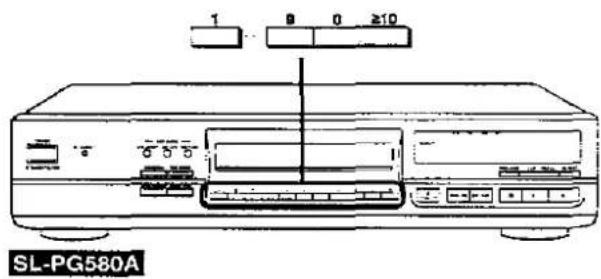
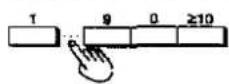
Naciśnij przyciski numeryczne.
Odtwarzanie rozpocznie się od wybranego numeru utworu.
Aby określić numer utworu:
1 do 9:
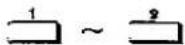
10 lub więcej:

Na przykład:
Określanie utworu nr 25

Określanie utworu nr 30

Dzięki tej funkcji wszystkie utwory na płycie są odtwarzane po jednym razie w losowej kolejności, a następnie odtwarzanie zatrzymuje się automatycznie.
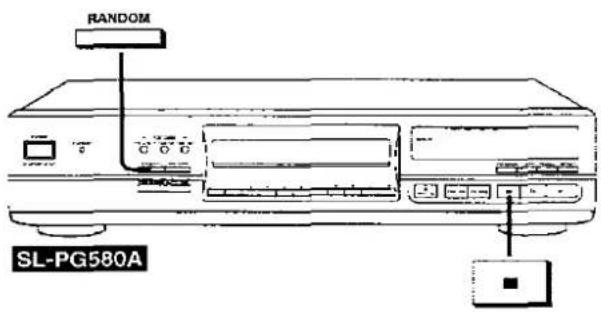
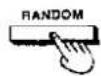
Naciśnij RANDOM.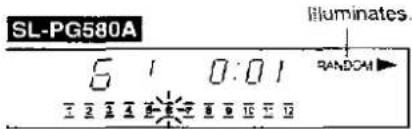
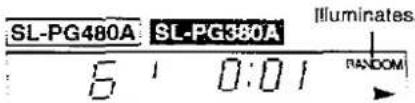
Odtwarzanie losowe jest anulowane, gdy odtwarzanie zostanie zatrzymane.
Aby powrócić do odtwarzania w oryginalnej kolejności utworów:

Podczas odtwarzania płyty:
Naciśnij RANDOM.
Płyta będzie odtwarzana od tego momentu do końca, a następnie automatycznie się zatrzyma.
Aby anulować odtwarzanie losowe:

Naciśnij ■.
Dla Twojej informacji:
Podczas odtwarzania programowego (patrz strona 10):
Tylko zaprogramowane utwory będą odtwarzane w losowej kolejności.
Odtwarzanie programowe
Dzięki tej funkcji możesz zaprogramować do 20 utworów w dowolnej kolejności.
SL-PG580A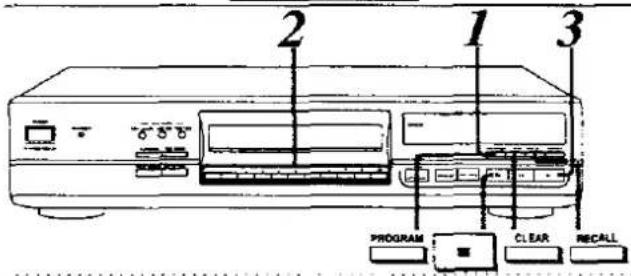
1

Gdy płyta jest zatrzymana: Naciśnij PROGRAM. Zaświeci się.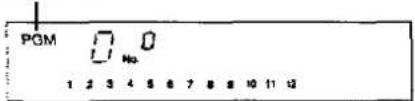
2 Naciśnij przyciski numeryczne, aby określić żądane numery utworów w kolejności. Jeśli popełnisz błąd przy naciskaniu numeru utworu, naciśnij CLEAR. Na przykład, jeśli określisz utwory 5, 3 i 2 w tej kolejności: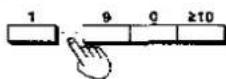
Liczba zaprogramowanych utworów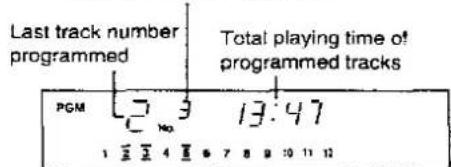
3
Naciśnij ▶.
Utwory są odtwarzane w zaprogramowanej kolejności, a następnie odtwarzanie zatrzymuje się automatycznie. Zawartość programu jest przechowywana nawet po zakończeniu odtwarzania.
Aby ponownie odtworzyć tę samą zawartość programu, naciśnij ▶.
SL-PG480A SL-PGS60A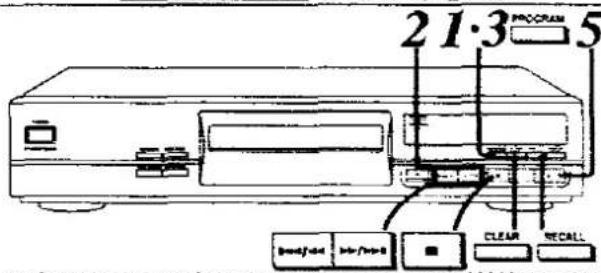
1

Gdy płyta jest zatrzymana: Naciśnij PROGRAM. Zaświeci się.
2 Naciśnij 1◄◄/◄◄ lub ►►/►►►, aby wybrać żądany numer utworu. Na przykład: Aby wybrać utwór nr 3, naciśnij ▶▶/▶▶▶
3 razy.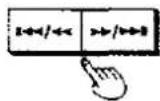
3 Naciśnij PROGRAM. 4 Powtarzaj kroki 2 i 3, aż ukończysz żądane wprowadzenie.
Jeśli popełnisz błąd przy naciskaniu numeru utworu, naciśnij CLEAR. Na przykład, jeśli określisz utwory 5, 3 i 2 w tej kolejności. Ostatni zaprogramowany numer utworu Całkowity czas odtwarzania zaprogramowanych utworów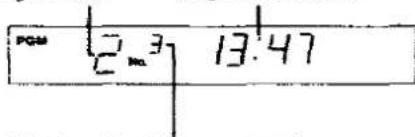
Liczba zaprogramowanych utworów
5
Naciśnij ▶.
Utwory są odtwarzane w zaprogramowanej kolejności, a następnie odtwarzanie zatrzymuje się automatycznie. Zawartość programu jest przechowywana nawet po zakończeniu odtwarzania.
Aby ponownie odtworzyć tę samą zawartość programu, naciśnij ▶.
Aby powrócić do odtwarzania w oryginalnej kolejności utworów:

Podczas odtwarzania płyty:
Naciśnij PROGRAM.
Zawartość programu również zostanie skasowana.
Płyta jest odtwarzana od tego momentu do końca, a następnie zatrzymuje się automatycznie.
Aby anulować tryb programu:

Gdy płyta jest zatrzymana.
Naciśnij ■.
Jeśli płyta jest odtwarzana, naciśnij przycisk dwukrotnie.
Sprawdzanie zawartości programu

Naciśnij RECALL.
Za każdym naciśnięciem przycisku wyświetlany jest numer ścieżki i numer sekwencji.
Możesz również sprawdzić zawartość programu podczas odtwarzania.
Na przykład, jeśli określisz ścieżki 5, 3 i 2 w tej kolejności:
![graph TD A["Track number"] --> B["Sequence number"] B --> C["SL-PG580A"] C --> D["POM 1/2 3/4 5/6 7 8 9 10 11 12"] D --> E["PGM 1/2 3/4 5/6 7 8 9 10 11 12"] E --> F["POM 1/2 3/4 5/6 7 8 9 12 13 14"] F --> G["Downward arrow"]](/content/2026/06/1168490/images/29202eaf8142fdc965d13e46441bb739d9c5d012047f38eb5f41f573d4f1e804.jpg)
![graph TD A["SL-PG480A"] --> B["Track number"] B --> C["Sequence number"] C --> D["PGM 5 No."] D --> E["PGM 3 No."] E --> F["PGM 2 No."] F --> G["..."]](/content/2026/06/1168490/images/9dffa9c6f2be317177529a8949fc17046dee58180a890376cf76cc184dcf4b57.jpg)
Po około czterech sekundach pojawia się ponownie oryginalny wyświetlacz.
Aby zaprogramować dodatkowe ścieżki
![graph TD A["SL-PG580A\n1 9 0 ≥10"] --> B["SL-PG480A\nSL-PG380A\n<</<< >>/>>"] B --> C["PROGRAM"]](/content/2026/06/1168490/images/1bd2e8c116d126f012da541b3f2092f22bcb59d24a77482c767c3fccc6bcce47.jpg)
Podczas odtwarzania płyty lub po jej zatrzymaniu: naciśnij przyciski numeryczne.
Po zatrzymaniu płyty: Naciśnij 1◄◄/◄◄ lub ►►/►►I, a następnie naciśnij PROGRAM.
Aby skasować zaprogramowane utwory
Aby skasować ostatni zaprogramowany utwór:

Po zatrzymaniu płyty:
Naciśnij CLEAR
Każde naciśnięcie przycisku kasuje jeden utwór.
Aby skasować utwór w programie:
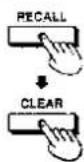
Podczas odtwarzania płyty lub po jej zatrzymaniu:
Naciśnij RECALL, aby wyświetlić utwór do skasowania, a następnie naciśnij CLEAR, aby go skasować.
Aby skasować wszystkie utwory i zaprogramować ponownie:

Po zatrzymaniu płyty:
SL-PG580A
Naciśnij PROGRAM dwa razy i wróć do kroku 2 na stronie 10.
SL-PG480A SL-PG380A :
Naciśnij dwukrotnie PROGRAM i wróć do kroku 2-4 na stronie 10.
Dla Twojej informacji:
Na wyświetlaczu pojawia się „-”:
Gdy określono 21 utworów (dalsze programowanie nie jest możliwe)
Na wyświetlaczu pojawia się „—:—”:
- Gdy całkowity czas odtwarzania zaprogramowanych utworów przekracza 99 minut i 59 sekund
- Gdy określono numer utworu 21 lub wyższy
W takich przypadkach całkowity czas odtwarzania nie będzie wyświetlany, ale można zaprogramować do 20 utworów.
Funkcja powtarzania
Odtwarzanie wszystkich utworów lub wybranych utworów będzie powtarzane w ten sam sposób.
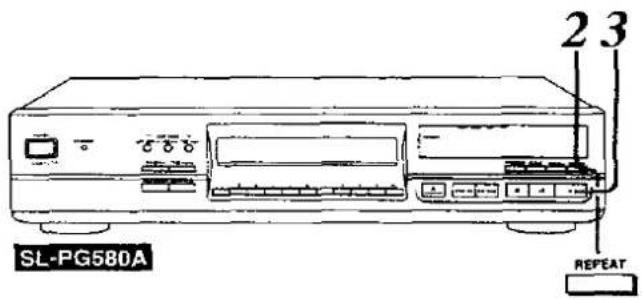
Aby powtórzyć wszystkie utwory
Naciśnij REPEAT.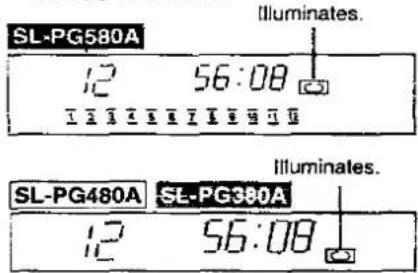
Powtarzanie wybranego fragmentu
(Powtarzanie A-B) SL-PG580A SL-PG480A
(Dostępne tylko z pilota zdalnego sterowania)
Podczas odtwarzania płyty można ustawić punkt początkowy (punkt A) i punkt końcowy (punkt B), a segment między nimi będzie powtarzany.
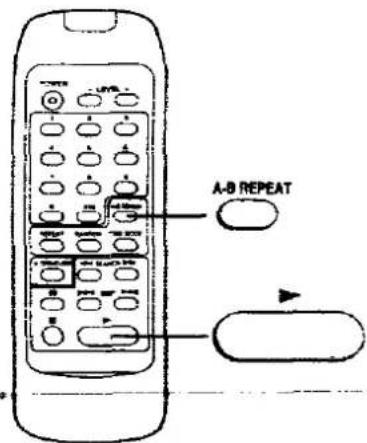
1

Podczas odtwarzania płyty:
Naciśnij A-B REPEAT w żądanym punkcie początkowym (punkt A).
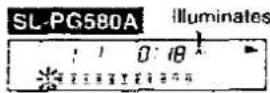
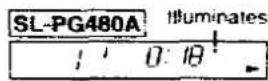
2

Naciśnij A-B REPEAT w żądanym punkcie końcowym (punkt B).
Segment między punktami A i B jest odtwarzany wielokrotnie.
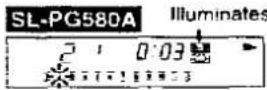
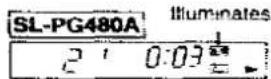
Aby anulować powtarzanie A-B:

Naciśnij A-B REPEAT.
Aby powtarzać tylko jeden utwór lub wybrane utwory
1
Określ żądane numery utworów.
SL-PG580A
Wykonaj kroki 1 i 2 na stronie 10
SL-PG480A SL-PG380A
Wykonaj kroki 1–3 na stronie 10.
2

Naciśnij REPEAT.
3
Naciśnij ▶, aby rozpocząć odtwarzanie.
Aby anulować powtarzanie:

Naciśnij REPEAT.
Uwaga
Powtarzanie A-B nie jest możliwe podczas odtwarzania losowego (patrz strona 9) i odtwarzania programowego (patrz strona 10).
Dla Twojej informacji:
- Jeśli naciśniesz ▶ podczas powtarzania A-B, odtwarzanie powróci do punktu A.
- Jeśli określisz tylko punkt A, odtwarzanie nadal powróci do punktu A, jeśli naciśniesz ▶ w dowolnym momencie.
Funkcja Auto Cue
Dzięki tej funkcji odtwarzanie jest wstrzymywane na początku (tam, gdzie słychać dźwięk) wszystkich ścieżek, jedna po drugiej.
SL-PG580A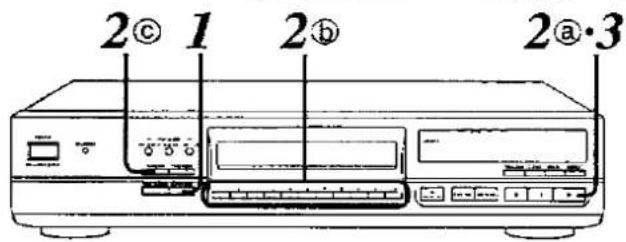
Naciśnij AUTO CUE.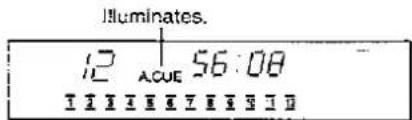
Jeśli płyta była odtwarzana, odtwarzanie zostanie wstrzymane na początku następnego utworu.
Wybierz utwór do odtworzenia.
① Aby odtworzyć od pierwszego utworu
Naciśnij ▶.
Możesz również odtwarzać płytę w dowolnej kolejności. (Odtwarzanie programowe, patrz strona 10.)
Świeci. Miga.
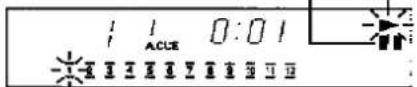
⑥ Aby odtworzyć od wybranego utworu
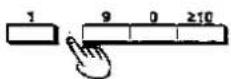
Naciśnij przyciski numeryczne.
(Patrz strona 9.)
© Aby odtwarzać w losowej kolejności

Naciśnij RANDOM.
(Patrz strona 9.)
Urządzenie przełącza się w tryb gotowości do odtwarzania.
3
Naciśnij ▶, aby rozpocząć odtwarzanie.
Dźwięk można usłyszeć natychmiast.
Aby odtwarzać utwory kolejno, naciskaj ▶ dla każdego utworu.
SL-PG480A/SL-PG380A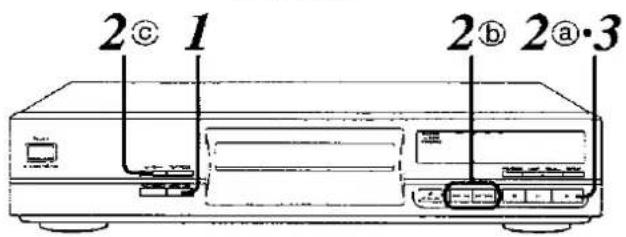
1
Naciśnij AUTO CUE.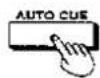
Zapala się.

Jeśli płyta była odtwarzana, odtwarzanie zostanie wstrzymane na początku następnego utworu.
2
Wybierz utwór do odtworzenia.
Ⓐ Aby odtworzyć od pierwszego utworu
Naciśnij ▶.
Możesz również odtwarzać płytę w dowolnej kolejności. (Odtwarzanie programowe, patrz strona 10.)
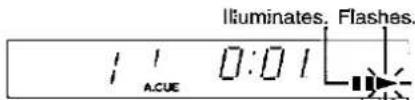
⑥ Aby odtworzyć wybrany utwór
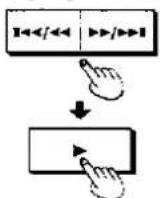
Naciśnij ◀◀◀/◀◀ lub ▶▶/▶▶◀, a następnie naciśnij ▶.
© Aby odtwarzać w losowej kolejności

Naciśnij RANDOM.
(Patrz strona 9.)
Urządzenie przechodzi w tryb gotowości do odtwarzania.
3
Naciśnij ▶, aby rozpocząć odtwarzanie.
Dźwięk można usłyszeć natychmiast.
Aby odtwarzać utwory kolejno, naciśnij ▶ dla każdego utworu.
Aby anulować funkcję auto cue:

Podczas odtwarzania płyty:
Naciśnij AUTO CUE.
Jeśli AUTO CUE zostanie naciśnięte w trybie gotowości do odtwarzania, urządzenie przełączy się w tryb pauzy.
Uwaga
Ta funkcja może nie działać prawidłowo w przypadku ścieżek, które mają ciche dźwięki na początku, ścieżek zawierających duże ilości szumów itp.
Sterowanie poziomem wyjścia SL-PG580A SL-PG480A
Wybór trybu czasu
(Dostępne tylko z pilota zdalnego sterowania)
Zamiast regulować poziom głośności wzmacniacza, można tymczasowo obniżyć dźwięk, zmniejszając poziom wyjścia odtwarzacza CD.
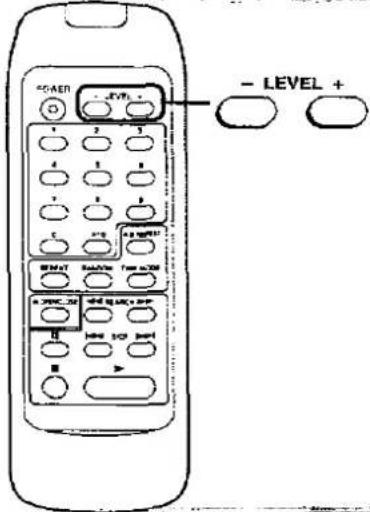
Naciśnij - LEVEL.
Zmniejsz poziom wyjścia w odstępach co 2 dB od 0 dB (normalny poziom dźwięku) do -12 dB.
Wyświetlacz pokazuje, że poziom wyjścia został zmniejszony o 2 dB.

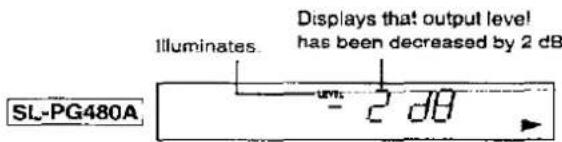
Po około dwóch sekundach pojawia się ponownie oryginalny wyświetlacz.
Aby zwiększyć poziom wyjścia po jego zmniejszeniu:
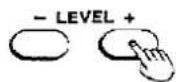
Naciśnij LEVEL +.
Uwaga SL-PG580A
Podczas nagrywania z edycją CD (patrz strony 16-18), w celu utrzymania stałego poziomu nagrywania, nie można regulować poziomu wyjścia.
Dla Twojej informacji:
- Jeśli urządzenie zostanie wyłączone i ponownie włączone, poziom wyjścia powraca do 0 dB (normalny poziom dźwięku).

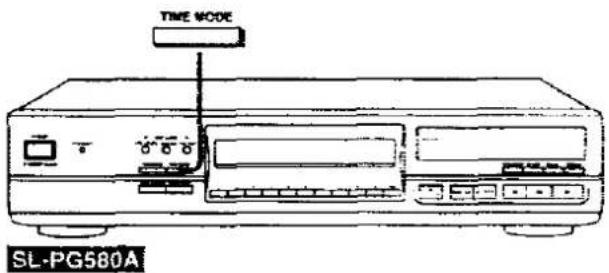
Podczas odtwarzania płyty lub pauzy: naciśnij TIME MODE.
Każde naciśnięcie przycisku przełącza wyświetlacz w następującej kolejności.
![graph TD A["① (Original state)<br>Elapsed time of track being played"] --> B["② Time remaining on disc"] B --> C["③ Time remaining on track being played"] C --> D["④ Elapsed time of entire disc"]](/content/2026/06/1168490/images/1f6f4c40483aeb9ffa5b82dce9dc71e93c2bf98439f725187a6bb4eb17affac9.jpg)
Jeśli odtwarzanie zostanie zatrzymane, a następnie ponownie uruchomione, wyświetlacz powraca do stanu pierwotnego.
Dla Twojej informacji:
Istnieją następujące wyjątki:
• Podczas odtwarzania ścieżek o numerach powyżej 20;
Wyświetlacz ③ pokazuje ----:---.
• Podczas odtwarzania programowego (patrz strona 10);
Czas dla zaprogramowanych ścieżek pojawia się tylko na wyświetlaczach ② i ④
Podczas odtwarzania ścieżki o numerze powyżej 20, wyświetlacze ② i ③ pokazują
• Podczas odtwarzania losowego (patrz strona 9);
Wyświetlacz ② pokazuje ----, a wyświetlacz ④ ----.
- Podczas nagrywania z edycją CD SL-PG580A (patrz strony 16 do 18);
Wyświetlacz ② pokazuje czas pozostały na określonej taśmie.
●Podczas zanikania czasu SL-PG580A (patrz strona 15);
Pozostały czas do wyciszenia jest wyświetlany między wskaźnikami ③ i ④.
Za pomocą tej funkcji można ustawić żądany czas, a po jego osiągnięciu podczas odtwarzania głośność jest stopniowo zmniejszana i odtwarzanie kończy się.
1

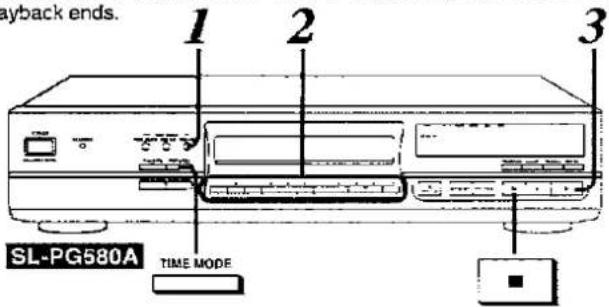
Gdy płyta jest zatrzymana lub wstrzymana: naciśnij TIME FADE.
Na panelu wyświetlacza pojawi się wskaźnik "---:".
2
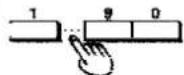
Naciśnij przyciski numeryczne, aby ustawić czas odtwarzania.
(od 5 sekund do 99 minut i 59 sekund)
Na przykład, aby odtwarzać płytę przez 30 minut, a następnie zatrzymać:
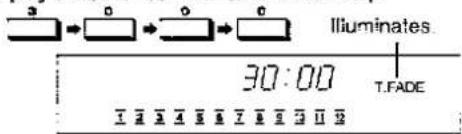
Aby wybrać 9 minut lub mniej:
Najpierw naciśnij "0", a następnie naciśnij przycisk numeryczny, aby ustawić czas odtwarzania.
Na przykład, aby odtwarzać płytę przez 5 minut, a następnie zatrzymać:

Jeśli popełnisz błąd przy ustawianiu czasu, naciśnij CLEAR i ustaw go ponownie.
3
Naciśnij ▶, aby rozpocząć odtwarzanie.
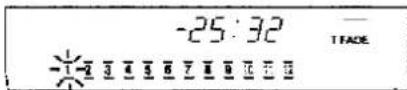
Na ekranie miga napis "T.FADE", a głośność jest stopniowo zmniejszana począwszy od pięciu sekund przed określonym czasem, a płyta jest wstrzymywana.
Zanikanie czasu jest anulowane jednocześnie.
Aby anulować zanikanie czasu:

Naciśnij ■.
Aby sprawdzić czas pozostały do zaniku:
Naciśnij trzykrotnie TIME MODE podczas odtwarzania. (Patrz strona 14.)

Uwaga
Ta funkcja może nie działać prawidłowo, jeśli płyta jest porysowana lub zabrudzona.
Co to jest nagrywanie z edycją CD?
Nagrywanie z edycją CD to funkcja, która pozwala określić długość taśmy, a następnie automatycznie wykonuje edycję tak, aby żaden utwór nie został ucięty na końcu taśmy.
Użyj tej procedury
- Nie chcesz zmieniać kolejności utworów na płycie.
- Chcesz, aby edycja była prosta.
Edycja w oryginalnej kolejności utworów (Auto Edit) Patrz strona 16.
- Chcesz zmienić kolejność utworów.
- Chcesz nagrać tylko wybrane ścieżki.
Edycja z tylko wybranymi ścieżkami (Program Edit) Patrz strona 18.

■ Auto Edit
Przykład:
Nagrywanie płyty z dziewięcioma ścieżkami w oryginalnej kolejności na kasecie C-46
| Track 1 | 2 | 3 | 4 | 5 | blank |
| Side B(23 min.) | 6 | 7 | 8 | 9 | blank |
Program Edit
Przykład:
Programowanie płyty z dziewięcioma ścieżkami w wybranej kolejności i nagrywanie ich na kasecie C-46
| Track 2 | 4 | 6 | 8 | 7 | blank |
| Side B(23 min.) | 1 | 3 | 5 | 9 | 7 | blank |
Auto Edit SL-PG580A
Ta funkcja dzieli ścieżki na płycie między dwie strony kasety w ich oryginalnej kolejności, zgodnie z długością kasety.
1
Przygotuj magnetofon kasetowy.
- Nawiń taśmę prowadzącą i włóż kasetę.
- Wybierz redukcję szumów.
- (Tylko deck z odtwarzaniem dwustronnym) Ustaw tryb rewersu na odtwarzanie jednostronne (→) i ustaw kierunek biegu taśmy na ▶.
- Ustaw deck kasetowy w tryb gotowości do nagrywania.
(Szczegóły znajdują się w instrukcji obsługi decku kasetowego.)
2

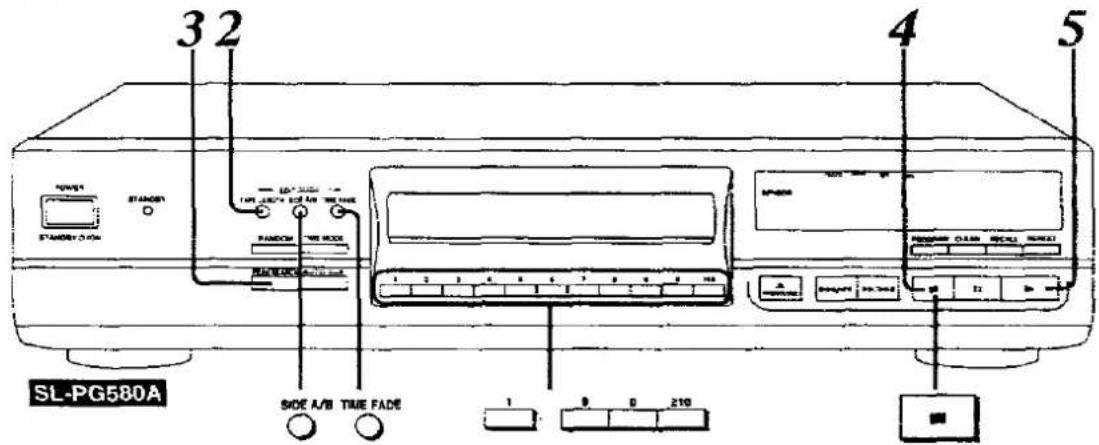
Naciśnij TAPE LENGTH, aby określić długość taśmy i podzielić ścieżki.
Każde naciśnięcie przycisku zmienia długość taśmy w następujący sposób.

• Aby wybrać dowolną długość nagrania, patrz następna strona A.
• Aby dodać ścieżki w wolnym miejscu na taśmie, patrz następna strona B. Liczba ścieżek na stronie A
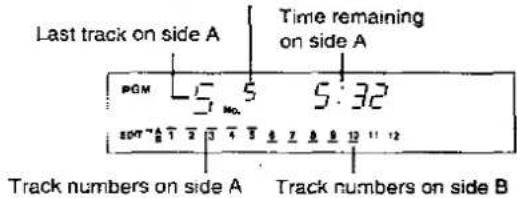
- Aby sprawdzić zawartość edycji dla strony B lub wprowadzić zmiany, naciśnij SIDE A/B.
3
Naciśnij PEAK SEARCH, aby wyszukać poziom szczytowy na płycie, i wyreguluj poziom nagrywania na decku kasetowym.
Wyszukiwanie poziomu szczytowego zajmuje około 2 minut i 30 sekund dla płyty CD o długości 60 minut. Po znalezieniu poziomu szczytowego urządzenie wielokrotnie odtwarza dźwięk przez około 6 sekund wokół poziomu szczytowego.
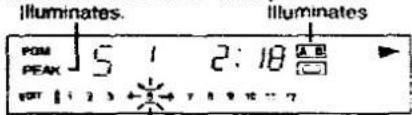
W kwestii regulacji poziomu nagrywania należy zapoznać się z instrukcją obsługi magnetofonu kasetowego.
4

Naciśnij ■.
5
Naciśnij ▶ jednocześnie z rozpoczęciem nagrywania na magnetofonie kasetowym.
- Gdy utwory przydzielone do strony A zostały nagrane:
Odtwarzacz CD wstrzymuje odtwarzanie na początku pierwszego utworu na stronie B. Magnetofon kasetowy kontynuuje nagrywanie, a następnie zatrzymuje się na końcu strony A.
•Aby nagrać stronę B:
- Wyjmij taśmę, aby przewinąć taśmę prowadzącą.
- (Dla magnetofonu z odtwarzaniem dwustronnym) Włóż taśmę i ustaw kierunek przesuwu na (Dla magnetofonu z odtwarzaniem jednostronnym) Odwróć taśmę i włóż ją ponownie
- Rozpocznij nagrywanie na magnetofonie kasetowym, jednocześnie rozpoczynając odtwarzanie na odtwarzaczu CD
Aby anulować tryb edycji CD:

Naciśnij ■.
Podczas nagrywania naciśnij przycisk dwukrotnie.
Aby wybrać dowolną długość nagrywania
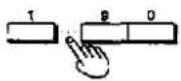
Wybierz "C----" i wprowadź całkowity czas dla obu stron taśmy (od 1 do 99 minut) jako wartość dwucyfrową.
Na przykład:
Aby wybrać 30 minut:
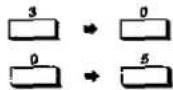
Aby wybrać 5 minut:
Jeśli popełnisz błąd podczas wprowadzania tej wartości, wybierz ponownie "C---".
B Aby dodać ścieżki w dodatkowej przestrzeni na taśmie
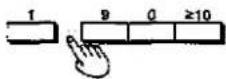
Po kroku 2 naciśnij przyciski numeryczne, aby określić żądany numer ścieżki. (Zobacz stronę 9.)
Gdy na wyświetlaczu pojawi się znak minus, oznacza to, że czas pozostały na taśmie jest niewystarczający.
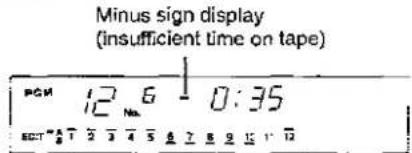
Aby płynnie wyciszyć na końcu taśmy podczas wyświetlania znaku minus:

Naciśnij TIME FADE.
Na końcu taśmy dźwięk będzie stopniowo zmniejszany i nagrywanie zakończy się.
Jeśli chcesz płynnie wyciszyć na końcu strony B, naciśnij SIDE A/B, a następnie powtórz tę samą procedurę opisaną powyżej.
Uwaga
Numery ścieżek i liczba ścieżek, których nie można edytować: Edycja nie może być wykonana na więcej niż 20 ścieżkach lub na numerach ścieżek powyżej 20.
W takich przypadkach zrezygnuj z funkcji edycji nagrywania i po prostu wykonaj nagrywanie w normalnym trybie odtwarzania.
Dla Twojej informacji:
• Wyświetlany pozostały czas na taśmie:
Pozostały czas taśmy oznacza długość czasu pomniejszoną o niezarejestrowane przerwy trwające około 4 sekund, umieszczone na początku każdego utworu w celu automatycznego wyszukiwania.
- Poziom szczytowy:
Ponieważ na płytach kompaktowych występuje wiele szczytów, nawet dla tej samej płyty można znaleźć inny poziom szczytowy przy każdym wyszukiwaniu szczytu.
Program Edit SL-PG580A
Ta funkcja umożliwia zaprogramowanie żądanych utworów w żądanej kolejności, a następnie podzielenie ich i nagranie na stronach A i B taśmy.
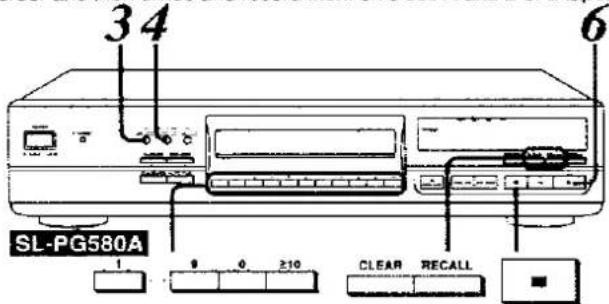
1
Przygotuj magnetofon.
Wykonaj krok 1 na stronie 16.
2
Określ żądane utwory w kolejności.
Wykonaj kroki 1 i 2 na stronie 10.
Całkowity czas odtwarzania zaprogramowanych utworów
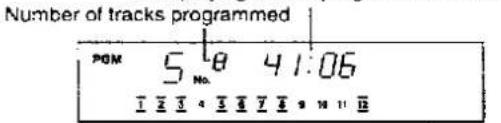
Zaprogramuj utwory tak, aby całkowity czas odtwarzania był krótszy niż długość taśmy. Po wejściu w tryb edycji CD, na początku każdego utworu zostanie dodane około cztery sekundy (funkcja automatycznej przerwy).
3

Naciśnij TAPE LENGTH i określ długość taśmy.
Wykonaj krok 2 na stronie 16.
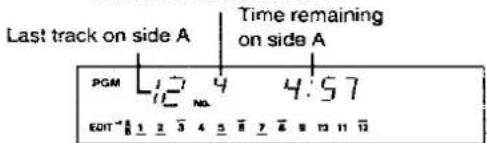
Podziel utwory między stronę A i B zgodnie z podanym czasem.
Liczba utworów na stronie A
4

Naciśnij SIDE A/B, aby sprawdzić czas pozostały na stronie B.
Wyświetlany jest czas pozostały na stronie B.
5
Ustaw poziom nagrywania.
Wykonaj kroki 3 i 4 na stronie 16
6
Naciśnij ▶ w tym samym czasie, gdy rozpoczniesz nagrywanie na decku kasetowym.
- Gdy utwory przydzielone do strony A zostały nagrane:
Odtwarzacz CD wstrzymuje się na początku pierwszego utworu na stronie B.
Deck kasetowy kontynuuje nagrywanie, a następnie zatrzymuje się na końcu strony A.
•Aby nagrać stronę B:
- Wyjmij taśmę, aby przewinąć taśmę prowadzącą.
- (Dla decku z odtwarzaniem dwustronnym) Włóż taśmę i ustaw kierunek odtwarzania na ◀. (Dla decku z odtwarzaniem jednostronnym) Odwróć taśmę i włóż ją ponownie.
- Rozpocznij nagrywanie na decku kasetowym, jednocześnie rozpoczynając odtwarzanie na odtwarzaczu CD.
Aby anulować tryb edycji CD:

Naciśnij ■.
Aby zmienić zawartość programu
Aby zmienić zawartość strony A w krokach 3 i 4, najpierw naciśnij SIDE A'B, aby przełączyć na wyświetlacz strony A.
Aby dodać utwory na końcu stron A i B taśmy:
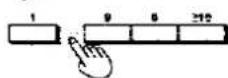
Naciśnij przyciski numeryczne. (Zobacz stronę 9)
Aby usunąć ostatni utwór na końcu stron A i B taśmy:
Naciśnij CLEAR

Aby zmienić ostatni utwór na końcu stron A i B taśmy:
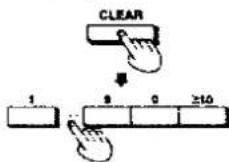
Naciśnij CLEAR i
naciśnij przyciski numeryczne, aby ponownie określić ścieżkę.
Aby usunąć ścieżkę w programie:
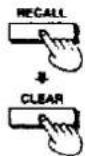
Naciśnij RECALL, aby wyświetlić ścieżkę do usunięcia, a następnie
naciśnij CLEAR.
Uwagi
Jeśli pojawi się następujący wyświetlacz:
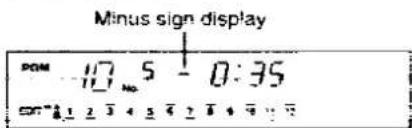
Całkowity czas odtwarzania zaprogramowanych ścieżek przekracza długość taśmy.
Usuń lub zmień ścieżki tak, aby zniknął znak minus, lub określ zanikanie. (Patrz strona 17.)
Numery ścieżek i liczba ścieżek, których nie można edytować:
Edycja nie może być wykonana na więcej niż 20 ścieżkach lub na numerach ścieżek powyżej 20.
W takich przypadkach zrezygnuj z funkcji edycji nagrywania i po prostu wykonaj nagrywanie w normalnym trybie odtwarzania.
Ta funkcja wyszukuje szczytowy poziom na płycie.
Jest to wygodne do regulacji poziomu nagrywania na decku kasetowym podczas nagrywania.
Dla posiadaczy SL-PG580A zalecamy łączne użycie z CD Edit. (Patrz strony 16 do 18.)
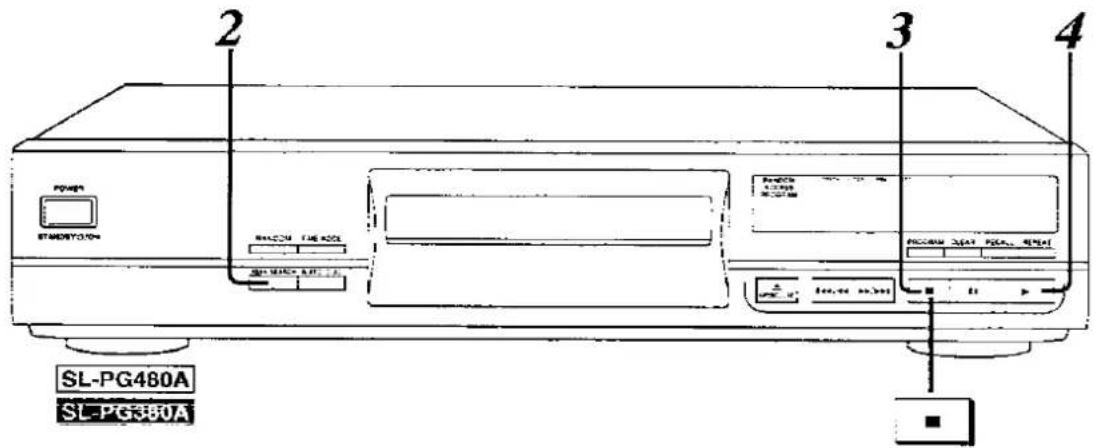
Przygotuj deck kasetowy.
- Przewiń taśmę prowadzącą i włóż kasetę.
- Wybierz redukcję szumów.
- (Tylko w decku z odtwarzaniem dwustronnym) Ustaw tryb rewersu na odtwarzanie jednostronne (→) i ustaw kierunek biegu taśmy na ▶.
- Ustaw deck kasetowy w tryb gotowości do nagrywania.
(Szczegóły znajdziesz w instrukcji obsługi decku kasetowego.)
2
Naciśnij PEAK SEARCH, aby wyszukać poziom szczytowy na płycie, i wyreguluj poziom nagrywania na decku kasetowym.
Wyszukiwanie poziomu szczytowego zajmuje około 2 minut i 30 sekund dla płyty CD 60-minutowej. Po znalezieniu poziomu szczytowego urządzenie wielokrotnie odtwarza dźwięk przez około 6 sekund wokół poziomu szczytowego.
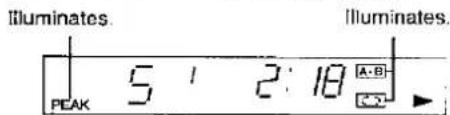
W sprawie procedury regulacji poziomu nagrywania zapoznaj się z instrukcją obsługi decku kasetowego.
3

Naciśnij ■.
4
Naciśnij ▶ w tym samym czasie, gdy zaczynasz nagrywanie na decku kasetowym.
Pierwsza piosenka nagrana na stronie B i nagrywanie na decku kasetowym zaczynają się w tym samym czasie podczas nagrywania strony B.
Aby zatrzymać nagrywanie:

Naciśnij ■.
Dla Twojej informacji:
Poziom szczytowy:
Ponieważ na płytach kompaktowych istnieje wiele szczytów, nawet dla tej samej płyty, za każdym razem, gdy przeprowadzane jest wyszukiwanie szczytu, można znaleźć inny poziom szczytowy.
Aby korzystać z funkcji PEAK SEARCH podczas nagrywania programu:
- Wykonaj krok 1 opisany powyżej.
- SL-PG580A: Wykonaj kroki 1 i 2 na stronie 10,
SL-PG480A SL-PG480A: Wykonaj kroki 1-4 na stronie 10.
- Wykonaj czynności opisane w punktach 2–4 powyżej.
Obsługa pilota zdalnego sterowania
—skrócona instrukcja— SL-PG580A SL-PG480A
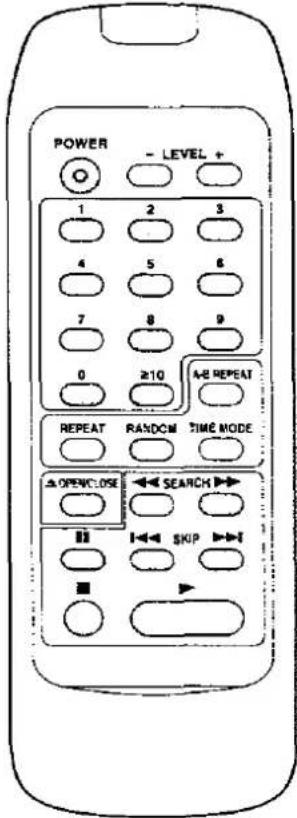 | Operations | |
| Switch the unit on and power standby mode(See page 7.) | POWER | |
| Open/close tray (See page 7.) | ||
| Start play (See page 7.) | ||
| Pause play (See page 7.) | ||
| Stop play (See page 7.) | ||
| Search forward or backward (See page 8.) | ||
| Skip tracks (See page 8.) | ||
| Play from a desired track (See page 9.) | ||
| Play in random order (See page 9.) | ||
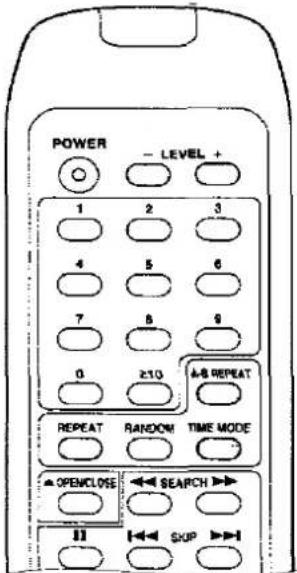 | Convenient functions | |
| Repeat all tracks or programmed tracks(See page 12.) | ||
| Repeat a specified segment (See page 12.) | ||
| Decrease/increase output level (See page 14.) | ||
| Switch the time display (See page 14.) | ||
Zalecenia dotyczące bezpieczeństwa
Umieszczenie
Unikaj umieszczania urządzenia w miejscach, gdzie występują:
bezpośrednie światło słoneczne • wysoka temperatura • wysoka wilgotność • nadmierne wibracje • nierówne powierzchnie (Umieść urządzenie na płaskiej, równej powierzchni.)
Takie warunki mogą uszkodzić obudowę i/lub inne elementy, a tym samym skrócić żywotność urządzenia.
Wentylacja
Umieść urządzenie w dobrze wentylowanym miejscu, co najmniej 10 cm od ścian i innych powierzchni.
Układanie
Nigdy nie kładź ciężkich przedmiotów na urządzeniu ani na przewodzie zasilającym.
Napięcie
- Bardzo niebezpieczne jest korzystanie z sieci prądu przemiennego o wysokim napięciu, np. do klimatyzatora. Takie podłączenie może spowodować pożar. • Nie można używać źródła prądu stałego. Pamiętaj, aby dokładnie sprawdzić źródło zasilania, zwłaszcza na statku lub w innym miejscu, gdzie używany jest prąd stały.
Ochrona przewodu zasilającego
- Unikaj przecięć, zarysowań lub złego podłączenia przewodu zasilającego, ponieważ może to spowodować pożar lub porażenie prądem. Należy również unikać nadmiernego zginania, ciągnięcia lub przecinania przewodu.
- Nie ciągnij za przewód podczas odłączania zasilania, ponieważ może to spowodować porażenie prądem. Chwyć mocno wtyczkę podczas odłączania od sieci. ●Nigdy nie dotykaj wtyczki mokrymi rękami, ponieważ może to spowodować poważne porażenie prądem.
Obce materiały
- Upewnij się, że żadne obce przedmioty, takie jak igły, monety, śrubokręty itp., nie wpadną przypadkowo do urządzenia. W przeciwnym razie może dojść do poważnego porażenia prądem lub awarii.
- Zachowaj szczególną ostrożność, aby nie rozlać wody ani innych płynów na urządzenie lub do jego wnętrza, ponieważ może to spowodować pożar lub porażenie prądem. (Jeśli tak się stanie, odłącz przewód zasilający i natychmiast skontaktuj się z dealerem.)
- Unikaj spryskiwania urządzenia środkami owadobójczymi, ponieważ zawierają one łatwopalne gazy, które mogą się zapalić.
- Środki owadobójcze, alkohol, rozcieńczalnik do farb i podobne chemikalia nie powinny być nigdy używane do czyszczenia urządzenia, ponieważ mogą spowodować łuszczenie się lub zmętnienie obudowy.
Konserwacja
Czyść obudowę, panel i elementy sterujące miękką szmatką lekko zwilżoną łagodnym roztworem detergentu.
Nie używaj żadnych ściernych gąbek, proszków czyszczących ani rozpuszczalników, takich jak alkohol czy benzyna.
Serwis
- Nigdy nie próbuj naprawiać, demontować ani przebudowywać urządzenia, jeśli wydaje się, że występuje problem. Poważne porażenie prądem może wystąpić, jeśli zignorujesz ten środek ostrożności.
- Jeśli podczas pracy wystąpi problem (dźwięk jest przerywany, wskaźniki nie świecą, wyczuwalny jest dym itp.), natychmiast skontaktuj się z dealerem lub autoryzowanym centrum serwisowym.
- Odłącz urządzenie od sieci, jeśli nie będzie używane przez dłuższy czas. W przeciwnym razie jego żywotność może się skrócić.
Z tym urządzeniem można używać tylko płyt kompaktowych oznaczonych tym symbolem.

Aby wyjąć płytę z pudełka
Naciśnij środkowy uchwyt i unieś płytę, trzymając ją za krawędzie.
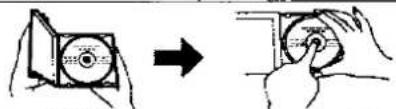
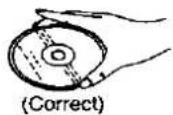
Trzymanie płyty
Trzymaj płytę za krawędzie, aby powierzchnia nie została zabrudzona odciskami palców.
Odciski palców, brud i zarysowania mogą powodować przeskoki i zniekształcenia.
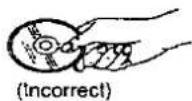
Aby przechowywać płytę w pudełku
Włóż płytę etykietą do góry i naciśnij w dół w środku.
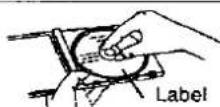
Jeśli powierzchnia jest zabrudzona
Wytrzyj delikatnie miękką, wilgotną (tylko wodą) szmatką.
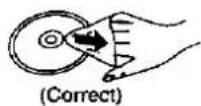
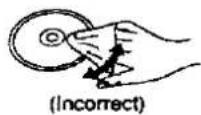
Jeśli płyta została przeniesiona z zimnego do ciepłego otoczenia, na płycie może skroplić się wilgoć.
Wytrzyj tę wilgoć miękką, suchą, niestrzępiącą się szmatką przed użyciem płyty.
Nieprawidłowe przechowywanie płyt:
Możesz uszkodzić płyty, jeśli przechowujesz je w następujących miejscach:
• Miejsca narażone na bezpośrednie działanie promieni słonecznych • Wilgotne lub zakurzone miejsca - Miejsca bezpośrednio narażone na działanie źródła ciepła lub urządzenia grzewczego
Środki ostrożności podczas obsługi:
- Nie pisz po stronie etykiety długopisem ani innymi przyborami do pisania.
- Nie używaj sprayów do czyszczenia płyt, benzyny, rozcieńczalników, płynów antystatycznych ani żadnych innych rozpuszczalników.
- Nie zabrudź odciskami palców.
Dane techniczne
Audio
| No. of channels | 2 (left and right, stereo) |
Pasmo przenoszenia
| SL-PG580A |
| SL-PG480A SL-PG380A |
Napięcie wyjściowe
| Dynamic range | |
| SL-PG580A | 96 dB |
| SL-PG480A SL-PG380A | 92 dB |
Stosunek sygnału do szumu
Zniekształcenia harmoniczne
| SL-PG580A | |
| SL-PG480A | SL-PG380A |
Całkowite zniekształcenia harmoniczne
| SL-PG580A | |
| SL-PG480A | SL-PG389A |
Wow i trzepotanie
| DA converter | MASH (1 bit) |
| Output Impedance | 1 kΩ |
| Load impedance | More than 10 kΩ |
Wkładka
| Wavelength | 780 nm |
| Laser Power | No hazardous radiation is emitted(with safety protection) |
Ogólne
| Power consumption | 13 W | |
| Power supply | AC 50/60 Hz, 230-240 V | |
| Dimensions (W×H×D) | ||
| SL-PG480A | 430×103×283 mm | |
| SL-PG480A | SL-PG480A | 430×92×283 mm |
Waga
| SL-PG580A | 3.5 kg |
| SL-PG430A SL-PG380A | 3.1 kg |
Uwaga: Dane techniczne mogą ulec zmianie bez powiadomienia. Waga i wymiary są przybliżone.
MASH jest znakiem towarowym firmy NTT.
Przed zgłoszeniem urządzenia do serwisu sprawdź poniższą tabelę, aby znaleźć możliwą przyczynę problemu. Proste sprawdzenie lub drobna regulacja z Twojej strony może wyeliminować problem i przywrócić prawidłowe działanie. Jeśli nie masz pewności co do niektórych punktów kontroli lub jeśli środki zaradcze wskazane w tabeli nie rozwiązują problemu, skorzystaj z wykazu autoryzowanych centrów serwisowych (dołączonego do urządzenia), aby znaleźć dogodne centrum serwisowe, lub skontaktuj się ze sprzedawcą w celu uzyskania instrukcji.
| Problem | Probable cause(s) | Suggested remedy |
| After inserting a disc, the tray will not close even after pressing ▲ OPEN/ CLOSE. | Is the disc inserted properly? | Re-insert the disc. |
| Even after inserting a disc, the total number of tracks and other indicators do not appear on the display. Even after pressing ▶, disc playback does not begin. | Is the disc inserted upside-down? | Re-insert the disc. |
| Is the disc dirty? | Wipe with a soft cloth. | |
| Is the disc scratched? | Use another disc. | |
| Is the disc extremely warped? | ||
| Are you using a non-standard disc? | ||
| Has moisture condensation occurred? | Turn the unit on and wait an hour before using. | |
| Specify areas do not play properly. | Is the disc dirty? | Wipe with a soft cloth. |
| There is noise from the tuner or disturbance on the TV screen. | Caused by high-frequency signals of this unit. | ●Use the unit farther away from the tuner or TV. ●If the tuner's or TV's antenna is the Indoor type, use an outdoor one. |
| The remote control does not work. | Are the batteries inserted with the ⊕ and ≌ ends reversed? | Insert with the ≌ and ≌ oriented correctly. |
| Are the batteries worn out? | Replace batteries. |
Konserwacja
Wytrzyj urządzenie miękką szmatką.
Jeśli powierzchnie są bardzo zabrudzone, wyczyść je szmatką zwilżoną w słabym roztworze mydła i wody, dokładnie wyciśniętą, a następnie wytrzyj do sucha suchą szmatką.
- Nie używaj alkoholu, rozcieńczalników itp.
- W przypadku używania szmatek impregnowanych chemicznie, postępuj zgodnie z ich instrukcją.
O wilgoci
Wilgoć może skraplać się na obiektywie w następujących przypadkach...
- Natychmiast po włączeniu grzejnika. • W parnym lub bardzo wilgotnym pomieszczeniu.
- Gdy urządzenie jest nagle przenoszone z zimnego otoczenia do ciepłego.
Jeśli wewnątrz urządzenia skropli się wilgoć, może ono nie działać prawidłowo. W takim przypadku włącz urządzenie i odczekaj około godziny, aż wilgoć odparuje.
Wydrukowano w sposób przyjazny dla środowiska na papierze bielonym bez chloru.
Wydrukowano w sposób przyjazny dla środowiska na papierze bielonym bez chloru.
Matsushita Electric Industrial Co., Ltd.
Central P.O. Box 288, Osaka 530-91, Japan

- TECHNICS
- SZANOWNY KLIENCIE
- OSTRZEŻENIE
- SPIS TREŚCI
- PRZED UŻYCIEM
- OPERACJE
- FUNKCJE WYGODNE
- NAGRYWANIE Z EDYCJĄ CD
- INFORMACJE OGÓLNE
- OSTRZEŻENIE DOTYCZĄCE PRZEWODU ZASILAJĄCEGO
- (DLA WIELKIEJ BRYTANII)
- UWAGA
- WAŻNE
- JAK WYMIENIĆ BEZPIECZNIK
- ELEMENTY STEROWANIA NA PANELU PRZEDNIM
- AKCESORIA W ZESTAWIE
- DOTYCZĄCE PILOTA ZDALNEGO STEROWANIA
- INSTALACJA BATERII
- UŻYTKOWANIE BATERII
- ŻYWOTNOŚĆ BATERII
- PRAWIDŁOWY SPOSÓB UŻYCIA
- UWAGI DOTYCZĄCE OBSŁUGI
- UWAGI
- FUNKCJA POMIJANIA
- FUNKCJA WYSZUKIWANIA
- DLA TWOJEJ INFORMACJI
- NACIŚNIJ PRZYCISKI NUMERYCZNE
- ABY OKREŚLIĆ NUMER UTWORU
- ABY POWRÓCIĆ DO ODTWARZANIA W ORYGINALNEJ KOLEJNOŚCI UTWORÓW
- ABY ANULOWAĆ ODTWARZANIE LOSOWE
- ODTWARZANIE PROGRAMOWE
- NACIŚNIJ
- NACIŚNIJ PROGRAM
- ABY ANULOWAĆ TRYB PROGRAMU
- SPRAWDZANIE ZAWARTOŚCI PROGRAMU
- NACIŚNIJ RECALL
- ABY ZAPROGRAMOWAĆ DODATKOWE ŚCIEŻKI
- ABY SKASOWAĆ ZAPROGRAMOWANE UTWORY
- ABY SKASOWAĆ OSTATNI ZAPROGRAMOWANY UTWÓR
- ABY SKASOWAĆ UTWÓR W PROGRAMIE
- ABY SKASOWAĆ WSZYSTKIE UTWORY I ZAPROGRAMOWAĆ PONOWNIE
- SL-PG580A
- SL-PG480A SL-PG380A
- NA WYŚWIETLACZU POJAWIA SIĘ „
- FUNKCJA POWTARZANIA
- POWTARZANIE WYBRANEGO FRAGMENTU
- (POWTARZANIE A-B) SL-PG580A SL-PG480A
- ABY POWTARZAĆ TYLKO JEDEN UTWÓR LUB WYBRANE UTWORY
- FUNKCJA AUTO CUE
- ABY ANULOWAĆ FUNKCJĘ AUTO CUE
- STEROWANIE POZIOMEM WYJŚCIA SL-PG580A SL-PG480A
- WYBÓR TRYBU CZASU
- NACIŚNIJ - LEVEL
- UWAGA SL-PG580A
- GDY PŁYTA JEST ZATRZYMANA LUB WSTRZYMANA: NACIŚNIJ TIME FADE
- NACIŚNIJ PRZYCISKI NUMERYCZNE, ABY USTAWIĆ CZAS ODTWARZANIA
- ABY WYBRAĆ 9 MINUT LUB MNIEJ
- NACIŚNIJ ▶, ABY ROZPOCZĄĆ ODTWARZANIE
- ABY ANULOWAĆ ZANIKANIE CZASU
- ABY SPRAWDZIĆ CZAS POZOSTAŁY DO ZANIKU
- CO TO JEST NAGRYWANIE Z EDYCJĄ CD
- UŻYJ TEJ PROCEDURY
- AUTO EDIT
- PROGRAM EDIT
- AUTO EDIT SL-PG580A
- PRZYGOTUJ MAGNETOFON KASETOWY
- NACIŚNIJ TAPE LENGTH, ABY OKREŚLIĆ DŁUGOŚĆ TAŚMY I PODZIELIĆ ŚCIEŻKI
- ABY WYBRAĆ DOWOLNĄ DŁUGOŚĆ NAGRYWANIA
- B ABY DODAĆ ŚCIEŻKI W DODATKOWEJ PRZESTRZENI NA TAŚMIE
- PROGRAM EDIT SL-PG580A
- ABY ZMIENIĆ ZAWARTOŚĆ PROGRAMU
- PRZYGOTUJ DECK KASETOWY
- OBSŁUGA PILOTA ZDALNEGO STEROWANIA
- SKRÓCONA INSTRUKCJA— SL-PG580A SL-PG480A
- ZALECENIA DOTYCZĄCE BEZPIECZEŃSTWA
- UMIESZCZENIE
- WENTYLACJA
- UKŁADANIE
- NAPIĘCIE
- OCHRONA PRZEWODU ZASILAJĄCEGO
- OBCE MATERIAŁY
- KONSERWACJA
- SERWIS
- ABY WYJĄĆ PŁYTĘ Z PUDEŁKA
- TRZYMANIE PŁYTY
- ABY PRZECHOWYWAĆ PŁYTĘ W PUDEŁKU
- JEŚLI POWIERZCHNIA JEST ZABRUDZONA
- JEŚLI PŁYTA ZOSTAŁA PRZENIESIONA Z ZIMNEGO DO CIEPŁEGO OTOCZENIA, NA PŁYCIE MOŻE SKROPLIĆ SIĘ WILGOĆ
- NIEPRAWIDŁOWE PRZECHOWYWANIE PŁYT
- ŚRODKI OSTROŻNOŚCI PODCZAS OBSŁUGI
- DANE TECHNICZNE
- O WILGOCI
Marka : PANASONIC
Model : SL-PG380A
Kategoria : System Hi-Fi