
SL-PD1010 - System Hi-Fi PANASONIC - Bezpłatna instrukcja obsługi
Znajdź bezpłatnie instrukcję urządzenia SL-PD1010 PANASONIC w formacie PDF.


| Typ produktu | System Hi-Fi |
| Marka | Panasonic |
| Model | SL-PD1010 |
| Wymiary (szer. x wys. x gł.) | Około 250 x 120 x 300 mm (główna jednostka) |
| Waga netto | Około 3,5 kg (jednostka główna) |
| Zasilanie | 230 V AC, 50 Hz |
| Pobór mocy | 35 W (tryb pracy), poniżej 1 W (standby) |
| Funkcje odtwarzacza CD | Odtwarzanie płyt CD, CD-R/RW, programowanie ścieżek, losowe odtwarzanie |
| Zakres częstotliwości tunera | FM: 87,5–108 MHz; AM: 531–1602 kHz |
| Pamięć stacji | 30 stacji FM/AM |
| Moc wyjściowa głośników | 2 x 20 W RMS (przy 6 ohm) |
| Pasmo przenoszenia | 40 Hz – 20 kHz |
| Wejścia/wyjścia | Gniazdo słuchawkowe (3,5 mm), wejście AUX (RCA), wyjście na głośniki (zaciski) |
| Wyświetlacz | Podświetlany wyświetlacz FL (fluorescencyjny) |
| Obsługa pilota | Tak, w zestawie pilot na podczerwień |
| Materiał obudowy | Tworzywo sztuczne z metalowymi akcentami |
| Kolorystyka | Czarna/srebrna |
| Akcesoria w zestawie | Pilot zdalnego sterowania, instrukcja obsługi, antena FM/AM, 2 głośniki satelitarne |
| Czyszczenie i konserwacja | Przecierać suchą, miękką szmatką; nie używać rozpuszczalników |
| Bezpieczeństwo | Nie otwierać obudowy (ryzyko porażenia prądem); nie narażać na wilgoć |
| Części zamienne i naprawy | Dostępne w autoryzowanych serwisach; numer katalogowy: SL-PD1010 |
Często zadawane pytania - SL-PD1010 PANASONIC
Pytania użytkowników dotyczące SL-PD1010 PANASONIC
0 pytanie dotyczące tego urządzenia. Odpowiedz na te, które znasz, lub zadaj własne.
Zadaj nowe pytanie dotyczące tego urządzenia
Pobierz instrukcję dla swojego System Hi-Fi w formacie PDF za darmo! Znajdź swoją instrukcję SL-PD1010 - PANASONIC i weź swoje urządzenie elektroniczne z powrotem w ręce. Na tej stronie opublikowane są wszystkie dokumenty niezbędne do korzystania z urządzenia. SL-PD1010 marki PANASONIC.
INSTRUKCJA OBSŁUGI SL-PD1010 PANASONIC
Technics®
Zmieniarka płyt kompaktowych
SL-PD1010
Instrukcja obsługi
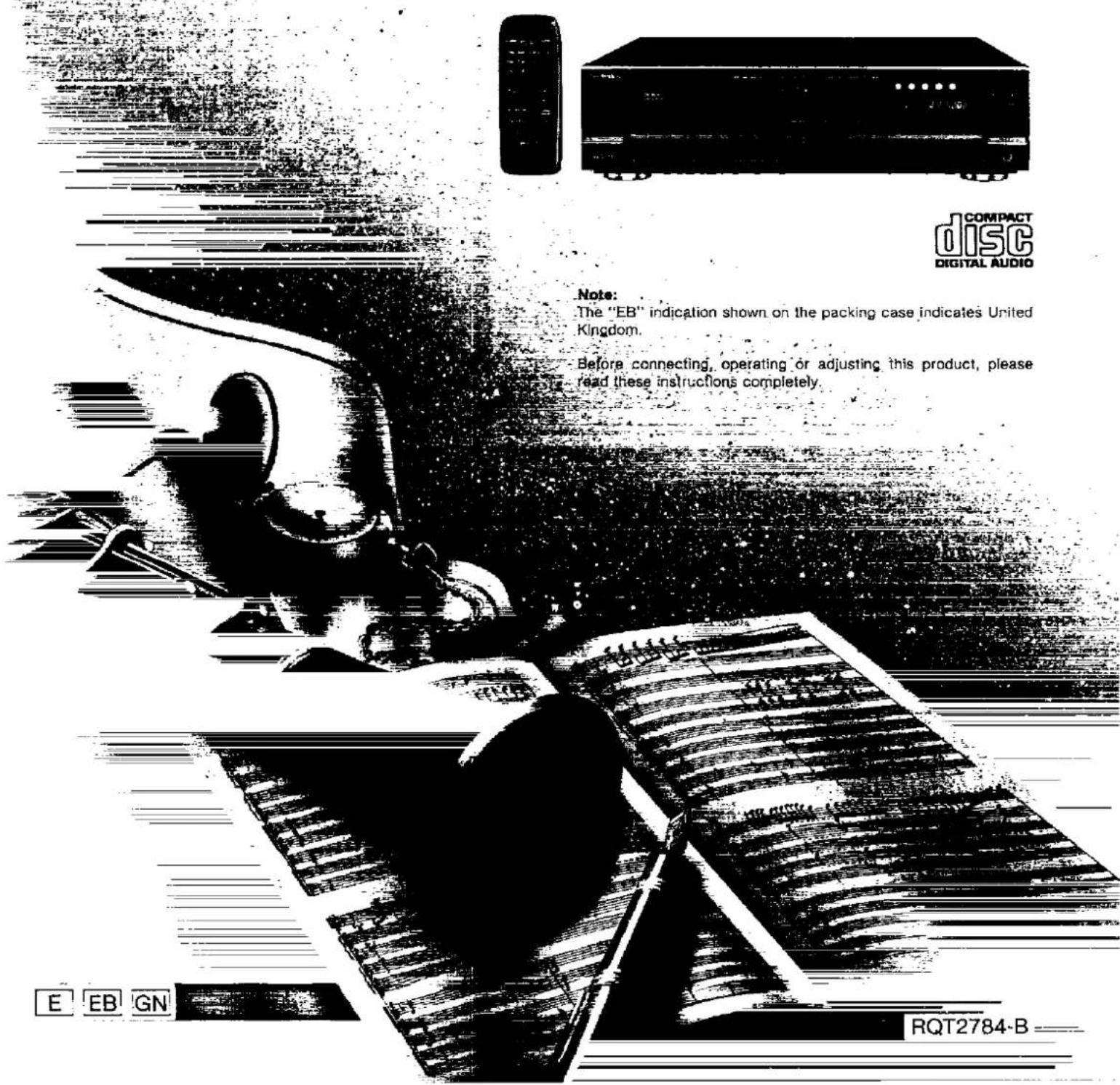

Uwaga:
Oznaczenie "EB" na opakowaniu oznacza Wielką Brytanię.
Przed podłączeniem, obsługą lub regulacją tego produktu, prosimy o dokładne przeczytanie niniejszej instrukcji.
RQT2784-B
Drogi Kliencie
Dziękujemy za zakup produktu Technics. Aby zapewnić optymalną wydajność i bezpieczeństwo, prosimy o dokładne przeczytanie niniejszej instrukcji.
Spis treści
| Caution for AC mains lead(For United Kingdom) | 3 |
| Suggestions for safety | 4 |
| Front panel controls | 5 |
| Connections | 6 |
| Concerning the remote control | 7 |
| Basic operations | 8 |
| Program play | 11 |
| Random play | 12 |
| Delete play | 13 |
| Spiral play | 14 |
| ID scan function | 15 |
| Search function | 15 |
| Skip function | 16 |
| Repeat function | 17 |
| Auto cue function | 17 |
| Edit guide function | 18 |
| Time mode selection | 19 |
| Quick reference table of remote control operation | 20 |
| Cautions concerning the moving of this unit | 22 |
| Concerning compact discs | 22 |
| Troubleshooting guide | 23 |
| Technical specifications | Back cover |
UWAGA!
TEN PRODUKT WYKORZYSTUJE LASER. UŻYWANIE KONTROLI, REGULACJI LUB WYKONYWANIE PROCEDUR INNYCH NIŻ OKREŚLONE W NINIEJSZEJ INSTRUKCJI MOŻE PROWADZIĆ DO NIEBEZPIECZNEGO NARAŻENIA NA PROMIENIOWANIE. NIE OTWIERAĆ POKRYW I NIE NAPRAWIAĆ SAMODZIELNIE. ZLECIĆ SERWIS WYKWALIFIKOWANEMU PERSONELOWI.
DANSK
BEMAERKI
W TYM URZĄDZENIU STOSOWANY JEST LASER. UŻYWANIE PRZYCISKÓW STEROWANIA, REGULATORÓW LUB WYKONYWANIE CZYNNOŚCI INNYCH NIŻ PODANE W NINIEJSZEJ INSTRUKCJI OBSŁUGI MOŻE PROWADZIĆ DO NIEBEZPIECZNEGO NARAŻENIA NA PROMIENIOWANIE. NIE OTWIERAĆ OBUDOWY I NIE PRÓBOWAĆ WYKONYWAĆ NAPRAW SAMODZIELNIE. NAPRAWY MOGA BYĆ WYKONYWANE WYŁĄCZNIE PRZEZ WYKWALIFIKOWANYCH TECHNIKÓW.
SUOMI
VAROITUS!
LAITTEEN KÄYTTÄMINEN MUULLA KUIN TÄSSÄ KÄYTTÖOHJEESSA MAINITULLA TAVALLA SAATTAA ALTISTAA KÄYTTÄJÄN TURVALLISUUSLUOKAN 1 YLITTÄVÄLLE NÄKYMÄTTÖMÄLLE LASERSÄTEILYLLE.
NORSK
ADVARSEL!
DETTE PRODUKTET ANVENDER EN LASER. BETJENING AV KONTROLLER, JUSTERINGER ELLER ANDRE INNGREP ENN DE SOM ER BESKREVET I DENNE BRUKSANVISNINGEN, KAN FØRE TIL FARLIG
BESTRÅLING.
DEKSLER MÅ IKKE ÅPNES, OG FORSØK ALDRI Å REPARERE APPARATET PÅ EGENHÅND. ALT SERVICE OG REPARASJONSARBEID MÅ UTFØRES AV KVALIFISERT PERSONELL.
| DANGER | INVISIBLE LASER RADIATION WITH OPEN AVOID DIRECT EXPOSURE TO BEAM |
| ADVARSEL | WITTEL LASERTAINING VED AMING, WIK SIKEN ASGARPTER E PUE OF FURNION, UNIDAD ASSETTE EN CAPTALING. |
| VARD | AWTTAESSA SAUCIAL JUSTICE CHETTER ALESSA OLE ALTURA NAVAPEYORNA LASERTAINING, VILELA ALNATO SIPEGEN. |
| VARNING | ASPERL ASERTAINING NAP DEMA DE AUPPINA DOH SPRAWEN AP UROSPALD, BE TARTILA STRAIEN. |
| ADVARSEL | ASPERL ASERTAINING NAP DEMA, UMEA, SO CINDICIDAS ELTRITES, UNIDAD ESPRINGEN ANGELAN. |
| VORS/CHT | SWEICHMAN LASERS TONE INC. WITH ARDECUM GEOTNET MECHEN PEACH, SURVEGETON. |
(Wewnątrz produktu)
(Wewnątrz urządzenia)
(Wewnątrz produktu)
(Wewnątrz urządzenia)
(Wewnątrz produktu)
(Wewnątrz obudowy)
KLASA 1 PRODUKT LASEROWY
LUOKAN 1 LASERLAITE KLASS 1 LASER APPARAT
(Tył produktu) (Tylna strona komponentu) (Tylna strona produktu)
(Dla Wielkiej Brytanii)
(Tylko model z kodem obszaru "EB")
Dla Twojego bezpieczeństwa, prosimy o dokładne przeczytanie poniższego tekstu.
To urządzenie jest wyposażone w formowaną wtyczkę z trzema bolcami dla Twojego bezpieczeństwa i wygody.
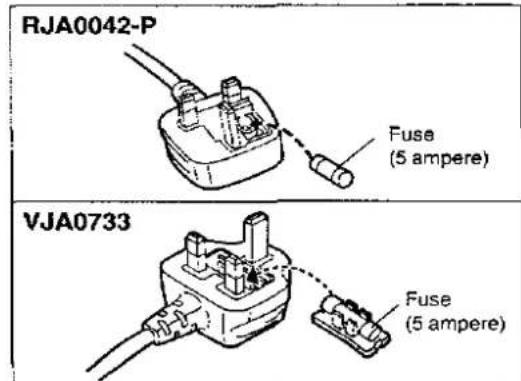
W tej wtyczce znajduje się bezpiecznik 5 amperów.
Jeśli bezpiecznik wymaga wymiany, upewnij się, że nowy bezpiecznik ma wartość 5 amperów i jest zatwierdzony przez ASTA lub BSI do normy BS1362.
Sprawdź znak ASTA lub znak BSI na obudowie bezpiecznika.
Jeśli wtyczka ma zdejmowaną pokrywę bezpiecznika, musisz ją ponownie założyć po wymianie bezpiecznika.
Jeśli zgubisz pokrywę bezpiecznika, nie używaj wtyczki, dopóki nie zdobędziesz nowej pokrywy.
Nową pokrywę bezpiecznika można kupić u lokalnego dealera.
UWAGA!
JEŚLI DOPASOWANA WTYKA NIE PASUJE DO GNIAZDKA W TWOIM DOMU, NALEŻY WYJĄĆ BEZPIECZNIK I ODCIĄĆ WTYKĘ ORAZ BEZPIECZNIE JĄ ZUTYLIZOWAĆ.
ISTNIEJE RYZYKO POWAŻNEGO PORAŻENIA PRĄDEM, JEŚLI ODCIĘTA WTYCZKA ZOSTANIE WŁOŻONA DO DOWOLNEGO GNIAZDKA 13-AMPEROWEGO.
Jeśli ma być zamontowana nowa wtyczka, należy przestrzegać poniższego schematu podłączenia przewodów.
- W razie wątpliwości należy skonsultować się z wykwalifikowanym elektrykiem.
WAŻNE
Przewody w tym przewodzie zasilającym są oznaczone kolorami zgodnie z poniższym kodem:
Niebieski: neutralny, brązowy: fazowy.
Ponieważ te kolory mogą nie odpowiadać oznaczeniom kolorowym na zaciskach wtyczki, należy postępować w następujący sposób:
Przewód koloru niebieskiego należy podłączyć do zacisku oznaczonego literą N lub koloru czarnego lub niebieskiego.
Przewód koloru brązowego należy podłączyć do zacisku oznaczonego literą L lub koloru brązowego lub czerwonego.
OSTRZEŻENIE: NIE PODŁĄCZAĆ ŻADNEGO Z TYCH PRZEWODÓW DO ZACISKU UZIEMIENIA OZNACZONEGO LITERĄ E, SYMBOLEM UZIEMIENIA ⊥ LUB KOLOREM ZIELONYM LUB ZIELONO-ŻÓŁTYM.
TA WTyczka NIE JEST WODOSZCZELNA – NALEŻY JĄ CHRONIĆ PRZED WILGOCIĄ.
Przed użyciem
Zdjąć osłonę złącza w następujący sposób.
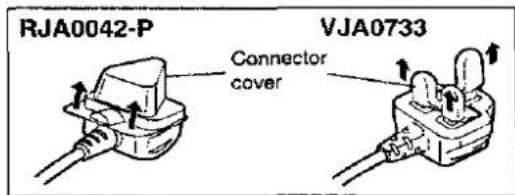
Jak wymienić bezpiecznik
- Otworzyć pokrywę bezpiecznika za pomocą śrubokręta.
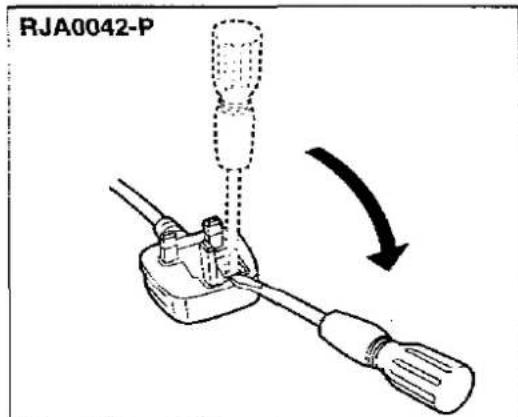
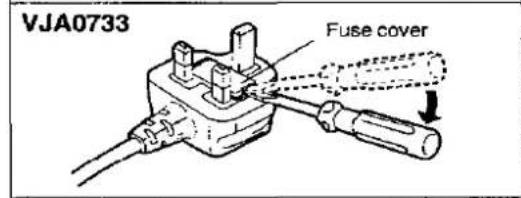
- Wymień bezpiecznik i zamknij lub załóż pokrywę bezpiecznika.
Zalecenia dotyczące bezpieczeństwa
Umieszczenie
Unikaj umieszczania urządzenia w miejscach, gdzie występuje:
- bezpośrednie światło słoneczne • wysoka temperatura • wysoka wilgotność • nadmierne wibracje
- nierówne powierzchnie. (Umieść urządzenie na płaskiej, równej powierzchni). Takie warunki mogą uszkodzić obudowę i/lub inne elementy, a tym samym skrócić żywotność urządzenia.
Wentylacja
Umieść urządzenie w dobrze wentylowanym miejscu, co najmniej 10 cm od ścian itp.
Układanie
Nigdy nie kładź ciężkich przedmiotów na urządzeniu ani na przewodzie zasilającym.
Napięcie
- bardzo niebezpieczne jest korzystanie z sieci prądu przemiennego o wysokim napięciu, np. do klimatyzatora.
Takie podłączenie może spowodować pożar.
- Nie można używać źródła prądu stałego. Pamiętaj, aby dokładnie sprawdzić źródło zasilania, zwłaszcza na statku lub w innym miejscu, gdzie używany jest prąd stały.
Ochrona przewodu zasilającego
- Unikaj przecięć, zarysowań lub złego podłączenia przewodu zasilającego sieć, ponieważ może to spowodować pożar lub porażenie prądem. Należy również unikać nadmiernego zginania, ciągnięcia lub przecinania przewodu.
- Nie ciągnij za przewód podczas odłączania zasilania, ponieważ może to spowodować porażenie prądem. Chwyć mocno wtyczkę podczas odłączania zasilania.
- Nigdy nie dotykaj wtyczki mokrymi rękami, ponieważ może to spowodować poważne porażenie prądem.
Obce materiały
- Upewnij się, że żadne obce przedmioty, takie jak igły, monety, śrubokręty itp., nie wpadną przypadkowo do urządzenia lub przez otwory wentylacyjne. W przeciwnym razie może dojść do poważnego porażenia prądem lub awarii.
- Zachowaj szczególną ostrożność, aby nie rozlać wody lub płynów na urządzenie lub do jego wnętrza, ponieważ może to spowodować pożar lub porażenie prądem. (Jeśli tak się stanie, odłącz wtyczkę zasilania i natychmiast skontaktuj się z dealerem.)
- Unikaj spryskiwania urządzenia środkami owadobójczymi, ponieważ zawierają one łatwopalne gazy, które mogą się zapalić.
- Środki owadobójcze, alkohol, rozcieńczalniki do farb i podobne chemikalia nigdy nie powinny być używane do czyszczenia urządzenia, ponieważ mogą powodować łuszczenie się lub matowienie wykończenia obudowy.
Konserwacja
Czyść obudowę, panel i elementy sterujące miękką szmatką lekko zwilżoną łagodnym roztworem detergentu.
Nie używaj żadnych ściernych gąbek, proszków czyszczących ani rozpuszczalników, takich jak alkohol lub benzyna.
Serwis
- Nigdy nie próbuj naprawiać, demontować ani przebudowywać urządzenia, jeśli wydaje się, że występuje problem. Poważne porażenie prądem może wystąpić, jeśli zignorujesz ten środek ostrożności.
- Jeśli podczas pracy wystąpi problem (dźwięk jest przerywany, wskaźniki nie świecą, wyczuwalny jest dym itp.), natychmiast skontaktuj się z dealerem lub autoryzowanym centrum serwisowym.
- Odłącz zasilanie, jeśli urządzenie nie będzie używane przez dłuższy czas. W przeciwnym razie czas eksploatacji może zostać skrócony.
Inne uwagi
Unikaj miejsc takich jak:
- W pobliżu urządzeń lub sprzętu wytwarzającego silne pole magnetyczne.
- Na urządzeniach lub sprzęcie wytwarzających ciepło, lub w miejscach o wysokiej temperaturze (35°C lub wyższej).
- W bardzo zimnych miejscach (5°C lub poniżej).
- W pobliżu tunera lub telewizora (może to powodować zakłócenia w odbiorze lub obrazie telewizyjnym).
Podczas przenoszenia lub przechowywania urządzenia należy obchodzić się z nim ostrożnie, aby nie narażać go na silne uderzenia.
Zawsze wyjmuj płyty przed przechowywaniem urządzenia przez dłuższy czas.
Aby uniknąć problemów związanych z wibracjami.
- Nie umieszczaj książki ani podobnego przedmiotu pod tym urządzeniem.
- Nie prowadź kabli połączeniowych (tego lub innych urządzeń) przez panel operacyjny, po górnej części ani pod urządzeniem.
Wilgoć może skraplać się na soczewce w następujących przypadkach...
- Natychmiast po włączeniu grzejnika. • W parnym lub bardzo wilgotnym pomieszczeniu.
- Gdy urządzenie jest nagle przenoszone z zimnego otoczenia do ciepłego. Jeśli wewnątrz urządzenia skropli się wilgoć, może ono nie działać prawidłowo. W takim przypadku włącz zasilanie i odczekaj około jednej godziny, aż wilgoć wyparuje.
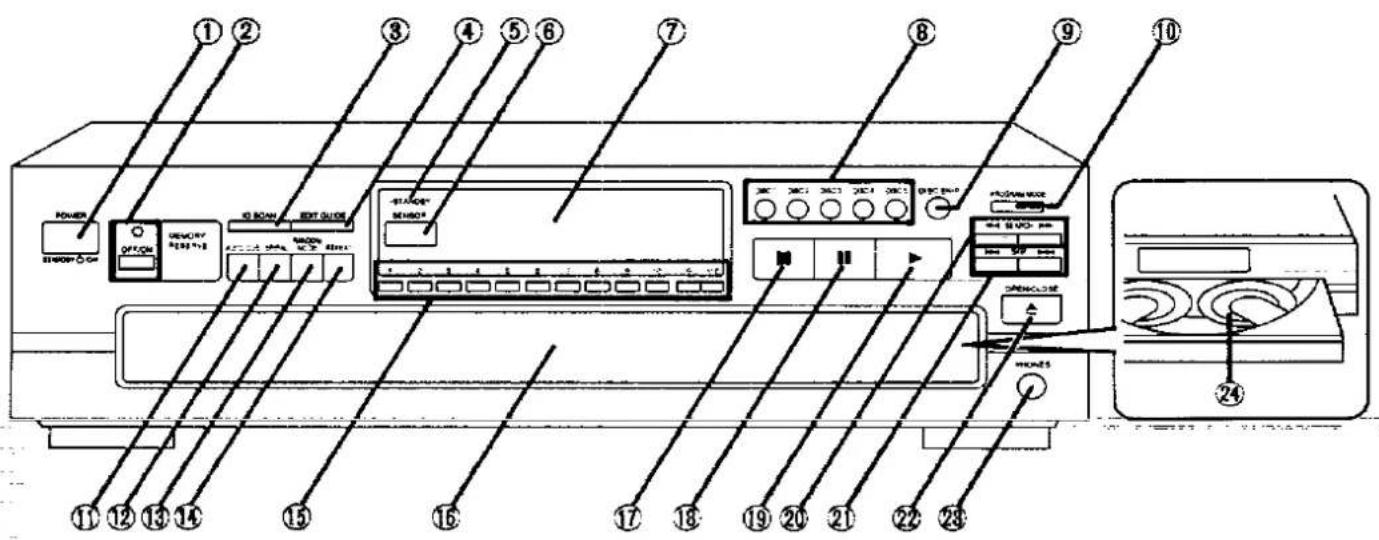
| No. | Name | Ref. page |
| 1 | Power “STANDBY ⏻/ON” switch(POWER, STANDBY ⏻/ON) | 8 |
| Press to switch the unit from on to standby mode or vice versa. In standby mode, the unit is still consuming a small amount of power. | ||
| 2 | Memory reserve button/indicator(OFF/ON) | 10 |
| 3 | ID scan button (ID SCAN) | 15 |
| 4 | Edit guide button (EDIT GUIDE) | 18 |
| 5 | “STANDBY” indicator (STANDBY) | - |
| When the unit is connected to the AC mains supply, this indicator lights up in standby mode and goes out when the unit is turned on. | ||
| 6 | Remote control signal sensor(SENSOR) | 7 |
| 7 | Display | - |
| 8 | Disc buttons (DISC 1-5) | 8 |
| 9 | Disc skip button (DISC SKIP) | 8,16 |
| 10 | Program mode button(PROGRAM MODE) | 11,13 |
| 11 | Auto cue button (AUTO CUE) | 17 |
| No. | Name | Ref. page |
| 12 | Spiral button (SPIRAL) | 14 |
| 13 | Random mode button (RANDOM MODE) | 12 |
| 14 | Repeat button (REPEAT) | 17 |
| 15 | Numeric buttons (1-10, 0, >10) | 9 |
| 16 | Loading drawer | 8 |
| 17 | Stop button (■) | 9 |
| 18 | Pause button (■) | 9 |
| 19 | Play button (▶) | 9 |
| 20 | Search buttons (◀◀ SEARCH ▶▶) | 15 |
| 21 | Skip buttons (|◀◀ SKIP ▶▶|) | 16 |
| 22 | Loading drawer open/close button (▲ OPEN/CLOSE) | 8 |
| 23 | Headphones jack (PHONES) | 10 |
| 24 | Disc trays (1-5) | 8 |
Połączenia
Proszę sprawdzić i zidentyfikować dostarczone akcesoria.
Podczas zamawiania części zamiennych należy podawać numery podane w nawiasach.

Przewód zasilania AC [1]
(Dla Wielkiej Brytanii)
(Dla Australii i Nowej Zelandii)
(Dla innych krajów)
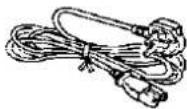
(VJA0733 lub RJA0042-P)
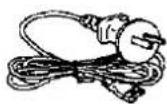
(RJA0036-K)
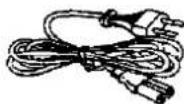
(RJA0019-2K)

Przewód połączeniowy stereo [1]
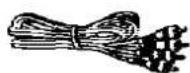
(SJP2249-3)

Pilot zdalnego sterowania [1]
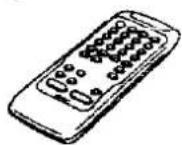
(RAK-SL122WH)

Baterie [2]
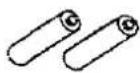
(UM-4, "AAA", R03)
(Tylko dla Wielkiej Brytanii)
PRZED WYKONANIEM PONIŻSZYCH POŁĄCZEŃ NALEŻY PRZECZYTAĆ OSTRZEŻENIE DOTYCZĄCE PRZEWODU ZASILANIA SIECIOWEGO NA STRONIE 3.
Przed podłączeniem zmieniarki do systemu audio upewnij się, że zasilanie zmieniarki i wszystkich innych elementów systemu jest wyłączone.
- Chociaż poniższy rysunek pokazuje przewód zasilania sieciowego podłączony do domowego gniazdka sieciowego, jeśli wzmacniacz (lub amplituner) jest wyposażony w gniazdko sieciowe, podłącz przewód do tego gniazdka. • Konfiguracja gniazdka sieciowego różni się w zależności od obszaru.
Kabel połączeniowy stereo
Biały
Czerwony

(R)

=

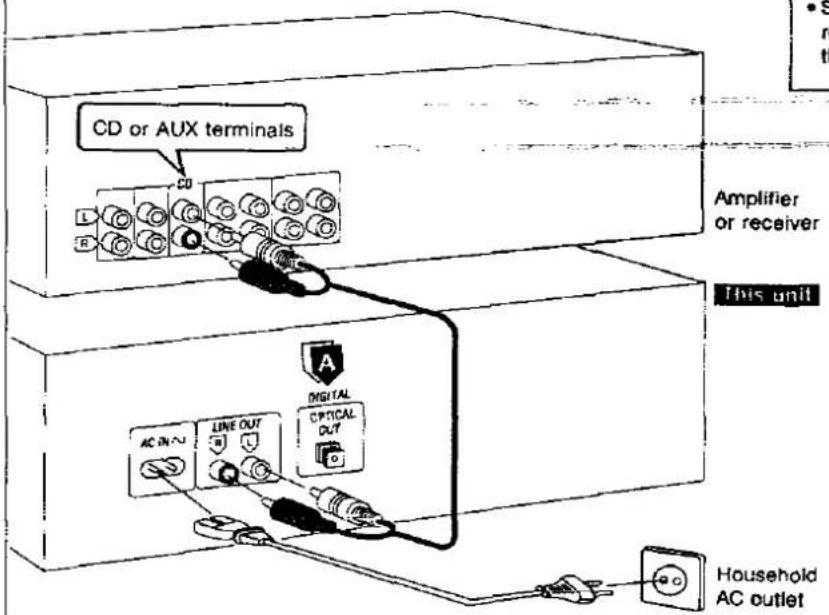

Terminal "DIGITAL OPTICAL OUT"
To urządzenie można podłączyć do terminala "OPTICAL IN" cyfrowego magnetofonu kasetowego (DCC), dekodera DAT lub wzmacniacza cyfrowego za pomocą kabla światłowodowego (nie wchodzi w skład wyposażenia).
Uwaga
Gdy funkcja rezerwy pamięci jest włączona, z terminala "DIGITAL OPTICAL OUT" z tyłu tego urządzenia nie będzie emitowany żaden dźwięk. Przed dokonaniem nagrania cyfrowego upewnij się, że wskaźnik rezerwy pamięci jest wyłączony.
(Patrz strona 10.)
Połączenia kablem światłowodowym
①
Osłona przeciwpyłowa
②
Uwaga
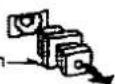
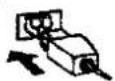
- Nigdy nie zginaj nadmiernie kabli światłowodowych.
- Przechowuj osłonę przeciwpyłową w bezpiecznym miejscu i zakładaj ją zawsze, gdy kable nie są podłączone do terminali.
Wzmacniacz lub odbiornik
To urządzenie
Gniazdko domowe AC
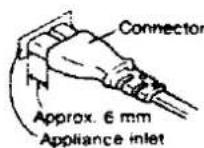
(Dla obszarów poza Australią i Nową Zelandią) Wkładanie złącza
Nawet gdy złącze jest idealnie włożone, w zależności od rodzaju gniazda, przednia część złącza może wystawać, jak pokazano na rysunku.
Nie stanowi to jednak problemu w użytkowaniu urządzenia.
Instalacja baterii
Włóż baterie dołączone do tego urządzenia, jak pokazano poniżej.
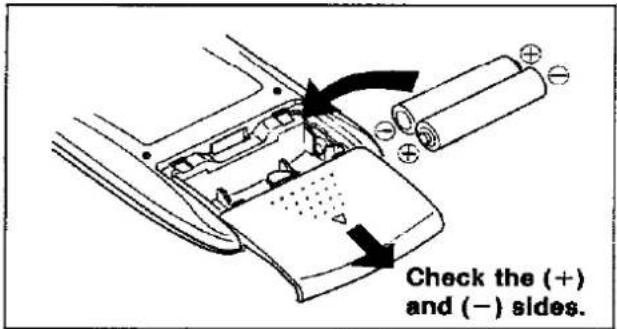
Gdy konieczna jest wymiana baterii
Użyj dwóch baterii UM-4 "AAA", IEC R03 (1,5 V) lub równoważnych.
Uwagi dotyczące baterii
Nie mieszaj starych i nowych baterii ani baterii różnych typów (alkalicznych i węglowych itp.).
Zawsze usuwaj stare, słabe lub zużyte baterie i utylizuj je w odpowiedni sposób.
Średni czas pracy baterii wynosi około jednego roku.
Chociaż czas pracy baterii zależy od częstotliwości użytkowania urządzenia, ogólnie należy wymieniać baterie mniej więcej raz w roku.
Baterie należy wymienić, jeśli polecenia z pilota nie działają na urządzenie nawet wtedy, gdy pilot jest trzymany blisko przedniego panelu.
Nigdy nie wystawiaj baterii na działanie nadmiernego ciepła lub ognia; nie próbuj ich rozbierać i upewnij się, że nie są zwarte.
Jeśli nie będziesz używać pilota przez dłuższy czas. Wyjmij baterie i przechowuj je w chłodnym, ciemnym miejscu.
- Jeśli bateria wycieknie, wyjmij wszystkie baterie i utylizuj je w odpowiedni sposób. Dokładnie wyczyść komorę baterii przed włożeniem nowych baterii.
Jeśli wyciekający elektrolit zetknie się ze skórą lub ubraniem, natychmiast spłucz wodą.
Trzymaj baterie poza zasięgiem dzieci.
Nie używaj baterii akumulatorowych (niklowo-kadmowych).
Nie próbuj ładować baterii alkalicznych lub węglowych.
Nie wyrzucaj zużytych baterii do domowych śmieci.
Sposób użycia
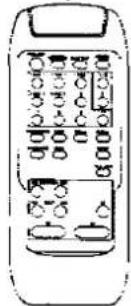
Używaj pilota zdalnego sterowania w odległości do 60 stopni i do 7 metrów (23 stopy), kierując go bezpośrednio w stronę czujnika sygnału pilota w zmieniarce.
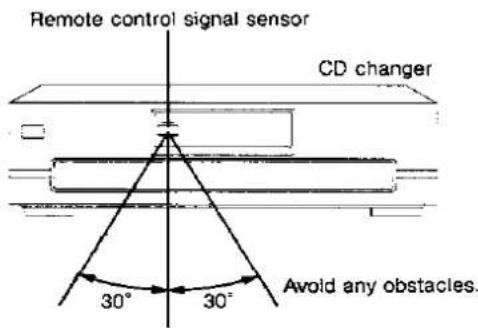
Około 7 metrów przed czujnikiem. (Rzeczywisty zasięg zależy od kąta, pod jakim używany jest pilot.)
Uwaga
Upewnij się, że okno transmisji i czujnik urządzenia są wolne od kurzu. Nadmierny kurz może wpływać na działanie.
Działanie może być nieprawidłowe, jeśli bezpośrednie światło słoneczne lub inne silne źródło światła pada na czujnik odbiorczy tego urządzenia. W razie problemu umieść urządzenie z dala od źródła światła.
Podstawowe operacje
Odtwarzanie sekwencyjne
Wszystkie płyty będą odtwarzane, począwszy od ścieżki 1 na wybranej płycie.
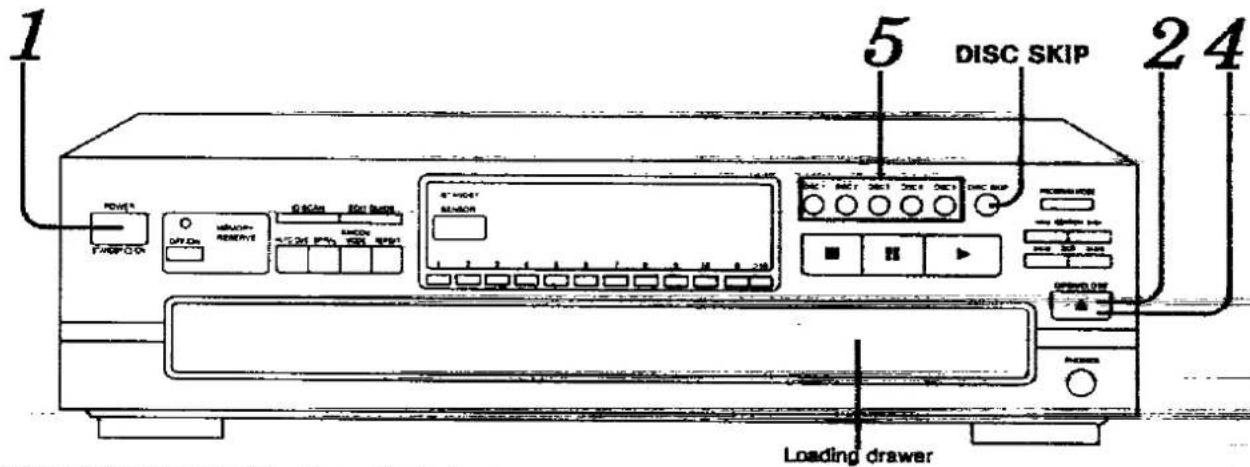
Poniższe wyjaśnienie jest przykładem działania w przypadku, gdy wszystkie pięć tac w zmieniarce zawiera płyty CD.


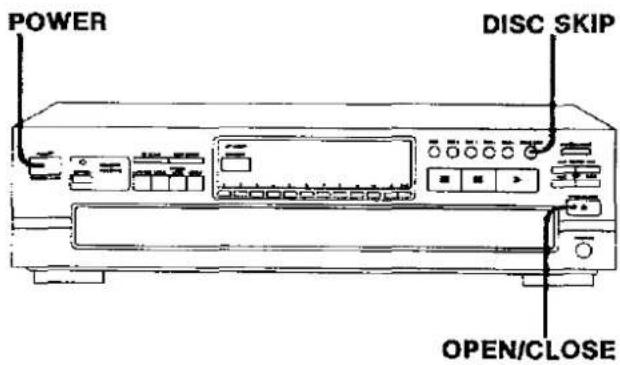
Naciśnij POWER.
Urządzenie włączy się.

Naciśnij ponownie OPEN/CLOSE, aby zamknąć szufladę.
Nie próbuj zamykać szuflady ręcznie.

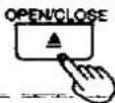
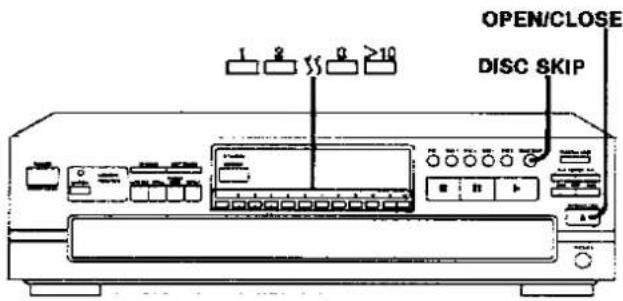
Naciśnij OPEN/CLOSE, aby otworzyć szufladę.
Wskazuje, że szuflada ładująca jest otwarta.
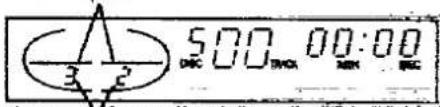
Numery tac, na których znajdują się płyty.
Bieżąca pozycja odtwarzania (cyfra dominuje kolorem czerwonym).
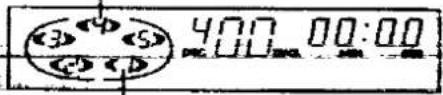
Świeci się, gdy płyta znajduje się w tacy na płyty. Jeśli w tacy na płyty nie ma płyty, wskaźnik znika, gdy taca na płyty dotrze do
pozycji odtwarzania.

Umieść płytę(y) na tacy(tacach) na płyty.
Płyty można ładować po dwie naraz, naciskając DISC SKIP, aby obrócić karuzelę.
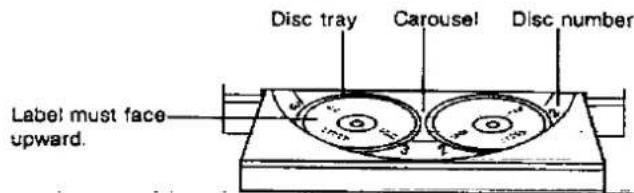

Nie umieszczaj płyt 8 cm i 12 cm na tej samej tacy na płyty.

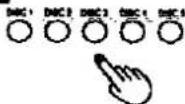
Naciśnij żądany przycisk płyty (1-5).
Odtwarzanie rozpocznie się od wybranej płyty. Jeśli na wybranej tacy nie ma płyty, zmieniarka odtwarza płytę o następnym numerze.
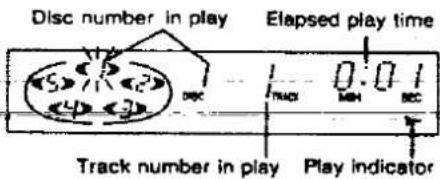
Podświetlenie przycisku płyty wskazuje, że w odpowiedniej tacy znajduje się płyta. Podczas odtwarzania kolor podświetlenia zmieni się na zielony.
OSTRZEŻENIE
Nie dotykaj szuflady ładującej i karuzeli, gdy są w ruchu, i nie próbuj obracać karuzeli ręcznie: może to spowodować nieprawidłowe działanie urządzenia i/lub uszkodzenie płyt.
Zmieniarka odtwarza wszystkie ścieżki na wszystkich płytach w kolejności i zatrzymuje się automatycznie po zakończeniu odtwarzania ostatniej ścieżki na ostatniej płycie. Pierwsza płyta będzie wtedy w pozycji odtwarzania.
Aby bezpośrednio uzyskać dostęp do żądanej ścieżki
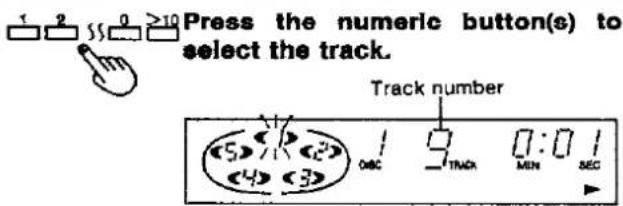
Aby wybrać utwór od 1 do 10:
Naciśnij odpowiedni przycisk numeryczny.
Aby wybrać dwucyfrowy numer utworu większy niż 10: Najpierw naciśnij >10, a następnie naciśnij cyfry numeru.
Na przykład; numer 20:
Naciśnij >10, potem 2, a następnie 0.
Aby wymienić płyty podczas odtwarzania
Podczas odtwarzania płyty można wymienić inne płyty bez przerywania odtwarzania.
① Naciśnij OPEN/CLOSE, aby otworzyć szufladę ładującą.
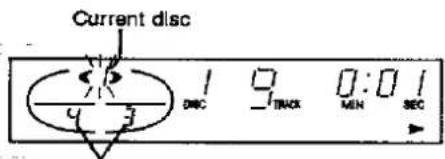
Płyty, które można wymienić.
② Naciśnij DISC SKIP, aby obrócić tace na płyty i wymienić płyty.
Karuzela przesunie się o jedną tacę. Ponowne naciśnięcie przesuwa karuzelę w przeciwnym kierunku o dwie tace.
Naciśnij OPEN/CLOSE, aby zamknąć szufladę ładującą.
Uwaga
Jeśli odtwarzasz płytę przy otwartej szufladzie, płyty inne niż bieżąca nie mogą być odtwarzane.
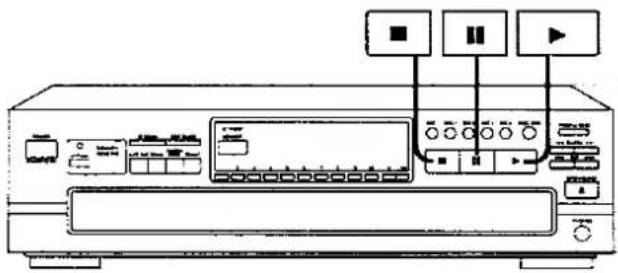
Aby tymczasowo zatrzymać odtwarzanie
Naciśnij II.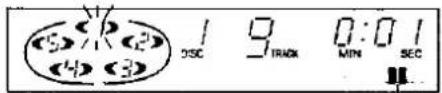
Zaświeci się
Aby wznowić odtwarzanie
Naciśnij ▶.
Aby zatrzymać odtwarzanie
Naciśnij ■.
Na wyświetlaczu pojawi się całkowita liczba utworów i całkowity czas odtwarzania bieżącej płyty.
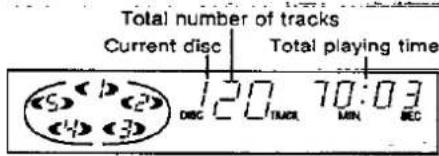
Całkowity czas odtwarzania obejmuje ciche fragmenty między utworami. Z tego powodu może być o kilka sekund dłuższy niż czas odtwarzania podany na płycie.
Aby ponownie rozpocząć odtwarzanie
Naciśnij ▶.
OSTRZEŻENIE
Nie przesuwaj tego zmieniarki z płytą kompaktową w środku. Jeśli płyta zejdzie z tacy, może zostać porysowana lub zmieniarka może nie być w stanie odtwarzać.
(Patrz „Uwagi dotyczące przenoszenia tego urządzenia” na stronie 22.)
Podstawowe operacje
Funkcja rezerwy pamięci
Istnieje możliwość skrócenia okresów ciszy występujących pomiędzy zmianami płyt.
Odbywa się to poprzez zapisanie dźwięku odtwarzanego z płyty w pamięci na kilka sekund przed jego faktycznym odtworzeniem. Oznacza to, że dźwięk jest słyszalny jeszcze przez kilka sekund po rozpoczęciu zmiany płyty. Funkcja ta ma również za zadanie wycinanie cichych fragmentów na końcu ostatniego utworu odtwarzanego przed zmianą płyty. Daje to ogólne wrażenie, że słuchasz tylko jednej płyty, nawet jeśli w rzeczywistości odtwarzanych jest wiele płyt.
Przełączanie na tryb rezerwy pamięci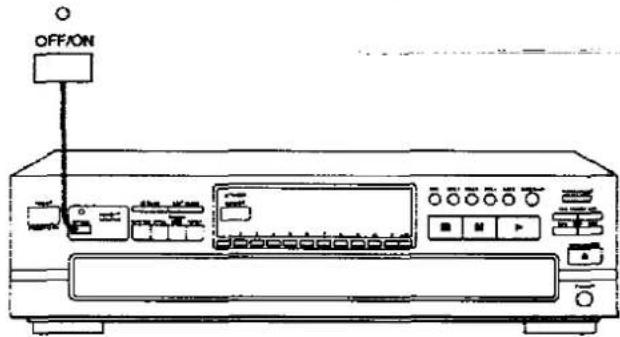
Naciśnij OFF/ON.
Wskaźnik rezerwy pamięci nad przyciskiem zaświeci się.
Zaleca się, aby tryb rezerwy pamięci był zawsze włączony. Gdy tryb rezerwy pamięci jest włączony, ustawienie to zostanie zachowane nawet po wyłączeniu urządzenia, chyba że urządzenie nie jest używane przez dłuższy czas i przewód zasilający zostanie odłączony od gniazdka ściennego.
Aby anulować tryb rezerwy pamięci:
Naciśnij OFF/ON.
Wskaźnik rezerwy pamięci zgaśnie.
Wskaźnik rezerwy pamięci
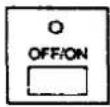
Świeci, gdy tryb rezerwy pamięci jest włączony. Świeci, gdy pamięć zapełni się podczas odtwarzania.
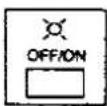
Miga, gdy rozpoczyna się odtwarzanie, aby wskazać, że dźwięk jest ładowany do pamięci. Po około 10 sekundach pamięć zapełnia się, a wskaźnik świeci światłem ciągłym.
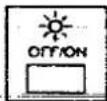
Miga szybko (przez kilka sekund), gdy dźwięk odtwarzany pochodzi wyłącznie z pamięci, a ilość dźwięku zapisanego w pamięci zaczyna się zmniejszać (na przykład, gdy ładowanie dźwięku do pamięci jest przerywane z powodu zmiany płyty).
Dla Twojej informacji:
Efekty rezerwy pamięci można uzyskać również podczas wykonywania skanowania ID. (Patrz "Parade scan" na stronie 15.)
Podczas odtwarzania dwóch kolejnych ścieżek z tej samej płyty nie następuje skrócenie przerwy między ścieżkami.
Podczas ręcznej zmiany płyt za pomocą przycisków DISC SKIP lub DISC nie można uzyskać efektu rezerwy pamięci.
Jeśli podczas pełnej pamięci zostanie wykonane wyszukiwanie lub pominięcie, ładowanie dźwięku do pamięci rozpocznie się ponownie od pozycji osiągniętej przez daną operację.
Uwaga
Gdy funkcja rezerwy pamięci jest włączona, żaden dźwięk nie będzie wyprowadzany z terminala "DIGITAL OPTICAL OUT" z tyłu tego urządzenia. Upewnij się, że wskaźnik rezerwy pamięci jest wyłączony podczas dokonywania nagrania cyfrowego.
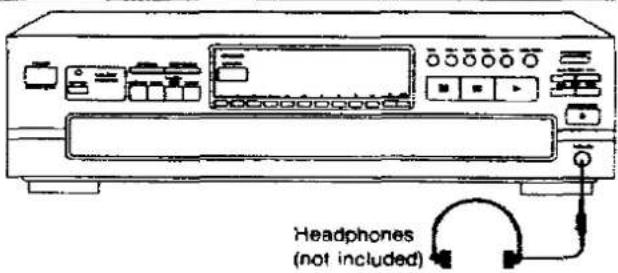
Słuchanie przez słuchawki
Podłącz słuchawki (nie dołączone) do gniazda słuchawkowego.
Typ wtyczki: wtyk telefoniczny 1/4 cala, typ stereo.
Uwaga
Unikaj słuchania przez dłuższy czas, aby zapobiec uszkodzeniu słuchu.
Odtwarzanie programowane
Można zaprogramować do 32 utworów z pięciu płyt w dowolnej kolejności.
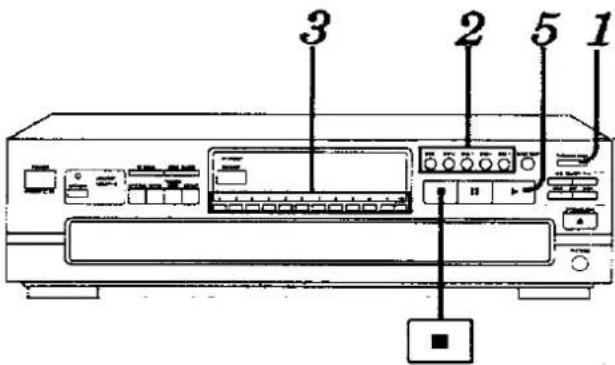

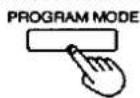
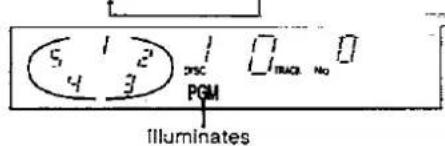
[W trybie zatrzymania]
Naciśnij PROGRAM MODE, aby zaświecił się wskaźnik "PGM".
Każde naciśnięcie przycisku zmienia wyświetlacz w następującej kolejności:
PGM → DEL → (off).

Naciśnij przycisk żądanego dysku (1 - 5).
Na przykład:
Aby wybrać dysk 3, naciśnij DISC 3.

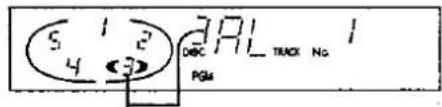
Numer wybranego dysku
Wskaźnik "AL" oznacza, że wybrane są wszystkie ścieżki na dysku.
Aby programować tylko za pomocą numerów dysków, powtórz powyższą operację. (Licznik zwiększy się o jeden przy każdej operacji.)
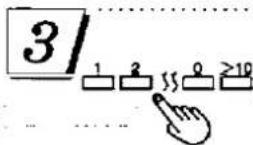
Naciśnij przycisk(i) numeryczne, aby określić numer ścieżki. Na przykład:
Aby wybrać ścieżkę numer 20, naciśnij >10, następnie 2, a potem 0.
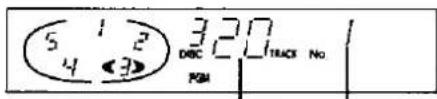
Numer wybranej ścieżki Kolejność programowania

Powtarzaj kroki 2 i 3, aż do zakończenia żądanego wpisu.
Jeśli wprowadzisz nieistniejący dysk lub ścieżkę wkrótce po zamknięciu szuflady lub gdy jest otwarta, odpowiedni wskaźnik zaświeci się, a wpis zostanie uwzględniony w liczniku. W trybie odtwarzania zmieniarka anuluje nieistniejący wpis.
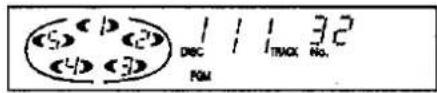
Jeśli spróbujesz dokonać 33. wyboru, pojawi się wskaźnik "-F" (pełny).


Naciśnij ▶, aby rozpocząć odtwarzanie.
Aby dodać kolejne wybory podczas odtwarzania, powtórz kroki 2 i 3.
Aby wyczyścić całą zaprogramowaną zawartość

[W trybie zatrzymania]
Naciśnij ■.
Aby anulować tryb programowania
TRYB PROGRAMOWANIA
[W trybie zatrzymania]
Naciśnij dwukrotnie PROGRAM MODE.
Zmieniarka powróci do trybu odtwarzania sekwencyjnego.
Zaprogramowana zawartość pozostanie w pamięci do czasu jej wyczyszczenia, nawet po anulowaniu trybu programowania. Dlatego po użyciu odtwarzania programowego można anulować tryb programowania i użyć innego trybu odtwarzania (z wyjątkiem odtwarzania z pomijaniem), a następnie nadal używać tego samego odtwarzania programowego w późniejszym czasie. Ponadto, jeśli płyta zostanie wymieniona na inną, odtwarzanie programowe zostanie przeprowadzone z użyciem nowej płyty. Jeśli w tym czasie wystąpią nieistniejące wpisy, zostaną one anulowane.
Dla Twojej informacji:
Tryb programowania i zaprogramowana zawartość pozostaną w pamięci nawet po wyłączeniu urządzenia. Jednakże, jeśli przewód zasilający zostanie odłączony lub zasilanie zostanie przerwane na dłuższy czas, zawartość pamięci zostanie wymazana.
Odtwarzanie programowe
Korzystanie z pilota zdalnego sterowania
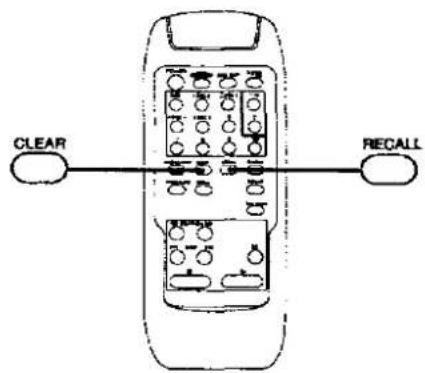
Aby potwierdzić zaprogramowaną zawartość

Naciśnij RECALL.
Za każdym naciśnięciem przycisku RECALL wyświetlacz pokazuje zaprogramowany numer płyty i utworu w kolejności ich wprowadzania.
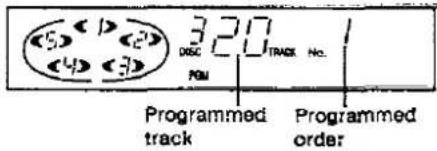
Aby usunąć pojedynczą pozycję z zaprogramowanej zawartości

Naciśnij przycisk CLEAR.
Każde naciśnięcie przycisku CLEAR spowoduje anulowanie ostatniego wpisu w kolejności ich wprowadzania.
Aby usunąć wpis znajdujący się w środku sekwencji programu, naciskaj przycisk RECALL wielokrotnie, aż wyświetlacz pokaże pozycję do usunięcia, a następnie naciśnij przycisk CLEAR w ciągu trzech sekund po ostatnim naciśnięciu.
Odtwarzanie losowe
Wszystkie utwory zostaną odtworzone po jednym razie w losowej kolejności. Istnieją dwa typy odtwarzania losowego, opisane poniżej.
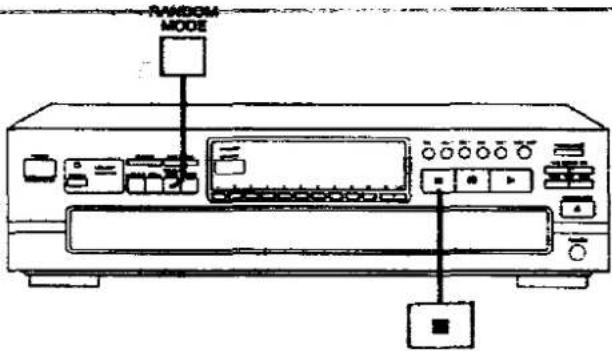
Odtwarzanie losowe jednej płyty
Zmieniarka odtworzy wszystkie utwory na bieżącej płycie w losowej kolejności. Następnie wybierze losowo nową płytę, z wyłączeniem płyt już odtworzonych, i odtworzy wszystkie utwory na tej płycie w losowej kolejności.
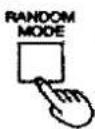
[W trybie zatrzymania lub odtwarzania]
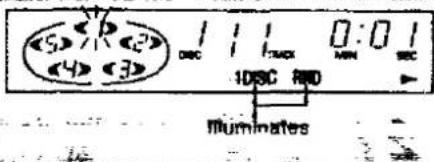
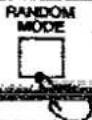
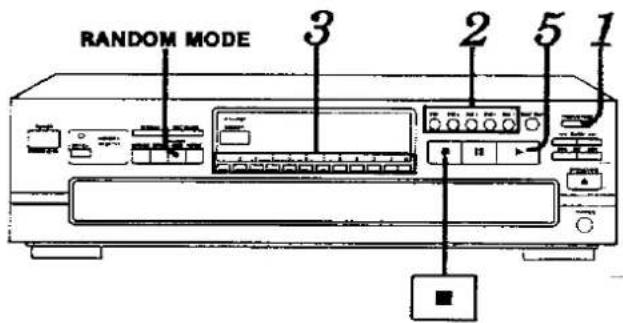
Naciśnij przycisk RANDOM MODE, aby zaświecił się wskaźnik "1 DISC RND".
Każde naciśnięcie przycisku zmienia wyświetlacz w następującej kolejności: 1 DISC RND → FULL RND → (wyłączone).
Odtwarzanie losowe pełne
Każdy utwór do odtworzenia jest wybierany losowo spośród wszystkich utworów na wszystkich płytach, z wyłączeniem utworów już odtworzonych.
[W trybie zatrzymania lub odtwarzania]
Naciśnij przycisk RANDOM MODE, aby zaświecił się wskaźnik "FULL RND".
Każde naciśnięcie przycisku zmienia wyświetlacz w następującej kolejności: 1 DISC RND → FULL RND → (wyłączone).
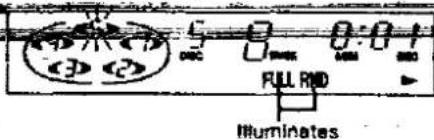
Zmieniarka zatrzyma się automatycznie po jednokrotnym odtworzeniu wszystkich utworów ze wszystkich płyt.
Aby anulować tryb odtwarzania losowego

Naciśnij ■.
Wskaźnik "1 DISC (lub FULL) RND" zgaśnie.
plan usuwania
Możesz wybrać do 32 utworów, których nie chcesz słuchać, i zapisać je w pamięci zmieniarki. Następnie możesz cieszyć się odtwarzaniem sekwencyjnym, losowym z jednej płyty lub pełnym losowym tylko swoich ulubionych utworów.

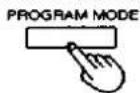
[W trybie zatrzymania]
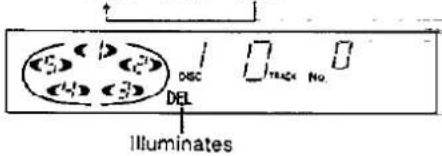
Naciśnij dwukrotnie PROGRAM MODE, aby zaświecił się wskaźnik "DEL".
Każde naciśnięcie przycisku zmienia wyświetlacz w następującej kolejności:
PGM → DEL → (wyłączone).

Naciśnij przycisk płyty (1 - 5).
Na przykład:
Aby usunąć płytę 3, naciśnij DISC 3.
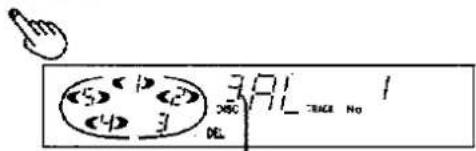
Określony numer płyty
Wskazanie „AL” oznacza, że wszystkie ścieżki na płycie są wybrane.
Aby usunąć tylko za pomocą numerów płyt, powtórz powyższą operację. (Liczba zwiększy się o jeden przy każdej operacji.)
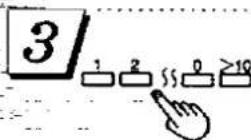
Naciśnij przycisk(i) numeryczne, aby określić numer ścieżki. Na przykład:
Aby usunąć ścieżkę numer 20, naciśnij >10, następnie 2, a potem 0.
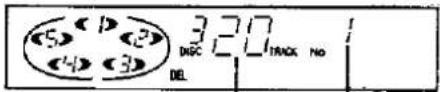
Określony numer ścieżki Kolejność wprowadzania

Powtarzaj kroki 2 i 3, aż do zakończenia żądanego wprowadzania.
Jeśli wprowadzisz nieistniejące płyty lub ścieżki wkrótce po zamknięciu szuflady lub gdy jest otwarta, odpowiedni wskaźnik zaświeci się i wpis zostanie uwzględniony w liczbie. W trybie odtwarzania zmieniarka anuluje nieistniejący wpis.
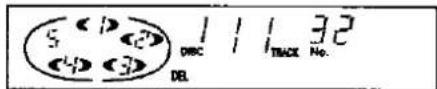
Jeśli spróbujesz dokonać 33. wyboru, wyświetli się wskazanie „-F” (pełny).


Naciśnij ▶, aby rozpocząć odtwarzanie.
Aby dodać dodatkowe wybory do usunięcia podczas odtwarzania, powtórz kroki 2 i 3.
Do odtwarzania losowego podczas usuwania niechcianych ścieżek
[Przejdź przez krok 4 powyżej, a następnie:]
Aby aktywować losowe odtwarzanie jednej płyty, naciśnij RANDOM MODE.
Aby aktywować pełne odtwarzanie losowe, naciśnij RANDOM MODE dwa razy.
Aby wyczyścić całą zawartość przeznaczoną do usunięcia

[W trybie zatrzymania]
Naciśnij ■.
Aby anulować tryb usuwania
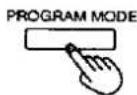
[W trybie zatrzymania]
Naciśnij PROGRAM MODE.
Zmieniarka powróci do trybu odtwarzania sekwencyjnego.
Zawartość przeznaczona do usunięcia pozostanie zapisana w pamięci do czasu jej wyczyszczenia, nawet po anulowaniu trybu usuwania. Dlatego po użyciu odtwarzania z usuwaniem można anulować tryb usuwania i użyć innego trybu odtwarzania (z wyjątkiem odtwarzania programowego), a następnie nadal używać tego samego odtwarzania z usuwaniem w późniejszym czasie. Ponadto, jeśli płyta zostanie wymieniona na inną, odtwarzanie z usuwaniem zostanie przeprowadzone przy użyciu nowej płyty. Jeśli w tym czasie pojawią się nieistniejące wpisy, zostaną one anulowane.
Dla Twojej informacji:
Tryb usuwania i zawartość przeznaczona do usunięcia pozostaną zapisane w pamięci nawet po wyłączeniu urządzenia. Jednakże, jeśli przewód zasilający zostanie odłączony lub zasilanie zostanie przerwane na dłuższy czas, zawartość pamięci zostanie wymazana.

Korzystanie z pilota zdalnego sterowania

Zmieniarka odtwarza pierwsze utwory ze wszystkich załadowanych płyt w sekwencji, następnie drugie utwory ze wszystkich płyt i tak dalej. (Patrz ilustracja poniżej.)
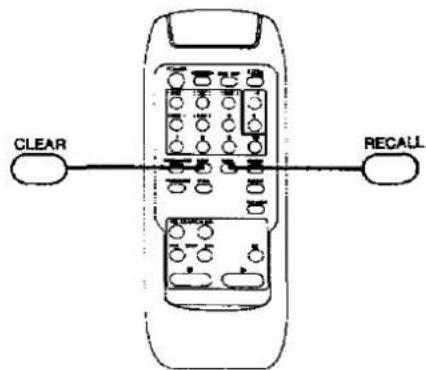
Aby potwierdzić wybory przeznaczone do usunięcia
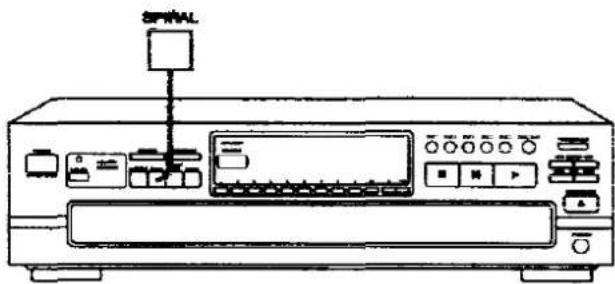
Przykład: Zaczynając od płyty 1
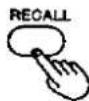
Naciśnij RECALL.
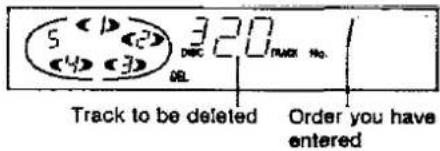
Za każdym naciśnięciem przycisku RECALL wyświetlacz pokazuje wybraną płytę i numer ścieżki w kolejności ich wprowadzania.
![graph TD Start --> Track1["Track 1"] Start --> Track2["Track 2"] Start --> Track3["Track 3"] Start --> Track4["Track 4"] Start --> Track5["Track 5"] Track1 --> DISC1["DISC 1"] Track2 --> DISC2["DISC 2"] Track3 --> DISC3["DISC 3"] Track4 --> DISC4["DISC 4"] Track5 --> DISC5["DISC 5"] DISC1 --> Track1…](/content/2026/05/1129414/images/dddec905e745937a561a3ccbc48154b16563e8432733a2724ebd69bdb50779e7.jpg)
Aby usunąć wybór, który ma zostać skasowany
[W trybie zatrzymania lub odtwarzania]
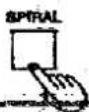
Naciśnij SPIRAL.
Odtwarzanie spiralne rozpocznie się od pierwszej ścieżki na płycie znajdującej się w pozycji odtwarzania.

Naciśnij CLEAR.
Każde naciśnięcie CLEAR anuluje ostatni wpis w kolejności ich wprowadzania.
MUNIONES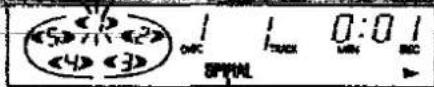
Aby usunąć wybór ze środka sekwencji, naciskaj RECALL wielokrotnie, aż wyświetlacz pokaże wybór do usunięcia, a następnie naciśnij CLEAR w ciągu trzech sekund po ostatnim naciśnięciu.
Zmieniarka zatrzyma się automatycznie, gdy wszystkie ścieżki na wszystkich płytach zostaną odtworzone raz.
Dla Twojej informacji:
gdy płyta z mniejszą liczbą ścieżek zakończy odtwarzanie, zostanie pominięta, a zmieniarka będzie kontynuować odtwarzanie pozostałych ścieżek na innych płytach w sekwencji spiralnej.
Aby anulować tryb odtwarzania spiralnego
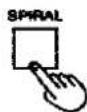
Naciśnij ponownie SPIRAL.
Wskaźnik "SPIRAL" zgaśnie.
Zmieniarka powróci do trybu odtwarzania sekwencyjnego od bieżącego utworu na bieżącej płycie, która jest odtwarzana.

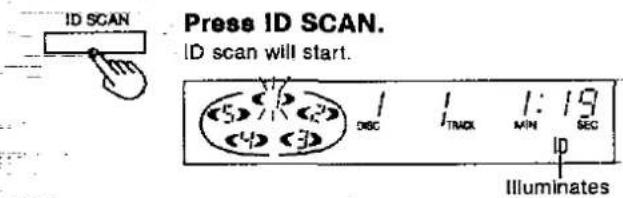
Ta funkcja jest wygodna w użyciu podczas wyszukiwania żądanego utworu.
Funkcja będzie wyszukiwać od początku utworu głośnego fragmentu i odtworzy 10 sekund utworu wokół tego punktu.
Kolejność skanowania jest taka sama jak w trybie odtwarzania.
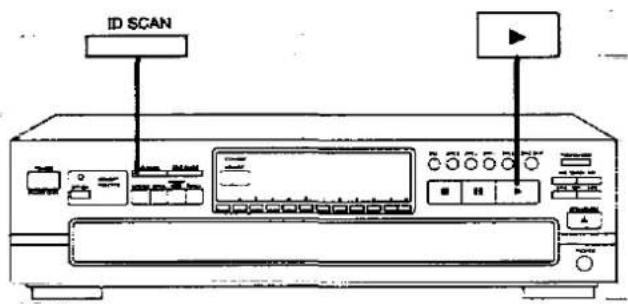
Po znalezieniu żądanego utworu:

Naciśnij ▶.
Zmieniarka odtworzy utwór od początku.
Aby anulować skanowanie ID:

Naciśnij ID SCAN podczas działania tej funkcji.
Wskaźnik "ID" zgaśnie.
Zmieniarka będzie kontynuować odtwarzanie od bieżącego utworu.
Skanowanie paradowe
Skanowanie paradowe oznacza skanowanie ID przeprowadzane w trybie rezerwy pamięci. Pozwala ono na odtwarzanie kilku utworów z rzędu bez zatrzymywania odtwarzania między utworami, a także dodaje efekty zanikania i pojawiania się dźwięku. Dzięki temu można uzyskać ogólny efekt słuchania parady hitów.

Można szybko przewijać do przodu lub do tyłu na płycie, aby znaleźć określone fragmenty.
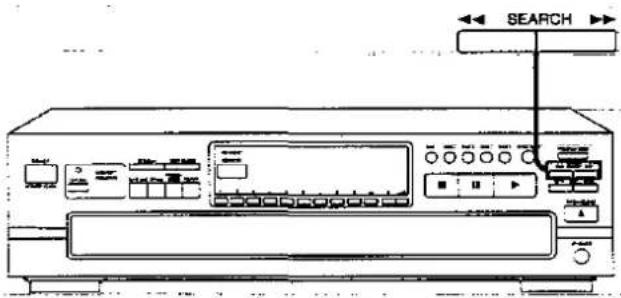
![SEARCH ▶ [W trybie odtwarzania lub pauzy] Naciśnij i przytrzymaj ◀◀ lub ▶▶. ◀◀: Wyszukiwanie wstecz. ▶▶: Wyszukiwanie w przód.](/content/2026/05/1129414/images/ae784c69fea28ba583b2257a5aad17f9194df6722b4c38be34bb4ed49f2055c3.jpg)
Zwolnij przycisk po osiągnięciu żądanego punktu.
Zmieniarka powróci do poprzedniego trybu (odtwarzania lub pauzy).
W trybie odtwarzania sekwencyjnego:
Można wyszukiwać do przodu między płytami i do tyłu w obrębie bieżącej płyty.
W innych trybach odtwarzania:
Można wyszukiwać do przodu lub do tyłu tylko w obrębie bieżącego utworu.
Dla Twojej informacji:
Funkcja wyszukiwania zacznie działać powoli, a następnie, jeśli przycisk będzie przytrzymany dłużej niż 3 sekundy, przełączy się na wyszukiwanie z dużą prędkością.
W trybie odtwarzania poziom dźwięku zmniejsza się o 12 dB (1/4).
Funkcja pomijania
Pomijanie płyt
Tej funkcji można używać do pomijania płyt przy wyborze płyty, której chcesz słuchać, oraz podczas wkładania i wyjmowania płyt.
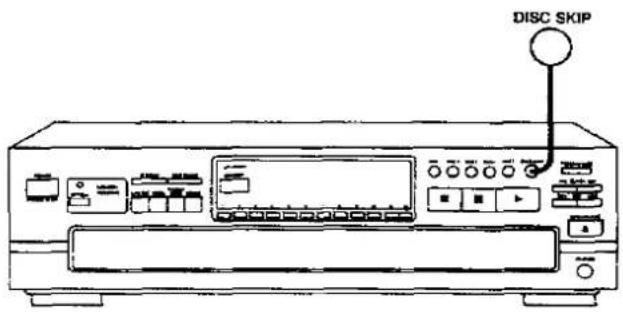
Tej funkcji można używać w trybach: zatrzymania, odtwarzania sekwencyjnego, odtwarzania losowego jednej płyty i usuwania.
POMIJANIE PŁYT
Naciśnij POMIJANIE PŁYT, aby obrócić tackę na płyty.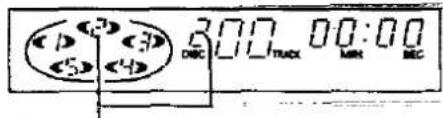
Numer płyty w pozycji odtwarzania
w trybie zatrzymania:
Gdy szuflada na płyty jest zamknięta, naciśnięcie przycisku DISC SKIP zmienia tacę na płytę na następną.
Gdy szuflada na płyty jest otwarta, naciśnięcie przycisku DISC SKIP przesuwa karuzelę o dwie tace na płyty.
W trybie odtwarzania:
Gdy szuflada na płyty jest zamknięta, naciśnięcie przycisku DISC SKIP zmienia płytę i zmieniarka odtwarza utwory z następnej płyty.
Jeśli na wybranej tacy nie ma płyty, zmieniarka odtwarza płytę o następnym numerze.
Gdy szuflada na płyty jest otwarta, naciśnięcie przycisku DISC SKIP przesuwa karuzelę o jedną tacę na płyty. Ponowne naciśnięcie przesuwa karuzelę w przeciwnym kierunku, aby można było wymienić wszystkie płyty oprócz odtwarzanej.
Pomijanie utworów
Użyj tej funkcji, aby pominąć utwory przy wyborze utworu, którego chcesz słuchać.
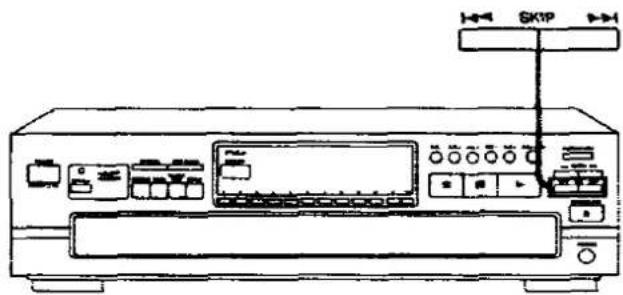
Naciśnij przycisk SKIP (|◀◀ lub ▶▶|), aż osiągniesz żądany utwór.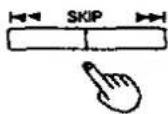
Możesz pomijać do tyłu.
▶▶I: Możesz pomijać do przodu.
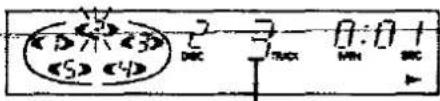
Numer utworu w pozycji odtwarzania
W trybie odtwarzania sekwencyjnego/programowego/usuwania:
W trybie odtwarzania sekwencyjnego możesz pomijać tylko w obrębie bieżącej płyty. W trybie odtwarzania programowego możesz pomijać z jednego utworu na drugi w zaprogramowanej sekwencji.
W trybie odtwarzania z usuwaniem można pomijać utwory tylko w obrębie bieżącej płyty, z wyłączeniem utworów przeznaczonych do usunięcia.
Można przejść do początku odtwarzanego utworu. Jeśli naciśniesz ten przycisk ponownie szybko, możesz przejść do początku poprzedniego utworu.
Pamiętaj, że przy pomijaniu wstecz bieżący utwór jest wliczany do liczby.
▶▶▶: Możesz pominąć tyle utworów, ile razy naciśniesz przycisk.
W trybie odtwarzania losowego:
Możesz przejść do początku bieżącego utworu.
▶▶▶: Możesz przejść do początku następnego utworu w kolejności losowej.
W trybie odtwarzania spiralnego:
Możesz przejść do początku bieżącego utworu.
▶▶1: Możesz przejść do początku utworu na następnej płycie.
Możesz również pomijać utwory, gdy zmieniarka jest w trybie zatrzymania lub pauzy.

Odtwarzanie będzie kontynuowane w nieskończoność zgodnie z wybranym trybem odtwarzania.
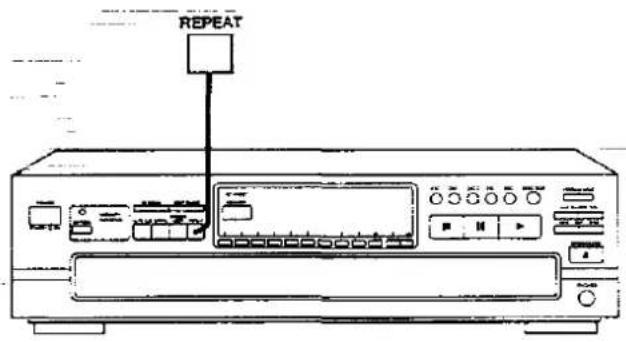
[Przed odtwarzaniem lub w trakcie odtwarzania]
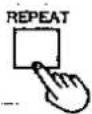
Naciśnij REPEAT.
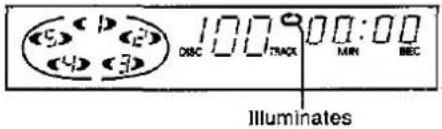
W trybie odtwarzania sekwencyjnego:
Wszystkie ścieżki ze wszystkich płyt będą odtwarzane wielokrotnie.
W trybie odtwarzania programowego:
Zmieniarka odtwarza tylko zaprogramowane utwory w zaprogramowanej kolejności, wielokrotnie.
W trybie odtwarzania z pomijaniem:
Zmieniarka odtwarza płyty i ścieżki z wyłączeniem wybranych do pominięcia, wielokrotnie.
W trybie odtwarzania losowego:
Gdy zmieniarka odtworzy wszystkie ścieżki ze wszystkich załadowanych płyt, wybierze nową losową sekwencję i będzie odtwarzać w sposób ciągły. Sekwencja będzie za każdym razem inna.
W trybie odtwarzania spiralnego:
Zmieniarka odtwarza wszystkie ścieżki ze wszystkich płyt wielokrotnie w sekwencji odtwarzania spiralnego.
Aby anulować tryb powtarzania
Naciśnij ponownie przycisk REPEAT.
Wskaźnik " 🔒 " zgaśnie.

Funkcja auto cue umożliwia urządzeniu pozostawanie w trybie gotowości na początku każdej ścieżki, aby rozpocząć odtwarzanie dokładnie wtedy, gdy jesteś gotowy.
Po zakończeniu odtwarzania każdej ścieżki urządzenie przechodzi do początku następnej ścieżki i przełącza się w tryb gotowości do odtwarzania.
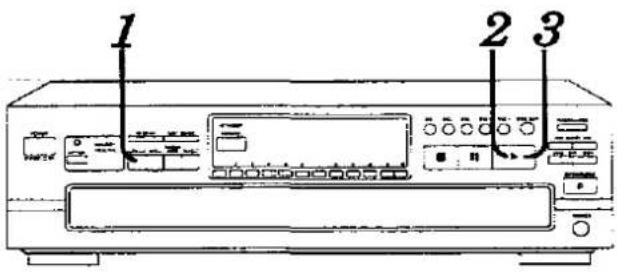

Naciśnij przycisk AUTO CUE.


Naciśnij ▶.
Zmieniarka przechodzi w tryb gotowości do odtwarzania na początku utworu.
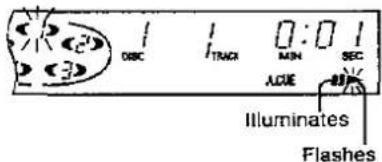

Naciśnij ponownie ▶, aby rozpocząć odtwarzanie.
Naciśnij ▶ na początku każdego utworu.
Aby anulować tryb auto cue
Naciśnij AUTO CUE.
Wskaźnik "A.CUE" zgaśnie.
Uwaga
Funkcja auto cue może nie spowodować, że urządzenie będzie czekać dokładnie na początku utworu, jeśli utwór zaczyna się bardzo cichym fragmentem lub jeśli jest dużo szumu tła.
Funkcja edycji przewodnika
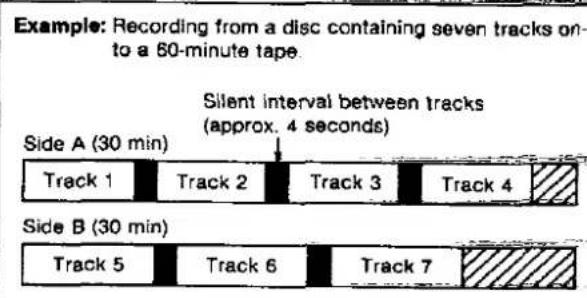
Podczas nagrywania zmieniarka automatycznie zaprogramuje utwory dla stron A i B kasety zgodnie z długością taśmy, tak aby żaden z utworów nie został przerwany przed ich zakończeniem. Ponadto program będzie zawierał również cichy interwał około 4 sekund między utworami.

Przygotuj magnetofon do nagrywania.
Ustaw Dolby NR, tryb odwracania, poziom nagrywania itp., zgodnie z instrukcją obsługi magnetofonu.
M
Ustaw tak, aby nagrywanie było możliwe od początku
taśmy

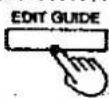
Naciśnij EDIT GUIDE, aby wybrać długość taśmy.
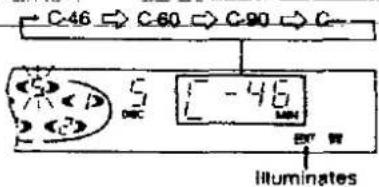
Każde naciśnięcie przycisku zmienia wyświetlaną długość taśmy w następujący sposób. Wybierz długość taśmy, której będziesz używać.
Możliwe są również bardziej precyzyjne ustawienia czasu.
(Patrz instrukcje po prawej.)
Wyświetlacz pokazuje dane ścieżek do nagrania w następujący sposób:

DISC SKIP
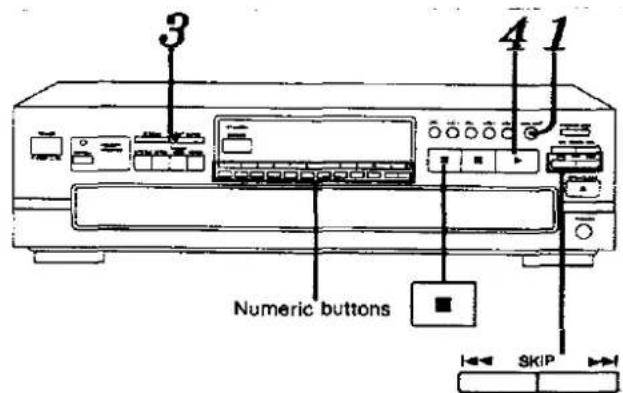
Naciśnij DISC SKIP, aby wybrać płytę do nagrania.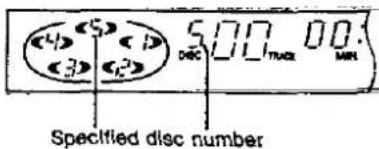
![graph TD A["Number of tracks to be recorded"] --> B["1 - 4"] B --> C["5 - 7"] C --> D["3:23"] D --> E["6:00"] F["Remaining time on side A"] --> G["1:14"] G --> H["5 - 7"] H --> I["3:23"] I --> J["6:00"] K["Number of tracks to be recorded"] --> L["1 - 4"] L --> M["5 - 7"] M --> N["3:23"] N --> O["6:0…](/content/2026/05/1129414/images/f9153af031676763ca18bec4f6777766e7051729152c2d498e16f136cc196896.jpg)
W tym przykładzie płyta 5 może być nagrana z utworami 1–4 na stronie A i utworami 5–7 na stronie B kasety.


[Rozpocznij nagrywanie na magnetofonie, a następnie natychmiast:]
Naciśnij ▶.
Gdy ostatni utwór ustawiony do nagrania na stronie A zostanie zakończony, zmieniarka przejdzie w tryb pauzy. Ustaw taśmę w pozycji, od której rozpocznie się nagrywanie na stronie B, a następnie wykonaj ponownie krok 4.
Gdy wszystkie zaprogramowane utwory na wybranej płycie zakończą odtwarzanie, zmieniarka automatycznie się zatrzyma. Tryb edit guide zostanie jednocześnie anulowany.
Aby wprowadzić żądany czas nagrywania inny niż 48, 60 lub 90 minut:
- Wybierz „C—” w kroku 3.
- Wprowadź całkowity czas nagrywania w minutach (1-99) za pomocą przycisków numerycznych.
Na przykład:
Aby użyć taśmy 52-minutowej, naciśnij 5, a następnie 2.
Można również określić długość taśmy, naciskając przycisk SKIP.
Naciśnij ◀◀◀ lub ▶▶▶ na każdym etapie C-46, C-60, C-90 lub C---
Na przykład:
Aby użyć taśmy 52-minutowej, wybierz C-46, a następnie naciśnij i przytrzymaj ▶▶▶, aż na wyświetlaczu pojawi się "52".
Maksymalny dopuszczalny czas odtwarzania dla edycji wynosi 99 minut.
Aby zatrzymać nagrywanie

Naciśnij ■, a następnie naciśnij przycisk stop na magnetofonie.
Uwaga
W zależności od płyty, na końcu ścieżki może zostać nagrany fragment początku następnej ścieżki.
Dla Twojej informacji:
Gdy to urządzenie jest w trybie rezerwy pamięci, tryb ten zostanie anulowany po naciśnięciu EDIT GUIDE. Po zakończeniu nagrywania naciśnij ponownie OFF/ON, jeśli chcesz przywrócić urządzenie do trybu rezerwy pamięci.
Wybór trybu czasu
(Dostępne tylko z pilota zdalnego.)
Można wyświetlić różne informacje o czasie bieżącej płyty.
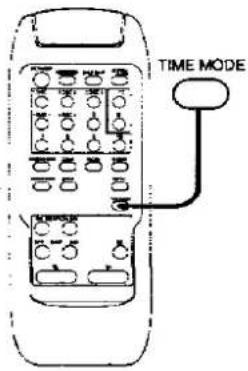
TRYB CZASU
[W trybie odtwarzania lub pauzy]
Naciśnij TRYB CZASU.
Informacje będą się zmieniać (jak opisano poniżej) za każdym naciśnięciem przycisku.
① Numer utworu i czas odtwarzania bieżącego utworu
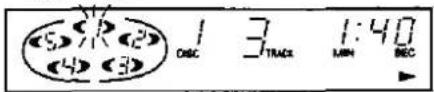
② Całkowity pozostały czas na płycie
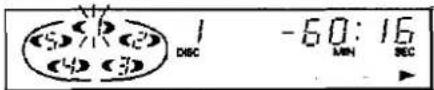
③ Numer utworu i pozostały czas bieżącego utworu
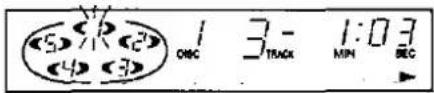
④ Całkowity czas odtwarzania na płycie
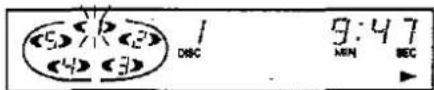
We wszystkich trybach odtwarzania:
Gdy odtwarzany jest utwór o numerze 21 lub większym, wyświetlacz ⑧ pokazuje „—;—”.
W trybie programowania/usuwania/losowego/spiralnego:
Wyświetlane informacje będą się przełączać między wyświetlaczami ① i ③ za każdym naciśnięciem przycisku.
Podczas działania funkcji przewodnika edycji:
Pozostały czas odtwarzania strony A lub B będzie wyświetlany na wyświetlaczu ②, a czas odtwarzania, który upłynął dla strony A lub B, będzie wyświetlany na wyświetlaczu ④.
Po zatrzymaniu odtwarzania i ponownym uruchomieniu wyświetlacz powróci do stanu ①.
Tabela szybkiego odniesienia do obsługi pilota
Podstawowa obsługa
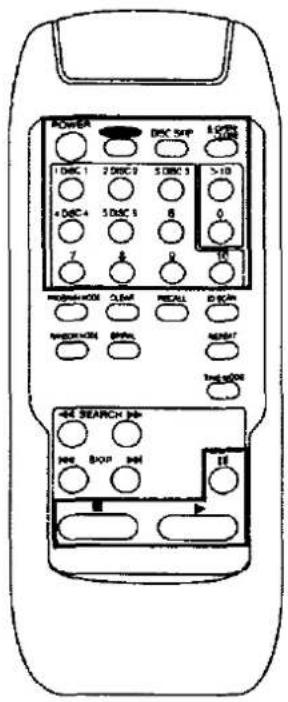 | To turn OFF/ON the main unit |  | ||
| To open/close the loading drawer |  | |||
| To rotate the carousei |  | |||
| To select the desired disc number |  | [TTT4] | 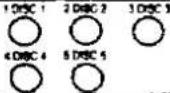 | |
| To select the desired track number | 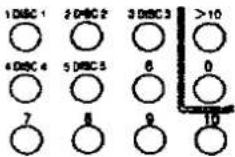 | To select a track between 1 and 10:Press the corresponding number on the keypadTo select a two-digit track number over 10:First press >10, and then press the numbers for the two digits. | ||
| To start play |  | |||
| To stop play temporarily |  | Press ➤ button to resume play | ||
| To stop play |  | |||
Odtwarzanie losowe/spiralne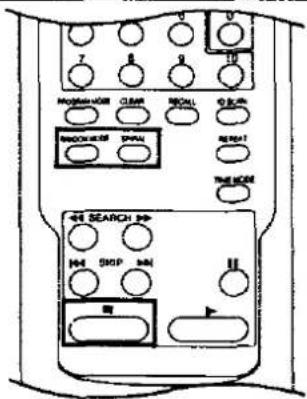
Naciśnij przycisk ▶, aby wznowić odtwarzanie
![graph TD A["One disc random"] --> B["Full random"] B --> C["(off)"]](/content/2026/05/1129414/images/d60d74e7138d60900c4f6ea1080086d436dba3075a61bdc5ddb7f36be5002234.jpg)

Odtwarzanie programowane/usuwanie
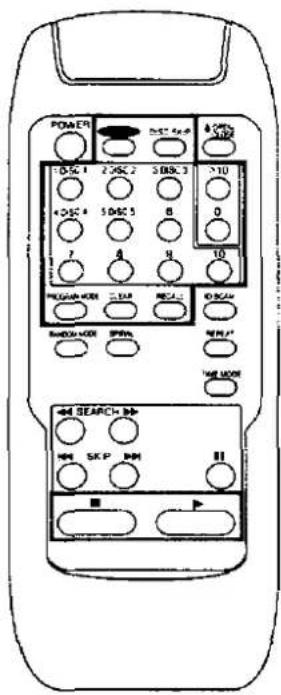 | To start program/delete play | 1PROGRAM MODESelect program or delete mode.Each time the button is pressed, the program/delete mode will change in the following order:Program → Delete → (off) |
| 2DISC1 2DISC2 3DISC3 Select the disc number. | ||
| 31DISC1 2DISC2 3DISC3 >10 Repeat steps 2 and 3 until you have completed the desired entry. | ||
| 4DISC4 5DISC5 6 0 | ||
| 7 8 9 10 | ||
| Start play | ||
| To check the entered contents | RECALL The selections entered are displayed one by one each time this button is pressed. | |
| To clear a single item of the entered contents | CLEAR Only the selection which is currently displayed is cleared. | |
| To clear all entered contents | (In the stop mode) | |
| To cancel program/delete mode | (in the stop mode)PROGRAM MODE Press twice in program mode.Press once in delete mode. |
Inne funkcje
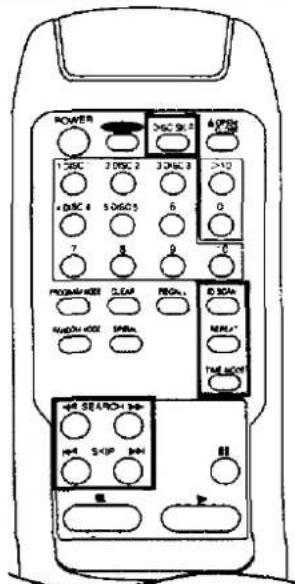 | To skip discs | DISC SKIP |
| To skip tracks | ||
| To search for a desired place | (In the play or pause mode)SEARCH | |
| To start ID scan | ID SCANTo cancel ID scan, press this button again. | |
| To repeat play | REPEATTo cancel repeat mode, press this button again. | |
| To select time mode | TIME MODE |
Uwagi dotyczące przenoszenia tego urządzenia
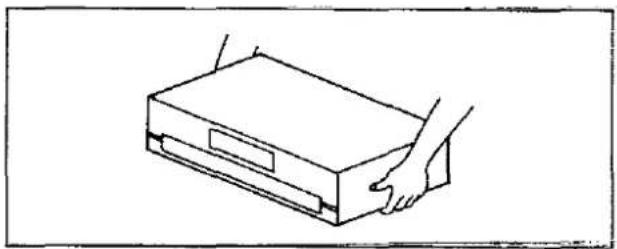
UWAGA
Przed przeniesieniem zmieniarki w inne miejsce należy wykonać czynności opisane poniżej w punkcie "Przygotowanie do przeniesienia urządzenia".
Niezastosowanie się do tego naraża płyty kompaktowe i zmieniarkę na ryzyko poważnego uszkodzenia.
Przygotowanie do przeniesienia urządzenia
Wszystkie płyty muszą zostać wyjęte, aby tacki były całkowicie puste.
Należy postępować zgodnie z poniższą procedurą.
① Naciśnij POWER, aby wyłączyć urządzenie. ② Naciśnij POWER, aby włączyć urządzenie.
(Jeśli w sekcji odtwarzania znajduje się płyta, w tym momencie zostanie ona zwrócona do szuflady na płyty.)
③ Naciśnij OPEN/CLOSE, aby otworzyć szufladę ładującą. ④ Naciśnij DISC SKIP, aby obrócić tace na płyty i wyjąć płyty ze wszystkich tac. ⑤ Naciśnij OPEN/CLOSE, aby zamknąć szufladę ładującą. ⑥ Naciśnij POWER, aby wyłączyć urządzenie.
Jeśli przypadkowo naciśnięto zły przycisk, wróć do kroku ①.
Informacje o płytach kompaktowych
W tym zmieniaczu można odtwarzać tylko płyty kompaktowe oznaczone tym symbolem:

Środki ostrożności dotyczące obsługi
Aby otworzyć pudełko z płytą kompaktową, delikatnie naciśnij boki górnej części i podnieś je.
Aby wyjąć płytę z pudełka, naciśnij środkowy uchwyt i unieś płytę, trzymając ją za krawędzie.
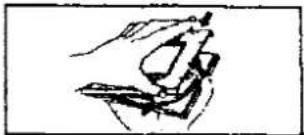
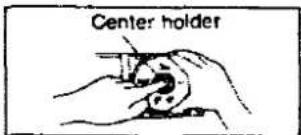
Aby umieścić płytę z powrotem w pudełku, włóż ją etykietą do góry i naciśnij w dół na środku.
Trzymaj płyty kompaktowe za krawędzie, aby nie zabrudzić ich powierzchni odciskami palców. Odciski palców, brud i zarysowania mogą powodować przeskakiwanie i zniekształcenia.
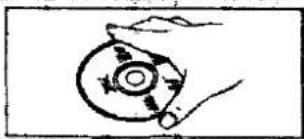
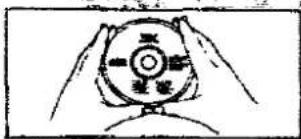
Nie używaj sprayów do czyszczenia płyt, benzyny, rozcieńczalników, płynów antyelektrostatycznych ani żadnych innych rozpuszczalników na płycie.
Jeśli powierzchnia jest zabrudzona, przetrzyj ją delikatnie miękką, wilgotną (tylko wodą) szmatką.
Zawsze przesuwaj szmatkę bezpośrednio od środka płyty na zewnątrz, a nie ruchem okrężnym, jak w przypadku standardowych płyt gramofonowych.
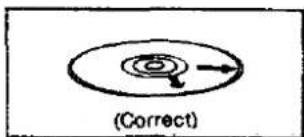
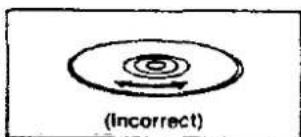
Jeśli przenosisz płytę z zimnego do ciepłego otoczenia, na płycie może skroplić się wilgoć. Wytrzyj ją miękką, suchą, niestrzępiącą się szmatką przed użyciem płyty.
Nie pisz po stronie etykiety długopisem ani innym przyrządem do pisania.
Środki ostrożności dotyczące przechowywania
Pamiętaj, aby przechowywać płyty w ich pudełkach, aby chronić je przed kurzem, zarysowaniami i odkształceniami.
Nie umieszczaj ani nie przechowuj płyt w następujących miejscach:
1) Miejsca narażone na bezpośrednie działanie promieni słonecznych 2) Wilgotne lub zakurzone miejsca 3) Miejsca bezpośrednio narażone na działanie nawiewu grzewczego lub urządzenia grzewczego 4) W schowku lub na tylnej półce samochodu
Przewodnik rozwiązywania problemów
Przed wezwaniem serwisu sprawdź poniższą tabelę, aby znaleźć możliwą przyczynę problemu. Proste sprawdzenie lub drobna regulacja może wyeliminować problem i przywrócić prawidłowe działanie.
Jeśli masz wątpliwości co do niektórych punktów kontroli lub jeśli środki wskazane w tabeli nie rozwiązują problemu, skorzystaj z katalogu autoryzowanych centrów serwisowych (dołączonego do urządzenia), aby znaleźć dogodne centrum serwisowe, lub skonsultuj się z dealerem Technics w celu uzyskania instrukcji.
| Problem | Probable cause(s) | Suggested remedy |
| Changer will not play. | A disc(s) or other foreign object(s) has fallen inside the changer. | ·Open the loading drawer, and then remove the object. |
| Moisture has collected in the changer. | ·Switch on and allow the changer to dry out for about one hour before using it. | |
| The disc in the changer does not play. | The disc is upside down. | ·Make sure the label is facing upward. |
| The disc is dirty. | ·Wipe the disc with a soft cloth. | |
| The disc is scratched. | ·Replace the disc with a new one. | |
| The disc is warped. | ||
| The disc is not within specified standards. | ||
| Play stops before changing to the next disc. | The loading drawer is oper. | ·Press the OPEN/CLOSE button to close the loading drawer. |
| A certain music passage can't be played correctly. | The disc is dirty. | ·Wipe the disc with a soft cloth. |
| The disc is scratched. | ·Replace the disc with a new one. | |
| There is noise from the tuner or disturbance on the TV screen. | Caused by high-frequency signals from this changer. | ·Use the changer further away from the tuner or TV.·If the tuner or TV's antenna is the indoor type, use an outdoor one. |
| When program play is started, an error message (-E) appears on the display. | Play was started without a track being programmed. | ·Program a track. |
| An error message (-E) appears on the display, and the changer stops operating. | The mechanism of the changer has been improperly adjusted. | ·Turn the unit off and then back on again.However, if the loading drawer is fully open, take out the compact disc(s) at the front position and then turn the unit off and then back on again. |
| The loading drawer stops in the middle of opening. | ||
| Remote control does not operate correctly. | The batteries have run out. | ·Replace batteries with new ones. |
| There is an obstruction between the remote control and the changer. | ·Remove the obstruction. | |
| The batteries are inserted incorrectly.[The (+) and (-) polarities are reversed.] | ·Reinsert batteries so that the polarities are correct. |
Dane techniczne
AUDIO
| No. of channels | 2 (left and right, stereo) |
| Frequency response | 2-20,000 Hz, ±1 dB |
| Output voltage | 2 V (at 0 dB) |
| Dynamic range | 92 dB |
| S/N | 100 dB |
| Total harmonic distortion | 0.007% (1 kHz, 0 dB) |
| Wow and flutter | Below measurable limit |
| DA converter | MASH (1 bit) |
| Output impedance | Approx.1 kΩ |
| Load impedance | More than 10 kΩ |
| Headphones output level | 3 mW max. 32 Ω |
GŁOWICA ODCZYTOWA
Długość fali
780 nm
OGÓLNE
| Power consumption | 16 W |
| Power supply | AC 50/60 Hz, 290–240 V |
| Dimensions (W×H×D) | 430 × 125 × 372 mm |
| Weight | 4.6 kg |
Uwaga:
Specyfikacje mogą ulec zmianie bez powiadomienia.
Waga i wymiary są przybliżone.
Dla Wielkiej Brytanii
To urządzenie zostało wyprodukowane zgodnie z normą BS 800
MASH jest znakiem towarowym firmy NTT.

Matsushita Electric Industrial Co., Ltd.
Central P.O. Box 288, Osaka 530-91, Japonia
Wydrukowano w Japonii
H0295HC

- TECHNICS®
- ZMIENIARKA PŁYT KOMPAKTOWYCH
- SL-PD
- UWAGA
- DROGI KLIENCIE
- SPIS TREŚCI
- DANSK
- BEMAERKI
- SUOMI
- VAROITUS
- NORSK
- ADVARSEL
- (DLA WIELKIEJ BRYTANII)
- WAŻNE
- PRZED UŻYCIEM
- JAK WYMIENIĆ BEZPIECZNIK
- ZALECENIA DOTYCZĄCE BEZPIECZEŃSTWA
- UMIESZCZENIE
- WENTYLACJA
- UKŁADANIE
- NAPIĘCIE
- OCHRONA PRZEWODU ZASILAJĄCEGO
- OBCE MATERIAŁY
- KONSERWACJA
- SERWIS
- INNE UWAGI
- UNIKAJ MIEJSC TAKICH JAK
- PODCZAS PRZENOSZENIA LUB PRZECHOWYWANIA URZĄDZENIA NALEŻY OBCHODZIĆ SIĘ Z NIM OSTROŻNIE, ABY NIE NARAŻAĆ GO NA SILNE UDERZENIA
- ABY UNIKNĄĆ PROBLEMÓW ZWIĄZANYCH Z WIBRACJAMI
- WILGOĆ MOŻE SKRAPLAĆ SIĘ NA SOCZEWCE W NASTĘPUJĄCYCH PRZYPADKACH
- POŁĄCZENIA
- TERMINAL "DIGITAL OPTICAL OUT
- POŁĄCZENIA KABLEM ŚWIATŁOWODOWYM
- INSTALACJA BATERII
- GDY KONIECZNA JEST WYMIANA BATERII
- UWAGI DOTYCZĄCE BATERII
- SPOSÓB UŻYCIA
- PODSTAWOWE OPERACJE
- ODTWARZANIE SEKWENCYJNE
- OSTRZEŻENIE
- ABY BEZPOŚREDNIO UZYSKAĆ DOSTĘP DO ŻĄDANEJ ŚCIEŻKI
- ABY WYMIENIĆ PŁYTY PODCZAS ODTWARZANIA
- ABY TYMCZASOWO ZATRZYMAĆ ODTWARZANIE
- ABY WZNOWIĆ ODTWARZANIE
- ABY ZATRZYMAĆ ODTWARZANIE
- ABY PONOWNIE ROZPOCZĄĆ ODTWARZANIE
- FUNKCJA REZERWY PAMIĘCI
- NACIŚNIJ OFF/ON
- ABY ANULOWAĆ TRYB REZERWY PAMIĘCI
- WSKAŹNIK REZERWY PAMIĘCI
- DLA TWOJEJ INFORMACJI
- SŁUCHANIE PRZEZ SŁUCHAWKI
- ODTWARZANIE PROGRAMOWANE
- ABY WYCZYŚCIĆ CAŁĄ ZAPROGRAMOWANĄ ZAWARTOŚĆ
- ABY ANULOWAĆ TRYB PROGRAMOWANIA
- ODTWARZANIE PROGRAMOWE
- KORZYSTANIE Z PILOTA ZDALNEGO STEROWANIA
- ABY POTWIERDZIĆ ZAPROGRAMOWANĄ ZAWARTOŚĆ
- NACIŚNIJ RECALL
- ABY USUNĄĆ POJEDYNCZĄ POZYCJĘ Z ZAPROGRAMOWANEJ ZAWARTOŚCI
- NACIŚNIJ PRZYCISK CLEAR
- ODTWARZANIE LOSOWE
- ODTWARZANIE LOSOWE JEDNEJ PŁYTY
- ODTWARZANIE LOSOWE PEŁNE
- ABY ANULOWAĆ TRYB ODTWARZANIA LOSOWEGO
- NACIŚNIJ
- PLAN USUWANIA
- DO ODTWARZANIA LOSOWEGO PODCZAS USUWANIA NIECHCIANYCH ŚCIEŻEK
- ABY WYCZYŚCIĆ CAŁĄ ZAWARTOŚĆ PRZEZNACZONĄ DO USUNIĘCIA
- ABY ANULOWAĆ TRYB USUWANIA
- NACIŚNIJ CLEAR
- ABY ANULOWAĆ TRYB ODTWARZANIA SPIRALNEGO
- NACIŚNIJ PONOWNIE SPIRAL
- PO ZNALEZIENIU ŻĄDANEGO UTWORU
- ABY ANULOWAĆ SKANOWANIE ID
- NACIŚNIJ ID SCAN PODCZAS DZIAŁANIA TEJ FUNKCJI
- SKANOWANIE PARADOWE
- W TRYBIE ODTWARZANIA SEKWENCYJNEGO
- W INNYCH TRYBACH ODTWARZANIA
- FUNKCJA POMIJANIA
- POMIJANIE PŁYT
- W TRYBIE ZATRZYMANIA
- W TRYBIE ODTWARZANIA
- POMIJANIE UTWORÓW
- W TRYBIE ODTWARZANIA SEKWENCYJNEGO/PROGRAMOWEGO/USUWANIA
- W TRYBIE ODTWARZANIA LOSOWEGO
- W TRYBIE ODTWARZANIA SPIRALNEGO
- ABY ANULOWAĆ TRYB POWTARZANIA
- ABY ANULOWAĆ TRYB AUTO CUE
- FUNKCJA EDYCJI PRZEWODNIKA
- PRZYGOTUJ MAGNETOFON DO NAGRYWANIA
- NACIŚNIJ EDIT GUIDE, ABY WYBRAĆ DŁUGOŚĆ TAŚMY
- ABY WPROWADZIĆ ŻĄDANY CZAS NAGRYWANIA INNY NIŻ 48, 60 LUB 90 MINUT
- NA PRZYKŁAD
- ABY ZATRZYMAĆ NAGRYWANIE
- WYBÓR TRYBU CZASU
- (DOSTĘPNE TYLKO Z PILOTA ZDALNEGO.)
- NACIŚNIJ TRYB CZASU
- WE WSZYSTKICH TRYBACH ODTWARZANIA
- W TRYBIE PROGRAMOWANIA/USUWANIA/LOSOWEGO/SPIRALNEGO
- PODCZAS DZIAŁANIA FUNKCJI PRZEWODNIKA EDYCJI
- TABELA SZYBKIEGO ODNIESIENIA DO OBSŁUGI PILOTA
- UWAGI DOTYCZĄCE PRZENOSZENIA TEGO URZĄDZENIA
- PRZYGOTOWANIE DO PRZENIESIENIA URZĄDZENIA
- INFORMACJE O PŁYTACH KOMPAKTOWYCH
- ŚRODKI OSTROŻNOŚCI DOTYCZĄCE OBSŁUGI
- ŚRODKI OSTROŻNOŚCI DOTYCZĄCE PRZECHOWYWANIA
- PRZEWODNIK ROZWIĄZYWANIA PROBLEMÓW
- DANE TECHNICZNE
- AUDIO
- GŁOWICA ODCZYTOWA
- OGÓLNE
Marka : PANASONIC
Model : SL-PD1010
Kategoria : System Hi-Fi