
AZ-2 ZOOM - Appareil photo argentique OLYMPUS - Notice d'utilisation et mode d'emploi gratuit
Retrouvez gratuitement la notice de l'appareil AZ-2 ZOOM OLYMPUS au format PDF.

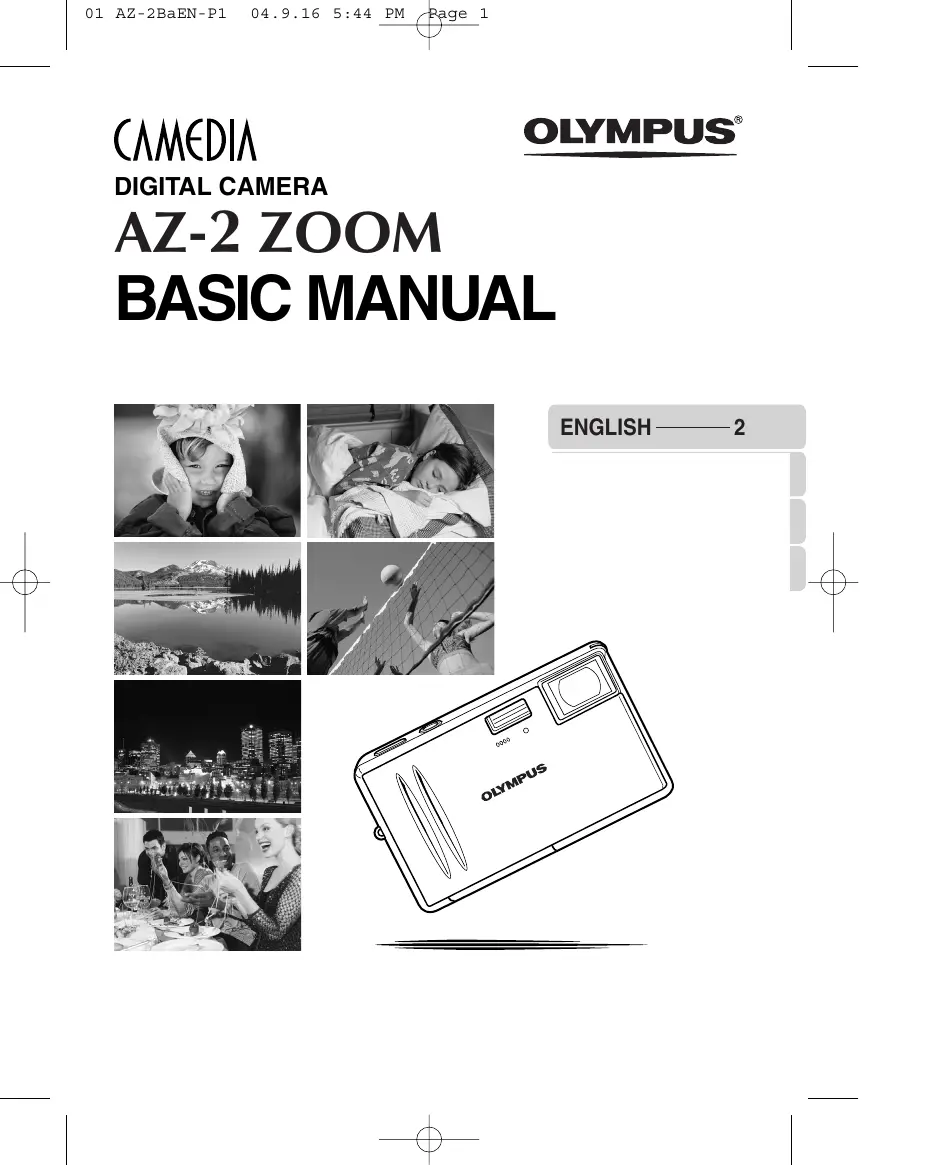

| Type de produit | Appareil photo numérique compact |
| Marque | Olympus |
| Modèle | AZ-2 ZOOM |
| Nombre de pixels effectifs | 4,0 millions |
| Capteur | CCD 1/2,7" 4,23 millions de pixels (bruts) |
| Objectif | Olympus 6,2–17,3 mm f2,9–f4,8 (équiv. 40–112 mm en 35 mm) |
| Écran | LCD TFT 2,5" avec environ 206 000 pixels |
| Support de stockage | Carte xD-Picture Card (16 à 512 Mo) |
| Format d'enregistrement (photo) | JPEG (DCF, Exif 2.2, DPOF, PictBridge) |
| Format d'enregistrement (vidéo) | QuickTime Motion JPEG (avec son) |
| Alimentation | Batterie lithium-ion Olympus LI-20B (3,7 V, 1035 mAh) + adaptateur secteur D-7AC |
| Dimensions (L×H×P) | 104,5 × 63 × 20 mm (sans parties saillantes) |
| Poids | Environ 135 g (sans batterie ni carte) |
| Vitesse d'obturation | 1/2 à 1/1000 s (jusqu'à 4 s en mode nuit) |
| Sensibilité | Non spécifiée explicitement, utilisation automatique |
| Modes de prise de vue | Auto, plus de 10 modes scène, macro |
| Flash intégré | Oui, portée efficace > 1 m |
| Connectique | USB, AV (sortie vidéo), alimentation DC-IN |
| Accessoires fournis | Batterie LI-20B, adaptateur secteur, câbles USB et AV, courroie, bouchon d'objectif, pied, carte xD-Picture Card (selon zone), CD-ROM Olympus Master, manuels |
| Température de fonctionnement | 0 °C à 40 °C |
| Humidité de fonctionnement | 30% à 90% |
FOIRE AUX QUESTIONS - AZ-2 ZOOM OLYMPUS
Questions des utilisateurs sur AZ-2 ZOOM OLYMPUS
0 question sur cet appareil. Repondez a celles que vous connaissez ou posez la votre.
Poser une nouvelle question sur cet appareil
Téléchargez la notice de votre Appareil photo argentique au format PDF gratuitement ! Retrouvez votre notice AZ-2 ZOOM - OLYMPUS et reprennez votre appareil électronique en main. Sur cette page sont publiés tous les documents nécessaires à l'utilisation de votre appareil AZ-2 ZOOM de la marque OLYMPUS.
MODE D'EMPLOI AZ-2 ZOOM OLYMPUS
DIGITAL CAMERA
AZ-2 ZOOM
BASIC MANUAL

natural_image
Black-and-white photo of a smiling child wearing a knitted hat, hands on cheeks (no text or symbols visible)
natural_image
Black-and-white photo of a person sleeping in bed, wearing a patterned blanket (no visible text or symbols)
natural_image
Black-and-white landscape photo of a lake with snow-capped mountains reflected in calm water, surrounded by forested hills (no text or symbols)
natural_image
Black-and-white photo of volleyball players spiking the ball at the net (no visible text or symbols)
natural_image
Nighttime cityscape with illuminated skyscrapers and a central plaza (no visible text or signage)
natural_image
Group of people enjoying a meal together at a dining table (no visible text or signage)ENGLISH —— 2
- Thank you for purchasing an Olympus digital camera. Before you start to use your new camera, please read these instructions carefully to enjoy optimum performance and a longer service life.
- This manual explains shooting and playback basics. For details on functions, read the advanced manual. Keep this manual in a safe place for future reference.
- We recommend that you take test shots to get accustomed to your camera before taking important photographs.
- The screen and camera illustrations shown in this manual were produced during the development stages and may differ from the actual product.
For customers in North and South America
For customers in USA
Declaration of Conformity
Model Number : AZ-2 ZOOM
Trade Name : OLYMPUS
Responsible Party : OLYMPUS IMAGING AMERICA INC.
Address : 2 Corporate Center Drive, PO Box 9058, Melville, New York 11747-9058 U.S.A.
Telephone Number : 1-631-844-5000
Tested To Comply With FCC Standards
FOR HOME OR OFFICE USE
This device complies with Part 15 of the FCC rules. Operation is subject to the following two conditions:
(1) This device may not cause harmful interference.
(2) This device must accept any interference received, including interference that may cause undesired operation.
For customers in Canada
This Class B digital apparatus meets all requirements of the Canadian Interference-Causing Equipment Regulations.
For customers in Europe

“CE” mark indicates that this product complies with the European requirements for safety, health, environment and customer protection.
“CE” mark cameras are intended for sales in Europe.
Trademarks
• IBM is a registered trademark of International Business Machines Corporation.
- Microsoft and Windows are registered trademarks of Microsoft Corporation.
• Macintosh is a trademark of Apple Computer Inc.
- All other company and product names are registered trademarks and/or trademarks of their respective owners.
- The standards for camera file systems referred to in this manual are the “Design Rule for Camera File System/DCF” standards stipulated by the Japan Electronics and Information Technology Industries Association (JEITA).
Unpacking the box contents
If any accessories are missing or damaged, contact the dealer from whom you purchased the camera.
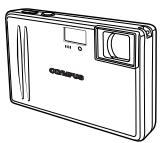
natural_image
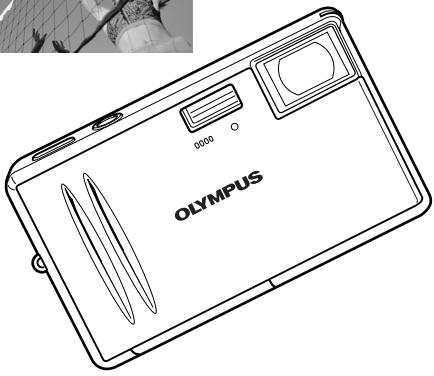
Line drawing of a compact digital camera with lens and screen (no text or symbols)Digital camera
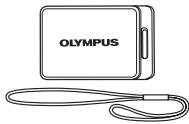
natural_image
Line drawing of an Olympus device with a strap and cable (no text or symbols)Lens cap and cap string
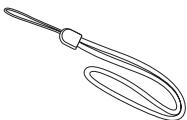
natural_image
Line drawing of a pair of scissors with handle and loop (no text or symbols)Strap
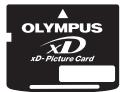
xD-Picture Card

natural_image
Line drawing of a Olympus-bound notebook (no text or symbols on the cover)Lithium ion battery (LI-20B)
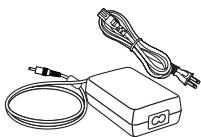
natural_image
Line drawing of a portable electronic device with coiled cable and connector (no text or symbols)AC adapter (D-7AC)
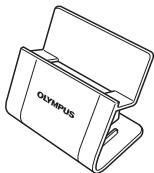
natural_image
Line drawing of a foldable Olympus device (no text or symbols on the device itself)Stand
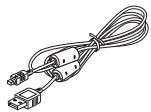
natural_image
Line drawing of a USB cable with two connectors (no text or symbols)USB cable
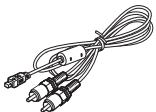
natural_image
Line drawing of a cable with two connectors and a central connector (no text or symbols)AV cable
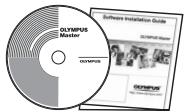
OLYMPUS Master CD-ROM
Basic manual
Advanced manual (CD-ROM)
Warranty card
Registration card Registration card is not provided in some areas.
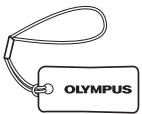
Camera cleaner
Contents vary depending on the area where you purchased this camera.
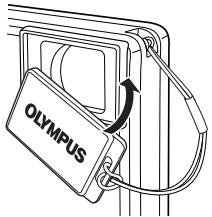
Attaching the lens cap and strap
En
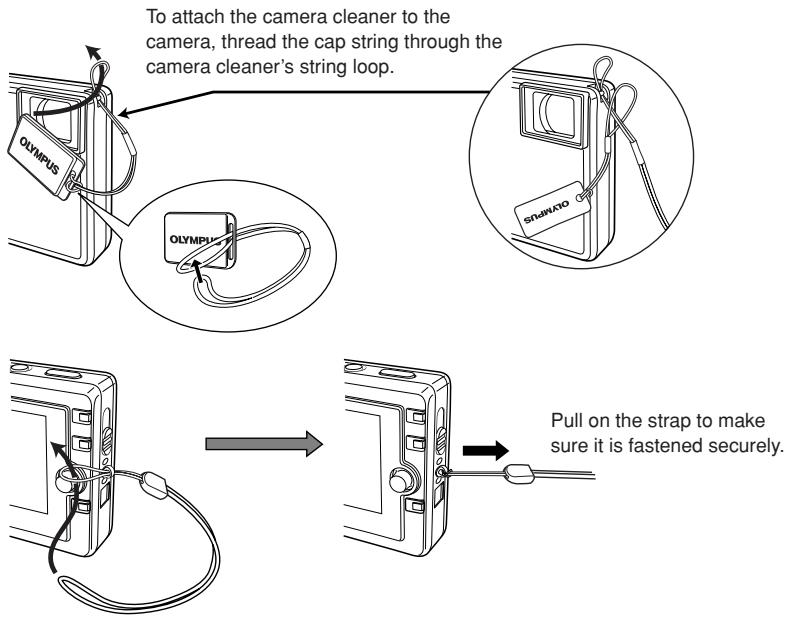
flowchart
graph TD
    A["To attach the camera cleaner to the camera, thread the cap string through the camera cleaner's string loop."] --> B["Olympus"]
    B --> C["Olympi"]
    C --> D["Pull on the strap to make sure it is fastened securely."]

Note
- Do not pull on the strap too hard when it is attached to the camera as this could break the strap.
- Attach the strap correctly as shown above so that the camera does not fall off. Olympus is not responsible for any damages incurred when the strap is attached incorrectly and the camera comes off.
What you can do with this camera
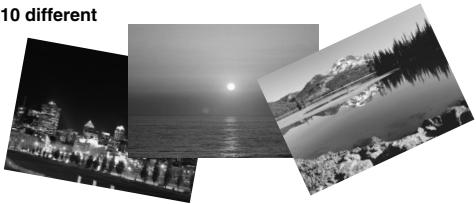
You can choose from more than 10 different
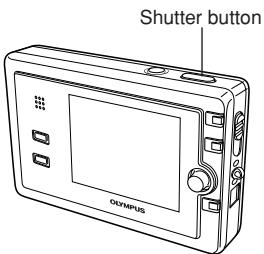
types of scene shooting modes, making it easy to set the appropriate shooting mode for a variety of shooting situations! Once you've selected the shooting mode, just press the shutter button to take the picture.
natural_image
Black-and-white landscape photos showing a city skyline at night, a full moon over the sea, and a snowy mountain lake (no text or symbols)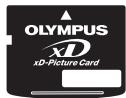
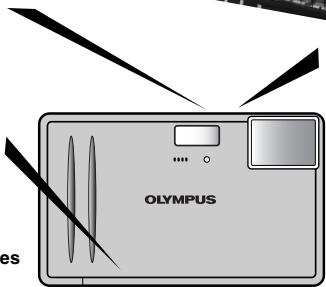
You can create photo albums from the pictures stored on the xD-Picture Card.
natural_image
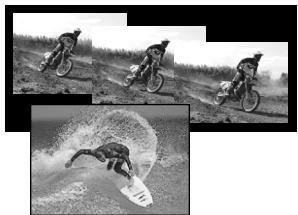
Illustration of a Olympus digital camera with lens and screen (no text or symbols on main body)You can take sequential shots, or record movies with sound.
natural_image
Black-and-white photo collage showing three action shots of a person riding a motorcycle, with one performing a disc and the other on a surfboard (no text or symbols visible)Try a slideshow transition effect such as SWIVEL and CHECKERBOARD, etc. to view recorded images.
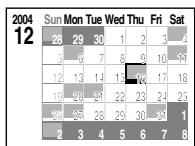
Stored images are sorted by shooting date.
You can select them using the calendar.
heatmap
2004 | Day | Sun | Mon | Tue | Wed | Thu | Fri | Sat | |---|---|---|---|---|---|---|---| | 12 | 28 | 29 | 30 | 1 | 2 | 3 | 4 | | | 3 | 6 | 7 | 8 | 9 | 10 | 11 | | | 12 | 13 | 14 | 15 | 16 | 17 | 18 | | | 19 | 20 | 21 | 22 | 23 | 24 | 25 | | | 28 | 27 | 28 | 29 | 30 | 31 | 1 | | | 2 | 3 | 4 | 5 | 6 | 7 | 8 |Images can be played back on a TV with the AV cable.
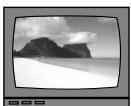
natural_image
Black-and-white beach scene with rocky outcrops under cloudy sky (no text or symbols)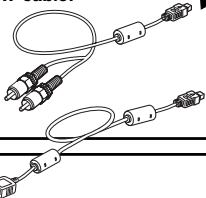
natural_image
Pure electrical circuit lines without any symbols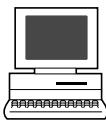
When the camera is connected to a PC or printer...
You can transfer the images to your PC.
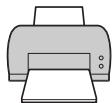
You can print out stored pictures directly with a PictBridge-compatible printer without using your PC.
Contents
This manual explains shooting preparation and easy techniques for shooting and playback. This manual is only for quick reference and should be read first to learn basic camera operation
Safety precautions....7
Loading the battery 13
Charging the battery 15
Inserting the card....16
Power on....18
Shooting 19
Playback 21
Power off....22
What you can do with OLYMPUS Master software 23
Information 24
Specifications — Camera 24
Specifications — Provided accessories ..... 26
For other functions not described here, read the advanced manual.
The advanced manual explains the following:
● Shooting methods except auto mode
- Selecting the situation-related shooting modes
● Manually adjusting focus, exposure, image and image quality to suit your own tastes.
● Methods of viewing and editing recorded images
- Customizing functions for more efficient operation
● Transferring recorded images to a computer
● Printing recorded images

CAUTION
RISK OF ELECTRIC SHOCK DO NOT OPEN

CAUTION: TO REDUCE THE RISK OF ELECTRICAL SHOCK, DO NOT REMOVE COVER (OR BACK). NO USER-SERVICEABLE PARTS INSIDE. REFER SERVICING TO QUALIFIED OLYMPUS SERVICE PERSONNEL.

Lightning flash with an arrowhead, enclosed in a triangle, alerts you to the presence of uninsulated voltage points inside the product which could cause a serious electrical shock.

An exclamation mark enclosed in a triangle alerts you to important operating and maintenance instructions in the documentation provided with the product.
WARNING!
TO AVOID THE RISK OF FIRE OR ELECTRICAL SHOCK, NEVER EXPOSE THIS PRODUCT TO WATER OR OPERATE IN A HIGH HUMIDITY ENVIRONMENT.
General precautions
Read All Instructions — Before you use the product, read all operating instructions. For more information on accessories such as the lithium ion battery, refer to the manuals provided with those products.
Save These Instructions — Save all safety and operating instructions for future reference.
Heed Warnings — Read carefully and follow all warning labels on the product and those described in the instructions.
Follow Instructions — Follow all instructions provided with this product.
Cleaning — Always unplug this product from the wall outlet before cleaning. Use only a damp cloth for cleaning. Never use any type of liquid or aerosol cleaner, or any type of organic solvent to clean this product.
Attachments — For your safety, and to avoid damaging the product, use only accessories recommended by Olympus.
Water and Moisture — Never use this product around water (near a bathtub, kitchen sink, laundry tub, wet basement, swimming pool or in the rain).
Location — To avoid damage to the product and prevent personal injury, never place this product on an unstable stand, tripod, bracket, table or cart. Mount only on a stable tripod, stand, or bracket. Follow the instructions that describe how to safely mount the product, and use only the mounting devices recommended by the manufacturer.
Power Sources — Connect this product only to the power source described on the product label. If you are not sure about the type of power supply in your home, consult your local power company.
Refer to instruction pages for information on using the product with a battery.
Grounding, Polarization — If this product is used with a specified AC adapter, the adapter may be equipped with a polarized alternating current line plug (a plug with one blade wider than the other). This safety feature allows the plug to fit into the power outlet only one way. If you cannot insert the plug into the wall outlet, pull it out, reverse it, and then reinsert it. If the plug still fails to fit, contact an electrician and have the receptacle replaced.
Protecting the Power Cord — The power supply cord should be placed so it will not be walked on. Never put a heavy object on the power cord or wrap it around the leg of a table or chair. Keep the area around the power cord connection points, at the power outlet, and at the product connection, free of all AC adapter or accessory power cords.
Lightning — If a lightning storm occurs while using a specified AC adapter, remove it from the wall outlet immediately. To avoid damage from unexpected power surges, always unplug the AC adapter from the power outlet and disconnect it from the camera when the camera is not in use.
Overloading — Never overload wall outlets, extension cords, power strips, or other power connection points with too many plugs.
Foreign Objects, Liquid Spillage — To avoid personal injury caused by fire or electrical shock from contact with internal high voltage points, never insert a metal object into the product. Avoid using the product where there is a danger of spillage.
Heat — Never use or store this product near any heat source such as a radiator, heat register, stove, or any type of equipment or appliance that generates heat, including stereo amplifiers.
Servicing — Refer all servicing to qualified personnel. Attempting to remove the covers or disassemble the product, could expose you to dangerous high voltage points.
Damage Requiring Service — If you notice any of the conditions described below while using a specified AC adapter, unplug it from the wall outlet and refer servicing to qualified service personnel:
a) Liquid has been spilled onto the product or some other object has fallen into the product.
b) The product has been exposed to water.
c) The product does not operate normally despite following operating instructions. Adjust only the controls described in the operating instructions as improper adjustment of other controls could damage the product and require extensive repair work by a qualified technician.
d) The product has been dropped or damaged in any way.
e) The product exhibits a distinct change in performance.
Replacement Parts — When replacement parts are required, make sure that the authorized service center uses only parts with the same characteristics as the originals, as recommended by the manufacturer. Unauthorized substitution of parts could result in fire, electrical shock, or create other hazards.
Safety Check — Upon completion of servicing or repairs, ask the service technician to perform safety checks to determine that the product is in good working order.

If the product is used without observing the information given under this symbol, serious injury or death may result.

If the product is used without observing the information given under this symbol, injury or death may result.

If the product is used without observing the information given under this symbol, minor personal injury, damage to the equipment, or the loss of valuable data may result.
Handling the camera

WARNING
Do not use the camera in areas exposed to flammable or explosive gases.
● A fire or explosion may result.
Do not use the flash on people (infants, small children, etc.) at close range.
- When you fire the flash, you must be at least 1 m (3 ft) away from the faces of your subjects. Firing the flash too close to the subject's eyes could cause a momentary loss of vision.
Keep young children and infants away from the camera.
- If not, the following dangerous situations may occur:
– Becoming entangled in the camera strap or power cords, causing strangulation. If this happens, follow the doctor's instructions.
– Accidentally swallowing the battery, cards or other small parts.
– Accidentally firing the flash into their own eyes or those of another child.
– Accidentally being injured by the moving parts of the camera.
Do not use or store the camera in dusty or humid places.
- Using or storing the camera in dusty or humid places may result in a fire or electric shock.
Do not cover the flash with a hand while firing.
- Do not cover the flash or touch it after it has just been fired sequentially. It may be hot and cause minor burns.
Do not take apart or modify the camera.
- Never attempt to disassemble the camera. The internal circuits contain high voltage points which could cause serious burns or electrical shock.
Do not let water or foreign objects inside the camera.
- A fire or electric shock may result. If the camera is accidentally dropped in water, or if liquid is spilled into the camera, stop using it, allow it to dry, and then remove the battery. Contact the nearest authorized Olympus service center.
Do not touch the camera or AC adapter until charging is finished and the battery has cooled.
- The camera and AC adapter become hot while charging. If you touch them for too long, you may suffer minor burns.

CAUTION
Stop using the camera immediately if you notice any unusual odors, noise, or smoke around it.
- If you notice any unusual odors, noise, or smoke around the camera during operation, switch it off immediately — and disconnect a specified AC adapter (if attached). Allow the camera to sit idle for a few minutes to cool. Take the camera outdoors, away from flammable objects, and carefully remove the battery. Never remove the battery with bare hands. Contact the nearest Olympus service center immediately.
Do not use the camera with wet hands.
- Damage or electric shock may result. Also, do not connect or disconnect the power plug with wet hands.
Be careful with the strap when you carry the camera
- It could easily catch on stray objects — and cause serious damage.
Do not leave the camera in areas subject to extremely high temperature.
- Doing so may cause parts to deteriorate and, in some circumstances, cause the camera to catch fire.
Use only the AC adapter specified by Olympus.
- Using a different AC adapter may damage the camera or power source, or result in accidents or fire. Ensure the adapter used is designed for your region or country. For more information, contact the nearest Olympus service center or the store of purchase. Olympus makes no representations or warranties regarding any damages caused by AC adapters not recommended by Olympus.
Handle the camera with care to avoid getting a low-temperature burn.
- When the camera contains metal parts, overheating can result in a low-temperature burn. Pay attention to the following:
- When used for a long period, the camera will get hot. If you hold on to the camera in this state, a low-temperature burn may be caused.
- In places subject to extremely cold temperatures, the temperature of the camera's body may be lower than the environmental temperature. If possible, wear gloves when handling the camera in cold temperatures.
Battery handling precautions
Follow these important guidelines to prevent the battery from leaking, overheating, burning, exploding, or causing electrical shocks or burns.

DANGER
Never heat or incinerate the battery.
Do not connect the (+) and (-) terminals to each other using metal objects.
Do not carry or store the battery where it may come into contact with metal objects such as jewelry, pins, fasteners, etc.
Never store the battery where it will be exposed to direct sunlight, or subjected to high temperatures in a hot vehicle, near a heat source, etc.
- Battery leakage, overheating or explosion, etc. may cause a fire, burns or injury.
Never attempt to disassemble the battery or modify it in any way, such as by soldering.
- Doing so may break the terminals or cause battery fluid to splash, resulting in potential fire, explosion, battery leakage, overheating or other damage.
If battery fluid gets in your eyes, loss of eyesight may result.
- If battery fluid gets in your eyes, do not rub them. Flush them immediately with clear, cold running water and seek medical attention straight away.

WARNING
Keep the battery dry at all times. Never allow it to come into contact with fresh or salt water.
Do not touch or hold the battery with wet hands.
If the rechargeable battery does not recharge within the specified time, stop charging it and do not use it.
- If you do not, fire, explosion, ignition or overheating may result.
Do not use the battery if it is cracked or broken.
- Doing so may cause explosion or overheating.
Never subject the battery to strong shocks or continuous vibration.
- Doing so may cause explosion or overheating.
Never attempt to modify the battery compartment on the camera, never insert anything (other than the specified battery) into the compartment.
If the battery leaks, becomes discolored or deformed, or appears abnormal in any way during operation, stop using the camera immediately.
- Contact your dealer or an authorized Olympus service center. Continued use may result in fire or electric shock.
If the battery leaks fluid onto your clothing or skin, remove the clothing and flush the affected area with clean, running cold water immediately. If the fluid burns your skin, seek medical attention immediately.

CAUTION
Do not remove the battery from the camera immediately after operating the camera on battery power for a long time.
- Doing so may cause burns.
Remove the battery from the camera if it is not going to be used for a long time.
- Otherwise, battery leakage or overheat may cause a fire or injury.
AC adapter handling precautions

DANGER
Do not put the adapter in water or use it when wet. Do not touch or hold it with wet hands.
- Doing so may cause malfunction or electric shock.
Do not use the AC adapter if it is covered with cloth such as a blanket.
- Do not use the charger if something is covering it (such as a blanket). Heat may be kept, causing the AC adapter to deform. This may cause fire, ignition or overheating.
Do not disassemble or modify the AC adapter.
● This may cause electric shock or injury.
Use an AC adapter designed to operate on the AC voltage in the area where you are using the camera.
- Otherwise, fire, explosion, smoke, overheat, electric shock or burns may result.

WARNING
Do not damage the AC adapter's cable.
- Do not pull on the AC adapter's cable or add another cable to it. Be sure to connect or disconnect the AC adapter's cable while holding the power plug. If the following cases occur, stop using and contact an Olympus dealer or customer support center.
– The power plug or cable produces heat, burning smell, or smoke. - The power plug or cable is cracked or broken. The contact is bad on the power plug.

CAUTION
Unplug the AC adapter's cable from the outlet before cleaning the camera.
- Otherwise, electric shock or injury may result.
En
FCC Notice
- Radio and Television Interference
Change or modifications not expressly approved by the manufacturer may void the user's authority to operate this equipment. This equipment has been tested and found to comply with the limits for a Class B digital device, pursuant to Part 15 of the FCC Rules. These limits are designed to provide reasonable protection against harmful interference in a residential installation.
This equipment generates, uses, and can radiate radio frequency energy and, if not installed and used in accordance with the instructions, may cause harmful interference to radio communications.
However, there is no guarantee that interference will not occur in a particular installation. If this equipment does cause harmful interference to radio or television reception, which can be determined by turning the equipment off and on, the user is encouraged to try to correct the interference by one or more of the following measures:
- Adjust or relocate the receiving antenna.
– Increase the distance between the camera and receiver. - Connect the equipment to an outlet on a circuit different from that to which the receiver is connected.
- Consult your dealer or an experienced radio/TV technician for help.
Only the OLYMPUS-supplied USB cables should be used to connect the camera to USB-enabled personal computers (PC).
Any unauthorized changes or modifications to this equipment would void the user's authority to operate.
The camera uses an Olympus lithium ion battery (LI-20B).
flowchart
graph TD
    A["Open the battery/card compartment cover."] --> B["Step 1: Cover Opening"]
    B --> C["Step 2: Downward Arrow to CD"]
    C --> D["Step 3: Downward Arrow to OLYMPUS logo should be facing the monitor side."]
    D --> E["Step 4: Downward Arrow to Knob"]
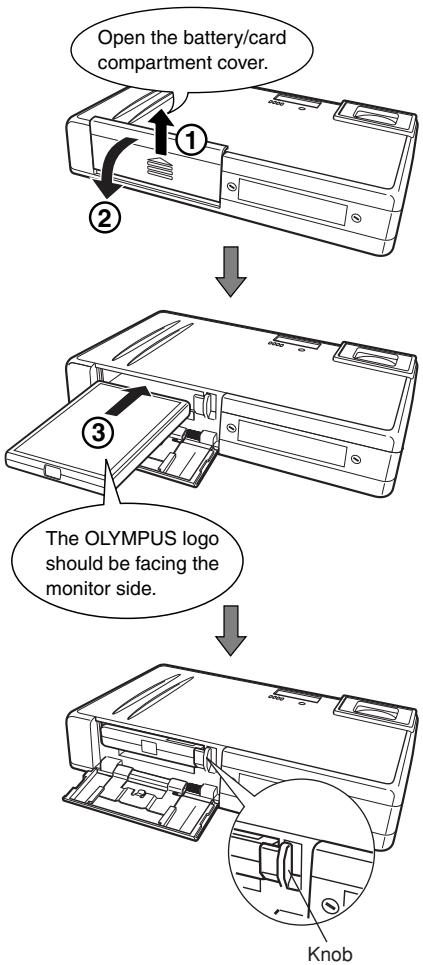
Slide the battery/card compartment cover in the direction of the arrow ①. The cover unlocks and opens in the direction of the arrow ②.
Insert the battery until the knob locks it in ③.
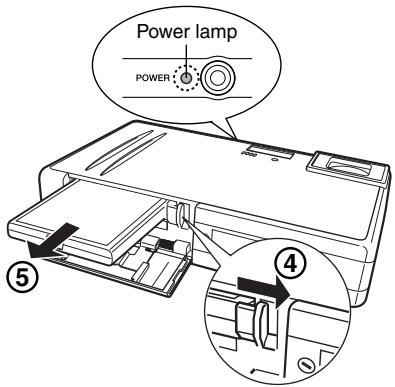
Removing the battery
- Make sure that the power lamp is turned off.
- Slide the knob in the direction of the arrow ④.
- With the battery held down, tilt the camera carefully so that the battery does not drop from the camera. Remove the battery ⑤.
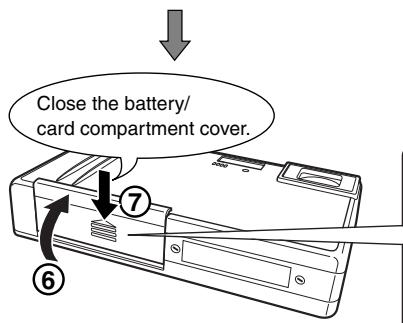
Close the battery/card compartment cover. Lift up the cover ⑥ and push down firmly on the 🔒 section of the cover ⑦ to close. Closing the battery/card compartment cover locks the latch.
Charging the battery
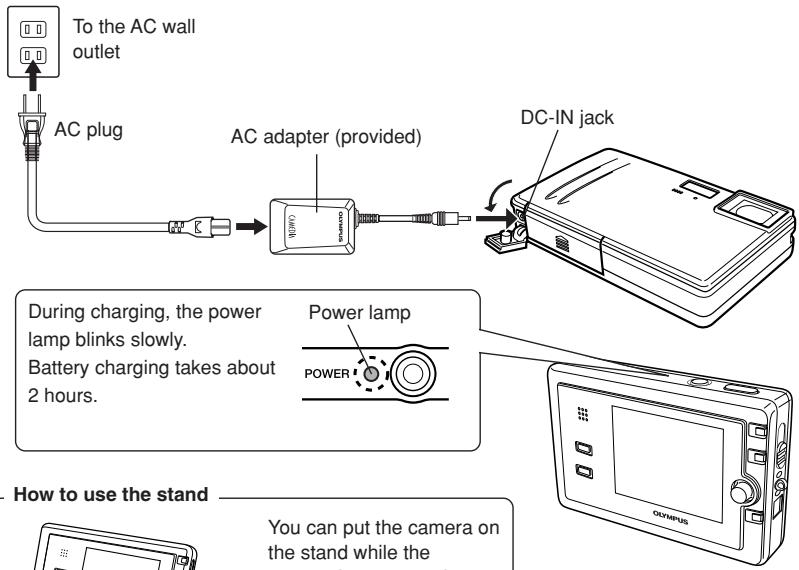
Charging is performed with the battery loaded in the camera.
The battery is not fully charged when purchased. Before use, be sure to charge the battery with the provided AC adapter.
flowchart
graph TD
    A["To the AC wall outlet"] --> B["AC plug"]
    B --> C["AC adapter (provided)"]
    C --> D["DC-IN jack"]
    D --> E["Power lamp"]
    E --> F["Power"]
    style A fill:#f9f,stroke:#333
    style B fill:#ccf,stroke:#333
    style C fill:#cfc,stroke:#333
    style D fill:#fcc,stroke:#333
    style E fill:#cff,stroke:#333
    style F fill:#ffc,stroke:#333
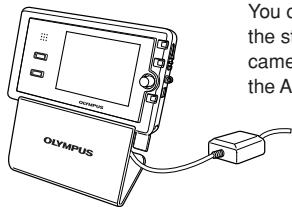
You can put the camera on the stand while the camera is connected to the AC adapter.
Using the AC adapter overseas
When you use the AC adapter overseas, a multiplug is required to allow the plug to fit into local power outlets. For details on multiplugs, consult a travel agency.
Note
- Before charging the battery, be sure to read "Safety precautions" (P. 7).
- If an error occurs during battery charging, the self-timer/remote control lamp blinks. If this happens, remove the battery, then insert it again, or disconnect and connect power plug.
Inserting the card
"Card" in this manual refers to the xD-Picture Card. The camera uses the card to record pictures.
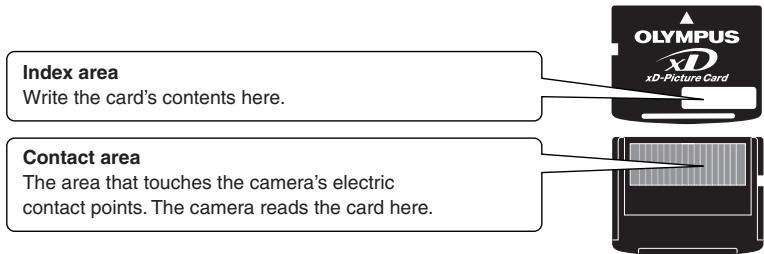
Compatible xD-Picture Card: 16 - 512 MB
En
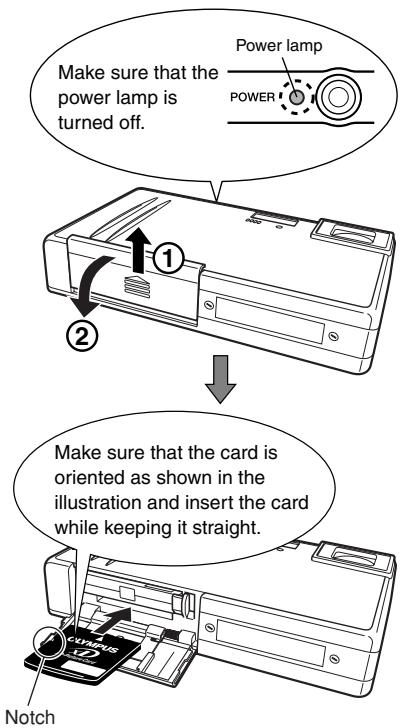
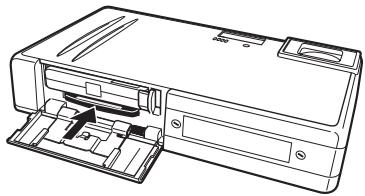
- When the card is inserted all the way, it stops with a click.
- Inserting the card the wrong way could damage the contact area or cause the card to jam.
Removing the card
- Push the card all the way in to unlock it, then let it return slowly.
The card may eject forcefully if you take your finger off it immediately after pushing it or if you flick it with your fingers. - Hold the card straight and pull it out slowly.
natural_image
Line drawing of a mechanical device with internal components and mounting holes (no text or symbols)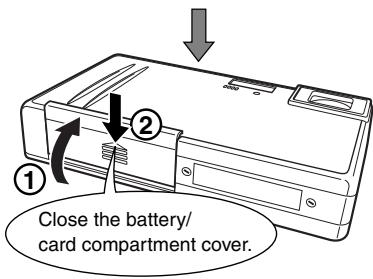
flowchart
graph TD
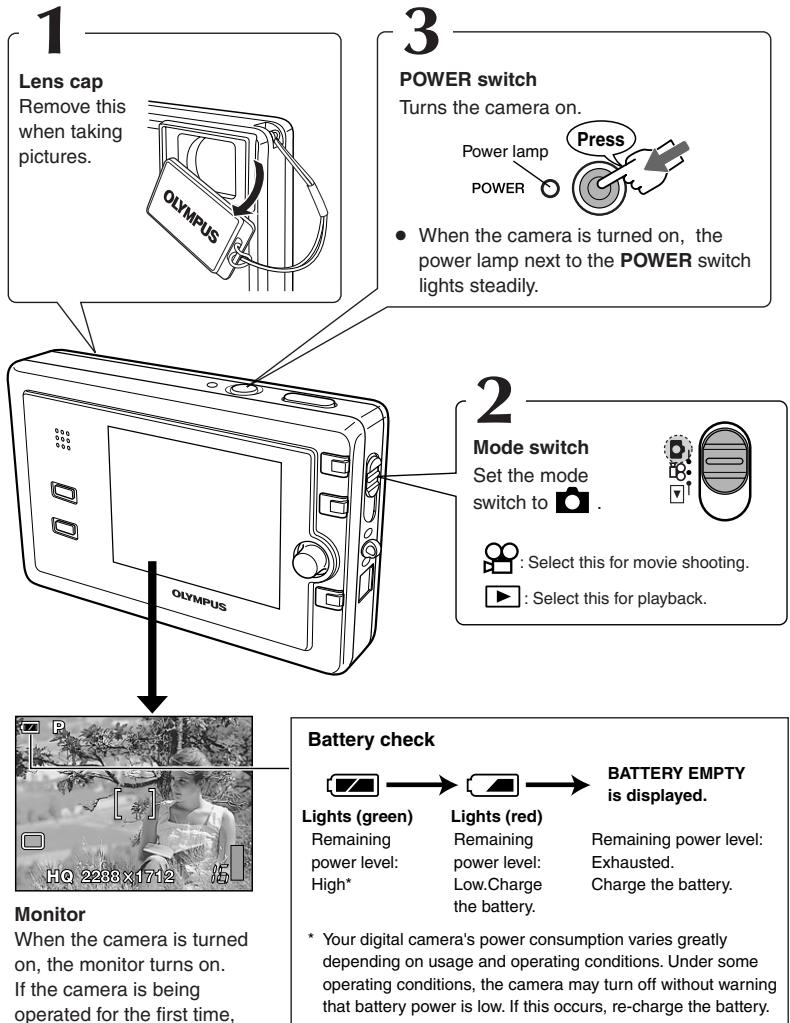
    A["1 Lens cap\nRemove this when taking pictures."] --> B["2 Mode switch\nSet the mode switch to 📋."]
    B --> C["3 POWER switch\nTurns the camera on.\nPower lamp\nPress\nPOWER\nWhen the camera is turned on, the power lamp next to the POWER switch lights steadily."]
    C --> D["Battery check\nLights (green)\nRemaining power level: High*"]
    C --> E["Battery Empty\nis displayed.\nRemaining power level: Exhausted.\nCharge the battery."]
    D --> F["Monitor\nWhen the camera is turned on, the monitor turns on.\nIf the camera is being operated for the first time,"]
    E --> G["Battery check\n* Your digital camera's power consumption varies greatly depending on usage and operating conditions. Under some operating conditions, the camera may turn off without warning that battery power is low. If this occurs, re-charge the battery."]

natural_image
Black-and-white photo of a person reading outdoors with trees and foliage in the background (no visible text or symbols)Monitor
When the camera is turned on, the monitor turns on. If the camera is being operated for the first time, Y/M/D is displayed. Although you can operate the camera without setting the date/time, correct shooting dates may not be displayed on the calendar. Advanced manual
Battery check

Lights (green)
Remaining power level:
High*
Lights (red)
Remaining power level:
Low.Charge
the battery.
BATTERY EMPTY is displayed.
Remaining power level:
Exhausted.
Charge the battery.
* Your digital camera's power consumption varies greatly depending on usage and operating conditions. Under some operating conditions, the camera may turn off without warning that battery power is low. If this occurs, re-charge the battery.
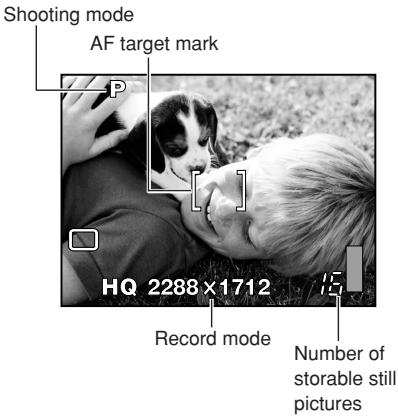
1 Place the AF target mark on the subject while viewing the monitor to compose your shot.
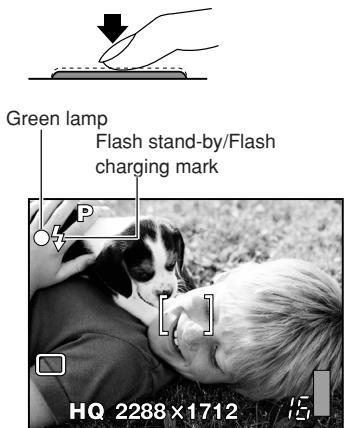
2 Adjust the focus.
Press the shutter button gently (halfway).
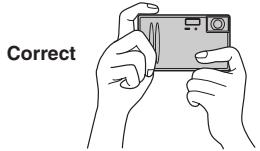
Hold the camera firmly with both hands while keeping your elbows at your sides to prevent camera movement. While shooting vertically using the flash, hold the camera so that the flash is higher than the lens.
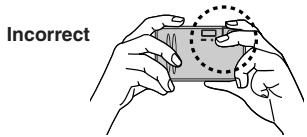
Keep your fingers and the strap away from the lens and flash.
- When the focus and exposure are locked, the green lamp lights steadily.
- The (flash stand-by) mark lights when the flash fires.
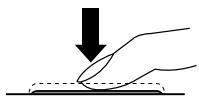
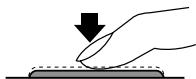
3 Release the shutter.
Press the shutter button all the way (fully).
natural_image
Hand pressing a surface with a downward arrow indicating compression (no text or symbols)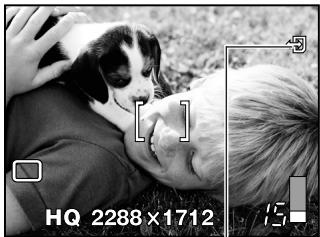
natural_image
Black-and-white photo of a person embracing with a dog, both looking up at camera interface (no text or symbols on main subject)Card access mark
Press the shutter button gently. If it is pressed hard, the camera may move and pictures may come out blurred.
- When a picture is taken, a shutter sound is output.
- The (card access) mark blinks and the camera starts recording the picture.
• The camera automatically turns off if it is not operated for about 3 minutes. Press the POWER switch to turn on the camera.
Note
- Never remove the battery, card or AC adapter while the ✉ mark is blinking. Doing so could destroy stored pictures and prevent storage of pictures you have just taken.
- When taking pictures against strong backlight, the area of the picture in shadow may appear colored.
- When you point the lens toward a bright object, vertical lines (smears) may appear on the monitor. However, this does not affect the actual recorded pictures.
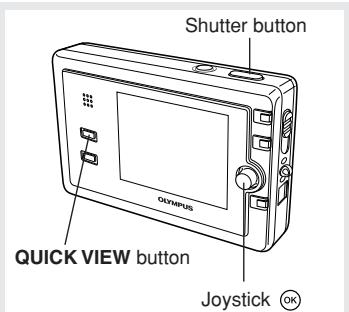
1 Display recorded images.
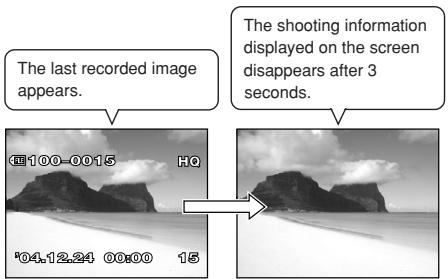
If the camera is not operated for more than 3 minutes, the monitor turns off, then the camera turns off.
2 Use the Joystick to play back images you want to view.
Push the Joystick left to display the previous image.

flowchart
graph TD
    A["Start"] --> B{OK}
    B --> C["End"]
    style B fill:#f9f,stroke:#333
    style C fill:#ccf,stroke:#333
Push the Joystick up to jump to the image 10 frames back.
Push the Joystick down to jump to the image 10 frames ahead.
Push the Joystick right to display the next image.
3 To return to the shooting mode, press the shutter button halfway.
natural_image
Hand pressing a button on a surface with a downward arrow (no text or symbols)Note
When the AC adapter is used, the monitor does not turn off.
2
Attach the lens cap to the lens.
1
Turn off the camera.
POWER
Press
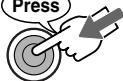
The power lamp turns off.
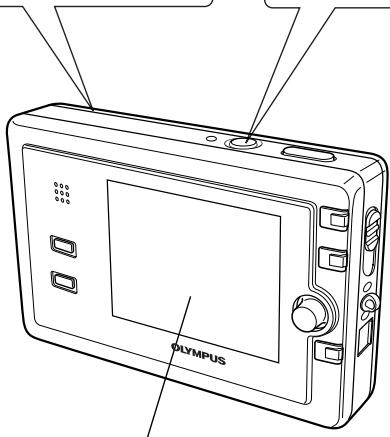
Monitor
When the camera is turned off, the monitor turns off.
What you can do with OLYMPUS Master software
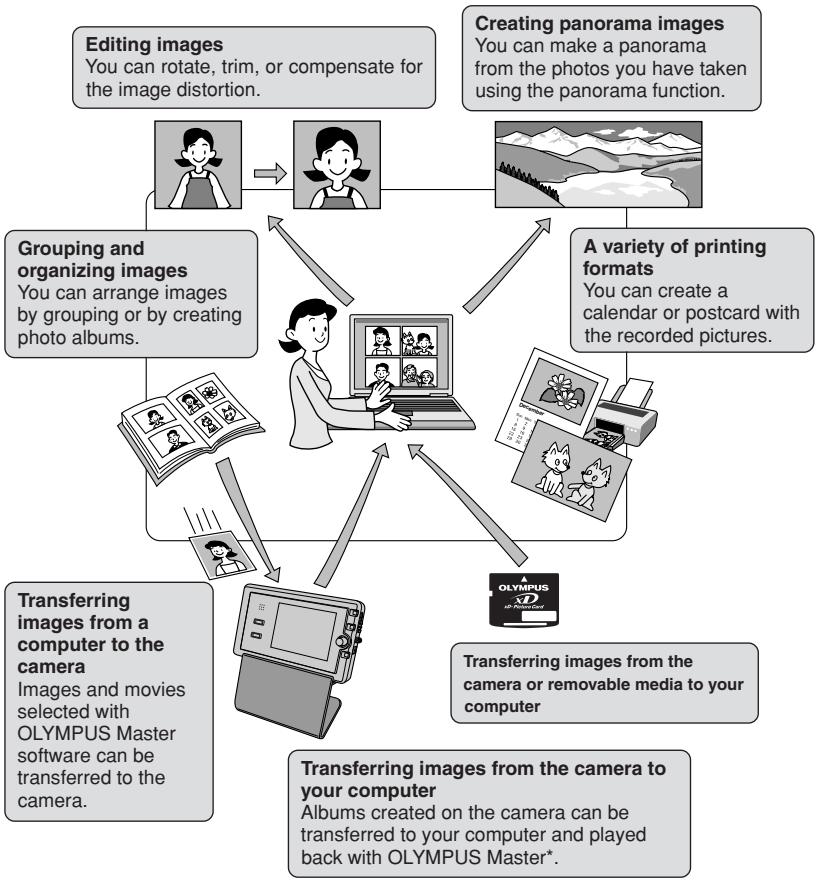
The provided software CD includes OLYMPUS Master software for viewing and editing images. Once installed, you can take advantage of viewing and editing your images as shown below. For information on how to use OLYMPUS Master software, see Help after installation.
flowchart
graph TD
    A["Editing images\nYou can rotate, trim, or compensate for the image distortion."] --> B["Grouping and organizing images\nYou can arrange images by grouping or by creating photo albums."]
    C["Creating panorama images\nYou can make a panorama from the photos you have taken using the panorama function."] --> D["A variety of printing formats\nYou can create a calendar or postcard with the recorded pictures."]
    E["Transferring images from a computer to the camera\nImages and movies selected with OLYMPUS Master software can be transferred to the camera."] --> F["Transferring images from the camera to your computer\nAlbums created on the camera can be transferred to your computer and played back with OLYMPUS Master*"]
    B --> G["Computer with Image Icon"]
    D --> G
    F --> G
    G --> H["Olympus Master icon"]
* Install OLYMPUS Master on your computer from the provided CD-ROM. OLYMPUS Master allows you to register as the camera's owner. Doing so will enable you to receive information on software or firmware upgrades from Olympus.
Specifications —Camera
| Product type | : Digital camera (for shooting and displaying) |
| Recording system | |
| Still picture | : Digital recording, JPEG (in accordance with Design rule for Camera File system (DCF)) |
| Applicable | : Exif 2.2, Digital Print Order Format (DPOF), PRINT Image Matching II, PictBridge standards |
| Sound with still pictures | : Wave format |
| Movie | : QuickTime Motion JPEG support |
| Memory | : xD-Picture Card, 16 MB to 512 MB |
| No. of storable pictures(When using a 16 MB card) | : Still picture record mode (The numbers in the table are approximate.) |
| Record mode | Resolution | Compression | File format | Number of storable pictures | ||
| With sound | Without sound | |||||
| SHQ | 2288 x 1712 | Low compression | JPEG | 5 | 5 | |
| 3:2 2288 x 1520 | 6 | 6 | ||||
| HQ | 2288 x 1712 | High compression | 15 | 16 | ||
| 3:2 2288 x 1520 | 17 | 18 | ||||
| SQ1 | 2048 x 1536 | HIGH | * | 6 | 6 | |
| NORMAL | 19 | 20 | ||||
| 1600 x 1200 | HIGH | 11 | 11 | |||
| NORMAL | 30 | 32 | ||||
| 1280 x 960 | HIGH | 16 | 17 | |||
| NORMAL | 45 | 49 | ||||
| SQ2 | 1024 x 768 | HIGH | 25 | 26 | ||
| NORMAL | 66 | 76 | ||||
| 640 x 480 | HIGH | 58 | 66 | |||
| NORMAL | 124 | 165 | ||||
*HIGH uses low compression/NORMAL uses high compression.
Movie record mode
| Record mode | Resolution | File format | Remaining recording time (sec.) | |
| With sound | Without sound | |||
| SHQ | 640 x 480 (30 frames/sec.) | Motion-JPEG | 8* | 8* |
| HQ | 640 x 480 (15 frames/sec.) | 17 | 17 | |
| SQ1 | 320 x 240 (30 frames/sec.) | 34 | 35 | |
| SQ2 | 320 x 240 (15 frames/sec.) | 67 | 70 | |
*Maximum recording time: Limited regardless of the card's memory.
| No. of effective pixels | : 4,000,000 pixels |
| Image pickup device | : 1/2.7" CCD solid-state image pickup 4,230,000 (gross) |
| Lens | : Olympus lens 6.2 mm to 17.3 mm, f2.9 to f4.8,(equivalent to 40 mm to 112 mm lens on 35 mm camera) |
| Photometric system | : Digital ESP metering, Spot metering system |
| Shutter speed | : 1/2 to 1/1000 seconds (the slowest shutter speed is 4 sec. in themode) |
| Shooting range | : Normal: 50 cm (1.6 ft.) to ∞, Macro mode: 30 cm (1.0 ft.) to ∞ |
| Monitor | : 2.5" TFT color LCD display, Approx. 206,000 pixels |
| Operating environment | |
| Temperature | : 0 to 40°C (32 to 104°F) (operation)-20 to 60°C (-4 to 140°F) (storage) |
| Humidity | : 30% to 90% (operation)10% to 90% (storage) |
| Power supply | : Only an Olympus LI-20B lithium-ion batteryAC adapter specified by Olympus |
| Dimensions | : 104.5 mm (W) x 63 mm (H) x 20 mm (D) (4.1" x 2.5" x 0.8")(excluding protrusions) |
| Weight | : Approx. 135 g (0.3 lb) (without battery and card) |
Specifications — Provided accessories
xD-Picture Card
| Product type | : xD-Picture Card for digital camera |
| Memory type | : NAND Flash EEP-ROM |
| Memory capacity | : Shown on the card |
| Operating environment | : Temperature 0 - 55^ ( 32 - 131^ ) (operation) -20 - 65^ ( -4 - 149^ ) (storage) |
| Humidity 95% or less | |
| Drive voltage | : 3V (3.3V) |
| Dimensions | : Approx. 20mm (L) x 25mm (W) x 1.7mm (H)( 0.8" × 1.0" × 0.1" ) |
LI-20B Lithium ion battery
| Type | : Lithium ion battery |
| Standard voltage | : DC 3.7V |
| Standard capacity | : 1035 mAh |
| Battery life | : Approx. 300 full recharges (battery life varies depending on the operating environment.) |
| Recommended temperature | : 10^ - 40^/50^ - 104^ (charging) -10^ - 60^/14^ - 140^ (operation) -20^ - 35^/-4^ - 95^ (storage) |
| Dimensions | : 35 × 53 × 7 mm/1.4 × 2.1 × 0.3 in |
| Weight | : Approx. 28 g/1 oz. |
AC adapter
| Input voltage | : AC100 - 240V, 50/60Hz, 23 - 32VA, 13W |
| Output voltage | : DC4.8V, 2.0A |
| Operating environment | : 0 - 40°C (32 - 104°F) |
| Storage environment | : -10 - 70°C (14 - 284°F) |
| Dimensions | : 47mm (W) x 72mm (H) x 27mm (D) (1.9" x 2.8" x 1.1") |
| Weight | : Approx. 160 g (0.4 lb) (excluding the power cable) |
SPECIFICATIONS ARE SUBJECT TO CHANGE WITHOUT ANY NOTICE OR OBLIGATION ON THE PART OF THE MANUFACTURER.
OLYMPUS®
http://www.olympus.com/
OLYMPUS IMAGING CORP.
Shinjuku Monolith, 3-1 Nishi-Shinjuku 2-chome, Shinjuku-ku, Tokyo, Japan
奥林巴斯(上海)映像销售有限公司
主页:http://www.olympus.com.cn
客户服务中心
北京:北京市东城区东长安街1号东方广场W2办公楼707室
电话:010-8518-0009 传真:010-8518-1899 邮编:100738
上海:上海市天钥桥路30号美罗大厦
电话:021-6426-7119 传真:021-6426-8325 邮编:200030
广州:广州市环市东路403号广州国际电子大厦1605-1608室
电话:020-6122-7111 传真:010-6122-7120 邮编:510095
奥林巴斯香港中国有限公司
香港九龙尖沙咀海港城港威大厦6座35楼
电话:00852-2730-1505 传真:00852-2730-7976
OLYMPUS KOREA CO., LTD.
9F, Hyundai Marines BD, 646-1, Yeoksam-Dong, Kangnam-Gu, Seoul, Korea
http://www.olympus.co kr
Tel. 1544-3200
OLYMPUS IMAGING AMERICA INC.
Two Corporate Center Drive, PO Box 9058, Melville, NY 11747-9058, U.S.A. Tel. 1-631-844-5000
Technical Support (USA)
24/7 online automated help: http://www.olympusamerica.com/support
Olympus software updates can be obtained at: http://www.olympus.com/digital
OLYMPUS EUROPA GMBH
Wendenstrasse 14-18, 20097 Hamburg, Germany
Tel. +49 40 - 23 77 3-0 / Fax +49 40 - 23 07 61
Please visit our homepage http://www.olympus-europa.com
- DIGITAL CAMERA
- AZ-2 ZOOM
- BASIC MANUAL
- For customers in North and South America
- For customers in USA
- For customers in Canada
- For customers in Europe
- Trademarks
- Unpacking the box contents
- Attaching the lens cap and strap
- Note
- What you can do with this camera
- Contents
- For other functions not described here, read the advanced manual.
- The advanced manual explains the following:
- CAUTION
- WARNING!
- General precautions
- Handling the camera
- WARNING
- Battery handling precautions
- DANGER
- AC adapter handling precautions
- Do not damage the AC adapter's cable.
- Unplug the AC adapter's cable from the outlet before cleaning the camera.
- En
- FCC Notice
- - Radio and Television Interference
- Removing the battery
- Charging the battery
- Using the AC adapter overseas
- Inserting the card
- Removing the card
- Monitor
- Battery check
- Lights (green)
- Lights (red)
- BATTERY EMPTY is displayed.
- Place the AF target mark on the subject while viewing the monitor to compose your shot.
- Adjust the focus.
- Release the shutter.
- Display recorded images.
- Use the Joystick to play back images you want to view.
- To return to the shooting mode, press the shutter button halfway.
- 2
- 1
- What you can do with OLYMPUS Master software
- Specifications — Provided accessories
- OLYMPUS®
- OLYMPUS IMAGING CORP.
- 奥林巴斯(上海)映像销售有限公司
- 奥林巴斯香港中国有限公司
- OLYMPUS KOREA CO., LTD.
- OLYMPUS IMAGING AMERICA INC.
- Technical Support (USA)
- OLYMPUS EUROPA GMBH
Marque : OLYMPUS
Modèle : AZ-2 ZOOM
Catégorie : Appareil photo argentique