
MINI SPEAKER MD-11 - Haut-parleur Bluetooth NOKIA - Notice d'utilisation et mode d'emploi gratuit
Retrouvez gratuitement la notice de l'appareil MINI SPEAKER MD-11 NOKIA au format PDF.


| Type de produit | Haut-parleur Bluetooth |
| Marque | Nokia |
| Modèle | Mini Speaker MD-11 |
| Alimentation | 3 piles AAA (non incluses) |
| Connectivité | Prise audio 3,5 mm |
| Fonctions principales | Lecture audio, écoute stéréo avec deux enceintes MD-11, antenne FM intégrée dans le câble |
| Indicateur lumineux | Voyant de mise sous tension |
| Câble | Haut-parleur avec fiche audio 3,5 mm et câble enroulé |
| Entretien et nettoyage | Nettoyer avec un chiffon doux et sec |
| Sécurité | Ne pas exposer à l'humidité, températures extrêmes, ne pas ouvrir |
| Recyclage | Conforme DEEE, recyclable |
FOIRE AUX QUESTIONS - MINI SPEAKER MD-11 NOKIA
Questions des utilisateurs sur MINI SPEAKER MD-11 NOKIA
0 question sur cet appareil. Repondez a celles que vous connaissez ou posez la votre.
Poser une nouvelle question sur cet appareil
Téléchargez la notice de votre Haut-parleur Bluetooth au format PDF gratuitement ! Retrouvez votre notice MINI SPEAKER MD-11 - NOKIA et reprennez votre appareil électronique en main. Sur cette page sont publiés tous les documents nécessaires à l'utilisation de votre appareil MINI SPEAKER MD-11 de la marque NOKIA.
MODE D'EMPLOI MINI SPEAKER MD-11 NOKIA
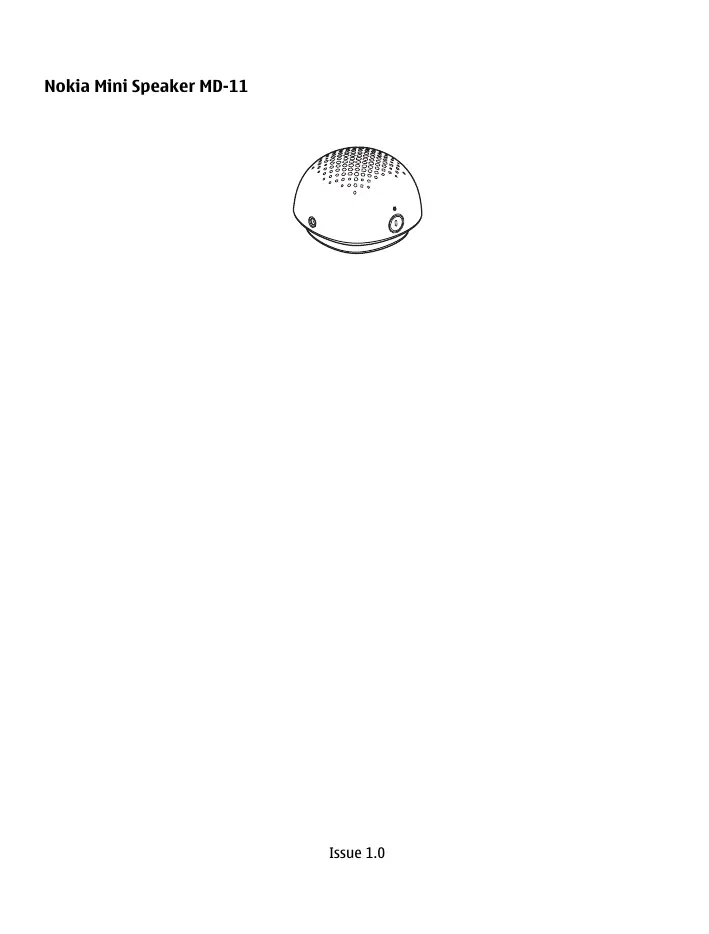
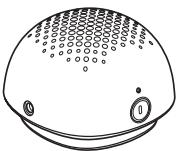
Nokia Mini Speaker MD-11
natural_image
Line drawing of a dome-shaped object with circular indentations and control buttons (no text or symbols)Introduction
With the Nokia Mini Speaker MD-11, you can listen to music from your compatible mobile device or music player and enjoy high-quality audio. You can connect a second MD-11 speaker for stereo sound. The speaker has a standard 3.5 mm audio plug. The speaker cable works as an FM radio antenna.
Warning:
This product may contain small parts. Keep them out of the reach of small children.
Parts
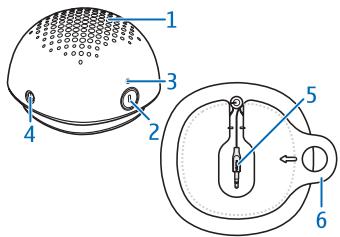
The speaker contains the following parts: speaker element (1), power key (2), indicator light (3), 3.5 mm audio connector (4), speaker cable with an audio plug (5), battery lid and coil for the cable (6).
Insert the batteries
1 To open the battery lid, uncoil the speaker cable, and pull the tab in the direction of the arrow.
2 Insert three AAA batteries in the battery compartment.
3 To close the battery lid, align the lid with the speaker cable, and push the lid into place.
When the speaker is not used for long periods, remove the batteries to prevent damage from leakage.
Use the speaker
Connect the speaker
1 Lift the audio plug from the slot at the bottom of the speaker, and uncoil the speaker cable.
2 Insert the audio plug into the connector in your Nokia device or other compatible device that has a standard 3.5 mm audio connector. If your Nokia device has a Nokia 2.5 mm AV connector, use the appropriate adapter.
Listen to music
1 Press the power key. The indicator light displays when the speaker is on.
2 Play audio and use the volume controls on your device. When the batteries are low on power, a regular beep sounds.
Warning:
Continuous exposure to high volume may damage your hearing. Listen to music at a moderate level.
Listen in stereo
Connect a second MD-11 speaker to the connector in the speaker that is connected to your device, and turn on both speakers.
Product and safety information
Take care of your device
Handle your device, battery and accessories with care. The following suggestions help you protect your warranty coverage.
- Keep the device dry. Precipitation, humidity, and all types of liquids or moisture can contain minerals that corrode electronic circuits. If your device gets wet, remove the battery, and allow the device to dry.
• Do not use or store the device in dusty or dirty areas. Moving parts and electronic components can be damaged. - Do not store the device in high temperatures. High temperatures can shorten the life of the device, damage the battery, and warp or melt plastics.
- Do not store the device in cold temperatures. When the device warms to its normal temperature, moisture can form inside the device and damage electronic circuits.
• Do not attempt to open the device.
• Unauthorised modifications may damage the device and violate regulations governing radio devices.
• Do not drop, knock, or shake the device. Rough handling can break internal circuit boards and mechanics.
• Only use a soft, clean, dry cloth to clean the surface of the device. - Do not paint the device. Paint can clog the moving parts and prevent proper operation.
Recycle
Always return your used electronic products, batteries, and packaging materials to dedicated collection points. This way you help prevent uncontrolled waste disposal and promote the recycling of materials. Check product environmental information and how to recycle your Nokia products at www.nokia.com/werecycle, or with a mobile device, nokia.mobi/werecycle.
Crossed-out wheeled-bin symbol

The crossed-out wheeled-bin symbol on your product, battery, literature, or packaging reminds you that all electrical and electronic products, batteries, and accumulators must be taken to separate collection at the end of their working life. This requirement applies in the European Union. Do not dispose of these products as unsorted municipal waste. For more information on the environmental attributes of your device, see www.nokia.com/ecodeclaration.
Copyright and other notices

© 2010 Nokia. All rights reserved.
Nokia, Nokia Connecting People and the Nokia Original Accessories logo are trademarks or registered trademarks of Nokia Corporation.
/Issue 1.0 EN
Marque : NOKIA
Modèle : MINI SPEAKER MD-11
Catégorie : Haut-parleur Bluetooth