
CAMERA FLASH PD-2 - Accessoire de smartphone NOKIA - Notice d'utilisation et mode d'emploi gratuit
Retrouvez gratuitement la notice de l'appareil CAMERA FLASH PD-2 NOKIA au format PDF.

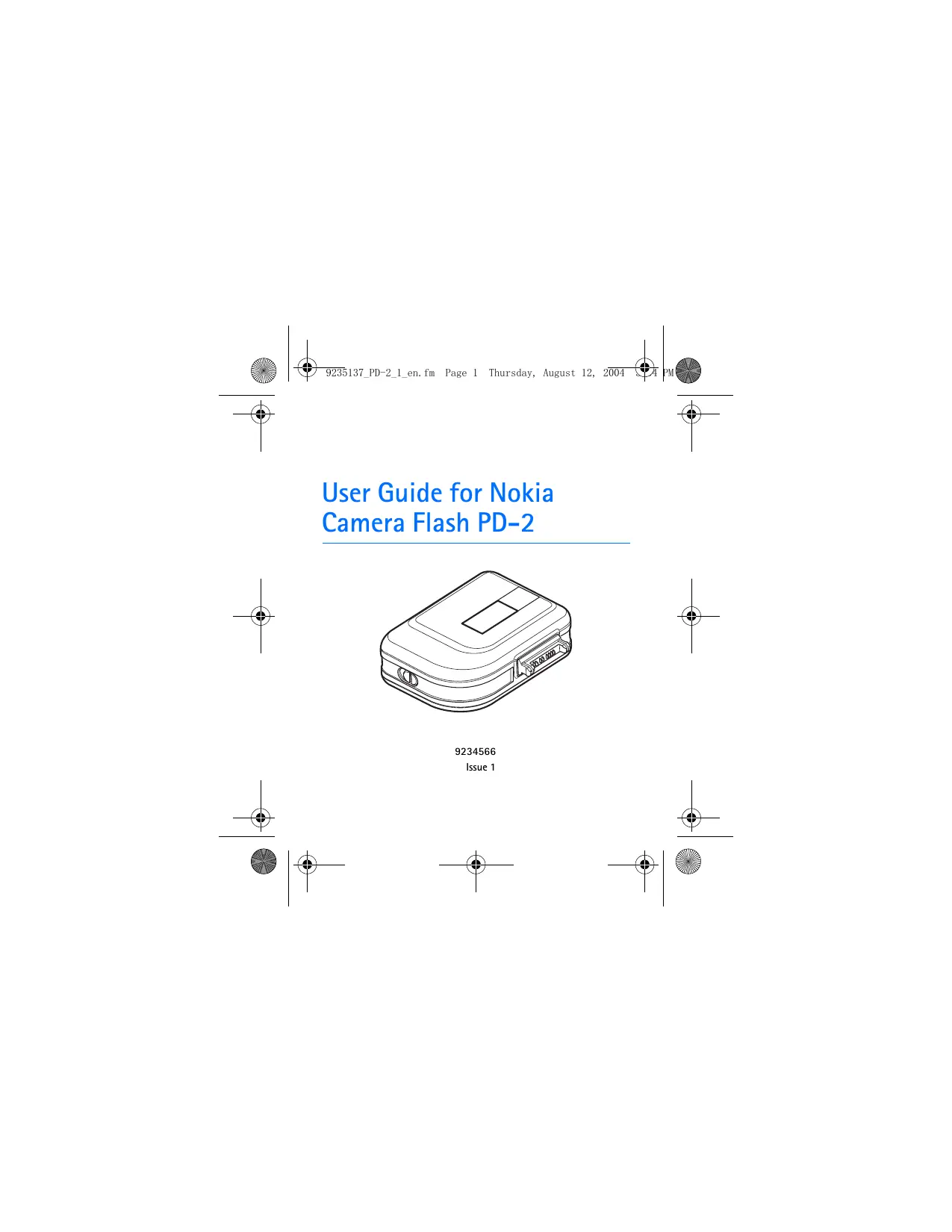

| Type de produit | Flash d'appoint pour smartphone |
| Marque | Nokia |
| Modèle | Camera Flash PD-2 |
| Dimensions (approx.) | 5 x 3 x 2 cm |
| Poids (approx.) | 30 g |
| Alimentation | Pile lithium CR2 3V |
| Type de flash | Tube xénon |
| Lumière LED vidéo | Oui, intégrée |
| Connectique | Pop-Port (Nokia) |
| Portée du flash (photo) | 1 à 3 mètres |
| Portée de la LED vidéo | Jusqu'à 0,5 mètre |
| Témoin lumineux d'état | LED clignotante verte (charge), fixe verte (prêt), rouge (pile faible) |
| Compatibilité | Téléphones Nokia avec connecteur Pop-Port (ex. Nokia 7610) |
| Entretien et nettoyage | Essuyer avec un chiffon doux et sec. Ne pas utiliser de produits chimiques. |
| Sécurité | Ne pas utiliser le flash près des yeux. Ne pas exposer à l'humidité. |
| Pieces detachées | Pile CR2 disponible dans le commerce |
| Réparabilité | Réparation uniquement par un centre agréé |
| Informations générales | Flash d'appoint pour photos et vidéos en faible luminosité |
FOIRE AUX QUESTIONS - CAMERA FLASH PD-2 NOKIA
Questions des utilisateurs sur CAMERA FLASH PD-2 NOKIA
0 question sur cet appareil. Repondez a celles que vous connaissez ou posez la votre.
Poser une nouvelle question sur cet appareil
Téléchargez la notice de votre Accessoire de smartphone au format PDF gratuitement ! Retrouvez votre notice CAMERA FLASH PD-2 - NOKIA et reprennez votre appareil électronique en main. Sur cette page sont publiés tous les documents nécessaires à l'utilisation de votre appareil CAMERA FLASH PD-2 de la marque NOKIA.
MODE D'EMPLOI CAMERA FLASH PD-2 NOKIA
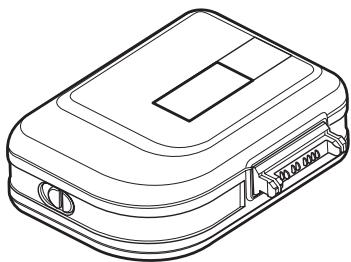
User Guide for Nokia Camera Flash PD-2
9234566
Issue 1
DECLARATION OF CONFORMITY
We, NOKIA CORPORATION, declare under our sole responsibility that the product PD-2 is in conformity with the provisions of the following Council Directive: 1999/5/EC.
A copy of the Declaration of Conformity can be found at http://www.nokia.com/phones/declaration_of_conformity/.

Copyright © 2004 Nokia. All rights reserved.
Nokia and Nokia Connecting People are registered trademarks of Nokia Corporation. Other product and company names mentioned herein may be trademarks or tradenames of their respective owners.
Nokia operates a policy of continuous development. Nokia reserves the right to make changes and improvements to any of the products described in this document without prior notice. Nokia reserves the right to revise this document or withdraw it at any time without prior notice.
Under no circumstances shall Nokia be responsible for any loss of data or income or any special, incidental, consequential or indirect damages howsoever caused.
The availability of particular products may vary by region. Please check with the Nokia dealer nearest to you.
9234566 /Issue 1
1. Introduction
Nokia Camera Flash enables you to take photos and video clips in poor lighting conditions. Nokia Camera Flash can be connected to compatible Nokia camera phones, such as the Nokia 7610 phone. To check the compatibility of your Nokia phone, contact your dealer or Nokia Customer Care.
Nokia Camera Flash includes a xenon flash tube and an LED light. You can use the flash to take pictures of a subject up to 3 meters away. You can use the LED to record video clips of subjects no further away than 0.5 meter.
Do not use the flash on people or animals at close range.
Introduction
Note that the flash is only meant for use in poor lighting conditions or the dark. If you use the flash in normal indoor lighting or in daylight, some of your photos may be overexposed.
Read this user guide carefully before using Nokia Camera Flash. More detailed information is provided in the user guide of your own phone. Do not use this user guide in place of the user guide for the phone, which provides important safety and maintenance information.
2. Getting started
Overview
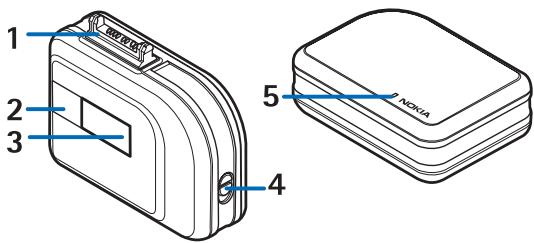
- Pop-PortTM connector
- Video LED light
- Xenon flash tube
- Battery door release button
- Status LED indicator
To insert the battery, open the battery cover, put the battery in (the required polarity is printed on the cover), and close the cover. When the indicator light is red, the battery must be replaced.
Using Nokia Camera Flash
- Connect Nokia Camera Flash to the phone Pop-Port.
- To take a picture, see the user guide for the phone. The indicator light blinks green while the flash charges. When the light stops blinking and remains a steady green, you can take a picture.
- To record a video, see the user guide for the phone.
- Do not cover the flash while using it.
3. Troubleshooting
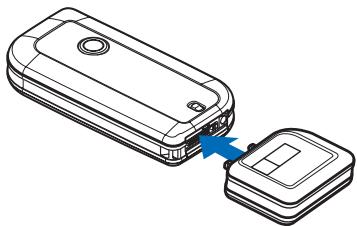
Q: Why do I receive a message that the enhancement is not supported when I connect Camera Flash to a compatible phone?
A: Camera Flash must be correctly connected to your phone. See the image below.
Q: What does the LED indicate?
Troubleshooting
A: A blinking green LED indicates the flash is charging and is not ready for use.
A steady green indicates the flash is charged and is ready for use.
A blinking red indicates the charging of the flash stopped for safety reasons, such as a humid environment.
A steady red indicates a low battery.
Note that the LED only indicates the readiness of the flash for photos.
- Q: What is the optimal range for the flash?
A: The flash works for distances from 1 meter to 3 meters. The optimal range depends on your phone model.
Q: What is the optimal range for the video LED light?
A: The video LED light works for distances up to 0.5 meter. The optimal range depends on your phone model.
4. Battery information
This device is intended for use when supplied with power from a CR2 3V, Lithium battery. The use of any other types may invalidate any approval or warranty, and may be dangerous. Always switch the device off before removing the battery. Ensure the correct polarity is observed when inserting batteries.
Use the battery only for its intended purpose. Never use any charger or battery that is damaged.
Do not short-circuit the battery. Accidental short-circuiting can occur when a metallic object such as a coin, clip, or pen causes direct connection of the positive (+) and negative (-) terminals of the battery. This might happen, for example, when you carry a spare battery in your pocket or purse. Short-circuiting the terminals may damage the battery or the connecting object.
Leaving the battery in hot or cold places, such as in a closed car in summer or winter conditions, will reduce the capacity and lifetime of the battery. Always try to keep the battery between 15°C and 25°C (59°F and 77°F). A device with a hot or cold battery may not work temporarily, even when the battery is fully charged. Battery performance is particularly limited in temperatures well below freezing.
Do not dispose of batteries in a fire! Dispose of batteries according to local regulations. Please recycle when possible. Do not dispose as household waste.
CARE AND MAINTENANCE
Your device is a product of superior design and craftsmanship and should be treated with care. The suggestions below will help you protect your warranty coverage.
- Keep the device dry. Precipitation, humidity and all types of liquids or moisture can contain minerals that will corrode electronic circuits. If your device does get wet, remove the battery and allow the device to dry completely before replacing it.
- Do not use or store the device in dusty, dirty areas. Its moving parts and electronic components can be damaged.
- Do not store the device in hot areas. High temperatures can shorten the life of electronic devices, damage batteries, and warp or melt certain plastics.
CARE AND MAINTENANCE
- Do not store the device in cold areas. When the device returns to its normal temperature, moisture can form inside the device and damage electronic circuit boards.
- Do not attempt to open the device other than as instructed in this guide.
- Do not drop, knock, or shake the device. Rough handling can break internal circuit boards and fine mechanics.
- Do not use harsh chemicals, cleaning solvents, or strong detergents to clean the device.
- Do not paint the device. Paint can clog the moving parts and prevent proper operation.
All of the above suggestions apply equally to your device, battery, charger, or any enhancement. If any device is not working properly, take it to the nearest authorized service facility for service.
Marque : NOKIA
Modèle : CAMERA FLASH PD-2
Catégorie : Accessoire de smartphone